1
Section 2: DATA ENTRY FORM Missing Measurement – Questions and Answers Additional Monitoring – Questions and Answers QUESTIONS AND ANSWERS – MISSING MEASUREMENT CODE
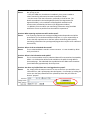
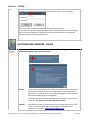
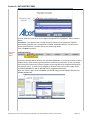
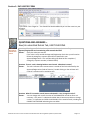
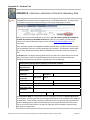
Question: What if I am missing data for a particular date and wish to save the other data collected along with the record that a data measurement is missing? Answer: For any missing values, highlight the value that is missing. Use the LOV’s (down arrow) beside the Missing Measurement Code to select the reason for the missing data. Then use the comments area to further elaborate as to why the data is missing. The missing measure code will be saved along with the values entered for the other parameters/or dates. Question: Do I have to enter a Missing Measurement Code? Answer: Yes. The Approval/Registration requires monitoring at specific stations, for specific parameters, at specified frequencies. If a measurement is missed, it could become a compliance issue. In addition, if a missing measurement code is not entered, it would be considered an incomplete report, which would trigger another compliance incident. QUESTIONS AND ANSWERS – ADDITIONAL MONITORING
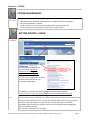
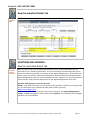
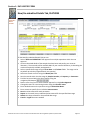
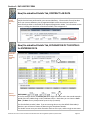
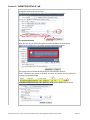
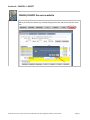
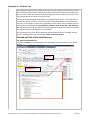
Question: What if I collected data for a parameter more frequently than my approval requires? Answer: The form allows for only one value per parameter per day. If you continuously monitor a parameter, the form will show a reading type of MIN (minimum) for the frequency specified (i.e. daily); or MAX (maximum) for the frequency specified; or AVG (average) for the frequency specified. If you monitor a parameter daily and the frequency specified is 1 grab sample/week, then you can enter one value/per day. This would mean that 6 of the 7 values would be considered additional data. If you were sending in monitoring data by ftp (flat file transfer process), then the system would be able to accept additional data without problem. New/Un‐submitted Details Tab, TASK BUTTONS User has more than ONE approval to report on SELECT AN APPROVAL The Select Approval button is found on each of the four tabs. When you are authorized user/operator for more than ONE approval you can enter details for the other approved/registered systems without terminating your on‐line session. This is accomplished by clicking on the Select Approval button to return to the “Please Select Your Approval” form. When you have returned to the “Please Select Your Approval” form use the LOV’s (down arrow) to choose the next Approval/Registration. Alberta Environment ‐ Electronic Data Transfer Manual for Drinking Water Operators, March 2010
Page 2.9