1
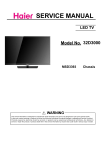
SERVICE MANUAL
LED TV
Model No. 48D3500
MSD3393
Chassis
WARNING
This service information is designed for experienced repair technicians only and is not designed for use by the general public.
It does not contain warnings or cautions to advise non-technical individuals of potential dangers in attempting to service a product.
Products powered by electricity should be serviced or repaired only by experienced professional technicians. Any attempt to
service or repair the product or products dealt with in this service information by anyone else could result in serious injury or death.
Service Manual
Model No.:
Chapter 1: General Information
1-1. Table of Contents
1. General Information...........................................................................1
1-1. Table of Contents
1-2. General Guidelines
1-3. Important Notice
1-4. How to Read this Service Manual
1
3
3
6
6SHFL¿FDWLRQV.................................................................................... 6
3. Location of Controls and Components........................................... 8
3-1. Board Location
8
3-2. Main Board & AV Board
8
11
13
4. Disassemble and Assemble.......................................................... 14
3-3. Power board
3-4. LCD Panel
4-1 Remove the Pedestal
14
4-2 Remove the Back Cover
4-3 Remove the Adhesive Tape
4-4 Remove the Main Board
4-5 Remove the Speaker
4-6 Remove the Remote Control Board
4-6 Remove the Power board
14
14
15
15
16
16
5. Installation Instructions..…....………………...........…………......... 17
5-1 External Equipment Connections
17
5-2 HDMI Connections
21
6. Operation Instructions....…....………………...........…………......... 24
6-1 Front Panel Controls
24
6-2 Back Panel Controls
23
6-3 Universal Remote Control
25
7. Electrical Parts…....………………...........…………......................... 26
7-1. Circuit Diagram
26
7-2. Wiring Connection Diagram
31
- 01 -
Service Manual
Model No.:
8. Measurements and Adjustments........…………............................ 32
8-1. How to enter into the factory model
35
8-2. How to update software
8-3. How to enter into the Hotel Model
36
37
9. Trouble-shooting………….............................................................. 38
9-1. Simple Check
38
9-2. Main Board Failure Check
39
9-3. Panel Failure
46
- 02 -
Service Manual
Model No.:
1-2. General Guidelines
When servicing, observe the original lead dress. If a short circuit is found, replace all parts
which have been overheated or damaged by the short circuit.
After servicing, see to it that all the protective devices such as insulation barriers, insulation
papers shields are properly installed.
After servicing, make the following leakage current checks to prevent the customer from
being exposed to shock hazards.
1) Leakage Current Cold Check
2) Leakage Current Hot Check
3) Prevention of Electro Static Discharge (ESD) to Electrostatically Sensitive
1-3. Important Notice
1-3-1. Follow the regulations and warnings
Most important thing is to list up the potential hazard or risk for the service personnel to
open the units and disassemble the units. For example, we need to describe properly
how to avoid the possibility to get electrical shock from the live power supply or charged
electrical parts (even the power is off).
This symbol indicates that high voltage is present inside.It is dangerous to
make any king of contact with any inside part of this product.
This symbol indicates that there are important operating and maintenance
instructions in the literture accompanying the appliance.
1-3-2. Be careful to the electrical shock
7RSUHYHQWGDPDJHZKLFKPLJKWUHVXOWLQHOHFWULFVKRFNRU¿UHGRQRWH[SRVHWKLV79VHW
to rain or excessive moisture. This TV must not be exposed to dripping or splashing water,
DQGREMHFWV¿OOHGZLWKOLTXLGVXFKDVYDVHVPXVWQRWEHSODFHGRQWRSRIRUDERYHWKH79
1-3-3. Electro static discharge (ESD)
Some semiconductor (solid state) devices can be damaged easily by static electricity. Such
components commonly are called Electrostatically Sensitive (ES) Devices. The following
techniques should be used to help reduce the incidence of component damage caused by
electros static discharge (ESD).
1-3-4. About lead free solder (PbF)
This product is manufactured using lead-free solder as a part of a movement within the
consumer products industry at large to be environmentally responsible. Lead-free solder
must be used in the servicing and repairing of this product.
8VHWKHJHQHZLQJSDUWVVSHFL¿HGSDUWV
Special parts which have purposes of fire retardant (resistors), high-quality sound
(capacitors), low noise (resistors), etc. are used.
When replacing any of components, be sure to use only manufacture's specified parts
shown in the parts list.
Safety Component
Ɣ&RPSRQHQWVLGHQWL¿HGE\PDUNKDYHVSHFLDOFKDUDFWHULVWLFVLPSRUWDQWIRUVDIHW\
- 03 -
Service Manual
Model No.:
1-3-6 Safety Check after Repairment
&RQ¿UPWKDWWKHVFUHZVSDUWVDQGZLULQJZKLFKZHUHUHPRYHGLQRUGHUWRVHUYLFHDUHSXW
in the original positions, or whether there are the positions which are deteriorated around
the serviced places serviced or not. Check the insulation between the antenna terminal or
external metal and the AC cord plug blades. And be sure the safety of that.
General Servicing Precautions
1. Always unplug the receiver AC power cord from the AC power source before;
a. Removing or reinstalling any component, circuit board module or any other receiver
assembly.
b. Disconnecting or reconnecting any receiver electrical plug or other electrical
connection.
c. Connecting a test substitute in parallel with an electrolytic capacitor in the receiver.
CAUTION: A wrong part substitution or incorrect polarity installation of electrolytic
capacitors may result in an explosion hazard.
2. Test high voltage only by measuring it with an appropriate high voltage meter or other
voltage measuring device (DVM, FETVOM, etc) equipped with a suitable high voltage
probe.
Do not test high voltage by "drawing an arc".
3. Do not spray chemicals on or near this receiver or any of its assemblies.
4. Unless specified otherwise in this service manual, clean electrical contacts only by
applying the following mixture to the contacts with a pipe cleaner, cotton-tipped stick or
comparable non-abrasive applicator; 10% (by volume) Acetone and 90% (by volume)
isopropyl alcohol (90%-99% strength).
CAUTION:7KLVLVDÀDPPDEOHPL[WXUH
8QOHVVVSHFL¿HGRWKHUZLVHLQWKLVVHUYLFHPDQXDOOXEULFDWLRQRIFRQWDFWVLVQRWUHTXLUHG
Capacitors may result in an explosion hazard.
5. Do not defeat any plug/socket B+ voltage interlocks with which receivers covered by this
service manual might be equipped.
6. Do not apply AC power to this instrument and/or any of its electrical assemblies unless
all solid-state device heat sinks are correctly installed.
7. Always connect the test receiver ground lead to the receiver chassis ground before
connecting the test receiver positive lead.
Always remove the test receiver ground lead last. Capacitors may result in an explosion
hazard.
8VHZLWKWKLVUHFHLYHURQO\WKHWHVW¿[WXUHVVSHFL¿HGLQWKLVVHUYLFHPDQXDO
CAUTION: 'RQRWFRQQHFWWKHWHVW¿[WXUHJURXQGVWUDSWRDQ\KHDWVLQNLQWKLVUHFeiver.
9. Remove the antenna terminal on TV and turn on the TV.
10. Insulation resistance between the cord plug terminals and the eternal exposure metal
should be more than Mohm by using the 500V insulation resistance meter.
11. If the insulation resistance is less than M ohm, the inspection repair should be required.
If you have not the 500V insulation resistance meter, use a Tester. External exposure
metal: Antenna terminal Headphone jack
- 04 -
Service Manual
Model No.:
Electrostatically Sensitive (ES) Devices
Some semiconductor (solid-state) devices can be damaged easily by static electricity.
Such components commonly are called Electrostatically Sensitive (ES) Devices.
Examples of typical ES devices are integrated circuits and some field-effect transistors
and semiconductor "chip" components. The following techniques should be used to help
reduce the ncidence of component damage caused by static by static electricity.
1. Immediately before handling any semiconductor component or semiconductorequipped assembly, drain off any electrostatic charge on your body by touching a known
earth ground. Alternatively, obtain and wear a commercially available discharging wrist
strap device, which should be removed to prevent potential shock reasons prior to applying
power to the unit under test.
2. After removing an electrical assembly equipped with ES devices, place the assembly
on a conductive surface such as aluminum foil, to prevent electrostatic charge buildup or
exposure of the assembly.
3. Use only a grounded-tip soldering iron to solder or unsolder ES devices.
4. Use only an anti-static type solder removal device. Some solder removal devices not
FODVVL¿HGDVDQWLVWDWLFFDQJHQHUDWHHOHFWULFDOFKDUJHVVXI¿FLHQWWRGDPDJH(6GHYLFHV
'RQRWXVHIUHRQSURSHOOHGFKHPLFDOV7KHVHFDQJHQHUDWHHOHFWULFDOFKDUJHVVXI¿FLHQW
to damage ES devices.
6. Do not remove a replacement ES device from its protective package until immediately
before you are ready to install it.
(Most replacement ES devices are packaged with leads electrically shorted together by
conductive foam, aluminum foil or comparable conductive material).
7. Immediately before removing the protective material from the leads of a replacement
ES device, touch the protective material to the chassis or circuit assembly into which the
device will be installed.
CAUTION: Be sure no power is applied to the chassis or circuit, and observe all other
safety precautions.
8. Minimize bodily motions when handling unpackaged replacement ES devices.
(Otherwise harmless motion such as the brushing together of your clothes fabric or the
OLIWLQJRI\RXUIRRWIURPDFDUSHWHGÀRRUFDQJHQHUDWHVWDWLFHOHFWULFLW\VXI¿FLHQWWRGDPDJH
an ES device.)
1-3-7. Ordering Spare Parts
Please include the following informations when you order parts. (Particularly the Version
letter)
1. Model number, Serial number and Software Version
The model number and Serial number can be found on the back of each product and the
Software Version can be found at the Spare Parts List.
2. Spare Part No. and Description
<RXFDQ¿QGWKHPLQWKH6SDUH3DUWV/LVW
- 05 -
Service Manual
Model No.:
1-3-8. Photo used in this manual
The illustration and photos used in this Manual may not base on the final design of
products, which may differ from your products in some way.
1-4. How to Read this Service Manual
Using Icons:
,FRQVDUHXVHGWRDWWUDFWWKHDWWHQWLRQRIWKHUHDGHUWRVSHFL¿FLQIRUPDWLRQ7KHPHDQLQJRI
each icon is described in the table below:
Note:
A “note” provides information that is not indispensable, but may nevertheless be valuable
to the reader, such as tips and tricks.
Caution:
A “caution” is used when there is danger that the reader, through incorrect manipulation,
may damage equipment, loose data, get an unexpected result or has to restart(part of) a
procedure.
Warning:
A “warning” is used when there is danger of personal injury.
Reference:
A “reference” guides the reader to other places in this binder or in this manual, where he/
VKHZLOO¿QGDGGLWLRQDOLQIRUPDWLRQRQDVSHFL¿FWRSLF
- 06 -
Service Manual
Model No.:
6SHFL¿FDWLRQV
Model
48D3500
Screen Size
48 inch
Aspect Ratio
16:9
Resolution
1920*1080
Response Time (ms)
8.0 (GRAY TO
GRAY)
Angel of View
176o
Color Display
16.7M
No. of Preset Channels
Cable :1-135
Air: 2-69 (ATV&DTV)
OSD Language
English
Color System
NTSC
Audio System
DK, BG, I, M, L, L'
Audio Output Power
(Built-in) (W)
10W×2
Audio Output Power
(outer) (W)
No
Total Power Input (W)
72W
Voltage Range (V)
AC 100-240V
Power Frequency (Hz) 50~60Hz
Net Weight (KG)
12.8
Gross Weight (KG)
15.8
Net Dimension (MM)
1073*78*645mm
Packaged Dimension
(MM)
1073*280*703mm
- 07 -
Service Manual
Model No.:
3. Location of Controls and Components
3-1 Board Location
A Board
B Board
No.
Description
A Board
Mainboard
B Board
Power Supply
3-2 Main Board
- 08 -
Service Manual
Model No.:
3-2-1 Function Description:
Main Board
Process signal which incept from exterior equipment then translate into signal that panel
can display.
&RQQHFWRUGH¿QLWLRQ
Main board connector
Power connectors (J16)
J16
BRIGHT
Pin number
1
2
3
4
5
6
Signal name
GND
7
+5V
8
+5V
9
GND
10
GND
11
GND
12
+12V
13
+12V
BL-ADJUST
BL-ON/OFF
+5V
POWER ON/OFF
+5VSTB
Notes:
J 16-Pin 3: Backlight on/off:
The system can turn on or turn off the backlight of TFT LCD Panel through the power
supply unit path.
J 16-Pin 6: System power on / standby
System board will use this pin to control system power.
J 16-Pin 2: Control the luminance of backlight
The system can generate the PWN signal to control the strength of TFT LCD Panel’s
backlight through this connector
- 09 -
Service Manual
Model No.:
Keypad and remote connector (J2)
Pin number
1
2
3
4
5
6
7
8
Signal name
GND
KEY1
KEY0
NC
5V
GND
IR
Description
POWER FOR REMOTE
GND
REMOTE CONTROL
STANDBY
LED_G
LED_R
9
10
LAMP GREEN
LAMP RED
Speaker connector (J17)
Pin number
1
2
3
4
Signal name
RSPK+
RSPKLSPKLSPK+
Description
RSPK+
RSPKLSPKLSPK+
- 10 -
Service Manual
Model No.:
3-3. Power Board
3-3-1 Function Description:
Supply power for Main board, Panel.
&RQQHFWRUGH¿QLWLRQ
Pin number
1
2
3
4
5
6
CON4
Signal name
NC
GND
GND
+5V
POWER ON/OFF
+5VSTB
7
+5V
8
+5V
9
GND
10
GND
11
GND
12
+12V
13
+12V
- 11 -
Service Manual
Model No.:
3-4. LED Panel
LSC480HN02-G
- 12 -
Service Manual
Model No.:
3-4-1.Connector de finition
Connector : FI-RE51S-HF (JAE/UJU)
Pin
Symbol
Description
Pin
Symbol
Description
1
NC
NOTE1
26
NC
NOTE1
2
NC
NOTE1
27
NC
NOTE1
3
NC
NOTE1
28
Rx2[A]N
Even LVDS Signal -
4
NC
NOTE1
29
Rx2[A]P
Even LVDS Signal +
5
NC
NOTE1
30
Rx2[B]N
Even LVDS Signal -
6
NC
NOTE1
31
Rx2[B]P
Even LVDS Signal +
7
NC
NOTE1
32
Rx2[C]N
Even LVDS Signal -
8
NC
NOTE1
33
Rx2[C]P
Even LVDS Signal +
9
NC
NOTE1
34
GND
Ground
10
NC
NOTE1
35
Rx2CLK-
LVDS Clock -
11
GND
Ground
36
Rx2CLK+
LVDS Clock +
12
Rx1[A]N
Odd LVDS Signal -
37
GND
Ground
13
Rx1[A]P
Odd LVDS Signal +
38
Rx2[D]N
Even LVDS Signal -
14
Rx1[B]N
Odd LVDS Signal -
39
Rx2[D]P
Even LVDS Signal +
15
Rx1[B]P
Odd LVDS Signal +
40
Rx2[E]N (Note 2)
Even LVDS Signal -
16
Rx1[C]N
Odd LVDS Signal -
41
Rx2[E]P (Note 2)
Even LVDS Signal +
17
Rx1[C]P
Odd LVDS Signal +
42
NC
NOTE1
18
GND
Ground
43
NC
NOTE1
19
Rx1CLK-
LVDS Clock -
44
GND
Ground
20
Rx1CLK+
LVDS Clock +
45
GND
Ground
21
GND
Ground
46
GND
Ground
22
Rx1[D]N
Odd LVDS Signal -
47
NC
NOTE1
23
Rx1[D]P
Odd LVDS Signal +
48
12V
DC power supply
24
Rx1[E]N (Note 2)
Odd LVDS Signal -
49
12V
DC power supply
25
Rx1[E]P (Note 2)
Odd LVDS Signal +
50
12V
DC power supply
51
12V
DC power supply
- 13 -
Service Manual
Model No.:
4. Disassemble and assemble
4-1 Remove the Pedestal
/D\GRZQWKHXQLWVRWKDWUHDUFRYHU
faces upward
5HPRYH WKH WKUHH VFUHZ IURP WKH
UHDUFRYHULQGLFDWHGZLWKż
7KHQUHPRYHWKHSHGHVWDO
4-2Remove the Back Cover
5HPRYHWKHWKHVHVFUHZLQGLFDWHGRQ
¿JXUHDERYHE\ż
7KHQUHPRYHWKHEDFNFRYHUIURPWKH
unit.
4-3. Remove the adhesive tape
Remove the adhesive tape indicated on the
¿JXUHDERYH
- 14 -
Service Manual
Model No.:
4-4 Remove the Main board
'LVFRQQHFWHG WKH FRXSOHU
J1 J2 J16 J17
5HPRYHWKH0DLQERDUG
4-5 Remove the speaker
Take out the speaker
- 15 -
Service Manual
Model No.:
4-6 Remove the remote control
take out the remote control board
4-7 Remove the Power Supply
- 16 -
Service Manual
Model No.:
5. Installation Instructions
5-1 External Equipment Connections
Accessories
Remote Control
User GUIDE
Battery
Antenna Connection
Connect one end of a coaxial cable (not included) to the ANT IN jack on the back of
your TV/DVD combo, then connect the other end of the cable into the antenna or cable
TV wall outlet.
To improve picture quality from an antenna in a poor signal area, install a signal
DPSOL¿HU
If you need to split the antenna signal to connect two TVs, install a two-way splitter.
- 17 -
INSTALLATION
ANTENNA
Note:
Aerial connections: IEC (female).
Input impendance: 75 unbalanced.
PC
STEPS:
Be sure both the TV and computer are powered off.
1.Connect a VGA and audio cable.
2.Connect the power cord.
3.Turn on the TV, switch to PC mode.
4.Turn on the PC.
HDMI3
HDMI2
COAXIAL
MHL
VGA
PC AUDIO
COMPONENT
HEADPHONE
Y
- 18 -
Pb
Pr
USB
INSTALLATION
PC
PRESET MODE
RESOLUTION
V.Freq.(Hz)
H.Freq.(KHz)
1
640*480
60
31.47
2
800*600
60
37.88
3
1024*768
60
48.36
4
1280*1024
60
63.98
5
1366*768
60
47.71
6
1920*1080
60
67.50
- 19 -
INSTALLATION
AV EQUIPMENT
There are three HDMI ports located on the back of your TV. You can connect a Blu-ray player,
DVD player, or other video equipment through these ports.
The HDMI2 port is MHL enabled. You can connect MHL devices, such as the compatible
mobile phones and tablets.
NOTE: a USB to HDMI cable is required to connect a mobile phone or tablet to the TV. Please
check the documentation of your device.
There is one component (Y, Pb, Pr) and one composite (AV) video input located on the back
of your TV. You can connect a VCR, cable box, or other video equipment to these jacks.
Please see the diagram below. You may also need to refer to the owner's manual of the device
that you are trying to connect.
HDMI3
HDMI2
COAXIAL
MHL
VGA
PC AUDIO
COMPONENT
HEADPHONE
Y
Pb
Pr
USB
VIDEO EQUIPMENT with YPbPr
Y Yellow (video)
W White(audio L)
R Red(audio R or Pr)
B Blue(Pb)
G Green(Y)
VIDEO EQUIPMENT
TO VIDEO
OUTPUTS
TO AUDIO OUTPUTS
The television's inputs can be connected to the following types of equipment: VCR, multi disc player,
DVD, camcorder, video game or stereo system, etc.....
YPbPr can support these video formats:480i,576i,480p,576p,720p,1080i, 1080p.
- 20 -
Service Manual
Model No.:
5-2 HDMI Connections
When the source device(DVD player or Set Top Box) supports HDM
How To Connect
1. Connect the source device to HDMI port of this TV with an HDMI cable(not supplied
with this product).
2. No separated audio connection is necessary.
How To Use
If the source device supports Auto HDMI function, the output resolution of the source
device will be automatically
set to 1280x720p.
If the source device does not support Auto HDMI, you need to set the output resolution
appropriately.
To get the best picture quality, adjust the output resolution of the source device to
1280x720p.
Select HDMI input source in input source option of Select Main source menu.
When the source device(DVD player or Set Top Box) supports DVI
How To Connect
1. Connect the source device to HDMI port of this TV with a HDMI-to-DVI cable(not
supplied with this product).
2. A separated audio connection is necessary.
3. If the source device has an analog audio output connector, connect the source device
audio output to DVI Audio In port located on the PC port.
How To Use
If the source device supports Auto DVI function, the output resolution of the source device
will be automatically
set to 1280x720p.
If the source device does not support Auto DVI, you need to set the output resolution
appropriately.
To get the best picture quality, adjust the output resolution of the source device to
1280x720p.
Press the INPUT button to select HDMI input source in input source option of Select Main
source menu.
Installation
- 21 -
Service Manual
Model No.:
Cable sample
HDMI Cable
(not supplied with the product)
HDMI to DVI Cable
( not supplied with the product)
Analog Audio Cable
(Stereo to RCA type)
(not supplied with the product)
- 22 -
Service Manual
Model No.:
Power source
TO USE AC POWER SOURCE
Use the AC polarized line cord provided for operation on AC.
Insert the AC cord plug into a standard polarized AC outlet.
NOTES:
Ŷ1HYHUFRQQHFWWKH$&OLQHFRUGSOXJWRRWKHUWKDQWKHVSHFL¿HGYROWDJH
Use the attached power cord only.
Ŷ,IWKHSRODUL]HG$&FRUGGRHVQRW¿WLQWRDQRQSRODUL]HG$&RXWOHW
GRQRWDWWHPSWWR¿OHRUFXWWKHEODGH,WLVWKHXVHUCVUHVSRQVLELOLW\WRKDYHDQ
electrician replace the obsolete outlet.
Ŷ,I\RXFDXVHDVWDWLFGLVFKDUJHZKHQWRXFKLQJWKHXQLWDQGWKHXQLWIDLOVWRIXQFWLRQ
simply unplug the unit from the AC outlet and plug it back in. The unit should return to
normal operation.
- 23 -
Service Manual
Model No.:
6. Operation Instructions
Basal information
Side panel
Front panel
4
1
3
30
2
30
1:
Remote control sensor.
2:
Indicator LED: WHITE
3:
Indicator LED: RED
1.
: Display the input source menu.
2. MENU: Display main MENU.
3. CH+/CH-: In TV mode, press "CH+" or "CH-" to
change the channel up and down. In MENU mode, press
"CH+" or "CH-" to select items; In standby mode, press
"CH+" or "CH-" to turn on the TV.
4. VOL+/VOL-: Adjust sound level. In MENU mode,
press "VOL+ " or "VOL- " to adjust the item that you
selected.
5.
: Press this button to turn the unit ON from
STANDBY mode. Press it again to turn the set back to
STANDBY.
POWER ON.
STANDBY.
4: Panel keys
REAR Connections
COMPOSITE
AC-INPUT
100-240V~50/60Hz
RF
VIDEO
L
HDMI1
R
All the terminals are (from left to right):
POWER SOCKET, RF, VIDEO, AUDIO INPUT, HDMI1.
Note: AV and component (YPbPr) share the R and L audio inputs.
SIDE Connections
HDMI3
HDMI2
COAXIAL
MHL
VGA
PC AUDIO
COMPONENT
HEADPHONE
Y
Pb
Pr
USB
All the terminals are (from left to right):
COAXIAL (audio output), MHL/HDMI2, VGA, PC AUDIO, HDMI3, HEADPHONE,
YPbPr(COMPONENT)INPUT, USB.
Note: When HDMI has an input signal coming from a DVI source then the audio input signal must be
connected to the PC audio input.
- 24 -
Service Manual
Model No.:
6-3 Setting Up Your Remote Control
1.Press to turn on and off the TV.
1
13
2.USB: Press to launch the USB multimedia mode.
3.Select a closed caption option.
2
3
14
4.Press to input a channel.
5.Press to select the digital sub-channels.For example, to
enter “54-3”, press“54”,“●”, and then “3”.
6.Press CH
4
or CH
to go to the next or previous channel
in the channel list. Press VOL+ or VOL- to increase or
decrease the volume.
7.Return to the previous menu.
5
15
8.Press to display the TV status information.
16
9.Select MONO, STEREO, SAP in NTSC (analog TV)
system.
6
10.Press to cycle through the sleep timer options.
11.Press to cycle through the different sound settings.
12.Open the channel list in TV mode.
17
7
8
9
18
13.Show the input source menu.
14.Switch to the HDMI2/MHL input.
19
15.Press to go to the last viewed channel.
20
17.Press to open the on-screen display (OSD) menu.
10
16.Switches the TV sound on or off.
11
21
22
12
18.Exit the on-screen display.
19.Press to change the aspect ratio.
20.Press to cycle through the available picture modes.
21.Press to confirm selections in an on-screen menu or to
open a submenu.
26
*
23
22.Open the favorite channel list in TV mode.
23.Reserved.
24
25
24. Reverse/Fast forward: Use these buttons to control
music/photo playback.
25. PLAY/PAUSE: Press to play/pause music or photo
slideshow in USB mode.
26. Reserved.
- 25 -
Service Manual
Model No.:
7. Electrical parts
7-1. C ircu
it D iagram
56'
%&7'
5
PWR-ON/OFF
5VA
RF IN
5VSTB
12VA
4
UD13
3
IF
1.8VA
3.3V_TUNER
3.3VA
+3.3Vstb
1.15V
AL0O/AR0O
U702
AUDIO AMP.
32Mbit
SPI FLASH
DSP
U1
2
DVD_CVBS
CN202
FRONT
PANEL
1
IR,KEY0,KEY1
VGA
AUDIO
J8
VGA
PH1~3
HDMI*3
PH1~3
YPbPr
PH1~3
AV
RGB
CVBS1
Title
Size
Custom
Date:
BLOCK DIAGRAM
Document Number
MSAV3216-K6
Monday, January 07, 2013
1
Sheet
2
of
12
31-32F XINGHESHIJI BLDG. 3069 CAITIAN ROAD FUTIAN DISTRICT SHENZHEN
ShenZhen MTC Co., Ltd.
L/R (AIN0)
YPbPr0
LINEIN_L1/R1
19ms
600μS
600μS
RSTU7130MS
1.15V
3.3V
1.8V
MSD3393-128PIN
BLOCK DIAGRAM
ATSC TUNER
TDA18273 (ONBOARD)
UD12
OR
601
JACK
HeadPhone
UD9
SY8008B
DC/DC
UD8
DC/DC
SY8008B
UD7
SY8008B
DC/DC
3.3V_TUNER
PANEL_POWER
L/R
PANEL_ON/OFF
3.3VA
AUDIO AMP.
EUA2113
J18
USB PORT
J3
SPIDF
OUTPUT
COAXIAL
2
Rev
A
D
C
B
A
- 26 -
AC100V-240V
POWER BOARD
+12V
J17
TO SPK
UD3
5VA
J13
CVBS0
D
C
B
A
3
LINEIN_L0/R0
D
5
UD9
SY8008D
SY8008D
LX
OUT/FB
3
5
526MA
10uF
0.1uF
CD95
1.164VVDDC
10uF
LD22
4.7uH_2A
LX
3
10uF 10uF
4
0.1uF
RD136 CD97 CD87 CD88
120K
RD141
330K
RD145
150MA
+3.3V_Normal
down)
220uF/16V
EC113
+3.3Vstb
+
1.15V
Vout=0.6X(1+R up/R
100K
RD146
47K
RD143
47K
RD137 CD89 CD94
LD23 4.7uH_2A
UD8
SY8008D
SY8008D
5
Vpp=100mV
VCC-Panel
=>:;7
+12V7251.3mA
+5V7583mA
10K
RD34
BRI_ADJ
BKLON
5VA
3
1
RD138
100K
4
EN
VIN
UD7
SY8008D
SY8008D
OUT/FB
LX
5
3
QD4
3904
100R
RD40
1K
1.812V
BL-ON/OFF
BL-ADJUST
NC/2.2uF
3904
QD5
RD39
10K
+3.3Vstb
RD157
CD131
0.1uF
1
5Vstb
1K
R162
R163
R168
NC/0R
4.7K
R139
4.7K
4.7K
1
33R
OFF
1.8VA
J15
1
2
3
4
5
2
139MA
2
+1.8V_DDR2
PWR-ON/OFF
ON
5pin-2.0mm
1
2
3
4
5
10uF 10uF 0.1uF
R164
H:ON
L:OFF
R159
5VA
100K
RD144
RD139
82K
120K
RD135 CD96 CD85 CD86
LD21
4.7uH_2A
1.7V~1.9V 345671.834V
34:;7Irms=167.3mAImax=206mA
10uF 10uF
CD101 CD91
+3.3Vstb
RD36
1K
1
EC105
220uF/16V
Q107
3904
PWR_ON/OFF#
NC/0R 5VA
NC/0R
CD46
<1A 5V Input--->Output 1.8V
100pF
CD103
0.1uF
+3.3Vstb
NC/10K
RD35
RD37
2.2K
RD38
4.7K
+
EC107
220uF/16V
+
5.17V
5VA
12.46V
12VA
CD90
LD25 FB
1.8V DC-DC
BRI_ADJ
2 VBL_CTRL
2
5.17V FB7
+5V_Normal
56R-4A
FB4
+12V_NORMAL
12.46V
MAINPOWER
J16
56R-4A
5Vstb
C179
RD65
RD66
1
1
+3.3V_Normal
R224
4.7K
R30 10K
0.1uF
C46
1uF
C139
1
600Ω-1.5A-0805
C2
9
8
7
6
H6
NC
10uF
R215
2012.11.29 !"#
100K $%&'()3.3V-TUNER
*+,-.AGC/012
Q4
3904
H3
5
4
3
2
NC
H5
NC
1
0.1uF
C130
of
9
silicon tuner 89:;7
218mA
3.3V-TUNER
3.3V_TUNER
Q2
FB2
AO3407
TUNER<34:;7Irms=186.5mAImax=200mA
332mA MAX:360MA
2 PWR-ON/OFF
H:ON
L:OFF
89:;7
+12V72.63A
+5V72.2A
+5VSTB70.77A
+3.3V_TUNER70.5A
+5VSTB7239mA
H2
2P
H4
NC
2
1
=>:;7
+12V71.89A/8W,2.15A/10W
+5V7753mA
Title
Sheet
MSD3393
1
1
1.15V DC-DC
4
RD142
100K
EN
VIN
1.12V~1.18V 345671.158V
34:;7Irms=464.3mAImax=575mA
5Vstb
10uF 10uF
CD99 CD100
FB
CD98
LD24
0.1uF
1
VIN
OUT/FB
100K
QD6 AO3407
2.2K
RD61
13
12
11
10
9
8
7
6
5
4
3
2
1
Q104
3904
Document Number
DC-DC
1
GND
2
3
Wednesday, January 16, 2013
1
CD105
4
EN
RD62
270K
89:;7
+12V72.06A
+5V71.41A
BL-ADJUST
BL-ON/OFF
Size
Custom
Date:
1
100pF
<1A 5V Input--->Output 1.15V
3.3V DC-DC
FB
1
CD102 CD93 RD140
100K
CD104
100pF
VCCLCDFN
CD53
RD60
10K
QD7
0.1uF
<1A 5V Input--->Output 3.3V
1
3904
0R
2
D
C
B
H7
NC
A
Rev
1.0
- 27 -
3.14V~3.46V 345673.33V
,-.<34:;7Irms=123.1mAImax=288mA
5Vstb
LD26
0R
VCCLCDFN
CD52
10uF
RD63
4.7K
RD67
0R
10uF
RD68
3
3
2
3
2
2
1
GND
2
CD92 10uF 10uF
0.1uF
RD56
NC/0R
PANEL POWER
12VA
RD59
ON_PANEL
5VA
2
RD64
4.7K
4
1
2
C
B
A
5
3
2
3
2
3
2
1
2
GND
2
HDMI Interface
HDM I0-RX 0P
HDM I0-RX 0N
HDM I0-RX 1P
HDM I0-RX 1N
HDM I0-RX 2P
HDM I0-RX 2N
HDM I0-CLK N
HDM I0-CLK P
HDM I0-S C L
HDM I0-S D A
H D M I0 -H P D IN
HDM I1-RX 0P
HDM I1-RX 0N
HDM I1-RX 1P
HDM I1-RX 1N
HDM I1-RX 2P
H D M I1 -R X 2N
HDM I1-CLK N
HDM I1-CLK P
HDM I1-S C L
HDM I1-S D A
HDM I1-HP DIN
HDM I2-R X 0P
H D M I2-R X 0N
H D M I2-R X 1P
H D M I2-R X 1N
HDM I2-R X 2P
H D M I2-R X 2N
HDM I2-C LK N
H D M I2-C L K P
H D M I2-S C L
HDM I2-S D A
HDM I2-H P D IN
M H L _ CA B LE -D E T
H D M I-A R C
H D M I-C E C
HDM I0-RX 0P
HDM I0-RX 0N
HDM I0-RX 1P
HDM I0-RX 1N
HDM I0-RX 2P
HDM I0-RX 2N
HDM I0-CLK N
HDM I0-CLK P
HDM I0-S C L
HDM I0-S D A
H D M I0 -H P D IN
HDM I1-RX 0P
HDM I1-RX 0N
HDM I1-RX 1P
HDM I1-RX 1N
HDM I1-RX 2P
HDM I1-RX 2N
HDM I1-CLK N
HDM I1-CLK P
HDM I1-S C L
HDM I1-S D A
HDM I1-HP DIN
HDM I2-R X 0P
H D M I2-R X 0N
H D M I2-R X 1P
H D M I2-R X 1N
HDM I2-R X 2P
HDM I2-R X 2N
HDM I2-C L K N
HDM I2-C L K P
HDM I2-S C L
HDM I2-S D A
HDM I2-H P D IN
M H L _ CA B LE -D E T
H D M I-A R C
H D M I-C E C
47nF
47nF
47nF
47nF
RGB 0_R+
RGB 0_GRGB 0_G+
RGB 0_B +
33R C110
33R C174
3 3 R C105
68R C106
33R C108
33R C164
0R C162
47nF
47nF
CV B S 0+
CV B S 1+
47nF RGB 1_R+
47nF RGB 1_G47nF RGB 1_G+
47nF RGB 1_B +
1nF R GB 1_S OG
33R C 1 0 0
68R C104
3 3 R C103
33R C170
R138
V GA _HS Y N C
V GA _V S Y N C
R115
R123
R129
R130
R131
R111
R102
R103
R134
R135
PC & YPBPR Interface
V GA -R i n
V GA -Gi n
V GA -B i n
V GA _HS Y N C
V GA _V S Y N C
Y P bP r_P R
Y P bP r_Y
Y P bP r_P B
S ID E _A V
2.2uF
2.2uF
LINE IN _L1
LINE IN _R1
L IN E IN _ R 0
L IN E IN _ L 0
H D M I2-R X 1N
H D M I2-R X 1P
H D M I2-R X 2N
HDM I2-R X 2P
+3.3V _Norm al
HDM I1-CLK N
HDM I1-CLK P
HDM I1-RX 0N
HDM I1-RX 0P
HDM I1-RX 1N
HDM I1-RX 1P
HDM I1-RX 2N
HDM I1-RX 2P
V GA _HS Y N C
RGB 0_B +
RGB 0_G+
RGB 0_GRGB 0_R+
V GA _V S Y N C
V DDC
+3.3V
RGB 1_B
+ _Norm al
R GB 1_S OG
RGB 1_G+
RGB 1_GRGB 1_R+
C V B S 1+
CV B S 0+
C V B S _V C OM
U1
1
2
3
4
5
6
7
8
9
10
11
12
13
14
15
16
17
18
19
20
21
22
23
24
25
26
27
28
29
30
31
32
33
34
35
36
37
38
RX1N_B
RX1P_B
RX2N_B
RX2P_B
AVDD_MOD
RXCN_A
RXCP_A
RX0N_A
RX0P_A
RX1N_A
RX1P_A
RX2N_A
RX2P_A
HSYNC0
BIN0P
GIN0P
GIN0M
RIN0P
VSYNC0
AVDD3P3_ADC
BIN1P
SOGIN1
GIN1P
GIN1M
RIN1P
VSYNC1
CVBS1
CVBS0
VCOM
CVBS_OUT1
VDDC
AVDD_AU33
AUR0
AUL0
AUR1
AUL1
VAG
VRM
M S D3393LU
R133
M SD3393LU
0R
22nF
C163
R165
R166
4.7K
1
4.7K
4.7K
4
4.7K
.7K
R240
R240
LE D_G
Q203
3904
SAR1
SAR0
AVDD_MOD
DP_P1
DM_P1
DP_P0
DM_P0
RESET
INT/GPIO64
IRIN
CEC
TEST
DDCA_CK
DDCA_DA
ARC
SPI_CK
SPI_CZ
SPI_DI
SPI_DO
PWM0
PWM1
HOTPLUG_A
HOTPLUG_C/D
LDE/LVB0M
LCK/LVB0P
LVB1M
LVB1P
LVB2M
LVB2P
AVDD_MOD
LVB3M
LVB3P
LVA0M
LVA0P
LVA1M
LVA1P
LVA2M
LVA2P
1 3 5 7
C30
10uF
5V stb
R280
R280
H11
H
4
3
2
1
KEY1
KEY0
_Norm al
US+3.3V
B 1_D+
U S B 1_DUS B 2_D+
U S B 2_DS ystem -R S T
V B L_CTR L
IR -i n
HDM I-C E C
U A R T-R X
UA R T-TX
HDM I-A R C
S P I_Fl a sh-S C K
S P I_Fl a sh-C S N
S P I_Fl a sh-S D I
S P I_Fl a sh-S D O
P WM 0
P WM 1
HDM I1-HP DIN
HDM I0-HP DIN
R 7 _RX O0R6_RX O0+
R5_RX O1R4_RX O1+
R3_RX O2R2_RX O2+
+3.3V _Norm al
G7_RX O3G6_RX O3+
G3_RX E 0G2_RX E 0+
G1_RX E 1G0_RX E 1+
B 7_RX E 2B 6_RX E 2+
A M P -M U TE
TU N E R _ S C L
TU N E R _ S D A
A RC_DE T
P WR -ON /OFF
P WM 0
P WM 1
V B L_CTR L
102
101
100
99
98
97
96
95
94
93
92
91
90
89
88
87
86
85
84
83
82
81
80
79
78
77
76
75
74
73
72
71
70
69
68
67
66
65
4p,GN
4
p ,GN D
KEY0
KEY1
IR -i n
4
4.7K
.7K
LE D_R
LE D_G
A M P -M U TE
RD52
RD53
RD49
RD47
RD48
KEY PAD
KEY&IR BOARD
+3.3V _Norm al
ARC_DETEAMP-MUTEFG56HIJAMP-MUTE56KLMPMNO56
A M P -M U TE
TU N E R _S C L
TU N E R _S D A
A RC_DE T
P WR -ON /OFF
B RI_A D J
ON _ P A N E L
V B L_CTR L
JPin57P() MHL_VBUS-EN KQDVD_ON/OFF
IFA GC-T
Close to Mstar IC
3.3V -TU N E R
R128
10K
P WM 1
P WM 0
5V stb
R248
R236
4.7K
LE D_R
Q202
3904
+3.3V stb
27R
V DDC
+1.8V _DDR2
+3.3V _Norm al
4.7K 1
CHIP_CONFIG
{IPAD_PWM1, PAD_PWM0}
B51_NO_EJ
4'h00
IFA GC
+3.3V _P LL
+3.3V _A DC
C168
C1
LINE IN _R0+3.3V _A U
L IN E IN _ L 0
LINE IN _R1
L IN E IN _ L 1
A U_V A G
A U_V RM
C169
A U _V R M
A U _V A G
0.1uF
C126
15pF
2.2uF
Y1
RP 11
S P I_Fl a sh-S C K
S P I_Fl a sh-C S N
S P I_Fl a sh-S D I
S P I_Fl a sh-S D O
R146
2 4 6 8
C158
C158
0.1uF
A RC_DE T
P WR-ON/OFF
S P DIF_OUT
B 2_RX E 3+
B 3_RX E 3B 4_RX E C+
B 5_RX E C-
DV D_A V
C176
L IN E IN _ L 4
LINE IN _R4
CV B S _V C OM
47nF
C175
2 .2uF
2.2uF
2.2uF
C167
2.2uF
0R
R132
1M
V C C -FLA S H
=?@ABCD
RP 33X 4
S P I_S C K
A V DD5V _M HL
HDM I2-HP DIN
HDM I2-S CL
HDM I2-S DA
M HL_CA B LE -DE T
HDM I1-S DA
HDM I1-S CL
HDM I0-S DA
HDM I0-S CL
+1.8V _DDR2
V DDC
A M P -M UTE
TUNE R_S DA
TUNE R_S CL
68R C111
D V D _ IN _ R
D V D _ IN _ L
C124
C124
C123
L100
XTAL
X TA LO R127
C1=C2=2*CL-5
C2
R239
R239
R278
N C /4 .7K
NC/4.7K
V DDC
X TA LI
X TA LO
R117
V GA -Lin_A U
V GA -R i n _ A U
S ID E _A V _L
S ID E _A V _R
2
2.2uF
.2uF
2.2uF
0.1uF
RSTU7130MS
S P D IF_OU T
US B 1_DU S B 1_D+
US B 2_DU S B 2_D+
C166 V IFM
0.1uF
C165 V IFP
C127
C127
C128
D201
B A V 99
C275
2.2uF
24.000M H z
R242
100R
C125
X TA LI
NOTE: 30PPM,
15pF
C125 C126 15PF 7.5PPM
LED
ON
LE D
IFA GC
V IFP
V IFM
CVBS IN & OUT
AUDIO IN
D V D _ IN _ L
D V D _ IN _ R
S ID E _A V _L
S ID E _A V _R
V GA -Lin_A U
V GA -R i n _ A U
D IF_P
Q201
3906
R231
1K
C277
1nF
R202
OFF
P WR -ON /OFF
C278
100pF
HDM I2-RX 0P
HDM I2-RX 0N
HDM I2-CLK P
HDM I2-CLK N
HDM I0-RX 2P
HDM I0-RX 2N
HDM I0-RX 1P
HDM I0-RX 1N
HDM I0-RX 0P
HDM I0-RX 0N
HDM I0-CLK P
HDM I0-CLK N
E-PAD
T es t
M AR K
M AR K
R X0P_B
R X0N _B
R XC P_B
R XC N _B
R X2P_D
R X2N _D
R X1P_D
R X1N _D
R X0P_D
R X0N _D
R XC P_D
R XC N _D
VD D C /AVD D L_D VI
GN D _EF U SE
AVD D _5V
H OT PLU G_B
D D C D B_C L
D D C D B_D A
M H L_D ET
D D C D A_D A
D D C D A_C L
D D C D C _D A
D D C D C _C L
VD D IO_D AT A
VD D C /D VD D _D D R _D AT A
SAR 2
LINE IN_L4
LINE IN_R4
LINE 3OUT_L
LINE 3OUT_R
LED PWR-ON/OFF S P I_S C K
S P I_CS N
S P I_S D I
S P I_S D O
S P I_S D I
+3.3V stb
1K IR D A T
10R
10R
5V stb
1 K K E Y 0-i n
1K K E Y 1-i n
V DDC
VDDC 1.2V
C129
2.2uF
CC0603
+1.8V _DDR2
DDR2 1.8V
C120
2.2uF
3.3V
C153
C153
2 .2uF
2.2uF
CC0603
+3.3V _Norm al
LINE 3OUT_L
LINE 3OUT_R
C135
0.1uF
C121
0.1uF
C161
0.1uF
C122
C122
0.1uF
C141
0.1uF
C136
0.1uF
+3.3V _Norm al
L105
L105
C146
0.1uF
C152
0.1uF
R155
220K
RD58
NC/0R
C156
0.1uF
R7_RX O0R5_RX O1R3_RX O2B 5_RX E C G7_RX O3G3_RX E 0G1_RX E 1B 7_RX E 2B 5_RX E C B 3_RX E 3-
+3.3V _Norm al
L106
Rev
1.0
NC/0R
RD46
1K
RD41
C151
0.1uF
+3.3V _P LL
C142
0.1uF
+3.3V _Norm al
C159
2.2uF
CC0603
+3.3V _A D C
FB
9
FB
3.3V MPLL
of
OV E R D R IV E R
V C C -P anel
L C D _ OP #
2
P A N E L_ON /OFF
OV E R D R IV E R
RD51
NC/4.7K
+3.3V _Norm al
LINE OU T_A P M R
LINE OU T_A P M L
C147
0.1uF
L104
C155
C155
0.1uF
+3.3V _A U
FB
3.3V audio
C154
C154
0.1uF
C172
1nF
R153
220K
J1
2*20P in-2.0m m
LVDS CONNECTOR
R6_RX O0+
R4_RX O1+
R 2 _ R X O2+
B 4_RX E C +
G6_RX O3+
G2_RX E 0+
G0_RX E 1+
B 6_RX E 2+
B 4_RX E C +
B 2_RX E 3+
V C C -P anel
RD50
RD50
NC/4.7K
GND GND
RO0+ RO0RO1+ RO1RO2+ RO2ROC+ ROCRO3+ RO3RO4+ RO4GND GND
RE0+ RE0RE1+ RE1RE2+ RE2REC+ RECRE3+ RE3RE4+ RE4GND GND
GNDLCDOP
VCC
VCC
VCC
VCC
VCC
VCC
OP2
OP1
R282
2
4
6
8
10
12
14
16
18
20
22
24
26
28
30
32
34
36
38
40
R281
4.7K
RD57
NC/0R
RD54 NC/33R
RD55 NC/33R
4.7K
P A N E L_ON /OFF
TU N E R _ S C L
TU N E R _ S D A
IR
J2
10
9
8
7
6
5
4
3
2
1
S heet
M AIN CHIP
MSD3393
Fri d a y, January 04, 2013
m ber
D o cum ent Nu
Num
1
3
5
7
9
11
13
15
17
19
21
23
25
27
29
31
33
35
37
39
Close to Mstar IC
C178
1nF
Audio Line Out
10
9
8
7
6
5
4
3
2
1
Ti tl e
C u stom
S i ze
Date:
- 28 -
DIF IN
D IF_N
U S B 2_DUS B 2_D+
1
R232
100K
5 V stb
R201
4.7K
U A RT_TX
U A RT_RX
S ystem -R S T
USB & SPDIF_OUT
US B 1_DUS B 1_D+
S P D IF_OU T
RESET
5V stb
R227
1M
R230
10K
C276
2.2uF
,-./01
*0234
DEBUG
ISP AND VGA EDID
4.7K
100R
100R
S P I_S D I
S P I_S C K
V C C -FLA S H
+3.3V stb
7
4.7K RD44
10R RD45
MUST pull high to 5VSTB
U A R T-TX R136
U A R T-R X R137
FLASH
5
6
7
8
6
8
5
10K RD42
10K RD43
CD50
100pF CD51
100pF
TF1 TF5
TF6
N C /TPTF7
TF8
U18
VDD
SI
SCK
HOLD#
E N 2 5 F32
CD47
FOR TEST
TF4
TF3
TF2
TF1
+3.3V stb
1
CE#
SO
WP#
VSS
CD49
1nF
CD48
1nF
4
FLA S H_WP 0N
3
S P I_S D O
2
S P I_CS N
1
R152
4.7K
2
S P I_CS N
R157
10K
S P I_S D O
3
!"#$%&'()*+
4
FLA S H_WP 0N
FLASH_WP 33pF
FB
AU L4
AU R 4
AU OU T L3
AU OU T R 3
AU OU T L0
AU OU T R 0
IF AGC
VIF P
VIF M
AVD D 3P3_D AD C
AVD D 3P3_D M PLL
XIN
Xout
AVD D _M OD
VD D IO_C M D
VD D C /D VD D _D D R _C M D
GPIO0/GPIO44
GPIO1/GPIO45
GPIO2/GPIO46
GPIO3/GPIO47
GPIO4/GPIO48
GPIO5/GPIO49
LVA3P
LVA3M
LVAC KP
LVAC KM
3
3
39
40
41
42
43
44
45
46
47
48
49
50
51
52
53
54
55
56
57
58
59
60
61
62
63
64
2
1
132
131
130
129
128
127
126
125
124
123
122
121
120
119
118
117
116
115
114
113
112
111
110
109
108
107
106
105
104
103
3
2
2
2
3
D
SPDIF_OUT
5
1
2
3
4
5
6
1
2
3
YIN
1
2
PBIN
PRIN
3
4
5
6
LD13
RD107
RD100
LD15
LD16
LD17
FB_11_OHM_500MA
FB_11_OHM_500MA
FB_11_OHM_500MA
RD109
75R
RD103
10K
2
2
75R 75R 75R
SIDE_AV
SIDE_AV_L
2
R140
0.1uF
C710
+
J3
S
S
G
2
2
YPbPr_Y
YPbPr_PB
2
5VA
PH_L
PH_R
YPbPr_PR
EC702
100uF/16V
10R
R706
1K
RD128
1K
RD127
RCA
22R
22R
3
2
1
RD115
AMP_LIN
R141
SIDE_AV_R
EC74
220uF/16V
EC75
5V_EAR
220uF/16V
RD108
10K
CD54
33pF
R720
15K
AMP_RIN
AMP_LIN
10K
10K
10pF
CD65
FB_11_OHM_500MA
CD63
1000pF
CD64
1000pF
LD12
R702
10K
FB_11_OHM_500MA
10uF
RD114
AMP_RIN
4
J8
PC-15pin
15
5
10
14
4
9
13
3
8
12
2
7
11
1
6
GSCL
VGA_ARI
100pF 100pF
UART_TX
UART_TX
2
DVD_IN_R 2
DVD_IN_L 2
2
2
UART_RX 2
DVD_IN_R
DVD_IN_L
VGA-Lin_AU
VGA-Rin_AU
100R UART_RX
10K
RD99
R429R430
10K 10K
1RD7
QD3
3906
3
RD13
CD67
2
VGA_VSYNC
VGA_HSYNC
VGA-Bin
VGA-Gin 2
2
270K
220uF/16V
CD8
VGA-Rin
RD8
VSYNC
HSYNC
220R
VGAR
VGAB
RD96 10K
VGA_ALI
RD98
RD97 10K
CD60
10K
DVD-Rin
DVD-Lin
100pF
100R
100R
2
C459 C460
DVD_AV
QD1
3904
RD11
DD1
10K
IN4148
10uF
5VUSB1
CD66
5VUSB2
NC/10uF
VCC_AMP
4.7K
AV2 INPUT>
4.7K
MUTE
DD4
1.5A_FUSH
LD14
NC/1.5A_FUSH
100R
100R
100R
CN202
R
GND
L
GND
V
GND
MUTE
RD5
0R
HP_DET
5VA
Head Phone-MUTE
R906
RD1 47K
CD7
+
NC/220uF/16V
Q853
3904
R905
0R
2
2
2
2
USB1_D-
USB2_D-
USB1_D+
USB2_D+
RD78
100R
OTG_DM1
100R
RD71
RD72
OTG_DP1
RD95
RD74
IVS
5
GSCL
IHS
GBLU
6
5
4
3
2
1
100pF
VGAG
GRED
R427
R428
75R
6
MUTE Control
6pin-2.0mm
VCC_AMP
10K
RD4
QD2
3904
RD12
0R
0R
100R
RD94
10K RD79
RD77
GSDA
10K RD80
GSDA
GGRN
CD62
R425
R426
VGA INPUT
VGA Audio IN
J5
1
4
5
2
3
6
DVD_AR
DVD_AL
DVD_CVBS
10K
1
DVD_CVBS INPUT
DVD_AR
DVD_AL
DVD_CVBS
RD9
MUTE CONTROL
OFF
2 AMP-MUTE
ON
1
OTG_DP
OTG_DM
5VUSB1
2
J13
USB Interface
5V
3
7
RD83
4
SIDE_CVBS
SIDE-AU-L
SIDE-AU-R
RD69
120R
RD70
75R
RD124 PH_DET
100R
C727
R707
U702
PT2308P
R718
15K
9
4
5V
RD82
75R
5
6
1
2
3
4
5
6
Closed to IC
J18
R715 0R
5V_EAR
10K
R708
10K
R713
10K
N54562955
D-
D-
5VUSB2
GND
D+
D+
8
RD81
75R
RD113
J7
YPbPr
YPBPR
J6
AV
SIDE AV
2 SPDIF_OUT
SPDIF Output
C557
NC/33pF
5
2
1
4
3
Head Phone
PH_R
PH_DET
PH_L
100K
RD118
+3.3V_Normal
Head Phone
C[/01`a#23456 MUTEFG
7`a8E95 RD123
100K
LINEOUT_APML
C708
10uF
10uF
10
GND
2
2
21
DATA2+
DATA2 SHIELD
DATA2DATA1+
DATA1 SHIELD
DAT1ADATA0+
23
DATA0 SHIELD
DATA0CLK+
CLK SHIELD
CLK22
CEC
NC
SCL
SDA
DDC/CEC GND
+5V POWER
HOT PLUG
HDMI
20
J10
HDMI1/ARC
21
23
22
20
J14
HDMI
DATA2+
DATA2 SHIELD
DATA2DATA1+
DATA1 SHIELD
DAT1ADATA0+
DATA0 SHIELD
DATA0CLK+
CLK SHIELD
CLKGND1
CEC
GND2
NC
GND3
SCL
GND3
SDA
DDC/CEC GND
+5V POWER
HOT PLUG
DD7
R768
1
2
3
4
5
6
7
8
9
10
11
12
13
14
15
16
17
18
19
1
2
3
4
5
6
7
8
9
10
11
12
13
14
15
16
17
18
19
0R
0R
HDMI_CEC
HDMI_ARC
AL+
AR+
DDC1BSCL
DDC1BSDA
RX1B2P
RX1B2N
RX1B1P
RX1B1N
RX1B0P
2
RX1B0N
RX1BCLKP
RD106
RD105
10K
5V_HDM1
RX1BCLKN
2 HDMI0-HPDIN
HDMI2-RX0P
HDMI2-RX0N
HDMI2-RX2P
HDMI2-RX2N
HDMI2-RX1P
HDMI2-RX1N
HDMI2_RX0P
HDMI2_RX0N
HDMI2-CLKP
HDMI2-CLKN
HDMI2_RX2P
HDMI2_RX2N
HDMI2_RX1P
HDMI2_RX1N
HDMI2_CLKP
HDMI2_CLKN
HDMI2/5V
RD171
RD101
1K
HOTPLUG_1
DDC1BSCL
DDC1BSDA
HDMI1/5V
2
QD11
5VA
4.7K
1
3904
DD3
3
HDMI3-RX2N
HDMI3-RX1P
HDMI3-RX2P
MHL_CD_SENSE
47nF
CD160
RX1B2P
RX1B2N
RX1B1P
RX1B1N
RX1B0P
RX1B0N
RX1BCLKP
RX1BCLKN
RD102
22K
22K
330K
HDMI1-RX2P
HDMI1-RX2N
HDMI1-RX1P
OUTNR
HDMI0-RX2P 2
HDMI0-RX2N 2
HDMI0-RX1P 2
HDMI0-RX1N 2
HDMI0-RX0P 2
HDMI0-RX0N 2
HDMI0-CLKP 2
HDMI0-CLKN 2
HDMI0-SCL 2
HDMI0-SDA 2
AVDD5V_CD
RD170
28
27
25
26
24
23
21
22
20
19
18
17
CD33
CD26
100R
4.7K
HDMI3-HPD
33R
33R
RD84
1K
HDMI_ARC
4.7K
3
4
5
UD15
1
1
2
HDMI-CEC
ARC_DET
HDMI2-HPDIN
0.1uF
CD162
HDMI2/5V
HDMI2-HPDIN
HDMI-ARC
(:Y,-.12:
33R
HDMI-ARC
RD90 220R
R727
10K
RD168
OUT
MC2110 ?.@
FLG
EN
IN
$HDMI port IChotplug :Y
HDMI2-HPD
HDMI_CEC
CD57
2.2uF
R726
ARC
5V_HDM1
HDMI2-SCL
HDMI2-SDA
5Vstb
RD173
10K
MHL_CD_SENSE
HDMI3-DDC-SCL
HDMI3-DDC-SDA
3
22K
22K
+3.3Vstb
4pin-2.54mm
1
2
3
4
J17
+12V_NORMAL
RD93
RD91
5V_HDM3
DD2
BAT54C
VCC_AMP LD3
ROUT+
ROUTLOUTLOUT+
56R-4A
> V=0.01V
ROUT+
RD25
NC/10K
RD23
GAIN0 10K
GAIN1
HDMI1-SCL
HDMI1-SDA
MSD3393
Sheet
2
4
YPBPR VGA IN & AV IN
Document Number
1
Thursday , January 24, 2013
of
2012.11.22*K\]+::Y
10uF
RD24
10K
RD22
NC/10K
2.2uF
CD32
ROUTCD28
2.2uF
CD22
2.2uF
LOUT-
LOUT+
CD20
2.2uF
1
5VA
2
HDMI3/5V
MHL_CABLE-DET
RD89
10K
33uH
+ CD11
100uF/16V
LOUT# LD5
CD21
33uH
0.22uF
LD9 33uH
0.22uF
CD30
LD8 33uH
LD7
VCC_AMP
0.22uF
ROUT#
0.22uF
0.22uF
UD30:56 pin28
VCC_AMP
RD92
5V_HDM3
CD24
CD16
0.22uF
HDMI1-HPDIN
BSPL
PGND
16
15
CD35 + CD36
100uF/16V
0.1uF
UD30:56pin15
CD161
MHLIC 12: !B"#5V STB,R709B"47K
10K
RD169 RD167
47K
RD165
RD166
ICMHLR709/R71012HDMI2/5V,:10K
HDMI2-DDC-SCL
HDMI2-DDC-SDA
5
RD104
5V_HDM1
BAT54C
HDMI2-CLKP
HDMI2-CLKN
HDMI2-RX0P
HDMI2-RX0N
HDMI2-RX2P
HDMI2-RX2N
HDMI2-RX1P
HDMI2-RX1N
HDMI3_RX2P
HDMI1-RX1N
HDMI1-RX0P
HDMI1-RX0N
HDMI1-CLKP
HDMI1-CLKN
OUTPL
PVCCL
LINP
SD
LINN
PGND
PVCCL
GAIN0
BSNL
OUTNL
FAULT
GAIN1
GVDD
BSPR
OUTPR
BSNR
AVCC
PLIMIT
AGND
RINN
PVCCR
PVCCR
RINP
NC
PBTL
QD10
3904
&ICMHL'$():YC[
AVDD5V_MHL
4.7R
$%$
HDMI3_RX2N
HDMI3_RX1P
HDMI3-RX1N
HDMI3-RX0P
6
8
9
10
11
12
13
14
UD3
9108/TPA3113D2
89:;<=
HDMI3_RX1N
HDMI3_RX0P
3
2
MUTETI 1
HDMI3-CLKN
HDMI3-RX0N
HDMI3-CLKP
RD14
0R
HDMI3_RX0N
HDMI3_CLKP
HDMI3_CLKN
MUTE
1uF
4
C738
1uF
5
CD15 1uF
AL+
RD172
ICMHLlayout HDMI port,spacing /S/ spacing /S/ spacing = 10/10/5/10/10,:K5.1R
HDMI3/5V
HDMI2/5V
HDMI1/5V
HOTPLUG_1
HDMI3-HPD
HDMI3-DDC-SCL
HDMI3-DDC-SDA
HDMI3_CLKN
HDMI_CEC
HDMI3_RX0N
HDMI3_CLKP
HDMI3_RX1N
HDMI3_RX0P
HDMI3_RX2N
HDMI3_RX1P
HDMI3_RX2P
BAT54C
3
NC/0R
AVDD5V_CD
HDMI2-HPD
HDMI2-DDC-SCL
HDMI2-DDC-SDA
HDMI2_CLKN
HDMI_CEC
HDMI2_RX0N
HDMI2_CLKP
HDMI2_RX1N
HDMI2_RX0P
HDMI2_RX2P
MHL_CD_SENSE
HDMI2_RX2N
HDMI2_RX1P
HDMI2/MHL
20
21
22
23
HDMI2/5V 5Vstb
2
1
1
2
3
4
5
6
7
8
9
10
11
12
13
14
15
16
17
18
19
$%$
HDMI3
J9
HDMI
DATA2+
DATA2 SHIELD
DATA2DATA1+
DATA1 SHIELD
DAT1ADATA0+
DATA0 SHIELD
DATA0CLK+
CLK SHIELD
CLK20
21 GND1 CEC
GND2
NC
22
GND3
SCL
23
GND3 SDA
DDC/CEC GND
+5V POWER
HOT PLUG
R776
R777
9108/3113(3110)/2113
AMP_LIN
AMP_RIN
7
AR+
C739
CD27 1uF
RD20
RD21 10K
10K
CD29 1uF
CD31 1uF
GAIN0
VCC_AMP
GAIN1
RD18 0R
CD23 1uF
1
JD1
AMP_3113
Title
Size
Custom
Date:
9
Rev
1.0
D
C
B
A
- 29 -
GND
2
75R
3
2
16
17
7
10pF CD68
C709
3
2
HP_DET
CD73
1uF
2
R714
0R
CLOSE TO IC
LINEOUT_APMR
6
10pF CD70
Near MST.IC
11
12
:;`a87
<SUD3=; TDA3113 E TDA2113 TRD21=10K
<SUD3=; 9108 TRD21NC
2
CD10
0.1uF
8
8
USB-2A-03
3
R769
NC/22K
5
IN2+
10pF CD69
Ground in the middle of the L/R
4
R778
NC/22K
7
2
VDD
OUT1
1
OUT2
IN1-
IN2IN1+
3
PRE-AMP:PT2308
2
CLOSE TO IC
NC/100K
C
B
A
5
GND
29
NC/200pF
R716
GND
4
NC/200pF
NC/100K
C726
R705
C725
8
8
7
7
7
7
8
8
D
RFIN
RFIN
CD134
120pF
DD6
CD137
NC/BAV99W
150pF
CD136
82pF
1
3.3V_TUNER
RD158
0R
2
3
4
5
VCCRF
RFin
NC
NC
Test2
Test1
GNDDIG1
AS_XTSel
GNDDIG0
220nF
GNDDIG2
8.2nH_110mA
CD133
100nF
CD146
3.3V_TUNERCD141
20pF
TUNER_SDA
TUNER_SCL
LD30
6.8nF
IRQ
V_Sync
XTOUT1
XTOUT2
GNDDIG3
IFn
IFP
GNDIF
VCCIF
V_IF_AGC
100nH_150mA
CD142
30
29
3.3V_TUNER
28
27
CD138
6.8nF
IF-IN+
26
25
IF-IN-
CD145
220nF
24
23
22
21
430R
RD160
CD144
2.7nF
RD159
1k
3
IF_AGC0
IF-IN+
IF-IN-
R145 0R
R144 0R
220uF/16V
EC12
+
332mA MAX:360MA
C144
silicon tuner 3.3V_TUNER
C138
10uF
DIF_N_F0
DIF_P_F0
0.1uF
C137
0.1uF
C140
0.1uF
2
C143
NC/100pF
C145
NC/100pF
Date:
Custom
Size
Title
TU_SDA
TU_SCL
C160
R147
NC/1.5K IF_AGC0
0.1uF
1
R154
1K
NC
R167
of
IFAGC-T
+3.3V_Normal
C253
1uF
7
TUNER_SDA
TUNER_SCL
NC/4.7K
R149
3.3V_TUNER
NC/4.7K
NC/68R
NC/68R
Sheet
MSD3393
1
TUNER
Thursday, January 17, 2013
Document Number
NC/33pFNC/33pF
C149 C150
R150
R151
Tuner I2C R148
NC/6.8nF
C148
UD12
NC/ST18WM-4A-E(CD)-MXL601
13
GND
12
GND
11
GND
10
GND
ABSilicon Tuner
3.3V_TUNER
DIF_P
DIF_N
IF-IN+
IF-IN-
3.3V_TUNER
UD13
TDA18273
YD1
CD143
2.2nH 1000mA
20pF
16MHz
RD161 22R
RD162 22R
2
ANT
3.3V
SCL
SDA
GND
GPIO1
IF_N
IF_P
IF_AGC
1
2
3
4
5
6
7
8
9
TU_SCL
TU_SDA
4
CD153
33pF
2.4nH_220mA
5
120pF
CD135
Silicon Tuner 18273
UD11
1
5
CD163
6
7
8
9
10
CD132
CD152
3
9
Rev
1.0
D
C
B
A
- 30 -
31
VHFSupply
LD28
34
VHFH
40
33pF
4
VCCSYN
32
VHFL
VTUN
19
CP
20
VCCRF Filter
LD29
36
UHFL
LD27
UHFH
Test1
39
RFAGC_Sense
41
test11
33
100nF
VHFSens
GNDSYNT
18
CAPREGVCO
17
1nF
CD149
220nH 120mA
35
16
Xtalnot
15
General Vcc decoupling
CD148
0.1uF
3.3V_TUNER
0.047uF
3.3V_TUNER
CD147
0.047uF
5
LD31
37
UHFSupply
Xtal
14
330nH 140mA
CD140
38
13
SDA
12
LD32
3.3V_TUNER 3.3V_TUNER
1uF
Each of these Vcc pins of TDA18273 is decoupled by a
single capacitor (pin 1, 16, 27, 35)
CD139
CapRFAGC
SCL
11
C
B
A
10PF
4
3
2
Service Manual
Model No.:
7-2 .Wiring Connection Diagram
4
1
3
2
NO.N
1
2
3
4
ame
Connection Wire(For Speaker)
Connection Wire(Power For Mainboard)
LVDS Wire
Connection Wire(For Remote and Keyboard)
- 31 -
Service Manual
Model No.:
8. Measurements and Adjustments
4.LOCK MENU
In this menu, you can change the password and adjust
the vchip settings.
Enter the password, to enter the lock menu. The
factory default password is 0000.
TV
-----
Setup
2) MPAA: Switching the movie-rating control level;
N/A, G, PG, PG-13, R, NC-17, X.
Enter Password
OK
Rating
Picture
Audio
And use the OK key to lock/unlock Parental
Controls .
System Lock
US
Canada
RRT Setting
Reset RRT
Change Password
G
PG
Age PG-13
Lock
MENU Back
Move
OK
R
ENTER
4.1 Change Password
1) Enter old password: Input the old password.
2) Enter new password: Input the new password.
3)Confirm password: Input the new password again.
4.2 System Lock
When the System Lock switch is ON, the options
listed below can be adjusted.
4.3 US
Press OK to display the following screen.
NC-17
X
Description
General audiences, All Ages admitted
Parental Guidance suggested. Some material may not be
Suitable for children.
Parents strongly cautioned. Some material .may be
Inappropriate for children under 13.
Restrict. Under 17 requires accompanying parent or adult
guardian(age varies in some jurisdictions)
No one 17 and under admitted.
X is an older rating that is unified with NC-17 but may be
encoded in the data of older movies.
4.4 Canada
Press OK , to display the following screen.
Canada
Canada Eng
Canada Fre
US
TV
MPAA
MENU
1) Canada English: Switching the English rating control
level: EXEMPT, C, C8+, G, PG, 14+, 18+.
MENU
1) TV: Press OK display the following screen.
TV RATING
ALL
FV
V
S
L
D
MENU
- 33-
OPERATION
Description
Rating
E
C
Exempt: Includes news, sports, documents and other information
programming: talk shows, music videos, and variety programming.
Children: Intended for younger children under the age of 8 years.
Pays careful attention to themes that could threaten their sense of
securityand well-being.
C8+
Children over 8 years old: Contains no portrayal of violence as the
preferred, acceptable, or only way to resolve conflict; nor encourage
children to imitate dangerous acts which they may see on the screen .
G
General: Considered acceptable for all age groups, Appropriate
viewing for the entire family, contains very little violence, physical,
verbal or emotional.
Parental Guidance: Intended for a general audience, but may not be
suitable for younger children (under the age of 8) because it could
contain controversial themes or issues.
Age PG
14+
18+
5.1 Air/Cable:
Select Air TV signal or cable TV signal.
5.2 Channel Scan:
If it's the first time you use the TV, you should scan all
the TV channels first.
Press OK to confirm and to display the following
screen.
Air/Cable
Channel Scan
Cable
TV
Enter
Picture
Favorite
Show/Hide
DTV Signal
e-Manual
Audio
Setup
Over 14 Years: Could contain themes where violence is one of the
dominant elements of the storyline But it must be integral to the
devel opment of plot or character. Language usage could be profane
and nudity , present within the context of theme.
Lock
MENU Back
Adults: Intended for viewers 18 years and older and might contain
depictions of violence, which while related to the development of
plot, character or themes, are intended for adult viewing. Could
contain graphic language and portrayals of secretary and nudity.
Move
OK
ENTER
Status Scanning
Analog Channels:
0
Digital Channels:
0
2) Canada French: Switching the French-rating control
level: E, G, 8ANS+, 13 ANS+, 16ANS+, 18ANS+.
5 %...
MENU
Rating
Description
E
Exempt programming
G
General: All ages and children, contains minimal direct violence,
but may be integrated into the plot in a humorous or unrealistic
manner.
8ans+
General but inadvisable for young children :May be viewed by a
wide public audience, but could contain scenes disturbing to
children under 8 who cannot distinguish between imaginary and
real situations. Recommended for viewing with paren.
13ans+
Over 13 years: Could contain scenes of frequent violent scenes
and in tense violence.
Age
16ans+ Over 16 years: Could contain frequent violent scenes and violence.
18ans+ Over 18 years: Only for adult viewing. Could contain frequent
violent scenes and extreme violence.
5.3 Favorite:
Press OK to choose/delete favorite channels.
5.4 Show/Hide
Press OK to display/ hide the current channel.
5.5 DTV signal
Display the DTV signal strength . It can't be selected or
adjusted.
5.6 e-Manual
Display the user guide.
6. Multimedia
You can display the Music and Photo fil e s by using the
USB port that is located on the rear panel:
4.5 RRT setting
In ATSC digital TV mode, it can be adjusted
4.6 Reset RRT:
Press OK to reset the RRT settings to the factory
default values.
Haier Innovation Life
5. TV MENU
In this menu, you can adjust digital and analog TV
Channels.
Press
to select, press OK to adjust.
TV
Picture
Audio
USB2.0
PHOTO
MUSIC
Back
Move
EXIT
OK
Select
Cable
Air/Cable
Channel Scan
Favorite
Show/Hide
DTV Signal
e-Manual
MUSIC
Return
Up Folder
A-Lin-.mp3
James Blunt-you are beautiful.mp3
Setup
.mp3
.mp3
Lock
Play
MENU Back
Move
OK
00:04:22
00:04:22
ENTER
EXIT
- 34 -
Back
Move
OK
Select
Service Manual
Model No.:
8.1 How to enter into the factory model
1. You can press "source-2-5-8-0" to go into factory setting. Presse the key "exit"
to shut the factory setting.
content:
1: ADC setup: set ADC value of YUV,VGA. It can also be auto-set. Adopt 100%
color bar to yuv and Checkerboard signal to vga.
2:Adjust the brightness and contrast ratio of each signal, which do not affect the
value of user's menu.
3: adjust the color temperature and white balance of each signal source.
4: SSC to adjust the spectrum for passing the EMC test.
5:special set
1)2hour off-- for Aging test
2)WDT --watch dog
3)white pattern --set pure color output for the panel, used at the checking and
aging test for panel.
4)reset
5)set the recorder
6)set power-on screen display.
6:QMAP adjust :adjust color quality.
7:PEQ set sound EQ
8:sw information: to check the sofeware information
9:UART DEBUG : Access to serial port and connect a computer if set to HK.
10:BMTEST :cpu check the CPU
The last line is SW Ver.No
- 35 -
Service Manual
Model No.:
8.2 How to update software
Haier MSD3393 F/W upgrade with USB SOP
Step 1: Ready for F/W Upgrade
1.1 Prepare a USB memory .
&RS\WKHVRIWZDUH¿OHPHUJELQIURP\RXUFRPSXWHUWRWKH86%PHPRU\DQGUHPRYH
it from computer’s USB port!
Step 2: F/W Upgrade
2.1 AC ON
2.2,then input USB , press "MENU" and choose "update software", and then press "OK".
2.3,Now you should choose "Yes",TV begin to update.You should reset TV after update.
Note: When Upgrade on the process, please don’t Power-Off!
- 36 -
Service Manual
Model No.:
8.3 How to enter into the hotel model
1. You can press "source-1-0-0-1" to go into the hotel model. Presse the key "exit"
to shut the hotel model.
Content:
1.Hotel Mode: Hotel mode switch
2.Panel Key Lock: Panel key lock
3.Max Volume: Hotel mode can adjust the maximum volume
4.Start Source: Hotel mode locking TV signal source
5.Start Channel: Hotel mode locking program channels
6.Start Menu Display: Hotel Mode menu is displayed
7.Input Source Change: Hotel mode is to display the Source
8.Save to USB: TV related equipment will be copied to the system, U disk ,
to other machines used for cloning
9.Loaking: U disk data will be cloned into the machine
10.Volume Default
- 37 -
Service Manual
Model No.:
9. Trouble shooting
9-1. Simple check
- 38 -
Change LVDS wire
Yes
Check if there is +12V at
Pin35 in CN204
Yes
Check if there is aboat
+3V at PIN2,PIN3 of CN102
No picture but
have sound
9-2. Main board failure check
No
- 39 -
Still having
problems
the
Replace the main board.
Replace
Q101
No
Change Panel
Model No.:
Service Manual
No
Still having problems
Check the
speakers
Check if there is output at Pin1ǃ
Pin2 Pin3 Pin4 of CN807
Yes
No
- 40 -
Change Mainboard
Check if there is input at Pin3 ǃPin12 of U705
Yes
No
No
No
No
Change L707ǃL708 ǃ
L709ǃL710
Change U705
Change FB1
check the signal input
circuit of C738, C739
and EC807,EC812
check the signal input
circuit of L203, L205
Check the input source
Check if there is +12V at Pin15 and Pin28 of U705
Yes
Check if there is input at C738 ǃC739
Yes
Check if there is signal at L203 and L205
Yes
Check if there is
sound input signal
No sound but have picture
Model No.:
Service Manual
Change
Mainboard
Yes
Check if the voltage pressure of
L101(1.3V), L102(1.8V),
L103(3.3V),
Yes
Check if there is voltage
pressure in the CN101.
pin7/pin8˄5V ˅ˈ
pin12/pin13˄12V˅
Yes
Check if the voltage
pressure of CN101 Pin5 is high
voltage pressure (More than 2.5V)
No sound No picture
No
- 41 -
No
No
Change U101,U102 or U105
Change Main board
Change U1
Replace Remote
Control Board or
key board.
other:
can' t control
Yes
No
No
Chang
U1
Yes
- 42 -
Connect the
power cord to the
socket
Still having
problems
No
Change
Mainboard
Chang U101 or U102 or U105
or D101
Replace the Power board
Check if L101ஂ1.3V ஃଞ
L102ஂ1.8VஃଞL103ஂ
3.3VஃଞD101ஂ2.5Vஃis
working
pressure in pin6 of CN101(5V),
Check if there is voltage
Yes
Check if the power cord
is correctly connected
No sound No picture No light
No
Change sound system
Still having
problems
- 43 -
Update the software and
make the reboot;
or change the
Mainboard
For ease of use, recommend that customer format the picture and sound
settings in the automatic option.
Verify if sound system is
correct .
Poor sound
Poor sound
Still having
problems
Refer to relative
instructions in the
Manual for color adjust
Yes
check out of picture
and sound system
Yes
Verify if the same
problem exists in
other channels
No color for some
channel program (black
and white)
Change the channel to the right
sound system (PAL-M/N NTSC-M)
Check out of picture and sound
system of this channel
- 44 -
Updata the software and
make the reboot;
or change the maiboard
No
No
No color for some channel program (black and white)
Still having
problems
Check if there is 5V
at pin7/pin8,and 12V at
Pin12/pin13 in CN101.
Yes
Check if there is high
level (2.5V-5.0V) at
Pin5 in CN101.
Yes
Power on and check if
5V standby on the
Power board exists ?
Yes
Check if the power cord
connect well?
Replace the Power board.
Replace U1
Check if the break in the power
circuit
Reconnect the power cord with
the outlet to Power board.
- 45 -
Check if Main board / LVDS wire / Panel are
in good condition ?
No
No
No
No
How to know whether the Power board is broken?
1. check if the voltage input and output of blacklight power is working normally.
2.Verify if the Mainboard output the right On/Off signal to power board.
3.Verify if the Mainboard output the LVDS singalto panel T-con board.
4.Verify if the software is the right version of this model.
5.Change the LVDS wire to check if it’s broken.
- 46 -
1.Verify if the power cord connect well?
2.check if the power supply if working normally ; check if the power supply of
+5Vstandby is working normally;
3. check if the POWER ON/OFF voltage is high pressure;
4.check if the power supply have +12V/+5V output;
5.Check if Main board / LVDS wire / Panel are in good condition ?
Power board not work
Panel not work
1.check if the power supply have 12V and 5V output.
2.Verify if the DC/DC convertors have the right output (5V,3.3V,2.5V,1.8V,1.32V).
3.Verify if the Mainchip(MSD3391DS), DDR2, AudioAMP…solder well;
4.Verify if the FLASH(U17) has the right software and work well;
5.Verify if the Y1(Crystal) has the right frequency
3. Other problem
Mainboardnot work
Service Manual
Model No.:
9-3. Pannel failure
Failure Mode
Part
Name
Description
V B/D
Vertical bar
V Dim
Vertal gray line
V L/D
Vertical color
line(light or dark
forever)
H B/D
Horizontal bar
H Dim
Horizontal gary
line
H L/D
Horizontal
line(light or dark
forever)
TCP
Phenomena
- 46 -
Failure cause
Block Defect :TCP cracking or cracking
Dim or L/D :TCP Sunken
:TCP lead cracking
:ACF bonding short
:Awful environment and
something electric enter
into LCD
:Mis-align between TCP and
Panel
:Panel failure
:TCP failure
Service Manual
Model No.:
Part
Name
Description
Phenomena
Dot Defect
Bright dot dark dot in
pannel
Failure cause
Incoming Inspection
Standard
Bladder between Polarizer
and top glass
Polarizer Bubble
Bladder in Polarizer
Panel or
Polarlzer
Tine or rigidity arose
Polarizer Scratch Polarizer Scratch
Eyewinker inside Polarizer
F / M i n s i d e Eyewinker inside
Polarizer
Polarizer
Abnormal Display Abnormal Display
Circuit
Flashing
Bright and dark
display alternately
- 47 -
1.Chip lose action
2.IC ahort or jointiog bad
3.Pannel and vsc connect
bad
Service Manual
Model No.:
Failure Mode
Part
Name
White Screen
Description
Phenomena
B/L normal,
only white screen
display
Black Screen
B/L normal,
only Black screen
display
FIIcker
Crosstalk
Failure cause
Maybe caused
by surge current
and EDS
LCD
Vcom imbalance
Circuit
Abnormal Color
Abnormal Color
Only
color abormal
Capacitance
improper bring
crosstalk inside
LCD pannel
Only
color abnormal
- 48 -
1.Chip
lose action
2.IC short or
jointion bad
3.Pannel and vsc
connect bad
Service Manual
Model No.:
Failure Mode
Part
Name
Mechanlcal
Nolse
Description
Phenomena
When
turn panel,appear
cacophony
Ripple
Connectric circle
B/L off
B/L lose action
*Connect
badness
between wire and
electrode
B/L dark
B/L brightness
darker than
normal
*Connect
badnessShort
between wire and
electrode
B/L
wire damaged
B/L
wire damaged
B/L wire open
Without backlight
B/L shut down
B/L shutdown in
sometime
F/M
F/M
inB/L ,white,balck
Rotundity
or wirelike
Operation
abnormal
or systemic noise
Operation
abnormal
or systemic noise
Short bitween
lamp housing and
wire, Because
consume power
too much
F/M in B/L unit
- 49 -
Failure cause
Caused
by Mechanica
noise of backlight
unit
Causeed by
between
mechanism and
pannel
Service Manual
Model No.:
Failure Mode
Part
Name
Light leakage
Mechanlcal or B/
L
Uniformity
Mount hole
Description
Phenomena
Brightness
at bottom of LCM
brighter
than normal
Failure cause
B/L unit badness
B/L brightness
asymmetric
Sheet in B/L unit
is uneven
Lack screw
or screw damage
*Lack screw
Screw damage
- 50 -
Sincere Forever
Haier Group
Haier Industrial Park, No.1, Haier Road
266101, Qingdao, China
http://www.haier.com
Printed in China