1
Operating instructions
IO-Link interface
UK
706334 / 00
01 / 2013
E30396
1 Items supplied
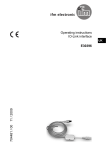
• IO-Link interface
• Operating instructions
2 System requirements
Current drivers can be found on the manufacturer's website.
• PC or Laptop with Microsoft Windows® 2000 / Microsoft Windows® XP /
Microsoft Windows® Vista / Microsoft Windows® 7.
• One free USB 2.0 port.
• Accessory software: FDT framework software "ifm Container", order no.
E30110 to be downloaded from the manufacturer's website.
• Parameter setting and set-up software for IO-Link sensors:
LINERECORDER SENSOR, order no. ZGS210.
3 Functions and features
The interface connects sensors with communication capability to a PC and
provides the following options:
• Reading of the current parameter setting.
• Parameter setting of the sensor.
• Reading of the current measured value.
The interface supports IO-Link and the ifm-specific EPS protocol.
Requirements for communication with sensors:
• Option 1: Use of the ifm program library with available DTM objects which must
be installed on the PC (is part of the ifm Container).
• Option 2: Use of the parameter setting and set-up software for IO-Link sensors
(LINERECORDER SENSOR, order no. ZGS210) including the respective IOLink Device Description (IODD).
2
The interface with connected sensor requires the complete current
provided by a USB port.
►► Therefore only operate it directly on a USB port or on an active USB
hub.
If the interface is connected via a passive USB extension or a passive
USB hub, it is deactivated.
The sensor must not be connected to an additional parallel power supply.
This can destroy the USB port.
Due to properties of the Windows® operating systems correct functioning of UK
several interfaces connected in parallel cannot be guaranteed.
4 Installation
The PC addresses the interface internally via a virtual COM port to ensure
compatibility with older software.
You must have administrator rights for installation.
Installation:
►► Insert the CD-ROM into the drive (order no. E30110) or open and execute the
installation file downloaded from the manufacturer's website, as an alternative
connect a USB memory stick (order no. ZGS210).
►► Connect the interface to a free USB port.
>> The Microsoft Windows® hardware wizard is started.
►► Follow the instructions in the program. Make sure to select the following
options:
-- Search for locally available drivers.
-- Selection of the driver from the inserted CD-ROM or the USB memory stick.
-- Automatic installation of the software.
3
5 Operation
►► Connect the interface to the sensor and to a USB 2.0 port of the PC.
>> After the initialisation time of approx. 5 seconds the interface supplies the
sensor with operating voltage.
>> If the sensor is addressed via the FDT framework software "ifm Container"
(order no. E30110) or the parameter setting and set-up software for IO-Link
sensors "LINERECORDER SENSOR" (order no. ZGS210), the interface
determines the correct communication mode and starts the exchange of data.
If the sensor does not have a suitable communication protocol, no data is
exchanged. But the sensor continues to be supplied with operating voltage. This
enables operation for testing or demonstration purposes.
4
UK
5