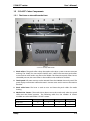
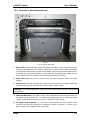
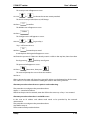
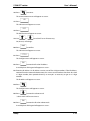
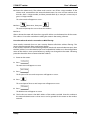
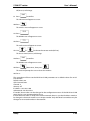
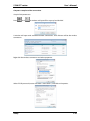
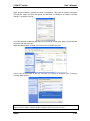
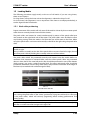
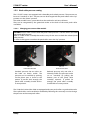
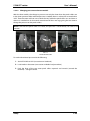
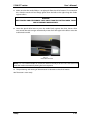
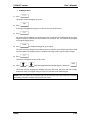
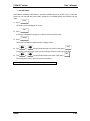
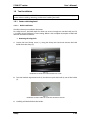
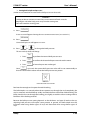
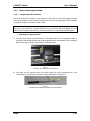
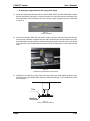
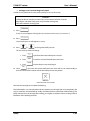
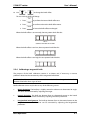
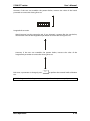
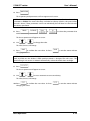
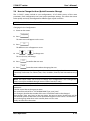
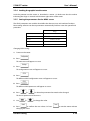
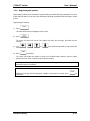
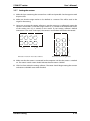
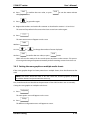
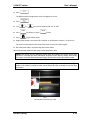
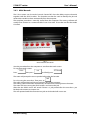
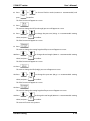
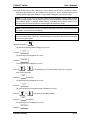
1
User’s Manual Rev 011 FCC Notice The S CLASS™ cutters have been tested and found to comply with the limits for Class A digital devices, pursuant to Part 15 of the FCC Rules. These limits are designed to provide reasonable protection against harmful interference when the equipment is operated in a commercial environment. The cutters generate, use and can emit radio frequency energy and, if not installed and used in accordance with the instruction manual, may cause harmful interference to radio communications. Operation of the cutters in a residential area is likely to cause harmful interference, in which case the user will be required to correct the interference at his own expense. Caution! Changes or modifications not expressly approved by Summa, which is responsible for FCC compliance, could void the user’s authority to operate this equipment. DOC Notice The S CLASS™ cutters do not exceed the Class A limits for radio noise for digital apparatus set out in the Radio Interference Regulations of the Canadian Department of Communications. Notice Summa reserves the right to modify the information contained in this User Manual at any time without prior notice. Unauthorized copying, modification, distribution or display is prohibited. All rights reserved. Waste Electrical and Electronic Equipment (WEEE) Directive Directive 2002/96/EC of the European Parliament and of the Council The symbol (right) is shown on this product. It indicates that the product should not be disposed of with regular household waste, but should be disposed of separately. Electrical and electronic equipment can contain materials that are hazardous to the environment and human health and therefore should be disposed of at a designated waste facility or returned to your retailer for the appropriate recycling to take place. If you wish to dispose of this product and the product still functions, please consider recycling/reusing it by donating it to a charity shop, selling it or part-exchanging it with your retailer. Copyright © 2011 Summa Registering Your Cutter Please register your cutter on the following link: http://www.summa.be/registration.html Failure to register may result in delayed responses to your warranty and service inquiries. Contact Information All inquiries, comments or suggestions concerning this and other Summa manuals should be directed to: North America and Asia Pacific Eastern United States and Latin America Europe, Africa and Middle East Summa, Inc 10001 Lake City Way NE Seattle, WA 98125 USA Summa East, Inc 222 Jubilee Drive Peabody, MA 01960 USA Summa, bvba Rochesterlaan 6 B-8470 GISTEL Belgium Main Office +1-206-527-1050 +1-800-527-7778 Main Office +1-978-531-1991 +1-888-527-1050 Main Office +32 (0)59 270011 Fax +1-206-527-1046 Fax +1-978-531-1993 Fax +32 (0)59 270063 Support [email protected] Support [email protected] Support [email protected] Sales [email protected] Sales [email protected] Sales [email protected] Web Site www.summausa.com Web Site www.summausa.com Web Site www.summa.be Welcome Congratulations on your purchase of the new S CLASS™ cutter! The S CLASS™ cutters are made for sign-makers who demand the very best in cut quality. Four versatile modes let you switch between Cutting, Cutting in FlexCut, Plotting or Pouncing. So even if your workspace is limited, your output options aren't. Unrivalled tracking delivers guaranteed accuracy on cuts up to 12 meters (40 feet) long. So you won't have to monitor your cuts, even when you're sending the long jobs through. The S CLASS™ T cutters with genuine tangential operation, and not simply "tangential emulation," handle a wider range of materials and cut with unparalleled precision. In short, the S CLASS™ cutters take cutting signs to a new level. This manual is a reference guide for installing and operating the S CLASS™ cutter models. Table of Contents 1 Setup............................................................................................................... 1-1 1.1 Unpacking the Cutter.......................................................................................... 1-1 1.1.1 Removing the packaging from the cutter...................................................................... 1-1 1.1.2 Setting up the stand .............................................................................................................. 1-2 1.1.3 Mounting the cutter on the stand .................................................................................... 1-4 1.2 S CLASS™ Cutter Components ............................................................................ 1-5 1.2.1 The Cutter as viewed from the front ................................................................................ 1-5 1.2.2 The Cutter as viewed from the back ................................................................................ 1-7 1.3 Connecting the Cutter to the Mains ................................................................... 1-9 1.3.1 Grounding (“Earthing”) ......................................................................................................... 1-9 1.3.2 Operating voltage................................................................................................................... 1-9 1.3.3 Powering-on the cutter ..................................................................................................... 1-10 1.4 Connecting the Cutter to a Computer ............................................................. 1-11 1.4.1 USB connection .................................................................................................................... 1-11 1.4.1.1 Connecting the S CLASS™ cutter to a PC using a USB cable ....................... 1-11 1.4.1.2 Connecting the S CLASS™ cutter to a Mac using a USB cable .................... 1-12 1.4.2 RS-232 Connection .............................................................................................................. 1-13 1.4.3 Wireless Connection (optional)....................................................................................... 1-14 1.4.3.1 Setting up the S CLASS™ cutter in a WLAN (Wi-Fi® compatible) ................. 1-14 1.4.3.2 Connecting the S CLASS™ cutter ad hoc. ........................................................... 1-19 1.4.3.3 Webserver ..................................................................................................................... 1-25 1.5 Loading Media ................................................................................................... 1-26 1.5.1 Pinch roller positioning ..................................................................................................... 1-26 1.5.2 Pinch roller pressure setting ............................................................................................ 1-27 1.5.2.1 Changing pressure on older models ................................................................... 1-27 1.5.2.2 Changing pressure on the new models ............................................................. 1-28 1.5.3 Loading media ...................................................................................................................... 1-29 1.5.4 Media load procedure ........................................................................................................ 1-32 1.6 Tool Installation ................................................................................................ 1-36 1.6.1 Cutters with drag head ...................................................................................................... 1-36 1.6.1.1 Knife installation ......................................................................................................... 1-36 1.6.1.2 Pen installation ............................................................................................................ 1-40 1.6.1.3 Pouncing pin installation ......................................................................................... 1-40 1.6.2 Cutters with tangential head ........................................................................................... 1-41 1.6.2.1 Tangential knife installation ................................................................................... 1-41 1.6.2.2 Pen installation ............................................................................................................ 1-45 1.6.2.3 Pouncing pin installation ......................................................................................... 1-45 1.6.2.4 Drag knife installation ............................................................................................... 1-46 1.6.3 Replacement of the separation knife blade ............................................................... 1-46 Table of contents I S CLASS™ cutter 2 User’s Manual Basic Operation.............................................................................................. 2-1 2.1 Touch Screen ....................................................................................................... 2-1 2.1.1 Touch screen ............................................................................................................................ 2-2 2.1.2 Configuration ........................................................................................................................... 2-3 2.1.3 Online/Pause ............................................................................................................................ 2-4 2.1.4 Actions ........................................................................................................................................ 2-4 2.2 How to Set Tool Parameters ............................................................................... 2-5 2.2.1 Setting tool type ...................................................................................................................... 2-5 2.2.2 Changing tool pressure ........................................................................................................ 2-6 2.2.3 Changing drag knife offset .................................................................................................. 2-6 2.2.4 Calibrating a tangential knife ............................................................................................. 2-7 2.3 How to Set Cutting Speed................................................................................. 2-11 2.4 How to Change the User (Quick Parameter Change) ...................................... 2-13 2.5 How to Make Sure the Sign Has the Correct Size ............................................ 2-14 2.6 Touch screen shortcuts ..................................................................................... 2-16 2.6.1 Changing origin .................................................................................................................... 2-16 2.6.2 Changing velocity ................................................................................................................ 2-16 2.6.3 Changing tool pressure ..................................................................................................... 2-17 2.6.4 Changing user ....................................................................................................................... 2-17 2.7 How to track difficult media ............................................................................. 2-18 3 OPOS (Optical POSitioning) .......................................................................... 3-1 3.1 Introduction......................................................................................................... 3-1 3.2 Basic OPOS operation ......................................................................................... 3-1 3.2.1 OPOS calibration ..................................................................................................................... 3-2 3.2.2 Media calibration .................................................................................................................... 3-3 3.3 Detailed OPOS Operation ................................................................................... 3-5 3.3.1 Creating the graphic with the markers ........................................................................... 3-5 3.3.2 OPOS XY ..................................................................................................................................... 3-8 3.3.3 Printing the graphic ............................................................................................................... 3-9 3.3.4 Loading the graphic into the cutter .............................................................................. 3-10 3.3.5 Setting the parameters for the OPOS sensor ............................................................. 3-10 3.3.6 Registering the markers..................................................................................................... 3-11 3.3.7 Cutting the contour ............................................................................................................ 3-12 3.4 Automating Tasks with OPOS .......................................................................... 3-13 3.4.1 Cutting multiple copies of a graphic on the same roll ........................................... 3-13 3.4.2 Cutting the same graphic on multiple media sheets.............................................. 3-14 3.4.3 OPOS Barcode ....................................................................................................................... 3-16 3.5 Cutting through ................................................................................................ 3-17 Table of contents II S CLASS™ cutter 4 User’s Manual Detailed Operation ........................................................................................ 4-1 4.1 Introduction......................................................................................................... 4-1 4.2 Action Menu ........................................................................................................ 4-1 4.3 Configuration Menu ............................................................................................ 4-2 4.3.1 Settings ....................................................................................................................................... 4-3 4.3.1.1 Tool ..................................................................................................................................... 4-3 4.3.1.2 Advanced cutting .......................................................................................................... 4-3 Overcut: ...................................................................................................................................... 4-3 OptiCut: ...................................................................................................................................... 4-3 FlexCut: ....................................................................................................................................... 4-4 Panels: ......................................................................................................................................... 4-5 Sort Vectors: .............................................................................................................................. 4-5 Smoothing: ................................................................................................................................ 4-6 Concatenation:......................................................................................................................... 4-6 4.3.1.3 General .............................................................................................................................. 4-6 Media sensor:............................................................................................................................ 4-6 Language: .................................................................................................................................. 4-7 Panel Units: ................................................................................................................................ 4-7 Recut Offset: .............................................................................................................................. 4-7 Cut off margin: ......................................................................................................................... 4-7 Roll up media:........................................................................................................................... 4-8 Autoload:.................................................................................................................................... 4-8 Front Margin: ............................................................................................................................ 4-8 4.3.1.4 OPOS .................................................................................................................................. 4-9 4.3.1.5 Communication .......................................................................................................... 4-10 Wireless: ................................................................................................................................... 4-10 Baudrate (RS232): ................................................................................................................. 4-11 Parity (RS232):........................................................................................................................ 4-11 RTS/DTR (RS232): .................................................................................................................. 4-11 Emulation language: ........................................................................................................... 4-12 HP-GL origin: .......................................................................................................................... 4-12 DM-PL addressing: ............................................................................................................... 4-12 USB class: ................................................................................................................................. 4-13 4.3.1.6 Speed in detail ............................................................................................................. 4-13 Velocity long vectors: ......................................................................................................... 4-13 TurboCut: ................................................................................................................................ 4-14 FlexCut velocity: ................................................................................................................... 4-14 4.3.2 Tests and setup ..................................................................................................................... 4-15 4.3.2.1 OPOS settings .............................................................................................................. 4-15 4.3.2.2 Length calibration ...................................................................................................... 4-15 4.3.2.3 Coil setup ....................................................................................................................... 4-15 4.3.2.4 Calibrate knife .............................................................................................................. 4-16 4.3.2.5 Factory defaults ........................................................................................................... 4-16 4.3.2.6 Confidence test ........................................................................................................... 4-16 4.3.2.7 Media sensor setup .................................................................................................... 4-16 4.3.2.8 DIN A4 Test.................................................................................................................... 4-17 4.3.2.9 RS232 test ...................................................................................................................... 4-17 4.3.2.10 Calibrate touch screen .............................................................................................. 4-17 4.3.2.11 ROM REVISION ............................................................................................................. 4-17 4.3.2.12 Copy current user ....................................................................................................... 4-17 4.3.3 User ........................................................................................................................................... 4-18 Table of contents III S CLASS™ cutter 5 User’s Manual Maintenance and Cleaning ........................................................................... 5-1 5.1 Introduction......................................................................................................... 5-1 5.1.1 Cleaning the drive system ................................................................................................... 5-1 5.1.2 Cleaning the media sensors ................................................................................................ 5-2 5.1.3 Cleaning the Y-Guide Rail .................................................................................................... 5-3 5.1.4 Cleaning the nose piece (tangential machine only)................................................... 5-3 5.1.5 Cleaning the OPOS system .................................................................................................. 5-4 5.1.6 Changing the fuse .................................................................................................................. 5-5 6 Specs and General Information .................................................................... 6-1 6.1 Introduction......................................................................................................... 6-1 6.1.1 Product features ...................................................................................................................... 6-1 6.2 Specifications ...................................................................................................... 6-3 6.2.1 Cutter........................................................................................................................................... 6-3 6.2.2 Media ........................................................................................................................................... 6-3 6.2.3 Knife, pen and pouncing tool ............................................................................................. 6-4 6.2.4 Interface ..................................................................................................................................... 6-5 6.2.5 Firmware .................................................................................................................................... 6-5 6.2.6 Performance ............................................................................................................................. 6-6 6.2.7 Certifications ............................................................................................................................. 6-6 6.2.8 Environmental.......................................................................................................................... 6-7 6.2.9 Electrical ..................................................................................................................................... 6-7 Table of contents IV S CLASS™ cutter User’s Manual List of Figures 1-1 S CLASS™ cutter fully boxed ..................................................................................................................1-1 1-2 Contents OF box stand ............................................................................................................................1-2 1-3 Mounting horizontal panel ....................................................................................................................1-2 1-4 Mounting feet and casters .....................................................................................................................1-2 1-5 Mounting basket tubes ...........................................................................................................................1-3 1-6 Preparing to install the linen basket ...................................................................................................1-3 1-7 Orientation of the holes in the c-shaped tubes..............................................................................1-3 1-8 Stand for the S CLASS™ cutter completely assembled ................................................................1-4 1-9 Position of the screws ..............................................................................................................................1-4 1-10 S CLASS™ cutter, front view.................................................................................................................1-5 1-11 S CLASS™ cutter, rear view...................................................................................................................1-7 1-12 Properly grounded connection .........................................................................................................1-9 1-13 Cutter is loaded and ready ............................................................................................................... 1-10 1-14 Cutter is ready no media loaded .................................................................................................... 1-10 1-15 configuration utility for access point ............................................................................................ 1-14 1-16 POsition pinch rollers ......................................................................................................................... 1-26 1-17 Standard pressure................................................................................................................................ 1-27 1-18 Reduced pressure ................................................................................................................................ 1-27 1-19 reducing pressure ................................................................................................................................ 1-28 1-20 Pinch roller lever................................................................................................................................... 1-29 1-21 Media flanges ........................................................................................................................................ 1-29 1-22 Position media flange on cutter ..................................................................................................... 1-29 1-23 Feeding roll media without using media flanges .................................................................... 1-30 1-24 Media position ...................................................................................................................................... 1-30 1-25 Pinch roller lever................................................................................................................................... 1-31 1-26 Removing the drag knife holder from the clamp ..................................................................... 1-36 1-27 Removing the knife from the standard drag knife holder .................................................... 1-36 1-29 Dual clamp drag head ........................................................................................................................ 1-37 1-30 Knife pressure test pattern ............................................................................................................... 1-38 1-31 Removing the tangential knife holder ......................................................................................... 1-41 1-32 Removing knife from the tangential knife holder .................................................................... 1-41 1-34 Inserting the tangential knife holder ............................................................................................ 1-42 1-35 Knife depth adjustment..................................................................................................................... 1-42 1-36 Knife pressure test pattern ............................................................................................................... 1-43 1-37 Razor blade for automatic SEPARATION OF MEDIA ................................................................ 1-46 2-1 Touch screen ...............................................................................................................................................2-1 2-2 Screen saver ................................................................................................................................................2-1 2-3 Online status screen .................................................................................................................................2-4 2-4 Correct knife offset pattern....................................................................................................................2-7 2-5 Possible knife calibrations ......................................................................................................................2-8 2-7 Length calibration pattern .................................................................................................................. 2-14 2-8 Shortcut areas in start-up screen ...................................................................................................... 2-16 Table of contents V S CLASS™ cutter User’s Manual 3-1 Position media fro multiple sheet .................................................................................................... 3-15 3-2 Opos barcode job loaded .................................................................................................................... 3-16 3-3 FlexCut principle ..................................................................................................................................... 3-17 3-4 Combined contour cut and cutting through ............................................................................... 3-20 4-1 Action Menu ................................................................................................................................................4-1 4-2 Configuration Menu .................................................................................................................................4-2 4-3 Overcut..........................................................................................................................................................4-3 4-4 Sensor setup ............................................................................................................................................. 4-16 5-1 Lifting the pinch roller .............................................................................................................................5-2 5-2 Placement of vinyl strip ...........................................................................................................................5-2 5-3 Media sensors S CLASS™ cutters ..........................................................................................................5-2 5-4 Sliding surfaces on Y-guide rail ............................................................................................................5-3 5-5 Cleaning OPOS sensor .............................................................................................................................5-4 5-6 Power entry module .................................................................................................................................5-5 Table of contents VI S CLASS™ cutter User’s Manual List of Tables 1-1 Default RS-232 settings of the S CLASS™ cutter ............................................................. 1-13 6-1 S CLASS™ Cutter specifications ...................................................................................................6-3 6-2 S CLASS™ media specifications ...................................................................................................6-3 6-3 S CLASS™ tools ....................................................................................................................................6-4 6-4 S CLASS™ interface specifications .............................................................................................6-5 6-5 S CLASS™ firmware ............................................................................................................................6-5 6-6 S CLASS™ performances .................................................................................................................6-6 6-7 S CLASS™ environmental specifications..................................................................................6-7 6-8 S CLASS™ accessories .................................................................................................................. 6-10 Table of contents VII 1 Setup 1.1 Unpacking the Cutter NOTE: Save the shipping box and any other packaging items in case the cutter needs to be shipped. Do not ship the cutter without first completely repacking it in its original packaging. Before unpacking the cutter, make sure that there is enough space to assemble the stand and to set the cutter aside to insert the stand screws. CAUTION: For safety reasons, no fewer than two people should be involved in unpacking the cutter. 1.1.1 Removing the packaging from the cutter 1. Remove the straps and the staples and open the lid of the box. 2. The cutter is packed in foil and sits in front of the box. Behind the cutter is the box containing the stand. The accessories are located at the bottom in a separate box. Check first whether everything is present. 3. Do not throw away the packaging. Shipping it without the original box voids any warranty. FIG 1-1 1-1 S CLASS™ CUTTER FULLY BOXED Setup 1-1 S CLASS™ cutter User’s Manual 1.1.2 Setting up the stand 1. Verify that the stand is complete. The box containing the stand should contain following: a. b. c. d. e. f. g. 2 legs, left and right 2 feet, left and right Horizontal panel Media flanges Total of 7 tubes for [media] basket Linen media basket Bag of 4 casters, screws and other accessories to mount the stand FIG 1-2 1-2 CONTENTS OF BOX STAND 2. Mount the horizontal panel between the two legs of the stand with 4 screws at each side. FIG 1-3 1-3 MOUNTING HORIZONTAL PANEL 3. Turn the stand upside down and mount the 2 feet at each side with 4 screws. Take care to position the feet so that all the holes in the feet corresponds to the holes in the legs (left and right) as in the picture (1), and the 4 holes in the feet all point towards the middle (2). Screw in the 4 casters. FIG 1-4 1-4 MOUNTING FEET AND CASTERS Setup 1-2 S CLASS™ cutter User’s Manual 4. Attach on the left and right the 4 tubes for the basket as shown in figure 1-5 below. On each tube, put the end cap (1) and the two saddle clips (2) to fix the tube in its place. Position the shorter tube (3) at the rear side (side of the horizontal panel). FIG 1-5 1-5 MOUNTING BASKET TUBES 5. Turn the stand upright and put the media basket on the horizontal panel as shown in figure 1-6 below. FIG 1-6 1-6 PREPARING TO INSTALL THE LINEN BASKET 6. Take one of the large c-shaped tubes and put it through the front hem in the linen basket. Make sure the holes are oriented right-side up so that the tubes click securely in place. Then put the tube on the two front tubes that stick out of the feet. Slide the tubes together, while pressing down on the spring loaded ball stopper, until the ball locks into place. FIG 1-7 1-7 ORIENTATION OF THE HOLES IN THE C-SHAPED TUBES 7. Click a saddle clip onto one side of the tube. Insert the other end of the tube through the middle hem of the linen basket and then into the hole in the leg of the stand. Then guide the other end of the tube into the hole on the leg and secure with a saddle clip. Setup 1-3 S CLASS™ cutter User’s Manual 8. Make sure the linen basket is guided under the horizontal panel. Take the last large cshaped tube and feed it through the rear hem in the linen basket. Then put the tube on the two rear tubes that stick out of the feet. Make sure the holes are oriented right-side up so that the tube clicks securely on the tubes. The finished stand should look like the stand in the picture below (Figure 1-8). FIG 1-8 1-8 STAND FOR THE S CLASS™ CUTTER COMPLETELY ASSEMBLED 9. The right leg has a hole in the foot and a cutout in the leg to guide the power cable and data cable. If you plan to use these cable guides, then put the cables in place before mounting the cutter on the stand. 1.1.3 Mounting the cutter on the stand 1. Carefully take the cutter out of the box and lay it on its back (first spread out the cardboard of the stand box, and then rest the cutter on that cardboard). Then insert left and right two screws and turn them 3 turns in. Do not put a screw in at the front. FIG 1-9 1-9 POSITION OF THE SCREWS 2. Put the cutter on its stand. Put in the two extra screws in . Then secure all six screws. 3. Loosen the cutting head. Raise the pinch rollers to remove the protection strip from underneath the pinch roller assemblies. Setup 1-4 S CLASS™ cutter User’s Manual 1.2 S CLASS™ Cutter Components 1.2.1 The Cutter as viewed from the front FIG 1-10 1-10 S CLASS™ CUTTER, FRONT VIEW 1. Pinch rollers: The pinch rollers clamp the media to the drive system to ensure accurate tracking. The S120(T) has one and the S160(T) and S 140(T) have two extra pinch rollers to ensure that wide media stays flat in the middle. The outer drive pinch rollers have a selectable pressure; the extra rollers in the middle can be enabled or disabled. 2. Touch panel: All cutter activity can be initiated from the 320x240 dot touch panel. The panel displays information about the cutter’s current status and/or actions that need to be taken. 3. Pinch roller lever: This lever is used to raise and lower the pinch rollers for media loading. 4. Media drive sleeves: The media drive sleeves move the media only when the pinch rollers are in the “down” position. The following table lists the number of sleeves installed on each model of the S CLASS™ cutters. S75 (T) S120 (T) S140 (T) S160 (T) Short sleeve 4 7 8 9 Long sleeve 1 1 1 1 Number of sleeves Setup 1-5 S CLASS™ cutter User’s Manual 5. Tool carriage: The tool carriage is the mount for the knife holder, pen or pouncing tool. It has also holds the Optical POSitioning sensor (OPOS) and a cut-off knife to cut a sheet from the roll when a job is finished. 6. Cutting strip: A self-healing orange strip helps avoid any damage to the knife tip when no media has been loaded. Since cutting is done on the cutting strip, it is essential that the strip remains intact. 7. Pouncing strip: An extra black strip to pounce on. 8. Tool holder: The left end cap has a rim so it can be used for tool storage. 9. Screws to secure the cutter base: Make sure all three screws are secured at each side before the cutter is used. 10. Media basket: The stand and linen media basket come standard with all S CLASS™ cutters. Setup 1-6 S CLASS™ cutter User’s Manual 1.2.2 The Cutter as viewed from the back FIG 1-11 1-11 S CLASS™ CUTTER, REAR VIEW 1. Pinch rollers: The pinch rollers clamp the media to the drive system to ensure accurate tracking. The S120(T) has one and the SS160(T) and S 140(T) have two extra pinch rollers to ensure that wide media stays flat in the middle. The outer drive pinch rollers have a selectable pressure; the extra rollers in the middle can be enabled or disabled. Do not move the pinch roller assemblies while holding them from this side only. 2. Pinch roller lever: This lever is used to raise and lower the pinch rollers for media loading. 3. The fuse box: The fuse is located at the right side of the power entry module. Check the specification section to see which fuse is used in the S CLASS™ cutter. CAUTION: For continued protection against risk of fire, replace only with the same type and rating of fuse. 4. Power On/Off switch: This rocker switch, in the middle of the power entry module, sets the cutter’s power to ON or OFF. To switch on the power, press the “I” side of the rocker switch. To switch off the power, press the “O” side of the rocker switch. 5. AC power cord receptacle: It is located at the left-hand side of the power entry module. The power-up procedure is explained in detail in Section 1.3. Always use a power cord that was delivered with your cutter. Setup 1-7 S CLASS™ cutter User’s Manual 6. USB port: This interface is based on the standards specified in Universal Serial Bus Specifications Revision 1.1. It allows a high-speed bi-directional communication between the host computer and the cutter. 7. RS-232 port: This DB-9P connector provides serial bi-directional communication between the cutter and a host computer. 8. Screws to secure the cutter base: Screws (3 left and 3 right) hold the cutter base to its stand. All the screws must be properly tightened before using the cutter. 9. Tubes for media basket: Tubes in the back and front hold the media basket. They can easily pulled outwards to put the basket in its place. 10. Casters: The casters on the stand are equipped with locking brakes. Once the cutter has been moved to its new location, press the brakes with your foot to lock the casters. 11. Media basket: The stand and linen media basket come as standard equipment with all S CLASS™ cutters. 12. Roll media guide bushes: The two flange guides serve to keep the media roll in place when media is pulled from the roll. 13. Media support rollers: Rotating support rollers for the media roll. Setup 1-8 S CLASS™ cutter User’s Manual 1.3 Connecting the Cutter to the Mains 1.3.1 Grounding (“Earthing”) CAUTION: An insulated ground conductor must be installed as part of the branch circuit that supplies power to the wall outlet to which the cutter is connected. The ground conductor must have the same size, insulation material and thickness as the grounded and ungrounded branch circuit supply conductors, but the insulating seat should be green or green with yellow striping. The ground conductor described above must be grounded at the electrical distribution board or, if power is supplied by a separate system, at the power supply transformer/motor generator set. The wall sockets into which the cutter is plugged must be of the grounded type. The grounded conductors serving the wall socket must be properly connected to the ground. For emergency access, the cutter should be installed near the socket-outlet for easy access. FIG 1-12 1-12 PROPERLY GROUNDED CONNECTION 1.3.2 Operating voltage CAUTION: Before changing the fuse, make sure that the cutter is completely disconnected from its power source. CAUTION: For continued protection against risk of fire, replace only with the same type and rating of fuse. Fuse Rate: T2.0A, 250V SCHURTER SPT OR EQUIVALENT. The power supply detects the line voltage and switches automatically between 110V and 230V. Setup 1-9 S CLASS™ cutter User’s Manual 1.3.3 Powering-on the cutter CAUTION: Be sure the power switch is turned off before connecting the power cord (the “0” side of the ON/OFF rocker switch should be pressed). WARNING KEEP FINGERS AND OTHER BODY PARTS AWAY FROM THE CUTTING AREA. THERE ARE HAZARDOUS MOVING PARTS. 1. Plug the female end of the AC power cord into the receptacle located in the power entry module on the cutter’s rear panel. 2. Plug male end of the AC power cord into a properly grounded wall socket. 3. Power on the cutter by pressing the “I” side of the ON/OFF rocker switch located on the power entry module on the rear panel. 4. The touch screen will activate and the initialization process will begin. If media is loaded, then the cutter will check size and load the media. FIG 1-13 1-13 CUTTER IS LOADED AND READY Setup FIG 1-14 1-14 CUTTER IS READY NO MEDIA LOADED 1-10 S CLASS™ cutter User’s Manual 1.4 Connecting the Cutter to a Computer The S CLASS™ cutters support bi-directional USB and RS-232 connectivity. When both ports are connected at the same time, the port that receives data first will remain active and the other port will be deactivated. A Wireless Ethernet connection is available as an option (factory installed). 1.4.1 USB connection The USB cable should be 5 meters (16 feet) or less in length. The connector on the cutter side of the cable should be USB series B 4-pin. The connector on the computer side of the cable should be USB A 4-pin. . 1.4.1.1 Connecting the S CLASS™ cutter to a PC using a USB cable 1. Power off the cutter. 2. Insert the S CLASS™ CD into the computer’s CD-ROM drive. 3. Let autoplay run autostart. 4. Choose language and click on install USB driver. Wait for the driver to install. 5. Connect one end of the USB cable to a USB port on the computer. 6. Connect the other end of the USB cable to the USB port on the back of the cutter. 7. Power on the cutter (see section 1.3.3) and return to the computer. The Found New Hardware Wizard should appear on the computer screen and install the USB driver. 8. Click “OK” and follow the instructions provided by the Wizard. 9. Restart the computer. NOTE: When connecting a cutter to a computer for the first time using the USB cable, the computer will detect the cutter and install the USB driver if the setup program was run. If the setup program was not run prior to connection, then install the program while cutter is connected and switched on. After that the program is run, the computer will detect a new device and install the correct driver automatically. NOTE: For connecting more than one cutter to one computer, see section on USB class NOTE: It is recommended to use always the latest version of the driver. The Cd is made so that it downloads the latest version automatically. If no internet connection is available, then it is possible that the driver on the CD is outdated. NOTE: When installing a cutter on Windows Vista or Windows 7, then make sure that the user has administrative rights and that UAC is deactivated. Setup 1-11 S CLASS™ cutter User’s Manual 1.4.1.2 Connecting the S CLASS™ cutter to a Mac using a USB cable Mac OS 8.5 to OS 9.2 1. Power off the cutter. 2. Connect one end of the USB cable to a USB port on the computer. 3. Connect the other end of the USB cable to the USB port on the back of the cutter. 4. Power on the cutter (see section 1.3.3) and return to the computer. 5. Insert the S CLASS™ CD into the computer’s CD-ROM drive. 6. Click on the “USB install driver” icon on the CD-ROM. This will automatically install the driver and the Summa Port Mapper utility. 7. Remove the CD from the CD-ROM drive. 8. Restart the computer. NOTE: If the cutter is connected to the computer before device installation, then the computer will regard the cutter as an unknown device. The driver can be installed at any time with or without the cutter connected. Mac OSX Most recent cutting software does not need a driver installation when a computer is connected to the cutter. The software that controls the driver is built into the cutting software. Setup 1-12 S CLASS™ cutter User’s Manual 1.4.2 RS-232 Connection The RS-232 cable should be 5 meters (16 feet) or less in length. The connectors on both sides are DB-9S type connectors. There is no need to install a device driver when connecting a cutter with an RS-232 connection. The parameters of the RS-232 connection must be set in either the properties of the COM port in the device manager or in the cutting software program itself. Please refer to the manual for the cutting software on how to set the parameters for the RS-232 connection with the cutter. Default settings of the RS-232 connection are listed in the table below. Baud rate 9600 Data Bits 8 Parity none Stop Bits 2 Flow Control Hardware or XON / XOFF TABLE 1-1 1-1 DEFAULT RS-232 SETTINGS OF THE S CLASS™ CUTTER Setup 1-13 S CLASS™ cutter User’s Manual 1.4.3 Wireless Connection (optional) The wireless connection has two options: Wireless connection in a local area network (WLAN connection – network with a wireless access point) Wireless connection direct between the cutter and the computer (ad-hoc connection). CAUTION: Contains Transmitter Module FCC ID: U9R-W2SW0001. CAUTION: The Wifi module can be operated in de European Union without restrictions indoor, but cannot be operated in France outdoors. 1.4.3.1 Setting up the S CLASS™ cutter in a WLAN (Wi-Fi® compatible) Wireless is a network connection. This means that the cutters can be integrated in a network, such as printers normally are. So different people can drive the cutter from different computers. It is also possible to drive different cutters from 1 computer through wireless connection. In order to setup the cutter, both the WLAN parameters (SSID – wireless access point name and security) and LAN parameters (IP configuration) have to be entered in the cutter. Parameters for WLAN (access point): • • • SSID (unique name for access point) Communication channel ( is assigned automatically) Security settings (none, WEP or WPA + password) These parameters can be provided by the network administrator or can be checked with the specific configuration utility for the access point. (a login name and password will be needed – check with network administrator). FIG 1-15 1-15 CONFIGURATION UTILITY FOR ACCESS POINT Parameters for LAN (IP configuration): • • Setup IP address subnetmask 1-14 S CLASS™ cutter User’s Manual Apart from the specific parameters mentioned above, there are two additional parameters that the network administrator needs to provide. If the access point is broadcasting; then the SSID can be seen on the cutter. If the network has a DHCP server, then the LAN parameters can be assigned automatically. Procedure to set up a cutter in a WLAN when the access point is broadcasting and with a DHCP server: The following procedure assumes a new cutter where the parameters for the wireless connection have not been changed yet. If the parameters have already been changed, then it is recommended to factory default the wireless parameters first (see Wireless:) 1. Power on the cutter. 2. Press . The main menu will appear on the screen. 3. Press . The settings menu will appear on screen. 4. Press . The communication menu will appear on screen. 5. Press . The wireless menu will appear on screen. 6. Press . The WLAN menu will appear on screen. 7. Press . The cutter will scan for wireless access points and show them on screen. 8. Use or to choose the correct access point. The chosen access point (inverse) will change. 9. Press to confirm. The WLAN menu will appear on screen. 10. Press Setup . 1-15 S CLASS™ cutter User’s Manual The security menu will appear on screen. 11. Use or to choose the correct security method. The chosen security method (inverse) will change. 12. Press to confirm. The WLAN menu will appear on screen. 13. Press . The Configure menu will appear on screen. 14. Use or to go to key 1. ‘ key 1’ will become inverse. 15. Press to enter the password. A mobile phone like keypad will appear on screen . 16. Enter the password. If there are already asterix’s visible in the top line, then clear them first by pressing until they are all gone. The password will appear on screen . 17. Press three times, then press . The cutter will prompt the user to reboot the machine. 18. Do so. After a reboot the cutter will show the assigned IP address on the bottom line of the screen. This address is has to be used when installing the cutter in the cutting software. Alternate procedure when the access point is not broadcasting: The procedure is analogue to the procedure above. Steps 6 -> 8 need to be left out. After that the password is entered, enter the SSID in the same way as ‘key 1’ was entered. Alternate procedure when there is no DCHP server: In this case an IP address and subnet mask needs to be provided by the network administrator. The procedure is analogue to the procedure above. Stop before step 16. Then continue with procedure below: Setup 1-16 S CLASS™ cutter 16. Press User’s Manual two times. The communication menu will appear on screen. 17. Press . The LAN menu will appear on screen. 18. Press . The DHCP menu will appear on screen. 19. Use or to set DHCP to on if necessarry. On (inverse) will change. 20. Press to confirm. The LAN menu will appear on screen. 21. Press . The Configure menu will appear on screen. 22. Press to enter the first the IP address. A mobile phone like keypad will appear on screen . 23. Enter the IP address. An IP address consists out of four 3-digit numbers. If the IP address, received from the network administrator, has one or more numbers that have less than a 3-digit number, then precede them by as many 0’s as necessary to get to a 3 digit number. The IP address will appear on screen . 24. Press . The Configure menu will appear on screen. 25. Press to enter the subnet mask. ‘ subnet mask’ will become inverse. 26. Press to enter the first the subnet mask. A mobile phone like keypad will appear on screen . Setup 1-17 S CLASS™ cutter User’s Manual 27. Enter the subnet mask. The subnet mask consists out of four 3-digit numbers. If the subnet mask, received from the network administrator, has one or more numbers that have less than a 3-digit number, and then precede them by as many 0’s as necessary to get to a 3-digit number. The subnet mask will appear on screen . 28. Press three times, then press . The cutter will prompt the user to reboot the machine. 29. Do so. After a reboot the cutter will show the assigned IP address on the bottom line of the screen. This address is has to be used when installing the cutter in the cutting software. Procedure when the wireless network uses MAC filtering: Some wireless networks have an extra security feature called Mac address filtering. This means that the network allows only known devices. If the wireless network has MAC filtering enabled (check with network administrator), then the MAC address has to be added to the list of accepted MAC addresses in the configuration menu of the wireless access point before any settings are changed on the cutter. Following procedure describes how to retrieve the MAC address: 1. Power on the cutter. 2. Press . The main menu will appear on screen. 3. Press . The first part of the tests and setup menus will appear on screen. 4. Press . The second part of the tests and setup menu will appear on screen. 5. Press . The ROM revision will appear on screen 6. The last line on screen is the MAC address of the wireless module. Give this number to the network administrator so that access can be granted for the cutter to the wireless network. Setup 1-18 S CLASS™ cutter User’s Manual 1.4.3.2 Connecting the S CLASS™ cutter ad hoc. Ad-hoc networks connect to wireless devices with same SSID (network name) broadcasting on the same communication channel, with each other. and Following settings have to done for every device who is member of that ad-hoc network: • • • • • Set same SSID on each device. Set same communication channel on each device. Set Unique IP address fro each device within same subnet (DHCP is not available). Set same subnet on each device. If one device is connected to the internet (and internet connection sharing is on for that device), set the IP address of this device as gateway on each other device. Setup parameters of the cutter: The following procedure assumes a new cutter where the parameters for the wireless connection have not been changed yet. If the parameters have already been changed, then it is recommended to factory default the wireless parameters first (see Wireless:) 1. Power on the cutter. 2. Press . The main menu will appear on the screen. 3. Press . The settings menu will appear on screen. 4. Press . The communication menu will appear on screen. 5. Press . The wireless menu will appear on screen. 6. Press . The LAN menu will appear on screen. 7. Press . The DHCP menu will appear on screen. 8. Use Setup or to set DHCP to off. 1-19 S CLASS™ cutter User’s Manual Off (inverse) will change. 9. Press to confirm. The LAN menu will appear on screen. 10. Press . The wireless menu will appear on screen. 11. Press . The WLAN menu will appear on screen. 12. Press . The mode menu will appear on screen. 13. Use or to choose the correct mode (Ad-hoc). The chosen mode (inverse) will change. 14. Press to confirm. The WLAN menu will appear on screen. 15. Press three times, then press . The cutter will prompt the user to reboot the machine. 16. Do so. This procedure will have set the WLAN and LAN parameters to its default values for an Adhoc network. Default values are: SSID: SummaCutter Channel: 9 Security: off IP address: 192.168.1.100 Subnetmask: 255.255.255.0. If needed, those values can be changed in the configuration menus of the WLAN and LAN menu, but it is not recommended to do so. If more then one cutter is setup in the ad-hoc network, then it is just the IP address needs to be changed so that each cutter has an unique number. Only the three last numbers may be changed to an unused number in the network. Setup 1-20 S CLASS™ cutter User’s Manual Computer setup for ad-hoc connection: Setup PC LAN parameters: Press and . A windows will open fill in ncpa.cpl and click OK. A window will open with available network connections. One of them will be the wireless connection. Right click the wireless connection and select properties. Select TCP/IP protocol (version 4 if there is more then 1) and click on Properties. Setup 1-21 S CLASS™ cutter User’s Manual Select ‘Use the following IP address’. Choose as subnet mask 255.255.255.0 and define a unique address fort this network. Click OK. Close the net properties window. The LAN parameters are now set. The WLAN parameters need to be set now. WLAN parameters can be set with either the software delivered with the wireless device. These parameters can also be set with Windows. The following procedure describes how this is done for Windows XP and Windows Vista. Setting WLAN parameters for Windows XP: A pre-installed Windows service ‘Wireless zero configuration’ is needed for installation in XP. First check if the service ‘Wireless zero configuration’ is started, if not start it. Press and . A windows will open fill in services.msc and click OK. In the new window scroll down to the Wireless zero configuration service. Check if is started. If it not started, then select it, right click and start it. Close the services Window. Go to the Network connection Window. If it was already closed, then open it again with the run command and ncpa.cpl. Setup 1-22 S CLASS™ cutter User’s Manual Right click the Wireless network and click on properties. Then click on Wireless Networks (second tab). Make sure that the option ‘Use Windows to configure my wireless network settings’ is checked. Click OK. Go to the Network connection Window. If it was already closed, then open it again with the run command and ncpa.cpl. Right click the Wireless network and click on view available networks. Choose the SummaCutter in the list and click on connect. If Windows give a security warning, then ignore it. CAUTION: The Wireless zero configuration can sometimes come into conflict with control software of the wireless adapter of the computer. Make sure only one runs. Setup 1-23 S CLASS™ cutter User’s Manual Setting WLAN parameters for Windows Vista: Go to the Network connection Window. If it was already closed, then open it again with the run command and ncpa.cpl. Right click the Wireless network and click on connect/disconnect. A window with the available wireless networks will open. Choose SummaCutter in the list and click on connect. If Windows give a security warning, then ignore it. Setup 1-24 S CLASS™ cutter User’s Manual 1.4.3.3 Webserver The cutter has an internal web server. By typing the IP address (e.g. http://192.168.1.100 ) in to internet explorer address bar, a simplified online version of Summa cutter Control is started, which is accessible from any computer, on any platform (e.g. windows, Macintosh, Linux). Some combinations OS – browser may not work, if so then either reload the page partially or install another internet browser. Note: Some settings in the firewall or in the internet connection setup might prevent the use of the internal webserver of the cutter. Contact the network administrator if this is the case. Setup 1-25 S CLASS™ cutter User’s Manual 1.5 Loading Media The following procedures apply mainly to the use of roll media. If you are using sheets, there are two options: For long sheets, roll up the sheet so that the alignment is identical to that of a roll. For short sheets, the alignment is not so important. If the sheet is cut off perpendicularly, it can be aligned to the front border. 1.5.1 Pinch roller positioning Proper movement of the media will only occur if the media is driven by the two outer pinch rollers that are correctly located over two drive sleeves. The pinch rollers are lowered or raised simultaneously by means of the pinch roller lever arm located on the right-hand side of the cutter. The pinch rollers must be lifted to allow vinyl loading, during which the media is fed from the rear of the cutter to the front. When raised, the pinch rollers can be moved manually to the left or the right along the pinch roller shaft. CAUTION: Always make sure that the pinch rollers are fully raised before sliding them to the left or right. Always hold the assembly at the side of the pinch roller to move it from left to right; do not reposition pinch roller by holding the assembly at the rear of the machine. The pinch rollers MUST be positioned correctly and lowered onto the media before an automatic load sequence is initiated. Make sure that all the pinch rollers are positioned above a drive sleeve. The outer left pinch roller should be positioned in one of the detents (click position), just under a white triangular label. The outer right pinch roller should be positioned somewhere over the long drive sleeve, click positions are located at the edges of the sleeve (area marked with a white triangular label). FIG 1-16 1-16 POSITION PINCH ROLLERS ATTENTION: Always leave the pinch rollers in the “up” position when the cutter is not in use. Leaving the pinch rollers in the “down” position for a long time will result in a flat spot in the pinch rollers, which will seriously [negatively] affect tracking performance and cutting quality. NOTE: When the pinch rollers are raised during a job, then the cutter will immediately stop and after a second move the carriage to the right side. Setup 1-26 S CLASS™ cutter User’s Manual 1.5.2 Pinch roller pressure setting The S CLASS™ cutters are equipped with selectable pinch wheel pressure. The pressure can be set to “standard” or “low.” The pressure can be changed with the pinch rollers in the “up” position or in the “down” position. The earlier models have a system which can be switched in and out at all times. They can be recognized by the green/red sticker on the back of the outer pinch roller assemblies. 1.5.2.1 Changing pressure on older models CAUTION: Always make sure the outer left pinch roller pressure is set the same as the outer right pinch roller pressure. There is a label on the assembly that makes it easy for the user to check the selected pinch roller pressure. It is best to change pressure when the pinch rollers are in the “up” position. FIG 1-17 1-17 STANDARD PRESSURE FIG 1-18 1-18 REDUCED PRESSURE Standard pressure: the two colors on the label are clearly visible. The pressure can be reduced by pushing on the plastic part as shown in the picture. If pressed hard enough, the pinch roller assembly should click in its new position. Reduced pressure: only one color is distinctly visible. The pressure can be set to “standard” by pulling the bottom part of the pinch roller assembly upwards. If pulled far enough, the pinch roller assembly should click in its new position. The S120, the S140 and the S160 are equipped with extra pinch rollers to guide wide media. These pinch rollers can be enabled or disabled by following the same steps used to change the pressure on the outer pinch rollers. Setup 1-27 S CLASS™ cutter User’s Manual 1.5.2.2 Changing pressure on the new models With the later models, the change in pressure can only be done when the pinch rollers are in the down position. When reduced pressure is needed, then it is advised to set autoload to ‘ASK’. Then the cutter will not start to load the vinyl when the pinch rollers are set down or when it is switched on. On the touch screen there will be a message, giving the user time to change the pressure on the pinch rollers. NOTE: Each time the pinch rollers are raised, the pressure is automatically set back to full pressure. FIG 1-19 1-19 REDUCING PRESSURE To work with reduced pressure do the following: 1. Set AUTOLOAD to ASK (see section on Autoload:). 2. Load media in the cutter (see section on Media load procedure). 3. Push the lever of the two outer pinch rollers upwards and inwards (toward the machine) – see figure above. Setup 1-28 S CLASS™ cutter User’s Manual 1.5.3 Loading media 1. Raise the pinch rollers by means of the pinch roller lever arm, which is located on the right-hand side of the cutter, next to the touch panel. FIG 1-20 1-20 PINCH ROLLER LEVER 2. Loosen the knobs on the two media flanges. The following illustration shows a loosened flange (1) and a tightened flange (2). FIG 1-21 1-21 MEDIA FLANGES 3. Insert a loosened flange into one end of the media roll and tighten the knob. Verify that the flange is secure. Then do the same on the other side of the roll. 4. Place the flange-equipped roll on the media supply rollers. Set the flanges inside the groove of the flange guide. The flange guides can be moved laterally on the roller. FIG 1-22 1-22 POSITION MEDIA FLANGE ON CUTTER Setup 1-29 S CLASS™ cutter User’s Manual NOTE: If the flanges are not used (not recommended – tracking is not guaranteed), then make sure that the roll is caught between the two flange guides. FIG 1-23 1-23 FEEDING ROLL MEDIA WITHOUT USING MEDIA FLANGES 5. Start feeding the media from the rear of the machine. Pass the media underneath the pinch rollers towards the front of the machine. 6. Position the left media edge on the left-most drive sleeve and check whether the right media edge is positioned over the long drive sleeve. Then position the left and right pinch rollers. The pinch rollers should be positioned over the drive sleeves about 3 to 15 mm (0.1” to 0.6”) away from the media’s outer edges (1). Then pull on the media while holding the flange at the back so the media is tight. Make sure the front media sensor is covered (2). FIG 1-24 1-24 MEDIA POSITION In circumstances where the above procedure does not work, because the media is too narrow to reach the long drive sleeve, try positioning the left media edge over the second left drive sleeve and position the right media edge somewhere over the long drive sleeve. Continue moving the left pinch roller toward the long drive sleeve until both pinch rollers are in their designated position and directly over the edges of the vinly. In all cases, both edges of the media must cover a drive sleeve. If this is not the case, reposition the roll of material to cover the drive sleeve. Setup 1-30 S CLASS™ cutter User’s Manual 7. Make sure that the media follows a straight path from the roll of material. To accomplish this, slide the media roll and flange guides from the left to the right along the media support rollers. WARNING KEEP FINGERS AND OTHER BODY PARTS AWAY FROM THE CUTTING AREA. THERE ARE HAZARDOUS MOVING PARTS. 8. Lower the pinch roller lever to press the media firmly against the drive sleeves. After one second the tool carriage automatically moves from the right to the left to sense the usable media width. FIG 1-25 1-25 PINCH ROLLER LEVER NOTE: It is not recommended to unroll the media manually from the roll. The cutter will unroll the media automatically during the load sequence. 9. The positioning and routing of sheet material is identical to that of roll media. 10. The cutter is now ready. Setup 1-31 S CLASS™ cutter User’s Manual 1.5.4 Media load procedure CAUTION: Do not place any objects in front of, or behind, the cutter that could interfere with cutter operation. Make sure the media is free to move forward and back. Keep hands, hair, clothing and jewelry away from moving parts. While the cutter is on, it will automatically start executing a minimal loading procedure as soon as the pinch rollers are lowered. The load procedure will also start when the cutter is switched on while media is already in the machine and the pinch rollers are in the “down” position (this is not recommended). Always keep the pinch rollers in the up position while the cutter is not being used. The minimal loading procedure consists of: A media width measurement. Media is unwound over a length equal to the width measured between the outer two pinch rollers. A simultaneous 45° axial move of the drive drum (sleeves) and cutting head. After that, the cutter is ready to receive files from the computer. When receiving a job from the computer, the cutter will automatically pull the required media from the roll. It does this in steps and the length of the vinyl used is equal to a number of times the measured width of the media. IMPORTANT: Tracking of longer signs is only guaranteed when the full load procedure is performed! Full media load procedure: WARNING Each keystroke can initiate an internal test or movement of head or media. Keep fingers and other body parts away from the cutting area. There are hazardous moving parts. Setup 1-32 S CLASS™ cutter User’s Manual Loading a sheet. 1. Press . The actions menu will appear on screen.. 2. Press . A message will appear letting the user choose between roll and sheet. 3. Press . The cutter will immediately start to load the sheet. It measures the width and loads a certain length of media, or until the end of the media is encountered. The user will then be prompted to accept the length or not. 4. Press to accept the length or go to step 5. The cutter will now complete the loading sequence and then come online and will be ready to receive data. The loading sequence conditions the edges of the vinyl for a given length. 5. Press . Two arrows will appear on the touch screen. 6. Press or until the required media length appears, then press . The cutter will now complete the loading sequence. After that, the cutter will come online and will be ready. The length of the job it can cut is limited to the loaded length. NOTE: If the rear media sensor detects the end of the media, then the cutter will complete the loading sequence without any input from the user. Setup 1-33 S CLASS™ cutter User’s Manual Loading a roll. 1. Press . The actions menu will appear on screen. 2. Press . A message will appear letting the user choose between roll and sheet. 3. Press . Four arrows will appear, together with an “apply” button. The status is visible in the middle of the right-hand side of the screen. 4. Use press , , or to reposition the origin, if necessary. Then . Two arrows will stay on the screen with which the necessary length can be loaded. 5. The media length needed for the task can be entered by pressing or and thus then loading the needed length. Or the needed length for the job can be entered by pressing and then by pressing value of the default length to load. or to change the Depending on the manner chosen for entering the needed length of the job, the cutter will either load the length or display the chosen length on screen. 6. Press The cutter will now complete the loading sequence. Then the cutter will come online and will be ready. The length of the job it can cut is limited to the actual length of the media that is left on the roll. The cutter will always assume a full roll, thus it will use 50000mm (1982 inches) on the status screen. When the built-in media sensors detect the end of the roll, the cutter will complete the loading sequence and display the media size on the status window. Setup 1-34 S CLASS™ cutter User’s Manual Extended load. The function extended load makes it possible to define the limits of the Y axis so that the cutter can cut outside the pinch rollers. Media has to loaded before this function can be used. 1. Press . The actions menu will appear on screen. 2. Press . A message will appear letting the user choose between roll and sheet. 3. Press . Two arrows will appear, together with an “apply” button. 4. Use or to reposition the right Y-axis limit. Then press . Two arrows will stay on the screen, the tool carriage will move to the left Y-axis limit. 5. Use or to reposition the left Y-axis limit. Then press . The cutting area in the Y-axis has now been redefined. Note: Tracking is not guaranteed when using this mode. Setup 1-35 S CLASS™ cutter User’s Manual 1.6 Tool Installation SAFETY WARNING: The S CLASS™ cutters use razor-sharp knives. To avoid serious injury, use caution when installing, removing or otherwise handling the knife! 1.6.1 Cutters with drag head 1.6.1.1 Knife installation A knife has been pre-installed in the cutter. For safety reasons, the knife depth has been set to zero. Simply turn out the knife (see FIG 1-24 yellow arrow clockwise) to start cutting. Below is the complete description of the knife removal and knife installation. Removing the drag knife 1. Loosen the head clamp screw (1), swing the clamp arm back and remove the knife holder from the clamp (2). FIG 1-26 1-26 REMOVING THE DRAG KNIFE HOLDER FROM THE CLAMP 2. Turn the knurled adjustment knob (3) clockwise to push the knife (4) out of the holder (5). FIG 1-27 1-27 REMOVING THE KNIFE FROM THE STANDARD DRAG KNIFE HOLDER 3. Carefully pull the knife from the holder. Setup 1-36 S CLASS™ cutter User’s Manual Installing the drag knife 1. Remove the aluminum plunger from the plastic knife holder (5) by turning the knurled adjustment knob (3) counterclockwise until the plunger comes out of the holder. 2. Insert the conical, non-cutting end of the knife into the opening in the narrow end of the holder; gently push the knife all the way in. 3. Turn the holder upside down and tap it lightly on a solid surface to ensure that the knife is completely inserted. 4. Slowly turn the knurled knob clockwise until the tip of the blade extends the distance required for the desired cutting media (t) as shown in figure below. FIG 1-28 1-28 KNIFE LENGTH ADJUSTMENT 5. Insert the knife holder into the rear (1) of the dual head clamp, seating it firmly. FIG 1-29 1-29 DUAL CLAMP DRAG HEAD 6. Close the clamp and tighten the clamp screw. 1 is the position for knife and pen. 2 is the position for a pouncing tool (see section 1.6.1.3). Setup 1-37 S CLASS™ cutter User’s Manual Setting knife depth and pressure: (media must be loaded in the cutter before knife pressure can be tested). WARNING Each keystroke can initiate an internal test or movement of head or media. Keep fingers and other body parts away from the cutting area. There are hazardous moving parts. 1. Press . A new screen will appear showing the most common menu items (see section 2.1). 2. Press . Current knife pressure will appear on screen. 3. Press or to change the knife pressure. The new value (in bold) will change 1. Press to perform the internal knife pressure test. 2. Press to confirm the chosen knife pressure and exit the menu. 3. Press to leave the pressure unchanged. Once is pressed, the current knife pressure value will be set automatically to the new value and the cutter will cut the knife pressure test pattern. FIG 1-30 1-30 KNIFE PRESSURE TEST PATTERN Peel out the rectangle and inspect the media backing. The knife depth is set correctly when the test pattern cuts through the vinyl completely, the vinyl is removed, and the blade tip visibly scratched the front side of the media backing. The blade should never cut through the backing; just slightly scratch the silicon coating and first few fibers of the backing material. Because the knife pressure setting depends on the thickness and type of media to be cut, adjusting knife pressure will require some practice. In general, the knife depth must be increased when using thicker types of vinyl and decreased when using thinner types of vinyl. Setup 1-38 S CLASS™ cutter User’s Manual CAUTION: After setting the cutting depth and/or the knife pressure, perform a thorough visual check of the knife blade, which can be seen protruding from the knife holder, and test cutting results on a scrap of vinyl media. WARNING: Do not operate the cutter if the knife blade cuts through the media backing, as this will seriously damage the cutter's rubber cutting strip and the knife. CAUTION: For most vinyl cutting operations, the knife blade tip will be barely visible at the bottom of the knife tool. If the knife blade tip is clearly visible, then the cutting depth must be readjusted. To prevent damage to the cutter, check the depth of the knife blade tip and the quality of the cut each time you load a different type of vinyl into the cutter. Setup 1-39 S CLASS™ cutter User’s Manual 1.6.1.2 Pen installation The S CLASS™ drag cutters can also be operated with a plotter-type pen. After replacing the knife with a pen, the cutter can be used as a plotter to draw draft plots of new or existing designs on paper. 1. Loosen the head clamp screw and swing the clamp arm back, then remove the tool from the clamp. 2. Install the pen in the rear slot, close clamp arm, and tighten the clamp screw. 3. The change of tool can either be input on the touch panel with Summa Cutter Control (PC only), or with the cutting software. Selecting pen operation disables the knife offset correction, and changes the pressure to “pen pressure.” NOTE: The information on the touch panel shows the tool currently selected by the cutter. Make sure the cutter’s tool setting matches the actual tool in use. 1.6.1.3 Pouncing pin installation The S CLASS™ drag cutters can also be operated with a pouncing tool. After replacing the knife with a pouncing tool, the cutter can be used as a paper pouncer. 1. Loosen the head clamp screw and swing the clamp arm back, then remove the tool from the clamp. 2. Install the pouncing tool in the front slot, close clamp arm, and tighten the clamp screw. 3. The change of tool can either be input on the touch panel with Summa Cutter Control, or with the cutting software. Selecting pouncing tool operation disables the knife offset correction, changes the pressure to “pouncing pressure” and will add “pouncing gap” to the tool properties. NOTE: The information on the touch panel shows the tool currently selected by the cutter. Make sure the cutter’s tool setting matches the actual tool in use. CAUTION: Before starting to pounce, check whether the pouncing tool is positioned above the black pouncing strip. If the pouncing tool is mounted in the rear slot of the clamp, the cutting strip will be irreversibly damaged. Setup 1-40 S CLASS™ cutter User’s Manual 1.6.2 Cutters with tangential head 1.6.2.1 Tangential knife installation A knife has been pre-installed in your cutter. For safety reasons, the knife depth has been set to zero. Simply turn out the knife (see fig FIG 1-31) to start cutting. Below is the complete description of how to remove or install a knife. NOTE: To benefit fully from the advantages of the tangential knife, the amount the knife extends is very important. The knife pressure may not control the knife depth; the two rollers of the nosepiece should always touch the media, thus controlling the knife depth. Removing the tangential knife 1. Turn the knife holder counterclockwise. The holder will rise up, eventually making it possible to lift the knife holder out of the tangential head. Underneath is the nosepiece. Remove this part if another tool will be used in the cutter. FIG 1-31 1-31 REMOVING THE TANGENTIAL KNIFE HOLDER 2. The knife can be removed from the knife holder by using something like a flat screwdriver to pry between the knife and the knife holder in the groove. FIG 1-32 1-32 REMOVING KNIFE FROM THE TANGENTIAL KNIFE HOLDER Setup 1-41 S CLASS™ cutter User’s Manual Installing the tangential knife and setting knife depth 1. Insert the standard knife blade into the knife holder. Make sure the knife blade is firmly fixed in the holder. The knife is inserted correctly if it cannot be removed manually from the knife holder. The installation tool can be used to apply enough pressure on the knife to secure it. FIG 1-33 1-33 BLADE ASSEMBLY 2. Insert the nosepiece from the side until it snaps into place. Gently insert the knife into the tool shaft. Hold the nosepiece in place with one hand and, with the other hand, turn the knife holder counterclockwise until the alignment pin fits into the small notch of the tool shaft. Now turn the knife holder clockwise until its thread takes hold inside the tool shaft. FIG 1-34 1-34 INSERTING THE TANGENTIAL KNIFE HOLDER 3. Holding the nosepiece in place with one hand, adjust the knife depth with the other hand by turning the knife holder clockwise until the knife tip is just visible from under the nosepiece. Film Backing FIG 1-35 1-35 KNIFE DEPTH ADJUSTMENT Setup 1-42 S CLASS™ cutter User’s Manual Setting pressure and checking knife depth: (media must be loaded in the cutter before knife pressure can be tested). WARNING Each keystroke can initiate an internal test or movement of head or media. Keep fingers and other body parts away from the cutting area. There are hazardous moving parts. 1. Press . A new screen will appear showing the most common menu items (see section 2.1). 2. Press . Current knife pressure will appear on screen 3. Press or to change the knife pressure. The new value (in bold) will change 1. Press to perform the internal knife pressure test. 2. Press to confirm and exit the knife pressure menu. 3. Press to leave the pressure unchanged. 4. Once is pressed, the current knife pressure value will be set automatically to the new value and the cutter will cut the knife pressure test pattern. FIG 1-36 1-36 KNIFE PRESSURE TEST PATTERN Peel out the rectangle and inspect the backing. The knife depth is set correctly when the test pattern cuts through the vinyl completely, the vinyl is removed, and the blade tip visibly scratched the front side of the media backing. The blade should never cut through the backing; just slightly scratch the silicon coating and first few fibers of the backing material. Setup 1-43 S CLASS™ cutter User’s Manual NOTE: The knife pressure can also be used to check the knife depth (which is controlled by the amount the knife extends outs of the nosepiece). If the correct knife pressure is raised by 150 gr, then the knife may not cut through the backing of the vinyl. If it does, then the knife depth needs to be reduced. CAUTION: After setting the cutting depth and/or the knife pressure, perform a thorough visual check of the knife blade, which can be seen protruding from the knife holder, and test cutting results on a scrap of vinyl media. WARNING: Do not operate the cutter if the knife blade cuts through the media backing, as this will seriously damage the cutter's rubber cutting strip and the knife. CAUTION: For most vinyl cutting operations, the knife blade tip will be barely visible at the bottom of the knife tool. If the knife blade tip is clearly visible, then the knife depth must be readjusted. To prevent damage to the cutter, check the depth of the knife blade tip and the quality of the cut each time you load a different type of vinyl into the cutter. Setup 1-44 S CLASS™ cutter User’s Manual 1.6.2.2 Pen installation The S CLASS™ tangential cutters can also be operated with a ballpoint pen. After replacing the knife with a pen, the cutter can be used as a plotter to draw draft plots of new or existing designs on paper. 1. Turn the installed tool counterclockwise. The holder will raise up, making it possible to lift the knife holder out of the tangential head. Underneath is the place for a nosepiece. Remove this part also if it is mounted. 2. Insert the ballpoint pen holder into the tool shaft. 3. Gently insert the ballpoint pen into the tool shaft. Turn the ballpoint pen clockwise all the way down. 4. The change of tool can either be input on the touch screen with Summa Cutter Control, or with the cutting software. Selecting pen operation changes the pressure to “pen pressure.” NOTE: The information on the touch panel shows the tool currently selected by the cutter. Make sure the cutter’s tool setting matches the actual tool in use. 1.6.2.3 Pouncing pin installation The S CLASS™ tangential cutters can also be operated with a pouncing tool. After replacing the knife with a pouncing tool, the cutter can be used as a pouncer. 1. Turn the installed tool counterclockwise. The holder will rise up, making it possible to lift the tool out of the tangential head. Underneath is the place for a nosepiece. Remove this part also if it is mounted. 2. Remove the black plug from the front tool shaft. 3. Gently insert the pouncer into the front tool shaft. Turn the pouncer clockwise all the way down. 4. The change of tool can either be input on the touch screen with Summa Cutter Control, or with the cutting software. Selecting pouncer operation changes the pressure to “pouncer pressure” and adds “pouncing gap” to tool properties. NOTE: The information on the touch panel shows the tool currently selected by the cutter. Make sure the cutter’s tool setting matches the actual tool in use. CAUTION: Before starting to pounce, check whether the pouncing tool is above the black pouncing strip. If the pouncer is mounted in the rear slot of the clamp, the cutting strip will be irreversibly damaged. Setup 1-45 S CLASS™ cutter User’s Manual 1.6.2.4 Drag knife installation The S CLASS™ tangential cutters can also be operated with a drag knife. To set the properties for the drag knife, see section 1.6.1.1. Follow steps 1 through 4, and then continue with step 5 as follows: 1. Turn the installed tool counterclockwise. The holder will rise up, making it possible to lift the knife holder out of the tangential head. Underneath is the place for a nosepiece. Remove this part also if it is mounted. 2. Mount the nosepiece for the drag knife. 3. Gently insert the drag knife into the rear tool shaft. Turn the drag knife clockwise all the way down. 4. The change of tool can either be input on the touch screen with Summa Cutter Control, or with the cutting software. 5. Selecting drag knife operation will add “knife offset” to tool properties. NOTE: The information on the touch panel shows the tool currently selected by the cutter. Make sure the cutter’s tool setting matches the actual tool in use. 1.6.3 Replacement of the separation knife blade The tool carriage also holds the separation knife. With this knife (razor blade), the job can be automatically cut off after it is finished. NOTE: This separation knife may only be used with standard vinyl (max 0.25mm thick). 1. Remove the razor blade holder by turning on the knurled screw at the bottom of the tool carriage. 2. The razor blade is kept in its place by a small magnet. Turn it around or replace it when it is worn down, figure 1-b. FIG 1-35 1-37 RAZOR BLADE FOR AUTOMATIC SEPARATION OF MEDIA NOTE: The assembly is tilted under an angle of +/- 30° when it is put back on the machine. Mind the position of the assembly before replacing the razor blade. Setup 1-46 2 Basic Operation 2.1 Touch Screen The 320x240-dot touch screen provides a unique interface system that provides detailed cutter status information and offers a more flexible and powerful control of the cutter’s configuration. All screen and optional panel controls on the touch screen are easily formatted to allow quick access to the most common cutter settings. Next to the status messages and/or menu options displayed on the touch screen, you will see button symbols that can be pressed to change menu items or to change the value for a given submenu/parameter. FIG 2-1 2-1 TOUCH SCREEN There is also screen saving feature. After a certain amount of time the screen goes blank and the model type of cutter appears and disappears in the middle of the touch screen. Touching the screen once disables the screen saver. FIG 2-2 2-2 SCREEN SAVER WARNING Each keystroke can initiate an internal test or movement of head or media. Keep fingers and other body parts away from the cutting area. There are hazardous moving parts. Basic Operation 2-1 S CLASS™ cutter User’s Manual 2.1.1 Touch screen The touch screen provides information and lets the user change the cutter’s parameters. Most common buttons on touch screen: Normally, the status or current value is visible on the left side of the screen, while the control buttons appear on the right side. There are three main control buttons: If a menu is entered, 3 navigation buttons: , and , and . may appear. Press to return to the status screen. If media is loaded in the cutter, then the cutter will come online and be ready to cut a job sent from the computer. Press for more menu options. If there are more than 6 options for the chosen menu, then pressing this button will reveal the rest of the options onscreen. Press to return one step in the menu structure. Other buttons that will appear on the screen are: , and , and arrow buttons to move tool carriage or media or to change the values of parameters. to cancel an instruction or change in parameter. to apply a change in parameter. to initiate an internal test. Bottom line: The bottom line gives extra information on the way the cutter can be conected to the computer. If a wireless board is installed, then information about the setting is shown (IP address, signal strength, signal quality and if connected or not). In other cases, the current USB class is shown. Basic Operation 2-2 S CLASS™ cutter User’s Manual 2.1.2 Configuration The Configuration button gives access to the main menu. Pressing this button will cause the cutter to go offline and suspend all operations in progress. The main menu contains all submenus and access to tests and calibration routines. The chosen tool will influence the configuration displayed. Settings: This menu offers access to different submenus that allow configuration of the cutter’s operating parameters. Access to some of the submenus will be determined by plotting language or tool type. Tests & Setup: This menu offers access to the different internal tests and calibration routines. The calibration routines are used to adjust and fine-tune the cutter for the chosen application. The internal tests are used for diagnostics. Knife (pen or pounce) pressure: This menu allows users to set or modify the cutting pressure of the current tool. Knife offset: This menu allows users to set or modify the distance between the tip of the knife and the axis. The default knife offset value is .45 mm. Knife offset is only displayed when the chosen tool is a drag knife. Pouncing gap: The pouncing gap parameter is used to set or modify the distance between the pounced holes. Pouncing gap only applies when the machine is in “pounce” mode. Velocity: The velocity is used to set or modify the velocity of the tool. User Selection: The S CLASS™ cutters include 8 user configurations, all of which consist of the same parameters. Each configuration can have unique parameter settings. This allows the cutter to be quickly and easily reconfigured for different types of jobs or media. The touch screen can be used to change the user. However, user configuration names can only be modified through Summa Cutter Control. Basic Operation 2-3 S CLASS™ cutter User’s Manual 2.1.3 Online/Pause Online and pause are two important concepts when using the S CLASS™ cutters. The cutter is online only when the status of the touch screen is similar to figure 2-2. FIG 2-3 2-3 ONLINE STATUS SCREEN When online, the cutter can be addressed by the host computer, which means that the cutter will execute cutting or plotting instructions issued by the host computer's application software. As soon as any other button on the cutter is pressed, the cutter pauses and can no longer be addressed by the host computer. However if the computer was busy sending cutting data to the cutter it will be able to do so until the buffer of the cutter is full. If the pause button is pressed, then the tool can be moved around the working area with arrow buttons. Press to raise or lower the tool (once push toggles the status each time). Press to set the cutter online again. 2.1.4 Actions The “Actions” button is used to move the origin (start point for cutting), initiate a load sequence, abort the cut in progress, or recut the last file. When the action button is pressed during a job, then the job will halt immidiatelly The “Set origin” instruction is used to move the knife origin. The “Load” instruction is used to initiate a load sequence. The “Reset” instruction performs a complete reset of the cutter. The “Media alignment” instruction is used to initiate registration of the OPOS markers just before a contour cut is begun. The “Recut” instruction recuts the last file sent to the cutter (provided that it fits in the cutter’s memory (buffer). The “Cut off” instruction is used to cut of a job done and to reset media origin. Basic Operation 2-4 S CLASS™ cutter User’s Manual 2.2 How to Set Tool Parameters The S CLASS™ cutters can work with a knife, pen or pouncer. With the T version there is the choice between drag knife and tangential knife. Once a tool has been changed, then the tool parameters (menu settings) must be reset or checked. All the different tools have one parameter name in common: the pressure. Each tool has also its specific parameters. Tool parameters can be changed by either changing them in the current user, or simply by changing user (see section 2.4). NOTE: The S CLASS™ cutters will only perform according to specifications if a genuine Summa knife, pen or pouncing tool is installed. Do not replace the standard knife, pen or pouncing tool with products from other manufacturers. Each keystroke can initiate an internal test or movement of head or media. WARNING KEEP FINGERS AND OTHER BODY PARTS AWAY FROM THE CUTTING AREA. THERE ARE HAZARDOUS MOVING PARTS. 2.2.1 Setting tool type 1. Power on the cutter. 2. Press . The main menu will appear on the screen. 3. Press . The different configuration menus will appear on screen. 4. Press . A list of possible tools will be shown. 5. Use or 6. Press Basic Operation to change the tool. to select the tool that is highlighted on screen. 2-5 S CLASS™ cutter User’s Manual 2.2.2 Changing tool pressure 1. Power on the cutter, load media, and mount tool (see section 1). 2. Press . The main menu will appear on the screen. Buttons may vary according to the chosen tool type. However, there will always be a button labeled with the word ‘pressure.’ 3. Press button. The current tool pressure will appear on screen. 4. Use or to change the pressure. The new value (in bold) will change. 1. Press to perform the internal tool pressure test (see 1.6.1.1). 2. Press to confirm and exit the tool pressure menu. 3. Press to leave the pressure unchanged. 2.2.3 Changing drag knife offset A very important parameter for a drag knife is the offset. The offset is the distance between the knife center and the knife tip. NOTE: Knife offset should be set each time the knife is changed and should be checked if the knife shows signs of wear. Typical knife offset for Summa knives is between 0.41 and 0.45 for standard knives, and between 0.9 and 0.97 for sandblast knives. NOTE: Sandblast knives should be used when the material that needs to be cut is thicker than 0.25mm. Changing knife offset: 1. Power on the cutter, load media, and mount drag knife (see section 1). 2. Press . The main menu will appear on the screen. 3. Press . The current knife offset will appear on screen. Basic Operation 2-6 S CLASS™ cutter 4. Use or User’s Manual to change the knife offset. The new value (in bold) will change. 1. Press to perform the internal knife offset test. 2. Press to confirm and exit the knife offset menu. 3. Press to leave the knife offset unchanged. When the knife offset is set correctly, the test pattern looks like this: FIG 2-4 2-4 CORRECT KNIFE OFFSET PATTERN When the knife offset is too low, the test pattern looks like this: When the knife offset is too high, the test pattern looks like this: 2.2.4 Calibrating a tangential knife The purpose of the knife calibration routine is to detect and, if necessary, to correct problems related to the concentricity of the tangential knife blade. NOTE: Knife calibration should be done each time the knife is changed and should be checked if the knife shows signs of wear. Knife calibration errors may be due to any of the following causes: • Origin deviation. The knife tip is slightly rotated in relation to its theoretical 0° angle. This error can be corrected by adjusting the origin. • Lateral deviation. The knife tip deviates from its theoretical center in the lateral direction. This error can be corrected by adjusting the lateral parameter. • Longitudinal misalignment. The knife tip deviates from its theoretical center in the longitudinal direction. This error can be corrected by adjusting the longitudinal parameter. Basic Operation 2-7 S CLASS™ cutter User’s Manual ORIGIN deviation Real center of the knife LONGITUDINAL deviation Theoretical center of the knife LATERAL deviation FIG 2-5 2-5 POSSIBLE KNIFE CALIBRATIONS During the knife calibration routine, the cutter will cut a series of test patterns that allow the user to identify errors in knife rotation and concentricity. Use the touch screen to make corrections. Setting tangential knife parameters: 1. Power on the cutter, load media, and mount tangential knife (see section 1). 2. Press . The main menu will appear on the screen. 3. Press . The main test will appear on screen. 4. Press . The three knife parameters will appear on screen. 5. Use or to select the parameter to be changed. The selected parameter will be highlighted on the touch screen. 6. Use or to change the parameter. The value (inverse) will change. 1. Press to perform the internal knife calibration test. 2. Press to confirm and exit the knife calibration menu. Basic Operation 2-8 S CLASS™ cutter User’s Manual When the knife offset is set correctly, the test pattern looks like this: 3 5 4 1 2 FIG 2-6 2-6 CORRECT TANGENTIAL KNIFE CALIBRATION TEST Rectangle 1 and 2 should weed out (remove) smoothly without sticking to the rest of the vinyl. The fan shaped pattern 3 should have a clear cut line in the middle; the ones at the sides show burs. The squares in 4 should be aligned and equal in size. The 4 vertical cuts in 5 should be clear without any burs and straight all the way from top to bottom (not rounded near the horizontal lines). NOTE: It is possible that not all test patterns come out perfect (depends on the type of vinyl). Test pattern 1 and 4 are the most important test patterns. They should be as close to perfect as possible. Start with the setting of the origin, then set the other parameters Origin correction If the clear cut line in test pattern 3 is to the right, then increase the value of the origin, begin in steps of 20, and lower the steps when nearing the correct origin setting. It helps sometimes to gently feel the pattern to find out which side has the clear-cut line. If the clear cut line in test pattern 3 is to the left, then decrease the value of the origin, begin in steps of 20, and lower the steps when nearing the correct origin setting. Lateral correction Weed out (remove) the rectangle in pattern 1 and in pattern 4, if the test pattern is like the one below, decrease the value of the lateral parameter to correct the closing lines cut. Basic Operation 2-9 S CLASS™ cutter User’s Manual However, if the test cut resembles the pattern below, increase the value of the lateral parameter to correct the closing lines cut. Longitudinal correction Weed (remove) out the rectangle and, if you obtained a pattern like the one below, decrease the value of the longitudinal parameter to correct the closing lines cut. However, if the test cut resembles the pattern below, increase the value of the longitudinal parameter to correct the closing lines cut. Each time a parameter is changed, press test. to perform the internal knife calibration NOTE: Failing to set the knife parameters correctly will result in poor cut quality. Basic Operation 2-10 S CLASS™ cutter User’s Manual 2.3 How to Set Cutting Speed The actual speed at which the tool moves is determined by 4 different parameters. Speed (and acceleration) while the tool is down; speed (and acceleration) while tool is up. These 4 parameters have been bundled in one parameter to make changing speed fast and easy. This overall parameter is called “velocity” and is the speed the cutter uses when the tool is down. If velocity is raised or lowered, then the other parameters are also raised or lowered accordingly. There is one fixed speed: the speed at which the cutter pulls the media from the roll. This speed is fixed at 200mm/s (8ips). Setting the cutting speed: 1. Power on the cutter. 2. Press . The main menu will appear on the screen. 3. Press . The velocity will appear on screen. 4. Use or to change the velocity. The value (inverse) will change. 5. Press to confirm the new velocity. 6. Press to exit the menu without changing the velocity. Setting the speed parameters separately: 1. Power on the cutter. 2. Press . The main menu will appear on the screen. 3. Press . The configuration menu will appear on screen. Basic Operation 2-11 S CLASS™ cutter User’s Manual 4. Press . The 4 separate speed parameters will now appear on the screen. NOTE: Velocity is the main speed parameter. The default value for the three other parameters is AUTO. This means that they are linked to velocity (which is the speed when the tool is down). These parameters can be set individually, but will then lose the link with the velocity parameter. 5. Press , needs to be changed. , or to select the parameter that The chosen parameter will appear on screen. 6. Use or to change the value. The value (inverse) will change. 7. Press to confirm the new value. Or Press changing the value. to exit the menu without NOTE:. Sometimes the cutter feeds the material too fast and the media has no time to settle and fold into the basket. A fifth speed parameter is designed for such cases. The speed of long X axis vectors is reduced automatically so that the media does not bulge. 8. Press . The chosen parameter will appear on screen. 9. Use or to set to automatic or constant velocity. The value (inverse) will change. 10. Press to confirm the new value. Or Press changing the value. Basic Operation to exit the menu without 2-12 S CLASS™ cutter User’s Manual 2.4 How to Change the User (Quick Parameter Change) The S CLASS™ cutters include 8 user configurations, all of which consist of the same parameters. Each configuration can have unique parameter settings. This allows the cutter to be quickly and easily reconfigured for different types of jobs or media. NOTE: Factory default values for the different users are all set the same. Changing the User Configuration: 1. Power on the cutter. 2. Press . The main menu will appear on the screen. 3. Press . The different users will appear on screen. 4. Use or to change user. The user (inverse) will change. 5. Press to confirm the new user. 6. Press to exit the menu without changing the user. TIP: Use easy names to quickly recognize what each user is configured to do. Commonly used names are: Normal, Pen, Slow, Sandblast, Pouncer, Red intermediate vinyl, etc. NOTE: The touch screen can be used to change user configurations. User configuration names can only be modified through Summa Cutter Control (PC only). NOTE: There is a text file on the manual CD for the Mac users. The name of the file is “name.enc”. Edit the second line to change user name. The second line in that file is: “SET USER01NAME Type_text_here.”. First change in that line the number of the user’s name that needs to be changed. Then change “Type_text_here” to the new name. Do not use spaces. Underscores will be translated to spaces on the touch screen. Maximum length of a user name is 16 characters. Do not change any other lines in this text file, then save it as text. Finally send the file to the cutter. Basic Operation 2-13 S CLASS™ cutter User’s Manual 2.5 How to Make Sure the Sign Has the Correct Size (Length Calibration) The S CLASS™ cutters are friction-feed machines. This means that the cutting length is dependent on the thickness of the material. The cutters have been calibrated in the factory for standard 2-mil cast or 3-mil calendared vinyl. Each user (the S CLASS™ has a total of 8) can hold a different calibration factor. This is very helpful for multi-colored signs; it ensures that the parts in different colors match up, even if different types of vinyl media are used. NOTE: For standard use, it is not necessary to calibrate the machine. With standard vinyl the accuracy is within 0.2%. However if high accuracy between different vinyl or colors is needed, then calibration is necessary. Calibrating the media (Length calibration): 1. Power on the cutter, load media, and mount knife (see section 1). NOTE: The wider and longer the loaded media, the more accurate the calibration will be. Use a piece of vinyl of maximum width and a length that is approximately 1.5 times the width. 2. Press . The main menu will appear on the screen. 3. Press . The different tests and calibration routines will appear on screen. 4. Press . The cutter will reload the media and perform the length calibration test. Take out the media and measure the length of the cut line with a ruler (measuring device). The length that has to be entered is the distance between line 1 and line 2 as shown in the figure. 1 2 FIG 2-7 2-7 LENGTH CALIBRATION PATTERN NOTE: The cutter will only be as accurate as the accuracy of the calibration. If the ruler (measuring device) is inaccurate, then re-calibrating may make the cutter’s accuracy worse. The accuracy of calibration will be directly reflected in the cuts. Set the cutter to Metric to do the calibration. It is more accurate than the English unit system (see :Panel Units). Basic Operation 2-14 S CLASS™ cutter 5. Press User’s Manual to proceed with the calibration, press to stop. 6. Use or to change to the value of the measured length between the two cut lines down the length of the vinyl roll. 7. Press to confirm the value of the measured length. TIP: Once this user is calibrated, change the user name. This makes it easy for future reference. Basic Operation 2-15 S CLASS™ cutter User’s Manual 2.6 Touch screen shortcuts There exist a couple of handy shortcuts when the cutter is online and waiting for the computer to send a file. These shortcuts are not explicitly marked on the touch screen by a button, but using the shortcuts have proved to be very helpful for quick actions. Below is a picture showing the 4 areas for the shortcuts. FIG 2-8 2-8 SHORTCUT AREAS IN START-UP SCREEN Pressing these highlighted areas will guide the user directly to the parameter. 2.6.1 Changing origin Press area 1 The origin menu will appear on screen 1. Use , confirm or press , or to reposition the origin; press to to leave without changing the origin. 2. Press to cut off a previous job if necessary; the cutter will then automatically search the front of the media and set the new origin. 2.6.2 Changing velocity Press area 2 The velocity menu will appear on screen, the current velocity is highlighted. 1. Use or to change the velocity. 2. Press to confirm the new velocity or press without changing the velocity. Basic Operation to leave the menu 2-16 S CLASS™ cutter User’s Manual 2.6.3 Changing tool pressure Press area 3 The pressure menu will appear on screen, the current pressure is highlighted. 1. Use or to change the pressure. The new value (highlighted) will change. 2. Press to perform the internal tool pressure test (see 1.6.1.1). 3. Press to confirm and leave the tool pressure menu. 4. Press to leave the pressure unchanged. 2.6.4 Changing user Press area 4 The different users will appear on screen. 1. Use or to change user. 2. Press to confirm the new user. 3. Press to leave the menu without changing the user. Basic Operation 2-17 S CLASS™ cutter User’s Manual 2.7 How to track difficult media Some cutting media is not designed for use on a drum driven plotter. In most cases the cause is a none rigid backing. A possible solution for this problem is using paneling. The option paneling divides the whole job into panels in the media direction. It then cuts out panel after panel making sure it does not have to transport the media back and forth over long distances. NOTE: Paneling has been developed in order to achieve better closing of figures on material which is difficult to track accurately. It does NOT mean however that with paneling these materials can be cut within the regular Summa specifications of tracking and accuracy. Recommended panel sizes are between 5 – 10 cm Setting the paneling parameters: 1. Power on the cutter. 2. Press . The main menu will appear on the screen. 3. Press . The advanced cutting menu will appear on screen. 4. Press . The paneling menu will appear on screen. 5. Press . The menu to activate or deactivate paneling will appear on screen. 6. Use or to set paneling to on. On (inverse) will change. 7. Press to confirm. The paneling menu will appear on screen. 8. Press . Current panel size will appear on screen. 9. Use or to set paneling size. New value will change. 10. Press Basic Operation to confirm. 2-18 3 OPOS (Optical POSitioning) 3.1 Introduction Contour cutting is made possible by the S CLASS™’s highly accurate Optical Positioning System (OPOS). The OPOS sensor, which is mounted on the right-hand side of the tool carriage, registers printed squares that are placed around the graphic. Because of this registration process, OPOS can determine the exact position of the printed graphic. The sensor drops automatically while registering the markers and rises again after completing this task. The improved sensor can read virtually any kind of media-marker combination. 3.2 Basic OPOS operation Many versions of cutting software have the built-in capability to make contour cutting userfriendly and automatic. Please refer to the user’s manual that came with your software or contact your software dealer for specifics. In general, contour cutting includes the following steps: Create a graphic. Print the graphic (laminate if necessary). Load the graphic into the cutter. Set the necessary parameters for the OPOS sensor. Load the media and register the markers. Cut the graphic. To ensure that OPOS is working accurately, two calibrations are necessary: the OPOS calibration and the media calibration. The OPOS calibration is the calibration of the distance between the knife tip and the sensor. The media calibration “teaches” the cutter the reflection levels of the marker color and the media color. NOTE: Although the OPOS sensor has been calibrated in the factory, Summa recommends doing a test to determine how well the factory-set parameters work with the materials you are using. If the accuracy is not what is expected, then do the OPOS calibration. Also refer to the section about detailed OPOS operation (3.3) for extra tips on defining and cutting contours. Basic Operation 3-1 S CLASS™ cutter User’s Manual 3.2.1 OPOS calibration 1. Switch the cutter on and load black vinyl with white backing. NOTE: Black vinyl with white backing MUST be used when calibrating OPOS. 2. Set the head’s origin above a clean, blank part of the vinyl. 3. Press . The main menu will appear on screen. 4. Press . The configuration menus will appear on screen. 5. Press . The different OPOS configuration menus will appear on screen. 6. Press . The cutter will cut out a square measuring approximately 9.5x9.5mm and move the square forward. “Weed out Rectangle” will appear on the display. 7. Carefully weed the square, making sure the edges stay intact. Press . OPOS will read the edges of the square and calibrate itself accordingly. NOTE: In order to keep the accuracy of the OPOS sensor as high as possible, do this calibration each time the knife is been replaced. Contour Cutting 3-2 S CLASS™ cutter User’s Manual 3.2.2 Media calibration Media calibration ensures that the sensor is able to recognize the markers. OPOS is calibrated at the factory to work on a wide range of media. However, certain media -- such as those with a high gloss -- may not work with the default settings. Before working with such materials, perform a media calibration test. This test will alter OPOS’s sensitivity so that it will read the markers with greater reliability. Print a square measuring at least 4x4cm on the media that will be used. Be sure to use the same ink that will be used when creating the registration markers. NOTE: It is not recommended to do media calibration for OPOS. If the media calibration is done and results are not better, then set the media calibration value again to default : 30 (see further in the procedure how). Doing media calibration: 1. Turn on the cutter and load the vinyl with the printed square. 2. Press . The main menu will appear on screen. 3. Press . The configuration menus will appear on screen. 4. Press . The different OPOS configuration menus will appear on screen. 5. Press . The cutter allows the user to choose to either measure the media or to fill in a previously recorded value. NOTE: If a combination of media color – marker color has already been calibrated and recorded, then remeasure it. 6. Press can be used to enter this value directly, without having to . The cutter will lower the sensor. On the display, the message ”put knife on white area” will appear. 7. Use , , or to maneuver the knife on top of a white area (the area should be at least 3 by 3 cm or 1” by 1”). Contour Cutting 3-3 S CLASS™ cutter 8. Press User’s Manual to confirm. The cutter will make a circular movement while it measures the reflection of the media. It will briefly display the measured values and display the message “put knife on black area.” 9. Use , , or to maneuver the knife on top of a black area (approximately in the middle and slightly to the bottom right). 10. Press to confirm. The cutter will make a circular movement while it measures the reflection of the marker color. It will briefly display the measured values, then it will show a value that is characteristic for this media color – marker color combination. Store this value for future reference. NOTE: An error message may appear if the sensor is not able to differentiate between black and white. Make sure that the test has been performed correctly. If OPOS is not able to sense the markers, one of the manual alignment methods (see 4.3.1.4.) must be used. Contour Cutting 3-4 S CLASS™ cutter User’s Manual 3.3 Detailed OPOS Operation 3.3.1 Creating the graphic with the markers 1. Create the graphic and contour cut line(s). For easier handling, place the contour line(s) on a different layer. NOTE: Do not place contour lines along the edges of graphics or the slightest movement in the media may result in an unsatisfactory cut. Instead, practice one of the following techniques: Place contour lines just inside the graphics (recommended) (1). Place contour lines outside the graphics (2). Create thick borders around graphics and place contour lines inside these borders (3). (1) contour line inside graphic recommended (2) contour line outside graphic (3) contour line inside a thick border Contour line on edge of graphic 2. If necessary, make additional copies of both the graphic and its associated contour. 3. Insert a marker to represent the Origin. The marker must be a black square. Each of the marker’s four sides should measure 2mm but must not be less than 1.5mm or more than 10mm. (1=X-size 2=Y-size.) Contour Cutting 3-5 S CLASS™ cutter User’s Manual 1 2 4. Set the line style of the marker to None. Line styles of varying thickness can alter the size of the markers. Make sure there is a white margin of about 3 to 4 times the marker size around the marker (in the above picture this area is represented by a gray area). If anything is printed within this margin, the sensor may be unable to locate the marker. 5. Make sure that the Origin marker is situated below and to the left of all contours to be cut. 6. Insert horizontally aligned copies of the Origin marker at regular intervals (X-Distance). Together, these markers indicate the X-Axis. The X-Distance (1) is the distance from the lower left corner of one marker to the lower left corner of the next marker and depends on several factors. The X-Distance must be known when setting the OPOS parameters manually. 1 NOTE: OPOS will operate faster as the X-Distance increases. Conversely, OPOS will operate more accurately as the X-Distance decreases; however, the impact on accuracy is minimal. Recommended distance between the markers is 400mm. Maximum XDistance is 1300mm. 7. Make sure there is enough white space around each marker. The X-Distance should be decreased if the margin of white space around the marker is not 3 to 4 times larger than the marker itself. 8. Make sure that the markers are perfectly level with one another. 9. Make a copy of the row of markers created in step 5. Place this new row above the graphic to indicate the Y-Axis. Contour Cutting 3-6 S CLASS™ cutter User’s Manual The Y-Distance (2) is the distance from the bottom of one marker to the bottom of the next marker along the Y-Axis. The Y-Distance must be known when setting the OPOS parameters manually. 2 10. Make sure the two rows of markers have not shifted along the X or Y Axes. 11. Check to be sure that graphics, markers and contour are each in a separate layer. Copy the origin marker for origin reference in the layer of the contours. NOTE: The layer with the graphic and the layer with the markers must be printed out. The layer with the contour lines and the origin reference must be cut out. NOTE: The optimum marker size depends on the type of printer and the X and Y distance of the markers. Inkjet printers with a lot of bleed require slightly larger markers. Some tests will be needed with the printer in question to decide on the right marker size. If the X distance is relatively large (> 800mm), then slightly larger markers could be used. Contour Cutting 3-7 S CLASS™ cutter User’s Manual 3.3.2 OPOS XY There exists a function in OPOS to compensate for curved printing errors in the Y axis also. This is called OPOS XY. An extra line needs to be printed with the design to be able to use the OPOS XY functionality. 2 3 2 1 The line may be added between or above the front Y markers. The distance between the centre of the markers and the line should not be more then 20mm( distance 1). The left and right margin between line and marker should be 10mm for optimal sensing (distance 2). The line itself should be 1mm thick. It is not necessary to have a white area between the extra line and the rest of the design. When OPOS XY is enabled, then the OPOS sensor will measure points along the extra line. The number of measuring points will be calculated by the cutter and will depend on the width of the design. NOTE: The default setting for OPOS is OPOSX. If the OPOS XY functionality is needed, then the user must set change the setting ‘alignment mode’ in the Opos Setup to OPOS XY by hand on the control panel (see section 4.3.1.4) or via the cutting software. NOTE: Some cutting software do not support the OPOS XY feature. If they also send the alignment command ‘OPOS’ to the cutter, then they block the OPOS XY feature of the cutter. If it is possible to define a line by hand in the design so that it meets up to the specifications above, then the blocking of the software can be neutralized by using the setting: ‘FORCE OPOS XY’ in the alignment mode. Contour Cutting 3-8 S CLASS™ cutter User’s Manual 3.3.3 Printing the graphic 1. Print the graphic and its markers with a printer (scale = 100%). When printing on a roll, make sure that the graphic’s Origin marker coincides with the media’s origin (1). 1 2. Make sure there is at least a 1cm (0.4in) margin on each side of the graphic (2). A 2cm (0.8in) margin is preferable. There must also be a front margin of 1 cm (3). 2 3 3. Leave a margin of at least 4cm (1.6in) following the print when using sheets or when cutting the print off a roll (4). 4 Contour Cutting 3-9 S CLASS™ cutter User’s Manual 3.3.4 Loading the graphic into the cutter Load the printout into the cutter as described in section 1.5. Make sure that the marker indicating the Origin is situated at the bottom right corner of the cutter. 3.3.5 Setting the parameters for the OPOS sensor The OPOS parameters are variables that define the distance, size, and number of markers. Most cutting software sets these parameters automatically and even starts the special load procedure. Range X distance 30 mm to 1300 mm Y distance 30 mm to 1600 mm X size 1.2 mm to 10 mm Y size 1.2 mm to 10 mm Marker Count on one line 2 to 64 Changing OPOS setting: 1. Power on the cutter. 2. Press . The main menu will appear on screen. 3. Press . The configuration menus will appear on screen. 4. Press . The different OPOS configuration menus will appear on screen. 5. Press . The different OPOS parameters will appear on screen. 6. Press or to select the parameter that needs to be changed. The chosen parameter will be inverse. 7. Use or to change the value. 8. Press to confirm the new values. Or Press changing the value. Contour Cutting to exit the menu without 3-10 S CLASS™ cutter User’s Manual 3.3.6 Registering the markers Most cutting software will initiate the special load procedure after the parameters are sent. If the software does not do this, then initiate the loading sequence from the cutter’s touch panel. Registering the markers: 1. Press . The main action menu will appear on the screen. 2. Press . The cutter will lower the sensor. The display will show the message: ”put knife on first marker.” 3. Use marker. , 4. Press to confirm. , or to maneuver the knife on top of the first The cutter will reload the media to check if the loaded length matches with the OPOS parameters used. Then it will return and read the markers. NOTE: If a marker cannot be read, then the user will be given the option to re-position the knife (sensor) or to abort. NOTE: If an error occurs or the cutter cannot read the markers after three attempts, the following message will be displayed: ”Markers could not be sensed, press continue.” Contour Cutting to 3-11 S CLASS™ cutter User’s Manual 3.3.7 Cutting the contour 1. Make the layer containing the contour lines visible and printable. Do the opposite with the print data. 2. Make sure that the origin marker is also defined as a contour. This will be used as the origin for the cutting. 3. Once you are using the cutting software, it may be necessary to collectively rotate the contours and markers so that the Origin marker (1) is situated in the bottom left corner of the cutting area (2) as viewed on the screen. If your cutting software’s default orientation is not set to “landscape,” the contours and markers will need to be rotated. 2 1 2 1 Orientation needed in most cutter software. Orientation when using WinPlot 4. Make sure that the cutter is connected to the computer and that the cutter is switched on. The cutter’s touch screen should indicate that the cutter is ONLINE. 5. Click Cut from within the cutting software. The cutter should begin cutting the contour and return to ONLINE status when finished. Contour Cutting 3-12 S CLASS™ cutter User’s Manual 3.4 Automating Tasks with OPOS OPOS allows the user to automate certain tasks, thus reducing user intervention and production time. When cutting multiple graphics, the user only needs to maneuver the OPOS sensor above the Origin marker of the first graphic; cutting subsequent graphics does not require additional user input. There are two multiple-job situations in which OPOS can be used: When cutting multiple (copies of a) graphic(s) on the same media roll. When cutting the same graphic on multiple media sheets. Most automated tasks are organized from within the cutting software. However, when the same graphic contour needs to be cut out, then the automatic tasks also involve some manual manipulation. Before using the automating features, note the amount of your cutter’s RAM. If the cutter’s RAM is greater than the job’s file size, then the automating features may be used. If the cutter’s RAM is less than the job’s file size, then the automating features may not be used. 3.4.1 Cutting multiple copies of a graphic on the same roll If the same graphic design has been printed on a roll with equal distance between the different graphics, then this feature can be used. First, load the media and be sure the parameters of the OPOS markers are set correctly. Cutting multiple copies of the same graphic on the same media roll: 1. Press . The main menu will appear on screen. 2. Press . The configuration menus will appear on screen. 3. Press . The general settings will appear on the screen. 4. Press . The current value of the recut offset will appear on screen. 5. Use or to change the recut offset (the distance between the last cut vector and the beginning of the first marker). Contour Cutting 3-13 S CLASS™ cutter User’s Manual 6. Press to confirm the new value, or press changing the value. 7. Press to exit the menu without to get online again. 8. Register the markers and cut the first contour as described in sections 3.3.5 and 3.3.6. The cutter will stop after the first contour has been cut and come online again. 9. Press . The main action menu will appear on the screen. 10. Press 11. Use 12. Press . or to change the number of recuts displayed. to confirm the new value, or press to exit. OPOS will sense the markers for the second contour and then cut that contour. This process of sensing and cutting will repeat automatically until all remaining contours have been cut. 3.4.2 Cutting the same graphic on multiple media sheets If the same graphic design has been printed on a multiple sheets, then this feature can be used. NOTE: The sheets should be more or less the same size, and the graphics on them should be oriented and positioned the same way. First, load the media and check that the parameters of the OPOS markers are set correctly. Cutting the same graphic on multiple media sheets: 1. Press . The main option menu will appear on the screen. 2. Press . The different configuration menus will appear on screen. Contour Cutting 3-14 S CLASS™ cutter 3. Press User’s Manual . The different OPOS configuration menus will appear on screen. 4. Press 5. Use . or to set OPOS sheet mode “on” or “off.” 6. Press to confirm, or press 7. Press to get online again. to exit. 8. Register the markers and cut the first contour as described in sections 3.3.5 and 3.3.6. The cutter will stop after the first contour has been cut and come online again. 9. Raise the pinch rollers and manually remove the sheet. 10. Insert the next sheet into the cutter. Lower the pinch rollers. NOTE: The second and any following sheets must be loaded in the cutter at the same position as and with the same orientation of the first sheet. When in OPOS sheet mode, the cutter stores the distance between edges of the sheet and the first OPOS marker. TIP: Use easy orientation points to be able to quickly position the sheet. In the figure below, a rim of the base plate and the side of the pinch roller assembly are used to align the sheets. FIG 3-1 3-1 POSITION MEDIA FRO MULTIPLE SHEET Contour Cutting 3-15 S CLASS™ cutter User’s Manual 3.4.3 OPOS Barcode The S class cutters can also read a barcode. Certain RIP’s have the ability to print a barcode together with the OPOS markers. This barcode can then be used to identify the job and retrieve the needed cut data automatically from the computer. The complete procedure is normally started from the computer. The cutting software will usually have a button or a command called ‘scan a bar code’. First make sure that the media is loaded. FIG 3-2 3-2 OPOS BARCODE JOB LOADED Start the procedure from the computer or start from the touch screen. To start from touch screen: Press , then press and finally press . The cutter will prompt the user to put the knife under the barcode. Do so by using the arrow keys. Then press on . The cutter will read the barcode and send this data to the computer. The cutting software will then automatically send the correct cutting data to the cutter. The cutter will start sensing the OPOS markers and cut out the job. After that the OPOS sensor will search if there is a job printed after the one that is just finished and continue to contour-cut.. This will repeated until the all contour-cut jobs on the loaded roll are cut out. Contour Cutting 3-16 S CLASS™ cutter User’s Manual 3.5 Cutting through The cutting through functionality is focussed to cut simple shapes (e.g. rectangles). It is most used in combination with contour cutting. An interrupted cutting line makes sure that the material remains together thanks to the small media ‘bridges’. When the job is finished the cut pieces can be torn out. FIG 3-3 3-3 FLEXCUT PRINCIPLE Some cutting software can recognize the difference between a contour line and a cutthrough line. The software sends then first the data of the contour lines to the cutter, and then it activates FlexCut, panelling mode and vector sorting and sends the data for cutting through to the cutter. If the cutting software cannot do this, then the user needs to first send the data of the contour lines separate, set the cutter manually in FlexCut mode and then send the data for cutting through. Setting the parameters for cutting through the media: 1. Power on the cutter. 2. Press . The main menu will appear on the screen. 3. Press . The advanced cutting menu will appear on screen. 4. Press . The FlexCut menu will appear on screen. 5. Press . The menu to activate or deactivate FlexCut will appear on screen. Contour Cutting 3-17 S CLASS™ cutter 6. Press press User’s Manual or to choose FlexCut mode (accurate is recommended) and to confirm. The FlexCut menu will appear on screen. 7. Press . The menu to change the full (cut through) pressure will appear on screen. 8. Press or to change the pressure (180 gr is a recommended starting value) and press to confirm. The FlexCut menu will appear on screen. 9. Press . The menu to change the cutting length at full pressure will appear on screen. 10. Press or to change the cut length (10mm is a recommended starting value) and press to confirm. The FlexCut menu will appear on screen. 11. Press . The menu to change the flex (bridge) pressure will appear on screen. 12. Press or to change the pressure (80 gr is a recommended starting value) and press to confirm. The FlexCut menu will appear on screen. 13. Press . The menu to change the cutting length at flex pressure will appear on screen. 14. Press or value) and press to change the cut length (0.8mm is a recommended starting to confirm. The cutter will cut out a test pattern. Contour Cutting 3-18 S CLASS™ cutter User’s Manual 15. Check if the result is the satisfactory. If not change one of the 4 parameters above. Reducing the velocity can also improve the result. It is never recommended to use cutting speeds larger then 400mm/s (16 ips) with cutting pressures above 170 gr. Note: It is not always easy to find the correct balance between cutting deep enough making sure the pieces can be taken out easily, and not cutting too deep making sure the material keeps it strength while cutting. Sometimes this balance doesn’t exist meaning that this material can’t be cut through with satisfactory result. Note: FlexCut parameters are always metric, regardless the value of the panel Units parameter (see section on Panel Units:) Note: When cutting through, it is recommended that parallel lines are at least 1 cm away from each other. Otherwise, while cutting the second line, the first line may come loose and cause trouble. 16. After that press . The advanced cutting menu will appear on screen. 17. Press . The paneling menu will appear on screen. 18. Press . Current panel size will appear on screen. 19. Use or to set paneling size, recommended values are 3 to 10cm. New value will change. 20. Press to confirm. The paneling menu will appear on screen. 21. Press . The menu to disable or enable paneling will appear on screen. 22. Use 23. Press or if necessary to enable paneling. to confirm. The paneling menu will appear on screen. 24. Press Contour Cutting . 3-19 S CLASS™ cutter User’s Manual The menu to disable or enable vector sorting will appear on screen. 25. Use or if necessary to enable vector sorting. 26. Press to confirm. The paneling menu will appear on screen. 27. Press to set the cutter online again. Note: The above procedure has to done even if the software on the computer can activate FlexCut. Only steps 5-6 and 21-26 may be skipped, because the command from the computer will activate those parameters automatically. FIG 3-4 3-4 COMBINED CONTOUR CUT AND CUTTING THROUGH Contour Cutting 3-20 4 Detailed Operation 4.1 Introduction This section is a detailed list of all parameters that can be changed and tests that can be initiated from the touch screen. Section 1 and 2 of this manual describe in detail the most commonly used touch screen manipulation. This section may be used as a reference for locating a certain parameter setting or test. The less frequently used parameters are also explained in this section. 4.2 Action Menu Ac tio n s S et O rig in Lo ad Ro ll S h eet E xten d ed O P O S Barc o d e Ro ll u p m ed ia (* ) O nly w he n ro ll up is e na b le d Reset M ed ia Alig n m en t Rep lo t Cu t o ff FIG 4-1 4-1 ACTION MENU Most of the explanation of this menu is covered in previous sections. Set Origin: Used to change the origin of the tool carriage on a loaded piece of media. After this button is pressed, arrow keys will appear to allow the user to go to the new origin. Load: The loading procedure is explained in section 1.5.4. Reset: Used to interrupt an ongoing job. Media alignment: Starts the loading procedure for contour cutting; see section 3.3.6. Replot: Each job is stored in the cutter’s memory until a new job is sent. Pressing replot allows the job to be replotted. After this button is pressed, the user may choose the number of replots. The replot button does not work if there is no job in the memory, or if the previous job was larger than the cutter’s memory. Cut off: Moves the media till after the last cut vector and cuts off from the roll with the cut off knife. Detailed Operation 4-1 S CLASS™ cutter User’s Manual 4.3 Configuration Menu Configuration Settings Tool Advanced Cutting Overcut OptiCut FlexCut Panels Smoothing Concatenation Cut off margin Roll up media (*) Only when drag knife is the current tool General Media Sensor Language Menu Units Recut Offset (*) Only when roll up is enabled Autoload Front margin Calibrate OPOS Calibrate media (OPOS) Alignment mode OPOS sheet mode OPOS Parameters OPOS panels Baudrate (RS232) Parity (Rs232) RTS/DTR (RS232) Emulation Language Tool commands Up acceleration Long vectors TurboCut OPOS Monitor Communication Wireless (*) Only when option is installed DMPL addressing HPGL Origin USB Class Velocity Up velocity Down acceleration Velocity in detail (*) Only when drag knife is the current tool FlexCut velocity Tests & Setup DIN A4 Test OPOS Calibrate OPOS Calibrate media (OPOS) Alignment mode OPOS sheet mode OPOS parameters Media sensor setup Back Sensor Front Sensor RS232 Test Monitor Calibrate touch screen Length calibration Rom Revision Coil setup Calibrate knife Monitor (*) Only when tangential tool is the current tool Copy current user Factory Default s Confidence test Tool properties (*) Tool properties will vary according to the chosen tool Velocity User FIG 4-2 4-2 CONFIGURATION MENU Detailed Operation 4-2 S CLASS™ cutter User’s Manual 4.3.1 Settings This menu bundles all the settings of the S CLASS™ cutters. All settings in this section, apart from the OPOS parameters, are user-dependent (information is contained within each of the eight individual user settings, see section 4.3.3.). 4.3.1.1 Tool The Tool submenu is used to select the default tool at power-up. Press the button, then use or to change the tool to another default tool. Press to confirm or to cancel. After changing the tool, the cutter will ask the user to confirm that there was a tool change just before it comes online. NOTE: Do not forget to check and/or recalibrate the tool settings when a tool has been changed (see section 2.2.1). Also, OPOS calibration must be redone (see section 3.2.1). 4.3.1.2 Advanced cutting The cutting menu groups the different parameters to optimize the cutting quality. Overcut: The Overcut submenu enables you to generate an overcut in order to facilitate weeding the cut. Each time the knife goes up or down, the cutter cuts a bit further. Figure 4.3 below shows what overcut does with a tangential knife. A sample cut-out with a drag knife would show fewer overcuts, since there would be fewer up/downs (usually only one per curve/letter). The overcut setting can be disabled (=0) or set to any value between 0(=off) and 10. One unit is about 0.1 mm or 0.004 ". FIG 4-3 4-3 OVERCUT Press the button, then use confirm or or to change the value. Press to to cancel. The default overcut is set to 1. OptiCut: OptiCut increases the cutting quality in case the knife is worn out or not calibrated correctly. OptiCut is default-set to OFF. Press the button, then use to confirm or Detailed Operation or to set OptiCut to ON or OFF. Press to cancel. 4-3 S CLASS™ cutter User’s Manual FlexCut: FlexCut can be set to OFF, Fast, or Accurate. When the cutter is set to Fast or Accurate, it will alternately cut a certain length with full pressure, and a certain length with reduced pressure. The advantage of the FlexCut feature is that it cuts completely through the material, yet allows the material to stay together by means of the small media bridges. Fast is the quickest mode, but it is less precise due to the pressure changes during the cutting. Accurate is much slower, but much more precise, as the cutter stops at every change of pressure. There are 4 typical FlexCut parameters: 1. Full pressure: This parameter determines full pressure used during FlexCut mode. 2. Full pressure cut length: This parameter determines the length that is cut with full pressure, usually the length that will be cut all the way through. 3. Flex pressure cut length: This parameter determines the length that will be cut with reduced pressure or without pressure. This is usually a much smaller value than the full pressure cut length – this is the length of the media bridges. 4. FlexCut pressure: This parameter determines the pressure of the Flex pressure cut length. This is usually a reduced pressure so that the knife only scratches the media or cuts it only halfway through. Procedure to set the correct parameters for FlexCut: 1. Press then use 2. Press or to confirm or 3. Press , must be changed. 4. Use or to choose the FlexCut mode. to cancel. , or to select the parameter that to change to the desired value, press to confirm or to cancel. 5. Go back to and press to check the result. 6. Repeat steps 3 through 4 until the desired result is achieved. 7. If necessary change velocity by pressing Detailed Operation 4-4 S CLASS™ cutter User’s Manual Panels: There are 4 specific parameters in the ‘Panels’ submenu: 1. Panels: This parameter switches panels on or off. 2. Panel size: This parameter determines the length of the panel. 3. Panel replot: This parameter determines if the design has to be cut more than once on top of itself, this per panel. Panel replot is used for thick media and media which is difficult to cut. The value of this parameter is disregarded if paneling is set to off. If this parameter is set at 0, then the cutter will cut each panel only once. If it is set at 1, it will cut each panel twice,… 4. Sort vectors: See paragraph below Paneling is used for several different applications. Below are the typical settings for the most 3 common applications. Cutting through: This is explained in section 3.5. Typical settings for the parameters are then: Panels: ON; Panel size 5 – 10cm; Panel replot: OFF; vector sorting: DIRECTIONAL. Tracking difficult media: This is explained in section 2.7. Typical settings for the parameters are then: Panels: ON; Panel size 3 – 10cm; Panel replot: ON/OFF depending on the thickness of the media; vector sorting: DRIECTIONAL/OFF depending on needed knife pressure and backing of the material. Roll Up: The roll-up system is an option that can be added on the larger S CLASS models refer to the manual for the roll-up system for more info. Typical settings for the parameters are then: Panels: ON; Panel size 50 – 100cm; Panel replot: OFF; vector sorting: OFF. Another recommended setting when using the roll-up system is to set panels to off and use the automatic paneling of 100cm and set roll-up to ‘AFTER AUTO-panel’. See section on ‘Roll up media:’ Sort Vectors: Sorting vectors is a sub menu of the panel menu, but because of its importance explained separately. There are three options in this menu. 1. Off: When vector sorting is set of, then the cutter does no optimizing of the vectors. This is used when the intelligence of the cutter driver is preferred. 2. Directional: If set to directional, then the vectors are optimized for cutting direction (media movement). This used when the cutting pressure has to be set relatively high ( for example with cutting through). 3. Starting point: This option optimizes the starting point for closed curves. This is used when the users sees that the curves do not close as they should. Detailed Operation 4-5 S CLASS™ cutter User’s Manual Smoothing: The Smoothing feature helps to cut smoother curves when curve data with many short vectors is received from the computer. Press the button, then use Press , to confirm or The default setting is OFF. or to set smoothing to ON or OFF. to cancel. Concatenation: The Concatenation feature increases the speed and quality with which very high-resolution cut data is cut. However, when changing over to normal characters again, deactivate concatenation by setting this parameter to 0. Press the button, then use Press , to confirm or The default setting is 0. or to change the value. to cancel. 4.3.1.3 General Media sensor: The media sensors detect whether media is loaded and also detect the end of the media. The sensors prevent damage to the cutting strip and knife tip. The sensors can be activated or deactivated with this menu. When the sensors are activated, the cutter searches for the front end of the media during the loading procedure. If it does not find it after returning the media for 1m (+/- 3 feet), it stops returning the media and sets the origin in the x-axis there. The cutter will also stop, during the loading procedure or while it is cutting, if the rear sensor detects the end of the media. The cutter does not search for the front end of the media and assumes that the loaded media is endless if the sensors are not activated. Press the button, then use or just front sensor (FRONT OFF) only. to activate (ON) or deactivate (OFF) both or Press to cancel. , to confirm or The default setting for the media sensors is ON. Detailed Operation 4-6 S CLASS™ cutter User’s Manual Language: This submenu is used to set or modify the dialogue language on the touch screen. When the machine is new, it asks the user to choose a language. If this setting was set to the wrong language, it can be changed with this option. The information on the touch screen can be displayed in English, French, German, Spanish, Italian, Polish or Dutch. Press the button, then use or to set to the desired language. Press to cancel. , to confirm or The default language is chosen when the cutter is switched on for the first time. Panel Units: The setting of these options determines whether the speed and size values are displayed in the metric measure system or ENG/US measure system. Press the button, then use or to set to the desired measure system. Press to cancel. , to confirm or The panel units are chosen when the cutter is switched on for the first time. Recut Offset: The recut offset submenu is used to set or modify the distances between the jobs when making multiple recuts. Press the button, then use Press , to confirm or The default value is 40mm. or to set to the desired value. to cancel. Cut off margin: The cut off margin submenu is used to set or modify the distance the cutter will feed before it will cut off the job when action ‘cut off’ is used from the touch screen. Press the button, then use Press , to confirm or The default value is 10mm. or to set to the desired value. to cancel. NOTE: The recut offset should be bigger than the cut-off margin if both parameters are used in the same job. For OPOS jobs using the cut-off command it is required that the recut offset is at least 30mm bigger than the cut-off margin. Detailed Operation 4-7 S CLASS™ cutter User’s Manual Roll up media: The roll up media submenu is used to choose when the cutter will start the automatic roll up. There are 3 possible settings. Off, after job and after AUTO-panel. Off disables the roll-up system. After job rolls up the media after the job, regardless the number of panels the job had. After AUTO panel roll up the media each time a panel is cut. The size of the panel can be set in the Panels menu or is 100cm when paneling is set to off. Press the button, then use or to set to the desired value. Press to cancel. , to confirm or The default value is after AUTO-panel. Autoload: The Autoload option enables the user to the change the vinyl unroll procedure. When autoload is on, the cutter will automatically unroll the vinyl when needed. When the autoload option is set off, the operator should manually unroll enough media before starting to cut. When autoload is set to ask, then cutter will pause after that the pinch rollers are put down. This gives the user the time to lower pinch roller pressure if necessary. The default setting is ON. Tracking is not guaranteed when autoload is set to OFF. Press the button, then use feature. Press , to confirm or Autoload is default activated. or to activate or deactivate the autoload to cancel. NOTE: Tracking is not guaranteed when autoload is set to OFF. Front Margin: The front margin is the amount of media the cutter returns after it measured the front edge of the loaded media. It can be set between 10mm and 500mm. Press the button, then use Press , to confirm or The default value is 24.6mm. Detailed Operation or to set to the desired value. to cancel. 4-8 S CLASS™ cutter User’s Manual 4.3.1.4 OPOS The OPOS settings are explained in detail in section 3, except for the Alignment mode, monitor and OPOS paneling. Alignment: There are three additional alignment methods available on all S CLASS™ cutters: X-Alignment, XY-Alignment and XY-Adjustment. These alignment methods can be used if the combination of marker color – media color cannot be read by the OPOS sensor. These alignment methods require that the user manually register markers using the cutter’s keypad. Most cutting software can automatically put these markers around the printed graphic. X-Alignment compensates for errors in media alignment, by rotating the graphic’s contour. This alignment method requires that the user specify the Origin and one point along the XAxis. X-Alignment is the simplest alignment method. XY-Alignment compensates for errors in graphic rotation and skew. Skew errors occur when the graphic’s X and Y Axes are not perpendicular. This alignment method requires that the Origin and one point along both the X and Y Axes be specified. XY-Adjustment compensates for errors in graphic rotation, skew, and scale. Scale errors occur when the graphic’s printed size is different from the graphic’s original size as created in the imaging software. X-Distance and Y-Distance parameters are required. These parameters define the distance between the Origin and X-Axis point, and between the Origin and Y-Axis point. XY-Adjustment is the most accurate manual alignment method. Press the button, then use or to change the alignment method. Press to confirm or to cancel. Default alignment method is OPOS. OPOS paneling: With this option, the markers can be read in panels. The OPOS sensor will read markers according to panel size, instead off loading them all be. OPOS Panels can be set to OFF or ON. When set to ON, then the sensor will load only 2 markers in X-direction when loading OPOS. Other markers will be read when unrolling media. Must be used with internal or software paneling. OPOS XY is not supported when using paneled OPOS. Monitor: Detailed Operation This option shows the read-out of all the sensors in the cutter. X and Y encoder are for the position of the X and Y motor. Z encoder is for the motor on a T head. UD- encoder is the encoder inside the head measuring the height. The front and back sensors are the media sensors The OPOS sensor shows the reflection of the OPOS sensor. Cam sensor is the sensor to determine the position of the pinch rollers. The values can be used to report a problem to a certified service technician. 4-9 S CLASS™ cutter User’s Manual 4.3.1.5 Communication The communication settings menu groups all the parameters that determine the speed and method of communicating with the computer, as well as the language protocol. NOTE: The serial parameter settings for RS232 must match the computer RS232 port settings. Use Summa Cutter Control to check RS232 port settings. Some software uses the Windows default serial port settings. Summa Cutter Control uses its own and can be easily accessed. Baud rate setting is selected automatically. Wireless: The wireless menu has two sub menus (WLAN and LAN) and the possibility to reset all parameters for the wireless connection. Reboot the machine after a reset or change of the parameters. WLAN menu has in its turn four submenus. Mode: To choose between an access point and ad-hoc. Access Point: To search for available networks in the neighborhood. Security: To choose the correct security setting. Configuration: other parameters for the chosen access point. LAN menu has two submenus. DHCP: To set DHCP server on or off. Configure: To set the rest of the LAN parameters (IP address, subnetmask,..) If DHCP is set to on, then the cutter will automatically get an IP address from the DHCP server stores them together with the other LAN parameters it gets from the server and then the DHCP server option in the cutter is set to off. This is because the cutter needs a static IP address so the cutting software can find it always. There are no specific factory default values for the wireless parameters. The default values are equivalent to 0. Setting the parameters to its default values comes down to resetting them. It is recommended to reset the parameters before setting up the wireless connection. The button gives more info on the current connection. This can be useful for troubleshooting problems. Normally only used upon request from a service technician. To reset the parameters press . After that, reboot the cutter. The Buffer data option is used when the quality of the wireless connection is bad. When this option is set to ON, then the cutter does not start cutting until it has completely received all the data. NOTE: Although this can be used for bad wireless connections, it is still recommended to make sure that the connection is of a high quality. This can be done by either moving the cutter closer to the access point, or by adding an access point. Minimum recommended values for Q and S are 60% Detailed Operation 4-10 S CLASS™ cutter User’s Manual Baudrate (RS232): The Baudrate is the speed at which the data is sent from computer to cutter. Possible settings are: 2400 bps, 4800 bps, 9600 bps, 19200, 38400 and 57600 bps. NOTE: If the cutter’s Baud rate setting does not match the Baudrate settings of the computer, then computer and cutter will not communicate. Press the button, then use or to change the Baudrate. Press to confirm or to cancel. The Baudrate is default set at 9600 (this is the Windows default setting for a serial port). Parity (RS232): The PARITY submenu is used to set or modify the byte format and parity type for serial communications between the cutter and the host computer. There is the choice between None, Mark, Even, and Odd. NOTE: If the cutter’s parity setting does not match the setting of the computer, then communication between cutter and computer will be erratic or will not work at all, depending on the commands the cutter receives. Press the button, then use Press to confirm or The parity is default set at None. or to change the value. to cancel. RTS/DTR (RS232): This parameter controls the “handshake” between cutter and computer. Possible settings are Toggle or Always High. NOTE: If the RTS/DTR setting of the cutter does not match the setting of the computer, then communication between cutter and computer will not work when large packets of data are sent from computer to the cutter. A typical fault in this setting is a job that begins without any problem and then suddenly stray lines are cut out (or drawn). Press the button, then use Press to confirm or RTS/DTR is default set to Toggle. Detailed Operation or to change the value. to cancel. 4-11 S CLASS™ cutter User’s Manual Emulation language: The S CLASS™ cutters support DM-PL , HP-GL , HP-GL/2 and Auto. DM-PL is the recommended plotting language and usually gives the best cutting quality. HP-GL emulates an HP 7585B, 7580B, 758X Series HPGL printer. HP-GL emulates an HP Draftmaster RX / SX / MX 7595B type printer. Press the button, then use Press to confirm or The default setting is Auto. or to change the plotting language. to cancel. HP-GL origin: This option is not visible when the plotting language is set to DM-PL. The origin can be set to Right Front or Center. If the cut is found to be incomplete, and is located all the way in the upper left corner of the media, then modify the HP-GL origin setting to Right Front. If the cut is found to be incomplete, and is shifted to the lower right corner of the media, then change the HP-GL origin setting to Center. Press the button, then use or to change the plotting origin. Press to confirm or to cancel. The default origin setting is Right Front. DM-PL addressing: This option is only visible when the plotting language is set to DM-PL. The user-addressable curve resolution can be set to 0.025 mm or 0.001" or 0.1 mm or 0.005". Press the button, then use or to set the resolution. Press to confirm or to cancel. The default addressing resolution is 0.025 mm (Europe) or 0.001" (US). Detailed Operation 4-12 S CLASS™ cutter User’s Manual USB class: USB class can be set to Summa USB port 1, Printer Uni (unidirectional), Printer Bidi (bidirectional), Summa USB port 2, Summa USB port 3, or Summa USB port 4. Printer Uni and Printer Bidi are for use with printer adaptors with either network or wireless connection. Because of the different USB id’s, the computer can make a distinction between several cutters attached to it (maximum 4). Press the button, then use or to change the USB Class. Press to confirm or to cancel. The default USB class mode is Summa USB port 1 (called standard on older machines - only this setting is compatible with older USB drivers). NOTE: The minimum USB driver version required for attaching more than 1 cutter to the same computer is 6.2. The change in USB class becomes active only after rebooting the cutter. NOTE: The USB id in the cutting software has to be the same as the chosen USB id in the cutter. Each time a new USB is select on the cutter and connected for the first time to the computer, the wizard for installing a driver will be started by Windows. NOTE: Cutters with firmware revisions lower than 19 do not have the possibility to assign an id. To a USB port, so only one cutter can be connected to one computer via USB. 4.3.1.6 Speed in detail This menu groups all the parameters that affect the throughput of the cutter. The velocity and acceleration settings are explained in section 2.3. Velocity long vectors: Some vinyls have the tendency buckle when large designs are cut out. To avoid this, the speed needs to be reduced. This option does this automatic so that the speed and accelerations of small vectors are not affected when the speed is brought down. Press the button, then use or to set the speed to automatic or normal. Press to confirm or to cancel. Velocity for long vectors is default set to automatic. Detailed Operation 4-13 S CLASS™ cutter User’s Manual TurboCut: TurboCut increases throughput without raising the overall speed of the plotter by speeding up the drag movement. The cutting time reduction is significant, especially when cutting small, detailed designs. However, some thicker materials might not cut well with this feature turned ON. Press the button, then use Press to confirm or or to activate or deactivate TurboCut. to cancel. TurboCut is default activated. FlexCut velocity: FlexCut uses higher knife pressures. Higher knife pressures need lower cutting speed. With this parameter the velocity of FlexCut can be set independent from the normal cutting velocity. NOTE: It is recommended to use speeds lower then 400mm/s for FlexCut. Detailed Operation 4-14 S CLASS™ cutter User’s Manual 4.3.2 Tests and setup 4.3.2.1 OPOS settings The OPOS settings are explained in detail in section 3. The OPOS settings are also found in the Settings menu. 4.3.2.2 Length calibration Length calibration allows the length of the lines cut to be adjusted to within the specifications. For instance, if a cut line should measure 100 mm exactly, the cutter can be adjusted for any discrepancy. Calibration is explained in section 2.5. 4.3.2.3 Coil setup This test is used to calibrate knife and pen pressure and to set the knife and pen “landing.” The cut quality is seriously affected by incorrect landing settings. Before changing these values, write them down, as there is no default setting for these parameters. After adjustment, the value is saved in the system’s non-volatile RAM. Press the button, then use or Press or to switch between the parameters and use to change the value of the highlighted parameter. to confirm or to cancel. Setting 40g pressure and 600g (400g) pressure. To execute this test, a tension gauge of ± 100 gr and ± 600 gr is required. Measure the pressure on the knife with the tension gauge (read value from the gauge when knife just lifts from the media.) Use or to change the value of the parameter so that the readout on the tension gauge matches the value on the touch screen (40g, 400g or 600g depending on the parameter that is calibrated). Setting the landing The landing determines, among other things, the force at which the tool hits the media. When calibrating the landing, the tool holder with the knife must be inserted in the head. Be sure that the knife does not protrude. Use to lower the landing value until the tool is in the “up” position. Then use to raise the value of the parameter. With each unit of change, continue checking if the tool is completely down yet. Once the tool is completely down, raise the value back up three units, and this becomes the proper setting. Detailed Operation 4-15 S CLASS™ cutter User’s Manual 4.3.2.4 Calibrate knife This test will only show when the machine type is set to a tangential machine and if the current tool is set to a tangential knife. This test is explained in section 2.2.4. 4.3.2.5 Factory defaults This option defaults all user parameters to factory default. 4.3.2.6 Confidence test The confidence test performs a quick electrical and mechanical test of the cutter to make sure that the cutter is fully operational. A media sheet of at least A3/B-size should be used for this plot. This test is always cut at the left side of the loaded media. 4.3.2.7 Media sensor setup The media sensor setup option is a useful routine for checking whether the front and rear media sensors are functioning properly and whether the switching levels of these sensors are correctly set. 1. Press or to select the sensor that will be tested. 2. Put a piece of media half on the chosen sensor and under the two outer pinch rollers. Press 3. Use . There are five levels of sensitivity to choose from. or to change sensitivity level. After choosing a sensitivity level, there will be a rectangle next to the sensitivity. When the sensor is covered then the rectangle will be (completely) filled with black squares. When the senor is uncovered, there will be (almost) no black squares in the rectangle. Sensor uncovered Sensor covered FIG 4-4 4-4 S SENSOR SETUP The black stripe in the rectangle is the trigger level at which the cutter decides whether there is media in the machine or not. 4. Use and to change the trigger level if necessary. Ideally there would be 2 to 4 black squares when the sensor is uncovered, the rectangle is completely filled when it is covered, and the trigger level is set in the middle Detailed Operation 4-16 S CLASS™ cutter User’s Manual 4.3.2.8 DIN A4 Test The DIN A4 Test also performs an electrical and mechanical test of the cutter, in order to check the cut quality, but also provides the user with feedback on knife setting, knife pressure, knife offset, and cutting depth. This cut is always run as a DIN A4 portrait/A-size image, regardless of the actual size of the media loaded. If the media loaded is smaller than DIN A4/A-size, part of the outer box will be clipped (not cut). 4.3.2.9 RS232 test The RS232 test routine verifies the cutter’s RS-232-C serial communications (transmit data, receive data, and hardware handshaking) circuits. This test does not require pen, knife, or media to be loaded. To run the RS-232-C test, proceed as follows: 1. Unplug the RS-232-C data cable from the rear panel of the cutter. 2. Use a loop back test cable to connect pin 2 of the cutter’s data connector to pin 3 and pin 7 to pin 8. 3. Press button. The cutter will start transmitting and receiving data at all available baud rates and parity settings. The length of the transmissions will vary because of the different baud rates used. The unit then checks the hardware handshake lines. Afterwards it will report on the touch screen whether it passed the test or not. 4. Upon completion of the test, remove the loop back test cable from the cutter’s rear panel RS-232-C connector. 5. Plug the RS-232-C data cable into the connector. 4.3.2.10 Calibrate touch screen This option makes it possible to calibrate the touch screen. Perform this calibration if the illustration of the button on the touch screen does not match the area that needs to be pressed to activate the button. Press button to start the calibration and follow guidelines on screen. 4.3.2.11 ROM REVISION Press the button to view information about the cutter’s ROM revision. This information is often helpful to technicians when diagnosing problems over the telephone. 4.3.2.12 Copy current user Press the button to copy the user parameters from the current user to all the other users. It is recommended to do this only when the current user is user 1. Detailed Operation 4-17 S CLASS™ cutter User’s Manual 4.3.3 User The S CLASS™ cutters include 8 user configurations, all of which consist of the same parameters. Each configuration can have unique parameter settings. This allows the cutter to be quickly and easily reconfigured for different types of jobs or media. Apart from the parameters mentioned in section 4.3.1, the X/Y calibration is also user-dependent. (information is contained within each of the eight individual user settings). Press Press , then use to confirm or or to change the user. to cancel. The names of the users can only be changed via the computer. NOTE: Summa Cutter Control for PC can be used to change the name directly Mac users with OSX can use a small program that is on the CD to send files to the cutter. There is a file in the root of the CD called username.dmp. This file can be used to change the user name. To change user name, follow this next procedure: 1. Open file with a simple text editor. 2. Change text ‘change_name’ to the desired user name. 3. Use underscore (_) instead of spaces. The length of the new name should be 16 characters or less. 4. Save this file. 5. Send to the cutter. CAUTION: Misuse of this file can seriously damage the internal cutter parameters. Detailed Operation 4-18 5 Maintenance and Cleaning 5.1 Introduction The S CLASS™ cutter range has a number of sliding surfaces made of smooth metals and plastics. They are virtually friction-free and require no lubrication. They will, however, collect dust and lint that may affect the cutter’s performance. Keep the cutter as clean as possible by using a dust cover. When necessary, clean the unit with a soft cloth dampened with isopropyl alcohol or mild detergent. Do not use abrasives. 5.1.1 Cleaning the drive system Over time, the sleeves of the drive drum may become clogged with accumulated residue from the media liner. This may cause the media to slip between the pinch rollers and the drive sleeves, decreasing traction. Cleaning the drive system: WARNING KEEP FINGERS AND OTHER BODY PARTS AWAY FROM THE CUTTING AREA. THERE ARE HAZARDOUS MOVING PARTS. 1. Make sure there is no media loaded in the cutter. 2. Disable the sensors through the cutter’s touch screen (see section on Media sensor:) or cover them up. 3. Put a pinch roller above the sleeve that needs to be cleaned. Make sure it is the outer left or the outer right sleeve (otherwise there is not enough pressure). 4. Lower pinch roller and wait until the loading sequence is finished. 5. Pause the cutter (see section on Online/Pause). 6. Press until the sleeve has turned at least one turn. 7. Remove the backing from a piece of vinyl. Push pinch roller up by lifting part 1 and pushing on part 2 (as in Figure 5-1). Place the piece of vinyl between a pinch roller and drive sleeve with the tacky side down (Figure 5-2). Release the pinch roller at the back. Maintenance 5-1 S CLASS™ cutter User’s Manual FIG 5-1 5-1 LIFTING THE PINCH ROLLER FIG 5-2 5-2 PLACEMENT OF VINYL STRIP 8. Use and to move the piece of vinyl back and forth several times until all residue is removed from the drive sleeves. 9. Repeat for the other drive sleeves. 5.1.2 Cleaning the media sensors Over time, the media sensors may become dirty with accumulated residue from the media. This may cause the cutter to malfunction. Clean the media sensors by wiping them out with cotton swabs. FIG 5-3 5-3 MEDIA SENSORS S CLASS™ CUTTERS Maintenance 5-2 S CLASS™ cutter User’s Manual 5.1.3 Cleaning the Y-Guide Rail There are 4 areas on the Y-guide rail on which the tools carriage slides from left to right. Two areas (1) are visible on the front side of the guide rail. The other 2 surfaces (2) are on the back of the guide rail, directly behind the areas that are visible at the front. Figure 5-4 below shows the areas. Even though the shape of the Y-guide rail may differ from model to model, the areas are located in the same place at the top and bottom of the guiding. FIG 5-4 5-4 SLIDING SURFACES ON Y-GUIDE RAIL Over time, there may be some accumulated residue on these sliding surfaces and on the rollers of the tool carriage. Cleaning the sliding surfaces of the Y-Guide rail: 1. Switch machine off. 2. Take a soft cloth dampened with isopropyl alcohol or mild detergent. 3. Clean surfaces; when the tool carriage is in the way, push it gently to the left or right. 5.1.4 Cleaning the nose piece (tangential machine only) The nosepiece may accumulate residue from the vinyl that will result in poor cut quality. The typical indication of a dirty nosepiece is an interruption of the cut line every 12mm (0.5”). Cleaning the nose piece: 1. Gently remove the knife by turning the knife holder counterclockwise. 2. Observe the orientation of the nosepiece and then push it out of its holder. 3. Remove any remaining vinyl residue using a brush or a pair of tweezers. 4. Replace the nosepiece. 5. Install the knife as described in section 1.6.2.1. Maintenance 5-3 S CLASS™ cutter User’s Manual 5.1.5 Cleaning the OPOS system The optical system will collect dust. Therefore, the small hole in the sensor should be cleaned regularly with a cotton-tipped swab. Cleaning the OPOS system: 1. Pull the knife holder upwards. 2. Locate the sticker over the hole in the OPOS sensor holder at the left side of the tool carriage. 3. Remove sticker. 4. Clean by wiping it out with cotton swabs. 5. Cover hole again with similar sticker. 6. Push head all the way to the right to ensure that OPOS is raised again. FIG 5-5 5-5 CLEANING OPOS SENSOR Maintenance 5-4 S CLASS™ cutter User’s Manual 5.1.6 Changing the fuse CAUTION: Before changing the fuse, make sure that the cutter is completely disconnected from its power source. CAUTION: For continued protection against risk of fire, replace only with the same type and rating of fuse: T2.0A, 250V SCHURTER SPT OR EQUIVALENT. 1. To remove the fuse (3), lightly pry the fuse holder release clip (2) in the direction opposite the power switch. The fuse holder will pop free. FIG 5-6 5-6 POWER ENTRY MODULE 2. Remove the fuse holder. 3. Pull the fuse from the holder. 4. Put new fuse in the holder and clip the holder back into place. Maintenance 5-5 6 Specs and General Information 6.1 Introduction The S CLASS™ range of cutters has been designed to produce computer-generated graphic designs on cut sheet or roll vinyl media. Using the integrated optical positioning system (OPOS) allows contour cutting of printed sheets of material. By replacing the knife with a pen, these cutters can also be used to produce inexpensive previews of new graphic designs on paper. The following cutter models are currently available: • The S75, which can handle media widths from 60 mm up to 840 mm (2.4” to 33”) and has a drag knife. • The S120, which can handle media widths from 115 mm up to 1300 mm (4.5” to 51”) and has a drag knife. • The S140, which can handle media widths from 170 mm up to 1450 mm (6.7” to 57”) and has a drag knife. • The S160, which can handle media widths from 170 mm up to 1680 mm (6.7” to 66”) and has a drag knife. • The S75 T, which can handle media widths from 60 mm up to 840 mm (2.4” to 33”) and has a tangential knife. • The S120 T, which can handle media widths from 115 mm up to 1300 mm (4.5” to 51”) and has a tangential knife. • The S140 T, which can handle media widths from 170 mm up to 1450 mm (6.7” to 57”) and has a tangential knife. • The S160 T, which can handle media widths from 170 mm up to 1680 mm (6.7” to 66”) and has a tangential knife. 6.1.1 Product features The following are the main features of the S CLASS™ cutters. • Variable media widths. Specifications 6-1 S CLASS™ cutter User’s Manual DM/PL,™ HP-GL,™ and HP-GL/2™ • User-selectable software languages. • Interchangeable pouncing tool with its own pouncing strip. • Integrated OPOS positioning and alignment system. • Interchangeable pen for producing preview plots of sign designs on paper. • Adjustable knife pressure and offset settings controlled by microprocessor. • Communication with host computer via standard serial USB 1.1 or RS-232. • 320 x 240 touch screen panel for convenient operator control. • Metric or English units. • User-addressable curve resolution: 0.1 mm, 0.025 mm, 0.001" or 0.005". • Menu mode for selection of the cutter's power-up operating configuration. • Wide variety of cutting speeds (in metric or English units). • Up to eight separate user configurations stored in non-volatile memory. • Media support system for automatic loading of media with optional “shuffling” to guarantee tracking of longer signs. • Automatic media pull from roll. • Media sensing. • Concatenation and curve smoothing to obtain better cut quality. • Multiple recut feature. • Tool calibration tests. • Overcut for easy weeding, OptiCut for prolonged drag knife life. • Stand and basket. • Automatic cut sheet feature. Specifications 6-2 S CLASS™ cutter User’s Manual 6.2 Specifications 6.2.1 Cutter S75(T) S120(T) S140(T) S160(T) mm inch mm inch mm inch mm inch Height 1110 43.7 1110 43.7 1110 43.7 1110 43.7 Width 1410 55.5 1870 73.6 2021 79.6 2250 88.6 680 26.8 680 26.8 680 26.8 680 26.8 1080 42.5 1080 42.5 1080 42.5 1080 42.5 Kg pounds Kg pounds Kg pounds Kg pounds 49.5 109 61.5 135.6 65.5 144.5 71 156.5 Depth folded basket Depth open basket Weight TABLE 6-1 6-1 S CLASS™ CUTTER SPECIFICATIONS 6.2.2 Media S75(T) S120(T) S140(T) S160(T) mm inch mm inch mm inch mm inch 60 - 840 2.4 - 33 115 -1300 4.5 - 51 170 -1450 6.7 - 57 170 -1680 6.7 - 66 Maximum cutting width(*) 742 29.2 1200 47.2 1350 53.1 1580 62.2 Min margin left/right (**) 25 1 25 1 25 1 25 1 Front margin 45 45 45 45 45 45 45 45 Rear margin Sensor on Sensor off 45 33 1.75 1.3 45 33 1.75 1.3 45 33 1.75 1.3 45 33 1.75 1.3 Width Tracking ± 0.1mm up to 12 m (vinyl < 760mm) Performance(***) ± 0.004” up to 40 feet (vinyl < 30”) Media Thickness 0.05mm to 0.25mm 0.002” to 0.01” ± 0.1mm up to 4 m (vinyl >760mm) ± 0.004” up to 13 feet (vinyl >30”) Up to 0.8mm (0.03” ) with sandblast drag knife Up to 1.2mm (0.047” ) with sandblast tangential knife Maximum cutting width in normal mode, ‘oversize mode’ allows a wider cutting area For positioning of the pinch rollers (see section 1.5.1). (***) Media lengths greater than the specified length can be handled, but compliance with specifications is not guaranteed (will be dependent on media type, media size and other parameters). (*) (**) TABLE 6-2 6-2 S CLASS™ MEDIA SPECIFICATIONS Specifications 6-3 S CLASS™ cutter User’s Manual 6.2.3 Knife, pen and pouncing tool The S CLASS™ cutter comes equipped with all the tools necessary to start working immediately. Some tools are pre-installed, while others are packaged in separate boxes. Below is a table that specifies which tools were delivered with the cutter. Please make sure that all tools were included with the cutter. Medium S75 S120 S140 S160 S75T S120T S140T S160T Standard vinyl up to 0.25mm (0.03”) thick 2 1 Sandblast and materials thicker than 0.25mm (0.03”) x x Standard vinyl up to 0.25mm (0.03”) thick x 2 Sandblast and materials thicker than 0.25mm (0.03”) x 1 Fiber type plotter type pen Paper 1 x Ball point pen (requires ballpoint penholder) Paper x 1 Pouncing pin Paper 1 1 Standard vinyl up to 0.25mm (0.03”) thick 2 2 Standard drag knife Sandblast drag knife (requires sandblast knife holder) Standard tangential knife Sandblast tangential knife (requires special sandblast nose piece) Razor blade for cut sheet TABLE 6-3 6-3 S CLASS™ TOOLS To order replacement knives, pens and/or pouncing tools, contact your local Summa dealer, quoting the part numbers listed in table 6-8. The S CLASS™ cutters will only perform according to specifications if a genuine Summa knife, pen or pouncing tool is installed. Do not replace the standard knife, pen or pouncing tool with products from other manufacturers. Specifications 6-4 S CLASS™ cutter User’s Manual 6.2.4 Interface Communication USB and standard asynchronous RS-232-C interface USB I/O Port connector USB series “B” receptacle (female plug) Mating connector USB series “B” plug (male plug) Version 1.1 I/O Port connector DB-9P Mating connector DB-9S Byte format 8 data bits, 2 stop bits, no parity Baud rate 57600, 38400, 19200, 9600, 4800, 2400 bps RS-232 TABLE 6-4 6-4 S CLASS™ INTERFACE SPECIFICATIONS 6.2.5 Firmware Language DM/PL, HP-GL (758x emulation), HP-GL/2 Supported character sets Standard ASCII Supported fonts Sans serif (single stroke & medium) ROM-based plots Confidence plot, DIN plot TABLE 6-5 6-5 S CLASS™ FIRMWARE Specifications 6-5 S CLASS™ cutter User’s Manual 6.2.6 Performance Cutting specifications on 0.05 mm (0.002") wax-backed vinyl, total media thickness not greater than 0.25 mm (0.010") Axial speed 50 to 1000 mm/s 2 to 40 ips Default speed 800 mm/s 32 ips Acceleration Up to 5.5 G Addressable resolution 0.025 mm, 0.1 mm 0.001", 0.005" Default resolution 0.025 mm 0.001" Mechanical resolution 6.3 µm 0.25 mil Accuracy 0.2% of move or 0.25 mm, whichever is greater (*) 0.2% of move or 0.010", whichever is greater (*) Knife pressure for drag head 0 to 400 gr. Pen pressure for drag head 0 to 400 gr. Pouncing pressure for drag head 0 to 250 gr. Knife pressure in tangential head 0 to 600 gr. Pen pressure in tangential head 0 to 600 gr. Pouncing pressure in tangential head 0 to 250 gr. *Excludes differences due to media expansion, stretching, etc. TABLE 6-6 6-6 S CLASS™ PERFORMANCES 6.2.7 Certifications CE FCC Class A Conforms to ANSI/UL Standard 60950-1 Certified to CAN/CSA Standard C22.2 No 60950-1 Specifications 6-6 S CLASS™ cutter User’s Manual 6.2.8 Environmental (Cutter without media) Operating Temperature 15 to 35° C 59 to 95° F Storage temperature -30 to 70° C -22 to 158° F Relative humidity 35 - 75 %, non-condensing TABLE 6-7 6-7 S CLASS™ ENVIRONMENTAL SPECIFICATIONS IMPORTANT HINT: The use of dimensionally stable media is an essential pre-requisite to obtaining high cut quality. Additionally, media expansion or contraction may occur as a result of temperature variations. To improve the dimensional stability of media, let it stabilize to the current environmental conditions before use, for a minimum period of 24 hours. 6.2.9 Electrical Frequency range: 47-63 Hz, single phase. Voltage Range: 90 – 260 V. Fuse Rate: T2.0A, 250V SCHURTER SPT OR EQUIVALENT. CAUTION: For continued protection against risk of fire, replace only with the same type and rating of fuse. Specifications 6-7 S CLASS™ cutter User’s Manual CUTTER ACCESSORIES AND CONSUMABLES The chart following contains descriptions and part numbers for the S CLASS™ accessories. Part description Part number Manual and driver CD MD9150 Picture Power cable (Regional differences, contact local dealer for exact part number) USB cable Serial cable 399-111 423-183 Media flanges (set of 2) 391-510 Standard drag knife holder for drag head 391-332 Tangential knife holder 395-322 Drag knife holder for tangential head 395-323 Razor blade (set of 10) 391-146 Specifications 6-8 S CLASS™ cutter Standard tangential knife (set of 5) Sandblast tangential knife User’s Manual 390-534 390-550 Double sided tangential knife 390-551 Standard drag knife (set of 5) 391-360 Sandblast drag knife (set of 5) 391-358 Insertion tool for tangential knife 390-553 Nose piece for standard knife 395-348 Nose piece for sandblast knife 395-347 Nose piece drag knife (not for cutter with head for drag knife) 395-330 Ballpoint pen holder 395-324 Specifications 6-9 S CLASS™ cutter User’s Manual Ballpoint 395-325 Plotter pen (set of 4) MP06BK Drag knife holder for sandblast knife 391-363 Tangential pouncing pin holder 395-315 Drag pouncing pin holder 395-313 Pouncing pin 391-592 Fuse MF9003 Cutting strip S75 S120 391-886 Cutting strip S140 S160 400-565 Pouncing strip 391-598 TABLE 6-1 6-1 S CLASS™ ACCESSORIES Specifications 6-10