1
START-UP AND STOP
Web interface function
(See separate section)
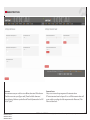
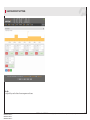
When the boiler arrives it is set as an AP (Access Point). You could connect to this by using your
WiFi unit, i.e. Smart phone, Computer, Tablet, iPad etc. When searching for accessable wifi-networks in your unit, a SSID called [serialnumberSSID] will appear. Choose that one and enter
password: ariterm123. Now you are connected to the boiler. Start your browser and you will
automaticly enter the Log in page in the boiler. Enter the user name (serialnumber of the boiler)
and the password (user). Now you can control the boiler by the web interface.
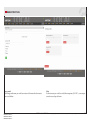
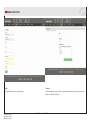
If you want to connect the boiler to internet, go to the Network menu choose your SSID, enter
your password. OBSERVE! Now you will leave the AP mode. Choose the same SSID on your
WiFi unit, start the browser. Enter [serialnumber].local and you are connected to the boiler
by your own network. If you use an Android device you may have to download the app. called
“Bonjour browser”. By using this app. you can find the boilers IP-adress. Then use this IP-adress
in your web browser to connect to the boiler. When the boiler is connected to the internet it will
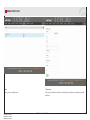
start syncing with our server. Enter portal.aritermgroup.se (same user/password as above) in
your browser and you will have access to your boiler wherever you are.
Note! It is at this point strongly recommended to change password.
Burner start-up and stop
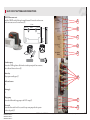
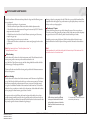
Turn the burner and the internal pump on from the operating switch. If the flow switch that
controls the internal pump is on, set the operating switch to Off mode. The first start-up differs
from normal start-up in that there are no pellets in the burner. Likewise, there are no pellets in
the external feeding system. Carry out the following actions in connection with the first start-up
or if there are no more pellets in the store:
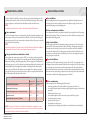
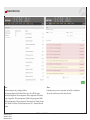
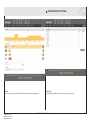
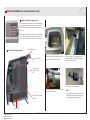
1. Enter the menu “Settings/Pellets store”. Set “External feeder manual” to desired amount
of minutes to fill the feeder up. Click at “Update”. Repeat this intil the external feeder is filled
with pellets.
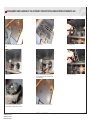
2. Press the burner control switch. Let the external auger run until the level sensors in the
burner indicates pellets. If the external auger operates longer than the maximum external
auger time, you have to reset the alarm and start again.
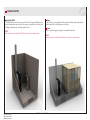
3. When the external auger is filled and the level sensors indicates pellets, the burner will
start.
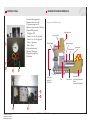
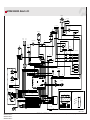
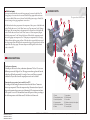
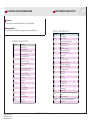
ARITERM-VTT-S-07229-11.1
ARITERM-VTT-S-07229-11.2
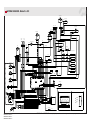
ARITERM-VTT-S-06765-11.1
ARITERM-VTT-S-06765-11.2
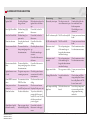
Cold start
The burner performs a cold start with the ignition element when the boiler water
temperature is more than 7°C below the set value. The LED starts blinking green.
Shortly afterwards, the blower and the ignition element turn on. When the flame sensor detects
a flame in the burner head, the burner jumps directly to next start phase.
In the last start phase the burner stops. Do not change the settings during a cold start. After
cleaning the burner head, make sure that the burner performs a cold start because there are no
embers in the burner head. The success of the cold start can be ensured by sufficiently increasing
the set boiler water temperature and by changing it back to the desired value after ignition
Hot start
The burner performs a hot start when the boiler water temperature is within 8°C of the set
temperature, for example, after a short power failure. During a hot start, the burner uses the
embers in the burner head for ignition and, by doing so, saves energy. In normal use, when the
burner goes from “Glow mode” to Power mode, the burner performs a hot start. The burner
starts up automatically after power failures (hot or cold start depending on the temperature of
boiler water).
Power mode - Glow mode
After ignition, the burner starts using the High power mode. When the boiler water temperature
rises to within 5 ºC of its set value, the burner starts using the Low power mode and
will continue to use it until the set value is reached. When the set boiler water temperature
is reached, the burner blower still runs for one minute before the burner moves to Glow
mode. While the burner is in Glow mode, the auger burner brings pellets to the burner head
every now and then in order to maintain the embers.
Stop
The burner can be stopped at any stage of the combustion process. Set Burner to Off by pressing
the burner control switch. The blower will run for one minute after the burner has been
stopped.
ARITERM AB • ARITERM OY • Asennus ja käyttöohje • Installation och driftanvisning • Installation and operating instruction • 04.08.2015 • 10/32