1
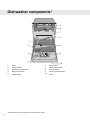
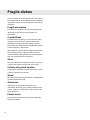
Front panel
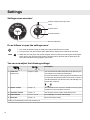
The panel is fitted with touch buttons with audible feedback (see the chapter Settings).
4
5
10
6
3
11
START
STOP
7
2
PROG
13
1
8
1.
2.
3.
4.
5.
6.
7.
Program selector
Auto wash
Heavy wash
Normal wash
Eco wash
Quick wash
Rinse & Hold
9
14
12
8.
9.
10.
11.
12.
13.
14.
Temperature
Drying
Start/Stop
Display
Delayed start
Child lock (button lock)
Rinse aid indicator
NOTE!
• Keep the touch buttons clean and free from grease. Wipe them clean with a dry or slightly damp cloth. Never
use cleaners – they can scratch the surface. Use the main power switch to turn off the dishwasher before
cleaning the touch buttons to avoid activating any buttons unintentionally.
9