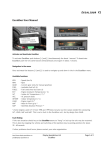
1
CDCONNECT
For:
Saab 9-3 1998-2003
Saab 9-5 1998-2005
INSTALLATION
MANUAL
Step 1:
Make sure the car is turned off and parked in a safe place.
Step 2:
Set the stereo keys in directions as shown below.
Step 3:
Gently pull out the stereo, be careful so that nothing breaks.
Step 4:
Remove the ac-panel by gently pulling it loose with a screwdriver.
Step 5:
Remove the existing buttons.
Step 6:
Install the new supplied button with the AUX jack.
Step 7:
This connector should be assembled after the assembly of the button.
To be connected to the stereo
Here should the stereos orginal
connector be connected.
Step 8:
Connect the contacts between the stereo connectors as shown
below.
Step 9:
Now the device needs to be energized, this is done through the
brakeout adapter for the 12 volt outlet included in the kit. By
putting adaptor between the cigarette lighter socket and its
connectors.
Step 10:
Hide the unit behind the panels where there is space and where
it may be fixed still and not jump around when you are driving.
Assemble the AC-panel and headunit.
Troubleshooting
Problem
The unit is not working
Solution
Ensure that you have the key in igtion
postion, check wiring and fuse to lighter
socket.
Stereo is not working Check the green and white wires
as previous.
for damage.
Bad sound
Check that the cable is not damaged and
that the contacts are connected properly.
Cables damaged
Contact support to get it repaired.
If you are unsure, discuss the problems with your retailer or
our support team. We assume no responsibility whatsoever for
damages or problems caused by improper installation of CDConnect.
Should you still have problems, contact your dealer or email
[email protected]
Knarrhögsgatan 6B, 431 60 Mölndal, Sweden.
Office + 46 31-7880825, mobile +46 709 99 87 25.
www.rindustri.se