1
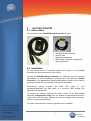
When started for the first time, the Configuration Utility will ask the user to
choose the Breath Controller and will check connection. If not found, the
lower portion of the window will display an error message "Error - controller
not detected". The device selection dialog box can be recalled at any time
from the “File->Select Controller” menu.
It has been reported to us that on some Windows installations, the operating
system may report the Breath Controller as "USB Audio Device" instead of
"Breath Controller". For those rare instances, just select “USB Audio Device”
to select the correct device.
In your player, sequencer etc... the Breath Controller has to be selected as a
MIDI input in order to work. The Breath Controller also appears in the MIDI
output list but should not be selected since it is used by the Configuration
Utility.
In your DAW, you must also configure the MIDI input of the track you are
playing or recording to "MIDI omni" or similar. This is necessary to allow you
to control the instrument from both keyboard and Breath Controller.
WARNING!!!
Due to the nature of the Breath Controller (or any other MIDI controller)
the CC will be left at zero value when you release the pressure (stop
blowing). Depending on the CC you are controlling you might not hear
any sound if not blowing.
You might get into a deadlock if e.g. you first use the Breath Controller
with CC 7 (volume), stop blowing will leave your instrument volume at
zero value, change the CC to e.g. 11 (expression). No sound will be
heard since the CC 7 - volume is still at zero.
Please, keep this in mind before contacting support.
To solve the problem either restart your sample player or try the following:
•
Select the CC that might be left at zero.
•
While you apply pressure change the CC to e.g. 1 (mod wheel)
•
Repeat if you have more CCs left at zero
9
TEControl
Consulting