1
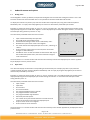
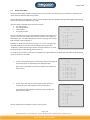
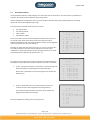
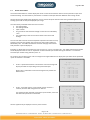
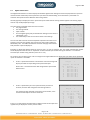
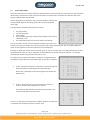
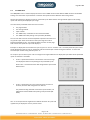
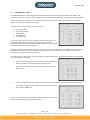
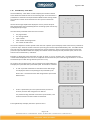
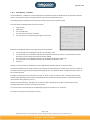
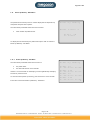
Page 9 av 18 1.8 True RMS Menu The TRMS/50Hz menu is used to display the active current TRMS values and the filtered TRMS value for the 50‐60Hz setting. This information is presented as a collection of 8 inputs based on different data sorting modes. Use the left /right key to display the next or previous 8 inputs. Note that the sorting method applies to all existing inputs and not only the displayed input range. T R M S / 5 0 H z V a l u e s The information presented within this menu contains: P a g e 1 The page number. I n p u t S o r t e d The sorting method. Input number. I n T R M S 5 0 H z 1 1 0 2 0 1 0 0 0 m A The TRMS value, if available on the connected IsoHub. 2 3 0 4 0 m A The TRMS value after passing a low‐pass filter (60‐50HZ). 3 0 0 m A 4 0 0 m A 5 0 0 m A You are also able to use the numeric keyboard to provide a fast search of 6 0 0 m A any specific input. Enter the number of the input using the numeric 7 0 0 m A 8 1 0 0 5 0 m A keyboard followed by “OK”. The IsoBox 16 will then search for the page that contains that particular input and displays it. Example: To display the instant values for input 12, press “1”and “2” and then “Ok”. The newly entered input number will be displayed on the last row as “keyboard:”and the entered input number during the selection. To cancel the entered input number during selection press “C”. As an option you are able to press “OK” to change the arranged method or to display the input labels of the presented inputs. Its function is as follows: T R M S / 5 0 H z V a l u e s If “OK” is pressed and held for 3 seconds the menu will change and display the labels corresponding to the presented inputs. P a g e 1 I n p u t S o r t e d When “OK” is released the menu will change back to present the default menu. I n L a b e l 1 A B - C D - E 1 2 A B - C D - E 2 3 A B - C D - E 3 4 A B - C D - E 4 5 A B - C D - E 5 6 A B - C D - E 6 7 A B - C D - E 7 8 A B - C D - E 8 If “OK” is pressed only for a short period of time, less then 3 seconds, the menu will change the sort method. T R M S / 5 0 H z V a l u e s The possible sorting methods are based on input number, the P a g e 1 TRMS value and the TRMS value passing a low‐pass filter (60‐ T R M S S o r t e d 50HZ). I n T R M S 5 0 H z 1 1 0 2 0 1 0 0 0 m A 8 1 0 0 5 0 m A 2 3 0 4 0 m A 3 0 0 m A 4 0 0 m A Use “C” to reset/restart the registration of lowest values for all inputs and 5 0 0 m A up/down key to display the next or previous menu. 6 0 0 m A 7 0 0 m A Megacon AB Ranhammarsvägen 20 S-168 67 Bromma Sweden Tel: 08-402 42 50 [email protected] www.megacon.se 9(18)