1
OSD Menu
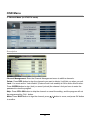
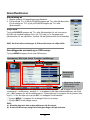
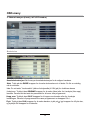
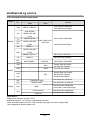
5. Setup Menu
Description
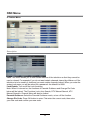
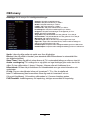
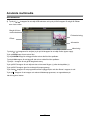
OSD Timer: Lets you adjust the viewing time of the On Screen Menu displayed on your
screen before disappearing.
Auto SCART: The TV will be changed to SCART source automatically when you connect
the TV to the SCART device (providing it is fully in compliance with Euro 21 pin SCART).
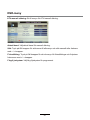
PC Setup: Change the PC Settings in PC mode.
Auto Adjust: Setup the parameter of the screen automatically (recommended).
H/V-Position: Adjust the transverse/vertical position of the screen.
Phase: Adjust the phase of the ADC sampling clock relative to the sync signal,
until a stable image is obtained.
Clock: Adjust the pixel clock frequency, until the image size is maximized for the screen.
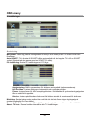
Blue Screen: Changes the background when there is no input between clear and a blue
background (only available in some sources).
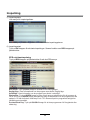
Reset TV Upgrade:
Setting: This
clears
TVwe
settings
for thenew
television.
Software
From
timeall
tothe
time
may release
firmware to improve the running
of the television (available to download). This menu lets you upgrade that software onto the
television. Further details of how to do this will be issued with the firmware. Contact the
helpline or refer to the ‘product support’ section of the website.
21