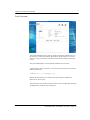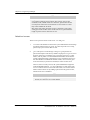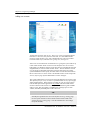
1
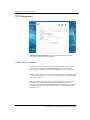
AXUS Microsystems Inc.
Filer for Business 2.0
User’s Guide
Copyright Notice
All title, copyright and other intellectual property rights in and to the Software Product (including but
not limited to any relevant media, images, photographs, animations, video, audio, music, text, and
applets incorporated into the Software Product), the accompanying manuals and other documents, and
on-line or electronic documents, if any, (collectively “Software Product”) are owned by Axus
Microsystems Inc, . Unless otherwise expressly licensed by Axus Microsystems Inc, . in writing,
any provision of the Software Product does not represent any license of any of the above rights.
Copyright © 2000 -2003 Axus Microsystems Inc.; All rights reserved.
Trademark Notice
DemonNAS and other names of DemonNAS products are trademarks or registered trademark of Axus
Microsystems Inc.
Microsoft, Windows, Windows NT and Internet Explorer are trademarks of Microsoft Corporation.
Apple and Macintosh are trademarks of Apple Computer Inc.
Other products and company names mentioned herein may be the trademarks of their respective owners.
Revisions
Axus Microsystems Inc, reserves the right to revise this publication and to make changes in the content
hereof without the obligation of Axus Microsystems Inc. to notify any person of such revision or
changes.
END-USER LICENSE AGREEMENT FOR USE OF “DemonNAS FILER FOR
BUSINESS” AND ACCOMPANYING SETUP UTILITY “DemonNAS FILER
ASSISTANT” AND BACKUP UTILITIES “DemonNAS FILER BACKUP” AND
“DemonNAS DATA REPLICATOR”
1.
Ownership and Copyright. DemonNAS Filer Assistant (“Setup Utility”), DemonNAS Filer
Backup and DemonNAS Data Replicator (“Backup Utilities”) and DemonNAS Filer for
Business, the system software embedded in the NAS server (“Embedded Software”) are
proprietary software belonging to Axus Microsystems Inc. United States copyright and other
Federal and State laws protect the Setup Utility, Backup Utilities , and Embedded Software.
Your use of the Embedded Software , Setup Utility, or Backup Utilities implies agreement
to the terms and conditions of this license. By using the Setup Utility, Backup Utilities, or
the Embedded Software , you are entering into a binding contract with Axus
Microsystems Inc.
2.
Grant of License. The Setup Utility, Backup Utilities, and Embedded Software are licensed, not
sold, to you for use only under the terms of this Agreement. You are given a non-exclusive
license to use the Setup Utility, Backup Utilities, and Embedded Software in conjunction with the
NAS server. Axus Microsystems Inc,. reserves any rights not expressly granted to you.
Copying of the Setup Utility, Backup Utilities, and the Embedded Software, unless otherwise
expressly provided for under this Agreement or specifically authorized in writing by Axus
Microsystems In c., is prohibited by law.
Under this license, you MAY:
n
make no more than one (1) copy of the Embedded Software in machine readable form, solely for
archival back-up purposes, provided that such copy is labeled with the Axus Microsystems Inc.
copyright notice and other proprietary legends found on the original media.
You MAY NOT:
n
install the Embedded Software on any computer, workstation or other equipment other than
the NAS server:
n
install the Setup Utility and Backup Utilities on any computer, workstatio n, or other
equipment other than yours/your firm’s.
n
reverse engineer, decompile, disassemble, or create derivative works based on the Setup
Utility, Backup Utilities , or Embedded Software;
n
duplicate (except to create one back-up copy) the Setup Utility, Backup Utilities, or
Embedded Software;
n
modify, translate the Setup Utility, Backup Utilities, or Embedded Software
n
remove any proprietary notices, labels, or marks from the Setup Utility, Backup Utilities, or
Embedded Software; and.
n
rent, lend, transfer, or distribute the Setup Utility, Backup Utilities , or Embedded Software
separately from the NAS server to any person without the written consent of Axus
Microsystems Inc
3.
Disclaimer of Warranty. Axus Microsystems Inc. DISCLAIMS ANY AND ALL
WARRANTIES AND CONDITIONS OF ANY KIND WHATSOEVER WITH REGARDS TO
THE SETUP UTILITY, BACKUP UTILITIES, AND THE EMBEDDED SOFTWARE PROVIDED
HEREUNDER, WHETHER EXPRESS, IMPLIED, STATUTORY, OR OTHERWISE,
INCLUDING THOSE FOR MERCHANTABILITY, SATISFACTORY QUALITY, AND/OR
FITNESS FOR A PARTICULAR PURPOSE, WHICH ARE EXPRESSLY EXCLUDED.
4.
Termination. This Agreement is effective until terminated. You may terminate this Agreement
at any time by destroying the Setup Utility, Backup Utilities, and Embedded Software, and all
back-up copies thereof. Unauthorized duplicating of the Setup Utility, Backup Utilities , or the
Embedded Software or otherwise failing to comply with the terms and conditions of this
Agreement will result in automatic termination of this Agreement and will make available to Axus
Microsystems Inc, all other legal remedies. Upon termination of this Agreement, the license
granted herein will terminate and you must immediately destroy the Setup Utility, Backup Utilities,
and Embedded Software, and all back-up copies thereof.
5.
Government End-Users. The Setup Utility, Backup Utilities, and the Embedded Software, and any
accompanying documentation, are deemed to be “commercial computer software” and
“commercial computer software documentation,” respectively, pursuant to DFAR Section
227.7202 and FAR Section 12.212, as applicable. Any use modification, reproduction release,
performance, display or disclosure of the Setup Utility, Backup Utilities , or Embedded Software
and accompanying documentation by the U.S. Government shall be governed solely by the terms
of this Agreement and shall be prohibited except as expressly permitted by the terms of this
Agreement.
6.
Unlawful Provision(s). If any provision of the Agreement is held to be unenforceable for any
reason, all other provis ions of this Agreement shall nevertheless be deemed valid and enforceable
to the full extent possible.
7.
Applicable Law. This Agreement will be governed by the laws of the State of California and the
United States, including U.S. Copyright laws.
8.
Entire Agreement. This Agreement constitutes the sole and exclusive agreement between the
parties concerning the subject matter hereof.
Table of Content
Chapter 1.
About DemonNAS Filer for Business 2.0......................................... 1
Specifications.................................................................................................................................................. 1
DemonNAS Filer for Business Resources..................................................................................................2
DemonNAS Filer Utility CD ........................................................................................................................2
DemonNAS Filer for Business User’s Guide ..................................................................................................4
Chapter 2.
Setting up the NAS Server ................................................................. 5
Before you start ...............................................................................................................................................5
Setup..................................................................................................................................................................5
Input server IP manually.............................................................................................................................. 9
Chapter 3.
Quick Configuration.......................................................................... 10
Enter the root password............................................................................................................................... 10
Server Configuration....................................................................................................................................11
Basic Server Configuration......................................................................................................................... 11
LAN Port 1............................................................................................................................................... 12
Enter the system date and time.................................................................................................................... 13
Select a language....................................................................................................................................... 14
Enter a recipient for notification.................................................................................................................. 15
Cache setup.............................................................................................................................................. 16
Completing Quick Configuration................................................................................................................ 16
Chapter 4.
Using Storage Manager.................................................................... 18
Server Information........................................................................................................................................ 18
Server Configuration....................................................................................................................................21
Basic Configuration ................................................................................................................................... 21
Date Setup................................................................................................................................................ 25
Language Setup......................................................................................................................................... 25
Notification Setup..................................................................................................................................... 26
Security Setup................................................................................................................................................26
Shared Folder Setup................................................................................................................................... 27
Account Setup........................................................................................................................................... 34
Group Setup .............................................................................................................................................. 42
User Quota Setup...................................................................................................................................... 46
Security Options........................................................................................................................................ 48
Using Access Control List (ACL)................................................................................................................ 50
Network Setup...............................................................................................................................................55
Windows Network..................................................................................................................................... 55
UNIX Network......................................................................................................................................... 59
Apple Network.......................................................................................................................................... 60
Volume Management....................................................................................................................................63
Volume Setting.......................................................................................................................................... 63
Volume Layout.......................................................................................................................................... 70
Cache Setup.............................................................................................................................................. 70
Home Setup.............................................................................................................................................. 72
Add New Storage...................................................................................................................................... 72
Toolkit............................................................................................................................................................. 73
LED Management..................................................................................................................................... 73
SNMP Configuration................................................................................................................................. 74
UPS Management...................................................................................................................................... 76
Restore Defaults........................................................................................................................................ 80
Shutdown/ Restart ..................................................................................................................................... 81
Local Tape Backup.................................................................................................................................... 81
System Update.......................................................................................................................................... 88
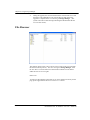
File Browser................................................................................................................................................... 89
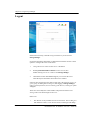
Logout............................................................................................................................................................. 90
Chapter 5.
Using DemonNAS Filer Backup ...................................................... 93
Backing up data.............................................................................................................................................94
Scheduling Backup....................................................................................................................................... 97
Scheduling a Backup ................................................................................................................................. 97
Scheduling Multiple Backups..................................................................................................................... 99
Deleting Schedule................................................................................................................................... 101
Restoring data back to the server.............................................................................................................101
Chapter 6.
Using DemonNAS Data Replicator................................................ 107
Before you begin.........................................................................................................................................107
Set up the NAS server.............................................................................................................................. 107
DemonNAS Data Replicator Basic Requirements....................................................................................... 109
Setup DemonNAS Data Replicator .........................................................................................................110
Start Using DemonNAS Data Replicator ...............................................................................................110
Backup Windows client data to the NAS server.......................................................................................... 110
Recover files from the NAS server to Windows client................................................................................. 115
Tag Management..................................................................................................................................... 115
User Preferences..................................................................................................................................... 118
Chapter 7.
Troubleshooting.............................................................................. 121
Problems Installing the NAS Server.......................................................................................................... 121
Problems of the System............................................................................................................................ 122
Problems of the Hard Disks on the NAS Server.......................................................................................... 123
Problems Browsing HTTP/files................................................................................................................. 125
Problems Accessing the NAS Server from Windows Clients........................................................................ 125
Problems Accessing the NAS Server from Mac Clients............................................................................... 127
Problems Accessing the NAS Server from NFS Clients’.............................................................................. 129
Problems Setting the Storage Manager..................................................................................................... 129
Problems Using UPS............................................................................................................................... 132
Problems Using Local Tape Backup .......................................................................................................... 132
Problems Using DemonNAS Filer Backup ................................................................................................. 133
Problems Using DemonNAS Data Replicator............................................................................................. 133
General Problems.................................................................................................................................... 134
Appendix 1. What is RAID?.................................................................................. 136
RAID 0 (striping)........................................................................................................................................137
RAID 1 (mirroring)....................................................................................................................................137
RAID 5.........................................................................................................................................................137
RAID 5 with Spare .....................................................................................................................................138
Appendix 2. Windows access to the NAS server.............................................. 139
Appendix 3. UNIX access to the NAS server ..................................................... 140
Appendix 4. Mac access to the NAS server....................................................... 143
Appendix 5. Third party backup support ........................................................... 144
CA BrightStor Enterprise Backup v10.0................................................................................................144
Backup-able/Restore-able items................................................................................................................ 144
Authentication......................................................................................................................................... 144
Important Note........................................................................................................................................ 144
Agent Support......................................................................................................................................... 145
NAS server as backup destination............................................................................................................. 145
CA BrightStor ARCserve Backup v9 for Windows .............................................................................145
Veritas BackupExec v8.6..........................................................................................................................146
Backup-able/Restore-able items................................................................................................................ 146
Authentication......................................................................................................................................... 146
Agent Support......................................................................................................................................... 146
NAS server as backup destination............................................................................................................. 146
Dantz Retrospect Backup v5.6.................................................................................................................147
Backup-able/Restore-able items................................................................................................................ 147
Agent Support......................................................................................................................................... 147
Appendix 6. Using DemonNAS Filer Assistant on Mac OS ............................. 148
Using DemonNAS Filer Assistant on Mac OS 9 .................................................................................. 148
Before You Start...................................................................................................................................... 148
Setup...................................................................................................................................................... 148
Using DemonNAS Filer Assistant on Mac OS 10................................................................................149
Appendix 7. Email notification list ...................................................................... 150
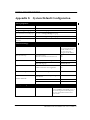
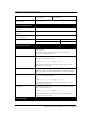
Appendix 8. System Default Configuration ....................................................... 171
Chapter 1. About DemonNAS Filer for Business 2.0
Chapter 1. About DemonNAS Filer for Business
2.0
With the rapid expansion of the net and ever increasing numbers of Internet
users, requirements for storage space are also exploding. DemonNAS Filer for
Business offers a stable and efficient storage solution with an easy-to-use
interface. Even non-technical staff will have no trouble installing and
configuring the server.
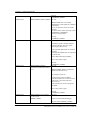
Specifications
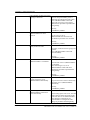
Network Types Network File Systems Protocols Clients
Microsoft network CIFS, SMB TCP/IP Windows 98, ME, NT 4.0, 2000, XP
UNIX network NFS v2.0 & v3.0 TCP/IP Red Hat Linux, Solaris, FreeBSD
Apple Macintosh network AFP AppleTalk, TCP/IP Apple Macintosh 7.x, 8.x, 9.x, OS X
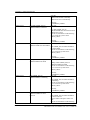
Domain Integration
Microsoft Windows 2000 ADS
Microsoft Windows NT 4.0 domain
UNIX NIS domain
Software- RAID
RAID 0
RAID 1
RAID 5
RAID 5 with Spare
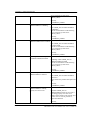
Availability/ Reliability
DOC/DOM/CF support
Boot From Any Drive (Disk Version)
IDE Hard Disk Hot Swapping & On-line Rebuilding
Power Supply / System Fan Fail-over Support
Hardware (thermal, ECC, HDD, Fan, Power Supply…) Monitoring, Auto-notifications, and Logging
UPS support (Through Serial Port & SNMP Trap)
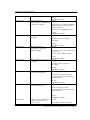
Manageability
Up to 8 TB File System Support
Volume Manager– used to create/modify/repair volumes
SNMP MIB II Support
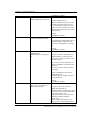
DemonNAS Filer Assistant 2.0, for Windows and Mac platforms– to search, setup the IP addresses of
DemonNAS Filer, map network drives, and view the server status
DemonNAS Filer Backup 2.0 – to backup DemonNAS Filer through the network. Supports multi-level
(System Information, User Information, Data and Specified Volume/Shared folder) backup, incremental
backup, and scheduled backup.
Local Tape Backup Support - to backup DemonNAS Filer to the local tape drive.
File Level ACL (Access Control List) Support for Windows, Mac, and UNIX clients
New Log Mechanism - rotate-able, sort-able, download-able, and more understandable.
Network Time Protocol (NTP) Support
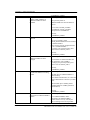
Performance
DemonNAS Filer for Business 2.0 User’s Guide 1
Chapter 1. About DemonNAS Filer for Business 2.0
RAID 5 Device Layer Cache Support – removes I/O bottlenecks and greatly improves file access
performance .
10Mb/100Mb/ 1 Gb Ethernet Teaming/ Fail-over/ Multi-subnets Support – to removethe network
bottleneck and greatly improve the performance.
Compatibility
Unicode Account/Group/Shared Folder /File/Folder Names Support
Japanese Machine Dependent Characters Support
HTTP support – allows users to have remote access to files in the server through the Internet (HTTP
protocol).
FTP support – allows users to have remote access to files in the server through the Internet (FTP
protocol).
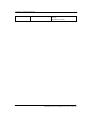
Other Features
DemonNAS Data Replicator – offers automatic, near real-time, easy , and secure backup from Windows
clients to DemonNAS Filer.
Traditional Chinese, English, German, French, Italian, Spanish, Simplified Chinese, Japanese, Korean
DemonNAS Filer for Business Resources
DemonNAS Filer Utility CD
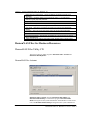
This CD provides two utility programs: DemonNAS Filer Assistant and
DemonNAS Data Replicator .
DemonNAS Filer Assistant
DemonNAS Filer Assistant integrates DemonNAS Filer Finder and
DemonNAS Filer Backup in one Windows program. DemonNAS Filer
Finder is designed for the system administrator and all Windows clients on the
LAN, and DemonNAS Filer Backup is designed for the system administrator
DemonNAS Filer for Business 2.0 User’s Guide 2
Chapter 1. About DemonNAS Filer for Business 2.0
only.
DemonNAS Filer Finder
The system administrator can use DemonNAS Filer Finder to search and
setup the IP addresses of all NAS servers running DemonNAS Filer on the
LAN. Windows clients can also install this program on the desktop, so that
they can easily login to Storage Manager to change personal information, and
connect all privileged shared folders on the NAS server as network drives.1
DemonNAS Filer Backup
The system administrator can utilize this backup program to backup data from
the NAS server to other designated locations, or to restore previously backed
up data back to the NAS server.
1
DemonNAS Filer Assistant comes in Windows version, Mac OS 9 version, and Mac OS X version. About using
the Windows version, please refer to Chapter 2 “Setting up the NAS server”; about using the Mac OS 9 and Mac
OS X versions, please refer to Appendix 7 “Using DemonNAS Filer Assistant on Mac OS”.
DemonNAS Filer for Business 2.0 User’s Guide 3
Chapter 1. About DemonNAS Filer for Business 2.0
DemonNAS Data Replicator
DemonNAS Data Replicator provides use for all Windows clients on the
LAN.
Windows clients can use DemonNAS Data Replicator to monitor file folders
on computer, make immediate backup of specified file folders to NAS server,
making it easy for restoration of backup files from server to client computers,
files backup, management and protection.
DemonNAS Filer for Business User’s Guide
The DemonNAS Filer for Business User’s Guide contains a description of the
product and step-by-step instructions on how to use Storage Manager to
configure the server. Please read this guide carefully before proceeding.
DemonNAS Filer for Business 2.0 User’s Guide 4
Chapter 2. Setting up the NAS server
Chapter 2. Setting up the NAS Server
After connecting the NAS server to a power cord and the LAN, power it up and
use the DemonNAS Filer Finder tab of DemonNAS Filer Assistant to search
for the NAS server and configure its IP address.
TIP
Setup procedure for the NAS server:
1.
Connect the NAS server to the LAN, hard disks, and a power
cord, and then turn it on.
2.
Run DemonNAS Filer Assistant from any Windows client on
the LAN and use the DemonNAS Filer Finder tab to locate and
configure the NAS server’s IP address. Once this is done, the
utility will automatically open a browser window and connect to
Storage Manager on the NAS Server (details below).
3.
Use Storage Manager’s Quick Configuration to configure the
basic options of the server (see chapter 3).
4.
Use Storage Manager to configure the details of the server,
including system configuration, user privileges, network and hard
disks (see chapter 4).
Before you start
1.
Please install hard disk to the NAS server.
2.
When purchasing diskless model that supports DOC/DOM, please install
at least one hard disk before turning on the server.
3.
Connect the NAS server to the LAN. Turn on the server.
4.
Make sure the client terminal used to configure the NAS server is
installed with Microsoft Internet Explorer 5.0 or higher, and make sure
this computer and the NAS server can be connected through physical
network medium (e.g. hub, switch, etc.).
5.
Set the resolution of the client terminal screen to 1024*768 or higher.
1.
Choose a computer with a network connection running Microsoft
Windows 98/ME/NT/2000/XP and a browser version above IE5.0
installed.
Setup
DemonNAS Filer for Business 2.0 User’s Guide 5
Chapter 2. Setting up the NAS server
2.
Insert the DemonNAS Filer Utility CD in the CD-ROM drive. In most
systems, DemonNAS Filer Assistant starts automatically. If it doesn’t
start, please run the “SFAssistant.exe“ program manually.
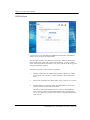
3.
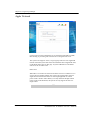
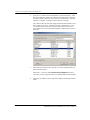
DemonNAS Filer Assistant will automatically search and list all NAS
servers running DemonNAS Filer on the LAN. The Server Status
column will show current status of the server. When the message
System is ready is shown in this column, you can begin your setup.
Suppose you want to set up a server called NAS001 for the first time . By
default the system obtains the network configuration information through
the DHCP server. If the DHCP serv er does exist on the LAN, its IP
Status will show DHCP, referring that the NAS server has correctly
received IP from DHCP server. Please double click server NAS001 or
click the Manage button, and DemonNAS Filer Assistant will
automatically invoke the browser, connect to the server’s IP address, and
then start the Quick Configuration option of Storage Manager for the
system administrator to setup basic information such as server group,
system access, and network group, etc. (for details please refer to Chapter
3).
If there is no DHCP server on the LAN, or the client that runs
DemonNAS Filer Assistant and the NAS server do not belong to the
same subnet, the IP Status column will show Unknown instead.
DemonNAS Filer for Business 2.0 User’s Guide 6
Chapter 2. Setting up the NAS server
TIP
If the NAS server supports more than one network card,
DemonNAS Filer Assistant will show only one of the network
cards for system administrator to setup. If you want to setup
other network card (s), system administrator must perform further
setup in Storage Manager.
DemonNAS Filer Assistant display rules as follows:
1.
The first time you setup the NAS server, DemonNAS Filer
Assistant will display the first network card of the server. If
there is a DHCP server the “IP Status” will show “DHCP”.
If there is no DHCP server, then the “IP Status ” is
“Unknown”, and the” IP Address” is “??.??.??.??”.
2.
If system administrator has already used Storage Manager
to assign IP addresses to (multiple) network cards on the
server and made them belong to different subnets, then
DemonNAS Filer Assistant will show the network card
that belongs to the same subnet with the client computer
that runs DemonNAS Filer Assistant .
3.
If there is no network card in the NAS server that belongs
to the same subnet as the client computer that runs
DemonNAS Filer Assistant, then DemonNAS Filer
Assistant will show the first network card of the server and
the IP Status will show Unknown.
4.
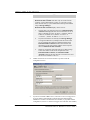
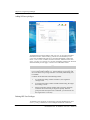
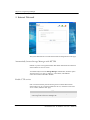
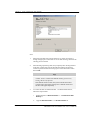
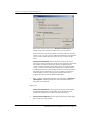
Double-click on the server name NAS001 to open the network
configuration screen.
5.
If your LAN includes a DHCP server, select Get Network Configuration
through DHCP to automatically configure the network through the
DHCP server. If there is no DHCP server available, or you prefer manual
configuration, choose Use Manual Configuration and enter an IP address,
DemonNAS Filer for Business 2.0 User’s Guide 7
Chapter 2. Setting up the NAS server
domain name, subnet mask, gateway, and DNS server. The setup
program will grab the network configuration of the client for
administrator’s reference (The only way to obtain the user’s network
configuration in Windows NT/2000/XP is to log on Windows with the
administrator ID.). If this information is not enough, choose Suggestion;
the setup program will check available IPs on the LAN and provide a
suggested IP address.
TIP
DNS helps you find the IP address of the domain name. Be
sure to input correct DNS server in the field so that the Email
notices from the system can reach the administrator’s mailbox.
6.
Input System administrator password. The first time a password is
requested, enter the default password; if none exists leave this field
blank.
7.
Click Apply to confirm. The program will automatically invoke the
browser and connect to the server’s IP address, then start the Quick
Configuration option of Storage Manager (see chapter 3).
TIP
DHCP (Dynamic Host Configuration Protocol) is a network
protocol for automatic IP assignment. If your network does not
inclu de a DHCP server, you must enter the network configuration
manually.
If the search or configuration fails, please verify the following details before
trying again:
1.
Make sure you have selected the correct server.
2.
Make sure the server is connected to the LA N.
3.
Make sure the server is connected to a power source and is turned on.
4.
Make sure the LAN still has available IP addresses.
5.
Make sure the manually entered network settings are correct.
6.
Make sure the client terminal you are using has successfully installed/set
the TCP/IP protocol, and is running Microsoft Internet Explorer 5.0 or
higher.
7.
Make sure the NAS server and the client computer that runs DemonNAS
Filer Assistant can be connected through physical network medium (e.g.
hub, switch, etc.).
8.
Any previous version of DemonNAS Filer Assistant cannot search for
DemonNAS Filer for Business 2.0 User’s Guide 8
Chapter 2. Setting up the NAS server
and setup DemonNAS Filer for Business 2.0. Please make sure you are
using DemonNAS Filer Assistant 2.0。
9.
The firewall function of some firewall or anti-virus software will cause
failure for the DemonNAS Filer Assistant to find DemonNAS Filer for
Business servers. Please disable the firewall or anti-virus software and
try again.
TIP
DemonNAS Filer Assistant only supports one network adapter
for each computer to search the NAS servers on the LAN
correctly. If there is more than one network adapter installed on
the computer running DemonNAS Filer Assistant, please only
keep one.
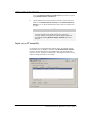
Input server IP manually
For the NAS server running DemonNAS Filer that is on a different network
environment from the Windows client who runs DemonNAS Filer Assistant ,
if it has a valid external IP, the system administrator can enter the IP of the
NAS server in the “Input server IP manually:” field and then click the Manage
button to manage the NAS server remotely.
DemonNAS Filer for Business 2.0 User’s Guide 9
Chapter 3. Quick Configuration
Chapter 3. Quick Configuration
DemonNAS Filer for Business offers a simple and easy-to-use approach to
NAS administration called Storage Manager. Use this program to configure
the server, system and network parameters , including Windows, UNIX, and
Apple Macintosh network settings, as well as the hard disk configuration.
When you first install the NAS server, DemonNAS Filer Assistant will
complete the IP configuration of the server and then automatically open a
browser window to connect to the server. The Quick Configuration page with
basic configuration options will appear.
TIP
1.
During setup , watch the tips on the right hand side of the browser
window or refer to this user‘s guide for more information.
2.
This system only supports Microsoft IE 5.0 browsers or above.
Netscape or other browsers are not supported.
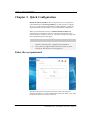
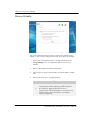
Enter the root password
Since this is the first time using this system, the system will prompt for
changing the default root (system administrator) password. Make a note of this
password for future access to the NAS server.
DemonNAS Filer for Business 2.0 User’s Guide 10
Chapter 3. Quick Configuration
Tip
The root password is very important in NAS server management. The
Administrator must memorize this password. Should the password is
lost, the NAS server should be shipped back to the dealer for
reinstallation. In that case, all the data on the server will be lost.
The password is case sensitive, and up to 12 displayable characters can be
entered, including letters, numbers, signs, and space, etc. However, the
password of root can not be empty. After entering the password, please confirm
your choice by re-entering it in the Confirm password field.
Server Configuration
Basic Server Configuration
System administrator can change the default server name here and further
configure the network settings.
First you have a chance to change the preset server name . Please note that the
server name must be unique, meaning that no other server in the network
should have the same name. The name is not case-sensitive and cannot exceed
15 characters. The first character must be a letter; the other characters can be
letters, numbers, the underscore or minus sign.
This system supports up to four domain names and three DNS servers. The
length of the domain name cannot exceed 64 characters. When getting
network configuration through DHCP server, if DHCP server has already
created multiple domain names and DNS server setup, this page will capture
DemonNAS Filer for Business 2.0 User’s Guide 11
Chapter 3. Quick Configuration
the first item from the DHCP server. The system administrator must specify
other items manually.
TIP
The domain name field does not accept the following characters. If
you are using a DHCP server, do not use these characters on the DHCP
server either:
(, ), <, >, @, \, [, ], , , ;, :, “, space, enter (/n) and control characters.
LAN Port 1
Next, please setup the IP address of the first network card. This page will
show the setup information previously defined in DemonNAS Filer Assistant,
and system administrator can make additional change here.
If the LAN includes a DHCP server, click Get network configuration through
DHCP. Otherwise, choose Use manual configuration. and fill out the related
setting, Filling out the column with a red star sign on the right is mandatory,
while filling out the column with the orange star is recommend by the system.
Please note:
For the administrator to be able to remotely log in the NAS server or the users
log in the Web Browser page through the Internet (HTTP), please enter a valid
external IP in the IP address column.
If the NAS server supports more than one network card, please go to Server
Configurationà Basic Configura tion after completion of Quick Configuration
to continue setup of other network cards.
DemonNAS Filer for Business 2.0 User’s Guide 12
Chapter 3. Quick Configuration
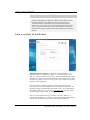
Enter the system date and time
Use a 24-hour format to enter the system date and time, as well as the correct
time zone.
The NAS server will automatically adjust if daytime saving time (DST) is
applicable to the selected time zone. There is no need for extra setup.
To activate network time synchronization, please choose Enable network time
synchronization , in the Period pull down menu, choose the appropriate period,
and then fill out the hostname or IP in the Primary time server field. If a spare
time server is available, fill out the hostname or IP in the Secondary time server
field. When the primary time server is not able to operate, the NAS server will
try to synchronize the time with the secondary time server.
DemonNAS Filer for Business 2.0 User’s Guide 13
Chapter 3. Quick Configuration
Select a language
You can perform all the language settings on this page. Please choose a display
language for Storage Manager, event notification emails, and the code page
for different kinds of client.
In Display Language column, when selecting Browser Default Language,
Storage Manager will automatically display the same language as the browser
of the client when system administrator or general user is connected to Storage
Manager.
For some languages at least 2 sorting methods are available for the
administrator to choose. The sorting method is used to sort information on
Storage Manager, such as shared folders and user accounts. The sorting
method can be chosen from the Sort by: pull-down menu.
Encoding for Windows/ Apple will be applied for the three clients, and allow
them to access the server correctly with the defined encoding when Unicode is
not available. After selecting the encoding for Windows/ Apple, please select
the appropriate encoding for NFS and FTP clients under the same locale
language.
Once Quick Configuration is complete, Storage Manager will use that
language. If you do not know the correct code page of your Windows client,
enter the command “chcp” in the command prompt and press Enter to retrieve
the correct code page information.
Note:
Inconsistent encoding settings between the system and the clients will result
in problems on accessing the data. The system encoding must be the same with that of
the clients.
DemonNAS Filer for Business 2.0 User’s Guide 14
Chapter 3. Quick Configuration
TIP
If the administrator set a single-byte language (code page), such as
English or Multilingual, for Windows clients, an error will occur when
the client attempts to save double-byte files or folder names (e.g.
Traditional Chinese) on the NAS server, and some files cannot be
deleted once saved. In this case, the system administrator must use the
Server ConfigurationàLanguage Setup to change the code page to
double-byte encoding; only then can the file be properly accessed and
deleted.
Enter a recipient for notification
DemonNAS Filer for Business can notify the system administrator of
important events per e -mail. Enter a SMTP server and the primary e-mail
address 1. When an important event occurs, the system administrators will be
informed via e-mail and can respond immediately, thus ensuring system safety.
You have t he option to send a test message after setup to make sure you have
entered a valid configuration.
Due to the excessive amount of junk mail pervading the Internet, many
providers do not allow their SMTP servers to be used by outside users. We
therefore strongly recommend using the SMTP server of your e-mail domain
(the address 1, address 2). E.g., if you use [email protected], select the SMTP
server belonging to this provider, for example mail.abc.com.
Note: if you enter the host name (e.g. mail.abc.com) of the SMTP server,
instead of the IP address (e.g. 192.168.1.1), please also enter the DNS address
to ensure the notification emails will be sent to right administrators.
DemonNAS Filer for Business 2.0 User’s Guide 15
Chapter 3. Quick Configuration
Cache setup
In order to improve data access performance, you can select to turn on "Disk
write cache" support on this page. It is suggested that an UPS is accompanied
with the server if this option is turned on to prevent from data loss when
abnormal power failure occurs.
Completing Quick Configuration
DemonNAS Filer for Business 2.0 User’s Guide 16
Chapter 3. Quick Configuration
Once you have completed the Quick Configuration, the server should operate
properly on the LAN. Click Finish to apply all settings and open Storage
Manager.
If you need to make further modifications after you have comp leted Quick
Configuration, use the Server Configuration option described in Chapter 4.
DemonNAS Filer for Business 2.0 User’s Guide 17
Chapter 4. Using Storage Manager
Chapter 4. Using Storage Manager
After the Quick Configuration is complete, DemonNAS Filer for Business
will open the web-based Storage Manager program, where the system
administrator can further edit the settings of the NAS server.
TIP
1.
Storage Manager does not include a Back option, but lists all of
the configurable items on the left-hand side of the browser
window. When you are done with one screen, simply select the
next item you wish to configure from the list on the left.
2.
If no entries occur in Storage Manager for 15 minut es, you will
automatically be logged out, and will have to log in again to
continue.
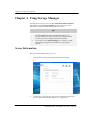
Server Information
Here you find information about your server:
1.
General: Shows system version and manufacturer information.
b
2.
Configuration: This page shows the current configuration of the server.
You can change these settings under Server Configuration.
DemonNAS Filer for Business 2.0 User’s Guide 18
Chapter 4. Using Storage Manager
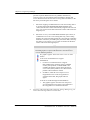
3.
Status: This page shows the current operation status of the server,
including the frequency of ECC errors, temperature, network port (s),
fans, power supplies, and hard disk usage. If an error occurs on the server,
such as a memory error, high temperature, network card malfunction, fan
malfunction, power supply malfunction, or hard disk failure, the
information on this page will be immediately updated, and a notification
message will be sent via e-mail to the system administrator.
Moreover, when the hard disk is at “Damages in system area” or “With
bad sectors” status, you can check the bad sector details of the hard disk
by moving the mouse over the hard disk graphics on this page. When bad
sectors occur on the hard disk, DemonNAS Filer for Business 2.0
DemonNAS Filer for Business 2.0 User’s Guide 19
Chapter 4. Using Storage Manager
provides a Dynamic Bad Sector Recovery (DBSR) mechanism by
reserving a space on each partition of the hard disk for mapping bad
sectors when bad sectors are hit and recovering data in the future, so the
file can be protected against access failure.
i、 Bad sector mapping: If a HDD bad sector is hit when writing data to
an existing simple/span/RAID0/RAID1/RAID5/RAID5+spare
volume, the bad sector will be automatically mapped to the reserved
space. Any request for the data in the future will be redirected to the
mapped sp ace.
ii、 Bad sector recovery: On a RAID1/RAID5/RAID5+spare volume, if
a HDD bad sector occurs on an existing data entry, when reading
the data, the system will still generate the correct data by calculating
the RAID1 consistency or RAID5 parity from other disk(s) and map
the data to a reserved space. Any request for the data in the future
will be redirected to the mapped space.
TIP
DemonNAS Filer for Business 2.0 provides the following 2
hard disk graphics to represent the difference when bad sectors
occur on different partitions:
This graphic appears when bad sectors occur on data
partition.
For the server model that doesn’t support
DOC/DOM/CF:
1. For the server model that doesn’t support
DOC/DOM/CF, the operating system is installed
on the system partition, on which DBSR is not
available, this graphic appears when bad sectors
occur on the system partition, for at this time this
partition will be marked as crashed.
2. In addition, when the reserved space to save
mapped bad sectors on the swap partition is
consumed to the limit, this graphic will also
appear.
For the server model that supports DOC/DOM/CF:
1. This graphic appears when the reserved space to
save mapped bad sectors on the system partition or
the swap partition is consumed to the limit.
4.
System log: This page shows the system log, Storage Manager log, the
connection status log and Current connection.
DemonNAS Filer for Business 2.0 User’s Guide 20
Chapter 4. Using Storage Manager
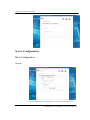
Server Configuration
Basic Configuration
General
System administrator can change general server information such as server
DemonNAS Filer for Business 2.0 User’s Guide 21
Chapter 4. Using Storage Manager
name and network settings. Please refer to the Server ConfigurationàBasic
Server Configuration unit of Chapter 3 for setup methods.
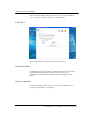
LAN Port 1
System administrator can change the setup of the LAN port 1.
Link Speed & Duplex
By default in the Link Speed & Duple: pull-down menu the server will choose
an optimized mo de based on the circumstances then, however, the
administrator can make different setting from the available options in this
menu.
Network Configuration
For ways of setting up, please refer to Server ConfigurationàBasic Server
Configurationà LAN Port 1 of Chapter 3.
DemonNAS Filer for Business 2.0 User’s Guide 22
Chapter 4. Using Storage Manager
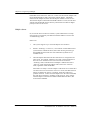
LAN Port 2 & LAN Port 3
If system detects more than one network card in the NAS server, this page will
automatically display LAN Port N tab to enable setup. "N" represents the id
number of the LAN port in the NAS server.
System administrator can add this LAN port to other LAN port(s), and there
are two ways to do so.
Trunking
The first way is called “Trunking” or "Link Aggregation", it simulates multiple
LAN ports belonging to the same team into a large-scale LAN port thus
multiplying the overall network bandwidth. These LAN ports share the same IP.
Should any LAN port fail, other LAN port(s) could still provide services. For
example, if a NAS server shares two 100 Mbps Fast Ethernet LAN cards,
through trunking the two cards into one, the bandwidth will expand to 200
Mbps. Should any of the network adapter(s) fail, other network adapter(s) in
the same team will continue to serve. Please note that “Trunking” is only
available when coupled with a switch supporting CISCO Fast EtherChannel
(FEC). “Trunking” is only allowed on network adapters with the same
bandwidth.
Fail-over
The other way is called “Fail-over”, it provides a redundancy solution. Should
any LAN port fail, other LAN port(s) in the same team would take over its job
and continue to provide services. Multiple network adapters with different
DemonNAS Filer for Business 2.0 User’s Guide 23
Chapter 4. Using Storage Manager
bandwidths can be teamed as “Fail-over”. In this case the network adapter with
larger bandwidth will be used as the master network adapter. Should the
master network adapter fail, other network adapters will take over the service.
The network adapters with broader bandwidth will take over first, and for those
with the same bandwidth, the one that was joined in this team first has higher
priority to take over the service..
Multiple-subnets
Or, if a network has more than two subnets, system administrator can setup
each network card separately into different subnet IP address to achieve the
"Load Balancing" effect.
Please note:
1.
This system supports up to 3 network adapters and 3 subnets.
2.
Besides “Trunking” or “Fair-over”, each network card IP address in this
system must be in different subnet, thus when choosing network type
through DHCP please make sure if the subnet has any DHCP server
available for use.
3.
Network adapters allocated to the same team mu st be configured as the
same mode. For example, when there are totally 3 network adapters on
the NAS server and the first one and second one are teamed as
“Trunking” mode, if the third network adapter is added to the team as
“Fail-over” mode, all network adapters will switch to the “Fail-over”
mode, regardless of their bandwidth.
When there are totally 3 network adapters on the NAS server and the first
one and second one are teamed as “Fail-over” mode, if the third network
adapter is added to the team as “Trunking” mode, there will be two
possible outcomes. If these network adapters have the same bandwidth,
they will all be switched to “Trunking” mode; however, if any of these
network adapters in the team has different bandwidth from others, this
action will be forbidden.
DemonNAS Filer for Business 2.0 User’s Guide 24
Chapter 4. Using Storage Manager
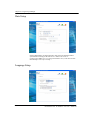
Date Setup
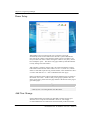
System administrator can change the time, date, time zone and network time
synchronization setting of the NAS server. Please refer to Server
ConfigurationàBasic Server ConfigurationàEnter the system date and time
unit of Chapter 3 for ways of setup.
Language Setup
DemonNAS Filer for Business 2.0 User’s Guide 25
Chapter 4. Using Storage Manager
System administrator can change language of Storage Manager, email
notification, and encoding used by the client. For ways of language setup,
please refer to Server ConfigurationàBasic Server ConfigurationàSelect a
language of Chapter 3.
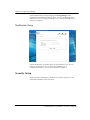
Notification Setup
System administrator can change setup of event notification. For ways of
setting up, please refer to Server ConfigurationàBasic Server
ConfigurationàEnter a recipient for notification of Chapter 3.
Security Setup
In this section the administrator can define users and user groups to access
certain files and folders on the NAS server.
DemonNAS Filer for Business 2.0 User’s Guide 26
Chapter 4. Using Storage Manager
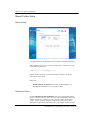
Shared Folder Setup
Shared Folder
The administrator can use this option to add, modify or delete shared folders.
Shared folder name is not case sensitive. It can be up to 15 characters except
for the following characters:
! " # $ % ' ( ) * + , / : ; < = > ? @ [ ] \ ^ ` { } | ~!
Besides, the first character can not be minus sign, and space and the last
character can not be space..
Please note:
DemonNAS Filer for Business allows up to 64 shared folders, not
including the home folders of users group accounts.
Default shared folders
By default DemonNAS Filer for Business will create a shared folder named
publicn on each individual volume, whereas n represents the disk volume. For
example, if there are 4 volumes on a NAS server, the folders will be named
public1, public2, public3, and public4 respectively. However, if system
administrator segments the NAS storage space into multiple volumes through
DemonNAS Filer for Business 2.0 User’s Guide 27
Chapter 4. Using Storage Manager
Volume Managementà Volume Setting of Storage Manager, then the system
will automatically create a publicn shared folder for each volume.
The name, description, and path of this folder (/volumen/publicn) cannot be
changed by the administrator. By default, any user logged into the NAS server
has full read/write access privileges to this public folder. System
administrator can change the user access rights of this shared folder through
Windows/Apple privileges or NFS privileges tabs.
Modifying a shared folder
On the left side you find the existing shared folders. Click on a folder name to
display the information pertaining to this folder in the right windowpane. To
rename the folder or modify its description, make the necessary changes on the
right and then click Apply.
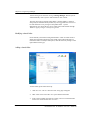
Adding a shared folder
To add a folder, please follow the steps:
1.
Click on Create. The New Shared Folder Setup page will appear.
2.
Enter Folder name and Folder description fields for the folder.
3.
If the system includes more than one volume, select a to-be shared folder
for the new volume under Folder Location : .
DemonNAS Filer for Business 2.0 User’s Guide 28
Chapter 4. Using Storage Manager
4.
Select Window compatible or UNIX compatible under pre-set privileges .
Since there are different ways of creating user privileges under shared
folder between Windows and UNIX operating systems; therefore, the
options selected will have impact on the data files and subfolders’
privileges setting in the future.
If selecting Window compatible, privileges will be set as Everyone controls
and all the data files and folders under this shared folder will inherit the
same privileges setting. If selecting UNIX compatible, due to the
restrictions of UNIX, only the root has privilege to write.
5.
Complete the configuration, please press Confirm or Next to add a new
shared folder.
After the shared folder is setup, it does not matter if the shared folder is
Window compatible or UNIX compatible. All the users with proper privileges
can press the right key on the shared folder under Windows’ network
neighborhood to reset the privileges.
TIP
When Windows 98 clients connect to the NAS server through Windows
My Network Places or the Mac OS X clients through Samba, they can
only access shared folders with as many as 12 characters, thus when
sharing with these clients, the length of the shared folders should not
exceed 12 characters.
Deleting a shared folder
To delete a shared folder, select the desired folder (use Ctrl for multiple and
Shift for continuous selection) in the list on the left pane, then click Remove.
The default shared folders publicn cannot be deleted.
Shared folder paths
The option Path is only available for NFS and cannot be edited manually. The
system will automatically enter the path “/volumen/Shared_Folder_Name” for
each shared folder on the NAS server . For example, if you create a shared
folder called test on a volume with RAID 5 on the NAS server, the system will
automatically assign the path /volume1/test. The administrator cannot change
this default value.
Once the shared folder is created, the system administrator must use the
Windows/Apple Privileges or NFS Privileges tab to choose users and their
access privileges. All files stored in the shared folder will have the same
privileges.
DemonNAS Filer for Business 2.0 User’s Guide 29
Chapter 4. Using Storage Manager
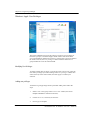
Windows/ Apple User Privileges
The system administrator can use this setting to assign access privileges for
local users /groups (i.e. Windows/Apple clients with accounts on the NAS
server) and Windows domain users/groups. Use the mouse to choose a folder in
the Folder name list, the User privileges column will show all the users or
groups entitled to access the selected folder.
Modifying User Privileges
To change existing user privileges, e.g. from Writeable to Read only, select the
user whose privileges you wish to change in the User privileges column, then
select Read only in the center column, and click Apply to confirm your
selection.
Adding user privileges
To add user or group privileges under a particular folder, please follow the
steps:
1.
Select a user or user group in the User account: column (use Ctrl for
multiple and Shift for continuous selection).
2.
Click on No access, Read Only or Writeable.
3.
Press Apply to complete.
DemonNAS Filer for Business 2.0 User’s Guide 30
Chapter 4. Using Storage Manager
Please note, if this NAS server is added to the Windows domain, and (1)
system administrator has previously added certain Windows domain user
account to Local account or (2) there is an account in both NAS server and
Windows domain with the same name, then the User account list on the left
will not show the account number in NT Domain Users but only in Local Users
to prevent system administrator from confusion caused repeated setup of access
rights for the same user.
Deleting User Privileges
To delete user or group privileges, please follow the steps:
1.
Use the mouse to select a user or user group in the User privileges column
(use Ctrl for multiple and Shift for continuous selection).
2.
Then click Remove.
3.
Press Apply to complete.
Please note that the setting will be separated into multiple pages according to
the number of accounts. If the account you are going to perform does not
appear on the page, please select the page number at the bottom of the page to
go to other page s.
TIP
1.
When setting Windows/Apple user privileges for the shared
folders, make sure to avoid possible conflicts. Root, for example,
is a member of the admins group. To avoid conflicts, you must not
set the privileges for root to read only, while admins is set to
writeable.
In the event of conflicts in access privileges, the system will
authorize users/groups in the following order: no access (N/A),
readable and writeable (RW) and read-only (RO). For example,
if the access privilege of the root account (belonging to the admins
group) is set as “N/A” and that of the admins groups is “RW,” the
access privilege of root for this folder will be “ N/A.” If the
privilege for everyone is set to writeable and the user root to read
only, the system will assign writeable privileges to everyone as
soon as you click Apply.
2.
DemonNAS Filer for Business supports the ACL (Access
Control List), i.e. users can click the right mouse button on a file
and set the access privilege. Please refer to the last section of this
chapter Using Access Control List (ACL) for details.
The system administrator can use Storage Manager’s Security
SetupàShared Folder Setup page to set the access privileges for
every shared folder.
DemonNAS Filer for Business 2.0 User’s Guide 31
Chapter 4. Using Storage Manager
NFS Privileges
Use this option to set NFS (Solaris, FreeBSD or Linux and other UNIX family
clients) access privileges for shared folders.
Enter the Shared Folder SetupàNFS Privileges page, and select the desired
shared folder in the Folder name column. The NFS client’s privilege column
below will show the hosts and subnets or net groups with access privileges and
the type of permission granted.
NFS client’s privilege consists of three components:
1.
The first component is the subject sharing a folder, either a host, subnet,
or a net group. The entry Host:* means the folder is shared between all
hosts.
2.
The second component is the share mode, such as read only or writeable.
3.
The third element is a local user name. The administrator root of a NFS
client can only access the folder with this ID.
The root of some clients and the NAS root can be owned by different
users. Unless you wish to manage a shared folder from a client terminal
as root, you should for security reasons always assign the terminal root to
a non-root ID.
DemonNAS Filer for Business 2.0 User’s Guide 32
Chapter 4. Using Storage Manager
Adding NFS user privileges
To add NFS user privilege settings, click on Create. A new page will appear.
Enter the hostname , subnet mask (e.g. 192.168.1.0 / 255.255.255.0), or net
group (only available if the NAS server joins the NIS domain). Under Map
client’s root account to column , choose a local user, and then set the NFS
client’s privilege to read only or writeable. Click OK to confirm your selection
and return to the previous page, or click Next to add another client.
TIP
When setting user privileges for the NFS hosts, subnets or net groups,
try to avoid possible conflicts. E.g., if host A belongs to net group AAA,
do not set the access privilege of host A to read only while setting AAA
to writeable.
Conflicts will be dealt with in the following manner:
1.
If a single host setting conflicts with Host*, the single host
setting is used.
2.
If a single host setting conflicts with the subnet setting, the single
host setting is used.
3.
When a single host setting conflicts with a net group, the entity
which first received its user privileges has priority. If the net
group AAA has already been set to writeable, you cannot later set
the single host A to read only.
Deleting NFS User Privileges
To delete the user privileges of a NFS client, select the desired item on NFS
client’s privilege column (use Ctrl for multiple and Shift for continuous
DemonNAS Filer for Business 2.0 User’s Guide 33
Chapter 4. Using Storage Manager
selection), and click Remove.
Modifying NFS User Privileges
To modify existing privileges, select the desired item on NFS client’s privilege
column , remove it and add a new privilege.
TIP
This system software does not support “Telnet”. The system
administrator of the NFS client must use the mount command to point
to the NAS server:
mount IP:/Shared_Folder_Path Mount_Point
Whereby IP is the IP address of the NAS server; Shared_Folder_Path
is the folder to be shared with the NFS client, set to
/volumen/Shared_Folder_Name by default, and Mount_Point is set by
the UNIX administrator.
E.g., if the system administrator wants to link /user1 to the public1
folder of the NAS server (i.e. /volume1/public1), and the IP address of
the NAS server is 192.168.1.8, the command would be:
mount 192.168.1.8:/volume1/public1 /user1
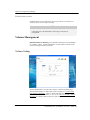
Account Setup
DemonNAS Filer for Business supports up to 20,480 user accounts (Including
accounts on the local machine, Windows, and NIS server). Three types of users
can access a NAS server:
1.
Local users, with an account on the local machine.
2.
Users with Windows domain accounts
3.
Users with accounts on a UNIX NIS server
DemonNAS Filer for Business 2.0 User’s Guide 34
Chapter 4. Using Storage Manager
Local Accounts
The system administra tor can setup accounts for Windows and Mac users on
the NAS server (the local machine). When these clients attempt to access the
NAS server, they only need to enter their account name and password to gain
access.
The system administrator can add, modify and delete user accounts.
Account name is not case sensitive. It can be up to 64 characters except for the
following characters:
!"#$%'()*+,/:;<=>?@[] \^`{}|~
Besides, the first character can not be minus sign and space, and the la st
character can not be space.
The password is case-sensitive and can consist of 0 to 12 displayable characters,
including letters, numbers, signs, and spaces.
DemonNAS Filer for Business 2.0 User’s Guide 35
Chapter 4. Using Storage Manager
TIP
The passwords for some clients, such as Windows 98 clients are not
case-sensitive while t he passwords for other clients, such as Win
NT/2000, UNIX, and Mac clients are. Therefore, please make sure the
account passwords for the local machines are case-sensitive so that
they will be suitable for all clients
Mac clients only allow passwords of up to 8 characters. Thus, when
setting passwords for Mac clients on the NAS server, please limit the
length of passwords to 8 characters or less.
Default local accounts
There are two preset accounts on the server: root and guest.
1.
root : This is the default account for the system administrator and belongs
to both the admins and users group. As a first step in the server setup,
please setup a password for this account.
2.
guest: This open account belongs to the guests group and has no
password and quota restriction by default. Its purpose is to give access to
all users on the LAN, so that they may access the NAS server’s guest
folders, such as public n. For the unauthorized Windows 98 clients, the
system will automatically connect them to server with the account guest.
For other Windows NT/2000/XP and Mac clients, users can enter guest
as the user name (no password is needed) to connect to the server.
However, due to security reasons, the system administrator might not
want all unauthorized users, e.g. users without an account on the NAS
server or other account servers on the same LAN, to access the shared
folders of the NAS server. By adding a password to the guest account,
unrestricted access is disabled.
TIP
Account server, e.g. a Windows domain controller on an NT
domain, or a NIS server on a UNIX domain.
DemonNAS Filer for Business 2.0 User’s Guide 36
Chapter 4. Using Storage Manager
Adding user accounts
To add a new local user, click Create. The New Account Setup dialog appears.
Enter the account name, the full name of the user, an e-mail address and a
password. Under Default group, select whether the user will receive his/her
own home folder. If yes, select the users group; if no, select guests.
After a new account has been created under users group, the system will set up
a home folder named “home” for this account. Only the user can access his
home folder. If a Windows client accesses the NAS server through the Network
Neighborhood, he will see a folder named “home.” The user has full read and
write privileges to that folder. When the system has more than one volume,
system administrator must specify in which volume to store the home folder of
this account in the User home volume. The default location can be setup in the
Security Option page. System administrator can also change it.
The system administrator can proceed to setup the disk quota for each account.
The default quota for newly created user specified in the Security Option page
will be displayed here. Please change according to your own need. Please
note the disk quota will be applied to every volume. This means that if there
are three volumes in the NAS server, and system administrator grants 100MB
quota to a user, this user will have 100MB quota of storage space in each
volume, and totally 300 MB quota on the NAS server.
TIP
If the quota set by the administrator for a new account differs from the
default quota granted to the user in the Default Privilege Settings page,
the user quota on future created volumes will be based on that in the
Default Privilege Settings page. Thus the administrator must change
the quota manually.
DemonNAS Filer for Business 2.0 User’s Guide 37
Chapter 4. Using Storage Manager
The preset value for the guest and root accounts is unrestricted. If, for security
reasons, the administrator wishes to restrict disk quota for guest users without
proper accounts on the NAS server or any account server, simply setup a quota
for the guest account in the Security SetupàQuota Option page. The system
administrator can also use this page to change the quota of each account or
specify quota in each volume of a user in a flexible way. .
When a Windows NT 4.0/2000 or Mac user accesses the NAS server, the
Windows operating system will ask for the NAS server or Windows account
and password to confirm his or her identity. In the case of Windows 98,
Windows will automatically retrieve the identity of the client and only request
a password. If the Windows user account is not the same as the account on the
NAS server, the client cannot log in on the NAS server. The system
administrator must therefore keep the NAS server accounts and Windows
accounts synchronized.
Deleting local users
To delete a local user, simple select the account on the left side (use Ctrl for
multiple and Shift for continuous selection), then click Remove.
Modify user account detail
To modify the details of a user account, select an account from the user list on
the left side of the page, make changes on the right, and click the Apply button
below.
DemonNAS Filer for Business 2.0 User’s Guide 38
Chapter 4. Using Storage Manager
Windows Domain Accounts
If a Windows domain exists on the network, the system administrator only has
to add the NAS server to the Windows domain to take advantage of the
Windows domain controller privilege settings and grant all accounts on the
Windows domain access right to the NAS server’s storage space. When these
clients need to access the server, they can do so by entering their Windows
domain account name and password.
Once the NAS server is part of a Windows domain, a new tab called Windows
domain accounts will become available on this page, containing a copy of all
user accounts. Only the account names will be copied here, without passwords
and other information. When a client attempts to access the NAS server, the
NAS server will forward the account and password information to the
Windows domain for verification. If the result is positive, access will be
granted. If the Windows domain controller does not authorize the user, the
account is verified against the list of local users. Access is granted, if the login
data corresponds to a local user. If a user has an account user1 on both the
Windows domain and the NAS server, but with different passwords, access is
granted if either one of the two passwords is provided. The system
administrator should, however, avoid allowing accounts existing on the
Windows domain to be created on the NAS server. A situation where different
users share the same account name should also be avoided.
DemonNAS Filer for Business will read the Windows domain account list
every 60 minutes; any changes on the Windows domain will also appear on the
NAS server.
By default Windows domain accounts do not have home folders. If you wish to
assign a home folder to this type of account, simply select the desired account
on the left (use Ctrl for multiple and Shift for continuous selection), then click
DemonNAS Filer for Business 2.0 User’s Guide 39
Chapter 4. Using Storage Manager
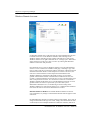
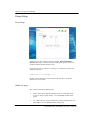
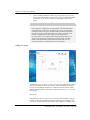
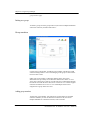
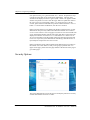
on Add to local. The selected accounts will appear in the list of local users. By
default, they are part of the guests group. First setup the passwords for the
accounts, then transfer these accounts from the guests group to the users group,
and select the User home volume location.
Additionally, Windows domain account will directly apply the default settings
for all newly created users defined in Security Option. The system
administrator can setup hard disk quota for each individual NT domain account
in Quota Option.
TIP
1.
For security reasons, the Windows domain does not allow other
domains to retrieve the user passwords on it; when the account
information in the Windows domain accounts tab are added to
the local accounts, the system will not able to duplicate the user
passwords on Windows domain directly to the local machine.
The system administrator will have to add passwords for these
accounts on the Local accounts tab manually. Therefore, please
set the same passwords here as the ones on Windows domain.
2.
This system allows group names with a maximum of 15
displayable characters. After having been added to a Windows
domain, any group name on the domain with more than 15
characters will not be duplicated by the system onto the NAS
server. Only one warning message will be shown and inform the
system administrator of all unduplicated accounts.
If the NAS server is part of t he Windows domain, the system
administrator has to avoid adding any group on the domain with
a name exceeding 15 characters, otherwise the system will not be
able to duplicate this group to the NAS server, nor will a
warning message appear.
DemonNAS Filer for Business 2.0 User’s Guide 40
Chapter 4. Using Storage Manager
UNIX NIS Accounts
If the network already contains a UNIX NIS domain, the system administrator
can simply add the NAS to the UNIX NIS domain to retrieve access settings
from the NIS server.
Once the system administrator adds the NAS server to a UNIX NIS domain
(see Network SetupàUNIX NIS), a new tab entitled UNIX NIS Accounts will
appear on this page, containing all the users retrieved from the NIS server.
These accounts will directly apply the default quota set up for a new user in the
Security Option page. The system administrator can also set hard disk quota
individually for each NIS domain account in the Quota Option page.
When adding new accounts on NFS clients, some NFS clients automatically
generate a corresponding group for each account. We recommend the system
administrator to disable this function, since DemonNAS Filer for Business
only supports a maximum of 128 user groups, and the NAS server would
therefore not be able to be integrated into the NIS domain if there are more
than 128 user groups.
DemonNAS Filer for Business 2.0 User’s Guide 41
Chapter 4. Using Storage Manager
Group Setup
User Group
Use this page to add, modify or delete user groups. DemonNAS Filer for
Business allows up to 1,024 user groups (including user groups on the local
machine, Windows domain and NIS server).
Group name is not case sensitive. It can be up to 15 characters except for the
following characters:
!"#$%'()*+,/:;<=>?@[] \^`{}|~
Besides, the first character can not be minus sign and space, and the last
character can not be spaces.
Default user groups
The system includes three default groups:
1.
admins: this is the system administrator group. Only members of this
group can change system settings. root is the default member of this
group.
2.
users: this is the user group. Each member of this group has his/her own
home folder. root is the default member of this group.
DemonNAS Filer for Business 2.0 User’s Guide 42
Chapter 4. Using Storage Manager
3.
guests: unlike the members of the users group, those of guests do not
have their own home folders , instead, t hey can access the public folders
on the NAS server. The account guest is the default member of this
group.
TIP
Users can only belong to either the users or the guests group, not to
both. Suppose a company has two departments A and B. Department
A has purchased a NAS server for their employees to store and share
information. Part of the space should be made available to department
B. In this case, the system administrator can setup accounts for each
member of department A and B, then group the department A
accounts under users and the members of department B under guests.
That way the employees of department A will have their own home
folders, while the members of department B will be able to access
only those folders for which they have access privileges.
Adding user groups
To add a new group, click Create. The New Group Setup page appears. Enter a
name for the group, and select the members of the group in the Not members
list ( use Ctrl for multiple and Shift for continuous selection). Click on Add to
add the selected members. Select OK to confirm the operation, or Next to add
more groups.
Please note:
If the number of user account exceeds 512, the function of adding non group
members will not be provided at the bottom of this page when adding a new
user group. Please add the group members after complet ion of adding in the
DemonNAS Filer for Business 2.0 User’s Guide 43
Chapter 4. Using Storage Manager
group members page.
Deleting user groups
To delete a group, select the group in the list (use Ctrl for multiple and Shift for
continuous selection), and then click Remove.
Group members
Use this page to add, modify, and delete group members. The Members field
contains existing members. Users not belonging to this group are listed on the
left Not members field.
If this NAS server belongs to a Windows domain and (1) the system
administrator has previously moved Windows domain users in the Account
Setup page to the local accounts or (2) both NAS server and Windows domain
have the account with the same name, those NT domain users will NOT appear
in the list of members but Local Users to avoid multiple selection and
assignment to a group of the same user.
Adding group members
To add a new group member, select the target group from the list, and then
select the members you wish to add in the Not members list (use Ctrl for
multiple and Shift for continuous selection). Then click Add.
DemonNAS Filer for Business 2.0 User’s Guide 44
Chapter 4. Using Storage Manager
Note that all users must belong either to the users or the guests group. If the
system administrator uses this page to move a member from the guests group to
the users group, the account will automatically be removed from the guests
group, and vice versa. However, accounts belonging to guests or users group
can be assigned to other groups, including the predefined admins group, or any
other group set up by the administrator.
TIP
When add multiple users to a workgroup in Windows 98, use a browser
of IE5.5 or above for proper operation.
Deleting group members
To remove a member from a group, select the name from the list of members
(use Ctrl for multiple and Shift for continuous selection), then click Remove.
TIP
If a user is connected to the server while the administrator is modifying
the user’s security settings, these changes will not be activated
immediately, but only after the user logs out and back in again.
Moving group members
To move a user account to another group, you should delete this account from
the original group and then add it to the new group.
Rules for moving group members as follows:
To: guests
users
admins
Allowed
Not allowed
From:
guests
users
Allowed
Allowed
admins
Not allowed
Allowed
Notes when moving group members:
Moving an account from the users to the guests group will remove the home
folder of that account, as well as its data. Be careful in making this change.
Although the root account belongs to both the admins and the users group,
there is no home folder for this account. Moreover, the system administrator
cannot move root account into the guests group.
The guest account can only belong to the guests group. The system
administrator cannot move it to the users or admins group.
DemonNAS Filer for Business 2.0 User’s Guide 45
Chapter 4. Using Storage Manager
Please note that the setting will be separated into different pages according to
the number of accounts. If the account you are going to perform does not
appear on the page, please select the page number at the bottom of the page to
go to other page s.
User Quota Setup
There are two ways a system administrator can view and modify quota setup in
the NAS server, by user or by volume.
User Quota
The system administrator can add, modify or delete user quota through this
screen.
Current [In Use Quota] (MB) column indicates the quota and amounts of
space used in each volume by the current account. The symbol "*" in this
column means the account is assigned the maximum quota. For example,
Volume1: [200/500] means that volume1 has 500MB quota available and of
which 200MB has already been used. Additionally, Volume2: [200/1000]
means the current account has the maximum space available in volume2, i.e.
1000MB, of which 200MB has already been used.
To change user quota, please select either Local, Windows domain or NIS
domain account in User Name . Then select the item to be changed in the
Current [In Use/Quota](MB) column, setup new quota in Setting New Quota
and click Set>> button. Repeat these steps if quotas for more than one
volume require mo dification. The new quota amount will be displayed in the
DemonNAS Filer for Business 2.0 User’s Guide 46
Chapter 4. Using Storage Manager
New Quota column to be applied. Make sure the new quotas are correct.
Click the Apply button to update the values in the Current [In-Use/Quota](MB)
column. To cancel setup for a specific volume, please select an individual
item and then click the <<Cancel button. To cancel all the modification,
click the Cancel button.
Please note if the NAS server is added to the Windows domain and (1) system
administrator has previously added certain Windows domain user account to
Local account in the Account Setup page or (2) there is an account in both NAS
server and Windows domain with the same name, then this account will not be
displayed in columns NT Domain Users or NIS Domain Users in the User
Name List at the top of this page and will only be listed in Local Users to
prevent system administrator from being confused because of repeated quota
setup for the same user account.
Volume Quota
The system administrator can add, modify or delete user quota in every volume
through this page.
Current [In Use Quota] (MB) column indicates the quota and amounts of
space used of all the users in the current volume. The symbol "*" in this
column means the account is assigned the maximum quota. For example,
User1: [200/500] means that User1 has 500MB quota available and of which
200MB has already been used. Additionally, User2: [200/1000]* means
User2 has the maximum space available in the current volume, i.e. 1000MB, of
which 200MB has already been used.
To change volume quota, please select a volume in Volume quota. Then select
the account to be changed in the Current [In Use/Quota](MB) column, setup
DemonNAS Filer for Business 2.0 User’s Guide 47
Chapter 4. Using Storage Manager
new quota in Setting New Quota and click Set>> button. Repeat these steps
if quotas for more than one account require modification. The new quota
amount will be displayed in the New Quota (MB) column to be applied. Make
sure the new quotas are correct. Click the Apply button to update the values in
the Current [In-Use/Quota](MB) column. To cancel setup for a specific
account, please select an individual setup column and then click the <<Cancel
button. To cancel all the modification, click the Cancel button.
Please note if the NAS server is added to the Windows domain and (1) system
administrator has previously added certain Windows domain user account to
Local account in the Account Setup page or (2) there is an account in both NAS
server and Windows domain with the same name, then this account will not be
displayed in columns NT Domain Users or NIS Domain Users in the Current
[In-Use/Quota](MB) List at the left side of this page and will only be listed in
Local Users to prevent system administrator from being confused because of
repeated quota setup for the same user account.
Please note that the setting will be separated into different pages according to
the number of accounts. If the account you are going to perform does not
appear on the page, please select the page number at the bottom of the page to
go to other page s.
Security Options
The system administrator can use this page to modify the preferences of newly
created shared folders and user accounts.
DemonNAS Filer for Business 2.0 User’s Guide 48
Chapter 4. Using Storage Manager
Default settings for newly created folders
1.
Privileges for everyone: ○ writeable ○ read-only ○ no access
New folders can be exported to Windows/Mac either with full read and
write permissions, i.e. writeable, with write protection, i.e. read -only ,
or no access right, i.e. no access.
2.
NFS exported as:○ writeable ○ read-only ○ no access
This setting determines whether NFS users have by default full read and
write permissions, i.e. writeable, can only read newly created folders, i.e.
read -only , or no access right, i.e. no access.
Default settings for newly created accounts
1.
Default group: ○ users ○ guests
Here you can choose to which group newly created users belong by
default. If you want new accounts to automatically have a home folder,
choose users, otherwise, choose guests.
2.
Default quota: ○
MB ○ unrestricted
With this setting you can limit the amount of storage space allotted to
new users, or choose not to attach any restrictions, i.e. unrestricted.
3.
Default home volume: Volume
If the newly created account belongs to Users group, please select the
volume in which its home folder will be saved.
?
TIP
If a user is online, all the user privilege changes under System
privileges setting will not be effective at once but only after the
user has logoff and login again.
DemonNAS Filer for Business 2.0 User’s Guide 49
Chapter 4. Using Storage Manager
Using Access Control List (ACL)
Access control list is a new function under DemonNAS Filer for Business 2.0.
While DemonNAS Filer for Business 1.1 only allows the system
administrator to use privileges control on shared folder (please refer to chapter
4 Security Setup →Shared Folder Setup), DemonNAS Filer for Business 2.0
allows users with proper privileges to make access right control on the shared
folders and the files/folders created on the shared folders.
DemonNAS Filer for Business 2.0 allows users of different platforms to
access the files simultaneously. However, different platforms themselves have
different design of the access right control for files and folders, please note the
behavior on each platform when using the access control list provided by
DemonNAS Filer for Business 2.0.
Basically the access control list design of DemonNAS Filer for Business 2.0
is to follow the rule of Windows, Mac, and UNIX platforms, and in the
succeeding section the corresponding relations between the ACL of
DemonNAS Filer for Business 2.0 and that of other platforms:
Windows mapping table
ACL entry of
DemonNAS Filer for Business 2.0
●: stands for the entry is checked
Traverse Folder / Execute File
List Folder / Read Data
Read Attributes
Read Extended Attributes
Create Files / Write Data
Create Folders / Append Data
Write Attributes
Write Extended Attributes
Delete Subfolders and Files
Delete
Read Permissions
Change Permissions
Take Ownership
Traverse Folder / Execute File
List Folder / Read Data
Read Attributes
Read Extended Attributes
Create Files / Write Data
Create Folders / Append Data
Write Attributes
Write Extended Attributes
Delete Subfolders and Files
Corresponding a ccess right of
Windows
●
●
●
●
●
●
●
●
●
●
●
●
●
●
●
●
●
●
●
●
●
Full Control
Modify
DemonNAS Filer for Business 2.0 User’s Guide 50
Chapter 4. Using Storage Manager
Delete
Read Permissions
Change Permissions
Take Ownership
Traverse Folder / Execute File
List Folder / Read Data
Read Attributes
Read Extended Attributes
Create Files / Write Data
Create Folders / Append Data
Write Attributes
Write Extended Attributes
Delete Subfolders and Files
Delete
Read Permissions
Change Permissions
Take Ownership
Traverse Folder / Execute File
List Folder / Read Data
Read Attributes
Read Extended Attributes
Create Files / Write Data
Create Folders / Append Data
Write Attributes
Write Extended Attributes
Delete Subfolders and Files
Delete
Read Permissions
Change Permissions
Take Ownership
Traverse Folder / Execute File
List Folder / Read Data
Read Attributes
Read Extended Attributes
Create Files / Write Data
Create Folders / Append Data
Write Attributes
Write Extended Attributes
Delete Subfolders and Files
Delete
Read Permissions
Change Permissions
Take Ownership
Traverse Folder / Execute File
List Folder / Read Data
Read Attributes
Read Extended Attributes
Create Files / Write Data
Create Folders / Append Data
Write Attributes
Write Extended Attributes
●
●
●
●
●
●
Read & Execute
●
●
●
●
Read
●
●
●
●
●
●
●
●
●
Write
List Folder Contents
(Folders only)
DemonNAS Filer for Business 2.0 User’s Guide 51
Chapter 4. Using Storage Manager
Delete Subfolders and Files
Delete
Read Permissions
Change Permissions
Take Ownership
●
UNIX mapping table
ACL entry of
DemonNAS Filer for Business 2.0
●: stands for the entry is checked
: only applicable for folders
Traverse Folder / Execute File
List Folder / Read Data
Read Attributes
Read Extended Attributes
Create Files / Write Data
Create Folders / Append Data
Write Attributes
Write Extended Attributes
Delete Subfolders and Files
Delete
Read Permissions
Change Permissions
Take Ownership
Traverse Folder / Execute File
List Folder / Read Data
Read Attributes
Read Extended Attributes
Create Files / Write Data
Create Folders / Append Data
Write Attributes
Write Extended Attributes
Delete Subfolders and Files
Delete
Read Permissions
Change Permissions
Take Ownership
Traverse Folder / Execute File
List Folder / Read Data
Read Attributes
Read Extended Attributes
Create Files / Write Data
Create Folders / Append Data
Write Attributes
Write Extended Attributes
Delete Subfolders and Files
Delete
Read Permissions
Change Permissions
Corresponding a ccess right of
UNIX
●
●
●
●
●
●
●
●
●
7
●
●
●
●
●
●
●
●
●
6
●
●
1
DemonNAS Filer for Business 2.0 User’s Guide 52
Chapter 4. Using Storage Manager
Take Ownership
Traverse Folder / Execute File
List Folder / Read Data
Read Attributes
Read Extended Attributes
Create Files / Write Data
Create Folders / Append Data
Write Attributes
Write Extended Attributes
Delete Subfolders and Files
Delete
Read Permissions
Change Permissions
Take Ownership
Traverse Folder / Execute File
List Folder / Read Data
Read Attributes
Read Extended Attributes
Create Files / Write Data
Create Folders / Append Data
Write Attributes
Write Extended Attributes
Delete Subfolders and Files
Delete
Read Permissions
Change Permis sions
Take Ownership
Traverse Folder / Execute File
List Folder / Read Data
Read Attributes
Read Extended Attributes
Create Files / Write Data
Create Folders / Append Data
Write Attributes
Write Extended Attributes
Delete Subfolders and Files
Delete
Read Permissions
Change Permissions
Take Ownership
Traverse Folder / Execute File
List Folder / Read Data
Read Attributes
Read Extended Attributes
Create Files / Write Data
Create Folders / Append Data
Write Attributes
Write Extended Attributes
Delete Subfolders and Files
Delete
Read Permissions
●
●
●
4
●
●
●
●
●
●
2
●
●
●
●
5
●
●
3
●
●
●
●
●
DemonNAS Filer for Business 2.0 User’s Guide 53
Chapter 4. Using Storage Manager
Change Permissions
Take Ownership
Mac mapping table
ACL entry of
DemonNAS Filer for Business 2.0
●: stands for the entry is checked
: only applicable for folders
Traverse Folder / Execute File
List Folder / Read Data
Read Attributes
Read Extended Attributes
Create Files / Write Data
Create Folders / Append Data
Write Attributes
Write Extended Attributes
Delete Subfolders and Files
Delete
Read Permissions
Change Permissions
Take Ownership
Traverse Folder / Execute File
List Folder / Read Data
Read Attributes
Read Extended Attributes
Create Files / Write Data
Create Folders / Append Data
Write Attributes
Write Extended Attributes
Delete Subfolders and Files
Delete
Read Permissions
Change Permissions
Take Ownership
Traverse Folder / Execute File
List Folder / Read Data
Read Attributes
Read Extended Attributes
Create Files / Write Data
Create Folders / Append Data
Write Attributes
Write Extended Attributes
Delete Subfolders and Files
Delete
Read Permissions
Change Permissions
Take Ownership
Traverse Folder / Execute File
List Folder / Read Data
Corresponding a ccess right of
Mac
●
●
●
●
●
●
●
●
●
Read & Write
●
●
●
●
●
Read only
●
●
●
●
●
●
●
Write only
(For folders only)
●
No access
DemonNAS Filer for Business 2.0 User’s Guide 54
Chapter 4. Using Storage Manager
Read Attributes
Read Extended Attributes
Create Files / Write Data
Create Folders / Append Dat a
Write Attributes
Write Extended Attributes
Delete Subfolders and Files
Delete
Read Permissions
Change Permissions
Take Ownership
Network Setup
Use Network Setup to set the network types supported by the NAS server. The
default set ting allows for simultaneous use of Windows, UNIX, and Mac
networks. You may change the defaults according to your needs.
Windows Network
The system administrator can choose to enable Windows networking so that
the Windows clients can access the shared folders of the NAS server. To do so,
Select Enable Windows networking, and then select Workgroup or Domain
below.
If Workgroup is selected, type the workgroup to join in the Workgroup: field
and then press Apply.
DemonNAS Filer for Business 2.0 User’s Guide 55
Chapter 4. Using Storage Manager
If Domain is selected, type the Windows domain name in the Domain: field, in
the Account name: and Password: fields type in the authentication data of the
Windows account that belongs to the Administrator group, and then click Apply
to complete.
Please note that in the Domain: field, you can type a fully qualified domain
name (up to 63 characters) or NetBIOS domain name (up to 15 bytes).
Applying Windows domain Privilege Settings
After the server has successfully joined in a Windows domain, a new tab will
appear on the Security SetupàAccount Setup screen, called Windows Domain
Accounts, containing a copy of all user accounts. (For setup instructions, see
Security SetupàAccount Setup àWindows Domain Accounts).
In the future when a Windows or Mac client attempts to access the NAS server,
the NAS server will forward the entered account and password to the Windows
domain controller for authentication. If the authentication passes, access right
to the NAS server will be granted. However, if the authentication fails, the
NAS server will take over the authentication task and grant the user access
right if the entered account and password corresponds to a local user.
Note that accounts with the same name on both Windows domain and the NAS
server will be merged automatically. For example, if an account user1 exists on
both the Windows domain and the NAS server, but with different passwords,
access is granted if either one of the two passwords is provided. The system
administrator should, however, avoid allowing accounts existing on the
Windows domain to be created on the NAS server. A situation where different
users share the same account name should also be avoided.
DemonNAS Filer for Business 2.0 User’s Guide 56
Chapter 4. Using Storage Manager
TIP
Notes on working with a Windows domain:
1.
After moving a NAS server from a Windows domain, or
workgroup to another domain or workgroup, the NAS server may
still appear in the original domain or group in the Windows
clients’ My Network Places. This is a restriction of the My
Network Places module itself and does not involve a breach of
security: the server does in fact not exist any longer in the original
domain or workgroup.
2.
When NAS server is added into the Windows domain, if Windows
domain controller is not able to operate properly, Windows client
users will not be able to access the NAS server. This is the
limitation of Windows. Setting multiple Windows domain
controllers can eliminate the chance of happening
3.
For security reasons, an existing root account on the Windows
domain will not be merged with the root account of the NAS
server. In other words, if a client attempts to log into the NAS
server with the root account, he must enter the NAS root password
to gain access as system administrator.
4.
Once a NAS server is part of a domain, only users in the same
Windows domain can access the NAS server. Members of other
domains or workgroup cannot access the server. E.g., if your NAS
is part of a Windows domain A, and the Windows in this domain
knows an account user1 with the password 123. If the client to
which this account belongs to another domain B, the client will
still not be able to access to NAS server, even when providing the
correct login information on the account.
Synchronization settings
DemonNAS Filer for Business 2.0 User’s Guide 57
Chapter 4. Using Storage Manager
After the NAS server successfully joins in the Windows domain, there will be
an additional tab named Synchronization settings appearing next to the existing
tab Windows Network. In this page you can setup how the user and group data
of the NAS server will be synchronized with the Windows domain controller.
Synchronize with schedule
You can choose to synchronize data between the NAS server and the Windows
domain controller every fixed period or at a certain time everyday. To do so,
select an appropriate time from the pull-down menus and then click the Apply
button to finish the setting.
Please note that when the account number is large, to ensure every scheduled
synchronization can complete and to keep the server efficiency, the interval
between 2 synchronizations should not be too long.
Synchronize immediately
Anytime when you feel the need to synchronize data between the NAS server
and the Windows domain controller, click the check box before the option
Synchronize immediately and then click Apply to finish the setting.
WINS Server
If there is a WINS server in the Windows network, please fill in the IP address
of the WINS server.
DemonNAS Filer for Business 2.0 User’s Guide 58
Chapter 4. Using Storage Manager
UNIX Network
The system administrator can decide whether to make the NAS server available
for NFS client. If yes, please select Enable UNIX Networking.
If there is a NIS server in the UNIX network, use this option to select whether
the server should be part of a NIS domain. If yes, you must enter a domain
name.
After joining a NIS domain, a new tab called UNIX NIS Accounts will appear
under Security SetupàAccount Setup, showing all available user accounts on
the NIS server. System administrator can setup hard disk quota f or these users
in the Security Setupà Quota Option page.
DemonNAS Filer for Business 2.0 User’s Guide 59
Chapter 4. Using Storage Manager
Apple Network
Use this option to select whether the server should use AppleTalk or TCP/IP,
thus allowing or preventing Mac clients from accessing the NAS server.
This system also supports "Zone", a logical group of devices in an AppleTalk
network. When the system detects the first subnet that has an AppleTalk Zone,
it will display these zones on this page. A system administrator can add the
NAS server to one of the zones.
Please Note:
When there is more than one network card in the NAS server and the server is
set up as having multiple subnets, this system only supports Mac client in s
single subnet to read/write from the server through AppleTalk or TCP/IP
protocol. Mac clients in other subnet(s) can only read/write through TCP/IP
protocol. Due to this limitation, this system can only support the Zone in a
single subnet.
TIP
DemonNAS Filer for Business 2.0 User’s Guide 60
Chapter 4. Using Storage Manager
1.
When a Mac client, for example a Mac OS 9.0.2 client, is trying
to browse an English web site and sees many “cross” marks
appear, please close Smartview from the Control Panel.
2.
Mac clients will not be able to save any single file larger than
2GB onto the NAS server.
3.
When a Mac client deletes a file on the NAS server, the file is
not actually deleted so the available HDD space shown on the
“Server Information/Status” page is not enlarged. To release
the space, use “Empty Trash” on the Mac client.
DemonNAS Filer for Business 2.0 User’s Guide 61
Chapter 4. Using Storage Manager
§ Internet Network
The system administrator can make Internet related configurations on this page.
Automatically browse Storage Manager with HTTPS
HTTPS is a protocol encrypted with SSL that makes data transmission between
clients and the server more secure.
To automatically browser the Storage Manager with HTTPS, check the option
Automatically browse Storage Manager with HTTPS, and all HTTP
connections will be redirected to HTTPS.
Enable FTP service
FTP is a kind of network protocol allowing users to transmit files between
clients and servers. If you want to enable FTP service, check the Enable FTP
Service button, and then click Apply.
TIP
For security reason, the account root and users without a password
cannot log in the NAS server through FTP.
DemonNAS Filer for Business 2.0 User’s Guide 62
Chapter 4. Using Storage Manager
Enable telnet service
Enabling telnet service will allow the user to log on the server remotely. For
security reasons, use this option carefully.
TIP
Telnet service is currently available only for the system vendor to do
remote diagnosis , the administrator cannot log on remotely for
management.
Volume Management
DemonNAS Filer for Business preset a default of 3GB space in each hard disk
as a RAID 5 volume. System administrator can add or delete volumes in the
system according to his/her own needs.
Volume Setting
System administrator can create/remove/repair volume through this page.
The maximum number of volumes this system can support is 1.5 times of the
total number of hard disks. Thus in a model with four hard disks, the system
can create at the most six volumes, i.e. (4*1.5), etc. There is no need to restart
the server for volume creation, removal or repair to take effect.
DemonNAS Filer for Business 2.0 User’s Guide 63
Chapter 4. Using Storage Manager
Create New Volume
To create a new volume, click Create button to enter into the Create Volume
page.
First, click Volume Type. This system supports six volume types: Simple,
Span, RAID 0, RAID 1, RAID 5, and RAID 5 with Spare.
Next, determine which hard disk storage space will make up the volume. The
Available Space column indicates space in each hard disk that has not yet been
allocated. After hard disk is selected, setup Size to use, click Add to add to the
volume. This step is similar to the utility that allows for segmentation of a
large hard disk into smaller segments to achieve more flexible hard disk space
utilization. The Selected Space column will display all disk space to be added
to the volume. After confirmation, click OK to start creating the new volume.
System administrator can display Creating Process Status to check the progress
of volume creation.
After a volume is created, system will return to main page of the Volume
Setting. At this time, the newly created volume should be in normal working
condition. The default publicn shared folder will also be created. System
administrator can also add other shared folders in this volume and make
available for clients to use.
DemonNAS Filer for Business 2.0 User’s Guide 64
Chapter 4. Using Storage Manager
TIP
1.
Size to use is measured in the unit of GB or gigabyte. The
smallest unit depends on the size of the hard disk. The current
system will divide the hard disk space by 20 and take the nearest
whole number as the smallest unit. For example, when the disk
total volume is less than 40 GB, the smallest unit is 1GB. Or
when hard disk total volume is greater than or equal to 40GB and
less than 60GB, the smallest unit will be 2 GB, etc.
2.
Regardless of the disk size, the option “1GB” will be shown on
the Size to use menu.
3.
The size of a single volume can be up to 8 TB.
4.
After a volume is created, the “In Use:” size will reveal 1% of
that volume. This space is reserved by default for the
administrator to do the necessary operations such as accessing
the web UI or reading/writing/deleting data on the NAS server
after the system is full.
Please Note:
While creating non-RAID 1 or non-RAID 5 volume, when system returns to
Volume Setting page, you will see "Normal” in the State column for the volume.
But when creating RAID 1, RAID 5 or RAID 5 with Spare volume, the State
column will display Built (Building percentage: xx%) . This is because when
creating RAID 1 or RAID 5 volume, though the volume is created and client is
able to perform save or retrieve function, but because the system is still
performing necessary processes in the background (e.g. building RAID 1
consistency or RAID 5 parity) to ensure proper working of the system, thus
please make sure not to hot -swap the hard disk until the State column shows
the message: Normal.
Simple
A simple volume must be created in contiguous space of the same hard disk,
and the selected space will be created as independent and with non-RAID
mechanism hard disk. In creating a simple volume, you can select only one
hard disk at a time.
Span
A span volume can be created by combing space from two or more hard disks.
The selected disks will be created as one large, contiguous volume. The
selected space in each hard disk does not need to be equal in size.
DemonNAS Filer for Business 2.0 User’s Guide 65
Chapter 4. Using Storage Manager
RAID 0
RAID 0 will consider all the selected space as one large hard disk. Since it
will however perform parallel and multiple read/write, thus it has better
performance efficiency than Simple or Span volume.
RAID 1
RAID 1 will use half of the volume as one-to-one data mirroring, i.e. duplicate
the same set of data from A to B to ensure data security and integrity. Thus,
the actual available space is only half of the total space. This level of RAID
can ensure high level of data security, but because it only has 50% utilization
rate, the cost is relatively higher than other volume types. The use of RAID 1
indicates high priority of data security over cost consideration. There must be
the selection of two hard disks with the same size in creating a RAID 1
volume.
RAID 5
In addition to consolidating multiple (at least 3) hard disk space of the same
size to a large virtual hard disk to enhance store/retrieval speed, RAID 5
utilizes one of the multiple storage space to store redundancy (parity) to enable
data reconstruction in the future. Thus if there is n hard disk space, the actual
storage space for a RAID 5 is only n-1 disk space. This volume type can
ensure high level of data integrity and is more cost effective than RAID 1
because of higher actual disk space availability. It is suggested to select
RAID 5 in situation where there is a need for high level of data integrity.
Creating a RAID 5 volume requires selection of at least three hard disks of the
same disk space.
RAID 5 with Spare
In RAID 5 with Spare volume type, a spare hard disk is added to a RAID 5
volume. This volume type will use one hard disk space to store redundancy
and keep a disk as a spare. Thus if n hard disk space is selected, the actual
space available is n-2 hard disk space. When any hard disk is malfunctioned,
the spare hard disk space will be on-line and replace the malfunctioned disk
automatically. This volume type can provide timely data reconstruction better
than RAID 5.
Remove volume
To remove a volume, please select the volume and click Remove.
DemonNAS Filer for Business 2.0 User’s Guide 66
Chapter 4. Using Storage Manager
Re-create volume
If a volume is crashed due to any failed disk, the volume structure could be
recovered by clicking the Re-create button.
The re-creating function can only re -create the original structure of the crashed
volume: share folders and users’ home folders, and set it as the default volume
if it originally was setup as such. It cannot restore any lost data in these shared
folders.
Before you start recreating, please make sure the failed disk is replaced with a
new one.
TIP
1.
When a volume crashes, all data in users ’ home folders on the
crashed volume will also be destroyed. However, the structure
of the folders will be moved to the next available volume, and
the original folder structure will be moved back after the
crashed volume is re-created.
2.
When a volume crashes while there is no other volume
available, the data in users’ home folders on the crashed
volume will be destroyed and the users’ accounts will be
transferred into the guests group. There will be no home
folders for these accounts if the volume is re-created in the
future since the accounts in the guests group don’t have a
home folder.
DemonNAS Filer for Business 2.0 User’s Guide 67
Chapter 4. Using Storage Manager
Repair volume
This function can help repair volume types with data protection mechanism
such as RAID 1, RAID 5 or RAID 5 with Spare. When any segment in a
volume is damaged, system administrator can use the repair functions in this
system to search for other available hard disk space in the server to fill up the
damaged segment.
For example, assume volume2 is a volume of RAID 5, which is created from
hard disks 1, 2 and 3, each with 10GB disk space. When disk 2 is damaged, the
State column in Volume Setting page will display degrade indicating though
DemonNAS Filer for Business 2.0 User’s Guide 68
Chapter 4. Using Storage Manager
this volume can still be accessed but it is supporting these tasks with less than
normal working condition. Click the Repair button in the bottom to start the
Repair Volume page. The Available Space column will display all the hard
disk space currently available to repair the damaged disk. Please select the
hard disk, for example, disk 4, and click Add. After confirmation, then click
Repair for the system to start data reconstruction from data stored in the second
disk to the fourth disk. When this is complete, volume2 is composed from
disks 1, 3 and 4, each with 10GB space.
Please note, you cannot select the hard disk in which the volume is created
while repairing volume space. In the previous example, because volume2 is
created from hard disks 1, 2 and 3, thus repair of this volume can only be
performed with disk other than these 3 hard disks.
Check file system
I
f the NAS server is improperly shut down or powered off, consistency check
and parity check will be applied on RAID 1, RAID 5, and RAID 5 with Spare
volume(s) when the server is rebooted. If the hard disk is improperly
removed on the parity check stage, the Volume Setting page will prompt the
following message: “The system has detected that the volume needs file system
checking. Press Check to begin the process.” Please press the Check button at
the bottom of the page to start the file system check and recovery.
The integrity of file system will decide whether the data on the NAS server is
read correctly. Even though file system check is applied after any improper
shutdown, it may still lead to data lost. Hence it is strongly recommended
that The NAS server is shut down properly.
DemonNAS Filer for Business 2.0 User’s Guide 69
Chapter 4. Using Storage Manager
Volume Layout
This page shows the status of volume layout in the NAS server.
Cache Setup
DemonNAS Filer for Business 2.0 User’s Guide 70
Chapter 4. Using Storage Manager
Turn on disk write cache support
System administrator can turn on or off all the hard disk write cache here.
This setup will take effect only if the server hard disk supports cache memory.
If the hard disk write cache is turned on, the system read/write performance
will improve, but it may result in data loss if any unanticipated power failure
occurs. If the system utilizes UPS, then we suggest that you turn on this
selection. To check if the hard disk supports the cache memory, contact your
hard disk dealer.
Turn on RAID 5 cache support
In supporting RAID 5, save/retrieval activity requires data in multiple hard disk
read/write to compute parity to maintain data security. To improve read/write
performance, DemonNAS Filer for Business supports RAID 5 device-layer
cache and data can be stored in memory temporarily thus is much faster than
hard disk read/write activity. However, this function requires UPS to be
effective for any unanticipated power failure that may result in data loss.
The system administrator has to reboot the system to make the RAID 5 Cache
setting effective, and it will be applied only to the selected volume(s).
TIP
If the system doesn’t have any RAID 5 volume when the administrator
applies the Turn on RAID 5 cache support option, the RAID cache
support will be turned on automatically on all future created RAID 5
volumes.
DemonNAS Filer for Business 2.0 User’s Guide 71
Chapter 4. Using Storage Manager
Home Setup
When adding a new account into the Users group, the system will
automatically create a home folder for this account. System administrator
must specify the volume to store the home folder. But it is possible to save
many accounts into certain volume causing the volume to carry heavy load or
have inadequate space. This Home Setup page enables system administrator
to easily manage user home folders.
After selecting a volume in Volume Name, the system will display accounts’
home folders in the selected volume in the Current User (home size) column.
Select accounts that require moving of home folders, select destination in Move
to Volume and click Move to. After confirmation then click Apply.
Please note that the setting will be separated into different pages according to
the number of accounts. If the account you are going to perform does not
appear on the page, please select the page number at the bottom of the page to
go to other page s.
Tip
The administrator cannot move users’ home folders to other volumes
when any user is accessing his/her own data online.
Add New Storage
System administrator may install a new hard disk to enlarge storage space
when the server accepts an extra hard disk. However, it is strongly
recommended that the new disk has the same brand and product ID with the
DemonNAS Filer for Business 2.0 User’s Guide 72
Chapter 4. Using Storage Manager
existing one on the server and there is no DemonNAS Filer system on it.
Toolkit
LED Management
The system administrator can control the LED indicators from here.
The ID indicator is located on the front panel of the server. In the event of an
emergency, the system administrator needs only to click the Turn on ID button
on this page to turn on the ID indicator. Once the light is on, the system
administrator can easily distinguish the problematic server in the group and
quickly resolve the problem(s). Once the problem(s) has/have been resolved,
make sure to click the Turn off ID button.
There is another emergency LED light on the front panel of the server. When
an error occurs in the memory, system fan, HDD, or the system temperature,
this light will be turned on. This emergency light will only be turned off once
the problem has been resolved and the server has been restarted. However, in
the event that the system temperature rises too high and later returns to normal,
the excessive temperature warning indicator will not automatically be turned
off. The system administrator must manually click the Event Reset button on
this page to clear the LED indicator when he/she receives an email notice
stating, “temperature restored to normal”.
DemonNAS Filer for Business 2.0 User’s Guide 73
Chapter 4. Using Storage Manager
SNMP Configuration
Use this option to enable SNMP access. To do this, select Enable SNMP access
and in the column System location, enter the geographical location of the NAS
server; then click Apply.
Each entry in Access privileges consists of three elements:
1.
The first component is the community the NAS server belongs to, to be
chosen by the system administrator.
2.
The second component is the host or subnet of this community
3.
The third element is the NAS server access privileges of the community’s
host or subnet through SNMP
DemonNAS Filer for Business 2.0 User’s Guide 74
Chapter 4. Using Storage Manager
Adding SNMP Access Privileges
To add SNMP access privileges, click on Create. A new dialog will appear,
where you can select a community name along with the host and Subnet /Mask
( e.g. 192.168.1.0/255.255.255.0) belonging to this community. Then select the
Access privileges from SNMP: either read only, or writeable. Read only means
the community hosts can only read information through SNMP, writeable
means the community’s hosts can also modify some read and write fields. Click
OK to confirm or Next to add more privileges.
Removing SNMP Access Privileges
To remove SNMP access, select an option under Access privileges (use Ctrl for
multiple and Shift for continuous selection), and then click Remove.
Modifying SNMP Access Privileges
To modify existing privileges, select an option under Access Privileges , remove
it and add a new privilege.
DemonNAS Filer for Business 2.0 User’s Guide 75
Chapter 4. Using Storage Manager
UPS Management
DemonNAS Filer for Business currently supports only APC Smart Series
UPS, both via serial connection or SNMP.
Control UPS by serial port
Connect the NAS server power cable to the UPS and connect APC RS-232
cable to COM1 on the server. In Storage Manager, go to ToolkitàUPS
Management to configure Probing interval and Delayed before shutdown.
Select UPS data transmission via serial port from the menu on the bottom, and
choose advanced port or basic port from the pull-down menu on the right side.
Click Apply to finish.
If the power cable of the NAS server and APC RS-232 cable are connected to
the UPS directly, select advanced port; if more APC RS-232 cables are
connected to the expansion unit for multiple servers to share the same UPS and
the NAS server has to be connected to the basic port on the expansion unit,
select basic port .
DemonNAS Filer for Business 2.0 User’s Guide 76
Chapter 4. Using Storage Manager
Tip
1.
When APC UPS expansion unit is used, please use the proper
APC RS-232 cable to connect. If advanced port is selected, make
sure that the 940-0024C cable is connected, and if basic port is
selected, please connect the 940-0020B cable.
2.
Advanced port provides automatic response function so that the
system will detect when it does not find any UPS. Basic port
does not have this function.
The system performs scheduled detection of UPS power supply according to
Probing interval. The system will take the following actions if there is anything
abnormal with UPS:
1.
AC power failed: If AC power failed, the system will delay shutdown
according to the settings in Delayed before shutdown. If the event is
cleared during this period, the system will not shut down.
2.
Low battery: If UPS battery is low, the system will shut down in five
seconds. If the event is cleared during this period, the system will not
shut down.
3.
Overloaded: If UPS power supply is overloaded, the system will
shutdown based on the setting of Delayed before shutdown. If the event
is cleared during this period, the system will not shut down.
4.
When the cable is connected to Advanced port, the system will shut
down five seconds after UPS timeout. If the event is cleared during this
period, the system will not shut down.
Auto boot the NAS server after AC power restores
If you want the UPS to boot the NA S server automatically when AC power
restores, please select the option Reboot this server automatically after AC
power is restored.
Please note that when the option is selected, when AC power fails, the NAS
server will first shut down based on the setting of “Delayed before shutdown:”,
and then the UPS will shut down after 3 minutes. Thus if other machines share
the same UPS with the NAS server, they will also lose power when the UPS
shuts down, in this case, please properly configure the “Delayed before
shutdown:” option of other machines.
Control UPS by SNMP
Connect the power cord of the NAS server to the UPS and the UPS to the
network. In Storage Manager, go to ToolkitàUPS Management, and select
DemonNAS Filer for Business 2.0 User’s Guide 77
Chapter 4. Using Storage Manager
Control UPS by SNMP, using the following settings:
1.
Probing interval and Delayed before shutdown
2.
UPS IP address and UPS community
UPS equip ped with SNMP faculties will be assigned an IP address. Enter
this IP address in the respective column. In the SNMP user interface of
the UPS terminal certain communities will be registered, each
community containing one or more host names and IP addresses. These
hosts can be trusted and can read information from the UPS. If you want
to control the UPS via SNMP, you must register DemonNAS Filer for
Business in one of the communities listed, then enter the name of the
community in the UPS community field.
3.
UPS enterprise OID
This setting can be found in the MIB file of the UPS. If the UPS supports
SNMP access, the manufacturer has added an MIB file to the
documentation. Download the file from the manufacturer’s web site if
necessary. Look in the file for the Private Enterprise Number. APC’s
Private Enterprise Number is 318, so the value of this field should read
1.3.6.1.4.1.318, whereby 1.3.6.1.4.1 is static and must not be changed.
You can also use an SNMP program such as HP OpenView to browse
through the MIB file and retrieve the Private Enterprise Number.
4.
Battery Status OID
This setting refers to the battery status OID in the MIB file. The value
for the APC UPS is 1.3.6.1.4.1 .318.1.1.1.2.1.1. Enter this value, or the
short form 1.1.1.2.1.1 , if you are using an APC product.
5.
Normal status
The battery status OID (see above) obtained from the MIB file represents
a number of states, e.g., 2 for battery normal, 1 and 3 for unknown or low
battery respectively.
After items 4 and 5 are filled up, the system will probe the UPS in the
interval chosen above and shut down in 5 seconds if abnormal battery
status is detected.
6.
Registered UPS event trap OID pairs
A UPS with SNMP faculties usually has a trap function, used to detect
anomalies in the UPS status without waiting for the scheduled probing
signal. Click Edit trap to add or delete event trap OIDs for your UPS.
DemonNAS Filer for Business 2.0 User’s Guide 78
Chapter 4. Using Storage Manager
In Start of event OID, enter the critical event trap OID. Alternatively, use
an SNMP program such as HP OpenView to browse through the MIB file
and obtain the trap OID. The value 1.3.6.1.4.1.318.0.5 for example
stands for A/C power failed, switching to battery.
In the field End of event OID , enter the informational trap OID, e.g.
1.3.6.1.4.1.318.0.9 for A/C power restored. This field is optional, since
many critical events do not permit resuming and require a system
shutdown. Retrieve both values for Start of event OID and End of event
OID for the MIB documentation of your UPS manufacturer.
Tip
After making the configuration above, the system will
periodically probe the UPS status based on the “Probing
interval”, and shut down in the time as defined in “Delayed
before shutdown” when abnormal events defined in “Registered
UPS event trap OID pairs” occur.
DemonNAS Filer for Business 2.0 User’s Guide 79
Chapter 4. Using Storage Manager
Restore Defaults
The system administrator has the option to restore factory defaults for all
settings, or remove all user settings in the system. Fo ur options are available:
1.
Restore Server Configuration (basic, code page, notification): The
Storage Manager’s Server Configuration will be reset to factory
defaults.
2.
Remove shared folders, and files in home folders
3.
Remove all users, groups, shared folders, users' home folders, and their
files.
4.
Remove data on the server, including all above
Tip
1.
Be careful when using the options on this page. All
selected settings will be replaced by defaults or deleted.
2.
If you choose to apply the first (Restore Server
Configuration) or the fourth (Remove server) option, you
must run Quick Configuration again. See Chapter 3,
“Quick Configuration.”
DemonNAS Filer for Business 2.0 User’s Guide 80
Chapter 4. Using Storage Manager
Shutdown/ Restart
Use this page to Shutdown or Restart the server. You can also use the power
switch on the NAS server. To preserve data integrity, never unplug the server
before it has been properly shut down. System administrator can select the
option Delay xxx minutes to shutdown/restart the server and the setup will be
executed after the time specified.
Wait for the power LED to go off and the server to halt operation completely
before unplugging and moving the server.
Local Tape Backup
The NAS server supports the following tape drives. Please verify before using
the device:
1.
SONY SDX-700c
2.
HP surestore dat 40
3.
Tandberg DLT 7000
4.
Tandberg SLR100
5.
Quantum: SDLT320
6.
VXA-2e
DemonNAS Filer for Business 2.0 User’s Guide 81
Chapter 4. Using Storage Manager
Local Tape Backup
Before starting local tape backup, make sure the tape drive is properly
connected to the NAS server, and the tape is inserted into the drive.
First Backup
1.
Formatting the tape: Click Local Tape Backup to go to the formatting
setup page. In the Tape Label: field enter the tape label, which is limited
to 15 letters, numbers, dots, underscores, and minus signs. After entering
the label, click Format button to format the tape.
2.
Since this is the first backup, by default in Backup Option: the system
will select Full Backup. If you want to enable tape compression, please
check the Enable tape compression option, and then click Next.
DemonNAS Filer for Business 2.0 User’s Guide 82
Chapter 4. Using Storage Manager
3.
Select backup item and click Next.
Note that if you choose the 3rd option User accounts, groups and data,
you can click the link Advanced Setting at the right to further select the
shared folders and user home folders you want to back up.
4.
In the Backup Description: field enter the description for the backup. The
description is limited to 15 letters, numbers, dots, underscores, and minus
signs.
DemonNAS Filer for Business 2.0 User’s Guide 83
Chapter 4. Using Storage Manager
5.
Click Start backup.
If there is no sufficient space on the tape for the backup, the system will
prompt the user to insert a new tape. After you insert a new tape, you can
enter the tape label; click Continue button to complete the backup.
Note that performing backup operation will overwrite the original data on
the tape. Make sure you do not need the data on the tape before
performing the backup.
6.
Backup finishes.
DemonNAS Filer for Business 2.0 User’s Guide 84
Chapter 4. Using Storage Manager
Non First Backup
If a complete backup has been done for NAS server, please follow the
following procedure to perform backup:
1.
Go to the Local Tape Backup page, select Replace original data or
Append data at the end of the tape from the Select a method to write the
backup data: option.
If you select Append data at the end of the tape, the previous backup data
can still be restored in the future. However, if you select Replace original
data , the previous backup data will be no longer useable in the future.
2.
Select Full Backup or Incremental Backup from Backup Option:.
If you select Full Backup, please follow Step 2 to 5 in the Section First
Backup to perform backup operation.
If you select Incremental Backup, the NAS server will only backup the
modified data since the last backup. To review the backup options used
for the last backup, click the Summary of the last backup option link.
After that, click Next.
3.
Enter backup description and click Start backup.
4.
Backup finishes.
Local Tape Restore
To restore data saved on the tape, follow the following steps:
1.
Insert the tape to be restored into the tape drive. Make sure the tape drive
is operating correctly and is properly connected to the NAS server.
2.
Click Local Tape Restore to go to Restore Page. The saved backup items
will be listed at the left side of the page, click on any item to view the
detailed information shown in the right.
DemonNAS Filer for Business 2.0 User’s Guide 85
Chapter 4. Using Storage Manager
Note that if the backup item to be restored is located on more than one
tape, insert the tapes in the same order during backup; so that the NAS
server can read the complete backup data and perform correct restoration.
For example, if the size of the backup item "Backup111502" is 7GB, and
during the backup process, the last 2GB of Tape A, the whole 4GB of
Tape B and the first 1GB of Tape C were used. When you restore
"Backup111502", you should insert Tape A, B and C, respectively.
3.
Click the backup item to be restored, and then click Next.
4.
At the top of the page all shared folders and user space to be restored and
the target folders are listed.
Note that by default "/volume n/publicn" will be restored to the
corresponding "/volumen/publicn", and "/home" to "/home". If there is
DemonNAS Filer for Business 2.0 User’s Guide 86
Chapter 4. Using Storage Manager
no corresponding target to restore, the default setting will be Not to
restore. The system administrator can select any item to perform the following
advanced setting(use Ctrl for multiple and Shift for continuous selection):
i.
Partial Restoration: Click to select the items you do not want to
restore on the backup item list, select Not to restore on Select destination
manually pull down menu.
ii.
Change restore destination: Click the item to be changed on the
backup item list, and select new destination on the Select destination
manually pull down menu.
iii.
Add in sub -folder: select the item to be set up on the backup item
list, and check the option Add in sub-folder. By doing so the system
will automatically create a sub-folder on the selected destination,
and restore the backup item to the created sub-folder.
For example, if "/volume1/public1" is originally configured to be
restored to "/volume2/public2", it will be restored to
"/vo lume2/public2/public1" after selecting Add in sub-folder.
iv.
Skip files with the same file name while restoring: Check this
option if you don ’t want the files with the same name to be
overwritten while doing restoration.
When set up is finished, click Next to proceed.
5.
This page lists the restore option summary. If you want to make further
changes, click Back . If you are sure to restore, click Start the restoration.
If the backup item to be restored is located on more than one tape, the
system will promp t to insert the next tape after the first tape was restored.
After inserting a new tape, click Continue button to perform the restore
operation.
DemonNAS Filer for Business 2.0 User’s Guide 87
Chapter 4. Using Storage Manager
System Update
Once you have obtained the OS upgrade, follow these steps to update your
system:
1.
Copy the update file (assume its name as update.pat ) from any client
computer to any shared folder in the NAS server.
2.
Open Storage Manager, and go to Tool kitàSystem Update section.
3.
Click Browse to select name and path of system update file.
4.
Click on Update. The update process will start immediately and the
system will restart automatically upon completion.
When upgrading the system, note the following:
1.
System update will not affect the files saved on the server. However,
we strongly recommend that the administrator backup all the files on the
server before updating the system.
2.
The server cannot be accessed while the upgrade is running.
3.
When the system is being updated, do not close Storage Manager
window, turn off the server or remove the AC power, to avoid errors in
the system operation.
DemonNAS Filer for Business 2.0 User’s Guide 88
Chapter 4. Using Storage Manager
4.
During the upgrade, the connection between the client and the server will
disconnect. The administrator can close the browser and wait for the
upgrade to complete before re-connecting to Storage Manager. (The
system will send an e-mail message informing the administrator that the
server is back on line).
File Browser
This function allows users to have remote access to files in the server through
the Internet (HTTP protocol). The user can login to Storage Manager, enter
the File Browser section and browse all the folders and files in each shared
folder the user has access rights.
Please note:
To make sure files/folders on the NAS server can be displayed correctly on this
page, please upgrade the IE browser version to 5.5 or above.
DemonNAS Filer for Business 2.0 User’s Guide 89
Chapter 4. Using Storage Manager
Logout
In the interest of safety, remember to log out whenever you do not need
Storage Manager.
So much for the initial configuration. Administrators and other users have three
options to configure the server in the future:
1.
Using a browser to connect to the server’s IP address.
2.
Running DemonNAS Filer Assistant to locate servers, then
double-clicking on a server’s name to start Storage Manager.
3.
On Windows clients with NetBEUI support you can enter the server
name directly into the address bar of the brows er window.
If the user does not belong to the admins group, but is the local user in users or
guests group, excluding the account guest, after logging in Storage Manager,
only Personal Information, Personal Settings, File Browser, and Logout option
will appear.
These users can modify their e-mail address and password with Personal
Settings and access files through File Browser.
Please note:
1.
The function is only available for local account users. The account guest
and domain accounts (i.e. non local accounts) cannot login and change
DemonNAS Filer for Business 2.0 User’s Guide 90
Chapter 4. Using Storage Manager
personal data via IE.
2.
The users group members cannot change their Account name and Full
name , only the administrator can make the changes for them.
When adding the NAS server into a Windows or UNIX NIS domain, Windows
domain or NIS server accounts are not able to modify their personal details
through Storage Manager. If these users need to change some personal details,
such as the passwords or e-mail, please contact the system administrator of the
Windows domain or NIS server.
Open Storage
Manager to manage
the NAS server
Map network drive
Search again
DemonNAS Filer for Business 2.0 User’s Guide 91
Chapter 4. Using Storage Manager
In addition, after setting up the network configuration, the system administrator
or users can run DemonNAS Filer Assistant and click on the Map Drive
button to connect all shared folders with access privileges as network drives.
Please pull down the path column to find the accessible shared files on the
NAS server.
DemonNAS Filer for Business 2.0 User’s Guide 92
Chapter 5. Using DemonNAS Filer Backup
Chapter 5. Using DemonNAS Filer Backup
DemonNAS Filer Backup is a backup tool integrated in DemonNAS Filer
Assistant. The system administrator can use it to backup data from the NAS
server to other storage devices on the LAN, or to restore previously backed up
data back to the NAS server.
There are four types of data available for the administrator to backup and
restore:
1.
System information: including basic configuration, network time
synchronization, time zone setup, language setup, notification setup,
security option, Apple network, Internet network, SNMP configuration,
UPS management, and cache setup.
2.
User accounts and groups: including account and group setup, root
password, Windows network, and UNIX network.
3.
User accounts, groups, and data: including shared folder setup, account
and group setup, root password, Windows network, UNIX network, and
data on selected shared folders and user home folders .
4.
System information, user accounts, groups and data: all data on the
server, including the configurations and data mentioned above.
DemonNAS Filer for Business 2.0 User’s Guide 93
Chapter 5. Using DemonNAS Filer Backup
Backing up data
To backup data, follow the steps:
1.
Run DemonNAS Filer Assistant, click the DemonNAS Filer Backup
tab, and select the server to be backed up from the server list, or select
Input server IP manually and input the server IP.
2.
Click on the Backup button to open the backup window.
DemonNAS Filer for Business 2.0 User’s Guide 94
Chapter 5. Using DemonNAS Filer Backup
3.
Enter the System administrator (root) password.
4.
Click the Browse button to choose the backup path. By default the
backup file is named as “server_name-mmddhhss.bkp”, where
mmddhhss stands for month -day-hour-minute of the backup time. The
administrator can also specify the file name manually.
5.
Choose the backup item from the What to backup: list.
If the 3rd or 4 th item is selected, an additional option Backup modified
files only is available for the administrator to choose.
Tip
If the 2nd, 3rd, or 4th item is selected from the What to backup: list,
user quota will not be backed up. In the future when the backup
data is restored back to the NAS server, user quota will be set as
“unrestricted”, and administrator has to manually set the quota if
needed.
6.
Choose Backup Now in the Select the action: list and click the Next
button.
If the 1st or 2 nd backup item is selected, the backup will start right after
clicking the Next button, however, if the 3rd or 4 th is selected, the
administrator can further choose which shared folders to backup.
DemonNAS Filer for Business 2.0 User’s Guide 95
Chapter 5. Using DemonNAS Filer Backup
7.
Check the shared folders to be backed up and click the Next button for
the backup to begin.
DemonNAS Filer for Business 2.0 User’s Guide 96
Chapter 5. Using DemonNAS Filer Backup
Note:
FAT/FAT32 does not support files larger than 4GB. When running DemonNAS
Filer Backup on Windows 98 clients with FAT/FAT32, or backing up files
from the NAS server to another devices running Win dows 98 with FAT/FAT32,
the system will automatically divide the backup file into several 4GB-size files,
and name the extension of each file in the order of “.bkp”, “.001”, “.002”, etc.
Please store these files in the same directory. When restoring the data back onto
the NAS server in the future, the administrator only needs to specify the “.bkp”
file, and other related files will also be restored automatically without manually
restoring every single file.
Tip
DemonNAS Filer Backup 2.0 can only backup data from version 2.0
NAS server. To backup data from a NAS server prior to version 2.0,
please use the same version of DemonNAS Filer Backup.
Scheduling Backup
Scheduling a Backup
You have complete flexibility in scheduling a custom backup with the
following steps:
1.
Repeat step 1 to step 4 of the section Backing up data mentioned above.
When using Schedule to backup data, by default the file name is
"Server_Name-mmddhhss.bkp", where mmddhhss stands for
month-day-hour-minute of the backup time. The system administrator
can also specify the file name, however, to ensure every scheduled
backup can be reserved without being overwritten, if the specified file
name doesn’t fit the system predefined format, an additional
“-mmddhhss” will be appended to the file name.
2.
Choose Schedule from the Select the action: list and click the Next button
to go to the schedule setup window.
DemonNAS Filer for Business 2.0 User’s Guide 97
Chapter 5. Using DemonNAS Filer Backup
3.
Make proper selections from Schedule Task, Start time and Schedule Task
Daily options. If you want to make further settings, click the Advanced
button to enter the advanced settings window.
DemonNAS Filer for Business 2.0 User’s Guide 98
Chapter 5. Using DemonNAS Filer Backup
4.
After finishing setting, click OK to close the setup window.
Now you can close the DemonNAS Filer Backup Program. Windows will
perform the backups according to the schedule.
Scheduling Multiple Backups
You can also schedule multiple backups to perform backups according to
different schedules. For example, if you want to backup "system information"
at 12 o’clock on Mondays and "user accounts and groups" at 6 PM on
Tuesdays, you can set up two different schedules, so the backups will be done
accordingly.
To schedule multiple backups, follow the steps:
1.
Create the first schedule according to the description on the “Scheduling
a Backup” section.
Take the NAS server NAS001 for example, after the schedule is created,
DemonNAS Filer Backup will generate the following items:
DemonNAS Filer for Business 2.0 User’s Guide 99
Chapter 5. Using DemonNAS Filer Backup
2.
i.
A schedule item "DemonNAS Filer Backup – NAS001" on
Schedule Task of Control Panel"
ii.
A configuration file "NAS001.bkc" on the directory where the
Windows OS is installed. This profile will record the time to
perform schedule backup and the backup item.
Rename the following items:
i.
Rename the schedule item “DemonNAS Filer Backup – NAS001”
to an identifiable name, for example, “DemonNAS Filer Backup –
NAS001-schedule1”.
ii. Rename the configuration file “NAS001.bkc” to an identifiable
name , for example, "NAS001-schedule1.bkc."
iii. Right-click “DemonNAS Filer Backup – NAS001-schedule1” and
choose Properties. Change the configuration file name
“NAS001.bkc” that appears on Run item to
“NAS001-schedule1.bkc”. Please note that the changed name of the
configuration file should be identical with the exact configuration
file so that the schedule task can perform correctly.
DemonNAS Filer for Business 2.0 User’s Guide 100
Chapter 5. Using DemonNAS Filer Backup
Deleting Schedule
If you want to delete predefined schedule, go to the schedule page, check the
Show multiple schedules on the bottom. After this New and Delete buttons will
be displayed on the top. Press the Delete button to delete the schedule.
If you have set up multiple schedules, you can only delete the last created
schedule from the schedule setup page. If you want to delete all schedules, go
to Schedule Task on Control Panel to delete all created schedules directly.
Restoring data back to the server
Follow the steps below to restore data to the server:
1.
Run DemonNAS Filer Assistant, click the DemonNAS Filer Backup
tab, and select the server to restore data to from the server list, or select
Input server IP manually and input the server IP.
DemonNAS Filer for Business 2.0 User’s Guide 101
Chapter 5. Using DemonNAS Filer Backup
2.
Click the Restore button to open the restoration dialogue.
3.
Enter the System administrator (root) password .
4.
Browse for the backup file to restore form the Restore from item. If
previously only changed data was backed up, restoring each “.bkp” file
chronologically is necessary in order to restore the NAS server to a
designated date.
5.
Choose to “Replace the data on the server” or “Skip and continue” when
restoring data that is already on the server.
DemonNAS Filer for Business 2.0 User’s Guide 102
Chapter 5. Using DemonNAS Filer Backup
With “Replace” mode, “shared folder” is the comparison basis. For the
share folders with the same name, the system will replace all data in the
folders automatically.
With “Skip and continue” mode, “file” is the comparison basis. When a
shared folder on the NAS server has the same name with that in the
“.bkp” file that is to be restored, the system will not skip this folder;
instead, it merges the data of both folders and skips the files with the
same name . The only exception is:
For user’s home folder, if some home folder on the NAS server and that
in the “.bkp” file do not belong to the same user, this folder will then be
skipped for security reasons and will not be merged by the system.
6.
Click Next to proceed .
7.
Select the items to restore and click Next to start to restore data.
8.
If the backup file contains data of shared folders, you can further specify
the path to restore these shared folders.
DemonNAS Filer for Business 2.0 User’s Guide 103
Chapter 5. Using DemonNAS Filer Backup
By default the program will select all source data in the Select the data to
restore: column and Original location in the Select the destination:
column, however, you can change the setting as your need. After the
change is made, click the Add or Add in sub-folder button to add the
setting to the list below, then click Next to start the restoration.
Please note that for the users’ home folders, a sub-folder will be created
in the destination location either Add or Add in sub-folder is chosen.
9.
Restoration finishes.
DemonNAS Filer for Business 2.0 User’s Guide 104
Chapter 5. Using DemonNAS Filer Backup
Note:
1.
When restoring data back onto the NAS serv er, please verify there is
enough storage space on the NAS server for data restoring; otherwise the
restoring process will fail.
2.
When backing up/restoring data, many temporary files will be generated
in the first volume of the system, therefore the backing up/restoring
cannot be performed if the free storage space in the first volume is less
than 100MB.
Tip
The system will take the first created volume for default
volume. To set a volume as the default volume, go to Security
Settings à Security Options.
If the default volume crashes, the system will take the earliest
created volume among the existing ones as default volume and
the same rule applies repeatedly.
3.
To restore the data on DemonNAS Filer 1.1 to DemonNAS Filer 2.0,
follow the steps beneath:
i.
Backup the data on DemonNAS Filer 1.1 with DemonNAS Filer
Backup 1.1.
ii.
Upgrade DemonNAS Filer 1.1 to DemonNAS Filer 2.0.
DemonNAS Filer for Business 2.0 User’s Guide 105
Chapter 5. Using DemonNAS Filer Backup
iii. Restore the backed up data onto DemonNAS Filer 2.0 with
DemonNAS Filer Backup 2.0.
1.
When the system fails to backup/restore data on the NAS server, the
system administrator will receive an e-mail with an error code notifying
the data backup/restore failure. The administrator can also go to system
log tab of Storage Manager and search for the error code in the log file.
DemonNAS Filer for Business 2.0 User’s Guide 106
Chapter 6. Using DemonNAS Data Replicator
Chapter 6. Using DemonNAS Data Replicator
Backup is one method necessary to ensure data completeness. But people are
often too busy to backup regularly. In order to make users backup more
efficiently and on a timely basis, DemonNAS Data Replicator can fully
automate the backup process from Windows client to the NAS server. It can:
1.
Monitor file folders of Windows clients and perform immediate backup
of selected folders to the NAS server;
2.
Password-protect files to make them more secured;
3.
Compress backup files in order to save storage space on the NAS server;
4.
Provide version management function and save up to 20 file versions in
the NAS server;
5.
Provide tag management function, tag the most representative version,
save up to 20 tags;
6.
Restore files from the NAS server to client computer when needed in the
future, making file backup, management and protection easy.
Before you begin
Set up the NAS server
Before you begin using DemonNAS Data Replicator , network administrator
must set up the NAS server on the LAN, and create accounts for all users of
DemonNAS Data Replicator on the NAS server.
Please note when setting up:
1.
Network Setup
DemonNAS Filer for Business 2.0 User’s Guide 107
Chapter 6. Using DemonNAS Data Replicator
Please Enable Windows networking in Network SetupàWindows
Domain of Storage Manager.
2.
Account Setup
DemonNAS Data Replicator allows user to backup files to any shared
folder with full access right in the NAS server. But due to security
consideration, we urge user to backup files to his/her own home folder in
the NAS server to prevent other users from unintentional deletion,
modification, and use of these files. Thus, in addition to creating
account for DemonNAS Data Replicator users in the NAS server, we
suggest system administrator to assign these users to the users group so
that each user can have his/her home folders only he/she can access.
In addition, when a Windows NT/2000 user desires to save file to the
NAS server, Windows operating system (OS) will ask him/her to key in
account number and password in the NAS server to authenticate his/her
identity. But when a Windows 98/ME user accesses the NAS server,
DemonNAS Filer for Business 2.0 User’s Guide 108
Chapter 6. Using DemonNAS Data Replicator
Windows OS will capture directly the account the user used to login to
Windows and will only ask user to key in his/her password. If the
account the user used to login to Windows client station does not match
the account in the NAS server, the user cannot use the NAS server
because of mismatched identification. Therefore, in order to make
management easy, system administrator must keep the account in the
NAS server and Windows client consistent.
3.
Language Setup.
Please make sure the NAS server and the Windows client running
DemonNAS Data Replicator use the same encoding. A wrong setting
may result in problems when accessing data.
DemonNAS Data Replicator Basic Requirements
1.
5MB Hard Disk Space
2.
Operating System: Windows 98/ME/2000/XP
3.
Optimal Screen Resolution: 1024*768 or above
4.
The Windows client running DemonNAS Data Replicator has to
support Microsoft Networking over TCP/IP protocol, and can be
connected to the NAS server through physical network medium (e.g. hub,
switch, etc.).
DemonNAS Filer for Business 2.0 User’s Guide 109
Chapter 6. Using DemonNAS Data Replicator
Setup DemonNAS Data Replicator
Please run "Setup.exe" program and install DemonNAS Data Replicator to
your hard disk according to the instruction given on the screen.
TIP
For smooth DemonNAS Data Replicator installation, shut down all
running programs or remove the old version of DemonNAS Data
Replicator prior to installation.
Start Using DemonNAS Data Replicator
Backup Windows client data to the NAS server
First-Time Use - Run Complete Backup
When running DemonNAS Data Replicator the first time, user must first
backup all the files in this machine's file folders to the NAS server before
modified/new versions can be monitored.
1.
Start the Backup tab.
DemonNAS Filer for Business 2.0 User’s Guide 110
Chapter 6. Using DemonNAS Data Replicator
2.
In the Server column, select the destination to store backup files. Click
the Browse button to display the search page and select the NAS server
and shared folder where you wish to store your backup files. After the
selection is complete, click OK to return to the previous page.
The column at the top of the search page will list all shared folders a user
have read/write access to. But due to security consideration, we urge
user to backup files to his/her own home folder in the NAS server to
prevent other users from unintentional deletion, modification, and use of
these files.
3.
Select those file folders of this computer you wish to backup/monitor in
the tree structure below.
Please note: you can run other DemonNAS Data Replicator functions
only after you have setup the NAS server and file folders of this machine.
4.
Click the Upload button on the right side to display the dialogue window
below:
DemonNAS Filer for Business 2.0 User’s Guide 111
Chapter 6. Using DemonNAS Data Replicator
Because this is the first time you use DemonNAS Data Replicator for
backup, please select All Files from the What to upload column.
If this version has a special representative meaning, user may select the
option Create a tag after upload so that after the upload is complete this
version can be created with a tag to allow for easy re storation in the
future.
DemonNAS Data Replicator allows the user to create up to 20 tags.
The purpose of tag is to help user record version of specific point in time.
For example, if a software engineer has already completed program
version 1.0 and is prepared to start coding version 2.0, to this engineer
version 1.0 is the version with special representative meaning. While
completing all version 1.0 program files, he/she can create a tag for these
files at the specific point in time. In case any problem is encountered
while modifying version 2.0, the engineer can easily restore all 1.0
program files to his machine for further modification.
5.
After you have completed the selection, click OK button. DemonNAS
Data Replicator will backup all the files in the selected file folders to
the NAS server designated.
Please note:
1.
DemonNAS Data Replicator only targets its monitoring on file folders
and sub file folders in the local hard disk. The monitoring does not
include network disk drives or other external storage devices.
2.
DemonNAS Data Replicator does not support monitoring of files under
the root directory in this machine.
DemonNAS Filer for Business 2.0 User’s Guide 112
Chapter 6. Using DemonNAS Data Replicator
Monitor File Folders in Your Own Computer
After first-time backup, DemonNAS Data Replicator can help its user to
continue monitoring file folders in his/her computer. Any changes made to
files in the file folders will be saved to the NAS server.
To monitor the file folders of your own computer, please select file folders of
your machine and the NAS server to save backups, and then and click the
Monitor button. DemonNAS Data Replicator will be minimized to the
system tray to perform monitoring.
TIP
The file(s)/folder(s) at the destination will not be deleted as you delete
those monitored on your computer. To delete them, go to the “Resume”
tab in DemonNAS Data Replicator and delete the file/folder by
right-clicking the mouse.
Backup changed data only
When files at the client are large and changed frequently, if every time any
change made to these files are updated automatically to the backup in the NAS
server, this may cause busy network traffic. Due to consideration of
performance efficiency, after running the comp lete backup in the first instance
user may choose not to run automatic monitoring, instead the user should
manually upload the changed files to the NAS server.
To backup any changed files, after you have selected the file folders on your
machine and the NAS server to save backups, click Upload button on the right,
select Modified files since last upload to backup any changes made since last
update or Modified files since a designated time to backup any changes since a
specific point in time.
DemonNAS Filer for Business 2.0 User’s Guide 113
Chapter 6. Using DemonNAS Data Replicator
Files Filtering
User may choose not to backup non-essential files (e.g. .tmp or temporary files
created by Windows client)
To setup not to backup by file type, click Filter on the right and add specific
file extension or prefix to avoid backing up of files with the extension/prefix.
DemonNAS Filer for Business 2.0 User’s Guide 114
Chapter 6. Using DemonNAS Data Replicator
Recover files from the NAS server to Windows client
1.
Select the Restore tab. In the right column is the display of backup file
directory in the NAS Server. DemonNAS Data Replicator by default
uploads Windows client files to the directory on the NAS server:
\DR BACKUP-client computer name\the disk of the client computer. The
column on the right displays all subdirectories/files in each directory.
2.
Select at the bottom of the page the destination of the restored files.
(Path of your own mac hine)
3.
Select files or file folders from the right-hand column, click the right
mouse button, click Restore in the browse function or click the Restore
button at the bottom of the window.
When restoring an individual file, you can only choose to restore by
specific version, and when restoring more than one file or file folder,
because of different versions for each file, you can only choose to restore
the Current Version or tag.
Tag Management
DemonNAS Data Replicator allows the user to create up to 20 tags. The
purpose of the tag is to help user record version of specific point in time. For
example, if a software engineer has already completed program version 1.0 and
is prepared to start coding version 2.0, to this engineer version 1.0 is the
version with special representative meaning. While completing all version
DemonNAS Filer for Business 2.0 User’s Guide 115
Chapter 6. Using DemonNAS Data Replicator
1.0 program files, he/she can create a tag for these files at the specific point in
time. In case any problem is encountered while modifying version 2.0, the
engineer can easily restore all 1.0 program files to his machine for further
modification.
Once the number of tags has reached 20, if the user wants to add more tags, it
is required to manually delete unwanted tags from the previously created tags.
DemonNAS Data Replicator will not delete the oldest tags automatically
when the user creates more than 20 tags.
The tag name is defaulted to the date and time the tag is created. For example,
"0111072228" means the tag is created on November 7, 2001 at 10:28 pm.
User may change the tag name according to his/her preference.
There are two ways a user can create a tag:
1.
Add new tag after files upload.
User can create new tag to uploaded files when uploading files in the
Backup tab.
Please note, when creating tag the most updated versions of files in
backup directories in the NAS server will be saved. The two examples
will illustrate this point:
i.
During uploading of All Files, if you click OK after selecting Create
a tag after upload, DemonNAS Data Replicator will create a tag
for all files uploaded to the NAS server after upload.
ii.
When uploading Modified files since last upload or Modified files
since a designated time , you can select Create a tag after upload
DemonNAS Filer for Business 2.0 User’s Guide 116
Chapter 6. Using DemonNAS Data Replicator
and click OK. Accordingly, DemonNAS Data Replicator will
create a tag for all files uploaded (the most updated version) and the
latest version of files not uploaded (due to no change) but already
existed in the NAS server.
2.
Create a new tag in the Tag tab.
Select Tag tab, click Create button, and then click OK after key in Tag
Name and Comment. DemonNAS Data Replicator will create a tag for
the latest version of every file in the NAS server backup directory. If
user enables Upload files before adding new tag in the Preference tab,
before new tag is created, DemonNAS Data Replicator will upload
changed files from client to the NAS server and then create tag after the
upload. This is to ensure that all tags created represent the latest version
at the client station, especially before user starts to run the monitoring
function.
DemonNAS Filer for Business 2.0 User’s Guide 117
Chapter 6. Using DemonNAS Data Replicator
User Preferences
Upload
1.
Upload before monitoring.
When this option is clicked, each time Monitor is executed, the system
will check to see if there are files that have not been backed up. If yes,
it will automatically upload these files. This is to prevent client
DemonNAS Filer for Business 2.0 User’s Guide 118
Chapter 6. Using DemonNAS Data Replicator
computer to change certain files when there is network disconnect or if
user did not run monitor immediately after running the complete backup
in the first instance.
2.
Upload before creating tag.
If user clicks this option, before new tag is created, DemonNAS Data
Replicator will upload changed files from client to the NAS server and
then create tag after the upload. This is to ensure that all tags created
represent the latest version at the client station, especially before user
starts to run the monitoring function.
File Copying
1.
Copy with compression
In order to save storage space, when this option is enabled, DemonNAS
Data Replicator will compress all backup files stored in the NAS server.
2.
Copy with encryption
In order to ensure data security and prevent others from data interception,
user can choose this option to have password protection for files in the
NAS server.
Initialization Setup
1.
Auto start when login.
User can choose to run DemonNAS Data Replicator in client station
after it is powered on.
2.
Start with monitoring.
User can choose to run Monitoring after starting DemonNAS Data
Replicator. Of course, if you also enable Upload before monitoring, once
a user is logged in, the system will first upload all the files that have not
been uploaded b efore running the monitor function.
Version Setup
DemonNAS Data Replicator can support up to 20 versions. User can choose
to select the number of versions for files to be backed up.
Assume a user chooses to backup 20 versions, each backup file will be given
an extension that indicates its version number, that is, the first version of the
backup file will be given the file extension "v00", the second "v01", and so on.
DemonNAS Filer for Business 2.0 User’s Guide 119
Chapter 6. Using DemonNAS Data Replicator
This number will increase each time a new version of file is backed up. When
all twenty versions are used up, you will see a file extension of "v20" and the
file with the extension "v00" will be deleted. Following this numbering scheme,
the file extension will increment and accumulate until "v99" and then
reinitialized to "v00" to begin a new cycle.
DemonNAS Filer for Business 2.0 User’s Guide 120
Chapter 7. Troubleshooting
Chapter 7. Troubleshooting
Problems Installing the NAS Server
First-time Network Setup with DemonNAS Filer Assistant fails
1.
Make sure you have selected the correct server.
2.
Make sure the server is connected to the LAN. Check the LAN LED on
the server panel to see if the connection is normal.
3.
Make sure the server is connected to a power source and is on.
4.
Make sure the LAN still has free IP addresses.
5.
Make sure the manually entered network settings are correct.
6.
Make sure the client terminal you are using has correctly installed/set up
the TCP/IP protocols , and is running Microsoft Internet Explorer 5.0 or
higher.
7.
Make sure the NAS server and the client computer that runs DemonNAS
Filer Assistant can be connected through physical network medium (e.g.
hub, switch, etc.).
8.
DemonNAS Filer Assistant 2.0 cannot search for and setup DemonNAS
Filer for Business 2.0. Please make sure you are using DemonNAS
Filer Assistant 2.0。Any previous version of DemonNAS Filer
Assistant cannot search for and setup DemonNAS Filer for Business
2.0. Please make sure you are using DemonNAS Filer Assistant 2.0。
9.
The firewall function of some firewall or anti-virus software will cause
failure for the DemonNAS Filer Assistant to find DemonNAS Filer for
Business servers. Please disable the firewall or anti-virus software and
try again.
Cannot use Internet Explorer to connect to Storage Manager
1.
Check if the network settings of the NAS server are correct and make
sure that the IP of the NAS server does not conflict with those of other
servers on the LAN.
DemonNAS Filer for Business 2.0 User’s Guide 121
Chapter 7. Troubleshooting
2.
Make sure the Windows client has correctly installed/set up TCP/IP.
3.
Make sure the NAS server and the client computer that runs Microsoft
IE can be connected through physical network medium (e.g. hub, switch,
etc.) and in the same subnet.
4.
Make sure that the browser is IE 5.0 or above and it can connect to other
servers in the network.
5.
Try typing the server name of the NAS server in the address field of IE.
6.
Try typing the IP address of the NAS server in the address field of IE.
7.
Try restoring the IE settings to defaults and try again.
8.
Try restarting the server.
Buttons missing on Date/Time page in Quick Configuration
Certain web trap modules of anti-virus software cause a situation where certain
buttons on the Date/Time Page of the Quick Configuration module cannot be
displayed. Disable the web trap and try again, or use a different terminal for the
setup.
Problems of the System
Boot failure
There are two possibilities that could cause a system reboot failure.
1.
If the system administrator has ever added the NAS server into a NIS
domain before, he/she will not be able to reboot the NAS server in case
the NIS server is not available. Please make sure the NIS server is
available first and then restart the NAS server.
2.
When purchasing diskless model that supports DOC/DOM, at least one
hard disk has to be installed before booting up the server.
It takes a long time to start the server and it seems to be a boot failure.
If the NAS server is improperly shut down when it is operating, the system will
automatically check the file system when the server is restarted. The more data
DemonNAS Filer for Business 2.0 User’s Guide 122
Chapter 7. Troubleshooting
are saved on the server, the longer the system check will take. It probably
takes from several minutes to several hours, and sometimes users tend to regard
it as a boot failure.
If clients cannot access the NAS server after turning on the computer, check the
LED on the server. If the lights under the hard disks keep blinking, it means
that the system is still checking the file system and the booting has not
completed yet. Wait until it finishes instead of improperly shutting down the
server again, or removing the hard disk drive. The booting is completed when
the LED on the front panel of the server is back to normal.
The server shuts down right after being booted.
You need at least one hard disk to boot the server. When such a problem
occurs, check if there is a hard disk installed on the server. If not, install the
hard disk onto the server and then reboot it.
Problems of the Hard Disks on the NAS Server
Hard disk failure
When purchasing models supporting hot-swappable disks, the failure of any
hard disk in the system will be reported on the Storage Manager’s Server
InformationàStatus page. A notification will be sent to the system
administrator, who will only need to remove the broken disk (without having to
power down the system), and replace it with a new one. The system will
automatically configure the new hard disk.
A Simple, Span or RAID 0 volume that has no inherent safety measures, so
that if any hard disk is damaged, all data in that volume will be lost.
In a RAID 1 or RAID 5 system, if any hard disk is damaged, after the new hard
disk is added, the system will automatically rebuild the disk and all the data on
the volume, while client access is not compromised during the rebuild phase.
Please note the following:
1.
The replacement disk should be a new and empty disk. In the interest
of smooth system operation and better performance, try to use the same
brand and disk model for all disks.
2.
Before inserting the new disk, make sure its jumpers are correctly set.
DemonNAS Filer for Business 2.0 User’s Guide 123
Chapter 7. Troubleshooting
Hard disk rebuild failure
The following reasons can cause a hard disk rebuilding operation to fail:
1.
The hard disk used to rebuild is damaged. Try using a brand-new hard
disk.
2.
The hard disk used to rebuild is too sma ll to rebuild the original volume
on it .
3.
The jumpers of the hard disks are set incorrectly. Since jumper settings
depend on the model, refer to the instructions that came with your hard
disk.
4.
The hard disk used to rebuild is of a different type. E.g., if the original is
an ATA 100 model, and you try to use an ATA 66, or a similar model
from a different manufacturer, the data rebuild may fail. Always use
models from the same maker with similar specifications.
Some system settings are changed when adding a new hard disk
It could be a hard disk added to the NAS server contains other DemonNAS
Filer system.
If the NAS configuration has been backed up, system administrator can resume
the settings to the NAS server by using DemonNAS Filer Backup. If there is
no backup of the settings, the administrator should re-configure the NAS
server.
To ensure smooth operation when adding a new volume, it is strongly
recommended that the new disk has the same brand and product ID with the
existing one(s) on the server and there is no DemonNAS Filer system on it.
After inserting the hard disk and turning on the computer, Removed is displayed on
the ”Server Information > Status” page of the Storage Manager.
1.
Please check if the connection between the hard disk and the cable is correct.
2.
The NAS server only supports hard disks with jumpers configured on
Master mode. Please make sure the hard disks are not configured as
Slave or Cable Select.
DemonNAS Filer for Business 2.0 User’s Guide 124
Chapter 7. Troubleshooting
Problems Browsing HTTP/files
Cannot browse files/folders on the page of “File Browser”
Update the web browser to IE 5.5 or above.
Failed to download files to Windows clients from the File Browser
When downloading a file to Windows clients from the File Browser, Windows
will first copy the file to a system temporary directory and the file will only be
redirected to the user-defined location after the copying finishes, thus the
Windows client should keep available space at least twice the file size when
downloading files.
Problems Accessing the NAS Server from Windows Clients
Cannot find the NAS server in “Network Neighborhood”
1.
Make sure that the NAS server has been turned on and connected on the
LAN.
2.
Make sure the system administrator has enabled Windows Networking
on the NAS server.
3.
Make sure the Windows client has correctly installed a TCP/IP server.
4.
Enter “My Computer” or “Windows Explorer” and input
“\\Server_Name” in the field of http address.
5.
Start “FindàComputer” on the Start Menu, input the name of the NAS
server and search for it.
6.
Click on “Tools àMap Network Drive” in “My Computer” or “Windows
Explorer”. Enter “\\ Server_Name\public1” in the field of “Path.”
Press OK to open and connect with the public1 folder on the server.
DemonNAS Filer for Business 2.0 User’s Guide 125
Chapter 7. Troubleshooting
Cannot access the file(s) in a certain shared folder on the NAS server via Windows
clients
1.
Check if there is such a shared folder on the NAS server. In some cases,
a shared folder on the NAS server deleted by the system administrator
may still be shown in “Network Neighborhood” in the Windows client’s
terminal. This is due to Windows limitation that it cannot real-time
update “Network Neighborhood”.
2.
Make sure the system administrator has enabled Windows Networking
on the NAS server.
3.
Make sure this account has authorized access to the shared folder.
4.
Check if the account used for logging into the Windows 98/ME client
also has a same-name account on the NAS server or Windows domain,
and check if the password is correct.
5.
Make sure that the system administrator does not set a password for the
guest account when users log in as guest.
6.
If users have added the NAS server into a Windows domain, please
check that the Windows domain controller is operating normally. The
system administrator can try to re-join the NAS server to the Windows
domain in Storage Manager. In addition, please check the client failed
to access the NAS server has correctly logged onto the same Window
domain.
7.
Check to see if there are any hosts on the network using the same IP or
server name as the NAS server. If there are, correct the situation as soon
as possible.
8.
When a Windows 2000 client can unexpectedly not access privileged
files, it could be the client has been logged in as a guest because the
wrong account name was entered when logging on to the NAS server.
Please log out of the server and log in again.
9.
If all the above settings are correct, pleas e reboot the NAS server.
After the Windows XP Professional client successfully logs in the NAS server, the
NAS server does not require user authentication when the client logins again after the
client PC is rebooted.
This is a new feature “manage my network password “ of Windows XP
Professional. When logging in a NAS server for the first time, if user checks
the box ”Remember My Password” at the bottom of the account/password
DemonNAS Filer for Business 2.0 User’s Guide 126
Chapter 7. Troubleshooting
prompt, the user does not need to input the account and password the next time
he/she logs in again even after rebooting or logging out the client PC.
If the client wants to disable this option, go to ”Control Panel/User Account” to
select the account to be changed. Click ”Related Tasks/Manage my network
password” and delete the passwo rd to be removed.
Problems Accessing the NAS Server from Mac Clients
Cannot find the NAS server via Chooser or Network Browser.
1.
Make sure the NAS server has been turned on and connected on the
LAN.
2.
Check if the Mac client is able to connect with other AppleTalk servers.
If not, the network settings of this Mac client are incorrect.
3.
Make sure the system administrator has enabled Apple networking
connections over AppleTalk or TCP/IP protocol, and make sure the
network adapter that belongs to the sub-net where AppleTalk service is
provided is working properly.
DemonNAS Filer Assistant for Mac OS cannot find the NAS server with "Unknown"
status.
If the network of Mac client was set to "DHCP:
1.
Please change to "Fixed IP" or
2.
Change to "Fixed IP" first, and then change back to "DHCP"
If the network of Mac client was set to "Fixed IP":
1.
Please change to "DHCP" or
2.
Change to "DHCP" first, and then change back to "Fixed IP"
DemonNAS Filer for Business 2.0 User’s Guide 127
Chapter 7. Troubleshooting
Mac clients will not be able to save any single file larger than 2GB onto the NAS
server.
This is due to the limitation of the system.
Cannot access files in a certain shared folder on the NAS server via Mac client s.
1.
Check if there is such a shared folder on the NAS server.
2.
Make sure the system administrator has enabled Apple networking
connections over AppleTalk or TCP/IP protocol.
3.
Make sure this account has authorized access to the shared folder.
4.
Check if the account used for logging into the Mac client also has a
same -name account on the NAS server, and check if the password is
correct.
5.
Make sure that the system administrator does not set a password for the
guest account when users log in as guest.
6.
Check to see if there are any hosts on the network using the same IP or
server name as the NAS server. If there are, correct the situation as soon
as possible.
7.
If all the above settings are correct, please reboot the NAS server.
Cross marks appear when a Mac client is browsing an English web site
When a Mac client, for example a Mac OS 9.0.2 client, is trying to browse an
English web site and sees many “cross” marks appear, please close Smartview
from the Control Panel.
HDD space is not released after a Mac client deletes a file on the NAS server
This is an attribute of Mac OS 9 clients. When the Mac OS 9 clients delete a
file on the NAS server, the file is not actually deleted so the available HDD
space shown on the Server Information/Status page is not enlarged. To release
the space, use “Empty Trash” on the Mac client’s terminal.
DemonNAS Filer for Business 2.0 User’s Guide 128
Chapter 7. Troubleshooting
Windows clients cannot delete files saved by Mac clients to the NAS server
The Mac system allows the last digit of the file name to be a space while the
Windows system does not accept such a format. Thus when the Mac client
saves a file of this format to the NAS server, the Windows client cannot delete
the file for it is unrecognizable. It is suggested that Mac users avoid creating
files with a space at the end of the file name if they have to share files on the
NAS server with Windows clients.
Mac clients failed to set ACL to files and folders
1.
Mac OS 9 clients cannot set ACL to files and folders on the NAS server,
but existing ACL setting of files and folders is still valid to Mac OS 9
clients.
2.
Due to the limitation of Mac OS 10, the Mac OS X clients can only set
ACL to folders on the NAS server, but not to files. However, files created
under a folder will inherit the ACL setting of the folder. Moreover, when
setting folder ACL, applying the “Apply to all enclosed folders ” setting
will make all files and folders inherit the ACL setting of that folder.
3.
On Mac OS X, access right of a folder cannot be set to “Read & Write”
after it has been set to “Write only.”
Problems Accessing the NAS Server from NFS Clients’
Problems Setting the Storage Manager
Storage Manager lost connection to client terminal
If due to heavy network traffic Storage Manager fails to respond or freezes
while running setup, try clicking on another section, then on the original
section again. If this doesn’t work, close the browser window and re-open
Storage Manager.
Cannot connect to NAS after modifying network configuration
After modifying the network configuration (including server addresses, domain,
DNS entries, etc.), re-confirm the network settings and change them as
necessary. Try closing the browser and reconnecting to Storage Manager.
DemonNAS Filer for Business 2.0 User’s Guide 129
Chapter 7. Troubleshooting
Local users cannot access Storage Manager
Possible reasons a user’s account on the local machine cannot connect to the
Storage Manager may include:
1.
The account was originally a Windows domain account. The system
administrator did not setup a password when adding it to the local
accounts.
2.
If the client platform is using a language different from the one used on
Storage Manager, then the client might be reading random codes when
using the system. The system administrator has to re -set the languages on
Storage Manager so that they are readable by the client.
3.
The user may not be able to launch Storage Manager via DemonNAS
Filer Assistant if he has installed a browser other than IE (e.g. Netscape)
and uninstalled it. We suggest that you use a computer without other
browsers installed and uninstalled
E-mail notifications not received
If you don ’t receive e-mail notifications from the server, go to Storage
Manager, Server Informationà System Log, and check the messages in the log.
The following error messages refer to undelivered mail notifications:
1.
Cannot resolve the host address: xxxxxx, errcode:xxx.
This message indicates that the DNS server could not verify the SMTP
server name you provided. This may be due to one of the following
reasons:
i.
DNS entry error
ii.
DNS server powered down
iii.
Incorrect d omain name
iv.
Incorrect SMTP server
Verify these options and try again
2.
Cannot connect to host: xxxxxx (xxx.xxx.xxx.xxx).
This message indicates that the system could not connect to the SMTP
server. This may be due to one of the following reasons:
DemonNAS Filer for Business 2.0 User’s Guide 130
Chapter 7. Troubleshooting
3.
i.
Network connection broken. Check the network connection and try
again.
ii.
SMT P server unavailable. Confirm that the server is working
properly.
iii.
SMTP server rejected the message. Verify that the SMTP server
does not filter out junk messages. Contact the s ystem administrator
or try using a different SMTP server.
Mail server connection failed.
This message indicates that the SMTP server has timed out and not
responded within 30 seconds. Verify that the SMTP server is working
properly.
4.
Send email error: xxx.
This message indicates an unknown mail error. Note the error code and
contact the system manufacturer’s representative.
5.
Cannot create socket resource.
This message indicates that the system has insufficient resources to
execute the mail send operation. Reboot the server to correct the
problem.
Cannot add multiple user Ids to a workgroup at a time
Update the web browser to IE 5.5 or above.
Time synchronization failed to work
If time synchronization failed to work after the time synchronization setting is
configured, please check:
1.
If a hostname is entered in the “Network time server:” column, if yes, try
to enter the IP of the time server, instead of the hostname, or check if the
DNS and gateway of the network adapter is properly entered.
2.
If the configured network time server still exists.
3.
If the configured network time server still works properly.
4.
If the configured server still supports Network Time Protocol.
DemonNAS Filer for Business 2.0 User’s Guide 131
Chapter 7. Troubleshooting
Failed to add the NAS server to the Windows domain
If the NAS server cannot be added into the native mode Windows 2000 domain,
please check if the DNS setting of the domain controller is correct. The
following hyperlink on the Microsoft web site is a reference for the DNS
setting:
http://support.microsoft.com/default.aspx?scid=kb;en-us;260371.
Problems Using UPS
UPS configuration becomes invalid after the IP of the NAS server is changed
If the UPS is configured as controlled by SNMP, the administrator should
update related UPS privilege on the UPS management page provided by the
UPS manufacturer whenever the IP of the NAS server is changed so that the
UPS will allow the NAS server to query the UPS status with the new IP.
Problems Using Local Tape Backup
The NAS server can not find the tape drive
If the tape drive has been turned on and operated properly, yet after connecting
to NAS server and clicking Local Tape Backup, a warning message suggesting
the device is not found appears. In this case, please check:
1.
The connection between the tape drive and the NAS server is correctly
set.
2.
If it happens that the tape drive is connected to NAS server for the first
time, please keep the tape drive on and reboot the NAS server to try
again.
Cannot find the backup items to be restored
When you begin to perform local tape restore and you cannot find the backup
items to be restored, please check:
1.
If the tape is inserted into the tape drive correctly.
DemonNAS Filer for Business 2.0 User’s Guide 132
Chapter 7. Troubleshooting
2.
If the backup item to be restored is located on more than one tape, please
make sure the tapes are inserted in the same order as during backup.
Problems Using DemonNAS Filer Backup
Cannot back up/restore the data on the NAS server
1.
When the system fails to backup/restore data on the NAS server, the
system administrator will receive an e-mail with an error code notifying
the data backup/restore failure. The administrator can also go to system
log tab of Storage Manager and search for the error code in the log file.
Not sure if DemonNAS Filer Backup has finished the restoration
The restoration consists of “data transmission ” and “restoration process”. If
both actions are finished within the system predetermined time, the Storage
Manager will show a message indicating that the restoration is successful; if
by the end of the system predetermined time the data transmission is complete,
but not the restoration process, the Storage Manager will show a message
asking the administrator to check the system log or e-mails for the result. In
this case, please check the system log or e-mails, which will depend on the data
size to be processed.
Problems Using DemonNAS Data Replicator
Cannot find the NAS server after pressing “Browse” in DemonNAS Data Replicator
Please check:
1.
If the network adapter is connected properly to the Windows client.
2.
If the NAS server can be found by browsing the “Network
Neighborhood” or “My Network Places”. If not, please solve this
problem first, and then try DemonNAS Data Replicator again.
The files on the computer are deleted but still saved on the server
As backup software, DemonNAS Data Replicator does not support “Mirror.”
Thus the files/folders on the server will not be deleted when you delete those
on the computer. To delete them, go to the “Resume” sheet in DemonNAS
Data Replicator and delete the files/folders by right-clicking the mouse.
DemonNAS Filer for Business 2.0 User’s Guide 133
Chapter 7. Troubleshooting
DemonNAS Data Replicator cannot back up data in Outlook
Outlook saves data to a file named “mailbox.pst” in a directory ”Ourlook” .
The file is locked when you launch Outlook so DemonNAS Data Replicator
cannot back up the data. To solve the problem, shut down Outlook before
making backups.
DemonNAS Data Replicator uploads empty folders to the NAS server or the uploaded
data files are incomplete
Here are the possible causes of this problem:
1.
The folders on the Windows client are empty.
2.
The user has set filter items for files with certain extensions or prefixes in
Files Filtering. The files with these extensions or prefixes will not be
uploaded. Please reset filter in Files Filtering.
3.
Incomplete data uploading before doing monitoring will cause
inconsistency between data saved on the NAS server and that on
Windows client. Go to BackupàUpload and select All Files in upload
settings. Click Apply to upload all files first.
DemonNAS Data Replicator cannot resume data to the Windows Client
Possible causes of this problem are:
1.
The Windows client’s hard disk is full. We suggest that you delete
unwanted files and then start resumption again.
2.
The Windows client’s hard disk is bad or damaged. Check the hard
disk.
3.
The access to the file to be resume d is refused due to no authorization.
Please contact System administrator.
General Problems
How to deal with lost passwords
If a user has forgotten his/her password, he/she can turn to the system
DemonNAS Filer for Business 2.0 User’s Guide 134
Chapter 7. Troubleshooting
administrator to reset the personal settings. If the system administrator forgets
the password, the server must be returned to the dealer. All the data on the
server will be lost.
DemonNAS Filer for Business 2.0 User’s Guide 135
Appendix 1. What is RAID?
Appendix 1. What is RAID?
The acronym RAID stands for Redundant Array of Independent Drives , a
method to combine a number of small, inexpensive drives into an array which
offers more functionality than a single large disk with comparable capacity,
while simultaneously taking advantage of the individual disks to increase the
efficiency of the system. In other words, during the writing process, data is
split into segments and stored on multiple disks; likewise, during the reading
process, data is retrieved simultaneously from multiple disks in order to
increase the access speed of the array.
RAID can also be configured to use part of the disk capacity for mirroring or
redundant data, thus preserving the integrity of the system in case one of the
disks in the array fails.
DemonNAS Filer for Business supports the levels RAID 0, RAID 1, RAID 5
and RAID 5 with Spare, described below:
RAID level
Functionality
RAID 0
Offers Striping, a process where multiple disks are
combined to form one virtual large disk, but without
safety measures.
RAID 1
Half of the disks are used for backup purposes; the
content of disk A is mirrored to disk B to assure data
integrity. The available storage space is only one half
of total physical disk capacity.
RAID 5
This configuration includes a backup option. It treats
multiple disks as one virtual disk to increase access
speed. It uses parity mode to store redundant data on a
space equal to the size of one disk for later data
recovery. The actual available storage space in a
system with n disks is thus n -1 hard disks.
RAID 5 with
Spare
RAID 5 with Spare adds one spare disk to the RAID 5
array, allocating one for redundancy and the second
one as a spare. The actual available storage space in a
system with n disks is thus n -2 hard disks.
Each of the RAID configurations offers a different disk capacity and level of
safety. When making your choice, consider the following:
1.
The bigger the available space, the fewer safeguards the system has.
2.
In any RAID array, the logical capacity of the array is determined by the
DemonNAS Filer for Business 2.0 User’s Guide 136
Appendix 1. What is RAID?
disk with the smallest capacity. E.g., in a RAID 5 configuration with one
20 GB and three 30 GB hard disks, the total capacity available is equal to
four 20 GB hard disks. Therefore you should always choose to combine
hard disks of equal size in the same array.
RAID 0 (striping)
In a RAID 0 array, data is split and stored in different locations, but without
fault tolerance. The server treats the array as one big disk, with a size of almost
all individual disks combined. The parallel access to multiple disks allows for
faster read and write, making the array faster than individual disks. Because of
that, this configuration is ideal for applications where large amounts of
streaming data have to be efficiently transferred while assuring good quality,
e.g. in a recording.
RAID 0 offers no mirroring or redundancy options. If one disk in the array fails,
the entire array is inoperable. RAID 0 is not fault-tolerant.
RAID 1 (mirroring)
A RAID 1 array consists of at least two disks that duplicate the storage of data;
data is always written to all disks. This system is rather fault-tolerance and is
often used in environments with multiple users where safety is of great
importance, but more expensive than other solutions, since the actual storage
capacity is only 1 disk. RAID 1 is often used in environments with multiple
users where safety is of great importance.
Note: DemonNAS Filer for Business only supports creating a RAID 1 volume
with 2 disks.
RAID 5
RAID 5 is the same as RAID 0, i.e. using multiple disks to emulate one large
virtual disk, but using parity data format to store redundant information. While
the user is writing data, RAID 5 scans the data and stores redundancy
information on a separate disk in the array. Parity information is split and
stored on different disks together with the actual data. If one disk in the array
fails, parity data on the safeguard disk can still be used to rebuild the entire
information.
In other words, in a RAID 5 array, you use one disk for redundancy data,
leaving you with n-1 disks available for actual data storage.
DemonNAS Filer for Business 2.0 User’s Guide 137
Appendix 1. What is RAID?
RAID 5 with Spare
RAID 5 with Spare is a RAID 5 configuration with one additional spare disk.
Should any disk in the array break down, the spare disk will automatically go
online and rebuild damaged data. In other words, you are providing two disks
for safety, leaving you with n-2 disks storage capacity in an array of n disks.
TIP
Even though RAID greatly increases the level of safety in your system,
you should still make it a habit to back up data periodically. If you
accidentally erase data, even a RAID array cannot restore it. RAID can
only compensate for the failure of one disk, that is, if two disks fail
simultaneously, data loss is inevitable.
DemonNAS Filer for Business 2.0 User’s Guide 138
Appendix 2. Windows access to the NAS server
Appendix 2. Windows access to the NAS server
After installing the NAS server (we shall assume the default server name
NAS001), the server NAS001 will appear in Windows Network Neighborhood.
Users with access to NAS001 who are members of the users group (see Security
Setup section above) can access a folder named after their account and other
folders to which they have access on NAS001.
To access storage space on the NAS001 serv er from a Windows client, access
the drive through Network Neighborhood, or create a permanent link (map
network drive) to the drive on NAS001 in the client’s file manager.
Windows NT 4.0/2000 users accessing the NAS server will be prompted for
their account and password when accessing the NAS server.
When Windows 98 clients try to access the server, the Windows operating
system will read the login name of the client and prompt the user to enter only
the correct password. If the account information on the NAS server does not
match the client’s login name, access will be denied. Therefore, if the client
terminal runs Windows 98, please use the same names for accounts on this
server and the clients.
DemonNAS Filer for Business 2.0 User’s Guide 139
Appendix 3. UNIX access to the NAS server
Appendix 3. UNIX access to the NAS server
One of the purposes for the NFS protocol is to have similar management
methods of the remote file system and local file system. Therefore, they can
both use the “mount” command to mount.
mount /dev/dsk/c0t0d0s5 /home (local filesystem, Solaris)
mount /dev/hda5
/home
(local file system, Linux)
The UNIX administrator will usually set the above-mentioned scripts in
/etc/vfstab (Solaris ) or /etc/fstab (Linux, FreeBSD). These settings will
automatically execute once the system starts. The following example shows the
contents of a /etc/vfstab (dogfood is a NAS/NFS server name).
# Filesystem
Mountpoint
Type
/dev/dsk/c0t0d0s0
/
ufs
/proc
/proc
proc
dogfood:/volume1/programs /usr/local
dogfood:/volume1/homes
/home
nfs
nfs
When there are a lot of UNIX clients in the network, , writing NFS file systems
into client /etc/vfstab or /etc/fstab files becomes a complicated task. When
the path of one NFS file system changes, or a new NFS file system is added,
the administrator has to change the settings for each UNIX client one by one.
Using NIS (Network Information Service) is one solution because NIS saves
all mount information in the NIS server. Once NFS clients join the NIS domain,
they will be able to use the shared directories on NFS servers through the
function of “automount” instead of modifying /etc/vfstab or /etc/fstab
individually. Most UNIX systems (Solaris, Linux, FreeBSD etc.) can be
configured as an NIS server.
The following description is based on the settings on a Solaris NIS server.
Master map is the database of the mount information on the NIS server.
Before building this database, administrators must edit the pure text file
/etc/auto_master as follows.
Master map: /etc/auto_master
DemonNAS Filer for Business 2.0 User’s Guide 140
Appendix 3. UNIX access to the NAS server
#Directory
Map
Mount options
/net
-hosts
-rw
/home
auto_home
/-
auto_direct
-nosuid
The first column in the file is the path to automount, which means that when
users at clients try to access this directory, the link will be enabled
automatically. In the second column, the parameters are the paths for databases,
which record the mount information about the directory in the first column
except for “-hosts”. The example above has a special line “ /-auto_direct.”
“/-”is not a directory. The directories to be mounted are in the database
“auto_direct.” Its format is:
/etc/auto_direct
#Mount point
/usr/local
Mount options
-ro,nosuid
/public
File system
dogfood:/volume1/programs
-rw
datakey:/volume1/public1
The first column is the mount point and the second column represents the
mounting parameters. The third column shows the NFS file system in use. For
example, if users of UNIX clients want to access the files in /usr/local,
/usr/local will automatically link to dogfood:/volume1/programs based on
auto_direct.
The other database “auto_home ” can have different links according to different
user names. Its format is:
#User name
File system
sysadmin dogfood:/volume1/homes/sysadmin
justind
dogfood:/volume1/homes/justind
anneli
datakey:/volume1/users/anneli
jiem
dadakey:/volume1/users/&
Assume that /etc/passwd (the file holding the user accounts) on the NIS server
has the following content:
DemonNAS Filer for Business 2.0 User’s Guide 141
Appendix 3. UNIX access to the NAS server
sysadmin:x:1000:500:System Administrator:/home/sysadmin:/bin/tcsh
justind:x:1001:500:Justin Deng:/home/justind:/bin/tcsh
anneli:x:1002:500:Anne Li:/home/anneli:/bin/tcsh
jiem:x:1003:500:Jiem Deng:/home/jiem:/bin/csh
When the user sysadmin logs in to the UNIX clients, he will enter his default
home directory /home/sysadmin according to “/etc/passwd”. Due to the
auto_home database, /home/sysadmin will be automatically mounted to
dogfood:/volume1/homes/sysadmin. With auto_home , the administrator can
easily allocate hard disk space to users. When the NAS server dogfood is out of
space, the newly added or some original users (such as anneli and jiem) could
be moved to the NAS server datakey.
DemonNAS Filer for Business 2.0 User’s Guide 142
Appendix 4. Mac access to the NAS server
Appendix 4. Mac access to the NAS server
This system software supports the two access protocols AppleTalk and TCP/IP.
The system administrator only has to configure the desired protocol in Storage
Manager, Network SetupàApple network.
Suppose you are running a NAS server called NAS001. To allow access from a
Mac client via AppleTalk, select AppleShare and in the Select File Server
option the server name NAS001. When logging in, provide the name and
password of the client account, or log in as guest. All the data for which access
privileges exist will be visible. Users who are part of the users group (see
chapter 4) will find their own home folders. Select the desired data: once its
icon appears on the desktop, a proper connecting has been established.
If the Mac client supports TCP/IP, you may also choose TCP/IP as an access
protocol. Under Server IP Address, enter the IP address of the NAS001 server,
then log in with your name and password, or as guest.
If a Zone exists on the LAN, the server will automatically login the zone of the
client.
Note:
1.
Mac clients are not able to save single files larger than 2GB onto the
NAS server.
2.
When there is more than one network card in the NAS server and the
server is set up as having multiple subnets, this system only supports
Mac client in s single subnet to read/write from the server through
AppleTalk or TCP/IP protocol. Mac clients in other subnet(s) can only
read/write through TCP/IP protocol. Due to this limitation, this system
can only support the Zone in a single subnet
DemonNAS Filer for Business 2.0 User’s Guide 143
Appendix 5. Third party backup support
Appendix 5. Third party backup support
CA BrightStor Enterprise Backup v10.0
Backup-able/Restore-able items
All share/home folders.
Authentication
root can log in from CA BrightStor, browse all users' home folders, and
perform fully backup/restore.
Normal user who logs into the Windows client running CA BrightStor with the
same account/password in DemonNAS Filer can backup data in his/her home
folder and other share folders he/she has permission to access. Because CA
BrightStor uses "user mode" authentication, which is similar to Windows
neighborhood, the user has to re-login Windows if he/she wants to switch to
different identification/user name.
Important Note
1.
When backing up data with CA BrightStor, one directory named
"registry" will be automatically generated by CA. To ensure the backup
runs correctly, do not choose this directory since it actually doesn't exist
on the NAS server.
2.
If the user, excluding the accounts root and guest, wants to change to root
permission after connecting to the NAS server through CAEB, he/she
should right-click the NAS server to enter root authentication data before
unrolling the tree view in CAEB. Moreover, the user, as described above,
should log out Windows first and log in again if he/she wants to change
as another user after connecting to the NAS server through CAEB.
3.
As long as the user logs in CA BrightStor as the root permission of the
NAS server, he/she could not switch to any other user by right clicking
the mouse to change the security information.
DemonNAS Filer for Business 2.0 User’s Guide 144
Appendix 5. Third party backup support
Agent Support
The NAS server can be backed up without an agent installed.
NAS server as backup destination
When using CA BrightStor Enterprise Backup (CAEB) v10.0 to backup data to
the NAS server, please note that:
1.
The user name and password required during installing CA BrightStor
Enterprise Backup (CAEB) v10.0 should be identical with the pair used
to map the shared folder on the NAS server.
2.
The Windows client should belong to the administrators group in order to
install CA BrightStor Enterprise Backup (CAEB) v10.0.
CA BrightStor ARCserve Backup v9 for Windows
The same as CA BrightStor Enterprise Backup (CAEB) v10.0.
DemonNAS Filer for Business 2.0 User’s Guide 145
Appendix 5. Third party backup support
Veritas BackupExec v8.6
Backup-able/Restore-able items
All share/home folders.
Authentication
root can lo g in from Veritas BackupExec, browse all users' home folders, and
perform fully backup/restore.
Normal users can backup data in his/her home folder and other shared folders
he/she has permission to access. Because Veritas BackupExec uses "share
mode" authentication, the user does not have to re-login Windows if he/she
wants to switch the identification.
Agent Support
The NAS server can be backed up without an agent installed.
NAS server as backup destination
When using Veritas BackupExec v8.6 to backup data to the NAS server, please
note that:
1.
The user name and password required during installing Veritas
BackupExec v8.6 should be identical with the pair used to map the
shared folder on the NAS server.
DemonNAS Filer for Business 2.0 User’s Guide 146
Appendix 5. Third party backup support
2.
The Windows client should belong to the administrators group in order to
install Veritas BackupExec v8.6.
Dantz Retrospect Backup v5.6
Backup-able/Restore-able items
All share/home folders.
Agent Support
The NAS server can be backed up without an agent installed.
DemonNAS Filer for Business 2.0 User’s Guide 147
Appendix 6. Using DemonNAS Filer Assistant on Mac OS
Appendix 6. Using DemonNAS Filer Assistant
on Mac OS
Using DemonNAS Filer Assistant on Mac OS 9
Before You Start
1.
Connect the NAS server to the LAN and turn on the server.
2.
Set the resolution of the client terminal screen to 1024*768 or higher.
3.
Make sure Mac OS Runtime for Java 2.2.5 (MRJ 2.2.5) is installed on
the client
( http://kbase.info.apple.com/cgi-bin/WebObjects/kbase.woa/117/wa/quer
y?searchMode=Expert &type=id&val=KC.75097 )
4.
Make sure the IE version is 5.0 or above and its Java security options is
configured as “Unrestricted Access”. (Edit-> Preferences-> Web
Browser-> Java-> Network access-> Unrestricted Access)
1.
Double click “DemonNAS Filer Assistant“ to run the program.
2.
Except the following functions, DemonNAS Filer Assistant for Mac OS
9 functions the same as DemonNAS Filer Assistant for Windows. For
detailed information, please see Chapter 2, "Setting up the NAS Server."
Setup
i.
DemonNAS Filer Assistant for Mac OS 9 does not provide the
“Map Drive” function.
ii.
When you set up the NAS server with "Unknown" status,
DemonNAS Filer Assistant for Windows will open a new dialog
box for setup, while DemonNAS Filer Assistant for Mac OS 9 will
show related data on the top of the same dialog box for the system
administrator to set up.
iii.
When setting up a NAS server with "Unknown" status, if you select
"Use manual configuration", DemonNAS Filer Assistant for
Windows will provide "Suggest" options, but DemonNAS Filer
Assistant for Mac OS 9 does not provide the option. The system
administrator should manually enter related data.
DemonNAS Filer for Business 2.0 User’s Guide 148
Appendix 6. Using DemonNAS Filer Assistant on Mac OS
Using DemonNAS Filer Assistant on Mac OS 10
1.
Copy the file DemonNAS Filer Assistant.dmg.gz to the Mac OS 10 client.
2.
Double-click the file DemonNAS Filer Assistant.dmg.gz to extract the file
to DemonNAS Filer Assistant.dmg.
3.
Double-click the file DemonNAS Filer Assistant.dm to extract the file to
the folder DemonNAS Filer Assistant.
4.
Enter the folder and double-click the program in it.
5.
Except the following functions, DemonNAS Filer Assistant for Mac OS
X provide the same functions as DemonNAS Filer Assistant for
Windows. For detailed information, please see Chapter 2, "Setting up the
NAS Server."
i.
DemonNAS Filer Assistant for Mac OS X does not provide the
“Map Drive” function."
ii.
When setting up a NAS server with "Unknown" status, if you select
"Use manual configuration", DemonNAS Filer Assistant for
Windows will provide "Suggest" options, but DemonNAS Filer
Assistant for Mac OS X does not provide the option. The system
administrator should manually enter related data.
DemonNAS Filer for Business 2.0 User’s Guide 149
Appendix 7. Email notification list
Appendix 7. Email notification list
Recipient
Administrator
Subject
Server %HOSTNAME%
temperature restored to normal
Email Content
Dear user,
The temperature of the server
%HOSTNAME% has been restored to
normal.
Use Toolkit-->LED Management on the
following site to reset the LED:
%HTTP_URL%
Administrator
Server %HOSTNAME%
temperature is a little high!
Sincerely,
%COMPANY_NAME%
Dear user,
The server %HOSTNAME% temperature
is a little high.
CPU fans might not be working properly.
Please check the server immediately and
power it down if necessary.
Administrator
Sincerely,
%COMPANY_NAME%
Dear user,
Server %HOSTNAME%
overheating!
The server %HOSTNAME% is
excessively hot!
CPU fans might not be working properly.
Please check the server immediately and
power it down if necessary!
Administrator
Administrator
Sincerely,
%COMPANY_NAME%
%HOSTNAME% temperature has Dear user,
reached critical limit!
The server %HOSTNAME%'s
temperature is reaching a critical point and
is going to shut down automatically.
After normal temperatures have been
restored, restart the server and look for the
cause of the problem.
Server %HOSTNAME%
temperature restored to normal
Sincerely,
%COMPANY_NAME%
Dear user,
The temperature of the server
%HOSTNAME% has been restored to
normal.
Sincerely,
DemonNAS Filer for Business 2.0 User’s Guide 150
Appendix 7. Email notification list
Administrator
Administrator
%HOSTNAME% lost AC power
and is running on UPS. System is
going to shutdown
A memory error occurred on
%HOSTNAME%
%COMPANY_NAME%
Dear user,
Due to an AC power failure,
power is temporarily provided by the UPS
system.
Please save all open files and shut down
%HOSTNAME%.
Wait until the power returns before you
start the server again.
Sincerely,
%COMPANY_NAME%
Dear user,
A memory error occurred on
%HOSTNAME%
Memory chips might be faulty.
Please tend to repairs immediately.
Administrator
Memory errors occurred on
%HOSTNAME%
Sincerely,
%COMPANY_NAME%
Dear user,
Memory errors occurred on
%HOSTNAME%
Memory chips might be faulty.
Please tend to repairs immediately.
Administrator
Administrator
Sincerely,
%COMPANY_NAME%
%HOSTNAME%: System fan has Dear user,
failed.
The system fan on %HOSTNAME% has
failed.
Please replace the system fan as soon as
possible.
%HOSTNAME%: %NUM% fan
has failed.
Sincerely,
%COMPANY_NAME%
Dear user,
The %NUM% fan on %HOSTNAME%
has failed.
Please replace the %NUM% fan as soon
as possible.
Administrator
Sincerely,
%COMPANY_NAME%
%HOSTNAME%: %NUM% fan is Dear user,
in normal working order
The %NUM% fan on %HOSTNAME% is
in normal working order now.
Sincerely,
DemonNAS Filer for Business 2.0 User’s Guide 151
Appendix 7. Email notification list
Administrator
%HOSTNAME%: %NUM%
power supply has failed.
Sincerely,
%COMPANY_NAME%
Dear user,
The %NUM% power supply on
%HOSTNAME% has failed.
Please replace the %NUM% power supply
as soon as possible.
Administrator
%NUM% battery has been
removed
Sincerely,
%COMPANY_NAME%
Dear user,
The %NUM% battery on
%HOSTNAME% has been removed.
Please confirm and insert a new battery.
Administrator
%HOSTNAME%: %NUM%
battery has failed.
Sincerely,
%COMPANY_NAME%
Dear user,
The %NUM% battery on
%HOSTNAME% has failed.
Please replace the %NUM% battery as
soon as possible.
Administrator
Administrator
Sincerely,
%COMPANY_NAME%
The disk cage %NUM% on server Dear user,
%HOSTNAME% restored to
normal temperature
The disk c age %NUM% on server
%HOSTNAME% has been restored to
normal temperature.
Overheated Disk cage %NUM%
on server %HOSTNAME%!
Sincerely,
%COMPANY_NAME%
Dear user,
Disk cage %NUM% on server
%HOSTNAME% is excessively hot!
Disk fans might not be working properly.
Please check the server immediately and
power it down if necessary!
Administrator
%HOSTNAME%: %NUM%
battery is in normal working order.
Sincerely,
%COMPANY_NAME%
Dear user,
The %NUM% battery on
%HOSTNAME% is in normal working
order now.
Sincerely,
%COMPANY_NAME%
DemonNAS Filer for Business 2.0 User’s Guide 152
Appendix 7. Email notification list
Administrator
Administrator
%HOSTNAME%: %NUM%
system fan is in normal working
order.
Dear user,
The %NUM% system fan on
%HOSTNAME% is in normal working
order now.
Sincerely,
%COMPANY_NAME%
%NUM% battery has been inserted Dear user,
The %NUM% battery on
%HOSTNAME% has been inserted.
Administrator
%HOSTNAME%: %NUM%
power supply has recovered.
Sincerely,
%COMPANY_NAME%
Dear user,
The %NUM% power supply on
%HOSTNAME% has recovered.
Administrator
%HOSTNAME%: LAN card
%NUM% is off line.
Sincerely,
%COMPANY_NAME%
Dear user,
LAN card %NUM% is off line.
Administrator
%HOSTNAME%: LAN card
%NUM% is on line.
Sincerely,
%COMPANY_NAME%
Dear user,
LAN card %NUM% is on line.
Administrator
You have not completed the local
UPS settings of %HOSTNAME%.
Sincerely,
%COMPANY_NAME%
Dear user,
You have not completed settings on the
"UPS Management"
page. The UPS monitor daemon will not
work until the settings have been
completed.
Administrator
%HOSTNAME% cannot detect
the local UPS.
Sincerely,
%COMPANY_NAME%
Dear user,
UPS monitor daemon cannot detect your
local UPS.
Possible causes are:
1. The serial cable is not attached.
2. The type of serial cable is incorrect.
3. The UPS monitor daemon cannot
recognize the type of your UPS.
DemonNAS Filer for Business 2.0 User’s Guide 153
Appendix 7. Email notification list
To make the UPS monitor daemon work,
please restart it on the
"UPS Management" page after the
problem has been resolved.
Administrator
%HOSTNAME% detects
abnormal status of the local UPS
power.
Sincerely,
%COMPANY_NAME%
Dear user,
The UPS monitor daemo n has detected an
abnormal status of the local UPS power.
The local UPS has lost AC power and is
probably running on battery power.
To make the UPS monitor daemon work,
please restart it on the
"UPS Management" page after the
problem has been resolved.
Administrator
%HOSTNAME% detects
abnormal status of the local UPS.
Sincerely,
%COMPANY_NAME%
Dear user,
The UPS monitor daemon has detected an
unknown abnormal status of the
local UPS. Please restart the UPS monitor
daemon on the
"UPS Management" page after the
problem is resolved.
Administrator
Administrator
Sincerely,
%COMPANY_NAME%
You have not completed the remote Dear user,
UPS settings of %HOSTNAME%.
You have not completed the "UPS battery
status settings" on
the "UPS Management" page. The UPS
monitor daemon will not
work until the settings have been
completed.
%HOSTNAME% cannot detect
the remote UPS.
Sincerely,
%COMPANY_NAME%
Dear user,
The UPS monitor daemon cannot detect
your remote UPS.
Possible causes are:
1. The IP address of the remote UPS is
incorrect.
2. The Community you have set has no
permission to access
the remote UPS.
3. The Enterprise OID of the remote UPS
is incorrect.
DemonNAS Filer for Business 2.0 User’s Guide 154
Appendix 7. Email notification list
is incorrect.
4. The remote UPS does not support
SNMP.
To make the UPS monitor daemon work,
please restart it on the
"UPS Management" page after the
problem is resolved.
Administrator
Sincerely,
%COMPANY_NAME%
Dear user,
%HOSTNAME% detects
abnormal status of the remote UPS
power.
The UPS monitor daemon has detected an
abnormal status of the remote UPS power.
The remote UPS has lost AC power and is
probably running on battery power.
To make the UPS monitor daemon work,
please restart it on the
"UPS Management" page after the
problem has been resolved.
Administrator
Sincerely,
%COMPANY_NAME%
Incorrect setting on remote UPS of Dear user,
%HOSTNAME%.
The remote UPS cannot recognize "Status
OID," which you have
set on the "UPS Management" page.
Possible causes are:
1. "Status OID" setting is incorrect.
2. The remote UPS does not support
SNMP.
To make the UPS monitor daemon work,
please restart it on the
"UPS Management" page after the
problem has been resolved.
Administrator
%HOSTNAME% detects
abnormal status of the remote UPS.
Sincerely,
%COMPANY_NAME%
Dear user,
The UPS monitor daemon has detected an
unknown abnormal status of the
remote UPS. Please restart UPS monitor
daemon on the
"UPS Management" page after the
problem has been resolved.
Administrator
Server %HOSTNAME% was
Sincerely,
%COMPANY_NAME%
Dear user,
DemonNAS Filer for Business 2.0 User’s Guide 155
Appendix 7. Email notification list
shutdown.
Due to an AC power failure or low battery
of the remote UPS,
server %HOSTNAME% was shut down
right after sending this mail.
Administrator
Server %HOSTNAME% received
a UPS critical event.
Sincerely,
%COMPANY_NAME%
Dear user,
Server %HOSTNAME% received a UPS
critical event
(%TRAPID%).
System will be shut down after the time
specified
on [Toolkit/UPS Management].
Administrator
Server %HOSTNAME% received
a UPS notification event.
Sincerely,
%COMPANY_NAME%
Dear user,
Server %HOSTNAME% received a UPS
notification event
(%TRAPID%).
The shutdown procedure was cancelled.
Administrator
Server %HOSTNAME% couldn't
read UPS configuration.
Sincerely,
%COMPANY_NAME%
Dear user,
Server %HOSTNAME% couldn't read
UPS configuration
when tried to start UPS daemons.
Administrator
Serv er %HOSTNAME% failed to
connect to the remote UPS.
Sincerely,
%COMPANY_NAME%
Dear user,
Server %HOSTNAME% failed to connect
to the remote UPS
when tried to start UPS daemons.
Administrator
Server %HOSTNAME% was
shutdown.
Sincerely,
%COMPANY_NAME%
Dear user,
Due to an AC power failure or low battery
of the local UPS,
server %HOSTNAME% was shut down
right after sending this mail.
Administrator
%HOSTNAME% lost AC power
Sincerely,
%COMPANY_NAME%
Dear user,
DemonNAS Filer for Business 2.0 User’s Guide 156
Appendix 7. Email notification list
and is running on UPS. The system
is going to shut down.
Due to an AC power failure, power is
temporarily provided by the UPS system.
Server %HOSTNAME% will be shut
down if the AC power is not restored
within the time specified on [Toolkit/UPS
Management].
Administrator
Administrator
The AC power on server
%HOSTNAME% has been
restored.
Server %HOSTNAME%: Low
battery of the local UPS.
Sincerely,
%COMPANY_NAME%
Dear user,
The AC power on server
%HOSTNAME% has been restored.
The shutdown procedure was cancelled.
Sincerely,
%COMPANY_NAME%
Dear user,
The battery of the local UPS is going to be
depleted.
Server %HOSTNAME% will be shut
down immediately.
Administrator
The local UPS of server
%HOSTNAME% is overloaded.
Sincerely,
%COMPANY_NAME%
Dear user,
The local UPS of server %HOSTNAME%
is overloaded.
If this situation goes on, server
%HOSTNAME% will be shut down
after the time specified on [Toolkit/UPS
Management].
Administrator
Administrator
Sincerely,
%COMPANY_NAME%
AC power has been restored. UPS Dear user,
already powered on server
%HOSTNAME% automatically.
AC power has been restored. UPS already
powered on server %HOSTNAME%
automatically.
UPS warning! The server
%HOSTNAME% will not shut
down automatically.
Sincerely,
%COMPANY_NAME%
Dear user,
When booting up the NAS server, the UPS
monitor daemon detects abnormal status
on the UPS. The server %HOSTNAME%
won't shut down automatically. It's
recommended to reconfigure the UPS
settings on [Toolkit/UPS Management]
after the
DemonNAS Filer for Business 2.0 User’s Guide 157
Appendix 7. Email notification list
after the
UPS becomes normal or manually
shutdown the server immediately.
Administrator
New disk %DISK_ID% on
%HOSTNAME% is detected
Sincerely,
%COMPANY_NAME%
Dear user,
New disk %DISK_ID% on
%HOSTNAME% has been detected and
added to the system.
Use Server Information on the following
site to check the system status:
%HTTP_URL%
Administrator
Disk %DISK_ID% on
%HOSTNAME% has been added.
Sincerely,
%COMPANY_NA ME%
Dear user,
Disk %DISK_ID% on %HOSTNAME%
has been added.
Use Server Information on the following
site to check the system status:
%HTTP_URL%
Administrator
Adding of disk %DISK_ID% on
%HOSTNAME% has failed
Sincerely,
%COMPANY_NAME%
Dear user,
Adding of disk %DISK_ID% on
%HOSTNAME% has failed
Use Server Information on the following
site to check the system status:
%HTTP_URL%
Administrator
Disk %DISK_ID% on
%HOSTNAME% is initializing.
Sincerely,
%COMPANY_NAME%
Dear user,
Disk %DISK_ID% on %HOSTNAME%
is initializing.
Use Server Information on the following
site to check the system status:
%HTTP_URL%
Administrator
Disk %DISK_ID% on
%HOSTNAME% has been
removed
Sincerely,
%COMPANY_NAME%
Dear user,
Disk %DISK_ID% on %HOSTNAME%
has been removed
Please confirm and replace with a new
disk.
Use Server Information on the following
DemonNAS Filer for Business 2.0 User’s Guide 158
Appendix 7. Email notification list
site to check the system status:
%HTTP_URL%
Administrator
Disk %DISK_ID% on
%HOSTNAME% is rebuilding
Sincerely,
%COMPANY_NAME%
Dear user,
Disk %DISK_ID% on %HOSTNAME%
is rebuilding.
Use Server Information on the following
site to check the system status:
%HTTP_URL%
Administrator
Disk %DISK_ID% on
%HOSTNAME% has been rebuilt.
Sincerely,
%COMPANY_NAME%
Dear user,
Disk %DISK_ID% on %HOSTNAME%
has been rebuilt.
Use Server Information on the following
site to check the system status:
%HTTP_URL%
Administrator
Rebuilding of disk %DISK_ID%
on %HOSTNAME% has failed
Sincerely,
%COMPANY_NAME%
Dear user,
Rebuilding of disk %DISK_ID% on
%HOSTNAME% has failed
Use Server Information on the following
site to check the system status:
%HTTP_URL%
Administrator
Disk %DISK_ID% on
%HOSTNAME% is defective
Sincerely,
%COMPANY_NAME%
Dear user,
Disk %DISK_ID% on %HOSTNAME%
is defective.
Please tend to the problem and replace the
disk.
Administrator
Hard disk %DISK_ID% on
%HOSTNAME% is working
properly from an I/O error.
Sincerely,
%COMPANY_NAME%
Dear user,
Hard disk %DISK_ID% on
%HOSTNAME% had an I/O error, but it
is wo rking properly now after server
retrials. If this existing event remains, find
out the cause as soon as possible or
replace the hard disk.
Sincerely,
DemonNAS Filer for Business 2.0 User’s Guide 159
Appendix 7. Email notification list
Administrator
Administrator
%COMPANY_NAME%
Hard disk %DISK_ID% on
Dear user,
%HOSTNAME% has an I/O error.
Hard dis k %DISK_ID% on
%HOSTNAME% has an I/O error. This
hard disk might have bad sectors on it.
Please replace the hard disk as soon as
possible. Use Server Information on the
following link to check the system status:
%HTTP_URL%
Initialization of disk %DISK_ID%
on %HOSTNAME% has failed.
Sincerely,
%COMPANY_NAME%
Dear user,
The initialization of disk %DISK_ID% on
%HOSTNAME% has failed. It could
result from a damaged disk or an empty
tray.
Administrator
The space of Volume
%VERSION% on
%HOSTNAME% is reaching its
limit
Sincerely,
%COMPANY_NAME%
Dear user,
The space of Volume %VERSION% on
%HOSTNAME% is reaching its limit.
Please remove unnecessary files or add
more disk capacity.
Please reserve at least 10 MB space on
Volume %VERSION% for normal system
operations,
otherwise the system will not be able to
run properly.
Volume %VERSION% Total capacity:
%DISK_SIZE% GB
Remaining capacity: %FREE_SPACE%
GB (%USAGE%%)
Administrator
%HOSTNAME%: Insufficient
space on the newly added No.
%DISK_ID% hard disk
Sincerely,
%COMPANY_NAME%
Dear User,
The space on the newly added No.
%DISK_ID% hard disk on
%HOSTNAME% is insufficient to replace
the used space of the removed hard disk
on the same domain. This
could result in failure in automatic data
rebuilding for RAID1, RAID5 or
RAID5+spare
volumes. Should this situation occur,
please go to the "Volume Management"
DemonNAS Filer for Business 2.0 User’s Guide 160
Appendix 7. Email notification list
page
through the following link to rebuild the
data with repair option:
%HTTP_URL%
Administrator
Disk %DISK_ID% on
%HOSTNAME% has bad sectors.
Sincerely,
%COMPANY_NAME%
Dear user,
Disk %DISK_ID% on %HOSTNAME%
has bad sectors.
Please replace the disk on the proper time.
Administrator
Administrator
The system partition of the hard
disk %DISK_ID% on
%HOSTNAME% is defective.
Hard disk [HD %DISK_ID%] on
%HOSTNA ME% has new bad
sectors
Sincerely,
%COMPANY_NAME%
Dear user,
The system partition of the hard disk
%DISK_ID% on %HOSTNAME%
is defective, and the server may not be
able to run properly.
Please replace the hard disk immediately.
Sincerely,
%COMPANY_NAME%
Dear user,
Hard disk [HD %DISK_ID%] on
%HOSTNAME% has new bad sectors.
The details are as below:
System drive: %BSR_1%(used),
%BSR_MAX_1%(total),
%BSR_USAGE_1%%(usage)
Swap drive: %BSR_2%(used),
%BSR_MAX_2%(total),
%BSR_USAGE_2%%(usage)
Data drive: %BSR_3%(used),
%BSR_MAX_3%(total),
%BSR_USAGE_3%%(usage)
Administrator
Hard disk [HD %DISK_ID%] on
%HOSTNAME% has new bad
sectors
Sincerely,
%COMPANY_NAME%
Dear user,
Hard disk [HD %DISK_ID%] on
%HOSTNAME% has new bad sectors.
The details are as below:
System drive: %BSR_1%(used),
%BSR_MAX_1%(total),
%BSR_USAGE_1%%(usage)
Swap drive: %BSR_2%(used),
%BSR_MAX_2%(total),
%BSR_USAGE_2%%(usage)
DemonNAS Filer for Business 2.0 User’s Guide 161
Appendix 7. Email notification list
%BSR_USAGE_2%%(usage)
Data drive: %BSR_3%(used),
%BSR_MAX_3%(total),
%BSR_USAGE_3%%(usage)
Warning: Bad sector usage of at least one
drive on the hard disk [HD %DISK_ID%]
exceeds 80%.
Please replace the hard disk with a new
one as soon as possible.
Administrator
Administrator
Sincerely,
%COMPANY_NAME%
Dear user,
Volume %VOL_ID% on
%HOSTNAME% cannot complete
RAID building.
Volume %VOL_ID% on
%HOSTNAME% cannot complete RAID
building.
Use [Server Information->System
log->Storage manager log] and [Volume
Management] on the following site to
check the volume status: %HTTP_URL%
Volume %VOL_ID% on
%HOSTNAME% is crashed.
Sincerely,
%COMPANY_NAME%
Dear user,
The volume %VOL_ID% on
%HOSTNAME% is crashed. If there is
any home folder located on this crashed
volume, all data in the home folder(s) will
be lost, but the location of the home
folder(s) will be automatically moved to
the next available volume. If there is no
any other available volume, the user(s)
will not have home folder(s) any more and
will be moved from "users" group to
"guests" group automatically.
Use [Volume Management] on the
following site to check the volume status:
%HTTP_URL%, or [Home Setup] to
check the users' home folder status.
Administrator
Volume %VOL_ID% on
%HOSTNAME% is degraded.
Sincerely,
%COMPANY_NAME%
Dear user,
The volume %VOL_ID% on
%HOSTNAME% is degraded.
Use [Volume Management] on the
following site to check the volume status:
%HTTP_URL%
Sincerely,
DemonNAS Filer for Business 2.0 User’s Guide 162
Appendix 7. Email notification list
Administrator
Volume %VOL_ID% on
%HOSTNAME% is rebuilding.
%COMPANY_NAME%
Dear user,
The volume %VOL_ID% on
%HOSTNAME% is rebuilding.
Use [Volume Management] on the
following site to check the volume status:
%HTTP_URL%
Administrator
Administrator
Administrator
Administrator
Volume %VOL_ID% on
%HOSTNAME% is in normal
working condition.
The spare space of volume
%VOL_ID% on %HOSTNAME%
has been put online
Volume %VOL_ID% on
%HOSTNAME% is set as
"crashed".
The Volume %VOL_ID% on
%HOSTNAME% needs to be
repaired.
Sincerely,
%COMPANY_NAME%
Dear user,
The volume %VOL_ID% on
%HOSTNAME% is in normal working
condition
Use [Volume Management] on the
following site to check the volume status:
%HTTP_URL%
Sincerely,
%COMPANY_NAME%
Dear user,
Because part of volume %VOL_ID% on
%HOSTNAME% is damaged.
The spare space of volume %VOL_ID%
has been put online.
Use [Volume Management] on the
following site to check the volume status:
%HTTP_URL%
Sincerely,
%COMPANY_NAME%
Dear User,
The volume %VOL_ID% on
%HOSTNAME% failed to create RAID
due to either disk failure or hot-swapping.
The system has set the status of this
volume as "crashed".
Please go to [Volume Management] on the
following site to check the volume
status: %HTTP_URL%
Sincerely,
%COMPANY_NAME%
Dear user,
Because the parity building is not
complete, Volume %VOL_ID% may have
incorrect parities. To ensure the system's
stability, all the services
on this volume are suspended. Please go to
DemonNAS Filer for Business 2.0 User’s Guide 163
Appendix 7. Email notification list
[Volume Management] on
%HTTP_URL%
to repair this volume manually, or you
reboot the machine so that
system will fix this volume automatically.
Administrator
File-System checking for Volume
%VOL_ID% is successful.
Sincerely,
%COMPANY_NAME%
Dear user,
File-System checking for Volume
%VOL_ID% on %HOSTNAME% is
successful.
Administrator
File-System checking for Volume
%VOL_ID% is failed.
Sincerely,
%COMPANY_NAME%
Dear user,
File-System checking for Volume
%VOL_ID% on %HOSTNAME% is
failed.
Administrator
Administrator
Volume %VOL_ID% on
%HOSTNAME% has been
successfully recreated.
Sincerely,
%COMPANY_NAME%
Dear user,
Volume %VOL_ID% on
%HOSTNAME% has been successfully
recreated. Users' home folders originally
located on this volume have also been
recreated. Use [Volume Management] on
the following site to check the volume
status:
%HTTP_URL%
Sincerely,
%COMPANY_NAME%
Dear user,
Test Message from
%HOSTNAME%
This is a test message sent by
%HOSTNAME%.
Please use your browser to connect to
%HTTP_URL% and continue to setup
other configurations.
Administrator
%HOSTNAME% is powered off
Sincerely,
%COMPANY_NAME%
Dear user,
%HOSTNAME% is powered off.
Please confirm and power it up if
necessary.
Sincerely,
DemonNAS Filer for Business 2.0 User’s Guide 164
Appendix 7. Email notification list
Administrator
Server %HOSTNAME% is
shutting down
%COMPANY_NAME%
Hi %USER_NAME%,
Server %HOSTNAME% is shutting down.
Administrator
Server %HOSTNAME% is
restarting
Sincerely,
%COMPANY_NAME%
Hi %USER_NAME%,
Server %HOSTNAME% is restarting.
Sincerely,
%COMPANY_NAME%
[SnapReportCreate]
Subject: Snapshot %VERNAME% on
Volume %VOL_ID% was created on the
server %HOSTNAME%.
Dear user,
The scheduled snapshot %VERNAME%
on Volume %VOL_ID% was created.
Administrator
%HOSTNAME% IP Reset
complete
Sincerely,
%COMPANY_NAME%
Dear user,
%HOSTNAME% has successfully reset
its IP address.
You can now configure the IP address of
%HOSTNAME%.
Administrator
The mail to %USER_NAME% is
undelivered.
Sincerely,
%COMPANY_NAME%
Dear user,
The mail to the user, %USER_NAME%,
is undelivered.
Please check the user e-mail address.
Administrator
%HOSTNAME% is updating the
system. Access temporarily denied.
Sincerely,
%COMPANY_NAME%
Dear user,
%HOSTNAME% is currently updating its
system files.
This procedure will be complete in
approximately 10 minutes.
During the update, access to the server is
temporarily suspended.
Thank you.
DemonNAS Filer for Business 2.0 User’s Guide 165
Appendix 7. Email notification list
Administrator
Sincerely,
%COMPANY_NAME%
%HOSTNAME% update complete Dear user,
%HOSTNAME% has successfully
completed the system update at %TIME%
on %DATE%.
The server has been restored to normal
operation.
The latest version of the operating system
is %MODEL% %VERSION%.
Thank you and good-bye!
Administrator
%HOSTNAME% update failed
Sincerely,
%COMPANY_NAME%
Dear user,
An attempt to update %HOSTNAME%
has failed. This may have one of the
following possible reasons:
1. The specified update files are invalid or
corrupted
2. The specified update files are older then
the current ones
3. Some disks failed when updating
Please verify and try again.
Administrator
Sincerely,
%COMPANY_NAME%
Dear user,
%HOSTNAME% failed to
synchronize with the network time
server
%HOSTNAME% failed to synchronize
with the network time server.
The possible reasons are:
1. Cannot resolve the host address.
2. The network time server does not exist.
3. The server is not a Network Time
Protocol server.
4. The network time server is temporary
unavailable.
Please verify and try again.
Administrator
%HOSTNAME% Server backup
error, error code
%ERROR_CODE%.
Sincerely,
%COMPANY_NAME%
Dear user,
An error occurred while backing up.
The error code is %ERROR_CODE%.
DemonNAS Filer for Business 2.0 User’s Guide 166
Appendix 7. Email notification list
Administrator
Administrator
Sincerely,
%COMPANY_NAME%
Dear user,
Backup on the server
%HOSTNAME% is complete, but
the backup is incomplete
Backup on the server %HOSTNAME% is
complete. However, some files are not
properly backed up.
The error code is: %ERROR_CODE%.
%HOSTNAME% Server backup
successfully.
Sincerely,
%COMPANY_NAME%
Dear user,
The backup action is completed
successfully.
Administrator
Administrator
%HOSTNAME% Server
restoration error, error code
%ERROR_CODE%.
%HOSTNAME% Server restored
successfully.
Sincerely,
%COMPANY_NAME%
Dear user,
The restore action has failed. Please check
the error code.
The error code is %ERROR_CODE%.
Sincerely,
%COMPANY_NAME%
Dear user,
The restore action is completed
successfully.
Administrator
Please reboot machine to enable
battery backed up memory.
Sincerely,
%COMPANY_NAME%
Dear User,
The battery is functioning correctly,
please reboot machine to enable battery
backed up memo ry.
Administrator
Please reboot machine to disable
battery backed up memory.
Sincerely,
%COMPANY_NAME%
Dear User,
Because the battery has failed,
please reboot machine to disable battery
backed up memory.
Administrator
Sincerely,
%COMPANY_NAME%
Snapshot version %VERNAME% Dear user,
of Volume %VOL_ID% was
created on server
The scheduled snapshot on Volume
DemonNAS Filer for Business 2.0 User’s Guide 167
Appendix 7. Email notification list
%HOSTNAME%.
Administrator
Administrator
Administrator
Administrator
%VOL_ID% was finished.
The newly created snapshot version is
%VERNAME%.
Snapshot %VERSION% on
Volume %VOL_ID% was created
on the server %HOSTNAME%.
Failed to create the snapshot
%VOL_ID% on Volume
%VOL_ID% of the server
%HOSTNAME%.
Sincerely,
%COMPANY_NAME%
Dear user,
The scheduled snapshot %VERNAME%
on Volume %VOL_ID% was created to
replace the old version
%VERNAME_REP%.
Sincerely,
%COMPANY_NAME%
Dear user,
The server %HOSTNAME% failed to
create the scheduled snapshot on Volume
%VOL_ID%.
Sincerely,
%COMPANY_NAME%
Snapshot was disabled on Volume Dear user,
%VOL_ID% of server
%HOSTNAME% due to
Due to insufficient disk space on Volume
insufficient disk space.
%VOL_ID%, snapshot was disabled
automatically, and all snapshot versions on
this volume have been removed.
%HOSTNAME%: Trial version
has expired.
Sincerely,
%COMPANY_NAME%
Dear user,
The trial version has expired.
All shared folders are temporarily locked.
Please upgrade to the official release.
NormalUser
Welcome %USER_NAME% on
server %HOSTNAME%
Sincerely,
%COMPANY_NAME%
Hi %USER_NAME%,
Welcome to %HOSTNAME%!
Use the Network Neighborhood to access
\\%HOSTNAME%, or simply point your
browser to %HTTP_URL% to modify
your personal profile.
Your account: '%USER_NAME%'
Your full name: '%FULL_NAME%'
Your password: '%PASSWD%'
Disk quota on each volume: %QUOTA%
Sincerely,
DemonNAS Filer for Business 2.0 User’s Guide 168
Appendix 7. Email notification list
NormalUser
The profile of
%OLD_USER_NAME% on
%HOSTNAME% has been
modified.
%COMPANY_NAME%
Hi %OLD_USER_NAME%,
Your personal profile on
%HOSTNAME% has been modified as
follows:
Your account: '%USER_NAME%'
Your full name: '%FULL_NAME%'
Your password: '%PASSWD%'
NormalUser
%OLD_HOSTNAME% has been
renamed
Sincerely,
%COMPANY_NAME%
Hi %USER_NAME%,
The server originally called
%OLD_HOSTNAME% has been renamed
to %HOSTNAME%.
Please use the Network Neighborhood to
access \\%HOSTNAME% .
To change your personal profile, point
your browser to %HTTP_URL%
NormalUser
NormalUser
The IP address of
%HOSTNAME% has been
changed
Disk quota for %USER_NAME%
on %HOSTNAME% is reaching
its limit
Sincerely,
%COMPANY_NAME%
Hi %USER_NAME%,
The IP address of %HOSTNAME% has
been changed to: %IP_ADDR%
To change your personal profile, point
your browser to %HTTP_URL%
Sincerely,
%COMPANY_NAME%
Hi %USER_NAME%,
You disk quota on %HOSTNAME% is
almost used up.
Please delete unneeded data, or contact the
system administrator to increase your disk
quota.
Allocated disk quota: %DISK_SIZE%
Available disk quota: %FREE_SPACE%
(%USAGE%%)
NormalUser
%HOSTNAME% will be
%ACTION% in %DELAYTIME%
minutes
Sincerely,
%COMPANY_NAME%
Hi %USER_NAME%,
Server %HOSTNAME% will be
%ACTION% in %DELAYTIME%
minutes. Please save any current jobs
you're working on as soon as possible.
DemonNAS Filer for Business 2.0 User’s Guide 169
Appendix 7. Email notification list
Sincerely,
%COMPANY_NAME%
DemonNAS Filer for Business 2.0 User’s Guide 170
Appendix 8. System Default Configuration
Appendix 8. System Default Configuration
Server properties
Sever Date ad Time
Pacific time zone
Server Failure Notification
Server sends test e-mail
Storage Manager Language
Browser default language
Event notification email language
The same as Storage Manager language
Encoding for clients
The same as Storage Manager language
System administrator (root)
password
-
Network Settings
TCP/IP
DHCP
On
If your network does not
include a DHCP server,
you must manually
configure the IP address.
Network card setup
First network card
Network cards other than the first one
On
Off
Windows Network
Enable Windows networking
On
Default Workgroup
WORKGROUP
Apple Network
Enable Connections Over TCP/IP
Enable Connections Over AppleTalk
On
On
UNIX Networking
Enable NFS networking
On
Automatically browse Storage Manager
with HTTPS
Off
FTP service
Off
Telnet service
Off
Internet Network
Security Settings
Users
root
Predefined administration user; member
of the ADMINS and USERS group; no
password assigned. The default quota
for root is unrestricted. Cannot have a
home folder
DemonNAS Filer for Business 2.0 User’s Guide 171
Appendix 8. System Default Configuration
guest
No password assigned; provides a
default identity to all users who fail to
authenticate. Cannot have a home
folder (To disable this feature, assign it a
password.) The default quota for guest is
unrestricted.
Default Group
Users
Default Quota
100 MB
Default user home location
Volume1
Maximum Accounts
20,480
Including local user accounts, Windows
domain accounts,, and UNIX NIS
domain accounts.
User Groups
Admins
Predefined group with special
privileges; only ADMINS members can
configure the server. Root is a member
of this group by default.
Users
Each member of this group can see his
own folder named after his account and
other folders to which he has access
privileges in the Network
Neighborhood. root is a member of this
group by default.
Guests
Unlike the members of the group users ,
guests will not see their folder in the
Windows Network Neighborhood.
They will however have access to the
public folders on the NAS server. The
account guest is a member of this group
by default.
Maximum Groups
1,024
Including local groups, Windows
domain groups, and groups on the NIS
server.
Shared Folders
pubilcn
This shared folder resides in the
directory /volumen/publicn. All users
on the LAN can use this shared folder,
they have full read and write access.
Default Settings for Newly
Created Folder
NFS exported as
writeable
Privilege for everyone
writeable
Default group
users
Default quota
100 MB
Default newly created
shared folder location
Volume1
Default access right of
shared folder
Windows compatible
Default Settings for Newly
Created Account
DemonNAS Filer for Business 2.0 User’s Guide 172
Appendix 8. System Default Configuration
Maximum Shared Folders
64 (Does not include users’ Excluding the home folders of users
home folders)
group accounts.
Maximum ACL entries for a
single file/folder
1,024
Volume Management
One hard disk in the first-time
installation
Simple volume (volume1)
Two hard disks in the first-time
installation
RAID 1 volume (volume1)
Three hard disks or above in the
first-time installation
RAID 5 volume (volume1)
Cache setup
Disk write cache support
On
RAID 5 cache support
Off
Naming Convention
Server Name
Case insensitive
15 characters
May consist of letters, numbers, underscores, and minus signs
The first character must be a letter
Account Name
Account name is not case sensitive. It can be up to 64 characters
except for the following characters:
!"#$%'()*+,/:;<=>?@[]\^`{}|~
Besides, the first character can not be minus sign and space, and the
last character can not be space.
Password
The password is case sensitive, and up to 12 displayable
characters can be entered, including letters, numbers, signs, and
space, etc. However, the password of root can not be empty.
Shared Folder Name
Shared folder name is not case sensitive. It can be up to 15 characters
except for the following characters:
! " # $ % ' ( ) * + , / : ; < = > ? @ [ ] \ ^ ` { } | ~!
Besides, the first character can not be minus sign,! and space and the
last character can not be space.
Group Name
Group name is not case sensitive. It can be up to 15 characters except
for the following characters:
!"#$%'()*+,/:;<=>?@[] \^`{}|~
Besides, the first character can not be minus sign and space, and the
last character can not be spaces.
Toolkit Settings
DemonNAS Filer for Business 2.0 User’s Guide 173
Appendix 8. System Default Configuration
SNMP Configuration
Enable SNMP access
System location
On
Unknown
UPS Management
Do not have UPS
Probing Interval
Delayed before shutdown
On
20 seconds
3 minutes
DemonNAS Filer for Business 2.0 User’s Guide 174