1
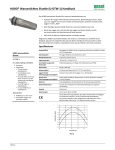
HOBO® Waterproof Shuttle
(Part # U-DTW-1)
Inside this package:
Thank you for purchasing a HOBO Waterproof
Shuttle. The HOBO Waterproof Shuttle performs
several major functions:
• HOBO Waterproof Shuttle
• USB host cable
• Set of couplers:
- For UA Pendant (Part # COUPLER2-A)
- For U20 Water Level (Part # COUPLER2-B)
- For U22 Water Temp Pro v2 (Part # COUPLER2-C)
- For UTBI TidbiT v2 (Part # COUPLER2-D)
- For U23 HOBO Pro v2 (Part # COUPLER2-E)
• Reads out all logger information (serial number,
deployment number, data, etc.) from loggers in the
field for transfer to host computer, and stores each
logger’s data in a “bank”
• Nonvolatile memory preserves data, even if batteries
are depleted
• Relaunches the logger, resetting the logger’s time to
the shuttle’s time and synchronizing the logging
interval on relaunch
• Can be used as an optic-to-USB base station
Although the HOBO Waterproof Shuttle is easy to use,
Onset strongly recommends that you spend a few
minutes reading this manual and trying out the
procedures described here before taking the shuttle
into the field.
Doc # 10264-D
MAN-U-DTW-1
Onset Computer Corporation
Specifications
Requirements
Data capacity
Operating temperature
Storage temperature
Wetted materials
Waterproof
Time accuracy
Logger-to-shuttle transfer speed
Shuttle-to-host transfer speed
Batteries
Battery life
Weight
Dimensions
© 2006 Onset Computer Corporation
Part #: MAN-U-DTW-1, Doc #: 10264-D
40
All HOBO U-Series loggers with optic USB.
Not compatible with the HOBO U-Shuttle
20
(U-DT-1).
0
-20
HOBOware 2.2+; compatible logger and matching
coupler
-40
-60
63 logger readouts of up to 64K each
-80
0° to 50°C (32° to 122°F)
-100
-20° to 50°C (-4° to 122°F)
-120
Polycarbonate case, EPDM o-rings and retaining
-140
loop
-20
0
20
40
60
Temperature (°C)
To 20 m (66 feet)
Plot A
± 1 minute per month at 25°C (77°F); see Plot A
Reads out one full 64K logger in about 30 seconds
Full shuttle offload (4 MB) to host computer in 10 to 20 minutes, depending on computer
2 AA alkaline batteries required for remote operation
One year or at least 50 complete memory fills, typical use
150 g (4 oz)
15.2 x 4.8 cm (6.0 x 1.9 inches)
The CE Marking identifies this product as complying with the relevant directives in the European
Union (EU).
Timebase Error (ppm)
Compatibility
HOBO Waterproof Shuttle
HOBO Waterproof Shuttle features
Preparing to go on location
Before using the shuttle for the first time, you must launch it
with HOBOware 2.2 or greater. You must also launch any
compatible loggers that were last launched with an earlier
version of HOBOware, or have never been launched at all.
1. Use HOBOware 2.2 or greater to launch each logger you
wish to read out and relaunch with the shuttle later. (Read
“Using the shuttle as a base station” for instructions if you
do not have another base station for the loggers.) The
shuttle cannot relaunch loggers that were last launched with
an earlier version of HOBOware. (You only have to do this
once for each logger.)
7. If you have used the shuttle before, make sure there are
enough banks available to accommodate the loggers you
plan to read out.
8. Disconnect the USB cable from the shuttle and replace the
center cap securely.
Reading out and relaunching loggers in the field
After you have ensured that the shuttle’s batteries are good,
there is sufficient memory available, and the shuttle’s clock is
synchronized, follow these steps to read out and relaunch a
logger in the field:
2. Plug the large end of a USB interface cable into a USB port
on the computer. (Avoid using a USB hub, if possible.)
1. Make sure the shuttle’s large cap and center cap are closed
securely. Tighten the center cap until it is just flush with the
large cap, or until the O-ring is no longer visible.
3. Unscrew the center cap on the shuttle. If the cap is too tight
to loosen by hand, insert a screwdriver through the lanyard
hole and rotate counterclockwise until the cap is loosened.
2. Make sure the communication end of the shuttle is clean.
Attach the correct coupler for the logger, and ensure that it
is seated properly.
4. Plug the small end of the USB interface cable into the USB
port in the shuttle. (If the shuttle has never been connected
to the computer before, it may take a few seconds for the
new hardware to be detected.)
3. Insert the logger into the coupler, following the instructions
that came with the coupler.
5. Follow the instructions in the HOBOware User’s Guide to
access the Manage Shuttle dialog. Make sure the battery
level is good, and change the batteries now if they are weak.
Important: If you change the batteries in the field, the
shuttle’s clock will stop, and the shuttle will not read out
loggers again until you relaunch it in HOBOware.
6. If you are using the shuttle for the first time, launch the
shuttle as described in the HOBOware User’s Guide.
Launching synchronizes the shuttle’s clock to the host
computer and initializes the shuttle’s header.
4. Momentarily press the coupler lever. Readout should begin
immediately. The amber LED blinks continuously while
readout and relaunch are in progress. Do not remove the
logger when the amber LED is blinking.
5. After reading out the logger, the shuttle synchronizes the
logger’s clock to the shuttle’s internal clock and relaunches
the logger, using the description, channels to log, logging
interval, and other settings that are already in the logger. (If
the logger was launched with multiple logging intervals, the
final defined logging interval will be used.) The logger is
launched with a slight delay that causes its readings to be
synchronized with those of the previous deployment, as
shown in the following diagram.
Important: The shuttle’s clock is used to set the logger’s
clock at relaunch. For most accurate results, make sure the
host computer’s clock is correct before launching the
shuttle. If you need to adjust the computer’s clock, quit
HOBOware, set the computer’s clock, then reopen
HOBOware and launch the shuttle.
Important: If the logger was launched with multiple
logging intervals, there will be no synchronizing delay. The
2
HOBO Waterproof Shuttle
logger will start immediately with the last defined logging
interval.
6. When the relaunch has completed, the green LED blinks for
15 minutes, or until you momentarily press the coupler
lever to stop it. If the red LED blinks instead, there was an
error, and the logger may have stopped. Refer to
“Troubleshooting” in this manual for details.
7. Remove the logger from the coupler.
Checking shuttle status in the field
The shuttle’s memory has 63 “banks.” One logger readout can
be stored in each bank. To check the shuttle’s memory and
batteries in the field, remove the logger and press the coupler’s
lever for at least three seconds. When you release the lever, the
green LED blinks once for each unoccupied bank in the
shuttle’s memory. (Press the lever momentarily to stop the
blinking.)
If the shuttle’s batteries are running low, all of the shuttle banks
are full, or the clock has not been set, the red LED blinks.
(Press the lever momentarily to stop the blinking.) Use
HOBOware to check the shuttle’s battery level, available
memory, and clock. You may need to change the batteries, or
offload the datafiles to the host computer and delete them from
the shuttle to free up memory before you can continue reading
out loggers.
Offloading data to the host computer
You can offload the data stored in the shuttle even when the
batteries are depleted. Take the following steps:
1. Connect the shuttle to a host computer running HOBOware.
2. Follow the instructions in the HOBOware User’s Guide to
offload the new datafiles or access the Manage Shuttle
dialog. The Manage Shuttle dialog shows you how many
banks are occupied, and whether they have already been
offloaded and saved to the host computer.
3. Offload and save data from the banks of your choice. Refer
to the HOBOware User’s Guide for details on saving
datafiles offloaded from the shuttle.
4. Review the list of banks and delete any that are no longer
needed. Make sure the battery level is good, and change the
batteries now if they are weak. (If you change the batteries
in the field, the shuttle’s clock will stop, and the shuttle will
not read out loggers.) Update the shuttle’s clock, if
necessary.
5. When finished, disconnect the shuttle from the computer
and close the center cap securely.
Using the shuttle as a base station
You can use the shuttle as a base station for any U-Series
logger with an optic USB interface. (This function is available
even when the batteries are depleted.) To use the shuttle as a
base station:
1.
Connect the shuttle to the host computer running
HOBOware.
2.
Attach a compatible logger and coupler.
3.
Momentarily press the coupler’s lever.
4.
The amber LED blinks momentarily, then the green LED
should glow steadily to indicate that the logger is ready to
communicate with HOBOware. (If the red LED blinks
instead, the logger was not found. Make sure the logger
and coupler are aligned and seated properly, and that there
is no dirt or strong sunlight interfering with
communications.)
5.
When finished, remove the logger from the coupler. The
green LED stops glowing when you disconnect the logger
or the USB cable.
Important: The Waterproof Shuttle cannot be used as a base
station with Pendant logger models UA-001 and UA-003
(including rain gauges RG3 and RG3-M) with serial numbers
less than 988278. These loggers require a BASE-U-1 for
communication with the host computer.
Indicator lights
Green “OK” LED
The green “OK” LED blinks when HOBOware recognizes it as
a base station; when it finishes reading out and relaunching a
logger; and when you press the coupler lever to check the
shuttle’s status (see “Checking shuttle status in the field” for
details). Momentarily press the coupler lever to stop the
blinking.
The green LED glows steadily when the shuttle is being used as
a base station.
Amber “Transfer” LED
The amber “Transfer” LED blinks when the shuttle is reading
out a logger and relaunching it. Do not remove the logger when
the Transfer light is lit.
Red “Fail” LED
The red “Fail” LED blinks whenever the shuttle encounters an
error condition. Refer to “Troubleshooting” for details.
All LEDs
All LEDs blink in unison when the shuttle has just been
powered up, either by installing fresh batteries or (if batteries
are not installed) by connecting to the computer’s USB port.
3
HOBO Waterproof Shuttle
Troubleshooting
This section describes problems you may encounter while using
the shuttle.
Shuttle is not recognized by host computer
If HOBOware does not recognize the shuttle when you connect
it to the computer, simply disconnect and reconnect the shuttle.
Red “Fail” LED blinks
The red “Fail” LED blinks (for 15 minutes, or until you press
the coupler lever) whenever the shuttle encounters an error.
There are several conditions that might cause an error:
• Shuttle is full: If the red LED blinks when you try to read
out a logger, check whether all of the banks are full, as
described in “Checking shuttle status in the field.” Or, use
HOBOware to check the shuttle’s memory.
• Shuttle batteries are low: If you cannot read out any loggers
at all, check the logger’s status, as described in “Checking
shuttle status in the field,” or use HOBOware to check the
shuttle’s batteries. The batteries may simply need to be
replaced.
• Compatibility: The shuttle cannot read out or relaunch
loggers that were last launched from HOBOware prior to
version 2.2. You will need to read out these loggers on the
host computer and relaunch them in HOBOware 2.2 or
greater before you can use them with the shuttle.
able to communicate with the host computer, blink its LEDs
normally, and perform as a base station even when the batteries
are missing or depleted.
Replacing the shuttle’s batteries
The shuttle’s batteries should last about one year or at least 50
complete memory fills in typical conditions. When the shuttle’s
batteries run low (2.2 V or less), any logger data that is already
in the shuttle will remain safe, but the shuttle will not read out
another logger until its batteries are replaced.
To avoid battery problems, always check the shuttle’s batteries
in HOBOware before going into the field, and replace them if
needed. If you cannot replace the bad batteries right away, you
should remove them as soon as possible to ensure that they do
not leak and damage the shuttle.
To change the shuttle’s batteries:
1. Work over a clean surface to provide a safe platform for the
disassembly.
2. Unscrew the center cap on the shuttle. If the cap is too tight
to loosen by hand, insert a screwdriver through the lanyard
hole and rotate counterclockwise until the cap is loosened.
3. Use the center cap to help you carefully pull the rubber loop
free of the large cap. The large cap cannot be removed
while the rubber loop is in place.
• Shuttle clock is not set: The shuttle has experienced a power
failure that caused the clock to reset. You must use
HOBOware to offload the files that are already on the shuttle,
then relaunch the shuttle before you can read out another
logger.
• Can’t communicate with logger: Remove the logger and
coupler. Inspect them and the shuttle to ensure that all are
free of dirt that could block the optic communication sensor.
Carefully reassemble the shuttle, coupler, and logger, and
make sure they are all seated properly. Shield the shuttle
from strong sunlight, if applicable, which can interfere with
optic communications.
4. Turn the large cap counter-clockwise slightly, then pull it
off.
• Other logger problems: If you can read out some loggers
but not others, or if you cannot read out any loggers even
with fresh batteries in the shuttle, check the loggers in
HOBOware. Make sure their batteries are at acceptable levels
and that there is no “corrupted header” message.
Amber “Transfer” LED stays on without blinking
The amber light is magnetically activated when you press the
coupler lever. If it glows steadily at any other time, the magnet
in the lever may be too close to the magnetic switch in the
shuttle, or another strong magnet may be present. Try bending
the lever away from the coupler to reduce the magnet’s effect.
LEDs do not function
If the LEDs are not functioning at all, the batteries may be
completely exhausted. To test this, attach the shuttle to the host
computer and check the battery level. The shuttle should be
4
(continued)
HOBO Waterproof Shuttle
5. Turn the shuttle over and tap it gently. The circuit board
should slide into your hand.
7. Put the board back into the case, taking care not to bend the
communication LEDs. Align the circuit board with the
runners in the case. The USB port should face the open end
of the shuttle, and the LEDs should show through the
window on the label.
8. Close the shuttle’s case. Line up the tabs on the large cap
with the slots on the case, press gently, and turn slightly
clockwise until the large cap is closed securely.
9. Replace the rubber loop and center cap. Tighten the center
cap until it is just flush with the large cap, or until the
O-ring is no longer visible.
10. Using HOBOware, offload any datafiles that are on the
shuttle and launch the shuttle before going into the field
again. The shuttle will not read out and relaunch loggers
until the clock has been synchronized.
6. Remove the old batteries and install two new ones in the
correct orientation. Both batteries should be turned the same
way, with their positive ends facing the USB port on the
board. (When the second battery makes contact, all of the
shuttle’s LEDs will blink in unison.)
WARNING: Do not install batteries backwards,
recharge, put in fire, expose to extreme heat, or mix with
other battery types, as the batteries may explode or leak.
Contents of an open or leaking battery can cause chemical
burn injuries. Replace all used batteries at the same time.
Recycle or dispose of batteries according to applicable
federal, state, and local regulations.
5
HOBO Waterproof Shuttle
Service and Support
As part of Onset’s ongoing efforts to provide 100% customer
satisfaction, our Continuing Engineering Group constantly monitors and
evaluates all of our products and software. In the unlikely event any
significant defect is found, Onset will notify you. If you find a defect,
please e-mail us at [email protected].
HOBO products are easy to use and reliable. In the unlikely event that
you have a problem with this instrument, contact the company where
you bought the logger: Onset or an Onset Authorized Dealer. Before
calling, you can evaluate and often solve the problem if you write down
the events that led to the problem (are you doing anything differently?)
and if you visit the Technical Support section of the Onset web site at
www.onsetcomp.com/support.html. When contacting Onset, ask for
technical support and be prepared to provide the product number and
serial number for the logger and software version in question. Also
completely describe the problem or question. The more information you
provide, the faster and more accurately we will be able to respond.
Onset Computer Corporation
470 MacArthur Blvd., Bourne, MA 02532
Mailing: PO Box 3450, Pocasset, MA 02559-3450
Phone: 1-800-LOGGERS (1-800-564-4377) or 508-759-9500
Fax: 508-759-9100
E-mail: [email protected]
Internet: www.onsetcomp.com
Warranty
Onset Computer Corporation (Onset) warrants to the original end-user
purchaser for a period of one year from the date of original purchase
that the HOBO® product(s) purchased will be free from defect in
material and workmanship. During the warranty period Onset will, at its
option, either repair or replace products that prove to be defective in
material or workmanship. This warranty shall terminate and be of no
further effect at the time the product is (1) damaged by extraneous cause
such as fire, water, lightning, etc. or not maintained in accordance with
the accompanying documentation; (2) modified; (3) improperly
installed; (4) repaired by someone other than Onset; or (5) used in a
manner or purpose for which the product was not intended.
THERE ARE NO WARRANTIES BEYOND THE EXPRESSED
WARRANTY ABOVE. IN NO EVENT SHALL ONSET BE
LIABLE FOR LOSS OF PROFITS OR INDIRECT,
CONSEQUENTIAL, INCIDENTAL, SPECIAL OR OTHER
SIMILAR DAMAGES ARISING OUT OF ANY BREACH OF
THIS CONTRACT OR OBLIGATIONS UNDER THIS
CONTRACT, INCLUDING BREACH OF WARRANTY,
NEGLIGENCE, STRICT LIABILITY, OR ANY OTHER LEGAL
THEORY.
Limitation of Liability. The Purchaser's sole remedy and the limit of
Onset's liability for any loss whatsoever shall not exceed the Purchaser's
price of the product(s). The determination of suitability of products to
the specific needs of the Purchaser is solely the Purchaser's
responsibility. THERE ARE NO WARRANTIES BEYOND THE
EXPRESSED WARRANTY OFFERED WITH THIS PRODUCT.
EXCEPT AS SPECIFICALLY PROVIDED IN THIS
DOCUMENT, THERE ARE NO OTHER WARRANTIES
EXPRESS OR IMPLIED, INCLUDING BUT NOT LIMITED TO,
ANY IMPLIED WARRANTIES OF MERCHANTIBILITY OR
FITNESS FOR A
6
PARTICULAR PURPOSE. NO INFORMATION OR ADVICE
GIVEN BY ONSET, ITS AGENTS OR EMPLOYEES SHALL
CREATE A WARRANTY OR IN ANY WAY INCREASE THE
SCOPE OF THE EXPRESSED WARRANTY OFFERED WITH
THIS PRODUCT.
Indemnification. Products supplied by Onset are not designed,
intended, or authorized for use as components intended for surgical
implant or ingestion into the body or other applications involving lifesupport, or for any application in which the failure of the Onsetsupplied product could create or contribute to a situation where personal
injury or death may occur. Products supplied by Onset are not designed,
intended, or authorized for use in or with any nuclear installation or
activity. Products supplied by Onset are not designed, intended, or
authorized for use in any aeronautical or related application. Should any
Onset-supplied product or equipment be used in any application
involving surgical implant or ingestion, life-support, or where failure of
the product could lead to personal injury or death, or should any Onsetsupplied product or equipment be used in or with any nuclear
installation or activity, or in or with any aeronautical or related
application or activity, Purchaser will indemnify Onset and hold Onset
harmless from any liability or damage whatsoever arising out of the use
of the product and/or equipment in such manner.
Returns
Please direct all warranty claims and repair requests to place of
purchase.
Before returning a failed unit directly to Onset, you must obtain a
Return Merchandise Authorization (RMA) number from Onset. You
must provide proof that you purchased the Onset product(s) directly
from Onset (purchase order number or Onset invoice number). Onset
will issue an RMA number that is valid for 30 days. You must ship the
product(s), properly packaged against further damage, to Onset (at your
expense) with the RMA number marked clearly on the outside of the
package. Onset is not responsible for any package that is returned
without a valid RMA number or for the loss of the package by any
shipping company. Loggers must be clean before they are sent back to
Onset or they may be returned to you.
Repair Policy
Products that are returned after the warranty period or are damaged by
the customer as specified in the warranty provisions can be returned to
Onset with a valid RMA number for evaluation.
ASAP Repair Policy. For an additional charge, Onset will expedite the
repair of a returned product.
Data-back™ Service. HOBO data loggers store data in nonvolatile
EEPROM memory. Onset will, if possible, recover your data.
Tune Up Service. Onset will examine and retest any HOBO data
logger.
© 2006 Onset Computer Corporation. All rights reserved.
Part #: MAN-U-DTW-1, Doc #: 10264-D
Onset, HOBO, and HOBOware are registered trademarks of Onset
Computer Corporation. Other products and brand names may be
trademarks or registered trademarks of their respective owners.