1
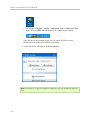
WebEx Meeting Center
User Guide
For Hosts, Presenters, and Attendees
8.5
Copyright
© 1997-2009. WebEx Communications, Inc. All rights reserved. Cisco, WebEx, and Cisco WebEx are registered trademarks or
trademarks of Cisco Systems, Inc. and/or its affiliates in the U.S. and certain other countries. All other trademarks are the property of
their respective owners.
U.S. Government End User Purchasers. The Documentation and related Services qualify as "commercial items," as that term is defined
at Federal Acquisition Regulation ("FAR") (48 C.F.R.) 2.101. Consistent with FAR 12.212 and DoD FAR Supp. 227.7202-1 through
227.7202-4, and notwithstanding any other FAR or other contractual clause to the contrary in any agreement into which the
Agreement may be incorporated, Customer may provide to Government end user or, if the Agreement is direct, Government end user
will acquire, the Services and Documentation with only those rights set forth in the Agreement. Use of either the Services or
Documentation or both constitutes agreement by the Government that the Services and Documentation are commercial items and
constitutes acceptance of the rights and restrictions herein.
Last updated: 042309
www.webex.com
Table of Contents
Chapter 1 Setting up and Preparing for a Meeting ..............................................................1
About setting up Meeting Center ...............................................................................................................1
Setting up Meeting Center ............................................................................................................................2
System requirements for Meeting Center for Windows ............................................................2
Setting up Meeting Center for Windows.........................................................................................2
Uninstalling for Windows ..............................................................................................................................3
Preparing for a meeting ..................................................................................................................................4
Checking your system for UCF Compatibility ................................................................................4
About WebEx Connect............................................................................................................................5
About sharing a remote computer ....................................................................................................5
Chapter 2 Joining a Meeting ..................................................................................................7
About joining ......................................................................................................................................................8
About the Join Meeting page ..............................................................................................................8
Joining a meeting from an instant message ..................................................................................8
Joining from an email invitation ........................................................................................................9
Joining from the Meeting Center calendar................................................................................. 10
Joining a meeting from the host's personal page..................................................................... 11
Joining a meeting using the meeting number ......................................................................... 11
Joining a meeting from your Meeting Center Web site using the meeting number .. 12
i
Joining a meeting from the host's personal page using the meeting number ............. 12
Joining a meeting from your iPhone.............................................................................................. 13
Registering for a meeting............................................................................................................................ 13
About registering for a meeting ...................................................................................................... 14
Registering from an email message ............................................................................................... 14
Registering from the meeting calendar ........................................................................................ 15
Registering from the host's personal page .................................................................................. 16
Obtaining information about a scheduled meeting......................................................................... 16
About obtaining meeting information.......................................................................................... 17
About the Meeting Information page ........................................................................................... 17
Obtaining information from an email message......................................................................... 18
Obtaining information from the meeting calendar ................................................................. 18
Obtaining information from the host's personal page ........................................................... 19
Adding a meeting to your calendar program...................................................................................... 19
About adding a meeting to your calendar program................................................................ 20
Adding a meeting to your calendar program............................................................................. 20
Chapter 3 Using the Calendar ..............................................................................................21
About the meeting calendar...................................................................................................................... 22
Viewing the meeting calendar .................................................................................................................. 22
Selecting a date on the meeting calendar............................................................................................ 23
Searching for a meeting on the meeting calendar............................................................................ 25
Sorting the meeting calendar.................................................................................................................... 25
ii
Refreshing the meeting calendar............................................................................................................. 26
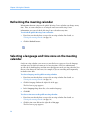
Selecting a language and time zone on the meeting calendar.................................................... 26
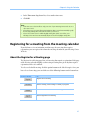
Registering for a meeting from the meeting calendar..................................................................... 27
About the Register for a Meeting page......................................................................................... 27
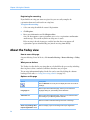
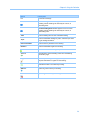
About the Today view................................................................................................................................... 28
About the Daily view..................................................................................................................................... 30
About the Weekly view ................................................................................................................................ 32
About the Monthly view .............................................................................................................................. 34
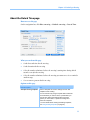
About the Search Results page ................................................................................................................. 35
Chapter 4 Scheduling a Meeting..........................................................................................37
Choosing the scheduler that works for you ......................................................................................... 38
About the Quick Scheduler......................................................................................................................... 38
About the Quick Scheduler page..................................................................................................... 39
Using the Quick Scheduler.......................................................................................................................... 46
About the Advanced Scheduler................................................................................................................ 47
Choosing a level of security for a scheduled meeting ..................................................................... 47
Using the Advanced Scheduler................................................................................................................. 48
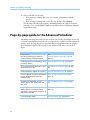
Page-by-page guide to the Advanced Scheduler.............................................................................. 50
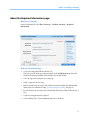
About the Required Information page.......................................................................................... 51
About the Date & Time page............................................................................................................. 55
About the Audio Conference page................................................................................................. 58
About the Invite Attendees page .................................................................................................... 63
iii
About the Registration page ............................................................................................................. 67
About the Agenda & Welcome page.............................................................................................. 70
About the Meeting Options page ................................................................................................... 75
About the Attendee Privileges page .............................................................................................. 78
About the Review page ....................................................................................................................... 81
Managing and maintaining your scheduled meetings.................................................................... 82
Adding a scheduled meeting to your calendar program....................................................... 82
Editing a scheduled meeting ............................................................................................................ 83
Starting a scheduled meeting........................................................................................................... 84
Starting a meeting from your iPhone ............................................................................................ 85
Canceling a scheduled meeting....................................................................................................... 86
Saving time when scheduling a meeting.............................................................................................. 87
Using meeting templates ................................................................................................................... 87
Setting up a recurring meeting ........................................................................................................ 91
Allowing another user to schedule meetings for you ............................................................. 92
About the Meeting Scheduled page (for meeting hosts) ............................................................... 93
About the Meeting Information page (for meeting hosts)............................................................. 93
About the Meeting Information page (for attendees) ..................................................................... 94
About the Meeting Updated page .......................................................................................................... 95
Chapter 5 Scheduling an Audio Only Meeting ...................................................................97
About Audio Only meetings....................................................................................................................... 97
Setting up an Audio Only meeting ................................................................................................. 97
iv
Starting an Audio Only meeting ...................................................................................................... 98
Managing and maintaining your scheduled meetings.................................................................... 99
Adding a scheduled meeting to your calendar program....................................................... 99
Editing an Audio Only meeting......................................................................................................100
Canceling an Audio Only meeting ................................................................................................101
About the Required Information page.................................................................................................102
Questions about required information for setting up an Audio Only meeting...........104
About the Date & Time page....................................................................................................................104
Questions about setting the date and time for an Audio Only meeting........................106
About the Teleconference Settings page ...........................................................................................107
Questions about teleconference settings ..................................................................................108
About the Create or Edit Personal Conference Number page ....................................................109
About the Invite Attendees page...........................................................................................................110
Questions about inviting attendees.............................................................................................111
About the Select Attendees page ..........................................................................................................112
About the Audio Only Meeting Information page (host)..............................................................114
About the Audio Only Meeting Information page (for attendees)............................................115
Chapter 6 Setting Up a One-Click Meeting ...................................................................... 117
About setting up a One-Click Meeting.................................................................................................117
Setting up your One-Click Meeting on the Web...............................................................................118
About the One-Click Settings page ..............................................................................................118
Installing WebEx Productivity Tools ......................................................................................................121
v
Starting a One-Click Meeting ...................................................................................................................123
Removing WebEx Productivity Tools....................................................................................................128
Chapter 7 Understanding the Meeting Window ............................................................. 129
A quick tour of the Meeting window ....................................................................................................130
Performing tasks on shared content.....................................................................................................131
Understanding the menu bar .........................................................................................................131
Changing views of shared content ...............................................................................................132
Using annotation tools on shared content................................................................................133
Sharing information............................................................................................................................134
Working with panels....................................................................................................................................135
Managing panels .................................................................................................................................136
Minimizing panels ...............................................................................................................................137
Expanding and collapsing panels..................................................................................................137
Restoring the panel layout...............................................................................................................137
Accessing panel options ...................................................................................................................138
Resizing the content viewer and panels area ...........................................................................140
Accessing panels in full-screen view.....................................................................................................141
Manipulating panels in full-screen view .....................................................................................142
Sharing in full-screen view ...............................................................................................................144
Synchronizing attendee displays...................................................................................................146
Viewing Panel alerts ....................................................................................................................................146
vi
Chapter 8 Managing a Meeting......................................................................................... 149
About managing meetings.......................................................................................................................149
Inviting attendees to a meeting in progress......................................................................................150
Inviting attendees by instant message to a meeting in progress.....................................150
Inviting attendees by email to a meeting in progress...........................................................152
Inviting participants by phone to a meeting in progress.....................................................154
Inviting participants by text message (SMS) to a meeting in progress...........................155
Designating a presenter.............................................................................................................................156
Transferring the host role to an attendee ...........................................................................................157
Reclaiming the host role ............................................................................................................................157
Obtaining information about a meeting after it starts...................................................................158
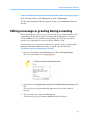
Editing a message or greeting during a meeting.............................................................................159
Restricting access to a meeting...............................................................................................................160
Removing an attendee from a meeting...............................................................................................160
Leaving a meeting........................................................................................................................................161
Sending a meeting transcript to participants....................................................................................161
Ending a meeting .........................................................................................................................................163
Chapter 9 Managing Recorded Meetings......................................................................... 165
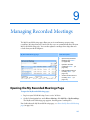
Opening the My Recorded Meetings Page.........................................................................................165
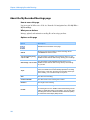
About the Recording Information page......................................................................................166
About the My Recorded Meetings page.....................................................................................168
Uploading a recorded meeting file........................................................................................................169
vii
Editing information about a recorded meeting ...............................................................................170
About the Add/Edit Recorded Meetings page .........................................................................171
Sending an email to share a recorded meeting................................................................................172
Chapter 10 Assigning Sounds to Participant Actions ..................................................... 175
Chapter 11 Granting Privileges during a Meeting .......................................................... 177
Selecting attendees .....................................................................................................................................178
About Default privileges............................................................................................................................179
Granting or removing privileges ...........................................................................................................179
Granting or removing Chat privileges .........................................................................................180
Granting or removing document privileges..............................................................................181
Granting or removing viewing privileges...................................................................................182
Granting or removing meeting privileges..................................................................................183
Chapter 12 Using WebEx Audio ........................................................................................ 185
Joining or leaving an audio conference...............................................................................................187
Using your telephone to join or leave an audio conference...............................................188
Using your computer to join or leave an audio conference................................................191
Switching audio connection modes .....................................................................................................192
Inviting a contact to join by phone .......................................................................................................193
Muting and unmuting microphones in an audio conference.....................................................195
Muting microphones automatically when participants join a meeting .........................196
Muting and unmuting specific microphones ...........................................................................196
Muting and unmuting all attendees' microphones simultaneously................................197
viii
Muting and unmuting your microphone in an audio conference....................................198
Asking to speak in an audio conference..............................................................................................198
Determining who is speaking in an audio conference ..................................................................199
Using caller authentication to start or join an audio conference...............................................199
Specifying call-in authentication for your host account.......................................................200
Using an authentication PIN............................................................................................................201
Editing or updating your stored phone numbers............................................................................201
Chapter 13 Using Integrated VoIP Conferences .............................................................. 203
Starting or ending an Integrated VoIP conference..........................................................................205
Joining or leaving an Integrated VoIP Conference..........................................................................205
Asking to speak in an Integrated VoIP conference..........................................................................206
Allowing a participant to speak in an Integrated VoIP conference...........................................206
Speaking in an Integrated VoIP conference.......................................................................................207
Muting and unmuting microphones in an Integrated VoIP conference.................................208
Muting and unmuting participant microphones ....................................................................208
Muting and unmuting your microphone ...................................................................................209
Understanding the speaker queue for Integrated VoIP.................................................................210
Setting Integrated VoIP conference options......................................................................................210
Chapter 14 Sharing Presentations, Documents, and Whiteboards ............................... 211
Granting sharing privileges ......................................................................................................................212
Content viewer tools ...................................................................................................................................213
Changing views of shared content ...............................................................................................214
ix
Using annotation tools on shared content................................................................................215
Sharing information............................................................................................................................216
Sharing presentations or documents ...................................................................................................217
Sharing a document or presentation...........................................................................................217
Determining whether participants can view a page or slide..............................................218
Tips for sharing documents and presentations .......................................................................218
Choosing an import mode for document or presentation sharing..................................219
Closing shared documents and presentations.........................................................................220
Sharing a whiteboard..................................................................................................................................221
Starting whiteboard sharing ...........................................................................................................221
Closing a shared whiteboard ..........................................................................................................222
Navigating presentations, documents, or whiteboards................................................................222
Navigating slides, pages, or whiteboards using the toolbar...............................................222
Advancing pages or slides automatically...................................................................................223
Animating and adding effects to shared slides........................................................................224
Using keyboard shortcuts to control a presentation .............................................................225
Working with pages or slides...................................................................................................................226
Adding new pages or slides.............................................................................................................226
Pasting images in slides, pages, or whiteboards .....................................................................227
Managing views of presentations, documents, or whiteboards................................................227
Zooming in and out on slides, pages, or whiteboards ..........................................................228
Controlling full-screen view of slides, pages, or whiteboards............................................229
x
Viewing thumbnails of slides, pages, or whiteboards ...........................................................230
Synchronizing attendees' views of slides, pages, or whiteboards....................................231
Clearing annotations on slides, pages, or whiteboards ........................................................231
Clearing pointers on slides, pages, or whiteboards................................................................233
Renaming the tab for a presentation, document, or whiteboard.....................................233
Reordering the tabs for documents, presentations, and whiteboards...........................234
Saving, opening, and printing presentations, documents, or whiteboards ..........................235
Saving a presentation, document, or whiteboard ..................................................................235
Opening a saved document, presentation, or whiteboard .................................................236
Printing presentations, documents, or whiteboards .............................................................237
If you are a meeting attendee..................................................................................................................237
Displaying pages, slides, or whiteboards ...................................................................................238
Synchronizing your view of pages, slides, or whiteboards..................................................239
Chapter 15 Sharing Web Content ..................................................................................... 241
About sharing Web content.....................................................................................................................241
Sharing Web content ..................................................................................................................................242
Differences between sharing Web content and sharing a Web browser ...............................243
Chapter 16 Sharing Software ............................................................................................ 245
Sharing applications....................................................................................................................................247
Starting application sharing ............................................................................................................247
Sharing several applications at once............................................................................................248
Stopping application sharing for all participants....................................................................249
xi
Sharing your desktop..................................................................................................................................250
Starting desktop sharing...................................................................................................................250
Stopping desktop sharing................................................................................................................251
Sharing a Web browser ..............................................................................................................................251
Starting Web browser sharing ........................................................................................................252
Stopping Web browser sharing .....................................................................................................252
Sharing a remote computer .....................................................................................................................253
Starting remote computer sharing ...............................................................................................254
Sharing additional applications on a shared remote computer........................................256
Stopping remote computer sharing.............................................................................................257
Managing a shared remote computer .................................................................................................257
Reducing the screen resolution for a shared remote computer........................................259
Disabling and enabling the keyboard when sharing a remote computer ....................260
Adjusting the size of the view of a shared remote computer.............................................261
Hiding the contents on a shared remote computer's screen .............................................262
Sending a Ctrl+Alt+Del command to a shared remote computer ...................................262
Selecting an application on a shared remote computer ......................................................263
Controlling views of shared software ...................................................................................................264
Pausing and resuming software sharing ....................................................................................265
Controlling full-screen view of shared software ......................................................................266
Synchronizing views of shared software ....................................................................................267
Controlling your view as an attendee..........................................................................................267
xii
Closing your attendee sharing window......................................................................................268
Switching your attendee view ........................................................................................................269
Annotating Shared Software....................................................................................................................270
Starting and stopping annotation.................................................................................................271
Using annotation tools ......................................................................................................................272
Letting an attendee annotate shared software .......................................................................273
Requesting annotation control of shared software................................................................274
Giving up annotation control..........................................................................................................275
Stopping an attendee from annotating shared software ....................................................276
Taking a screen capture of annotations on shared software..............................................276
Granting attendees control of shared software................................................................................277
Requesting remote control of shared software .......................................................................278
Letting an attendee remotely control shared software ........................................................279
Automatically letting attendees remotely control shared software ................................280
Stopping remote control of shared software............................................................................280
Sharing applications with detailed color.............................................................................................281
Tips for Sharing Software ..........................................................................................................................282
Chapter 17 Using Chat ....................................................................................................... 285
Sending chat messages..............................................................................................................................286
Assigning sounds to incoming chat messages .................................................................................286
Printing chat messages ..............................................................................................................................287
Saving chat messages.................................................................................................................................287
xiii
Saving chat messages to a new file ..............................................................................................288
Saving changes to a chat file...........................................................................................................288
Creating a copy of previously saved chat messages..............................................................288
Opening a chat file during a meeting...................................................................................................289
Chapter 18 Polling Attendees ........................................................................................... 291
Preparing a poll questionnaire................................................................................................................291
Creating a poll questionnaire..........................................................................................................292
Editing a questionnaire .....................................................................................................................293
Displaying a timer during polling..................................................................................................294
Opening a poll ...............................................................................................................................................295
Viewing and sharing poll results.............................................................................................................295
Viewing poll results.............................................................................................................................296
Sharing poll results with attendees ..............................................................................................297
Saving and opening poll questionnaires and results .....................................................................297
Saving a poll questionnaire in a meeting ...................................................................................298
Saving results of a poll .......................................................................................................................298
Opening a poll questionnaire file ..................................................................................................299
Chapter 19 Transferring and Downloading Files During a Meeting.............................. 301
Publishing files during a Meeting...........................................................................................................302
Downloading Files During a Meeting...................................................................................................303
Chapter 20 Managing and Taking Notes.......................................................................... 305
Specifying note-taking options for a meeting ..................................................................................306
xiv
Choosing a note taker.................................................................................................................................307
Enabling closed captions...........................................................................................................................308
About taking notes ......................................................................................................................................308
Taking personal notes.................................................................................................................................309
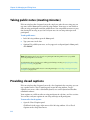
Taking public notes (meeting minutes)...............................................................................................310
Providing closed captions.........................................................................................................................310
Saving notes to a file ...................................................................................................................................311
Sending a meeting transcript to participants....................................................................................312
Chapter 21 Sending and Viewing Video........................................................................... 315
Setting up video............................................................................................................................................316
Sending live video........................................................................................................................................316
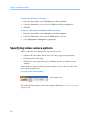
Specifying video camera options ..................................................................................................317
About video options...........................................................................................................................318
Securing your privacy in a meeting with live video................................................................319
Limiting bandwidth usage and network congestion ............................................................320
Using multipoint video...............................................................................................................................320
System requirements for viewing multiple video images ...................................................321
Viewing live video ........................................................................................................................................322
Viewing live video in a floating window.....................................................................................322
Viewing multipoint images in a floating window ...................................................................323
Zooming in or out on live video.....................................................................................................323
Controlling full-screen view of live video ...................................................................................324
xv
Chapter 22 Managing Video.............................................................................................. 327
Turning on or off video options in a meeting....................................................................................327
Specifying video camera options ...........................................................................................................328
About video options...........................................................................................................................329
Limiting bandwidth usage and network congestion ............................................................330
Synchronizing video images ....................................................................................................................331
Taking screen captures of live video .....................................................................................................331
Chapter 23 Using My WebEx ............................................................................................. 333
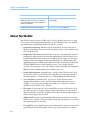
About My WebEx ..........................................................................................................................................334
Obtaining a user account ..........................................................................................................................335
Logging in to and out of the WebEx service site..............................................................................336
Using your list of meetings .......................................................................................................................337
About your list of meetings .............................................................................................................337
Opening your meetings list .............................................................................................................337
Maintaining your scheduled meetings list.................................................................................339
About the My WebEx Meetings page ..........................................................................................339
About the My WebEx Meetings page - Daily tab.....................................................................341
About the My WebEx Meetings page - Weekly tab ................................................................343
About the My WebEx Meetings page - Monthly tab..............................................................345
About the My WebEx Meetings page - All Meetings tab......................................................347
Maintaining Your Personal Meeting Room Page .............................................................................349
About your Personal Meeting Room page.................................................................................350
xvi
Viewing your Personal Meeting Room page.............................................................................350
Setting options for your Personal Meeting Room page .......................................................351
Sharing files on your Personal Meeting Room page ..............................................................352
Using Access Anywhere (My Computers) ...........................................................................................353
About the My Computers page......................................................................................................353
Maintaining files in your personal folders...........................................................................................354
About maintaining files in your folders.......................................................................................355
Opening your personal folders, documents, and files...........................................................355
Adding new folders to your personal folders ...........................................................................356
Uploading files to your personal folders.....................................................................................357
Moving or copying files or folders in your personal folders................................................358
Editing information about files or folders in your personal folders .................................358
Searching for files or folders in your personal folders ...........................................................359
Downloading files in your personal folders...............................................................................360
Deleting files or folders in your personal folders.....................................................................360
About the My WebEx Files > My Documents page ................................................................360
About the Edit Folder Properties page........................................................................................363
Opening the My Recordings Page.................................................................................................364
Uploading a recording file................................................................................................................365
Editing information about a recording .......................................................................................365
Sending an email to share a recording........................................................................................366
About the Add/Edit Recording page............................................................................................367
xvii
About the Recording Information.................................................................................................370
About the My WebEx Files > My Recordings page .................................................................371
About the My WebEx Files > My Recordings > Meetings page .........................................372
About the My WebEx Files > My Recordings > Miscellaneous page................................374
Maintaining contact information ...........................................................................................................375
About maintaining contact information.....................................................................................376
Opening your address book ............................................................................................................376
Adding a contact to your address book......................................................................................377
About the New/Edit Contact page................................................................................................379
Importing contact information in a file to your address book ...........................................380
About the Contact Information CSV template .........................................................................381
Importing contact information from Outlook to your address book ..............................383
Viewing and editing contact information in your address book.......................................384
Finding a contact in your personal address book ...................................................................384
Creating a distribution list in your address book.....................................................................385
Editing a distribution list in your address book .......................................................................386
About the Add/Edit Distribution List page ................................................................................388
Deleting contact information in your address book ..............................................................389
Maintaining your user profile...................................................................................................................389
About maintaining your user profile............................................................................................389
About the My WebEx Profile page ................................................................................................390
Editing your user profile....................................................................................................................396
xviii
Managing scheduling templates............................................................................................................397
About managing scheduling templates .....................................................................................397
Managing scheduling templates...................................................................................................397
Maintaining personal conference numbers.......................................................................................398
About maintaining personal conference number accounts...............................................399
Adding or editing a personal conference number account................................................399
About the My Audio page ................................................................................................................400
About the Add/Edit Personal Conference Number page.....................................................402
Using your personal conference numbers.................................................................................402
Controlling an audio-only meeting ..............................................................................................403
Deleting a personal conference number account ..................................................................404
Generating Reports......................................................................................................................................405
About generating reports.................................................................................................................405
Generating reports..............................................................................................................................406
Index .................................................................................................................................... 409
xix
1
Setting up and Preparing for a
Meeting
Chapter 1
If you want to…
See…
get an overview of setting up Meeting Center
About setting up Meeting Center (on page 1)
set up Meeting Center for Windows
Setting up Meeting Center for Windows (on
page 2)
remove Meeting Center from your computer
Uninstalling Meeting Center for Windows (on
page 3)
make sure your system can handle Universal
Communications Format (UCF) media files
Checking your system for UCF Compatibility
(on page 4)
get an overview of setting up WebEx Connect
About WebEx Connect (on page 5)
About setting up Meeting Center
To participate in a meeting, you must set up Meeting Center on your computer. Once
you schedule, start, or join a meeting for the first time, your meeting service Web site
starts the setup process. However, to save time, you can set up the application at any
time before scheduling, starting, or joining a meeting.
1
Chapter 1: Setting up and Preparing for a Meeting
Setting up Meeting Center
If you want to…
See…
get an overview of system requirements
System requirements for Meeting Center for
Windows (on page 2)
set up Meeting Center for Windows
Setting up Meeting Center for Windows (on
page 2)
check your system for UCF compatibility
Checking your system for UCF Compatibility
(on page 4)
System requirements for Meeting Center for Windows
You can find the system requirements and other information about compatible
browsers and operating systems on the User Guides page for your service:
1
Log in to your WebEx Meeting Center site.
2
On the WebEx Meeting Center navigation bar, click Support > User Guides.
3
On the right side of the page, under Release Notes and FAQs, click the link for
release notes.
Setting up Meeting Center for Windows
Before installing Meeting Center, ensure that your computer meets the minimum
system requirements. For details, see System requirements for Meeting Manager for
Windows (on page 2).
If you are not using the Windows operating system, please refer to our FAQ, which
includes information about setting up Meeting Center on other operating systems.
To go to the list of FAQs:
2
1
On your Meeting Center Web site, on the left navigation bar, click Support > User
Guides.
2
On the User Guides page, under Release Notes and FAQs, click the link for FAQs
(Frequently Asked Questions).
A list of questions displays, arranged by topic. Look for your information about
your operating system under Minimum System Requirements.
Chapter 1: Setting up and Preparing for a Meeting
To set up Meeting Center for Windows:
1
On the navigation bar, expand Set Up, and then click Meeting Manager.
The Set Up page appears.
2
Click Set Up.
3
If a security dialog box appears, click Yes.
Setup continues. A progress message box appears, indicating the progress of setup.
4
On the Setup Complete page, click OK.
You can now start, schedule, or join a meeting.
Note:
Alternatively, you can download the Meeting Manager for Windows Installer from the
Support page on your Meeting Center Web site, and then install Meeting Manager on your
Web browser. This option is useful if your system does not allow you to install Meeting
Manager directly from the Set Up page.
If you or another attendee plans to share Universal Communications Format (UCF) media
files during a meeting, you can verify that the required components are installed on your
system to play the media files. For details, see Checking your system for UCF Compatibility
(on page 4).
Uninstalling for Windows
You can easily uninstall or remove Meeting Manager for Windows on your computer.
1
Do one of the following:
For Windows 2000: On your computer's desktop, double-click My Computer,
and then open the Control Panel folder.
For Windows XP: Click Start, and then click Control Panel.
2
Double-click Add/Remove Programs or Add or Remove Programs, depending on
your computer's operating system.
A dialog box appears, showing a list of programs installed on your computer.
3
In the list, select WebEx.
4
Click Add/Remove or Change/Remove, depending on your computer's operating
system.
A message appears, asking you to confirm that you want to remove the software.
5
Click Yes.
The Uninstall WebEx Software dialog box appears.
3
Chapter 1: Setting up and Preparing for a Meeting
6
Select Meeting Manager.
7
Click Uninstall.
8
Once the software is removed, click Finish.
Select an option to restart your computer now or later.
Preparing for a meeting
To take advantage of the many features available in a meeting, check your system and
then install some tools to extend meeting capabilities.
Check your system for UCF compatibility (if you have presentations with
animations, save them as .ucf so meeting attendees can view these effects) More…
(on page 4)
Set up and install Cisco WebEx Connect More… (on page 5)
Share a remote computer, if this feature is available More… (on page 5)
Checking your system for UCF Compatibility
If you intend to play or view Universal Communications Format (UCF) media files
during the meeting, either as a presenter or an attendee, you can verify that the
following components are installed on your computer:
Flash Player, for playing a Flash movie or interactive Flash files
Windows Media Player for playing audio or video files
Checking your system is useful if you or another presenter plans to share a UCF
multimedia presentation or standalone UCF media files.
To check your system for UCF compatibility:
1
On the navigation bar, do one of the following:
If you are a new meeting service user, click New User?.
If you are already a meeting service user, expand Set Up, then click Meeting
Manager.
2
Click Verify your rich media players.
3
Click the links to verify that the required players are installed on your computer.
Note: The option to check your system for required rich media players is available only if your
Meeting Center Web site includes the UCF option.
4
Chapter 1: Setting up and Preparing for a Meeting
About WebEx Connect
Use WebEx Connect, the instant messenger for business users to send secure instant
messages, invite or remind participants, and manage a meeting. Connect integrates
with Microsoft Outlook corporate directories and calendars, encrypts messages and
scans them for viruses, and offers quick access to business conferencing services from
WebEx.
To download WebEx Connect:
1
Log in to your Meeting Center Web site.
2
On the Meeting Center navigation bar, click Support > Downloads.
3
Scroll down to the section of the page describing WebEx Connect.
Click the link to learn more about this product and download it.
About sharing a remote computer
Use remote computer sharing to show all meeting attendees a remote computer.
Depending on how you set up the remote computer, you can show the entire desktop
or just specific applications. Use remote computer sharing to show attendees an
application or file that is available only on a remote computer.
Attendees can view your remote computer, including all your mouse movements, in a
sharing window on their screens.
You can share a remote computer during a meeting for which you are the presenter, if:
You have installed the Access Anywhere Agent on the remote computer
You logged in to your Meeting Center Web site before joining the meeting, if you
are not the original meeting host
For information about setting up a computer so you can access it remotely, refer to the
Access Anywhere User's Guide.
5
2
Joining a Meeting
Chapter 2
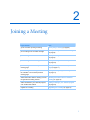
If you want to...
See...
get an overview of joining a meeting
About joining a meeting (on page 8)
join a meeting from an instant message
Joining a meeting from an instant message
(on page 8)
join a meeting from an email invitation
Joining a meeting from an email invitation
(on page 9)
join a meeting from the meeting calendar
Joining a meeting from the meeting calendar
(on page 10)
join a meeting from the host's personal
meeting page
Joining a meeting from the host's personal
page (on page 11)
join a meeting if the meeting is not listed on
the calendar or on the host's personal
meeting page
Joining a meeting using the meeting number
(on page 11)
obtain information about a meeting, such as
its agenda and meeting number
Obtaining information about a scheduled
meeting (on page 16)
add a scheduled to your calendar program,
such as Microsoft Outlook
Adding a meeting to your calendar program
(on page 19)
register for a meeting
Registering for a meeting (on page 13)
7
Chapter 2: Joining a Meeting
About joining
You can join a meeting in a number of ways. The simplest and quickest is by clicking
the meeting URL, which the host can send you in an instant message or paste into an
email message.
If the host has given you just the meeting number, you have a couple of ways to join
the meeting. For details, see Joining a meeting using the meeting number (on page 11).
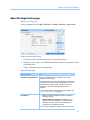
About the Join Meeting page
To access this page: Click the meeting link in your invitation email message, and then
click Join Now.
When joining a meeting, you may need enter some details on the Join Meeting page:
Your name: Enter the name you want attendees to use to identify you during the
meeting.
Email address: Enter your email address, in this format: name@your_company—
for example, [email protected].
Meeting password: Enter the meeting password. The meeting host may have
included the password in the email invitation or, for security reasons, provided it
to you in another way. If the meeting does not require a password, the text box
does not appear on this page.
Joining a meeting from an instant message
1
8
From the instant message window, click the link to join the meeting.
Chapter 2: Joining a Meeting
2
On the Meeting Information page, enter the requested information.
For instance, you may be asked to enter the meeting password.
3
Click Join Now.
The Meeting window appears.
Joining from an email invitation
If you received an email invitation to a meeting, you can join the meeting by clicking a
link in the invitation.
Note: As you fill in the information requested, you may also be asked to type your user name
and password. This page appears only if the meeting host requires that you have a user account to
attend the meeting.
To join a listed meeting from an invitation email message:
1
Open your email invitation, and then click the link.
2
On the Meeting Information page, enter any requested information.
For details, see About the Join Meeting page (on page 8).
3
Click Join Now.
The Meeting window appears.
Note: If you did not receive an email invitation to a meeting, you can also join a meeting directly
from your Meeting Center Web site or from the host's Personal Meeting Room page. For details,
see Joining a meeting from the meeting calendar (on page 10) or Joining a meeting from the host's
9
Chapter 2: Joining a Meeting
personal page (on page 11)
Joining from the Meeting Center calendar
If you do not have an email invitation for a meeting, you can join it from the meeting
calendar, if the meeting host has listed it there.
To join a meeting listed on the meeting calendar:
1
On the navigation bar, expand Attend a meeting, and then click Browse Meetings.
The Browse Meetings page appears.
2
On the meeting calendar, locate the meeting that you want to attend.
Tips for quickly finding a meeting:
Select a view of the meeting calendar by clicking one of the following tabs:
Today, Daily, Weekly, or Monthly. For more information about calendar
views, see Viewing the meeting calendar. (on page 22)
Sort a meeting list by clicking the column headings. For details, see Sorting the
meeting calendar. (on page 25)
View a meeting list for another date. For details, see Selecting a date on the
meeting calendar (on page 23)
Search for a meeting. For details, see Searching for a meeting on the meeting
calendar (on page 25).
3
Under Status, click Join.
4
On the Meeting Information page, enter any requested information.
5
Click Join Now.
The Meeting window appears.
Tip:
You can obtain detailed information about a selected meeting or its agenda before joining it.
For details, see Obtaining information about a scheduled meeting (on page 16).
You can display all meeting times in another time zone.
You can refresh the meeting calendar to ensure that you are viewing the most recent
information.
10
Chapter 2: Joining a Meeting
Joining a meeting from the host's personal page
You can join a meeting from the host's Personal Meeting Room page if the host has
listed it there.
To join a listed meeting from the host's Personal Meeting Room page:
1
Go to the URL, or Web address, for the host's Personal Meeting Room page. The
host must provide you with this URL.
2
On the Meetings tab and under Meetings in Progress, locate the meeting that you
want to join.
3
Under Status, click Join.
4
On the Meeting Information page, enter any requested information
5
Click OK.
The Meeting window appears.
Tip: If the meeting is not in progress, you cannot join the meeting. To check whether the host
has started the meeting, you can periodically click the Refresh button on the page.
Joining a meeting using the meeting number
If the meeting host has not included a link to the meeting on the meeting calendar or
on his or her Personal Meeting page, you can still join that meeting. You need to
obtain the meeting number from the meeting host.
You can join a meeting by providing the meeting number on either:
Your Meeting Center Web site, see Joining a meeting from your (on page
12)Meeting Center Web site using the meeting number (on page 12)
The host's Personal Meeting page on your Meeting Center Web site, if the host
gave you the URL (Web address) for the page Joining meeting from the host's
personal page using the meeting number (on page 12)
11
Chapter 2: Joining a Meeting
Joining a meeting from your Meeting Center Web site using the
meeting number
If the meeting you want to attend is not listed on the meeting calendar, you can still
join the meeting. You just need to know the meeting number, which the meeting host
can give you.
To join an unlisted meeting from your Meeting Center Web site:
1
On the navigation bar, expand Attend a meeting, and then click Unlisted Meeting.
The Join an Unlisted Meeting page appears.
2
In the Meeting number box, type the meeting number that the host gave to you.
3
Click Join Now.
4
On the Meeting Information page enter any requested information.
5
Click Join Now.
The Meeting window appears.
Joining a meeting from the host's personal page using the
meeting number
If you want to attend a meeting that is not on the host's Personal Meeting Room page,
you can still join that meeting. Simply ask the host for the meeting number
To join a meeting from the host's Personal Meeting Room page:
12
1
Go to the URL, or Web address, for the host's Personal Meeting Room page. The
host must provide you with this URL.
2
On the Meetings tab and under Join an Unlisted Meeting, type the meeting
number that the host gave to you in the Meeting number box.
3
Click Join Now.
4
On the Meeting Information page, enter the requested information.
For details, see About the Join Meeting page (on page 8).
5
Click Join Now.
The Meeting window appears.
Chapter 2: Joining a Meeting
Joining a meeting from your iPhone
If you receive an invitation to a meeting on your iPhone, you can join the meeting by
tapping the link in the invitation or from the Meet icon on your iPhone's home page.
Note: Once you have set up your WebEx account on the Profile page you can join any meeting
that appears on the My Meetings page with a green circle (In Progress) next to it.
To join a meeting from an email invitation link:
In your email invitation, tap the meeting link.
The WebEx Meeting Center application launches.
To join a meeting from your Meet icon:
Open your home page, and tap the Meet icon.
The WebEx Meeting Center application launches.
For detailed information about all aspects of using your iPhone to start or attend
meetings, visit our website http://webex.com/iphonesupport.html.
Registering for a meeting
If you want to...
See...
get an overview of registering for a meeting
About registering for a meeting (on page 14)
register for a meeting from an invitation
email message
Registering from an email message (on
page 14)
register for a meeting from the meeting
calendar on your Meeting Center Web site
Registering from the meeting calendar (on
page 15)
register for a meeting from the host's
Personal Meeting Room page
Registering from the host's personal page
(on page 16)
13
Chapter 2: Joining a Meeting
About registering for a meeting
If a meeting host invites you to a meeting that requires registration, you receive an
invitation email message. The email message contains a link that you can click to
register for the meeting.
If you did not receive an email invitation to a meeting that requires registration, you
can register for the meeting on either:
The meeting calendar on your Meeting Center Web site
The host's Personal Meeting Room page on your Meeting Center Web site, if the
host gave you the URL, or Web address, for the page
Registering from an email message
Registering from the meeting calendar
Registering from the host’s personal page
Obtaining information about a scheduled meeting
Registering from an email message
If you received an invitation email message for a meeting that requires registration,
you can register for the meeting from the message.
To register for a meeting from an invitation email message:
1
Open your invitation email, and then click the link to register for the meeting.
2
On the Meeting Information: [Topic] page that appears, click Register.
The Register for [Topic] page appears.
3
Provide the required information.
4
Click Register Now.
Once the host approves your registration, you receive a registration confirmation
email message. You can then join the meeting once it starts.
If the meeting is already in progress, and the host has chosen to approve all registration
requests automatically, you join the meeting immediately.
14
Chapter 2: Joining a Meeting
Registering from the meeting calendar
If you did not receive an invitation email message for a meeting that requires
registration, you can register for it from the meeting calendar on your Meeting Center
Web site.
To register for a meeting from the meeting calendar:
1
On the navigation bar, expand Attend a meeting, and then click Register.
The Register for a meeting page appears, showing the meeting calendar. This
calendar lists each meeting that requires registration for the current date.
2
On the meeting calendar, locate the meeting for which you want to register.
To locate a meeting quickly, you can:
Sort the meeting list by clicking the column headings. For details, see Sorting
the meeting calendar (on page 25).
Display the meeting list for another date. For details, see Selecting a date on the
meeting calendar (on page 23).
Find a a meeting. For details, see Searching for a meeting on the training meeting
(on page 25).
3
Under Topic, select the option button for the meeting for which you want to
register.
4
Click Register.
5
On the Register for [Topic] page that appears, provide the required information.
6
Click Register Now.
Once the host approves your registration, you receive a registration confirmation
email message. You can then join the meeting once it starts.
If the meeting is already in progress, and the host has chosen to approve all registration
requests automatically, you join the meeting immediately.
Tip:
You can obtain detailed information about a selected meeting or its agenda before
registering for it. For details, see Obtaining information about a scheduled meeting (on page
16).
You can display all meeting times in another time zone.
You can refresh the meeting calendar to ensure that you are viewing the most recent
information.
15
Chapter 2: Joining a Meeting
Registering from the host's personal page
You can register for a meeting from the host's Personal Meeting Room page on your
Meeting Center Web site.
To register for a meeting from the host's Personal Meeting Room page:
1
Go to the URL, or Web address, for the host's Personal Meeting Room page. The
host must provide you with this URL.
2
On the Meetings tab, do one of the following:
If the meeting is not currently in progress, under Scheduled Meetings, click
Register.
If the meeting is currently in progress, under Meetings in Progress, click Join
Now. On the Join Meeting: [Topic] page that appears, click Register.
3
If the Log In page appears, provide your user name and password, and then click
Log In.
The Log In page appears only if the meeting host requires that you have a user
account to join the meeting. In this case, you must provide your user name and
password before you can register for the meeting.
4
On the Register for [Topic] page that appears, provide the required information.
5
Click Register Now.
Once the host approves your registration, you receive a registration confirmation
email message. You can then join the meeting once it starts.
If the meeting is already in progress, and the host has chosen to approve all registration
requests automatically, you join the meeting immediately.
Obtaining information about a scheduled meeting
16
If you want to...
See...
get an overview of obtaining information
about a scheduled meeting
About obtaining meeting information (on
page 17)
obtain meeting information from an invitation
email message
Obtaining information from an email
message (on page 18)
obtain meeting information from the host's
Personal Meeting Center Room page
Obtaining information from the host's
personal page (on page 19)
Chapter 2: Joining a Meeting
About obtaining meeting information
Before joining a meeting, you can obtain information about it from the Meeting
Information page. The information you can view includes the host's name and email
address, meeting number, and agenda.If you received an email invitation to a meeting,
you can click a link in the message to view the meeting information.
If you did not receive an email invitation from the host, you can view the meeting
information from either:
The meeting calendar on your Meeting Center Web site
The host's Personal Meeting Room page on your Meeting Center Web site, if the
host gave you the URL, or Web address, for the page.
About the Meeting Information page
To access this page: In your invitation email message, click the appropriate link.
The Meeting Information: [Topic] page provides information about a selected meeting.
The following is a description of the information you can view from that page.
Term
Details
Status
Status of the meeting can be: Not Started, Join
Now, or Registration (Meeting Center only).
Date
Date of the meeting—for example, July 28, 2009.
Starting time
Starting time for the meeting, including the time
zone—for example, 10:00 am, Pacific Standard
Time.
Duration
Length of the meeting in hours or minutes—for
example, 1 hour or 30 minutes.
Meeting number
Number that the meeting server assigns to a
meeting automatically.
Meeting password
Meeting password that the host specified.
Teleconference
Instructions for joining the teleconference, if the
host included one for the meeting.
Host
Meeting host’s full name.
17
Chapter 2: Joining a Meeting
Term
Details
Alternate host
Appears only if the host designated one or more
participants as alternate hosts.
Host’s email address
Host's email address.
Agenda
Agenda:
Displays the Agenda page,
where you can view the meeting's detailed
agenda provided by the host.
Add to My Calendar
Adds the meeting to your calendar program,
such as Microsoft Outlook. Your calendar
program must support the iCalendar standard, a
common format for exchanging calendaring and
scheduling information across the Internet.
Obtaining information from an email message
If you receive an email invitation for a meeting, you can view the meeting information
from the email message.
To obtain information about a meeting from an invitation email message:
1
Open your invitation email message, and then click the link.
The Meeting Information appears.
2
Optional. To view the meeting agenda, click View Agenda.
Obtaining information from the meeting calendar
If you did not receive an email invitation, you can obtain meeting information from
the meeting calendar on your Meeting Center Web site.
To obtain information about a meeting from the meeting calendar:
18
1
From the navigation bar on your Meeting Center Web site, expand Attend a
meeting.
2
Click Browse Meetings.
3
On the meeting calendar, locate the meeting about which you want to obtain
information.
4
Under Topic, click the link for the meeting.
If the meeting requires a password, the Get Info page appears.
If the meeting does not require a password, the Meeting Information page appears.
You can skip to step 6.
Chapter 2: Joining a Meeting
5
If the Get Info page appears, type the password that the meeting host gave to you
in the Meeting password box, and then click OK.
6
Optional. To view the meeting's agenda, click View Agenda.
The Agenda page appears.
Obtaining information from the host's personal page
You can obtain meeting information from the hosts's Personal Meeting Room page on
your Meeting Center Web site.
To obtain meeting information from the host's Personal Meeting Room page:
1
Go to the URL, or Web address, for the host's Personal Meeting Room page. The
host must provide you with this URL.
2
On the Meetings tab, locate the meeting about which you want to obtain
information.
3
Under Topic, click the link for the meeting.
If the meeting requires a password, the Get Info page appears.
If the meeting does not require a password, the Meeting Information page appears
4
If the Get Info page appears, type the password that the meeting host gave to you
in the Meeting password box, and then click OK.
5
Optional. To view the meeting's agenda, click View Agenda.
Adding a meeting to your calendar program
If you want to...
See...
get an overview of adding a scheduled
meeting to your calendar program
About adding a meeting to your calendar
program (on page 20)
add a scheduled meeting to your calendar
program
Adding a meeting to your calendar program
(on page 20)
19
Chapter 2: Joining a Meeting
About adding a meeting to your calendar program
You can add a scheduled meeting to your calendar program, such as Microsoft
Outlook. This option is applicable only if your calendar program supports the
iCalendar standard, a common format for exchanging calendaring and scheduling
information across the Internet.
You can add a meeting to your calendar from either:
The invitation email message that you receive from the host
The Meeting Information page for the meeting, which you can access by clicking
the link for the meeting on the meeting calendar or on the host's Personal Meeting
Room page
Adding a meeting to your calendar program
You can add a scheduled meeting to your calendar program if your calendar program
supports the iCalendar standard.
To add a scheduled meeting to your calendar:
1
Do one of the following, as appropriate:
In the invitation email message that you receive, click the link to add the
meeting to your calendar.
On the Meeting Information page for the meeting, click Add to My Calendar. a
meeting item opens in your calendar program.
2
Accept the meeting request. For example, in Outlook, click Accept to add the
meeting item to your calendar.
Note: If the host cancels the meeting, the cancellation email message that you receive contains an
option that lets you remove the meeting from your calendar program.
20
3
Using the Calendar
Chapter 3
If you want to...
See...
get an overview of using the calendar
About the meeting calendar (on page 22)
view the meeting calendar
Viewing the meeting calendar (on page 22)
select a date on the meeting calendar
Selecting a date on the meeting calendar (on
page 23)
search for a Meeting on the meeting
calendar
Searching for a meeting on the meeting
calendar (on page 25)
sort the meeting calendar
Sorting the meeting calendar (on page 25)
refresh the meeting calendar
Refreshing the meeting calendar (on page
26)
select a language and time zone on the
meeting calendar
Selecting a language and time zone on the
meeting calendar (on page 26)
register for a meeting from the meeting
calendar
Registering for a meeting from the meeting
calendar (on page 27)
21
Chapter 3: Using the Calendar
About the meeting calendar
The public meeting calendar on your Meeting Center Web site provides information
about each listed meeting that is either scheduled or in progress. However, the meeting
calendar does not provide information about any unlisted meeting.
You can navigate the meeting calendar to quickly find a listed meeting - either on the
current date or any date - using one of several calendar views. For example, you can
view a meeting list for today's date only or for an entire month.
When viewing a meeting list, you can sort the list and refresh it at any time.
You can view a list of meetings that require registration.
Viewing the meeting calendar
You can open one of the following calendar views of all listed meetings:
Today
Contains a list of meetings occurring on the current date,
including all meetings currently in progress and all scheduled
meetings that are not yet in progress.
Daily
Contains a single list of all meetings occurring on the current date,
or on another date to which you have navigated.
Weekly
Contains a list of scheduled meetings for each day of the selected
week.
Monthly
Indicates on which dates meetings are scheduled for the selected
month.
To open a calendar view of all scheduled meetings:
1
On the navigation bar, expand Attend a meeting to view a list of links.
2
Click Browse Meetings.
The meeting calendar appears.
3
Click the tabs to navigate to different views of the meeting calendar.
You can also view a list that includes past meetings.
You can view a list of meetings that require registration.
22
Chapter 3: Using the Calendar
To include past meetings in your list of meetings:
1
Select the Today or Daily tab.
2
Select the Show past meetings check box.
The list of meetings displays accordingly for the tab.
To display a list of only meetings that require registration:
1
Select the Today, Upcoming, Daily, or Weekly tab.
2
Select the Show only meetings that require registration check box.
The list of meetings that require registration displays accordingly for the tab.
Selecting a date on the meeting calendar
You can view a list of scheduled meetings for any date on the meeting calendar.
To display a list of scheduled meetings for the previous or next day:
1
If you have not already done so, open the meeting calendar. For details, see
Viewing the meeting calendar (on page 22).
2
On the Daily view of the calendar page, click the forward or backward arrow to
navigate to the list of meetings for the next or previous day.
For details about the options on the Daily view, see About the Daily view (on page 30).
Note: You can use this procedure on the Register for a Meeting page as well.
To display a list of meetings for a specific date:
1
If you have not already done so, open the meeting calendar. For details, see
Viewing the meeting calendar (on page 22).
On the Today, Upcoming, Daily, or Weekly tab on the calendar page, click the
Calendar icon.
The Calendar window appears, showing the calendar for the current month.
2
Optional. Do any of the following:
To view the calendar for the previous month, click the forward arrow.
23
Chapter 3: Using the Calendar
3
To view the calendar for the next month, click the backward arrow.
To view the calendar for a specific month, in the drop-down list, select a
month.
To view the calendar for a specific year, in the drop-down list, select a year.
Click the date for which you want to view a list of meetings.
The Daily view for the date that you selected appears.
For details about the options on the view tabs, see the following:
About the Today view (on page 28)
About the Daily view (on page 30)
About the Weekly view (on page 32)
Note: You can use this procedure on the Register for a Meeting page as well.
To display a list of meetings for a specific date using the Monthly view:
1
If you have not already done so, open the meeting calendar. For details, see
Viewing the meeting calendar (on page 22).
2
Click the Monthly tab.
3
Click the forward or backward arrow to navigate to the list of meetings for the next
or previous month.
4
Click a date for which you want to view a list of scheduled meetings.
The Daily view appears for the date that you selected.
Note: Only dates on which an icon appears have at least one scheduled meeting.
For details about the options on the Monthly view, see About the Monthly view (on
page 34).
24
Chapter 3: Using the Calendar
Searching for a meeting on the meeting calendar
On the meeting calendar, you can locate a meeting by searching for text in the name of
the host or presenter, meeting topic, or meeting agenda. You cannot search for a
meeting number.
To search for a meeting:
1
If you have not already done so, open the meeting calendar. For details, see
Viewing the meeting calendar (on page 22).
2
Type the text for which you want to search in the Search for box.
3
Click Search.
The Search Results page appears, listing all meetings that contain the search text.
Sorting the meeting calendar
By default, meeting lists on the meeting calendar are sorted by hours, in ascending
order. However, you can sort the meeting lists by any column:
Time
Sorts the meeting list by hours, in ascending or descending order.
Topic
Sorts the meeting list alphabetically by topic, in ascending or
descending order.
Host or Presenter
Sorts the meeting list alphabetically by host or presenter name, in
ascending or descending order.
Duration
Sorts the meeting list by duration, in ascending or descending
order.
To sort the public meeting calendar:
1
If you have not already done so, open the meeting calendar. For details, see
Viewing the meeting calendar.
2
In a list of meetings on the Today, Upcoming, Daily, or Weekly tab on the
calendar page, click the column heading by which you want to sort the meetings.
An ascending or descending sort indicator appears and the meetings are sorted
accordingly.
Note: You can use this procedure on the Register for a Meeting page as well.
25
Chapter 3: Using the Calendar
Refreshing the meeting calendar
Information about meetings on the public Meeting Center calendar can change at any
time. Thus, to ensure that you are viewing the most current Meeting Center
information, you can refresh the Meeting Center calendar at any time.
To refresh the public Meeting Center calendar:
1
If you have not already done so, open the meeting calendar. For details, see
Viewing the meeting calendar (on page 22).
2
Click the Refresh button.
Selecting a language and time zone on the meeting
calendar
On the meeting calendar, you can access your Preferences page to select the language
and time zone in which you want to view meeting times. Your site administrator
specifies the default language and time zone that appears on the meeting calendar. You
may need to change the time zone, for example, if you are travelling and temporarily
in another time zone.
To select a language on the public meeting calendar:
1
If you have not already done so, open the meeting calendar. For details, see
Viewing the meeting calendar (on page 22).
2
Click the language link on the right side of the page.
The Preferences page appears.
3
In the Language drop-down list, select another language.
4
Click OK.
To select a time zone on the public meeting calendar:
26
1
If you have not already done so, open the meeting calendar. For details, see
Viewing the meeting calendar (on page 22).
2
Click the time zone link on the right side of the page.
The Preferences page appears.
Chapter 3: Using the Calendar
3
In the Time zone drop-down list, select another time zone.
4
Click OK.
Note:
Your time zone selection affects only your view of your Meeting Center Web site, not
other users' views.
If you have a user account, all meeting invitations that you send automatically specify
the meeting starting time in the time zone that you selected.
If you select a time zone for which daylight saving time (DST) is in effect, your
Meeting Center Web site automatically adjusts its clock for daylight saving time.
Registering for a meeting from the meeting calendar
If you did not receive an invitation email message for a meeting that requires
registration, you can register for it from the meeting calendar on your Meeting Center
Web site.
About the Register for a Meeting page
The Register for a Meeting page lists each meeting that requires registration. Each page
of the meeting calendar displays each meeting occurring on a given day that requires
registration, unless it is unlisted.
To select a scheduled meeting, click the option button to the left of its topic. Once you
have selected a meeting, you can click one of the following buttons on the button bar:
Click this button...
To...
Register for the meeting.
Join the meeting, if the meeting is currently in progress.
View detailed information about the meeting.
View the agenda for the meeting.
27
Chapter 3: Using the Calendar
Registering for a meeting
If you find the meeting you want to register for, you can easily complete the
registration form and send it to the meeting host.
To register for a meeting:
1
Select a meeting for which the status is Registration.
2
Click Register.
3
Enter your information and click Register Now.
Once the host approves your registration, you receive a registration confirmation
email message. You can then join the meeting once it starts.
If the meeting is already in progress, and the host has chosen to approve all
registration requests automatically, you join the meeting immediately.
About the Today view
How to access this page
On your Meeting Center Web site, click Attend a Meeting > Browse Meetings > Today
tab.
What you can do here
The Today view lists the live meetings that are scheduled for the present day, including
those in process, those concluded, and those that have not yet begun.
The meeting information displayed in the list can be sorted by clicking the column
headings. For details, see Sorting the meeting calendar (on page 25).
Options on this page
Option
Description
Click the Refresh icon at any time to display the most current list of
meetings.
Language link
Time zone link
Click to open the Preferences page, where you can select the
language setting for your Meeting Center Web site.
Click to open the Preferences page, where you can select the time
zone setting for your Meeting Center Web site.
Select to include concluded meetings in the list of meetings.
Show only meetings that
require registration check
28
Select to display only those meetings that require registration
Chapter 3: Using the Calendar
Option
box
Description
in the list of meetings.
The Ascending Sort indicator appears next to a column
heading, and the meetings are sorted by the column, in
ascending order.
The Descending Sort indicator appears next to a column
heading, and the meetings are sorted by the column, in
descending order.
Time
Lists the starting time for each scheduled meeting.
Topic
Lists the scheduled meetings by name. Click the topic name
to get meeting information.
Host or Presenter
Lists the host or presenter for the meeting.
Duration
Lists the scheduled length of the meeting.
Indicates that the live meeting is in process.
Join link
Click the link to join the Meeting Center from the Meeting
Information page.
Register link
Click to open the Register for page, where you can enter the
required information to register for the meeting.
Indicates that this is an Audio Only meeting.
Start link
(Host only) Click to start your meeting.
End link
(Host only) Click to end your meeting.
29
Chapter 3: Using the Calendar
About the Daily view
How to access this page
On your Meeting Center Web site, click Attend a Meeting > Browse Meetings > Daily
tab.
What you can do here
The Daily view lists the live meetings that are scheduled for the present day. From the
Daily view you can navigate to the previous or next day, or use the calendar to view the
schedule for another day.
The meeting information displayed in the list can be sorted by clicking the column
headings. For details, see Sorting the meeting calendar (on page 25).
Options on this page
Option
Description
Click the Refresh icon at any time to display the most current list of
meetings.
Language link
Time zone link
Click to open the Preferences page, where you can select the
language setting for your Meeting Center Web site.
Click to open the Preferences page, where you can select the time
zone setting for your Meeting Center Web site.
Click the Previous Day icon to display a list of meetings for
the previous day.
Click the Next Day icon to display a list of meetings for the
next day.
Click the Calendar icon to open the Calendar window for the
current month. Click on any date to open its schedule.
30
Show past meetings
Select to include concluded meetings in the list of meetings.
Show only meetings that
require registration check
box
Select to display only those meetings that require registration
in the list of meetings.
Chapter 3: Using the Calendar
Option
Description
The Ascending Sort indicator appears next to a column
heading, and the meetings are sorted by the column, in
ascending order.
The Descending Sort indicator appears next to a column
heading, and the meetings are sorted by the column, in
descending order.
Time
Lists the starting time for each scheduled meeting.
Topic
Lists the scheduled meetings by name. Click the topic name
to get meeting information.
Host or Presenter
Lists the host or presenter for the meeting.
Duration
Lists the scheduled length of the meeting.
Indicates that the live meeting is in process.
Join link
Click the link to join the Meeting Center from the Meeting
Information page.
Register link
Click to open the Register for page, where you can enter the
required information to register for the meeting.
Indicates that this is an Audio Only meeting.
Start link
(Host only) Click to start your meeting.
End link
(Host only) Click to end your meeting.
31
Chapter 3: Using the Calendar
About the Weekly view
How to access this page
On your Meeting Center Web site, click Attend a Meeting > Browse Meetings >
Weekly tab.
What you can do here
The Weekly view lists the live meetings that are scheduled, but not ended for the
selected week.
The meeting information displayed in the list can be sorted by clicking the column
headings. For details, see Sorting the meeting calendar (on page 25).
Options on this page
Option
Description
Click the Refresh icon at any time to display the most current list of
meetings.
Language link
Time zone link
Click to open the Preferences page, where you can select the
language setting for your Meeting Center Web site.
Click to open the Preferences page, where you can select the time
zone setting for your Meeting Center Web site.
Click the Previous Week icon to display a list of meetings for
the previous week.
Click the Next Week icon to display a list of meetings for the
next week.
Click the Calendar icon to open the Calendar window for the
current month. Click on any date to open its schedule.
32
Show only meetings that
require registration check
box
Select to display only those meetings that require registration
in the list of meetings.
Day link
Opens the Daily view, which shows the scheduled meetings
for the selected day.
Chapter 3: Using the Calendar
Option
Description
The Ascending Sort indicator appears next to a column
heading, and the meetings are sorted by the column, in
ascending order.
The Descending Sort indicator appears next to a column
heading, and the meetings are sorted by the column, in
descending order.
Time
Lists the starting time for each scheduled meeting.
Topic
Lists the scheduled meetings by name. Click the topic name
to get meeting information.
Host or Presenter
Lists the host or presenter for the meeting.
Duration
Lists the scheduled length of the meeting.
Indicates that the live meeting is in process.
Join link
Click the link to join the Meeting Center from the Meeting
Information page.
Register link
Click to open the Register for page, where you can enter the
required information to register for the meeting.
Indicates that this is an Audio Only meeting.
Start link
(Host only) Click to start your meeting.
End link
(Host only) Click to end your meeting.
33
Chapter 3: Using the Calendar
About the Monthly view
How to access this page
On your Meeting Center Web site, click Attend a Meeting > Browse Meetings >
Monthly tab.
What you can do here
The Monthly view shows when the live meetings are scheduled in a monthly calendar
view. You can navigate to a specific day or week within the current month, or navigate
to the previous or next month.
Options on this page
Option
Description
Click the Previous Month icon to display a list of meetings
for the previous month.
Click the Next Month icon to display a list of meetings for the
next month.
Click the Refresh icon at any time to display the most current list of
meetings.
Language link
Time zone link
Click to open the Preferences page, where you can select the
language setting for your Meeting Center Web site.
Click to open the Preferences page, where you can select the time
zone setting for your Meeting Center Web site.
Week link
Opens the Weekly view, which shows the scheduled
meetings for each day of the selected week.
Day link
Opens the Daily view, which shows the scheduled meetings
for the selected day.
Appears on the calendar to indicate that one or more
meetings are scheduled on that day.
34
Chapter 3: Using the Calendar
About the Search Results page
What you can do here
Find a meeting on your Meeting Center Web site.
Display past meetings.
Sort the search results.
Select a language for your Meeting Center Web site.
Select a time zone for your Meeting Center Web site.
Display meetings that require registration.
The meeting information displayed in the list can be sorted by clicking the column
headings. For details, see Sorting the meeting calendar (on page 25).
Options on this page
Option
Description
Search for...
Enter a host name, meeting topic, or any text that may
appear in the agenda, and click Search.
text box
Note: You cannot search for a meeting number.
Click the Refresh icon at any time to display the most current list of
meetings.
Language link
Click to open the Preferences page, where you can select the
language setting for your Meeting Center Web site.
Time zone link
Click to open the Preferences page, where you can select the time
zone setting for your Meeting Center Web site.
Show past meetings
Select to include concluded meetings in the list of meetings.
Show only meetings that
require registration check
box
Select to display only those meetings that require registration
in the list of meetings.
Navigation links
Click the page numbers or next to navigate through the
search results.
35
Chapter 3: Using the Calendar
Option
Description
The Ascending Sort indicator appears next to a column
heading, and the meetings are sorted by the column, in
ascending order.
The Descending Sort indicator appears next to a column
heading, and the meetings are sorted by the column, in
descending order.
Date & Time
Lists the date and starting time of the meeting.
Topic
Lists the scheduled meetings by name. Click the topic name
to get meeting information.
Host or Presenter
Lists the host or presenter for the meeting.
Duration
Lists the scheduled length of the meeting.
Indicates that the live meeting is in process.
Join link
Click the link to join the Meeting Center from the Meeting
Information page.
Register link
Click to open the Register for page, where you can enter the
required information to register for the meeting.
Indicates that this is an Audio Only meeting.
36
Start link
(Host only) Click to start your meeting.
End link
(Host only) Click to end your meeting.
4
Scheduling a Meeting
Chapter 4
If you want to...
See...
get an overview of scheduling a meeting
Choosing the scheduler that works for you
(on page 38)
allow another user to schedule a meeting for
you
Allowing another user to schedule meetings
for you (on page 92)
use the Quick Scheduler to start a meeting
quickly
Using the Quick Scheduler (on page 46)
use the Advanced Scheduler to include an
agenda and other options in your meeting
About the Advanced Scheduler (on page 47)
set up a meeting that recurs on a regular
basis
Setting up a recurring meeting (on page 91)
start a scheduled meeting
Starting a scheduled meeting (on page 84)
edit details for a scheduled meeting
Editing a scheduled meeting (on page 83)
cancel a scheduled meeting
Canceling a scheduled meeting (on page
86)
37
Chapter 4: Scheduling a Meeting
Choosing the scheduler that works for you
Meeting Center provides several ways to set up meetings. Review the details about the
different means of scheduling a meeting and then pick the one that meets your needs.
Short on time?
Use the one-page Quick Scheduler. Simply enter a few details and you are ready to host
your meeting. For details, see Using the Quick Scheduler (on page 46).
Looking for more meeting options, such as adding additional security?
Use the Advanced Scheduler. Enter the level of detail you need. You can schedule or
start the meeting from any page in the wizard. For details, see Using the Advanced
Scheduler .
Want to reuse the information you saved in the scheduler?
You do not have to type in the same information every time you set up a meeting. If
the meeting recurs on a regular basis, with the same attendees, you can set up a whole
series of meetings. If the meeting details (such as attendees, meeting options) are
constant, you can save those details in a template, which you can apply to any meeting
you schedule. For details, see:
Setting up a recurring meeting (on page 91)
Using meeting templates (on page 87)
Note: If you decide to switch from the Advanced Scheduler to the Quick Scheduler (or from the
Quick Scheduler to the Advanced Scheduler) any information you have typed is saved and
available in the other scheduler.
About the Quick Scheduler
Use this one-page scheduler to set up a meeting with just a few mouse clicks.
Your site administrator decides whether your site displays the Quick Scheduler or the
Advanced Scheduler, a wizard that helps you step through the process of selecting
meeting options.
If your site displays the Advanced Scheduler automatically, you can easily switch to the
Quick Scheduler. Simply click the Return to Quick Scheduler link at the top of the
Required Information page.
38
Chapter 4: Scheduling a Meeting
About the Quick Scheduler page
How to access this page
On the navigation bar, click Host a Meeting > Schedule a Meeting
If you see the Advanced Scheduler, click the link to display the Quick Scheduler.
What you can do on this page
Set up a meeting quickly, using this one-page scheduler.
Options on this page
Use this option...
To...
Set options using template
Select a template and use the settings saved in that
template for this meeting.
You can save time by using a template that includes
the list of attendees you want to invite, a
presentation you want to show before the meeting
starts, and other options you have used in a
previous meetings and saved as a template.
For more details about creating and editing
templates, see Using meeting templates (on page
87).
Meeting Topic
Enter the topic or a name for the meeting.
39
Chapter 4: Scheduling a Meeting
Use this option...
To...
Tracking codes
Identify your department, project, or other information
that your organization wants to associate with your
meetings. Tracking codes can be optional or required,
depending on how your site administrator set them up.
If your site administrator requires you to select a code
from a predefined list, a list of codes appears. Select a
code from the list on the left. Then do one of the
following in the box on the right:
Password
Confirm password
If a list of codes appears, select a code from the
list.
Type a code in the box.
Require participants to enter the password you set to
join your meeting.
Your site may require that all passwords comply with
security criteria, such as a minimum length and a
minimum number of letters, numbers or special
characters. A password:
Can contain a maximum of 16 characters.
Cannot contain spaces or any of the following
characters: \ ` “ / & < > == [ ]
Each participant that you invite to your meeting
receives an invitation email message that includes the
password, unless you request that passwords do not
appear in email invitations.
Date
Set the date you want the meeting to occur. Select the
month, day, and year in the drop-down lists. Or, you
can click the Calendar icon, and then select a date.
Time
Set the meeting's starting time and the time zone. To
select another time zone, click the time zone link.
Important The time zone you select does not affect
the time zone setting for the meeting calendar on
the Browse Meetings page. You and each attendee
can select the time zone for your view of the
calendar independently, using the Your time zone
option on the Preferences page. To access this
page, on the navigation bar, click Set Up >
Preferences.
Duration
40
Enter the length of time you estimate that the meeting
will continue. The meeting does not end automatically
after the duration that you set.
Chapter 4: Scheduling a Meeting
Use this option...
To...
Attendees
Enter the email addresses of the attendees you want to invite to
your meeting.
You can type the addresses, separating them with a comma or
semicolon or you can click Select Attendees to choose
attendees from your address book.
Send a copy of the
invitation email to me
Receive a copy of the invitation you are sending to attendees.
Later, if you decide to invite additional attendees, you can simply
forward this email message to them.
Audio options
The default settings appear. To select a different
options, click Change audio option.
CUVC Meeting ID
Enter a custom URL to create a virtual meeting room in
which you can use Cisco Unified Video (CUVC) in your
meeting.
If you leave this box empty, the WebEx Meeting ID is
used by default.
When you start your WebEx meeting, the CUVC Video
panel displays automatically.
About the Change Tracking Code page
How to access this page
On the navigation bar, click Host a Meeting > Schedule a Meeting
If you see the Advanced Scheduler, click the link to display the Quick Scheduler. Then
click Select tracking code.
What you can do on this page
Add or remove tracking codes assigned to this meeting.
Options on this page
Use this option...
To...
Tracking Code
Assign a tracking code to this meeting.
Your site administrator provides the group name,
such as "Division," or "Department" or other
identifier. Depending on how your site is set up,
you have one of these options:
Select the tracking codes from a list
Enter the tracking codes in the boxes
41
Chapter 4: Scheduling a Meeting
Use this option...
To...
provided,
Both options (either select codes from a list
or type it)
About the Time Zone page
How to access this page
On the navigation bar, click Host a Meeting > Schedule a Meeting
If you see the Advanced Scheduler, click the link to display the Quick Scheduler. Then
click the current time zone link (for example, Pacific ST).
What you can do on this page
Select a different time zone for the meeting you are scheduling.
Important: The time zone you select does not affect the time zone setting for the meeting
calendar on the Browse Meetings page. You and each attendee can select the time hzone for your
view of the calendar independently, using the Your time zone option on the Preferences page. To
access this page, on the navigation bar, click Set Up > Preferences.
About the Select Attendees page
How to access this page
On the navigation bar, click Host a Meeting> Schedule a Meeting
You can select attendees from the Quick Scheduler or the Advanced Scheduler>Invite
Attendees page.
Then click the Use Address book link.
What you can do on this page
42
Select contacts in your personal address book and invite them to the meeting.
Add new contacts to your personal address book and invite them to the meeting.
Designate one or more invited attendees as alternate hosts
Chapter 4: Scheduling a Meeting
Options on this page
Use this option...
To...
Address book
Select the address book from which you want to
select attendees. The contacts in the address
book that you select appear in the box. These
address books are available:
Personal contacts: Includes any individual
contacts that you have added to your
personal address book. If you use Microsoft
Outlook, you can import the personal
contacts that you keep in an Outlook
address book or folder to this list of contacts.
Company address book: Your
organization's address book, which includes
any contacts that your site administrator has
added to it. If your organization uses a
Microsoft Exchange Global Address List,
your site administrator can import its
contacts to this address book.
List: Includes any distribution lists that you
have created for your personal address
book.
New Contact
Add a new contact. Enter the requested
information about the new contact you want to
invite to the meeting. You can also add the new
contact to your personal address book.
Search
Search for text in the selected address book. For
example, you can search for all or part of a
contact name or email address
Invite as
Add the selected contacts to the list of attendees
Attendee: Adds the selected contacts to the list
of attendees.
Alternate Host: Adds the selected contacts as
alternate hosts to the list of attendees. An
alternate host receives an invitation email
message that provides information about acting
as the alternate host. An alternate host can start
the meeting and act as the host. If you join the
meeting after an alternate host has started or
joined it, you do not automatically assume the
host role.
An alternate host must have a user account on
your meeting service Web site.
Remove
Remove the selected contacts from the list of
attendees.
43
Chapter 4: Scheduling a Meeting
About the Audio Conference Settings page
How to access this page
On the navigation bar, click Host a Meeting > Schedule a Meeting
If you see the Advanced Scheduler, click the link to display the Quick Scheduler. Then
click Change audio conference.
What you can do on this page
Change the preset audio options, such as the teleconferencing service you plan to use.
Options on this page
Use this option...
To...
Use VoIP only
Indicate whether you want to set up an Integrated VoIP
conference for the meeting. If you select Yes, you can still set
up a traditional teleconference for the meeting.
Select conference type
You must start VoIP after you start the meeting.
Only participants whose computers meet the system
requirements for integrated VoIP can participate in the
conference.
Select the type of audio conference you would like to use:
WebEx Audio: Specifies that the meeting includes an
integrated audio conference. If you select this option, choose
one of the following types of teleconferences:
Display toll-free number: If attendees call in to the
conference, they can call a toll-free number.
Toll number is always displayed: Attendees have the
option of using the toll number that appears.
Allow access to the audio conference via global call-in
numbers: This option provides a list of numbers—such as
toll-free or local numbers—that attendees in other
countries can call to join the audio conference. For more
details, click here.
Enable teleconference CLI authentication when
participants call in
CLI (caller line identification) is a form of caller ID, a telephony
intelligent service that transmits a caller’s telephone number
before the call is answered. If you use WebEx audio
conferencing, you can help participants join the meeting more
quickly, if participants have:
a WebEx host account
saved their phone numbers in their WebEx profiles
This option is not available for Cisco Unified MeetingPlace
users.
44
Chapter 4: Scheduling a Meeting
Use this option...
To...
Use VoIP only
Indicate whether you want to set up an Integrated VoIP
conference for the meeting. If you select Yes, you can still set
up a traditional teleconference for the meeting.
You must start VoIP after you start the meeting.
Only participants whose computers meet the system
requirements for integrated VoIP can participate in the
conference.
WebEx Personal Conference Number: Displays the personal
teleconference accounts you have set up in the My Profile area
of My WebEx. Select the account you want to use for your
meeting. A maximum of three accounts appears.
Click Edit to make changes, such as updating the subscriber
or attendee access code.
If you have not yet set up any accounts, click Create Personal
Conference Number to get started. This option is not
available for Cisco Unified MeetingPlace users.
Other teleconferencing service: Specifies that the meeting
includes a teleconference that another service provides.
Instructions: Provides space for you to type instructions for
joining the teleconference.
Instructions for any teleconference option that you select
automatically appear:
On the Meeting Information page on your site, which
participants can view before you start the meeting
In invitation email messages, if you invite participants
using the Schedule a Meeting page options
On the Info tab, which appears in the content viewer in the
Meeting window
In the Join Teleconference dialog box, which appears in
participants' Meeting windows once they join the meeting
Cisco Unified Meeting Place audio conferencing: Specifies
that the meeting include an integrated audio conference. If you
select this option, choose the type of conference:
Attendees call in: Select if you want customers to dial a
number to join
Attendees receive call back: Select if you want
customers to type in a phone number and receive a call
back from the conferencing service.
A participant must have a direct phone line to receive a call
from the conferencing service. However, a participant without a
direct phone line can join an audio conference by dialing a callin number, which is always available in the meeting window.
45
Chapter 4: Scheduling a Meeting
Use this option...
To...
Use VoIP only
Indicate whether you want to set up an Integrated VoIP
conference for the meeting. If you select Yes, you can still set
up a traditional teleconference for the meeting.
You must start VoIP after you start the meeting.
Only participants whose computers meet the system
requirements for integrated VoIP can participate in the
conference.
None: Specifies that the meeting does not include a
teleconference, or the meeting includes a teleconference for
which you will provide information for participants using a
method other than your meeting service.
Entry & exit tone
Select the sound you would like all participants to hear when
an attendee joins or leaves the meeting:
Beep: A simple tone plays
Announce name: Upon joining the teleconference, a
participant records his or her name, which is then played
in the teleconference.
No Tone: No alert plays
Using the Quick Scheduler
46
1
Log in to your Meeting Center Web site.
2
On the navigation bar, expand Host a meeting to view a list of links.
3
Click Schedule a meeting.
The Required Information page appears.
4
Check whether you are viewing the Advanced Scheduler. Click the Return to
Quick Scheduler link to display the Quick Scheduler.
The Advanced Scheduler consists of several pages, with the links to them on the
right side of the page. The Quick Scheduler is one page.
5
Enter the details about your meeting. For information about the fields on this
page, see About the Quick Scheduler page (on page 39).
6
Start or schedule the meeting:
If the meeting's starting time is the current time, click Start to start the
meeting.
If the meeting's starting time is after the current time, click Schedule.
Chapter 4: Scheduling a Meeting
The Meeting Scheduled page appears, confirming that the meeting is scheduled. You
also receive a confirmation email message that includes information about the
scheduled meeting.
About the Advanced Scheduler
When scheduling a meeting, use the Schedule a meeting wizard to set several options
for your meeting. These options allow you to customize your meeting for your specific
needs, such as additional security. Once you schedule a meeting, you can change its
options at any time, or cancel the meeting.
If another user has granted scheduling permission to you in his or her or her user
profile, you can schedule a meeting on behalf of that user. For details about granting
scheduling permission to another user, see Allowing another user to schedule meetings
for you (on page 92).
Note: If you use Microsoft Outlook 2000 or a later version, you can schedule, start, and join an
online meeting using Outlook. For instructions on using Integration to Outlook, refer the
Integration to Outlook User's Guide, which is available on your Meeting Center Web site.
Choosing a level of security for a scheduled meeting
When scheduling a meeting, you can provide security for the meeting using these
means:
Require a password: Attendees must provide the password you set before joining
the meeting. For more information, see About the Required Information page (on
page 51).
Decline to list this meeting on the meeting calendar: An unlisted meeting does not
appear in the meeting calendar on the Browse Meetings page or on your Personal
Meetings page. To join an unlisted meeting, attendees must provide a unique
meeting number. For more information, see About the Required Information page
(on page 51).
Exclude the meeting password from email invitations: If you invite attendees to a
meeting, you can prevent the password from appearing in the email invitations
that your Meeting Center Web site sends automatically to attendees. For details,
see
Require attendees to log in: You can require attendees to have a user account on
your Meeting Center Web site to join the meeting. Thus, attendees must log in to
your site before they can attend the meeting. For more information, see About the
Invite Attendees page.
47
Chapter 4: Scheduling a Meeting
Require attendees to register for the meeting: If you require each attendee to send
a registration request to you before joining a meeting, you can accept or reject each
registration request. For more information, see About the Registration page (on
page 67).
Tip: Choose a level of security based on the meeting's purpose. For example, if you schedule a
meeting to discuss your company picnic, you probably need to set only a password for the
meeting. On the other hand, if you schedule a meeting in which you will discuss sensitive
financial data, you may not want to list the meeting on the meeting calendar. You may also
choose to restrict access to the meeting once all attendees have joined it.
Using the Advanced Scheduler
When scheduling a meeting, you must provide a meeting topic and a starting time.
You can also set options to customize your meeting and enhance its security.
Using the Advanced Scheduler, you can schedule a meeting quickly. You can click the
Start button at any time to start your meeting. If you have questions about the
information requested on a page, click the Help button, which is located in the upper
right corner of each wizard page.
To start the Advanced Scheduler:
1
Log in to your Meeting Center Web site.
2
On the navigation bar, expand Host a meeting to view a list of links.
3
Click Schedule a meeting.
The Advanced Scheduler appears, showing the Required Information page.
To schedule a meeting:
48
1
Click Required Information.
Enter the requested information, such as the meeting topic, meeting password,
tracking codes, and whether you want to display this meeting on your meeting list.
For details, see About the Required Information page (on page 51).
2
Click Date & Time.
Set the date and time for the meeting. You also set the meeting duration, how
many minutes in advance you will allow participants to join the meeting, whether
the meeting recurs and how often and other information related to meeting times.
For details, see About the Date & Time page (on page 55).
Chapter 4: Scheduling a Meeting
3
Click Teleconference.
Set up a voice conference for the meeting. Select the type of voice conference (call
back or call in). Also, you can include VoIP as well as the traditional
teleconference.
For details, see About the Audio Conference page (on page 58).
4
Click Invite Attendees.
Enter the email addresses of the attendees you want to invite or you can select
them from your contact list. You can also make your meeting more secure by:
Selecting the option not to send the meeting password in the meeting
invitation
Requiring attendees to have an account on your Web site before they can join a
meeting.
For details, see About the Invite Attendees page.
5
Click Registration.
If you want to have participants register for the meeting, select information to be
requested on registration page.
For details, see About the Registration page (on page 67).
6
Click Agenda & Welcome.
Type an agenda for the meeting or a welcome message for attendees, which they
can view before the meeting starts. Select a file that you want to open automatically
in each attendee's Meeting window once he or she joins the meeting.
For details, see About the Agenda & Welcome page (on page 70)
7
Click Meeting Options.
Select the meeting options you want to be available to all participants during the
meeting. You can also choose an alert to play once a participant either joins or
leaves the teleconference.
For details, see About the Meeting Options page (on page 75)
8
Click Review.
You view all the information you've entered on each page of the Advanced
Scheduler. If you need to make a change, return to that page in the wizard and edit
the information.
For details, see About the Review page (on page 81).
9
Optional. Save your meeting settings in a template.
If you may need to use these same meeting settings (for example, with the same
attendees, telephony options, and other meeting details), you can save the settings
in a meeting template.
For more details about using meeting templates, see Using meeting templates (on
page 87).
49
Chapter 4: Scheduling a Meeting
10
Start or schedule the meeting:
If the meeting's starting time is the current time, click Start to start the
meeting.
If the meeting's starting time is after the current time, click Schedule.
The Meeting Scheduled page appears, confirming that the meeting is scheduled.
You also receive a confirmation email message that includes information about the
scheduled meeting.
Page-by-page guide to the Advanced Scheduler
Scheduling a meeting can be done in one click, or you can take a bit of time and set up
teleconferencing options, invite attendees, assign privileges, and select other options in
advance of the meeting. If you have questions about any options or how to complete
the information requested on any page in the Advanced Scheduler, refer to these
topics:
50
If you want to...
See...
learn about meeting types, listed and
unlisted meetings, meeting passwords
About the Required Information page (on
page 51)
set the day and time for a meeting or set up
a recurring meeting
About the Date & Time page (on page 55)
set up a teleconference with VoIP or voice
teleconferencing or both
About the Audio Conference page (on page
58)
require attendees to register for a meeting
About the Registration page (on page 67)
create an agenda and select a presentation
to share while attendees wait for the
meeting to start
About the Agenda & Welcome page (on
page 70)
set options for participants, such as
allowing them to chat, transfer files, and
take notes
About the Meeting Options page (on page
75)
set privileges for attendees, such as
allowing them to view a list of meeting
participants, control another computer or a
Web browser remotely
About the Attendee Privileges Page (on
page 78)
review all meeting details
About the Review page (on page 81)
Chapter 4: Scheduling a Meeting
About the Required Information page
How to access this page
On the navigation bar, click Host a meeting > Schedule a meeting > Required
Information
What you can do on this page
Set up a meeting on behalf of someone else
You can select the hosts you want to include in the Schedule for drop-down list
from the list of hosts available in the Profiles area of My WebEx.
Select the type of meeting you are setting up.
Define a topic for the meeting.
Indicate whether the meeting is listed on the meeting calendar. For information
about a listed or unlisted meeting, see About joining a meeting. (on page 8)
Decide whether the meeting is deleted from My Meetings on My WebEx after it is
over.
Set the meeting password, if required.
Select tracking codes, if your administrator has set them up.
51
Chapter 4: Scheduling a Meeting
Options on this page
Use this option...
To...
Set options using template
Select a template and use the settings saved in that
template for this meeting.
You can save time by using a template that includes
the list of attendees you want to invite, a presentation
you want to show before the meeting starts, and
other options you have used in a previous meetings
and saved as a template.
For more details about creating and editing
templates, see Using meeting templates (on page
87).
Schedule for
Schedule a meeting on someone else's behalf.
Select that person's name in the drop-down list.
You see this option if you have permission to
perform this task for at least one other user and only
after that user has granted you permission, by using
the Scheduling permission option on his or her My
Profile page.
Meeting type
Select the type of meeting you want to host.
Some Meeting Center sites have set up custom
meeting types, which your site administrator creates.
For information about which features are available
for a meeting type, ask your site administrator.
(Optional for some organizations.)
Meeting topic
Enter the topic or a name for the meeting.
Listed on calendar
List this meeting on the meeting calendar.
To enhance meeting security, you can opt not to list
the meeting on the meeting calendar. Just remove
the check mark from this option to:
Delete from My Meetings
when completed
Hide information about the meeting, such as its
host, topic, and starting time.
Help prevent unauthorized access to the
meeting.
Remove this meeting from your list of meetings in
the My Meetings area of My WebEx after the
meeting ends.
If you do not select this option, you must delete this
meeting from My Meetings to remove it from the list.
52
Chapter 4: Scheduling a Meeting
Use this option...
To...
Meeting password
Require participants to enter the password you set to
join your meeting.
Confirm password
Your site may require that all passwords comply with
security criteria, such as a minimum length and a
minimum number of letters, numbers or special
characters. A password:
Can contain a maximum of 16 characters.
Cannot contain spaces or any of the following
characters: \ ` “ / & < > == [ ]
Each participant that you invite to your meeting
receives an invitation email message that includes
the password, unless you request that passwords do
not appear in email invitations.
Tracking codes
Identify your department, project, or other
information that your organization wants to associate
with your meetings. Tracking codes can be optional
or required, depending on how your site
administrator set them up.
If your site administrator requires you to select a
code from a predefined list, a list of codes appears.
Select a code from the list on the left. Then do one of
the following in the box on the right:
CUVC Meeting ID
If a list of codes appears, select a code from the
list.
Type a code in the box.
Enter a custom URL to create a virtual meeting room in
which you can use Cisco Unified Video (CUVC) in your
meeting.
If you leave this box empty, the WebEx Meeting ID is
used by default.
When you start your WebEx meeting, the CUVC Video
panel displays automatically.
53
Chapter 4: Scheduling a Meeting
Questions about required information for setting up a meeting
Why set up an unlisted meeting?
You can prevent a scheduled meeting from appearing on the meeting calendar and any
other publicly accessible pages on your Meeting Center Web site, by setting up an
unlisted meeting. If a meeting is unlisted, the meeting details, such as its host, topic,
and starting time are not available on the calendar and other places. This additional
security may help prevent unauthorized access to the meeting.
To join an unlisted meeting, a participant must provide a unique meeting number.
If you invite a participant to an unlisted meeting, the participant receives an invitation
email message that includes complete instructions for joining the meeting-including
the meeting number-and a URL that links directly to a Web page on which the
participant can join the meeting.
What are tracking codes?
Your site administrator can include tracking codes in the Advanced Scheduler.
Tracking codes may identify your department, project, or other information that your
organization wants to associate with your meeting. Tracking codes can be optional or
required, depending on how your site administrator sets them up.
How can I learn more about the fields on the Required Information page?
Click the Help link in the top right corner of the Required Information page, or review
About the Required Information page (on page 51).
54
Chapter 4: Scheduling a Meeting
About the Date & Time page
How to access this page
On the navigation bar, click Host a meeting > Schedule a meeting > Date & Time.
What you can do on this page
Set the date and time for the meeting
Set the duration for the meeting
Select the number of minutes before the meeting's starting time during which
attendees can join the meeting
Select the number of minutes before the meeting you want to receive a reminder
email message
Set a recurrence pattern for the meeting
Options on this page
Use this option...
To...
Set options using template
Select a template and use the settings saved in that
template for this meeting.
You can save time by using a template that includes the
list of attendees you want to invite, a presentation you
want to show before the meeting starts, and other
options you have used in a previous meetings and
saved as a template.
For more details about creating and editing templates,
see Using meeting templates (on page 87).
55
Chapter 4: Scheduling a Meeting
Use this option...
To...
Meeting date
Set the date you want the meeting to occur. Select the
month, day, and year in the drop-down lists. Or, you
can click the Calendar icon, and then select a date.
Meeting time
Set the meeting's starting time and the time zone. To
select another time zone, click the time zone link.
Important The time zone you select does not affect the
time zone setting for the meeting calendar on the
Browse Meetings page. You and each attendee can
select the time zone for your view of the calendar
independently, using the Your time zone option on the
Preferences page. To access this page, on the
navigation bar, click Set Up > Preferences
Attendees can join [x]
minutes before the starting
time
Allow attendees to join the meeting within a set number
of minutes before the meeting's starting time.
Note: If you clear this check box or set this option to 0
minutes, you must start the meeting before attendees
can join it
For more information about starting a meeting, see
Starting a scheduled meeting (on page 84).
Attendees can also
connect to the WebEx
teleconference
If you allow attendees to join the meeting before the
scheduled starting time, you can also allow attendees
to join in a teleconference before the meeting starts.
You set up the teleconference on the next page.
Estimated duration
Enter the length of time you estimate that the meeting
will continue. The meeting does not end automatically
after the duration that you set.
Email reminder
Set the number of minutes before the meeting's
scheduled starting time at which you want to receive a
reminder email message. If you do not want to receive
a reminder, in the drop-down list, select None.
Recurrence
Set the recurrence pattern for this meeting.
None: Specifies that the meeting does not recur.
Daily: Repeats the meeting every day until the ending
date that you select.
56
Every [x] days: Repeats the meeting after the
specified number of days pass.
Every weekday: Repeats the meeting each day,
from Monday to Friday.
Chapter 4: Scheduling a Meeting
Use this option...
To...
Weekly: Repeats the meeting after a specified number
of weeks until the ending date that you select.
Every [x] week(s) on: Specifies the day of the
week on which to repeat the meeting and the
number of weeks that must pass before the
meeting repeats.
Sunday - Saturday: Specifies the day on which
the meeting repeats. You can select one or more
days.
Monthly: Repeats the meeting every month until the
ending date that you select.
Day [x] of every [x] months: Specifies the
specific day of the month on which to repeat the
meeting, and the number of months that pass
before the meeting repeats.
[x] [x] of every [x] months: Specifies the specific
week and day of the week on which to repeat the
meeting, and the number of months that pass
before the meeting repeats.
Yearly: Repeats the meeting every year until the
ending date that you select.
Every [month] [date]: Specifies the specific month
and date on which to repeat the meeting each
year.
[x] [day] of [month]: Specifies the specific week,
day of the week, and month on which to repeat the
meeting each year
Ending:
No end date: Repeats the meeting indefinitely.
That is, the meeting recurs until you cancel it.
Ending: Specifies the last day on which the
meeting recurs. You can select the month, day,
and year in the drop-down lists. Or, you can click
Calendar icon, and then select a date.
After [x] meetings: Specifies the number of meetings
after which the meeting stops recurring.
57
Chapter 4: Scheduling a Meeting
Questions about setting the date and time for a meeting
Does the meeting end automatically at the time I set?
You can set the time a scheduled meeting starts and the meeting's estimated duration.
This information allows attendees to reserve the appropriate length of time in their
schedules. The meeting does not end automatically after the duration you set.
What happens if I allow participants to join the meeting before the start time?
Participants can see the agenda and other details about the meeting. You can also set
up a presentation to inform or entertain the participants while they wait for the
meeting to start. You set up this option on the Agenda & Welcome page.
The option to let participants join the meeting before the host is available only if the
administrator for your meeting service has turned the option on for your site and you
schedule the meeting for a time in the future.
How can I learn about the fields on the Date & Time page?
Click the Help link in the top right corner of the Date & Time page, or review About
the Date & Time page (on page 55).
About the Audio Conference page
How to access this page:
On the navigation bar, click Host a Meeting > Schedule a Meeting >Audio
Conference.
What you can do on this page
58
Include a VoIP (voice over Internet Protocol) session
Chapter 4: Scheduling a Meeting
Choose the telephony service you want to use in the meeting you are scheduling
If you choose WebEx teleconferencing, you can set other options, such as whether
meeting participants call in to the meeting or receive a call back and if the
participants use a toll or toll-free number.
Choose the sound that plays when participants enter or leave the meeting.
For instance, you can hear a “beep” or have the name of the participant
announced.
Options on this page
Use this option...
To...
Set options using template
Select a template and use the settings saved in that
template for this meeting.
You can save time by using a template that includes
the list of attendees you want to invite, a presentation
you want to show before the meeting starts, and
other options you have used in a previous meetings
and saved as a template.
For more details about creating and editing
templates, see Using meeting templates (on page
87).
Use VoIP only
Select conference type
Indicate whether you want to set up an Integrated VoIP
conference for the meeting. If you select Yes, you can still set
up a traditional teleconference for the meeting.
You must start VoIP after you start the meeting.
Only participants whose computers meet the system
requirements for integrated VoIP can participate in the
conference.
Select the type of audio conference you would like to use:
WebEx Audio: Specifies that the meeting includes an
integrated audio conference. If you select this option, choose
one of the following types of teleconferences:
Display toll-free number: If attendees call in to the
conference, they can call a toll-free number.
Toll number is always displayed: Attendees have the
option of using the toll number that appears.
Allow access to the audio conference via global callin numbers: This option provides a list of numbers—
such as toll-free or local numbers—that attendees in
other countries can call to join the audio conference. For
more details, click here.
Enable teleconference CLI authentication when
participants call in
CLI (caller line identification) is a form of caller ID, a
telephony intelligent service that transmits a caller’s
telephone number before the call is answered. If you use
59
Chapter 4: Scheduling a Meeting
Use this option...
To...
WebEx audio conferencing, you can help participants join the
meeting more quickly, if participants have:
a WebEx host account
saved their phone numbers in their WebEx profiles
This option is not available for Cisco Unified MeetingPlace
users.
WebEx Personal Conference Number: Displays the
personal teleconference accounts you have set up in the My
Profile area of My WebEx. Select the account you want to
use for your meeting. A maximum of three accounts appears.
Click Edit to make changes, such as updating the subscriber
or attendee access code.
If you have not yet set up any accounts, click Create
Personal Conference Number to get started. This option is
not available for Cisco Unified MeetingPlace users.
Other teleconferencing service: Specifies that the meeting
includes a teleconference that another service provides.
Instructions: Provides space for you to type instructions for
joining the teleconference.
Instructions for any teleconference option that you select
automatically appear:
On the Meeting Information page on your site, which
participants can view before you start the meeting
In invitation email messages, if you invite participants
using the Schedule a Meeting page options
On the Info tab, which appears in the content viewer in
the Meeting window
In the Join Teleconference dialog box, which appears in
participants' Meeting windows once they join the meeting
Cisco Unified Meeting Place audio conferencing:
Specifies that the meeting include an integrated audio
conference. If you select this option, choose the type of
conference:
Attendees call in: Select if you want customers to dial a
number to join
Attendees receive call back: Select if you want
customers to type in a phone number and receive a call
back from the conferencing service.
A participant must have a direct phone line to receive a call
from the conferencing service. However, a participant without
a direct phone line can join an audio conference by dialing a
call-in number, which is always available in the meeting
window.
60
Chapter 4: Scheduling a Meeting
Use this option...
To...
None: Specifies that the meeting does not include a
teleconference, or the meeting includes a teleconference for
which you will provide information for participants using a
method other than your meeting service.
Entry & exit tone
Select the sound you would like all participants to hear when
an attendee joins or leaves the meeting:
Beep: A simple tone plays
Announce name: Upon joining the teleconference, a
participant records his or her name, which is then played
in the teleconference.
No Tone: No alert plays
Questions about setting up an audio conference
What kinds of audio conferences are available?
To provide audio during a meeting, you can use one of the following voice
conferencing services:
Integrated call-in teleconference-A teleconference that a participant can join by
calling a phone number. The number to call automatically appears in a message
box when a participant joins a meeting. If your meeting service provides toll-free
call-in teleconferencing, both a toll-free number and a toll number are available.
The global call-in option provides a list of numbers-such as toll-free or local
numbers-that attendees in other countries can call to join the teleconference.
Integrated call-back teleconference-A teleconference that a participant can join by
providing his or her phone number when joining a meeting. The participant enters
his or her number in a dialog box that appears when he or she joins the meeting.
The teleconferencing service calls the participant at the number he or she
provided.
If your site includes the international call-back option, participants in other
countries can receive a call back. For more information about this option, ask your
meeting service site administrator.
Third-party or internal teleconference-Any teleconferencing service other than the
integrated teleconferencing service. You can use any third-party teleconferencing
service or internal teleconferencing system, and provide instructions for joining
teleconference when setting up a meeting. Your instructions automatically appear
in a message box when a participant joins the meeting.
61
Chapter 4: Scheduling a Meeting
What are the system requirements for VoIP?
To use VoIP, ensure that your computer meets the following system requirements:
A supported sound card
For a current list of supported sound cards, refer to the Frequently Asked
Questions page on your Meeting Center Web site. You can access this page from
your site's Support page.
Speakers or headphones
Microphone, if you want to speak during the conference
Tip: For better audio quality and greater convenience, use a computer headset with a highquality microphone.
When should I include VoIP?
Your meeting includes remote attendees who do not want to be charged for longdistance phone calls.
Your meeting will not involve much interaction-for example, attendees will listen
to a presentation instead of engage in a discussion.
You want to minimize the voice conferencing costs for the meeting.
Check that your computer has the minimum system requirements for VoIP. For
details, see About the Teleconference Settings page (on page 58).
What is a dual-mode voice conference and when should I use it?
You can set up a dual-mode voice conference for a scheduled or instant meeting-that
is, a voice conference that includes both a teleconference and VoIP. In a dual-mode
voice conference, participants can use either type of service.
In a dual-mode voice conference, a participant can listen to audio using either a phone
or speakers attached to his or her computer. To speak, a participant can use either a
phone or microphone attached to his or her computer.
Note:
Participants in a teleconference can speak to and hear only other participants in the
teleconference. Similarly, participants using VoIP can speak to and hear only other
participants using VoIP. Thus, the dual-mode conference option is usually appropriate for a
meeting in which participants will listen to a presentation only and not interact in the voice
conference.
All participants can listen to a presentation if the presenter speaks into both a phone and a
microphone.
62
Chapter 4: Scheduling a Meeting
How can I learn about the fields on the Teleconference Settings page?
Click the Help link in the top right corner of the Teleconference Settings page, or
review About the Teleconference Settings page (on page 58).
About the Invite Attendees page
How to access this page
On the navigation bar, click Host a meeting > Schedule a meeting > Invite Attendees.
What you can do on this page
Invite attendees to your meeting, by entering their email addresses or selecting them
from your address book.
Options on this page
Use this option...
To...
Set options using template
Select a template and use the settings saved in that
template for this meeting.
You can save time by using a template that includes
the list of attendees you want to invite, a presentation
you want to show before the meeting starts, and
other options you have used in a previous meetings
and saved as a template.
For more details about creating and editing
templates, see Using meeting templates (on page
87).
Attendees
Enter the email addresses of the attendees you want to
invite to your meeting.
You can type the addresses, separating them with a
comma or semicolon or you can click Select Attendees to
choose attendees from your address book.
63
Chapter 4: Scheduling a Meeting
Use this option...
To...
Request that attendees
verify rich media players
before joining meeting
Add a request to invitation email messages for attendees to
verify that these components are installed on their
computers for playing a UCF media file:
Flash Player, for playing a Flash movie or interactive
Flash files
Windows Media Player for playing audio or video files
This option is useful if you or another presenter plans to
share a UCF multimedia presentation or standalone UCF
media files during the meeting.
Send a copy of the
invitation email to me
Receive a copy of the invitation you are sending to
attendees. Later, if you decide to invite additional
attendees, you can simply forward this email message to
them.
Select Attendees/Edit
Attendees button
Opens the Select Attendees page. You can select contacts
in your personal address book to invite to the meeting.
You can also add a new contact to your address book and
then invite that contact to your meeting.
Security
Exclude password from email invitations: If you invite
attendees to a meeting, the meeting password does not
appear in the email invitations that attendees receive. You
must provide the password to attendees by another means,
such as by phone.
Require attendees to have an account on this Web site
to join this meeting: All attendees must have a user
account on your site to attend the meeting.
For information about how attendees can obtain a user
account, ask your site administrator.
64
Chapter 4: Scheduling a Meeting
Questions about inviting attendees
What is an alternate host?
When inviting attendees to a scheduled meeting, you can designate one or more
attendees as alternate hosts for the meeting. An alternate host can start the meeting
and act as the host. Thus, an alternate host must have a user account on your Meeting
Center Web site.
Once you invite an attendee to a meeting as an alternate host, the attendee receives an
invitation email message that provides information about acting as the alternate host.
Your scheduled meeting appears on the alternate host's My WebEx Meetings page.
Can I invite people using my online address book?
You do not have to type the email address of each person you want to invite to your
meeting. You can select attendees and sales team members (for Sales Center meetings)
from your address book.
You can access your address book from the Invite Attendees page (for Meeting Center
meetings) or the Invite Participants page (for WebEx Sales Center meetings) in the
Advanced Scheduler.
Which information is included in the email invitation to my meeting?
Each attendee that you invited receives an invitation email message, which includes:
A link that the attendee can click to join the meeting or obtain more information
about it
The meeting password, if you specified one
Teleconferencing information, if your meeting includes an integrated
teleconference
The meeting number, which the attendee must provide if your meeting is unlisted
After you start a scheduled meeting, you can invite additional attendees. For details,
see .Inviting attendees to a meeting in progress (on page 150).
Why should I request that attendees check their systems for UCF compatibility?
When scheduling a meeting, you can add a request to invitation email messages for
attendees to verify that the following components are installed on their computers for
playing Universal Communications Format (UCF) media files:
Flash Player, for playing a Flash movie or interactive Flash files
Windows Media Player for playing audio or video files
65
Chapter 4: Scheduling a Meeting
This option is useful if you or another presenter plans to share a UCF multimedia
presentation or standalone UCF media files during the meeting.
Your request automatically appears in any invitation email messages that you send to
attendees using the Advanced Scheduler invitation options. Your request also includes
a link that attendees can click to access the Verify Rich Media Players page on your
Meeting Center Web site. This page allows attendees to automatically verify that the
required players are installed on their computers.
Note: If you intend to allow attendees to share to share UCF multimedia presentations or
standalone UCF media files, ensure that the Enable UCF rich media for attendees check box is
selected on the Meeting Options page in the Advanced Scheduler.
How can I learn about the fields on the Invite Attendees page?
Click the Help link in the top right corner of the Invite Attendees page, or review
About the Invite Attendees page.
Can I use my online address book to invite attendees?
You do not have to type the email address of each person you want to invite to your
meeting. You can select attendees from your address book.
You can access your address book from the Invite Attendees page in the Advanced
Scheduler.
How can I enhance meeting security?
When scheduling a meeting, you can require all attendees to have a user account on
your site. If you include this requirement (an option on the Invite Attendees page),
attendees must log in to your Meeting Center Web site to attend the meeting, which
enhances meeting security.
Each invited attendee automatically receives an invitation email message. To help
increase the security for your meeting, you can prevent the meeting password from
appearing in these invitations by selecting the Exclude password from email invitation
option on the Invite Attendees page. If you exclude the password in email invitations,
however, you must provide the password to attendees using another method-for
example, by phone.
66
Chapter 4: Scheduling a Meeting
About the Registration page
How to access this page:
On the navigation bar, click Host a Meeting> Schedule a Meeting > Registration
What you can do on this page
Determine whether attendees must register to attend a meeting.
If attendees must register, select which information attendees must provide on the
registration form.
Accept registration requests automatically.
Options on this page
Use this option...
To...
Set options using template
Select a template and use the settings saved in that
template for this meeting.
You can save time by using a template that includes the list
of attendees you want to invite, a presentation you want to
show before the meeting starts, and other options you
have used in a previous meetings and saved as a
template.
For more details about creating and editing templates, see
Using meeting templates (on page 87).
Registration
None: Specifies that attendees need not register to
attend the meeting.
Require attendee registration: All attendees must
register to attend the meeting. An attendee cannot
attend the meeting until his or her registration you
accept his or her registration request.
You can accept registration requests in either of two ways:
67
Chapter 4: Scheduling a Meeting
Use this option...
To...
Automatically, by selecting the Automatically accept all
registration requests option on this page.
Manually, by using the options on the Registered
Attendees page. For details, see Accepting or
Rejecting Registration Requests.
Obtain detailed attendee
information
Select which information attendees must provide to register
for the meeting. Information that you do not select still
appears on the form, but attendees need not provide it to
register for the meeting.
Automatically accept all
registration requests
Accept all registration requests automatically, and lets all
registrants attend the meeting. You do not receive
registration requests. If this option is not selected, you
must accept or reject each registration request individually,
using the options on your meeting service Web site.
Questions about registration
What are the benefits of requiring attendees to register for a meeting?
You can require meeting attendees to register for a meeting before they can join it.
Requiring registration allows you to:
68
View a list of attendees to determine whether they have registered for the meeting
Obtain attendees' names, email addresses, and optionally additional personal
information before they can join the meeting
Accept or reject individual registration requests
Increase the security of your meeting
Chapter 4: Scheduling a Meeting
If you invite an attendee to a meeting that requires registration, the attendee receives
an invitation email message that includes information about the meeting and a link
that the attendee can click to register for the meeting.
Important: If you accept registration requests automatically for a meeting that requires a
password—and an attendee registers after the meeting has already started—the attendee can join
the meeting immediately, without providing the password. Therefore, to secure a meeting from
unauthorized access, you must clear the Automatically accept all registration requests check box,
and manually accept or reject all registration requests.
If you do not accept registration requests automatically for a meeting that requires a password—
and an attendee registers after the meeting has already started—the attendee cannot join the
meeting until he or she receives a registration confirmation email message and can provide the
meeting password. During the meeting, you can check for registration requests in your email
program and accept them to allow attendees to join the meeting.
How do I accept or reject registration requests?
If you scheduled a meeting for which attendees must register, you can accept or reject
attendees' registration requests. If you accept a registration request, a registration
confirmation email message which provides the meeting password, if any is sent the
attendee. If you reject a registration request, a registration rejection email message is
sent to the attendee.
Note: If you select the Automatically accept all registration requests check box on the
Registration page, all registration requests are accepted automatically and a registration
confirmation email message is sent to each attendee who registers.
To accept or reject registration requests:
1
Log in to your meeting service Web site. For details, see Logging In to Your
Meeting Service Web Site.
2
On the navigation bar, click My WebEx.
The My Meetings page appears, showing a list of any meetings that you have
scheduled.
3
In the list of meetings, click the meeting topic link for the meeting for which you
want accept or reject registration requests.
The Meeting Information page appears.
4
Click Attendees.
The Registered Attendees page appears, showing a list of attendees who have
registered for the meeting.
69
Chapter 4: Scheduling a Meeting
5
Select the check box for each attendee for whom you want to accept or reject a
registration request.
To select all attendees currently appearing in the list, click Select All.
To clear all selections in the current list, click Clear All.
6
Opt to approve or reject selected registration requests.
Click Accept to approve the registration requests for all attendees that you
selected
Click Reject to reject the registration requests for all attendees that you
selected.
Tip: You can sort the registered attendees list by clicking the column headings.
You can also open the Registered Attendees page by selecting the meeting on the public Browse
Meetings page. Then click Get Info> Attendees.
How can I learn about the fields on the Registration page?
Click the Help link in the top right corner of the Registration page, or review About the
Registration page (on page 67).
About the Agenda & Welcome page
How to access this page
On the navigation bar, click Host a meeting > Schedule a meeting > Agenda &
Welcome.
70
Chapter 4: Scheduling a Meeting
What you can do on this page
Enter an agenda for your meeting.
Choose a template for the Info tab in the Meeting window.
Automatically show a document or presentation to participants once they join the
meeting.
Options on this page
Use this option...
To...
Set options using template
Select a template and use the settings saved in that
template for this meeting.
You can save time by using a template that includes
the list of attendees you want to invite, a
presentation you want to show before the meeting
starts, and other options you have used in a
previous meetings and saved as a template.
For more details about creating and editing
templates, see Using meeting templates (on page
87).
Agenda
Set the agenda for the meeting. You can type up to
2500 characters, including spaces and punctuation.
The agenda appears on the Meeting Information
page for the meeting on your meeting service Web
site.
Info tab templates
Lets you choose a template for the Info tab, which
appears in the content viewer during the meeting.
The Info tab contains information about the
meeting, such as the:
Meeting host
Teleconference phone numbers
Host key (if you are the host)
If you are using WebEx Sales Center:You can
choose another template only if your site
administrator has provided one or more customized
Info tab templates for your meeting service.
71
Chapter 4: Scheduling a Meeting
Use this option...
To...
Automatically share
presentation or document
once a participant joins the
meeting
Select a presentation or document to share
automatically. after a participant joins the meeting.
This option is useful if you allow attendees to join
the meeting before the host.
The file that you select must:
Be in the Universal Communications Format
(UCF). For information about creating UCF
files, refer to the guide, Getting Started with
WebEx Universal Communications Toolkit,
which is available on your meeting service
Web site.
Reside in your personal folders on your
meeting service Web site. You can select a
UCF file that already resides in your folders, or
upload a new file to your folders while
scheduling a meeting.
Browse
Opens the Add/Select Presentation page. You can
select a UCF presentation or document that resides
in your personal folders, or upload a new file to your
folders.
Delete
Delete the selected presentation or document from
the box.
Start automatically
Have presentation slides or document pages
advance automatically in the content viewer at the
time interval you choose.
Select this option only if the presentation or
document contains multiple slides or pages.
Do not select this option if the presentation or
document contains UCF media files.
Continuous play: Available only if you select Start
automatically. Specifies that shared presentation or
document restarts once it is finished, and continues
advancing page automatically.
Advance page every [x] seconds: Available only if
you select Start automatically. Lets you select the
frequency at which slides or pages advance
automatically.
Allow participants to control file: Let
participants navigate the presentation or
document independently in their content
viewers. The slides or pages do not advance
automatically.
Select this option if the presentation or
document contains only one slide or page, or if
it contains any UCF rich media objects, such as
audio or video objects.
72
Chapter 4: Scheduling a Meeting
Use this option...
To...
Quick Start
Select this option to display the Quick Start page to
host and presenter at the start of the meeting. If not
selected, the Info page displays at the start of the
meeting.
The Quick Start page provides easy access for
sharing a document, application, Web browser or
other item with participants.
About the Add/Select Presentation page
How to access this page
On the navigation bar, click Host a Meeting >Schedule a Meeting >Agenda &
Welcome > Browse
What you can do on this page
Upload a new Universal Communications Format (UCF) file to your personal
folders, and then select it
Select an UCF presentation or document that already resides in your personal
folders
The file that you select plays automatically for a participant once the participant joins
the meeting.
Tip: The file that you select must be in the WebEx Universal Communications Format (UCF).
Options on this page
Use this option...
To...
Upload a file to My Folders
Select a UCF presentation or document that
resides on your computer, and upload it to your
personal folders.
To upload a file, under Select, select the folder
in which you want to upload the file.Click
Browse, select the file on your computer, and
then click Open.Click Upload.
Select a presentation to share
automatically
Select a UCF presentation or document that
already resides in your personal folders.
Done
Save your file selection, and then return to the
Agenda & Customizable Welcome page
73
Chapter 4: Scheduling a Meeting
Questions about setting the agenda and welcome message
Can I change how the information on the Info tab displays?
You can choose a template for the Info tab, which appears in the content viewer
during the meeting. The Info tab contains information about the meeting, including
the meeting host, teleconference phone numbers, and host key (for the host only).
Note: You can choose another template only if one or more customized Info tab templates are
available for your meeting service. Your site administrator can add templates for your service.
What is the Quick Start page?
The Quick Start page allows a presenter to quickly display a document, application or
other item they want to share during a meeting. If the Quick Start option is selected by
the host on the Meeting Agenda & Welcome page, Quick Start is available to
participants throughout the meeting by clicking the Quick Start tab in the content
viewer.
For more details about any of the actions available from Quick Start, click the Learn
More link.
Can I change the meeting agenda or add one after I have set up my meeting
You can easily edit a scheduled meeting. You can edit it from the link in the
confirmation email message you received or from your Meeting Center Web site. For
detailed instructions, see Editing a scheduled meeting (on page 83).
Why share a document before the meeting starts?
When scheduling a meeting, you can select a presentation or document to share
automatically in the content viewer once a participant joins the meeting. If the
presentation or document contains multiple pages, you can also automatically advance
its pages at a specified interval.
You can use this opportunity to share a presentation that informs or entertains
participants while they wait for you to start the meeting.
The presentation or document that you select must:
74
Be in the Universal Communications Format (UCF). For information about
creating UCF files, review the Getting Started with WebEx Universal
Communication Toolkit, available on your Meeting Center Web site; click Support
> User Guides from the Welcome page.
Reside in your personal folders in the My WebEx area on your Meeting Center
Web site. You can select a UCF file that already resides in your folders, or upload a
new file to your folders while scheduling a meeting.
Chapter 4: Scheduling a Meeting
Important: If you sharIe a UCF multimedia presentation that includes rich media files-such as
audio or video files-follow these guidelines:
Ensure that each media file is embedded in the presentation file or resides on a publicly
accessible Web server. If the presentation contains a link to a media file that resides on your
computer, participants cannot view that media file. For more information about creating
UCF multimedia presentations, refer to the guide Getting Started with WebEx Universal
Communications Toolkit, which is available on your Meeting Center Web site.
Select Allow participants to control file on the Agenda and Welcome page. If you do not
select this option, the pages or slides in the document or presentation will advance
automatically, which may prevent participants from viewing the media files.
Ensure that each media file is set to play automatically for participants. For more
information about setting this option for a UCF media file, refer to the guide Getting
Started with WebEx Universal Communications Toolkit, which is available on your Meeting
Center Web site.
How can I learn about the fields on the Agenda & Welcome page?
Click the Help link in the top right corner of the Agenda & Welcome page, or review
About the Agenda & Welcome page (on page 70).
About the Meeting Options page
How to access this page
On the navigation bar, click Host a Meeting > Schedule a Meeting > Meeting Options
What you can do on this page
Select which options, such as chat, notes, and video are available during the
meeting.
75
Chapter 4: Scheduling a Meeting
Allow presenters to transfer files and meeting participants to download these files
of the meeting.
Your site administrator determines whether the Feedback form appears after each
meeting. If the form does not appear after a meeting, your site administrator has
turned off this option for your meeting service.
Specify whether attendees can share UCF rich media files.
Decide whether you want to receive feedback forms that participants fill out at the
end
Options on this page
Use this option...
To...
Set options using template
Select a template and use the settings saved in that
template for this meeting.
You can save time by using a template that includes
the list of attendees you want to invite, a presentation
you want to show before the meeting starts, and
other options you have used in a previous meetings
and saved as a template.
For more details about creating and editing
templates, see Using meeting templates (on page
87).
Meeting Options
Select which meeting options are available during the
meeting. If an option is not selected, it is unavailable
during the meeting.
A presenter can turn any option on or off during the
meeting
Chat: Specifies that chat options are available in the
Meeting window during the meeting.
Video: Specifies that video options are available in
the Meeting window during the meeting.
76
Single-point: Lets only the presenter send live
video during the meeting.
Multipoint: Lets the presenter and up to three
other participants send live video during the
meeting.
Single-point and Multipoint options appear
only if your meeting service Web site has the
multipoint video option. To turn on the multipoint
video option for your site, please contact WebEx
Communications.
Chapter 4: Scheduling a Meeting
Use this option...
To...
Notes Specifies that note-taking options are
available in the Meeting window during the meeting.
Allow participants to take notes: Lets all
participants take their own notes during the
meeting, and save them to their computers.
Single note taker: Lets only one participant
take notes during the meeting. By default, the
host is the note-taker, but can designate another
participant as the note-taker during the meeting.
A note-taker can publish notes in all participants'
Meeting windows at any time during the meeting.
The host can send a transcript of the notes to
participants at any time.
Enable closed captioning: Lets one participantthe closed captionist-transcribe notes during the
meeting. Closed captioning is useful if hearingimpaired participants are attending the meeting.
By default, the host is the closed captionist, but
can designate another participant as the closed
captionist during the meeting. Meeting Manager
publishes closed captions in all participants'
Meeting windows once the closed captionist
presses the Enter key on his or her keyboard.
Thus, notes are usually published one line at a
time. The host can send a transcript of the
closed captions to participants at any time.
File transfer: Specifies that the presenter can
publish files and attendees can download them
during a meeting.
Send feedback form to host: Sends all
Feedback forms that any participants fill out to
the host's email address. The Feedback form
automatically appears on each participant's
screen after the meeting ends.
Enable UCF rich media for attendees: Allows
attendees to share Universal Communications
Format (UCF) media files during the meeting,
either in a UCF multimedia presentation or as
standalone UCF media files. A meeting host who
is also the presenter can always share UCF
media files, whether or not you select this check
box.
Note: A presenter can change the default privileges for all attendees or individual attendees at
any time during a meeting.
77
Chapter 4: Scheduling a Meeting
Questions about setting meeting options
Why would I want to include a feedback form?
Once you end a meeting, a feedback form appears in each participant's Web browser.
On the form, participants can provide their comments about your meeting or meeting
service. You can have the completed feedback forms sent to your email address.
Note: Your site administrator determines whether the feedback form appears after each meeting.
If the form does not appear after a meeting, your site administrator has turned off this option for
your meeting service.
What are some rules of thumb for sharing UCF media files?
When scheduling a meeting, you can allow attendees to share Universal
Communications Format (UCF) media files during the meeting, either in a UCF
multimedia presentation or as standalone UCF media files.
You can also prevent attendees from sharing UCF media files during a meeting. If you
do so, only the meeting host can share UCF media files when also acting as the
presenter.
You may want to prevent attendees from sharing UCF media files, for example, if you
intend to allow attendees to share presentations or documents but want to prevent an
attendee from inadvertently sharing a very large media file.
Note: The alerts options are applicable only if you select an integrated teleconference on the
Teleconference page in the Advanced Scheduler. For more information about setting up an
integrated teleconference, see About the Teleconference Settings page (on page 58).
How can I learn about the fields on the Meetings Options page?
Click the Help link in the top right corner of the Meeting Options page, or review
About the Meeting Options page (on page 75).
About the Attendee Privileges page
How to access this page
On the navigation bar, click Host a meeting > Schedule a meeting > Attendee
Privileges
78
Chapter 4: Scheduling a Meeting
What you can do on this page
Select the meeting privileges that attendees have once the meeting starts.
Note: A presenter can grant any privileges to or remove them from attendees during a meeting
Options on this page
Use this option...
To...
Set options using template
Select a template and use the settings saved in that
template for this meeting.
You can save time by using a template that includes
the list of attendees you want to invite, a presentation
you want to show before the meeting starts, and
other options you have used in a previous meetings
and saved as a template.
For more details about creating and editing
templates, see Using meeting templates (on page
87).
Privileges
Select privileges that you want attendees to have
when meeting begins.
79
Chapter 4: Scheduling a Meeting
Use this option...
To...
Save
Save any shared documents, presentations, or
whiteboards that appear in their content viewers.
Print
Print any shared documents, presentations, or
whiteboards that appear in their content viewers.
Annotate
Annotate any shared documents or presentations, or
write and draw on shared whiteboards that appear in
their content viewers, using the toolbar that appears
above the viewer. An attendee's annotations are
visible to all participants.
View participant list
View the participant list on the Participants panel.
View thumbnails
Display miniatures of any pages, slides, or
whiteboards in any document, presentation, or
whiteboard that appear in their content viewers.
However, attendees with this privilege cannot display
a miniature at full size unless they also have the
View any page privilege.
Control applications,
Web browser, or
desktop remotely
Request that the presenter grant them remote
control of a shared application, Web browser, or
desktop.
View any document
View any document, presentation, or whiteboard that
appears in the content viewer, and navigate to any
pages or slides in documents or presentations.
View any page
View any pages, slides, or whiteboards that appear
in their content viewers. This privilege allows
attendees to navigate independently through pages,
slides, or whiteboards
Contact operator
privately
Dial 00 at any time during a teleconference to
contact the operator for your teleconferencing
service.
Available only if your site includes the private
operator option.
Participate in private
chat with:
Send private chat messages to another participant.
Private chat messages appear only in the recipient's
Chat viewer.
Host: Chat privately with the meeting host.
Presenter: Chat privately with only the presenter.
All attendees: Chat privately with any other
attendee.
80
Chapter 4: Scheduling a Meeting
Questions about attendee privileges
Besides the host, who can grant and remove attendee privileges?
A presenter can grant any privileges to or remove them from attendees during a
meeting.
Can I change attendee privileges during a meeting?
Yes, you can. On the Meeting menu, choose Attendees Privileges. Make any changes to
the privileges you set when you scheduled the meeting.
How can I learn about the fields on the Attendee Privileges page?
Click the Help link in the top right corner of the Attendee Privileges page, or review
About the Attendee Privileges Page (on page 78).
About the Review page
How to access this page
On the navigation bar, click Host a Meeting > Schedule a Meeting > Review
What you can do on this page
Review all the information you've entered on each page of the Advanced
Scheduler.
If you want to make any changes, return to the page where you entered the
information and enter new information.
Rather than using the settings and options you have just selected in the scheduler,
replace these setting with those in one of the meeting templates.
For more details about creating and editing templates, see Using meeting templates
(on page 87)
When you have finished making changes, click Schedule or Start.
81
Chapter 4: Scheduling a Meeting
Managing and maintaining your scheduled meetings
You can easily invite more participants to a scheduled meeting, change the day or time,
or even add the meeting to your calendar program.
If you want to...
See...
add a scheduled meeting to your calendar
Adding a scheduled meeting to your
calendar program (on page 82)
make changes to a scheduled meeting
Editing a scheduled meeting (on page 83)
start a scheduled meeting
Starting a scheduled meeting (on page 84)
cancel a scheduled meeting
Canceling a scheduled meeting (on page
86)
Adding a scheduled meeting to your calendar program
Once you schedule a meeting, you can add the meeting to your calendar program,
such as Microsoft Outlook. This option is applicable only if your calendar program
supports the iCalendar standard, a common format for exchanging calendaring and
scheduling information across the Internet.
To add a scheduled meeting to your calendar:
1
Do one of these tasks, as appropriate:
On the Meeting Scheduled page, click Add to My Calendar.
On the Meeting Updated page, click Update My Calendar.
On the Meeting Information page for the meeting, click Add to My Calendar.
In the confirmation email message that you receive once you schedule or edit a
meeting, click the link to add the meeting to your calendar.
A meeting item opens in your calendar program.
2
Select the option to accept the meeting request. For example, in Outlook, click
Accept to add the meetingitem to your calendar.
Note:
If you cancel a meeting, the Meeting Deleted confirmation page and the confirmation email
message that you receive contains an option that lets you remove the meeting from your
calendar program.
If you invite attendees to a meeting, the invitation email message that they receive contains
an option to add the meeting to their calendar programs.
82
Chapter 4: Scheduling a Meeting
Editing a scheduled meeting
Once you schedule a meeting, you can make changes to it at any time before you start
it-including its starting time, topic, password, agenda, attendee list, and so on.
If you update any information about a meeting, including adding or removing
attendees, you can choose to send attendees a new invitation email message that
informs them that you have modified information about the meeting. Attendees
whom you removed from the attendee list receive an email message informing them
that you have retracted their invitations.
You can modify a meeting from the confirmation email message that you received
after you scheduled the meeting or from your meeting list in My WebEx.
To edit a meeting from the confirmation email message:
1
Open your confirmation email message, and then click the link.
If you are not already logged in to your Meeting Center Web site, the Log In page
appears.
2
If the Log In page appears, provide your account user name and password, and
then click Log In.
The Meeting Information page appears.
3
Click Edit.
4
Modify the meeting. For more information about the options that you can modify,
see Using the Advanced Scheduler.
5
To save your changes to the meeting, click Save.
If you invited attendees, a message appears, asking you whether you want to send
an updated email invitation to attendees.
6
If a message box appears, click the appropriate update option, and then click OK.
The Meeting Updated page appears.
You receive a confirmation email message that includes information about the
changes that you made to the meeting.
7
Optional. If you added the meeting to your calendar program, such as Microsoft
Outlook, on the Meeting Updated page, click Update My Calendar.
To edit a scheduled meeting from your meeting list on your Meeting Center Web
site:
1
Log in to your Meeting Center Web site.
2
On the navigation bar, click My WebEx.
The My Meetings page appears, displays each meeting that you have scheduled.
83
Chapter 4: Scheduling a Meeting
3
In the meeting list, under Topic, click the topic for the meeting.
4
Click Edit.
5
Modify the meeting. For more information about the options that you can modify,
see Using the Advanced Scheduler.
6
Click Save.
If you invited attendees, a message appears, asking you whether you want to send
an updated email invitation to attendees.
7
If a message box appears, click the appropriate update option, and then click OK.
If you click Cancel in the message box, the meeting is not updated.
The Meeting Updated page appears. You receive a confirmation email message
that includes information about the changes that you made to the meeting.
8
Optional. If you added the meeting to your calendar program, such as Microsoft
Outlook, in the confirmation email message, click Update My Calendar.
Starting a scheduled meeting
A meeting does not start automatically at the scheduled time. If, when scheduling the
meeting, you did not select the option that allows participants to join the meeting
before the host, you must start the meeting before participants can join it.
After you schedule a meeting, you receive a confirmation email message that includes a
link that you can click to start the meeting. Or, you can start the meeting from your
meeting list in My WebEx.
To start a meeting from the confirmation email message:
84
1
Open your confirmation email message, and then click the link.
If you are not already logged in to your Meeting Center Web site, the Log In page
appears.
2
If the Log In page appears, provide your account user name and password, and
then click Log In.
The Meeting Information page appears.
3
Click one of the following:
Start Now. Appears if the meeting is not in progress.
Join Now. Appears if you allowed participants to join the meeting before its
starting time and participants have already joined the meeting.
The Meeting window appears.
Chapter 4: Scheduling a Meeting
To start a scheduled meeting from your meeting list on your Meeting Center Web
site:
1
Log in to your Meeting Center Web site.
2
On the navigation bar, click My WebEx.
The My Meetings page appears, displaying a list of each meeting that you have
scheduled.
3
In the meeting list, under Status, click one of the following:
Start. Appears if the meeting is not in progress.
Join Now. Appears if you allowed participants to join the meeting before its
starting time and participants have already joined the meeting.
The Meeting window appears.
Starting a meeting from your iPhone
A meeting does not start automatically at the scheduled time. If, when scheduling the
meeting, you did not select the option that allows participants to join the meeting
before the host, you must start the meeting before participants can join it.
Note: To start a WebEx meeting from your iPhone, you must have set up your WebEx account
from the Profile page in your iPhone application.
To start a meeting from an email invitation link:
In your email invitation, tap the meeting link.
The WebEx Meeting Center application launches.
To start a meeting from your My Meetings page:
1
Tap the meeting you want to start
2
On the next page, tap on the Join/Start button.
The WebEx Meeting Center application launches.
For detailed information about all aspects of using your iPhone to start or attend
meetings, visit our website http://webex.com/iphonesupport.html.
85
Chapter 4: Scheduling a Meeting
Canceling a scheduled meeting
You can cancel any meeting that you have scheduled. Once you cancel a meeting, you
can choose to send a cancellation email message to all attendees whom you invited to
the meeting. Canceling a meeting deletes it from your personal meeting list.
You can cancel a meeting from the confirmation email message that you received after
you scheduled the meeting or from your meeting list in My WebEx.
To cancel a meeting from a confirmation email message:
1
Open your email confirmation message, and then click the link.
If you are not already logged in to your Meeting Center Web site, the Log In page
appears.
2
If the Log In page appears, provide your account user name and password, and
then click Log In.
The Meeting Information page appears.
3
Click Delete.
If you invited attendees, a message appears, asking you whether you want to send a
cancellation email message to all attendees whom you invited to the meeting.
4
In the message box, click Yes or No, as appropriate.
If you click Cancel in the message box, the meeting is not canceled.
The Meeting Deleted page appears.
5
Optional. If you added the meeting to your calendar program, such as Microsoft
Outlook, on the Meeting Deleted page, click Remove From My Calendar to
remove the meeting from your calendar.
To cancel a scheduled meeting from your meeting list on your Meeting Center Web
site:
86
1
Log in to your Meeting Center Web site.
2
On the navigation bar, click My WebEx.
The My Meetings page appears, showing your scheduled meeting list.
3
In the meeting list, under Topic, click the topic for the meeting.
4
Click Delete.
If you invited attendees, a message appears, asking you whether you want to send a
cancellation email message to all attendees whom you invited to the meeting.
5
In the message box, click Yes or No, as appropriate.
If you click Cancel in the message box, the meeting is not canceled.
You receive a cancellation confirmation email message.
Chapter 4: Scheduling a Meeting
6
Optional. If you added the meeting to your calendar program, such as Microsoft
Outlook, in the confirmation email message, click the link to remove the meeting
from your calendar.
Saving time when scheduling a meeting
If you want to...
See...
use a template with preset options when
scheduling your meeting
Using an existing meeting template for
scheduling a meeting (on page 88)
use a template with preset options and save
your changes to the template
Using an existing meeting template and
overwriting the template settings (on page
89)
use a template with preset options and save
the changes in a new template
Using an existing meeting template and
saving the changes in a new template (on
page 90)
set up a recurring meeting
Setting up a recurring meeting (on page 91)
Using meeting templates
If you meet with the same group of people and often schedule a meeting with the same
tracking codes, audio settings and other meeting options, you can save these settings in
a template. When you set up the first meeting, you can save your settings in a template.
Later, when it is time to schedule another meeting, you can select that template from
any page on the Quick Scheduler or Advanced Scheduler.
You have three ways to use an existing meeting template:
Use the template, without saving any changes to it
You can use the template as is or make changes to the settings without saving these
changes to the template itself. For details, see Using an existing meeting template for
scheduling a meeting (on page 88).
Make changes to the template settings and save the changes in the template
You can save these changes in the template, if you want to make permanent
changes to the template. For details, see Using an existing meeting template and
overwriting the template settings (on page 89).
Make changes to the template settings and save them in a new template
87
Chapter 4: Scheduling a Meeting
You can make changes to the template as you schedule your meeting. Then save
your changes in the template, if you want to make a permanent change to the
template.
For details, see Using an existing meeting template and saving the changes in a new
template (on page 90).
Using an existing template for scheduling
You can use the template without making changes to any details, or you can make
changes on any page in the scheduler.
1
Log in to your Meeting Center Web site.
2
On the navigation bar, expand Host a meeting to view a list of links.
3
Click Schedule a meeting.
The meeting scheduler appears.
4
Select the template you want to use in the Set options using template drop-down
list.
Look for the list on any title bar in the Quick Scheduler or Advanced Scheduler.
These templates are available. You can select one from this list
and use it to quickly schedule your meeting
The template in brackets is the default template provided by
your site administrator.
88
5
Optional. Make changes to the settings on any page.
For instance, you can add or remove attendees or show a new presentation as
attendees join the meeting. Just go to the page in the scheduler that you want to
change.
6
Start or schedule the meeting:
If the meeting's starting time is the current time, click Start to start the
meeting.
If the meeting's starting time is after the current time, click Schedule.
The Meeting Scheduled page appears, confirming that the meeting is scheduled.
You also receive a confirmation email message that includes information about the
scheduled meeting.
Chapter 4: Scheduling a Meeting
Using an existing meeting template and overwriting the template settings
You can open an existing meeting template and change the settings. You can save your
changes to the template.
1
Log in to your Meeting Center Web site.
2
On the navigation bar, expand Host a meeting to view a list of links.
3
Click Schedule a meeting.
The meeting scheduler page appears.
4
Select the template you want to use in the Set options using template drop-down
list.
These templates are available. You can select one from this list and use
it to quickly schedule your meeting.
The template in brackets is the default template provided by your site
administrator.
5
Make changes to the details on any page.
For example, you can add or remove attendees, change the meeting time, add a
multimedia document to display before the meeting starts. For details about fields
on each page, see Page-by-page guide to the Advanced Scheduler (on page 50).
6
Click Save as Template.
You see a list of templates you can assign these new settings to.
7
To update an existing meeting template with your changes, select the template you
want to change and click Save.
A message box appears, asking if you want to replace the template you have
selected with the edited template.
8
To save your changes in the template, click OK.
Type a name for this new version of the
template here.
Then click Save.
Note: You have not changed the original
template.
89
Chapter 4: Scheduling a Meeting
Using an existing meeting template and saving the changes in a new
template
You may host a meeting series with the same agenda, but different attendees. To save
time, you can reuse the settings in a template, make changes (such as adding or
removing attendees) and then save the updates in a new template.
Find the existing meeting template with similar settings. You can save the changes in a
new template.
90
1
Log in to your Meeting Center Web site.
2
On the navigation bar, expand Host a meeting to view a list of links.
3
Click Schedule a meeting.
The meeting scheduler appears.
4
Select the template you want to use in the Set options using template drop-down
list.
5
Make changes to the details on any page.
For example, you can add or remove attendees, change the meeting time, add a
multimedia document to display before the meeting starts. For details about fields
on each page, see Page-by-page guide to the Advanced Scheduler (on page 50).
6
Click Save as Template.
7
In the Template Name box, type a name for this new template.
8
Click Save.
Chapter 4: Scheduling a Meeting
Setting up a recurring meeting
For a meeting that occurs on a regular basis, such as a monthly company meeting or
weekly status meeting, you can set up a recurring meeting. You set up the meeting one
time and include the email addresses of attendees, the teleconferencing details, the
time and interval (for instance, daily, weekly, or monthly). You send out one invitation
for the entire series.
To set up a recurring meeting:
1
Log in to your Meeting Center Web site.
2
On the navigation bar, expand Host a meeting to view a list of links.
3
Click Schedule a meeting.
The Schedule a meeting Wizard appears, showing the Required Information page.
4
Click Date & Time.
Set the date and time for the meeting. Review the information below about the
options for a recurring meeting.
5
Add other details about your recurring meeting. For details information about the
other pages in the Advanced Scheduler, see Page-by-page guide to the Advanced
Scheduler (on page 50).
6
When you have finished scheduling your meeting, click Schedule or Start.
Options for setting up a recurring meeting
Option
Description
Daily
Repeats the meeting every day until the ending date that you select.
Monthly
Every [x] days: Repeats the meeting after the specified number
of days pass.
Every weekday: Repeats the meeting each day, from Monday to
Friday.
Weekly: Repeats the meeting every week until the ending date
that you select.
Sunday - Saturday: Specifies the day on which the meeting
repeats every week. You can select one or more days.
Repeats the meeting every month until the ending date that you select.
Day [x] of every [x] months: Specifies the specific day of the
month on which to repeat the meeting, and the number of months
that pass before the meeting repeats.
[x] [x] of every [x] months: Specifies the specific week and day
of the week on which to repeat the meeting, and the number of
months that pass before the meeting repeats.
91
Chapter 4: Scheduling a Meeting
Option
Description
Yearly
Repeats the meeting every year until the ending date that you select.
Ending
Every [month] [date]: Specifies the specific month and date on
which to repeat the meeting each year.
[x] [day] of [month]: Specifies the specific week, day of the week,
and month on which to repeat the meeting each year
No end date: Repeats the meeting indefinitely. That is, the
meeting recurs until you cancel it.
Ending: Specifies the last day on which the meeting recurs. You
can select the month, day, and year in the drop-down lists. Or, you
can click Calendar icon, and then select a date.
After [x] meetings: Specifies the number in the meeting series after
which the meeting stops recurring.
Allowing another user to schedule meetings for you
You can grant permission to one or more Meeting Center users to schedule meetings
on your behalf. A user to whom you grant permission to schedule meetings must have
an account on your Meeting Center Web site.
Once a user schedules a meeting for you, the meeting appears in your list of meetings
on your My Meetings page. You can then start the meeting and host it as you normally
do when you schedule meetings yourself.
To allow another user to schedule meetings for you:
92
1
Log in to your Meeting Center Web site.
2
On the navigation bar, click My WebEx.
3
Click My Profile.
The My Profile page appears.
4
Under Session Options, do either or both of the following:
In the Scheduling permission box, type the email addresses of the users to
whom you want to grant scheduling permission. Separate multiple addresses
with either a comma or semicolon.
Click Select From Host List to select users from a list of all users who have
accounts on your Meeting Center Web site.
5
Click Update.
Chapter 4: Scheduling a Meeting
About the Meeting Scheduled page (for meeting
hosts)
This confirmation page appears after you have scheduled a meeting successfully.
What you can do on this page
Add this meeting to your meeting calendar (MS Outlook or Lotus Notes)
Edit the details about the meeting you have just scheduled
Click this button...
To...
Add this meeting to your calendar program (MS
Outlook or Lotus Notes only).
Make changes to the meeting you have just
scheduled. For example, you can change the
day and time or invite additional attendees
About the Meeting Information page (for meeting
hosts)
This page provides the details about a meeting you have scheduled.
What you can do on this page
Review the date, time, duration, and other helpful information about the meeting
Edit the details about the meeting you have just scheduled
Start the meeting
Add the meeting to your calendar, if you haven’t already done so
93
Chapter 4: Scheduling a Meeting
Click this button...
To...
Start this meeting immediately.
Appears only if the meeting is not yet in
progress.
Edit the details about this meeting. For example,
you can add attendees, change the agenda,
change the date, time, and duration.
Cancel this meeting
View the list of registered attendees.
Appears only if the meeting requires attendees to
register.
Review the meeting agenda.
To edit or add an agenda, click Edit and then go
to the Edit and Customizable Welcome page.
Add this meeting to the calendar program, such
as Microsoft Outlook.
To use this feature, your calendar program must
conform with the iCalendar standard, a format
used widely across the Internet for exchanging
calendar information.
Return to the meeting calendar
About the Meeting Information page (for attendees)
This page provides the details about a meeting you have scheduled.
What you can do on this page
94
Review the date, time, duration, and other helpful information about the meeting
Add the meeting to your calendar, if you haven’t already done so
Chapter 4: Scheduling a Meeting
Click this button...
To...
Join this meeting.
If this meeting requires you to register, the
registration form for this meeting appears.
Appears only if the host has started this meeting.
Review the meeting agenda
Add this meeting to the calendar program, such
as Microsoft Outlook.
To use this feature, your calendar program must
conform with the iCalendar standard, a format
used widely across the Internet for exchanging
calendar information.
Return to the meeting calendar
About the Meeting Updated page
This confirmation page displays after you have updated a meeting successfully.
What you can do on this page
Add this meeting to your meeting calendar (MS Outlook or Lotus Notes)
Make additional changes to the meeting you have just updated
Click this button...
To...
Add this updated meeting to your calendar
program (MS Outlook or Lotus Notes only).
Make changes to the meeting you have just
updated. For example, you can change the day
and time or invite additional attendees
95
5
Scheduling an Audio Only
Meeting
Chapter 5
If you want to...
See...
Schedule an Audio Only meeting
Setting up an Audio Only meeting (on page 97)
Make changes to the meeting you
have scheduled
Editing an Audio Only meeting (on page 100)
Start your Audio Only meeting
Managing and maintaining your scheduled meetings
(on page 99)
Cancel your Audio Only meeting
Canceling an Audio Only meeting (on page 101)
About Audio Only meetings
If you do not need to share a presentation, document, or application with meeting
attendees, you can set up an Audio Only meeting. As in any teleconference, your
phone is the only means of communicating with attendees; no chatting or drawing on
the whiteboard.
When you invite attendees, you assign them speaking privileges, so you control who
can speak.
Setting up an Audio Only meeting
1
Log in to your Meeting Center Web site.
2
On the left navigation bar, click Host a meeting> Audio Only.
The Audio Only Scheduler displays.
97
Chapter 5: Scheduling an Audio Only Meeting
3
On the Required Information. page, enter the requested information.
You can choose other options, such as removing this meeting from your meeting
calendar after the meeting is over.
For an overview of this page and the information requested, click the Help button
in the upper-right corner of the page.
4
Schedule your meeting now, or add more details.
To schedule your meeting with these details, click Schedule Meeting
To add more options, click Next or click a link to another page in the
scheduler. After you have added the details you need, click Schedule Meeting.
Starting an Audio Only meeting
Meetings do not start automatically at scheduled times. To start a Audio Only meeting,
dial the number listed in the confirmation email or on the Audio Only Meeting
Information page.
To access the Audio Only Meeting Information page:
1
Log in to your Meeting Center Web site.
2
On the navigation bar, click My WebEx.
The My Meetings page appears, showing a list of any meetings that you have
scheduled.
3
In the list of meetings, click the Topic or Display Info link for your Audio Only
meeting.
The Audio Only Meeting Information page displays.
Under Teleconference, look for the valid phone number or numbers for your
teleconference. You'll also find the meeting number, password, and host key.
98
Chapter 5: Scheduling an Audio Only Meeting
Managing and maintaining your scheduled meetings
If you want to...
See...
add a scheduled meeting to your calendar
Adding a scheduled meeting to your
calendar program (on page 99)
make changes to a scheduled meeting
Editing an Audio Only meeting (on page
100)
start a scheduled meeting
Managing and maintaining your scheduled
meetings (on page 99)
cancel a scheduled meeting
Canceling an Audio Only meeting (on page
101)
Adding a scheduled meeting to your calendar program
Once you schedule a meeting, you can add the meeting to your calendar program,
such as Microsoft Outlook. This option is applicable only if your calendar program
supports the iCalendar standard, a common format for exchanging calendaring and
scheduling information across the Internet.
To add a scheduled meeting to your calendar
1
Choose either method:
On the Audio Only Meeting Information page for the meeting, click Add to
My Calendar.
In the confirmation email message that you receive once you schedule or edit a
meeting, click the link to add the meeting to your calendar.
A a Meeting item opens in your calendar program.
2
Select the option to accept the meeting request. For example, in Outlook, click
Accept to add the meeting item to your calendar.
Note:
If you cancel a meeting, the Meeting Deleted confirmation page and the confirmation email
message that you receive contains an option that lets you remove the meeting from your
calendar program.
If you invite attendees to a meeting, the invitation email message that they receive contains
an option to add the meeting to their calendar programs.
99
Chapter 5: Scheduling an Audio Only Meeting
Editing an Audio Only meeting
Once you schedule a meeting, you can make changes to it at any time before you start
it-including its starting time, topic, password, agenda, attendee list, and so on.
If you update any information about a meeting, including adding or removing
attendees, you can choose to send attendees a new invitation email message containing
the new details about the meeting. Attendees removed from the attendee list receive an
email message letting them know that they are no longer asked to attend.
If you are logged in, you can edit meeting details from the confirmation email message
that you received after you scheduled the meeting or from your list of meetings in My
WebEx.
To edit a meeting from the confirmation email message:
1
Open your confirmation email message, and then click the link to view your
meeting information.
The Audio Only Meeting Information page appears.
2
Click Edit.
3
Make changes to the meeting details.
For details about the information requested on any page, click the Help button in
the upper-right corner of the page.
4
To save your changes to the meeting, click Save.
If you invited attendees, a message appears, asking you whether you want to send
an updated email invitation to attendees.
5
If a message box appears, click the appropriate update option, and then click OK.
The Audio Only Meeting Information page appears.
You receive a confirmation email message that includes information about the
changes that you made to the meeting.
6
Optional. If you added the meeting to your calendar program, such as Microsoft
Outlook, on the Meeting Updated page, click Add to My Calendar.
To edit a scheduled meeting from your list of meetings on your Meeting Center Web
site:
100
1
Log in to your Meeting Center Web site.
2
On the navigation bar, click My WebEx.
The My Meetings page appears, showing a list of any meetings that you have
scheduled.
Chapter 5: Scheduling an Audio Only Meeting
3
In the list of meetings, under Topic, click the topic for the meeting.
4
Click Edit.
5
Make changes to the meeting details.
For details about the options on each page, click the Help button in the upperright corner of the page.
6
Click Save.
If you invited attendees, a message appears, asking you whether you want to send
an updated email invitation to attendees.
7
If a message box appears, click the appropriate update option, and then click OK.
If you click Cancel in the message box, the meeting is not updated.
8
Optional. If you added the meeting to your calendar program, such as Microsoft
Outlook, in the confirmation email message, click Update My Calendar.
Canceling an Audio Only meeting
You can cancel any Audio Only meeting you have scheduled. Once you cancel an
Audio Only meeting, you can choose to send a cancellation email message to all
attendees whom you invited to the meeting. The meeting is removed automatically
from your list of meetings in My WebEx.
If you are logged in, you can cancel an Audio Only meeting from the confirmation
email message that you received after you scheduled the meeting or from your list of
meetings in My WebEx.
To cancel an Audio Only meeting from a confirmation email message:
1
Open your confirmation email message, and then click the link to view your
meeting information.
The Audio Only Meeting Information page appears.
2
Click Delete.
If you invited attendees, a message appears, asking you whether you want to send a
cancellation email message to all attendees whom you invited to the meeting.
3
In the message box, click Yes or No, as appropriate.
If you click Cancel in the message box, the meeting is not canceled.
The Meeting Deleted page appears.
101
Chapter 5: Scheduling an Audio Only Meeting
4
Optional. If you added the meeting to your calendar program, such as Microsoft
Outlook, on the Meeting Deleted page, click Remove From My Calendar to
remove the meeting from your calendar.
To cancel a scheduled meeting from your list of meeting on your Meeting Center
Web site:
1
Log in to your Meeting Center Web site.
2
On the navigation bar, click My WebEx.
The My Meetings page appears, showing a list of any meetings that you have
scheduled.
3
In the list of meetings, under Topic, click the topic for your Audio Only meeting.
4
Click Delete.
If you invited attendees, a message appears, asking you whether you want to send a
cancellation email message to all attendees whom you invited to the meeting.
5
In the message box, click Yes or No, as appropriate.
If you click Cancel in the message box, the meeting is not canceled.
You receive a cancellation confirmation email message.
6
Optional. If you added the meeting to your calendar program, such as Microsoft
Outlook, on the Meeting Deleted page, click Remove From My Calendar to
remove the meeting from your calendar.
About the Required Information page
How to access this page
On the navigation bar, click Host a Meeting> Audio Only.
What you can do on this page
102
Specify whether you are setting up an Audio Only meeting on someone’s behalf
and the email address of that person.
You can select the hosts you want to include in the Schedule for drop-down list
from the list of hosts available in the Profiles area of My WebEx.
Define a topic for the Audio Only meeting.
Specify whether this Audio Only meeting is listed on the meeting calendar.
Set the meeting password, if required.
Select tracking codes, if your administrator has set them up.
Chapter 5: Scheduling an Audio Only Meeting
Options on this page
Use this option...
To...
Schedule for
Schedule an Audio Only meeting on someone
else’s behalf. Select that person’s name in the
drop-down list.
You see this option if you have permission to
perform this task for at least one other user and
only after that user has granted you permission,
by using the Scheduling permission option on his
or her My Profile page
Meeting topic
Enter the topic or a name for the meeting.
Listed on calendar
List this Audio Only meeting on the meeting
calendar.
To enhance meeting security, you can opt not to
list it on the meeting calendar. Just remove the
check mark from this option to:
Meeting password
Confirm password
Hide information about this Audio Only
meeting, such as its host, topic, and starting
time.
Help prevent unauthorized access to the
meeting.
Require participants to enter the password you
specify here to view details about this meeting or
join it.
Your site may require that all passwords comply
with security criteria, such as a minimum length
and a minimum number of letters, numbers or
special characters. A password:
Can contain a maximum of 16 characters.
Cannot contain spaces or any of the
following characters: \ ` " / & < > == [ ]
Each participant that you invite to your Audio
Only meeting receives an invitation email
message that includes the password, unless you
specify that passwords do not appear in email
invitations.
Tracking codes
Identify your department, project, or other
information that your organization wants to
associate with your meetings. Tracking codes
can be optional or required, depending on how
your site administrator set them up.
If your site administrator requires you to select a
code from a predefined list, a list of codes
103
Chapter 5: Scheduling an Audio Only Meeting
Use this option...
To...
appears. Select a code from the list on the left.
Then do one of the following in the box on the
right:
If a list of codes appears, select a code from
the list.
Type a code in the box.
Questions about required information for setting up an Audio
Only meeting
Why set up an unlisted meeting?
You can prevent a scheduled Audio Only meeting from appearing on the meeting
calendar and any other publicly accessible pages on your Meeting Center Web site, by
specifying that the meeting is unlisted. Visitors to these public pages cannot view
details about an unlisted meeting, such as its host, topic, starting time, and helps
prevent unauthorized access to your meeting.
To join an unlisted meeting, a participant must provide a unique meeting number.
If you invite a participant to an unlisted Audio Only meeting, the participant receives
an invitation email message that includes complete instructions for joining the
meeting—including the meeting number.
What are tracking codes?
Your site administrator can specify that tracking code options appear in the Schedule a
Meeting Wizard. Tracking codes may identify your department, project, or other
information that your organization wants to associate with your meetings. Tracking
codes can be optional or required, depending on how your site administrator set them
up.
About the Date & Time page
How to access this page
On the navigation bar, click Host a Meeting > Audio Only > Date & Time.
What you can do on this page
104
Set the date and time for this Audio Only meeting.
Set the duration for this Audio Only meeting.
Chapter 5: Scheduling an Audio Only Meeting
Select the number of minutes before the meeting you want to receive a reminder
email message.
Set a recurrence pattern for this meeting.
Options on this page
Use this option...
To...
Meeting date
Set the date you want the meeting to occur.
Select the month, day, and year in the dropdown lists. Or, you can click the Calendar icon,
and then select a date.
Meeting time
Specify the meeting's starting time and the time
zone. To specify another time zone, click the
time zone link.
The time zone you specify does not affect the
time zone setting for the meeting calendar on
the Browse Meetings page. You and each
attendee can specify the time zone for your
view of the calendar independently, using the
Your time zone option on the Preferences
page. To access this page, on the navigation
bar, click Set Up > Preferences.
Estimated duration
Enter the length of time you think the meeting will
last. The meeting does not end automatically
after the duration that you specify.
Email reminder
Set the number of minutes before the meeting's
scheduled starting time at which you want to
receive a reminder email message. If you do not
want to receive a reminder, in the drop-down list,
select None.
Recurrence
Set the recurrence pattern for this meeting.
None: Specifies that the meeting does not recur
Daily: Repeats the meeting every day until the
ending date that you specify.
Every [x] days: Repeats the meeting after
the specified number of days pass.
Every weekday: Repeats the meeting each
day, from Monday to Friday.
Weekly: Repeats the meeting after a specified
number of weeks until the ending date that you
select.
Every [x] week(s) on: Specifies the day of
the week on which to repeat the meeting
and the number of weeks that must pass
before the meeting repeats.
Sunday - Saturday: Specifies the day on
105
Chapter 5: Scheduling an Audio Only Meeting
Use this option...
To...
which the meeting repeats every week. You
can select one or more days.
Monthly: Repeats the meeting every month until
the ending date that you specify.
Day [x] of every [x] months: Specifies the
specific day of the month on which to repeat
the meeting, and the number of months that
pass before the meeting repeats.
[x] [x] of every [x] months: Specifies the
specific week and day of the week on which
to repeat the meeting, and the number of
months that pass before the meeting
repeats.
Ending:
No end date: Repeats the meeting
indefinitely. That is, the meeting recurs until
you cancel it.
Ending: Specifies the last day on which the
meeting recurs. To specify a date, you can
select the month, day, and year in the dropdown lists. Or, you can click Calendar icon,
and then select a date.
After [x] meetings: Specifies the number of
meetings after which the meeting stops
recurring.
Questions about setting the date and time for an Audio Only
meeting
Does the meeting end automatically at the time I set?
You can specify the time at which a scheduled Audio Only meeting starts and the
estimated duration. This estimate provides participants with the information they need
to reserve the appropriate length of time in their schedules. The meeting does not end
automatically after the duration that you specify.
106
Chapter 5: Scheduling an Audio Only Meeting
About the Teleconference Settings page
How to access this page
On the left navigation bar, click Host a meeting > Audio Only>Teleconference.
What you can do on this page
Select the teleconference settings for your Audio Only meeting.
Options on this page
Use this option...
To...
Teleconference
Select the type of conference account you would
like to use:
Personal Conference Number: Displays the
Personal Conference Number (PCN) accounts
and numbers you have set up in the My Audio
area of My WebEx. Select the account you want
to use for your meeting. A maximum of three
accounts displays.
Click Edit to make changes, such as updating
the subscriber or attendee access code.
If you have not yet set up any accounts, click
Create Personal Conference Number to get
started. This option is not available for Cisco
Unified MeetingPlace users.
Request Conference Number: Sends a request
to have the teleconference server generate a
unique account number that expires after you
end the meeting.
Note:This option is not available for Cisco
Unified MeetingPlace users.
Other teleconference service: If you are using
your private teleconferencing service, provides
space for you to type instructions for joining this
Audio Only meeting.
Instructions for any teleconference option that
you select automatically appear:
On the Meeting Information page on your
site, which participants can view before you
start the meeting.
In invitation email messages
Cisco Unified MeetingPlace audio
conferencing: Specifies that your meeting is an
integrated audio conference.
Instructions for your audio conference normally
107
Chapter 5: Scheduling an Audio Only Meeting
Use this option...
To...
appear:
Entry & exit tone
On the Meeting Information page for your
site. Participants can view the instruction
here before the meeting starts.
In invitation email messages
Select the sound you would like all participants to
hear when an attendee joins or leaves the
meeting:
Beep: A simple tone plays.
Announce name: Upon joining the meeting,
a participant records his or her name, which
is then played in the meeting.
No Tone: No alert plays.
Questions about teleconference settings
How can I update, remove, or add my Personal Conference Number (PCN)
accounts?
You can make changes to personal conference settings in the My Audio area of My
WebEx . Log in to your Meeting Center Web site. On the navigation bar, click My
WebEx. Then click My Audio. Under Personal Conference Number, locate the
account you want to change. Click Edit to make changes. Click Delete to remove a
teleconferencing account. You can also set a different teleconferencing account as your
default account.
What happens if I remove a Personal Conference Number (PCN) account?
If you delete an account that is being used by previously scheduled meetings, you must
edit those meetings to use a different Personal Conference Number (PCN) account.
108
Chapter 5: Scheduling an Audio Only Meeting
About the Create or Edit Personal Conference
Number page
How to access this page
On the navigation bar, click Host a Meeting> Audio Only > Teleconference. On the
Teleconference Settings page, click Create Teleconference Account or Edit
What you can do on this page
Change the access codes for the host and attendees and change the phone numbers, if
this option is available to you.
Options on this page
Use this option...
To...
Host access code
Enter a different access code for the Audio Only
meeting host to enter when he or she starts the
meeting.
This code must be 8 digits in length.
Attendee access code
(full speaking)
Enter a different access code for attendees with
full speaking access to enter when they join the
Audio Only meeting.
This code must be 8 digits in length
Attendee access code
(listen only)
Enter a different access code for attendees with
"listen only" access to enter when they join the
Audio Only meeting.
This code must be 8 digits in length
Call-in toll-free number
View or change (if your account allows you to do
so) the toll-free call-in number
Call-in toll number
View or change (if your account allows you to do
so) the toll call-in number.
Show all global call-in numbers
Click the link to view or change (if your account
allows you to do so) the global call-in numbers.
109
Chapter 5: Scheduling an Audio Only Meeting
About the Invite Attendees page
How to access this page
On the navigation bar, click Host a Meeting > Audio Only > Invite Attendees.
What you can do on this page
Invite attendees to your meeting, by entering their email addresses or selecting
them from your address book.
Assign attendees limited or full speaking access during the meeting.
Enhance meeting security by choosing options for email messages and joining the
meeting
Options on this page
Use this option...
To...
Attendees with FULL speaking access
Enter the email addresses of the attendees you
want to invite to your meeting.
Attendees with full speaking access have
permission to speak during the meeting.
If the meeting has fewer than 125 attendees,
give full speaking access to all. If the meeting
has from 125 to 500 attendees, give full speaking
access to presenters, speakers, and special
guests.
You can type the addresses, separating them
with a comma or semicolon or you can click
Select Attendees to choose attendees from
your address book.
Attendees with LISTEN only access
Enter the email addresses of attendees you want
invite to your meeting.
Attendees with "listen only" access can only
listen to the meeting.
Use this option if your meeting has from 125 to
500 attendees, so you can manage the
discussion.
You can type the addresses, separating them
with a comma or semicolon or you can click
Select Attendees to choose attendees from
your address book.
This option is not available for Cisco Unified
MeetingPlace users.
Select Attendees/Edit Attendees
110
Open the Select Attendees page. You can select
contacts in your personal address book to invite
Chapter 5: Scheduling an Audio Only Meeting
Use this option...
To...
to the meeting.
If you clicked the Select Attendees button
under Attendees with Full speaking
access, attendees you add will have
permission to speak once they join the
meeting.
If you clicked the Select Attendees button
under Attendees with "listen only"
access, attendees you add here will be
muted when they enter the meeting. You
can unmute an attendee at any time.
You can also add a new contact to your address
book and then invite that contact to your
meeting.
Questions about inviting attendees
What is an alternate host?
When inviting attendees to an Audio Only meeting, you can designate one or more
attendees as alternate hosts for the meeting. An alternate host can start the meeting
and act as the host. Thus, an alternate host must have a user account on your Meeting
CenterWeb site.
Once you invite an attendee to an Audio Only meeting as an alternate host, the
attendee receives an invitation email message that provides information about acting
as the alternate host. Your Audio Only meeting appears on the alternate host's My
WebEx Meetings page.
Important: Be sure to assign any alternate hosts full speaking access to this Audio Only meeting.
111
Chapter 5: Scheduling an Audio Only Meeting
What are the differences between "full speaking access" and "listen only" for
attendees?
Full speaking access: Attendees using this access code have full speaking privileges
throughout the meeting. The host can mute and unmute the phones of these
attendees. Attendees can mute and unmute their own phones.
If your Audio Only meeting has fewer than 125 attendees, give full speaking access to
all. If the meeting has from 125 to 500 attendees, give full speaking access to presenters,
speakers, and special guests.
Listen only Attendees with "listen only" access can only listen to the meeting. They
cannot speak.
Use this option if your meeting has from 125 to 500 attendees, so you can manage the
discussion during your meeting.
What information is included in the email invitation to my Audio Only meeting?
Each attendee that you invited receives an invitation email message, which includes:
A link that the attendee can click to obtain more information about the meeting
The meeting password, if you specified on
The meeting number, which the attendee must provide Can I use my online address
book to invite attendees? You do not have to type the email address of each person
you want to invite to your meeting. You can include attendees from your address
book.
Click Select Attendees to access your address book from the Invite Attendees page.
About the Select Attendees page
How to access this page
On the navigation bar, click Host a Meeting> Audio Only > Invite Attendees > Select
Attendees.
What you can do on this page:
Select contacts in your personal address book and invite them to the meeting.
Add new contacts to your personal address book and invite them to the meeting.
Designate one or more invited attendees as alternate hosts.
Options on this page
112
Use this option...
To...
Address book
Lets you select the address book from which
you want to select attendees. The contacts in
Chapter 5: Scheduling an Audio Only Meeting
Use this option...
To...
the address book that you select appear in the
box. The following address books are available:
Personal contacts: Includes any individual
contacts that you have added to your personal
address book. If you use Microsoft Outlook, you
can import the personal contacts that you keep
in an Outlook address book or folder to this list
of contacts.
Company address book: Your organization's
address book, which includes any contacts that
your site administrator has added to it. If your
organization uses a Microsoft Exchange Global
Address List, your site administrator can import
its contacts to this address book.
New Contact
Opens the New Contact page. Enter the
requested information about the new contact
you want to invite to the meeting. You can also
add the new contact to your personal address
book
Search
Lets you search for text in the selected address
book. For example, you can search for all or part
of a contact name or email address
Invite as
Attendee: Adds the selected contacts to the list
of attendees.
Alternate Host: Adds the selected contacts as
alternate hosts to the list of attendees. An
alternate host receives an invitation email
message that provides information about acting
as the alternate host. An alternate host can start
the meeting and act as the host. If you join the
meeting after an alternate host has started or
joined it, you do not automatically assume the
host role.
An alternate host must have a user account on
your meeting service Web site.
Remove
Removes the selected contacts from the list of
invitees.
113
Chapter 5: Scheduling an Audio Only Meeting
About the Audio Only Meeting Information page
(host)
This page provides the details about this teleconference you have scheduled.
What you can do on this page
Review the date, time, duration, and other helpful information about the
teleconference
Edit the details about this teleconference
Cancel this teleconference
Add the meeting to your calendar, if you haven’t already done so
Click this button...
To...
Edit
Edit the details about this teleconference. For
example, you can add attendees, change the
personal teleconference account for this
meeting, or change the date, time, and duration
Delete
Cancel this meeting
Add to My Calendar
Add this teleconference to a calendar program,
such as Microsoft Outlook.
To use this feature, your calendar program must
conform with the iCalendar standard, a format
used widely across the Internet for exchanging
calendar information.
Go Back
114
Return to the meeting calendar
Chapter 5: Scheduling an Audio Only Meeting
About the Audio Only Meeting Information page (for
attendees)
This page provides the details about this teleconference.
What you can do on this page
Review the date, time, duration, and other helpful information about the
teleconference
Add the meeting to your calendar, if you haven’t already done so
Options on this page
Click this button...
To...
Add to My Calendar
Add this teleconference to a calendar program,
such as Microsoft Outlook.
To use this feature, your calendar program must
conform with the iCalendar standard, a format
used widely across the Internet for exchanging
calendar information.
Go Back
Return to the meeting calendar.
115
6
Setting Up a One-Click Meeting
Chapter 6
If you want to...
See...
get an overview of starting a One-Click
Meeting from your WebEx service Web site
About setting up a One-Click Meeting (on
page 117)
specify settings for your One-Click Meeting
Setting up your One-Click Meeting on the
Web (on page 118)
install WebEx One-Click, which includes the
One-Click panel and One-Click shortcuts
Installing WebEx Productivity Tools (on
page 121)
start a One-Click Meeting from your WebEx
service Web site
Starting a One-Click Meeting (on page 123)
remove WebEx One-Click, including all OneClick shortcuts, from your computer
Removing WebEx Productivity Tools (on
page 128)
About setting up a One-Click Meeting
WebEx One-Click allows you to start a meeting instantly from your desktop (desktop
version) and from your WebEx service Web site (Web version). You can set up one or
both versions, depending on your needs:
Web version: allows you to start a One-Click Meeting from your WebEx service
Web site. Doing so does not require you to download any application. For more
information about the web version, refer to the WebEx One-Click User's Guide,
which is available on the Support page of your WebEx Service web site.
Desktop version: if this feature and the Productivity Tools feature are enabled by
your site administrator, allows you to start and join meetings and send meeting
invitations without logging in to your WebEx service site or navigating Web pages.
For more information about the desktop version, refer to the WebEx One-Click
User's Guide.
117
Chapter 6: Setting Up a One-Click Meeting
Setting up your One-Click Meeting on the Web
The One-Click Meeting Setup page allows you to specify options a One-Click Meeting.
You can return to the One-Click Meeting Setup page at any time to modify your
meeting.
The settings you specify apply to both the One-Click Web version and the desktop
version.
To set up your One-Click Meeting:
1
Log in to your WebEx Service Web site.
2
Click My WebEx > Productivity Tools Setup (on the left navigation bar).
The Productivity Tools Setup page appears.
On this screen, you can also download WebEx Productivity Tools, which include
the desktop version of One-Click and its shortcuts. For details, see Installing
WebEx Productivity Tools (on page 121).
3
Click Set Up Now.
The One-Click Setup page appears.
4
Specify the meeting information and settings on the page.
For details about the options on the One-Click Settings page, see About the OneClick Settings page (on page 118).
5
Click Save.
Tip: Whenever you want to edit options for your One-Click Meeting, return to the One-Click
Settings page by clicking My WebEx > Productivity Tools Setup > Edit Settings.
About the One-Click Settings page
How to access this page:
On your WebEx service Web site, do one of the following:
118
If you are setting up your One-Click Meeting for the first time, on your WebEx
service Web site, click My WebEx > Productivity Tools Setup (on the left
navigation bar) > Set Up Now.
Chapter 6: Setting Up a One-Click Meeting
If you already set up your One-Click Meeting, on your WebEx service Web site,
click My WebEx > Productivity Tools Setup (on the left navigation bar) > Edit
Settings.
What you can do here:
Set options for your One-Click Meeting
Meeting Options
Use this option…
To…
Service type
Select the type of WebEx session for which you want to start a
One-Click Meeting.
This option lists only the session types available for your site and
user account.
Meeting template
Select the meeting template you want to use to set options for
your One-Click Meeting. The drop-down list of templates
includes:
Standard templates: Templates that your site administrator set
up for your account.
My Templates: Any personal templates that you created by
saving the settings for a meeting you previously scheduled, using
the scheduling options on your site.
Topic
Specify the topic for the meeting
Meeting password
Specify the password for the meeting.
Confirm password
Type the password again to prevent typing errors.
Listed on calendar
Specify that the meeting appears on the calendar on your site.
Available for meetings and sales meetings only.
CUVC Meeting ID
(CUVC Integration to Meeting Center only) Enter a custom URL
to create a virtual meeting room in which you can use Cisco
Unified Video (CUVC) in your meeting.
If you leave this box empty, the WebEx Meeting ID is used by
default.
When you start your WebEx meeting, the CUVC Video panel
displays automatically.
119
Chapter 6: Setting Up a One-Click Meeting
Tracking Codes
Use this option…
To…
Tracking code
Identify your department, project, or other information that
your organization wants to associate with your meetings.
Tracking codes can be optional or required, depending on
how your site administrator set them up.
If your site administrator requires you to select a code from
a predefined list, click the link Select Code, and then select
a code from the list or enter one in the box above.
Audio Conference
meetings, training sessions, and sales meetings only
Use this option…
To…
Use
Select the type of teleconference you would like to use:
WebEx Audio:
Specifies that the meeting includes an integrated
teleconference. If you select this option, select one of the
following options:
Display toll-free number: Select if your site provides
toll-free call-in teleconferencing, in which both a tollfree number and a toll number are available. If your
participants dial a toll-free call-in number, your
organization assumes the charges for the calls.
Otherwise, participants assume the charges for their
calls.
Display global call-in numbers to attendees: Select
if you want to provide a list of numbers—such as tollfree or local numbers—that attendees in other
countries can call to join the teleconference.
Note: After you start the meeting, participants have a
choice of joining by can choose to use their computer
as their audio device, using VoIP, or to use their phone
as their audio device.
Tip: A participant must have a direct phone line to
receive a call from the teleconferencing service.
However, a participant without a direct phone line can
join a teleconference by calling a call-in telephone
number, which is always available in the Meeting
window.
Personal Conference
Number Account
Available only if your site has the Personal Conference
Number (PCN) option.
Select the PCN account that you want to use for your
meeting.
For more information about PCN, see the My WebEx
section in the documentation for your service
120
Chapter 6: Setting Up a One-Click Meeting
Use this option…
To…
Other teleconference
service:
Specifies that the meeting includes a teleconference that
another service provides, such as a third-party
teleconferencing service or internal teleconferencing
system, such as a PBX (private branch exchange).
In the text box, type instructions for joining the
teleconference.
Use VoIP Only
Specify that the meeting includes only Integrated VoIP,
which allows meeting participants to use computers with
audio capability to communicate over the Internet rather
than the telephone system.
None
Specify that the meeting does not include either a
teleconference or Integrated VoIP.
Installing WebEx Productivity Tools
If your site administrator has enabled you to download WebEx Productivity Tools,
you can start you can start or join meetings instantly using One-Click; start meetings
instantly from other applications on your desktop, such as Microsoft Office, Web
browsers, Microsoft Outlook, IBM Lotus Notes, and instant messengers; and schedule
meetings using Microsoft Outlook or IBM Lotus Notes without going to your WebEx
service site.
Before installing WebEx Productivity Tools, ensure that your computer meets the
following minimum system requirements:
Microsoft Windows 2000, XP, 2003, Vista
Microsoft Internet Explorer 6.0 SP1 or 7.0, or Firefox 2.0 or 3.0
Intel x86 (Pentium 400MHZ +) or compatible processor
JavaScript and cookies enabled in the browser To install WebEx Productivity Tools:
1
Log in to your WebEx service Web site.
2
Click My WebEx > Productivity Tools Setup (on the left navigation bar).
The Productivity Tools Setup page appears.
3
Click Install Productivity Tools.
The File Download dialog box appears.
4
Save the installation program to your computer.
The name of the installation file has an .msi extension.
121
Chapter 6: Setting Up a One-Click Meeting
5
Run the installation file and follow the instructions.
6
Once you complete installation, log in using your WebEx account information and
then verify your WebEx settings for Productivity Tools, including One-Click, in
the WebEx Settings dialog box.
Note: System administrators can also perform a mass installation for computers at their site. For
more information, see the IT Administrator Guide for Mass Deployment of WebEx Productivity
Tools at http://support.webex.com/US/PT/wx_pt_ag.pdf
(http://support.webex.com/US/PT/wx_pt_ag.pdf).
After you have logged in, the WebEx One-Click panel and shortcuts appear. For
instructions about using the One-Click panel and shortcuts, see the WebEx One-Click
User's Guide.
The Help in the WebEx One-Click panel also provides detailed information about how
to use the One-Click panel and shortcuts.
Tip: For instructions on using the WebEx One-Click panel and the One-Click taskbar menu,
refer to the WebEx One-Click User's Guide, which is available on the Support page of your WebEx
Service web site.
122
Chapter 6: Setting Up a One-Click Meeting
Starting a One-Click Meeting
Before you start a One-Click Meeting from your WebEx Service Web site, ensure that
you set up One-Click settings. For details about setting up One-Click settings, see
Setting up your One-Click Meeting on the Web (on page 118). For details
To start a One-Click Meeting from your WebEx service Web site:
1
Log in to your WebEx Service Web site.
2
Click My WebEx > Start One-Click Meeting.
Your meeting starts.
If your site includes Meeting Center, you can also start a One-Click Meeting from this
specific service.
To start a One-Click Meeting from the Meeting Center service:
1
Log in to your WebEx service Web site, and click Meeting Center.
2
On the left navigation bar, click Host a Meeting > One-Click Meeting.
Your meeting starts.
To start a One-Click Meeting using the WebEx One-Click panel:
1
Open your WebEx One-Click panel by doing any of the following:
Double-click the WebEx One-Click shortcut on your desktop.
123
Chapter 6: Setting Up a One-Click Meeting
Go to Start > Programs > WebEx > Productivity Tools > WebEx One-Click.
Right-click the WebEx One-Click icon on the taskbar of your desktop.
If you did not specify automatic login, enter the required WebEx account
information in the dialog box, and then click Log In.
2
On the WebEx One-Click panel, click Start Meeting.
Note: For instructions on using the WebEx One-Click panel, refer to the WebEx One-Click User's
Guide.
124
Chapter 6: Setting Up a One-Click Meeting
To start a One-Click Meeting using a One-Click shortcut:
Click one of the following shortcuts:
Shortcut
Description
Right-click menu of taskbar icon shortcut:
Right-click the WebEx One-Click taskbar
icon and then click Start meeting now to
start an instant meeting.
Right-click the WebEx One-Click taskbar
icon and then click Start a Scheduled
Meeting to start a previously scheduled
meeting.
Note: You can also right-click the WebEx
One-Click taskbar icon and then click
Schedule a meeting to schedule a WebEx
meeting using Microsoft Outlook or Lotus
Notes.
For more details, see the Integration to
Outlook User's Guide and the Integration to
Lotus Notes User's Guide, which are
available on the Support page of your WebEx
Service web site.
Email and Scheduling shortcut: Click OneClick Meeting in Microsoft Outlook or Lotus
Notes to start a One-Click meeting.
Note: You can also click Schedule Meeting
in Microsoft Outlook or Lotus Notes to
schedule a WebEx meeting using Outlook or
Lotus Notes.
For more details, see the Integration to
Outlook User's Guide and the Integration to
Lotus Notes User's Guide, which are
available on the Support page of your WebEx
Service web site.
125
Chapter 6: Setting Up a One-Click Meeting
Shortcut
Description
Instant messenger shortcut: Click WebEx
> Start WebEx Meeting to start a One-Click
meeting in your instant messenger, such as
Skype, AOL Instant Messenger, Lotus
SameTime, Windows Messenger, Google
Talk, or Yahoo Messenger. For more details,
see the Integration to Instant Messengers
Guide, which is available on the Support
page of your WebEx Service web site.
Available for meetings, sales meetings,
training sessions, and support sessions only.
Web browser shortcut: Click this icon to
start your meeting.
Note If you previously customized your
Internet Explorer toolbar, the shortcut button
may not automatically appear on the toolbar.
Instead, it is added to the list of available
toolbar buttons in Internet Explorer. In this
case, you must add the button to the toolbar,
using the Internet Explorer Customize
option. To access this option, on the View
menu, point to Toolbars, and then choose
Customize.
Available for meetings, sales meetings,
training sessions, and support sessions only.
Microsoft Office shortcut: In Microsoft
Word, Microsoft Excel, and Microsoft
PowerPoint, click Share This File. This
command starts the meeting and
automatically shares the application you are
using, including all files that are already open
in that application. You can still work in the
application during the meeting.
Available for meetings, sales meetings,
training sessions, and support sessions only.
126
Chapter 6: Setting Up a One-Click Meeting
Shortcut
Description
Right-Click menu shortcut: Right-click the
icon for an application or document file on
your computer, and then point to Share in
WebEx Meeting > As Application. This
command starts the meeting and
automatically shares the application,
including all files that are already open in that
application. You can still work in the
application during the meeting.
Available for meetings, sales meetings,
training sessions, and support sessions only.
Tip:
Once you start a One-Click Meeting, it appears on your Personal Meeting Room page, unless
you specified it to be an unlisted meeting. If you provide others with the URL for this page,
they can quickly join your meeting by clicking the link for the meeting on this page.
You can control which shortcuts are available in the WebEx Settings dialog box.
For instructions on using the WebEx One-Click shortcuts, refer to the WebEx One-Click
User's Guide.
127
Chapter 6: Setting Up a One-Click Meeting
Removing WebEx Productivity Tools
You can uninstall WebEx Productivity Tools at any time. Uninstalling Productivity
Tools removes all Productivity Tools, including the WebEx One-Click panel and OneClick shortcuts, from your computer.
To uninstall WebEx Productivity Tools:
1
Click Start > Programs> WebEx > Productivity Tools > Uninstall
2
Click Yes to confirm that you want to uninstall WebEx Productivity Tools.
To uninstall WebEx Productivity Tools from the Control Panel:
1
Click Start > Settings > Control Panel.
2
Double-click Add/Remove Programs.
3
Click WebEx Productivity Tools.
4
Click Remove.
5
Click Yes to confirm that you want to uninstall WebEx Productivity Tools.
Note: Uninstalling Productivity Tools removes all Productivity Tools and shortcuts from your
computer. If you want to keep using some Productivity Tools but disable others, edit the options
in the WebEx Settings dialog box.
128
7
Understanding the Meeting
Window
Chapter 7
The Meeting window provides a forum for you to share information and interact with
attendees via documents, presentations, whiteboards, applications, and more.
You share or view documents, presentations, applications, desktops, and Web content
using the tools in the Meeting window. You can also chat, take notes, and perform
other meeting management tasks.
The following table gives you easy access to information on the Meeting window and
the elements that compose it.
What you can do:
get an overview of the Meeting window, including menus and tools More… (on
page 130)
understand panels More… (on page 135)
manage or access panels during application or desktop sharing activities More…
(on page 141)
find out when something changes in a panel that you have closed or minimized
More… (on page 146)
129
Chapter 7: Understanding the Meeting Window
A quick tour of the Meeting window
The Meeting window provides the online environment where meeting participants
interact.
The Meeting window displays the content viewer on the left side, where the Presenter
shares documents, whiteboards, and other items. The right side of the window
contains panels, which you can display or hide as you need them.
For example, you may want to send a quick chat message to another participant. You
can minimize or close the Chat panel after your exchange to reduce the clutter or
provide more space for another panel. Panels are just a click away, so you can open a
panel quickly. If you've closed or minimized a panel and it needs your attention, you
receive an alert.
Content Viewer
Tools
The tools on the content viewer toolbar allow
you to share and perform actions on
presentations, documents, and whiteboards.
annotation toolbar-Select a drawing tool
for directing attention onscreen, using
pointers, a highlighter, or drawing a shape
More… (on page 133)
Sharing toolbar-Use these tools to share
applications, documents, your desktop or a
white board. More… (on page 134)
Viewing toolbar-Change to full-screen,
rotate pages, zoom in or out using these
tools. More… (on page 132)
130
Chapter 7: Understanding the Meeting Window
Note: Once you switch to full-screen mode or start sharing an application, or your desktop, the
Meeting window changes to a full-screen sharing window where you can perform additional
actions on panels from a floating or docked icon tray. See Accessing panels in full-screen mode (on
page 141).
Performing tasks on shared content
You can perform most tasks in the content viewer using menus and tool bars.
What you can do:
learn how to manage your meeting with menus More… (on page 131)
understand how to use meeting tools for sharing information More… (on page
134)
change the view in the content viewer More… (on page 132)
learn how to draw and use pointers in the content viewer More… (on page 133)
Understanding the menu bar
A menu bar appears at the top of the Meeting window:
Menu
Description
File
Provides commands for saving, opening, transferring, or printing files
during a meeting; and ending or leaving a meeting.
Edit
Provides commands for editing shared content in the content viewer.
Share
Provides commands for sharing documents, presentations, and
whiteboards. In addition, hosts or presenter can share applications,
Web browsers, desktops, remote computers, multimedia Web pages,
and whiteboards.
View
Provides commands for displaying information in the content viewer on
your screen. In addition, hosts or presenters can display information in
the content viewer of attendees' screens.
Audio
Provides commands for a host to set up a teleconference and a
participant to join a teleconference, and other audio features.
131
Chapter 7: Understanding the Meeting Window
Menu
Description
Participant
Host: Provides commands pertaining to participants, such as
inviting a participants to a meeting, assigning roles and privileges,
providing remote control, controlling participants' audio, and so on.
Participant: Provides commands, such as finding a participant.
Meeting
Provides commands pertaining to the meeting, such as viewing
meeting information. In addition, hosts or presenters can restrict
access to the meeting.
Help
Provides information about the product
Changing views of shared content
You can switch views in the content viewer by clicking the viewing icons in the bottom
left corner of the content viewer:
View tools
Tool
Icon
Description
Standard View
Clicking Standard View displays the shared content as you
would normally view it.
View
Thumbnails
To display thumbnails, or miniatures, of shared pages, slides, or
whiteboards to the side of the content, click View Thumbnails.
This tool helps you locate a page or slide quickly.
Full-Screen
View
Displays shared content in a full-screen view. Helps you to
ensure that participants can view all activity on your screen. Also
helps to prevent participants from viewing or using other
applications on their screens during a presentation.
Click ESC to return to the content viewer.
Rotate page
132
For documents in landscape orientation, you can rotate the
pages to the left or right so they appear correctly in the content
viewer.
Chapter 7: Understanding the Meeting Window
Tool
Icon
Description
Lets you display shared content at various magnifications. Click
this button, and then click the page, slide, or whiteboard to
change its magnification. For more magnification options, click
the downward-pointing arrow.
Zoom In/
Zoom Out
For presenters, synchronizes all participants' displays with your
display. Helps to ensure that all participants are viewing the
same page or slide, at the same magnification, as in your
display.
Synchronize
Displays for All
Using annotation tools on shared content
In an online meeting, you can use annotation tools on shared content to annotate,
highlight, explain, or point to information:
Basic annotation tools
Annotation Tool
Pointer
Text
Icon
Description
Lets you point out text and graphics on shared content. The
pointer displays an arrow with your name and annotation color.
To display the laser pointer, which lets you point out text and
graphics on shared content using a red “laser beam,” click the
downward-pointing arrow. Clicking this button again turns off
the pointer tool.
Lets you type text on shared content. Attendees can view the
text once you finish typing it and click your mouse in the content
viewer, outside the text box.
To change the font, on the Edit menu, choose Font. Clicking
this button again turns off the text tool.
Line
Lets you draw lines and arrows on shared content. For more
options, click the downward-pointing arrow. Clicking this button
closes the Rectangle tool.
Rectangle
Lets you draw shapes, such as rectangles and ellipses on
shared content. For more options, click the downward-pointing
arrow. Clicking this button again closes the Rectangle tool.
Highlighter
Lets you highlight text and other elements in shared content.
For more options, click the downward-pointing arrow. Clicking
133
Chapter 7: Understanding the Meeting Window
Annotation Tool
Icon
Description
this button again closes the Highlighter tool
Annotation Color
Displays the Annotation Color palette, on which you can select
a color to annotate shared content. Clicking this button again
closes the Annotation Color palette.
Eraser
Erases text and annotations or clears pointers on shared
content. To erase a single annotation, click it in the viewer. For
more options, click the downward-pointing arrow. Clicking this
button again turns off the eraser tool.
Sharing information
You can open a document, whiteboard, desktop, or application to share by clicking the
sharing icons in the upper left corner:
Sharing tools
Sharing Tool
134
Icon
Description
Share Document
Share a document or presentation that resides on your
computer. Participants view the shared document or
presentation in their content viewers.
Share
Application
Share any application on your computer with meeting
attendees. Attendees can view the shared application in a
sharing window on attendees' screens.
Share Desktop
Share your computer desktop* with meeting attendees,
including any applications, windows, and file directories that
are currently open. Attendees can view the shared desktop in
a sharing window on attendees' screens
Share
Whiteboard
Share a whiteboard on which you can draw and write.
Attendees can view a shared whiteboard in their content
viewers.
Chapter 7: Understanding the Meeting Window
Note: Click Share on the Menu bar to see more options for sharing information in a meeting.
Working with panels
Your service selects which panels display initially.
To display the Panels menu, on the icon
tray, click Panels.
In this example, the Polling panel is
minimized. Click the Polling icon to restore the
panel. More… (on page 137)
In this example, the Video and recorder
panels are collapsed. More… (on page 137)
Use these icons to collapse or expand a
panel. More… (on page 137)
Use the Minimize icon to display the panel
as an icon on the icon tray More… (on page
137)
Note: To access panel options, right-click in the
panel title bar. More… (on page 138)
Note: In sharing mode, you can have one or more panels "float" on top of the shared document,
presentation, Web browser, or other shared item. See Accessing panels in full-screen view during
sharing (on page 141)
135
Chapter 7: Understanding the Meeting Window
Managing panels
You can determine which panels are displayed in the meeting window, and in which
order they will be displayed:
To manage the display of panels:
136
1
Click the Panels button on the Meeting Controls Panel.
2
Choose Manage Panels from the menu.
Use the Add or Remove
buttons to specify which
panels should display in your
meeting window.
Use the Move Up or Move
Down buttons to specify the
order of the panel display.
Click the Reset button to
restore the panel view to the
default layout.
Clear the check box beside
Allow participants to change
the sequence of panels if you
want to permit attendees to
manage their own display of
panels.
Chapter 7: Understanding the Meeting Window
Minimizing panels
Minimizing a panel causes the panel to disappear from the display and reappear as an
icon on the Meeting Controls Panel.
To minimize or close a panel:
Click the Minimize icon on
the title bar of the panel
you want to minimize.
To restore a minimized panel:
Click its icon on the icon tray
Expanding and collapsing panels
When you collapse a panel, the body of the panel disappears, leaving just the title bar
visible. When you expand the panel, it reappears in its full form.
To collapse or expand a panel:
Click the icon in the upper
left corner of a panel to
collapse or expand it.
Restoring the panel layout
If you have, closed, minimized, or expanded or collapsed panels, you can restore the
display to the layout
you specified in the Manage Panels dialog box.
that existed when you first joined the meeting (if you did not specify a layout via
the Manage Panels dialog box)
137
Chapter 7: Understanding the Meeting Window
To restore the panel layout:
1
On the icon tray above the panels, click Panels.
The Select Panel menu displays.
2
On the Select Panel menu, choose Restore Layout.
Accessing panel options
You can easily access the options related to any panel. Simply right-click in the panel
title bar to see a menu of commands related to the panel. In addition, you can
manipulate the panels, such as collapsing, minimizing, and closing them using the
commands on the panel options menus.
Panels with
options
Options
Participants
Sound Alerts: Lets you choose a sound to play when a participant:
Joins a meeting
Leaves a meeting
Selects the Raise Hand button on the Participants panel.
Attendee Privileges: Displays the Participant Privileges dialog box. For details
about these privileges, see Granting Privileges during a Meeting (on page 177)
Chat
Sound Alerts: Lets you choose the kinds of chat messages for which you want
a sound to play. Select a sound from the drop-down list or click Browse to find a
sound in a different location on your computer.
Attendee Privileges: Displays the Participant Privileges dialog box. For details
about these privileges, see see Granting Privileges during a Meeting (on page
177)
138
Chapter 7: Understanding the Meeting Window
Panels with
options
Video
Options
Single-point video: Lets only the presenter and one participant send live video
during the meeting.
Multipoint video: Lets the presenter and up to five other participants send live
video during the meeting. This option uses more resources on your computer
and bandwidth for your Internet connection, which may affect the performance
of the meeting application.
Video Options: Displays the Meeting Options dialog box, where you can set
video options as well as other options you want to make available during the
meeting.
Notes
Video frame rate: Using the slider, adjust the number of video frames per
second that your camera sends. Or type a number in the box. You can
specify a rate of 0 to 30 frames per second. A higher frame rate produces
faster video, but uses more resources on your computer and bandwidth for
your Internet connection
Video resolution: Select the resolution of the video image that your
camera sends. A higher resolution produces clearer video images, but
uses more resources on your computer and bandwidth for your Internet
connection.
Capture device: If more than one video camera is attached to your
computer, select which camera you want to use in the drop-down list.
Allow others to remotely control my cam-Available only if your video
camera has remote control capability. Specifies that the presenter can
remotely control your video camera that is, move the camera left, right, up,
or down.
Advanced Properties: Displays additional options specific to your
webcam. For details, consult the documentation that accompanied your
webcam
Notes: Displays the Meeting Options dialog box, where you can set note-taking
options as well as other options
Allow all participants to make notes: Lets all participants take their own
notes during the meeting, and save them to their computers.
Single note taker: Lets only one participant take notes during the meeting.
By default, the host is the note-taker, but can designate another participant
as the note-taker during the meeting. A note-taker can publish notes to all
attendees at any time during the meeting. The host can send a transcript of
the notes to participants at any time.
Closed captions: Lets only one participant-the closed captionist-take
notes during the meeting.
139
Chapter 7: Understanding the Meeting Window
Resizing the content viewer and panels area
When you are sharing a document or presentation, you can control the size of the
content viewer by making the panel area narrower or wider.
Note: This feature is unavailable when you are sharing your desktop, an application, or a Web
browser.
To change the size of the content viewer and panels:
Click the dividing line between the content viewer and the panels.
Drag the line to the left to make the area devoted to the panels wider.
Drag the line to the right to make the content viewer larger.
For details about hiding, minimizing, and closing the panels, see Accessing panels in
full-screen view (on page 141).
140
Chapter 7: Understanding the Meeting Window
Accessing panels in full-screen view
While you are viewing a document, or viewing or remotely controlling a shared
application, desktop, or Web browser, the Meeting window you can switch between a
standard window and full-screen view. In a sharing window, you access panels from
the Meeting Controls Panel.
Tip: To clear space on your desktop, you can minimize or drag the Meeting Controls Panel to
the top, left, or right to dock it on the edge of the window. To undock the icon tray and float it
again, simply drag it away from the edge of the window.
141
Chapter 7: Understanding the Meeting Window
Control
Displays icons for working with attendees
Displays a maximum of 4 panel icons. You can open any remaining panels from
the Select menu
Stops sharing and returns to the Meeting window
Provides access to meeting controls and panels that are not displayed on the
Meeting Controls Panel
Displays the Participants panel
Displays the Chat panel
Displays the Annotation Tools panel
Displays the Polling panel
Displays the Notes panel
Displays the Video panel
Displays the Recorder panel
Manipulating panels in full-screen view
You can open and float panels on the window, redock floating panels, and resize
floating panels to meet your viewing requirements.
To open a panel when your view is full-screen mode:
Click its icon on the Meeting Controls Panel. For example, to open the Chat panel,
click the Chat icon.
142
If the Meeting Controls Panel is docked on the edge of the window, the panel
appears and “floats” on top of the shared document, presentation, or other shared
item.
If the Meeting Controls Panel is floating on top of the window, the panel appears
and is docked to the Meeting Controls Panel.
Chapter 7: Understanding the Meeting Window
To float a panel:
Click the float icon
To resize a floating panel:
Grab any corner and drag the panel to the required size.
To dock a floating panel onto the Meeting Controls Panel, do either of these:
click the slanted arrow on the right side of the panel title bar
drag and drop the panel onto the Meeting Controls Panel or another docked panel.
Note: The Meeting Controls Panel must be in floating mode before you can dock panels on it.
To open and float all panels during full screen mode:
On the Select Panel menu, choose Float All Panels.
All panels display, even those you had minimized previously.
143
Chapter 7: Understanding the Meeting Window
Sharing in full-screen view
Host and Presenter only
In full-screen view, you have access to sharing options from the Meeting Controls
Panel.
Click the Share icon to see available options for sharing
content.
144
Share Document-select a document that you already have open or open a new
document. More… (on page 145)
Share Application-select an application that you already have open or open a new
application. More… (on page 145)
Share Desktop-your attendees can see your desktop, and you can proceed to show
or demonstrate content.
Share Whiteboard-select a whiteboard that you already have open or start a new
whiteboard. More… (on page 145)
Share Web Content-select a Web site that you already have open or specify a URL
to share the content of another Web site. More… (on page 146)
Share Web Browser-your default browser opens; your attendees can see it, and you
can proceed to browse the Web
Share Remote Computer-select a remote computer and an application on that
computer that you want to share. To share a computer in a meeting, you must
have already set it up for remote access.
Chapter 7: Understanding the Meeting Window
If you are sharing a document
If you have already opened several documents, you can switch sharing from one
document to another, or you can open a document that is currently closed:
Select Share Document and choose
an open document from the list
Select Share Document > Share
Document… to open a closed
document
If you are sharing an application
If you have already opened several applications, you can switch sharing from one
application to another, or you can open an application that is currently closed:
Select Share Application
and choose another
open application from the
list
Select Share
Application > Share a
new Application to open
a closed application
If you are sharing a whiteboard
If you have already opened started several whiteboards, you can switch sharing from
one whiteboard to another, or you can start another whiteboard:
Select Share Whiteboard and choose
another whiteboard from the list
Select Share Document > Share a new
Whiteboard to start a new whiteboard
145
Chapter 7: Understanding the Meeting Window
If you are sharing Web content
If you have already set up one or more Web sites for content viewing, you can switch
sharing from one to another, or you can specify a URL to share the contents of another
Web site:
Select Share Web Content
and choose a Web site.
Select Share Web Content >
Share New Web Content…
to open another Web site.
Synchronizing attendee displays
To resize the display of attendees to match your display:
1
On the Meeting Controls Panel click the Select menu button.
It is the last button on the Meeting Controls Panel.
2
On the menu, choose View > Synchronize for All.
All attendee displays now match your display.
Viewing Panel alerts
You will see an orange alert if a panel you collapsed or minimized requires your
attention.
Some reasons for seeing alerts:
146
A participant arrives or leaves a meeting
A Raise Hand indicator appears in the Participants list
The note taker publishes notes
An attendee sends a chat message
A poll opens or closes
Poll answers are received
Chapter 7: Understanding the Meeting Window
For example, if a participant joins or leaves your meeting, and you have closed the
Participants panel, the following table shows you different ways you can be alerted.
Participants panel alerts
ways to see alerts
Meeting window-panel is minimized
Meeting window-panel is collapsed
Full-screen view-panel is minimized
Full-screen view-panel is collapsed
Full-screen view-panel is minimized on a
docked Meeting Controls Panel
Full-screen view-panel is floating and
collapsed
The panel remains in the alert status until you open and view the change.
147
8
Managing a Meeting
Chapter 8
If you want to...
See...
invite others to a meeting that is already in
progress
Inviting attendees to a meeting in progress
(on page 150)
choose a participant to present documents
or other information to meeting attendees
Designating a presenter (on page 156)
appoint another participant as meeting host
Transferring the host role to another sales
team member (on page 157)
stop attendees from joining a meeting in
progress
Editing a message or greeting during a
meeting (on page 159)
distribute details about a meeting
Sending a meeting transcript to participants
(on page 161)
stop the meeting
Ending a meeting (on page 163)
About managing meetings
You can run a seamless and smooth meeting using the features available in Meeting
Center. For instance, you can:
Invite others, including coworkers, prospective clients, subject matter experts, or
managers to join a meeting that has already started
Ask another participant to host the meeting, if you need to leave unexpectedly; you
can rejoin later and reclaim the host role
Ask another participant to present materials, such as a presentation, file,
spreadsheet or other document.
Control access to the meeting
149
Chapter 8: Managing a Meeting
Distribute meeting notes
Send a meeting transcript
Inviting attendees to a meeting in progress
After you start a meeting, you can invite additional attendees to the meeting. You can
use any of these methods:
Email message, using your email client More… (on page 152)
Instant message, using WebEx Connect or another instant messenger More… (on
page 150)
Phone More… (on page 154)
Text message (SMS) More… (on page 155)
Inviting attendees by instant message to a meeting in progress
If you have WebEx Connect or another instant messenger installed, you can invite
attendees by instant messenger to a meeting in progress.
Note: Start WebEx Connect if it is not currently running.
150
Chapter 8: Managing a Meeting
To invite attendees to a meeting in progress using WebEx Connect:
In the Meeting window, on the Participant menu, choose Invite By IM.
The Invite More dialog box appears.
Type a screen or domain name for the an
attendee
Click the Plus button to add the name to the
list of attendees.
To quickly find screen names:
1
Click the Address Book button to open your address book.
2
In the Method drop-down list, select IM.
If the an attendee is not currently available, you can send an email invitation
instead. Simple select Email in the drop-down list.
3
Click Invite.
Each an attendee receives an IM message, which includes:
A link that the an attendee can click to join the meeting
Meeting topic
Meeting start time
Tip: If you invite attendees by instant messenger, and your meeting requires a password,
remember to provide the password to attendees.
151
Chapter 8: Managing a Meeting
To send the meeting link using other instant messenger services:
If you do not have WebEx Connect installed and you use a different instant messenger
service, you can copy the link and send it to attendees.
1
In the meeting window, select the Quick Start tab.
On the Quick Start tab, select the Invite Participants tab.
Click Copy Link
2
Click Copy Link to copy the meeting URL.
3
Paste the URL in an IM message and send the message.
Inviting attendees by email to a meeting in progress
Each person that you invite receives an invitation email message, which provides
information about the meeting-including the password, if any-and a link that the
attendee can click to join the meeting.
You have two options for sending an email invitation:
152
Have WebEx send the message to the participants.
Your name does not appear as the sender of the message in message “From” box.
You send the message to participants using your own email program (MS Outlook
or Lotus Notes only).
Your name appears in the “From” text box.
Chapter 8: Managing a Meeting
To invite attendees to a meeting in progress using WebEx:
1
In the Meeting window, on the Participant menu, choose Invite > By Email>Use
WebEx.
The Invite by Email dialog box appears.
Separate emails addresses with
commas and no spaces.
2
Type each attendee's email address in the text box.
3
Click Invite.
Each attendee receives an invitation email message, which includes:
A link that the attendee can click to join the meeting
The meeting password, if you specified one
Teleconferencing information, if your meeting includes an integrated
teleconference
The meeting number, which the attendee must provide if your meeting is unlisted
and he or she joins the meeting from your meeting service Web site, instead of
clicking the link in the email message
Tip: If you invite attendees by another means, such as by phone, and your meeting requires a
password, remember to provide the password to attendees.
To invite attendees to a meeting in progress using your local email program:
1
In the Meeting window, on the Participant menu, choose Invite >Use Your Local
Email Program.
You see a new email message with information about your meeting.
A link that the attendee can click to join the meeting
The meeting password, if you specified one
Teleconferencing information, if your meeting includes an integrated
teleconference
The meeting number, which the attendee must provide if your meeting is
unlisted and he or she joins the meeting from your meeting service Web site,
instead of clicking the link in the email message.
153
Chapter 8: Managing a Meeting
2
In the To: box, type the email address of each person you want to invite..
3
Click Send.
Tip: If you invite attendees by another means, such as by phone, and your meeting requires a
password, remember to provide the password to attendees.
Inviting participants by phone to a meeting in progress
You can invite participants by phone to a meeting in progress.
To invite participants by phone:
1
Call the attendees.
2
Provide the following information, which is displayed on the Quick Start menu,
for the participant you are inviting:
The service site URL to go to
The meeting number to enter.
The participant can go to the service site URL and enter the meeting number to
join the meeting.
To invite a participant by phone from the meeting:
154
1
In the Meeting window, on the Participant menu, choose Invite > by Phone.
2
The Invite By Phone dialog box appears.
Chapter 8: Managing a Meeting
3
Type the name and phone number of the participant you want to call.
4
Click Call.
The participant receives a phone call, and presses 1 to join the teleconference. Or, if
you have turned on the Join the teleconference without pressing "1" option, the
participant is connected to the teleconference without having to press 1.
Inviting participants by text message (SMS) to a meeting in
progress
You can invite participants by text message (SMS) to a meeting in progress.
To invite a participant by text message from the meeting:
1
In the meeting window, on the Participant menu, choose Invite > by SMS.
2
The Invite By SMS dialog box appears.
155
Chapter 8: Managing a Meeting
3
Select a participant from your mobile contact list or type a mobile phone number.
4
Click Add to add each participant to the SMS recipients list
5
Click Send to send the invitation to all numbers in the SMS recipients list.
Each participant receives a text message, which includes:
A number the participant can call to join the meeting
The account code
Meeting topic
Meeting start time
The host name
A reply code to receive a call from the meeting.
Designating a presenter
As the meeting host, you are initially the presenter as well. However, during a meeting,
you can designate any meeting attendee as the presenter. You can also reclaim the
presenter role or change the presenter at any time.
Caution: Changing the presenter discontinues any application or Web browser sharing session
currently in progress. However, any documents, presentations, or whiteboards that the current
presenter is sharing remain in the content viewer. Also, any poll that the current presenter
opened remains on the Polling tab.
To designate a presenter:
1
In the Meeting window, in the participant list on the Participants tab, select the
name of the attendee whom you want to designate as the presenter.
2
Do either of the following:
On the Participants panel, click Make Presenter.
156
On the Participant menu, choose Change Role To> Presenter.
Chapter 8: Managing a Meeting
The WebEx ball presenter indicator appears to the left of the attendee's name.
To reclaim the presenter role:
On the Participants panel, select your name, and then click Make Presenter.
Transferring the host role to an attendee
As a meeting host, you can transfer the host role-and thus control of the meeting-to an
attendee at any time. This option can be useful if you need to leave a meeting for any
reason.
To transfer the host role to an attendee:
1
Optional. If you plan to reclaim the host role later, write down the host key that
appears on the Info tab in the content viewer in the Meeting window.
2
Display the Participants panel.
3
In the participant list, select the name of an attendeeto whom you want to transfer
the host role.
4
On the Participant menu, choose Change Role To> Host.
A confirmation message appears, in which you can verify that you want to transfer
control of the meeting to the attendee whom you selected.
5
Click OK.
The word (host) appears to the right of the attendee's name in the participant list.
Reclaiming the host role
To take over the role of meeting host:
If an attendee has control of a meeting, you can assume control of the meeting by
reclaiming the host role.
Important: If you leave a meeting—whether intentionally or inadvertently—and then log back
in to your meeting service Web site, you automatically become the meeting host once you rejoin
the meeting. You can rejoin a meeting using either the public meeting calendar or your private
meeting calendar.
157
Chapter 8: Managing a Meeting
To reclaim the host role:
1
In the Meeting window, open the Participants panel.
2
In the participant list, select your own name.
3
On the Participant menu, choose Reclaim Host Role.
The Reclaim Host Role dialog box appears.
4
Type the host key in the Host key box.
5
Click OK.
In the participant list, the word (host) appears to the right of your name.
Tip: If you did not write down the host key before transferring the host role to another attendee,
you can ask the current host to send you the host key in a private chat message. The host key
appears on the current host's Info tab in the content viewer.
Obtaining information about a meeting after it starts
During a meeting, you can obtain general information about the meeting, including
the:
158
Meeting name or topic
Location, or URL, of the Web site where the meeting is taking place
Meeting number
Teleconferencing information
Current host
Current presenter
Current user-that is, your name
Chapter 8: Managing a Meeting
Current number of participants To obtain information about a meeting in progress:
In the Meeting window, on the Meeting menu, choose Information.
The Meeting Information dialog box appears, listing general information about the
meeting.
Editing a message or greeting during a meeting
When scheduling a meeting, you can create a message or greeting for attendees, and
optionally specify that the message or greeting automatically appears in attendees'
session windows once they join the meeting. During a meeting, you can edit the
message or greeting that you created, or edit the default greeting.
In your message or greeting, you can welcome the attendee to the meeting, provide
important information about the meeting, or provide special instructions.
To edit a message or greeting during a meeting:
1
In the meeting window, on the Meeting menu, choose Welcome Message.
The Create an Attendee Greeting page appears.
2
Optional. Select the Display this message when attendees join the meeting check
box.
The message or greeting automatically appears once the attendee joins the
meeting.
3
Type a message or greeting in the Message box.
A message or greeting can contain a maximum of 255 characters.
159
Chapter 8: Managing a Meeting
4
Click OK.
Note: Attendees can view the message or greeting at any time by choosing Welcome Message on
the Meeting menu.
Restricting access to a meeting
Once a host starts a meeting, the host can restrict access to it at any time. This option
prevents anyone from joining the meeting, including attendees who have been invited
to the meeting but have not yet joined it.
To restrict access to a meeting:
1
In the Meeting window, on the Meeting menu, choose Restrict Access.
Attendees can no longer join the meeting.
2
Optional. To restore access to the meeting, on the Meeting menu, choose Restore
Access.
Removing an attendee from a meeting
The meeting host can remove an attendee from a meeting at any time.
To remove an attendee from a meeting:
1
In the Meeting window, open the Participants panel.
2
Select the name of the attendee whom you want to remove from the meeting.
3
On the Participant menu, choose Expel.
A confirmation message appears, in which you can verify that you want to remove
the attendee from the meeting.
4
Click Yes.
The attendee is removed from the meeting.
Tip: To prevent an expelled attendee from rejoining a meeting, you can restrict access to the
meeting. For details, see Restricting access to a meeting (on page 160).
160
Chapter 8: Managing a Meeting
Leaving a meeting
You can leave a meeting at any time. If you are participating in either a call-back
teleconference or an Internet phone conference, Meeting Manager disconnects you
from the conference automatically once you leave the meeting.
To leave a meeting:
1
In the Meeting window, on the File menu, choose Leave Meeting.
A confirmation message appears, in which you can verify that you want to leave
the meeting.
2
Click Yes.
The Meeting window closes.
Note: If you are the meeting host, first transfer the host role to another attendee before leaving
the meeting. For more information, see Transferring the host role to an attendee (on page 157).
Sending a meeting transcript to participants
You can send a transcript of a meeting to all participants at any time during the
meeting. The transcript is an email message that contains the following general
information:
Meeting topic
Meeting number
Meeting starting and ending times
URL for the Meeting Information page for the meeting on your meeting service
Web site
List of all participants
Meeting agenda
Any public notes that you took during the meeting
You can optionally attach any of the following files to the transcript, if you saved them
during the meeting:
Shared documents
Chat
161
Chapter 8: Managing a Meeting
Poll questionnaire
Poll results
Public notes or closed captions that you took or that the note taker or closed
captionist published during the meeting
To send a meeting transcript to participants:
1
In the Meeting window, on the File menu, choose Send Transcript.
If you have saved any files during the meeting, the Send Transcript dialog box
appears, allowing you to attach the files to the transcript email message.
If you have not saved any files during the meeting, a transcript email message
opens.
2
If the Send Transcript dialog box appears, select the check box for each file that
you want to attach to the transcript, and then click OK.
The transcript email message opens.
3
Review the email message and make any changes that you want.
4
Send the email message.
Note: The transcript is sent to all participants who provided their email addresses when joining
the meeting, whether or not they are still attending the meeting when you send the transcript.
For security purposes, a participant who receives a transcript email message cannot see the email
addresses for the other participants.
The transcript contains notes only if you are the meeting host, the public note taker, or the closed
captionist, and you have saved the notes to a file. If all participants can take private notes, the
transcript email message does not include your private notes, and the option to attach your notes
in a file is not available.
If you saved notes or closed captions to a file, the transcript email message and the attached notes
file contain the latest version of notes that you saved.
If you are the meeting host and end the meeting-and you have not sent a transcript-a message
appears, asking you if you want to send a transcript.
162
Chapter 8: Managing a Meeting
Ending a meeting
Once you end a meeting, the Meeting window closes for all attendees. If the meeting
includes an integrated voice teleconference, the conference also ends.
To end a meeting:
1
In the Meeting window, on the File menu, choose End Meeting.
A confirmation message appears, in which you can verify that you want to end the
meeting.
2
Click Yes.
The Meeting window closes.
Note: If there is any meeting information that you have not yet saved-including shared
documents, chat messages, a poll questionnaire, poll results, or notes-Meeting Manager asks you
whether you want to save it before ending the meeting. If you choose to a save file, Meeting
Manager uses the default file name for the file. Thus, if you have already saved the file using
another name, Meeting Manager does not overwrite that file.
Tip: Alternatively, as the meeting host, you can leave a meeting without ending it. Before you
leave a meeting, you should first transfer the host role to another attendee. For more
information, see the following topics: Transferring the host role to another sales team member (on
page 157) and Leaving a meeting (on page 161).
163
9
Managing Recorded Meetings
Chapter 9
The My Recorded Meetings page allows you to view and manage your meeting
recordings. Meetings that you recorded on the server are automatically listed on your
My Recorded Meetings page. You can also upload recordings of meetings that were
recorded on your local computer.
My Recorded Meetings page
Task description:
Open the My Recorded
Meetings page. More…
(on page 165)
Upload a recorded
meeting file. More… (on
page 169)
Edit information about a
recording. More… (on
page 170)
Send an email to share a
recording. More… (on
page 172)
Opening the My Recorded Meetings Page
To open the My Recorded Meetings page:
1
Log in to your WebEx Meeting Center service Web site.
2
On the left navigation bar, under Host a Meeting, click My Files > My Recordings.
The My Recorded Meetings page appears, showing your recording files.
For details about the My Recorded Meetings page, see About the My Recorded Meetings
page (on page 168).
165
Chapter 9: Managing Recorded Meetings
About the Recording Information page
How to access this page
On your Meeting Center Web site, from the left navigation bar, click My Recorded
Meetings > [topic of a recording].
What you can do here
View information about the recording.
Play back the recording.
Send an email to share the recording with others.
Download the recording.
Enable or disable the recording
Open the Edit Recorded Meeting page, on which you can edit information about a
recording.
Options on this page
166
Option
Description
Topic
The name of the recording. You can edit the topic at any time.
Create time
The time and date the recording was created.
Duration
The length of the recording.
Description
A description of the recording.
File size
The file size of the recording.
Create time
The date and time at which the recording was created.
Status
The status of the recording. The possible options are Enable
or Disable.
Password
Indicates whether a user must provide a password to view the
recording.
Stream recording link
Clicking the link lets you play the recording (available only for
recording files with the .arf extension that were recorded by
NBR).
Download recording link
Clicking the link lets you download the recording.
Chapter 9: Managing Recorded Meetings
Option
Description
Clicking the button lets you play the recording (available only
for recording files with the .arf extension that were recorded by
NBR).
If you want to download the recording, you can also click the
link for downloading under Play Recorded a meeting Now.
Clicking the button opens the Share My Recording window,
which allows you to send an email message to selected
recipients, inviting them to play your recording.
If you want to send the email with your local email client
instead, click the link for using the email client under Share My
Recording.
Clicking the button opens the Edit Recording page.
Clicking the button deletes the recording.
Clicking the button disables the recording everywhere it is
published on your WebEx Service Web site. (Available only for
enabled recordings.)
Clicking the button enables the recording everywhere it is
published on your WebEx Service Web site. (Available only for
disabled recordings.)
Clicking the button returns you to the recording list.
167
Chapter 9: Managing Recorded Meetings
About the My Recorded Meetings page
How to access this page
Log in to your WebEx service Web site. From the left navigation bar, click My Files >
My Recordings.
What you can do here
Manage, upload, and maintain recording files of meetings you host.
Options on this page
Option
Description
Refreshes the information on the page.
Search
Allows you type text to search for within recording names.
Click Search to start the search.
You are currently using
X % of Y GB
The percentage of available personal storage space on your
WebEx Service Web site that is being used by your recordings.
Site storage X % of Y GB
The percentage of total available storage space on your
WebEx Service Web site that is being used by all recordings
on your site.
Topic
The name of the recording. If you record a meeting on the
server, the WebEx server automatically uploads the recording
to this page. In this case, the topic of the recording is the topic
of the meeting. You can edit the topic at any time.
Size
The size of the recording.
Create Time/Date
The date and time the recording was created.
Duration
The length of the recording.
The format of the recording file.
Format
168
A recording file can be in WebEx Advanced Recording Format
(ARF) or WebEx Recording Format (WRF). You can also store
recording files that are in Windows Media Audio/Video (WMV)
or Shockwave Flash Object (SWF) format.
Chapter 9: Managing Recorded Meetings
Option
Description
Lets you play the recording (available only for recording files
with an .arf extension that were recorded by the NetworkBased Recorder).
If playback of the file requires a password, you must provide
the password.
Lets you send an email to share this recording with others.
Displays a menu with more options for your recording:
Download: Lets you download the recording to your
local computer.
If downloading the file requires a password, you must
provide the password.
Modify: Lets you edit information of the recording. For
details, see About the Add/Edit Recordings page (on page
367).
Disable: Lets you disable the recording in all
locations.
Delete: Lets you delete the recording from this page.
Lets you upload a new recording.
For details, see Uploading a recording file (on page 365) and
About the Add/Edit Recordings page (on page 367).
Indicates that a recording is password-protected.
Uploading a recorded meeting file
If you recorded meeting using the integrated or standalone WebEx Recorder, you can
upload the recording meeting file, with a .wrf extension, from your local computer to
the My Recorded Meetings page.
For instructions on editing a recording, see Editing information about a recording (on
page 365).
Note: If you recorded a meeting using the WebEx Network-Based Recorder (NBR), the WebEx
server automatically uploads the recording file, with an .arf extension, to the appropriate tab on
the My Recorded Meetings page once you stop the Recorder. You do not need to upload it
yourself.
169
Chapter 9: Managing Recorded Meetings
To upload a recording file:
1
Go to the My Recorded Meetings page. For details, see .
2
Click Add Recording.
3
On the Add Recorded Meeting page, enter information and specify options.
For details about what you can do with each option on the Add/Edit Recorded
Meetings page, see About the Add/Edit Recorded Meetings page (on page 171).
4
Click Save.
Editing information about a recorded meeting
You can edit information about a recorded meeting at any time.
To edit information about a recorded meeting:
1
Go to the My Recordings page or the My Recorded Meetings page. For details, see
Opening the My Recordings page (on page 364).
2
Click the following icon for the recording that you want to edit.
The Edit Recorded Meetings page appears.
170
3
Make your changes.
For details about what you can do with each option on the Edit Recorded Meetings
page, see About the Add/Edit Recorded Meetings Page (on page 171).
4
Click Save.
Chapter 9: Managing Recorded Meetings
About the Add/Edit Recorded Meetings page
How to access this page
If you are adding a recording...
1
Log in to your WebEx Meeting Center service Web site.
2
On the left navigation bar, under Host a Meeting, click My Recordings.
3
Click Add Recording.
If you are editing information about a recording...
1
On your WebEx service Web site, under Host a Meeting, click My Recordings.
2
Click the More button in the row of the recording that you want to edit.
3
Click Modify.
What you can do here
Edit general information about a recording, including the topic and description.
Require a password to play or download the recording.
Specify playback control options, such as panel display options and recording
playback range and whether to include Network Recording Play controls.
171
Chapter 9: Managing Recorded Meetings
Options on this page
Use this option....
To....
Topic
Specify the topic of the recording.
Description
Provide a description of this recording.
Recording file
Click Browse to select the recording file that resides on your
local computer.
Duration
Specify the duration of the recording.
File size
Displays the size of the recording file. (Available only when
editing recording information.)
Set password
Set an optional password that users must provide to view the
recording.
Confirm password
Confirm the password that users must provide to view the
recording.
Sending an email to share a recorded meeting
You can send an email one or more people to share your recorded meeting with them.
To send an email to share a recorded meeting with others:
1
Go to the My Recorded Meetings page. For details, see Opening the My Recorded
Meetings Page (on page 165).
2
Open the Share My Recording window:
Click the following icon for the recording that you want to share with others.
172
Click the linked name of the recording you want to share. On the Recording
Information page, click Send Email.
Chapter 9: Managing Recorded Meetings
The Share My Recording window appears.
3
Select recipients for your email:
Click Select Recipients to select contacts from your Contacts list
Type email addresses in the Send to list, separated by commas.
4
(Optional) Type a message in the Your message box.
5
Click Send.
Your email message will be sent to the selected recipients, and will include information
about the recording and a link to play it.
173
10
Assigning Sounds to Participant
Actions
Chapter 10
Host only
During a meeting, you can assign sounds to play when a participant:
Joins the meeting
Leaves the meeting
Clicks Raise Hand on the Participants panel
To assign sounds to participant actions:
1
In the meeting window, on the Edit menu, choose Preferences.
The Preferences dialog box appears.
2
Click the Participants tab.
3
Under When a participant, select the check box for each action for which you
want to play a sound.
4
Select a sound using one of these methods:
In the drop-down list for each selected action, choose a sound to play.
By default, the drop-down list contains the names of all sound files that reside
at the default location on your computer.
Click Browse, and then select a sound file that resides in another folder.
5
Optional. To play the currently selected sound, click the button
6
Click OK.
.
175
Chapter 10: Assigning Sounds to Participant Actions
Note:
Meeting Center saves your sound preferences on your computer. However, if you start or
join a meeting on another computer, you need to set your preferences again on that
computer.
Sound files must have a .wav extension.
In most cases, the default location for sound files is C:\WINDOWS\Media. You can copy
other sound files to the default folder or any other directory to make them available in the
Preferences dialog box.
176
11
Granting Privileges during a
Meeting
Chapter 11
Once a meeting starts, all attendees are automatically granted meeting privileges either
by host specification or by default:
If the host scheduled the meeting and specified attendee privileges, attendees
receive those privileges.
If the host scheduled the meeting but did not specify attendee privileges, attendees
receive default privileges.
If the host started an instant meeting, attendees receive default privileges.
The following table describes the privileges a host can grant for attendees and those
that are granted by default. For detailed information on a particular set of privileges,
click More by the privilege description.
177
Chapter 11: Granting Privileges during a Meeting
Privileges
A host can grant the following privileges to one
or more attendees:
Chat-who an attendee can chat with and
whether that chat can be private. More…
(on page 180)
Document-whether an attendee can draw
on a document or save or print it. More…
(on page 181)
Viewing-what an attendee can view in the
meeting: participant list, document,
thumbnails, or pages. More… (on page
182)
Meeting Task-whether an attendee can
record the meeting, share documents, or
control sharing. More… (on page 183)
Selecting attendees
During a meeting, you can grant privileges to or remove them from all participants at
once or to an individual attendee.
To choose
all attendees-select All Attendees.
an individual attendee-expand All
Attendees, and then select the attendee's
name.
For instructions on granting privileges to attendees, see Granting privileges (on page
179).
178
Chapter 11: Granting Privileges during a Meeting
About Default privileges
If the host does not specify privileges when scheduling a meeting, or starts an instant
meeting, a set of default privileges are automatically assigned to an attendee:
Chat-all chat privileges More… (on page 180)
View-participant list More… (on page 182)
Meeting-control shared applications, web browser, or desktop remotely More…
(on page 183)
Granting or removing privileges
To grant participant privileges during a meeting:
1
In the Meeting window, on the Participant menu, choose Assign Privileges.
The Attendees Privileges dialog box appears.
2
Grant or remove a privileges, as follows:
To grant a specific privilege, select its check box.
To grant all privileges, select the Assign all privileges check box.
To remove a privilege, clear its check box.
To reset to the preset meeting privileges, click Reset to Meeting Defaults.
3
Click Assign.
179
Chapter 11: Granting Privileges during a Meeting
Granting or removing Chat privileges
As host, you can grant or remove chat privileges for one or more attendees.
To grant or remove a chat privilege:
Select or clear the checkbox for each
privilege you want to grant
Chat privileges you can grant to attendees:
180
Private chat-chat privately with any other attendee.
Host-chat with only the meeting host. If an attendee sends a chat message to the
host, it appears in only the host's Chat viewer.
Presenter-chat with only the presenter. If an attendee sends a chat message to the
presenter, it appears in only the presenter's Chat viewer.
All attendees-Attendees can chat with either:
other attendees at once, not including the meeting host and the presenter
all participants at once, including all attendees, the meeting host, and the
presenter
Contact operator privately-Available only if your site includes the private operator
option. Lets attendees dial 00 at any time during a teleconference to contact the
operator for your teleconferencing service.
Chapter 11: Granting Privileges during a Meeting
Granting or removing document privileges
Document sharing, including privileges for saving, printing, and annotating shared
content in the content viewer
To grant or remove a document privilege:
Select or clear the checkbox for each
privilege you want to grant
You can grant document privileges that allow attendees to save, print, or draw on any
shared documents, presentations, or whiteboards that appear in the content viewer.
An attendee uses the toolbar that appears above the viewer to
draw on shared elements
point to items on shared elements.
181
Chapter 11: Granting Privileges during a Meeting
Granting or removing viewing privileges
To grant or remove a viewing privilege:
Select or clear the checkbox for each
privilege you want to grant
Viewing privileges you can grant to attendees:
182
Participant list-view the names of all other attendees on the Participants panel. If
this option is not selected, attendees can view the names of only the meeting host
and the presenter on the Participants panel
Thumbnails-display miniatures, or thumbnails, of any pages, slides, or
whiteboards in the center viewer. This privilege allows attendees to view
miniatures at any time, regardless of the content that appears in the presenter's
content viewer.If attendees have this privilege, they can display any page at full size
in the content viewer, regardless of whether they also have the Any page privilege.
Any page-view any pages, slides, or whiteboards that appear in the content viewer.
This privilege allows attendees to navigate independently through pages, slides, or
whiteboards.
Any document-view any document, presentation, or whiteboard that appears in
the content viewer, and navigate to any pages or slides in documents or
presentations.
Chapter 11: Granting Privileges during a Meeting
Granting or removing meeting privileges
To grant or remove a viewing privilege:
Select or clear the checkbox for each
privilege you want to grant
Document privileges you can grant:
Share documents-share documents, presentations, and whiteboards, and copy and
paste any pages, slides, and whiteboards in the content viewer. Attendees can share
UCF rich media presentations or files only if the host selected the option to enable
UCF rich media for attendees when scheduling the meeting
Record the meeting-record all interactions during a meeting and play them back at
any time.
Control shared applications, Web browser, or desktop remotely-request remote
control of a shared application, Web browser, or desktop. If this privilege is
cleared, the command to request remote control is unavailable to attendees.
183
12
Using WebEx Audio
Chapter 12
In a WebEx audio conference, you can use either your telephone or your computer as
your audio connection in a meeting:
If you are a host, you can invite up to 500 attendees to participate in the audio
conference. Participants can choose how they want to connect to the audio conference.
Telephone—you can use your telephone to receive a call back or to dial in.
Computer (VoIP)—you can use VoIP (Voice over Internet Protocol) if you have a
computer with a supported sound card and a connection to the Internet.
After joining the conference, participants can switch between audio modes with little
or no listening interruption. In a mixed-mode conference, where some participants are
using the telephone and others are using the computer, up to 125 people can speak.
Your role in an audio conference determines your level of participation. Whichever
role you take, the following table describes the basic tasks you can accomplish in that
role. For detailed instructions on a particular task, click "More" by the task description.
185
Chapter 12: Using WebEx Audio
Task description
Host an audio conference:
join or leave the audio conference More…
(on page 187)
invite additional people to join More… (on
page 193)
switch audio connection modes More… (on
page 192)
mute or unmute one or more microphones
More… (on page 194)
use caller authentication to join the
conference More… (on page 199)
Edit or update phone numbers in your user
profile More… (on page 201)
Participate in an audio conference:
join or leave the audio conference More…
(on page 187)
switch audio connection modes More… (on
page 192)
ask to speak More… (on page 198)
mute or unmute your microphone More…
(on page 198)
use caller authentication to join the
conference More… (on page 199)
edit or update phone numbers in your user
profile More… (on page 201)
Note: If you set up another type of audio conference—such as that of a third-party service—you
must manage the conference using the options that service provides.
186
Chapter 12: Using WebEx Audio
Joining or leaving an audio conference
Once you start or join a meeting that uses WebEx Audio, the Audio Conference dialog
box appears automatically on your screen.
Options for joining an audio conference:
use your phone More… (on page 188)
use your computer More… (on page
191)
During an audio conference, you can
leave or rejoin the conference at will, without leaving the meeting.
switch between audio modes with little or no interruption of audio flow.
After you join an audio conference, an indicator appears next to your name in the
Participants panel to show how you are currently connected to the audio conference.
In a teleconference, the Audio device indicator
appears as a telephone.
In an Internet audio conference, the Audio
device indicator appears as a headset.
187
Chapter 12: Using WebEx Audio
Using your telephone to join or leave an audio conference
After you join a meeting, the Audio Conference dialog box appears automatically.
When you use your telephone to participate in the audio portion of the meeting, you
can call in or receive a call back.
188
Call back—receive a call at a valid number you provide, or at number that is
already stored in your user profile. A valid number must contain the area code and
the seven-digit local telephone number.
Call in—call in from your phone to a number your host provides.
Chapter 12: Using WebEx Audio
The Audio Conference dialog box appears automatically.
To receive a call back:
In the Use Phone pane of the Audio Conference dialog box, do one of the following:
Click Call Me to receive a call at the
number displayed.
Select another number from the
dropdown list of available numbers, then
click Call Me.
Select Call me at a new number from
the dropdown list, type a valid number,
then click Call Me.
After you are connected to the audio conference, a telephone icon appears next to your
name in the Participants panel to indicate that you have joined the audio conference
using your phone.
You can switch from using your telephone as your
audio device to using your computer at any time
during the audio conference. More… (on page 192)
The Volume dialog box appears in the meeting window. Use the sliders to raise or
lower the volume of the incoming or outgoing audio.
To call in:
1
In the Use Phone pane of the Audio Conference dialog box, select I will call in
from the dropdown menu.
189
Chapter 12: Using WebEx Audio
The Audio Conference dialog box displays
default call-in numbers.
2
Follow the instructions to join the audio conference.
3
Optional. To dial an international number, click the link Global call-in number.
An information dialog box appears, which lists international numbers.
A telephone icon appears next to your name in the Participants panel to indicate that
you have joined the audio conference using your phone.
You can switch from using your telephone as your
audio device to using your computer at any time
during the audio conference. More… (on page 191)
The Volume dialog box appears in the meeting window. Use the sliders to raise or
lower the volume of the incoming or outgoing audio.
To leave an audio conference:
1
Click Audio on the Participants panel.
The Audio Conference dialog box appears.
2
Click Leave Audio Conference.
Your participation in the audio conference ends; however, the meeting continues until
the host concludes it.
190
Chapter 12: Using WebEx Audio
Using your computer to join or leave an audio conference
After you join a meeting, the Audio Conference dialog box appears automatically.
When you use your computer to participate in the audio portion of the meeting, using
VoIP (Voice over Internet Protocol), your computer must have a supported sound
card and be connected to the Internet.
Note: For purposes of audio quality and convenience, use a computer headset with a highquality microphone rather than speakers and a microphone.
To connect to an audio conference:
In the Use Computer Headset pane, click the
down arrow, then click Call Using Computer
Note: If this is your first time connecting to audio across the Internet, the Audio Setup Wizard
appears to help you fine-tune your audio settings. Follow the directions to specify your settings.
191
Chapter 12: Using WebEx Audio
A headset icon appears next to your name in the Participants panel to indicate that you
have connected to the audio conference using your computer.
You can switch from using your computer as your
audio device to using your telephone at any time
during the audio conference. More… (on page 192)
The Volume dialog box appears in the meeting window. Use the slides to raise or lower
the volume of the incoming or outgoing audio.
To leave the audio conference:
1
Click Audio on the Participants panel.
The Audio Conference dialog box appears.
2
Click Leave Audio Conference.
Your participation in the audio conference ends; however, the meeting continues until
the host ends it.
Switching audio connection modes
You can switch your audio connection at any time during a meeting with little
disruption.
To switch from your computer connection to a phone connection:
192
1
Do one of the following:
On the Audio menu, choose Join Audio Conference.
At the bottom of the Participants panel, click Audio.
The Audio Conference dialog box appears.
2
Do one of the following:
Click Switch to Using Phone to be called at the displayed number.
Select a different number from the dropdown list, then click Switch to Using
Phone.
Select Call me at a new number from the dropdown list, enter the number,
then click Switch to Using Phone.
Chapter 12: Using WebEx Audio
Note: If prompted, click OK to allow your computer connection to be dropped after
your telephone connection is established.
Select I will call in from the text box dropdown menu. More… (on page 188)
After you are connected by phone, the icon next to your name on the Participants
panel changes from a headset to a phone.
To switch from your phone connection to a computer connection:
1
Do one of the following:
On the Audio menu, choose Join Audio Conference.
At the bottom of the Participants panel, click Audio.
The Audio Conference dialog box appears.
2
In the Audio Conference dialog box, click the down arrow beside Use Computer
Headset.
3
Click Switch to Using Computer.
Note: If prompted, click OK to allow your telephone connection to be dropped after your
computer connection is established.
You are connected to the audio conference via your computer. A headset icon appears
next to your name on the Participants panel.
Inviting a contact to join by phone
Host only
You can invite a contact to join the audio conference by phone. If the invitee accepts
the invitation, he or she is placed into the audio conference.
To invite a contact by phone to an audio conference:
Do either of the following:
On the Participant menu, choose Invite > By Phone.
At the bottom of the Participants panel, click the Invite drop-down list and choose
Invite By Phone.
193
Chapter 12: Using WebEx Audio
The Invite By Phone dialog box appears.
Enter the invitee name and phone
number, including country and area
code, and click Call:
194
The audio conferencing service
calls the invitee. When the
connection is made, the Status
display changes from Ready to
Connected.
The Conference button appears
and becomes available on the
Invite By Phone dialog box,
allowing you to invite another
participant.
Chapter 12: Using WebEx Audio
Muting and unmuting microphones in an audio
conference
The following table illustrates how to quickly mute and unmute microphones in an
audio conference depending on your user role. If you want detailed instructions, click
"More" by the task description.
Role
Task description:
Host
Click
Participant
Mute on Entry to mute all
microphones automatically when
attendees join a meeting More…
(on page 196)
Mute or Unmute to mute or
unmute your own or a specific
participant's microphone More…
(on page 196)
Mute All to mute or unmute all
attendees' microphones
simultaneously at any time during a
meeting More… (on page 197)
Click Mute or Unmute to mute or
unmute your own microphone at any
time More… (on page 198)
195
Chapter 12: Using WebEx Audio
Muting microphones automatically when participants join a
meeting
Host and presenter only
In an audio conference, you can automatically mute microphones as participants join
the audio conference. You can then allow specific participants to speak by unmuting
their microphones.
To mute all microphones when participants join the audio conference:
On the Participant menu, choose Mute on Entry.
Once a participant joins the meeting, the Muted indicator appears to the left of the
participant's name. For example:
Note: Participants for whom you have muted microphones can request to speak at any time
during a meeting, by clicking Raise Hand on their Participant panels.
Muting and unmuting specific microphones
Host and presenter only
In an audio conference, you can mute or unmute one or more microphones, including
a microphone for:
An attendee
The presenter
To mute or unmute a specific microphone:
1
On the Participants panel, select one or more participants for whom you want to
mute or unmute microphones.
To select multiple attendees, hold down the Ctrl key on your keyboard.
2
On the Participants panel, click Mute or Unmute.
The indicator beside the attendee's name changes
state when you mute or unmute the microphone.
196
Chapter 12: Using WebEx Audio
Note: Attendees for whom you have muted microphones can request to speak at any time
during a meeting, by clicking Raise Hand on their Participant panels.
Muting and unmuting all attendees' microphones simultaneously
Host and presenter only
During an audio conference, you can mute or unmute all attendees' microphones
simultaneously.
This option does not affect the host's and presenter's microphones.
To mute all attendees' microphones
To unmute all attendees' microphones
using your phone keys, press ##
using your phone keys, press 99
on the Participant menu, choose Mute
All
on the Participant menu, choose
Unmute All
The indicator to the left of each participant's name changes state:
Note: Participants for whom you have muted microphones can request to speak at any time
during a meeting, by clicking Raise Hand on their Participant panels.
197
Chapter 12: Using WebEx Audio
Muting and unmuting your microphone in an audio conference
In an audio conference, you can mute or unmute your microphone at any time.
However, if the host or presenter has muted your microphone, you cannot unmute it.
To mute or unmute your microphone:
1
On the Participants panel, select your name.
2
Click Mute or UnMute.
The indicator to the left of your name changes
state.
Asking to speak in an audio conference
Participant
If the host has muted your microphone during an audio conference, you can ask the
host to unmute your microphone so that you can speak. You can cancel a request to
speak at any time.
To ask to speak
result
Cick Raise Hand on the
Participants' panel
The Raised Hand indicator appears on
the Participant panel for the host and
presenter.
To cancel a request to
speak
click Lower Hand On the
Participants' panel
198
result
The Raised Hand indicator is removed
from the Participant panel for the host
and presenter.
Chapter 12: Using WebEx Audio
Determining who is speaking in an audio conference
Participant
During an audio conference, you can quickly determine which participants are
speaking. When a participant speaks, the audio indicator on the Participants panel
animates. For example:
If you are using
a telephone conference, the telephone
animates
a computer conference, the headset
animates
Note: There is a two-second delay before the indicator flashes. At any one time up to three
phone icons and three headset icons can animate.
Using caller authentication to start or join an audio
conference
Host accounts only
CLI (caller line identification), or ANI (automatic number identification), is a form of
caller ID, a telephony intelligent service that transmits a caller's telephone number
before the call is answered. Any dial-in caller with a host site account can be
authenticated and placed into the correct audio conference without needing to enter a
meeting number.
If you have a host account, and your site is enabled for ANI/CLI, you can
schedule a meeting with dial-in ANI/CLI teleconferencing authentication.
be authenticated whenever you dial into any ANI/CLI enabled audio conference to
which you have been invited by email. Call-in authentication is established by
mapping your email address to a phone number in your user profile.
specify a call-in authentication PIN to prevent "spoofers" from using your number
to dial into an audio conference
199
Chapter 12: Using WebEx Audio
To schedule an audio conference with ANI/CLI authentication:
1
Log in to your Meeting Center Web site.
2
On the navigation bar, under Host a Meeting, click Schedule a Meeting.
The Schedule a Meeting page appears.
3
Click Change audio options.
The Audio Options dialog box appears.
4
Select the Enable audio conference CLI authentication when participants call in
checkbox if it is not already selected.
Note: Caller authentication will only be available to participants if they are invited to a CLI/ANI
enabled audio conference by email during the meeting scheduling process. Any participant
invited to the audio conference once it has begun cannot use caller authentication.
Specifying call-in authentication for your host account
If you have a host account, and your site is enabled for call-in authentication, you can
set authentication for any phone number listed in your user profile. Your call will be
authenticated by mapping your email address against specified phone numbers in your
profile whenever you dial into a CLI (caller line identification), or ANI (automatic
number identification) enabled audio conference to which you have been invited by
email.
Note: Caller authentication will only be available if you have been invited to a CLI/ANI
(automatic number identification) enabled audio conference by email during the meeting
scheduling process. Caller authentication will not be available if you are dialing in to a CLI/ANI
enabled audio conference:
from an invitation other than email.
from an email invitation originated during the meeting.
To specify call-in authentication for your host account:
200
1
Log in to your Meeting Center Web site.
2
On the navigation bar, click My WebEx.
3
Click My Profile.
The My WebEx Profile page appears.
Chapter 12: Using WebEx Audio
4
Under Personal Information, select the Call-in authentication checkbox beside
any phone number for which you want dial-in authentication.
5
Click Update.
Using an authentication PIN
If you have a host account, and your site is enabled for CLI (caller line identification),
or ANI (automatic number identification) audio conferences, you can use an
authentication PIN to prevent "spoofers" from using your number to dial into an
audio conference.
If your site administrator sets the authentication PIN as mandatory for all accounts
using call-in authentication on your site, then you must specify a PIN number or caller
authentication will be disabled for your account.
To specify an authentication PIN:
1
Log in to your Meeting Center Web site.
2
On the navigation bar, click My WebEx.
3
Click My Profile.
The My WebEx Profile page appears.
4
Under Personal Information, in the PIN: text box, enter a 4-digit PIN number of
your choosing.
5
Click Update.
Editing or updating your stored phone numbers
You can edit or update the phone numbers listed in your profile if you have not yet
joined the audio conference or if you joined the audio conference from your
computer. In addition, you can view any phone number cookies stored on your
computer.
Any updates you make do not take effect until the next time you join a meeting.
To edit or update your profile:
1
Do either of the following:
On the Audio menu, choose Join Audio Conference.
At the bottom of the Participants panel, click Audio.
201
Chapter 12: Using WebEx Audio
The Audio Conference dialog box appears.
2
Select Manage phone numbers from the dropdown box in the lower pane. The
Manage phone numbers dialog box appears.
3
Click Edit to update the phone numbers in your My WebEx profile, or Clear to
delete phone numbers that are stored in cookies on your computer.
Note: You cannot be participating in an audio conference by phone if you want to edit or update
your phone numbers.
202
13
Using Integrated VoIP
Conferences
Chapter 13
You can use an Integrated VoIP conference in a meeting. This option allows
participants to speak to each other using voice over Internet Protocol (VoIP)-an
Internet-based telephony service-through the computer. Integrated VoIP conferences
are useful if:
Attendees are located a great distance away and do not want to incur long distance
phone charges
The meeting is a presentation rather than a discussion and does not involve
interaction among attendees
203
Chapter 13: Using Integrated VoIP Conferences
Your user role in an Integrated VoIP conference determines your level of participation.
Whichever role you take, the following table describes the basic tasks associated with
that role. For detailed instructions on a particular task, click “More” by a task
description.
Role
Task description:
host
Start and manage a VoIP
conference:
participant
set conference options
More… (on page 210)
start or end a conference
More… (on page 205)
Allow a participant to
speak More… (on page
206)
mute or unmute
participant microphones
More… (on page 208)
Mute or unmute your
microphone More… (on
page 209)
Participate in a VoIP
conference:
Join or leave a conference
More… (on page 205)
Mute or unmute your
microphone More… (on
page 209)
Ask to speak More… (on
page 206)
Note: For better audio quality and greater convenience, use a computer headset with a highquality microphone, rather than speakers and a microphone.
204
Chapter 13: Using Integrated VoIP Conferences
Starting or ending an Integrated VoIP conference
Once a host and presenter starts an Integrated VoIP conference, any participant whose
computer has a supported sound card can join the conference. Up to seven
participants can speak at a time in an Integrated VoIP conference. The host and
presenter determines who can speak by passing the microphone to a participant.
A host and presenter can end an Integrated VoIP conference at any time.
To start or end an Integrated VoIP conference:
On the Audio menu, choose Integrated VoIP > Start Conference or End Conference.
Joining or leaving an Integrated VoIP Conference
During a meeting, you can leave an Integrated VoIP conference without leaving the
meeting. You can also rejoin the conference at any time.
To join or leave an Integrated VoIP conference, do one of the following:
Click Yes to join the conference when the Join Integrated VoIP message appears
on your screen.
On the Audio menu, choose Integrated VoIP > Join Conference or Leave
Conference respectively.
To rejoin an Integrated VoIP conference:
On the Audio menu, choose Integrated VoIP > Join Conference.
Tip:
Before starting or joining an Integrated VoIP conference, use the Audio Setup Wizard to
fine-tune your computer's settings for Integrated VoIP. For details, see Setting Integrated
VoIP conference options (on page 210).
As a participant, at any time during an Integrated VoIP conference, you can ask the meeting
host <or_presenter> to pass the microphone to you. For details, see Asking to speak in an
Integrated VoIP conference. (on page 206)
205
Chapter 13: Using Integrated VoIP Conferences
Asking to speak in an Integrated VoIP conference
Participant only
During an Integrated VoIP conference, you can indicate to the meeting host or
presenter that you want to speak. You can cancel a request to speak at any time.
Speaking in an Integrated VoIP conference (on page 207)
To request to speak, or to cancel a request to speak:
On the Participants panel, click Raise Hand or Lower Hand, respectively.
If you ask to speak, the Raised Hand indicator appears on the Participant panel for
the host and presenter.
If you cancel a request to speak, the Raised Hand indicator is removed from the
Participant panel for the host and presenter.
Allowing a participant to speak in an Integrated VoIP
conference
Host only
Once you start an Integrated VoIP conference, participants can join the conference
and listen to Integrated VoIP audio. Up to seven participants can speak at a time.
You can specify which participants can speak, by passing the microphone to a
participant.
To allow a participant to speak in an Integrated VoIP conference:
206
1
On the Participants panel, select the name of the participant whom you want to
allow to speak.
2
On the Participant panel, click Pass Mic.
Chapter 13: Using Integrated VoIP Conferences
The Integrated VoIP indicator appears to the left of the participant's name on the
Participants panel. For example:
The participant can now speak until you either pass the microphone to another
participant or mute the participant's microphone.
Note: A panelist or attendee can request to speak at any time during a meeting, by clicking Raise
Hand on the Participants panel.
Meeting Center then places the panelist or attendee in the speaker queue. For more information,
see Understanding the speaker queue for Integrated VoIP (on page 210).
Speaking in an Integrated VoIP conference
If you are a current speaker in an Integrated VoIP conference, the method by which
you speak depends on the speaker setup option that is currently selected for your
Integrated VoIP session:
Desktop speakers (default): If this option is selected, the following appears in the
bottom-right corner of your Meeting window:
Press the Ctrl key on your keyboard while speaking. Pressing this key mutes your
speakers, thereby preventing your voice from echoing in the conference.
Headset: If this option is selected, the following appears in the bottom-right corner
of your Meeting window:
207
Chapter 13: Using Integrated VoIP Conferences
Simply speak into your microphone.
Tip: Before you join an Integrated VoIP conference, you can use the Audio Setup Wizard to
select your speaker setup. For details, see Setting Integrated VoIP conference options (on page 210).
Muting and unmuting microphones in an Integrated
VoIP conference
The following table illustrates how to quickly mute and unmute microphones in a
conference depending on your user role. If you want detailed instructions, click
“More” by the task description.
Role
Task description:
Host
You can:
Participant
mute or unmute your own
microphone at any time
More… (on page 209)
mute all attendees'
microphones More… (on
page 208)
mute or unmute a specific
participant's microphone
More… (on page 208)
mute or unmute your own
microphone at any time More…
(on page 209)
Muting and unmuting participant microphones
Host and presenter only
In an Integrated VoIP conference, you can mute or unmute one or more participant
microphones.
208
Chapter 13: Using Integrated VoIP Conferences
To mute or unmute a specific participant's microphone:
1
On the Participants panel, select the participant for whom you want to mute or
unmute the microphone.
2
Click Mute or Unmute to control the participant's microphone
The Muted or Unmuted indicator appears to the left of the participant's name. For
example:
The indicator beside the attendee's name changes state
when you mute or unmute the attendee's microphone.
Note: If a participant is a current speaker in an Integrated VoIP conference and you have not
muted his or her microphone, that participant can mute or unmute his or her own microphone
independently.
To mute or unmute all participant microphones at time of joining:
On the Participant menu, choose Mute on Entry.
To mute or unmute all participants' microphones during a meeting:
On the Participant menu, choose Mute All or Unmute All, respectively.
Muting and unmuting your microphone
If you are the current speaker in an Integrated VoIP conference, you can mute or
unmute your microphone at any time. However, if the host has muted your
microphone, you cannot unmute it.
To mute or unmute your microphone:
1
On the Participants panel, select your name.
2
Click Mute or Unmute.
The indicator to the left of your name
changes state.
209
Chapter 13: Using Integrated VoIP Conferences
Understanding the speaker queue for Integrated
VoIP
During an Integrated VoIP conference, a participant can request to speak.
Once a participant requests to speak, Meeting Manager places the participant in the
speaker queue, as indicated by a number to the right of the Integrated VoIP symbol.
For example:
The number next to a participant's name indicates that
participant's position in the speaker queue.
The speaker queue lets you keep track of the order in which participants have
requested to speak. To let a participant speak, you can pass the microphone to the
participant. For details, see Allowing a participant to speak in an Integrated VoIP
conference (on page 206).
Once you pass the microphone to a participant, Meeting Manager removes the
participant from the speaker queue, and then renumbers the remaining participants.
For example, speaker 2 in the queue becomes speaker 1.
Setting Integrated VoIP conference options
Use the Audio Setup Wizard to:
specify your audio equipment and set optimal volume levels. You can specify
whether you are using speakers and a separate microphone, or a headset with
an integrated microphone
ensure that your microphone and speakers are set to their optimal volume
levels.
Use the Volume dialog box to adjust the volume for your speakers or microphone
at any time.
To set Integrated VoIP conference options:
On the Audio menu, choose one of these options, and follow the directions:
210
Audio Setup Wizard
Integrated VoIP > Volume
14
Sharing Presentations,
Documents, and Whiteboards
Chapter 14
Your user role in a meeting determines your level of sharing. Whichever role you take,
the following table describes the basic tasks associated with that role. For detailed
instructions on a particular task, click “More” by the task description.
Role
Task description:
Host
Start and control sharing a
document or presentation
Attendee
learn about tools for sharing
More… (on page 213)
start sharing More… (on
page 217)
assigning sharing privileges
to attendees More… (on
page 212)
save a document More…
(on page 235)
View and interact with shared
documents and presentations
display slides or pages
More… (on page 238)
use tools to annotate a
document More… (on page
133)
synchronize your view with
the host More… (on page
239)
211
Chapter 14: Sharing Presentations, Documents, and Whiteboards
Granting sharing privileges
To grant participant privileges during a meeting:
212
1
In the Meeting window, on the Participant menu, choose Assign Privileges.
The Attendees Privileges dialog box appears.
2
Grant or remove a privileges, as follows:
To grant a specific privilege, select its check box.
To grant all privileges, select the Assign all privileges check box.
To remove a privilege, clear its check box.
To reset to the preset meeting privileges, click Reset to Meeting Defaults.
3
Click Assign.
Chapter 14: Sharing Presentations, Documents, and Whiteboards
Content viewer tools
Content Viewer
Tools
The tools on the content viewer toolbar allow
you to share and perform actions on
presentations, documents, and whiteboards.
annotation toolbar-Select a drawing tool
for directing attention onscreen, using
pointers, a highlighter, or drawing a shape
More… (on page 133)
Sharing toolbar-Use these tools to share
applications, documents, your desktop or a
white board. More… (on page 134)
Viewing toolbar-Change to full-screen,
rotate pages, zoom in or out using these
tools. More… (on page 132)
213
Chapter 14: Sharing Presentations, Documents, and Whiteboards
Changing views of shared content
You can switch views in the content viewer by clicking the viewing icons in the bottom
left corner of the content viewer:
View tools
Tool
Icon
Description
Standard View
Clicking Standard View displays the shared content as you
would normally view it.
View
Thumbnails
To display thumbnails, or miniatures, of shared pages, slides, or
whiteboards to the side of the content, click View Thumbnails.
This tool helps you locate a page or slide quickly.
Full-Screen
View
Displays shared content in a full-screen view. Helps you to
ensure that participants can view all activity on your screen. Also
helps to prevent participants from viewing or using other
applications on their screens during a presentation.
Click ESC to return to the content viewer.
Rotate page
Zoom In/
Zoom Out
Synchronize
Displays for All
214
For documents in landscape orientation, you can rotate the
pages to the left or right so they appear correctly in the content
viewer.
Lets you display shared content at various magnifications. Click
this button, and then click the page, slide, or whiteboard to
change its magnification. For more magnification options, click
the downward-pointing arrow.
For presenters, synchronizes all participants' displays with your
display. Helps to ensure that all participants are viewing the
same page or slide, at the same magnification, as in your
display.
Chapter 14: Sharing Presentations, Documents, and Whiteboards
Using annotation tools on shared content
In an online meeting, you can use annotation tools on shared content to annotate,
highlight, explain, or point to information:
Basic annotation tools
Annotation Tool
Pointer
Text
Icon
Description
Lets you point out text and graphics on shared content. The
pointer displays an arrow with your name and annotation color.
To display the laser pointer, which lets you point out text and
graphics on shared content using a red “laser beam,” click the
downward-pointing arrow. Clicking this button again turns off
the pointer tool.
Lets you type text on shared content. Attendees can view the
text once you finish typing it and click your mouse in the content
viewer, outside the text box.
To change the font, on the Edit menu, choose Font. Clicking
this button again turns off the text tool.
Line
Lets you draw lines and arrows on shared content. For more
options, click the downward-pointing arrow. Clicking this button
closes the Rectangle tool.
Rectangle
Lets you draw shapes, such as rectangles and ellipses on
shared content. For more options, click the downward-pointing
arrow. Clicking this button again closes the Rectangle tool.
Highlighter
Lets you highlight text and other elements in shared content.
For more options, click the downward-pointing arrow. Clicking
this button again closes the Highlighter tool
Annotation Color
Displays the Annotation Color palette, on which you can select
a color to annotate shared content. Clicking this button again
closes the Annotation Color palette.
Eraser
Erases text and annotations or clears pointers on shared
content. To erase a single annotation, click it in the viewer. For
more options, click the downward-pointing arrow. Clicking this
button again turns off the eraser tool.
215
Chapter 14: Sharing Presentations, Documents, and Whiteboards
Sharing information
You can open a document, whiteboard, desktop, or application to share by clicking the
sharing icons in the upper left corner:
Sharing tools
Sharing Tool
Icon
Description
Share Document
Share a document or presentation that resides on your
computer. Participants view the shared document or
presentation in their content viewers.
Share
Application
Share any application on your computer with meeting
attendees. Attendees can view the shared application in a
sharing window on attendees' screens.
Share Desktop
Share your computer desktop* with meeting attendees,
including any applications, windows, and file directories that
are currently open. Attendees can view the shared desktop in
a sharing window on attendees' screens
Share
Whiteboard
Share a whiteboard on which you can draw and write.
Attendees can view a shared whiteboard in their content
viewers.
Note: Click Share on the Menu bar to see more options for sharing information in a meeting.
216
Chapter 14: Sharing Presentations, Documents, and Whiteboards
Sharing presentations or documents
You can share almost any type of document or presentation that you can print from
your computer. Attendees view shared documents presentations in their content
viewers, without the need for the application with which it was created. Attendees can
also view any animation and transition effects on shared Microsoft PowerPoint slides.
After a meeting starts, you can open a document or presentation to share. You do not
need to select it or “load” it before the meeting.
Document and presentation sharing is ideal for presenting information that you do
not need to edit during the meeting, such as a slide presentation
While sharing a document or presentation, you can:
Draw on the screen More… (on page 133)
Use a pointer to emphasize text or graphics More… (on page 133)
Save it to a file More… (on page 235)
Print it More… (on page 237)
Display it at various magnifications, in miniature (thumbnails), and in a fullscreen view More… (on page 132)
Synchronize all participants' displays with the display in your content viewer
More… (on page 231)
At any time during a meeting, you can grant attendees privileges that allow them to
annotate, save, print, and display different views of shared presentations or
documents.
At any time during a meeting, you can grant attendees privileges that allow them to
annotate, save, print, and display different views of shared presentations or
documents.
Sharing a document or presentation
You can share a document or presentation that resides on your computer. Participants
view the shared document or presentation in their content viewers.
To share a document or presentation:
1
On the Share menu, choose Presentation or Document.
The Share Presentation or Document dialog box appears.
217
Chapter 14: Sharing Presentations, Documents, and Whiteboards
2
Select the document or presentation that you want to share.
3
Click Open.
The shared document or presentation appears in the content viewer.
Tip: See Tips for sharing documents and presentations (on page 218) for information that can help
you to share documents and presentations more effectively.
Determining whether participants can view a page or slide
When sharing a document or presentation, you can check the Participant Ready
indicator to determine whether the page or slide currently displayed in your content
viewer is visible to other participants. This indicator is especially useful if you are
sharing a UCF media file on a slide, and want to wait until the file loads in all
participants' content viewers before you play it.
Indicator
Status
25% of the page or slide has loaded in the participant's content viewer.
50% of the page or slide has loaded in the participant's content viewer.
75% of the page or slide has loaded in the participant's content viewer.
100% of the page or slide has loaded in the participant's content viewer.
Note: If the Participant Ready indicator does not appear to the left of a participant's name in the
participant list, the page, slide, or whiteboard in your content viewer is not displayed in the
participant's content viewer. For example, the participant may be viewing another slide in your
presentation. In this case, you can synchronize all participant's displays with your display.
More… (on page 231)
Tips for sharing documents and presentations
These tips can help you share documents or presentations more effectively.
218
To import slide presentations quickly:
Limit the number of animations and slide transitions.
Chapter 14: Sharing Presentations, Documents, and Whiteboards
Minimize the number of screen shots that you add to slides, especially bitmap
graphics. Bitmaps do not compress well.
Limit the number of a slides in a presentation to fewer than 30. If you want to
share more slides, create a separate presentation file for each set of 20 to 30
slides.
Keep the size of the presentation file smaller than 5MB.
To improve the speed at which shared pages or slides appear in attendees' content
viewers, save the document or presentation as a .ucf (Universal Communications
Format) file before the meeting starts. Then share the .ucf file instead of the
document or presentation itself. More… (on page 235)
You can annotate shared presentations or documents in the content viewer;
however, you cannot edit them. If you want to edit shared information, you can
use application sharing instead.
If you are sharing a PowerPoint presentation, you can open
the PowerPoint Notes panel and view any notes you have
added to the slide in the presentation.
To save time during a meeting, begin sharing the document or presentation before
the meeting's starting time. That way, after attendees join the meeting, they can
begin viewing your presentation.
Choosing an import mode for document or presentation sharing
Before you share a document or presentation, you can choose one of the following
import modes:
Universal Communications Format (UCF)-The default mode. Lets you display
animations and slide transitions in Microsoft PowerPoint presentations. In the
UCF mode, Meeting Manager imports documents and presentations more quickly
than it does in the printer driver mode. However, pages or slides may not appear
consistently in Meeting Manager across platforms.
Printer driver-Displays shared documents and presentations as they appear when
you print them, providing a consistent appearance of pages and slides in Meeting
Manager across platforms. However, this mode does not support animations or
slide transitions. In this mode, the first page or slide may appear quickly, but the
219
Chapter 14: Sharing Presentations, Documents, and Whiteboards
total import time for all pages or slides is usually longer than it is in the UCF
mode.
Note: Changing the import mode does not affect any presentations or documents that you are
currently sharing. To apply a new import mode to a shared document or presentation, you most
close it first, and then share it again.
To choose an import mode for shared documents and presentations:
1
In the Meeting window, on the Meeting menu, choose Options.
The Meeting Options dialog box appears, with the Options tab selected by default.
2
Click the Import Mode tab.
The Import Mode tab
options appear.
3
Select either Universal Communications Format or Printer driver.
Closing shared documents and presentations
You can close any presentations or documents that you are sharing in your content
viewer.
To close a shared document or presentation:
220
1
In the content viewer, select the tab for the document or presentation that you
want to close.
2
On the File menu, choose Close.
If you have not yet saved any annotations that you made on the document or
presentation, a message appears, allowing you to save it.
Chapter 14: Sharing Presentations, Documents, and Whiteboards
Sharing a whiteboard
Sharing a whiteboard allows you to draw objects and type text that all attendees can see
in their content viewers. You can also use a pointer to emphasize text or graphics on a
whiteboard.
While sharing whiteboard, you can:
Display it at various magnifications, in miniature (thumbnails), and in a fullscreen view More… (on page 132)
Save it
Print it
Synchronize attendees's displays with the display in your content viewer More…
(on page 231)
If you allow attendees to annotate slides and pages, you and attendees can draw and
type on a whiteboard simultaneously. You can also allow attendees to save, print, and
display different views of shared whiteboards. For details, see Granting sharing
privileges (on page 212).
Starting whiteboard sharing
You can share a whiteboard on which you can draw and write. Attendees can view a
shared whiteboard in their content viewers.
To share a whiteboard:
On the Share menu, choose Whiteboard.
Note:
You can add multiple pages to a shared whiteboard. For details, see Adding new pages or
slides (on page 226).
You can share multiple whiteboards. For each whiteboard that you share, Meeting Manager
creates a new Whiteboard tab in the content viewer.
221
Chapter 14: Sharing Presentations, Documents, and Whiteboards
Closing a shared whiteboard
You can close any whiteboards that you are sharing in your content viewer.
To close a shared whiteboard:
1
In the content viewer, select the tab for the whiteboard you want to close.
2
On the File menu, choose Close.
If you have not yet saved any annotations that you made on the whiteboard, a
message appears, allowing you to save it.
Navigating presentations, documents, or
whiteboards
When sharing a document, presentation, or whiteboard, you can
Navigate slides, pages, or whiteboards using the toolbar More… (on page 222)
Advance pages or slides automatically, at an interval of time that you specify
More… (on page 223)
Perform animations and slide transitions in a presentation More… (on page 224)
Use keys on your computer's keyboard to navigate a presentation and display
animations on the slides More… (on page 225)
Navigating slides, pages, or whiteboards using the toolbar
You can navigate to different pages, slides, or whiteboard “pages” in the content
viewer. Each document, presentation, or whiteboard being shared appears on a tab at
the top of the content viewer.
To display pages or slides in the content viewer:
1
In the Meeting window, in the content viewer, select the tab for the document,
presentation, or whiteboard that you want to display.
If there are more tabs than can appear at one time, click the Next Tab button to
cause the next tab to scroll into view.
Click sample to view
next tab
222
Chapter 14: Sharing Presentations, Documents, and Whiteboards
2
On the toolbar, click a button to change the page or slide you are viewing.
Click the
drop-down arrow to select any page or slide
left arrow to see the previous page or slide
right arrow to see the next page or slide
If Microsoft PowerPoint slides are being shared, the drop-down list also displays the
title of each slide.
Note:
Alternatively, you can navigate to different pages or slides in a shared document,
presentation, or whiteboard by opening the thumbnail viewer. For details, see Viewing
thumbnails of slides, pages, or whiteboards (on page 230).
You can advance pages or slides automatically at a time interval that you specify. For details,
see Advancing pages or slides automatically (on page 223).
You can also use the keys on your computer's keyboard to display different pages or slides
and perform animations and slide transitions. For details, see Using keyboard shortcuts to
control a presentation (on page 225).
If you your presentation includes animations or slide transitions, you can use the toolbar or
keyboard shortcuts to perform them. For details, see Animating and adding effects to shared
slides (on page 224).
Advancing pages or slides automatically
When sharing a document or presentation in the content viewer, you can
automatically advance pages or slides at a specified interval. Once you start automatic
page or slide advancement, you can stop it at any time.
To automatically advance pages or slides:
1
In the Meeting window, in the content viewer, select the tab for the document or
presentation for which you want to advance pages or slides automatically.
2
On the View menu, choose Automatically Advance Pages.
The Automatically Advance Pages dialog box appears.
3
To change the time interval for advancing pages, do one of these:
click the up or down buttons to increase or decrease the interval
type a specific time interval
223
Chapter 14: Sharing Presentations, Documents, and Whiteboards
Optional:To restart page or slide
advancement once all pages or slides are
displayed, select the Return to beginning
and continue advancing pages check
box.
4
Click Start.
5
Optional. Close the Automatically Advance Pages dialog box by clicking the Close
button in the upper-right corner of the dialog box.
The pages or slides continue to advance at the specified interval.
To stop automatic page or slide advancement:
1
If you closed the Automatically Advance Pages dialog box, on the View menu,
choose Automatically Advance Pages.
The Automatically Advance Pages dialog box appears.
2
Click Stop.
Animating and adding effects to shared slides
When sharing a Microsoft PowerPoint slide presentation in the content viewer, you
can animate text and slide transitions, just as you can when using the Slide Show
option in PowerPoint.
Note: To show slide animations and transitions, you must share the presentation as a Universal
Communications Format (UCF) file (.ucf). The UCF import mode automatically converts a
PowerPoint file (.ppt) to a UCF file when you share it. For information about choosing an
import mode, see Sharing a document or presentation (on page 217).
For best results when sharing a presentation created using Microsoft PowerPoint 2002 for
Windows XP, use a computer with an Intel Celeron or Pentium 500 MHz or faster
processor.
Alternatively, use the keys on your computer keyboard to show animations and slide
transitions in a PowerPoint slide presentation. For details, see Using keyboard shortcuts to
control a presentation (on page 225).
If at least one meeting participant is using the Java Meeting Manager, animations and slide
transitions will not display during the meeting. The meeting host can prevent participants
from joining a meeting using the Java Meeting Manager when scheduling the meeting.
224
Chapter 14: Sharing Presentations, Documents, and Whiteboards
To show slide animations and transitions in a shared presentation:
1
Ensure that the content viewer has input focus by clicking in the viewer.
The content viewer has input focus if a blue border appears around the outside of
the slide in the viewer.
2
On the toolbar, click the appropriate arrows to move through your presentation.
Click the
drop-down arrow to select any page or slide
left arrow to see the previous page or slide
right arrow to see the next page or slide
Using keyboard shortcuts to control a presentation
When sharing a document or presentation in the content viewer, you can use the keys
on your keyboard to display pages or slides. If you are sharing a Microsoft PowerPoint
slide presentation, you can also use keyboard keys to show animations on the slides
and in slide transitions, just as you can when using the Slide Show option in
PowerPoint.
Note: Before using keyboard shortcuts, click in the viewer to set the input focus in the content
viewer. A blue border around the shared page or slide indicates that the viewer has input focus.
Sharing a Presentation
Use these keystrokes to move quickly through your presentation.
To...
Press...
Display the next slide or perform the next
animation or slide transition
Space Bar, Page Down, Right Arrow, or
Down Arrow
Display the previous slide or perform the
previous animation or slide transition
Page Up, Left Arrow, or Up Arrow
Display the first slide
Home
Display the last slide
End
225
Chapter 14: Sharing Presentations, Documents, and Whiteboards
Note: To show animations and slide transitions, you must share the presentation as a Universal
Communications Format (UCF) file. The UCF import mode automatically converts a
PowerPoint file to a UCF file when you share it. For information about choosing an import
mode, see Choosing an import mode for document or presentation sharing (on page 219).
Sharing a Document
Use these keystrokes to move quickly through your document.
To...
Press...
Display the next page
Space Bar, or Page Down, Right Arrow, or
Down Arrow
Display the previous page
Page Up, Left Arrow, or Up Arrow
Display the first page
Home
Display the last page
End
Working with pages or slides
When sharing a document, presentation, or whiteboard, you can
Add new, blank pages or slides for annotation More… (on page 226)
Paste images that you copy to your computer's clipboard into a new page or slide
in a shared document, presentation, or whiteboard More… (on page 227)
Adding new pages or slides
When sharing a document, presentation, or whiteboard in the content viewer, you can
add a new, blank page or slide for annotation.
To add a new page or slide:
226
1
In the content viewer, select the tab for the document, presentation, or whiteboard
to which you want to add a page or slide.
2
On the Edit menu, choose Add Page.
A new page appears in the content viewer, at the end of the currently selected
document, presentation, or whiteboard.
Chapter 14: Sharing Presentations, Documents, and Whiteboards
Pasting images in slides, pages, or whiteboards
If you copy any bitmap image to your computer's clipboard, you can paste the image
into a new page, slide, or whiteboard in the content viewer.
For example, you can copy an image on a Web page or in an application, then quickly
share that image by pasting it in the content viewer.
To paste an image in a page, slide, or whiteboard in the content viewer:
1
In the content viewer, select the tab for the document, presentation, or whiteboard
in which you want to paste an image.
2
On the Edit menu, choose Paste Page Image.
The image appears on a new page in the content viewer, at the end of the currently
selected document, presentation, or whiteboard.
Note: You can paste any type of bitmap image, such as a GIF, JPEG, BMP, or TIF image in the
content viewer. However, you cannot paste other types of images-such as EPS or Photoshop
(PSD) images-in the content viewer.
Managing views of presentations, documents, or
whiteboards
All shared presentations, documents, or whiteboards appear in the content viewer in
the Meeting window. A tab at the top of the content viewer appears for each
document, presentation, or whiteboard that is being shared.
Depending on your role and the privileges that you have, you can do the following
when viewing shared content in the content viewer:
View slides, pages, or whiteboards at various magnifications.
View slides, pages, or whiteboards in miniature.
Display a full-screen view of a page, slide, or whiteboard.
Synchronize all participants' views of a page or slide with the view that appears in
your content viewer
227
Chapter 14: Sharing Presentations, Documents, and Whiteboards
Zooming in and out on slides, pages, or whiteboards
Using the tools on the content viewer toolbar, you can:
Zoom in to or out from on a page, slide, or whiteboard
Adjust the size of a page, slide, or whiteboard to fit the content viewer
Adjust the size of a page, slide, or whiteboard to fit it width in the content viewer
Turn off the Zoom tool at any time To zoom in to or out from on a page, slide, or
whiteboard:
Do one of the following on the content viewer toolbar:
To zoom in or out incrementally, click the downward pointing arrow to the left of
the Zoom In/Zoom Out button, and then choose Zoom In or Zoom Out. To
continuing zooming in or out, click the Zoom In/Zoom Out button.
Click the down arrow to choose a
viewing option
To zoom in to a specific area, click the downward-pointing arrow to the right of
the Zoom In button, and then drag your mouse to the area. Release your mouse
button.
To zoom in or out to a preset percentage, click the downward-pointing arrow to
the left of the Zoom In/Zoom Out button, and then choose the percentage.
To adjust the size of a page, slide, or whiteboard to fit the content viewer:
1
On the toolbar, click the downward-pointing arrow to the right of the Zoom
In/Zoom Out button.
Click the down arrow to choose a viewing
option
228
Chapter 14: Sharing Presentations, Documents, and Whiteboards
2
On the menu that appears, choose Fit to Viewer.
To adjust the size of a page, slide, or whiteboard to fit its width in the content
viewer:
1
On the toolbar, click the downward-pointing arrow to the right of the Zoom
In/Zoom Out button.
2
On the menu that appears, choose Fit to Width.
To turn off the zoom tool:
On the toolbar, click the Zoom In/Zoom Out button.
Controlling full-screen view of slides, pages, or whiteboards
You can maximize the size of a page, slide, or whiteboard in the content viewer to fit
your monitor's entire screen. A full-screen view replaces the normal Meeting window
view. You can return to a normal view at any time.
Note: If a meeting presenter displays a full-screen view of a page, slide, or whiteboard, attendees'
screens automatically display a full-screen view as well. However, attendees can control fullscreen view independently in their Meeting windows.
To display a full-screen view:
On the content viewer toolbar, click the Full Screen View button.
To return to a normal view:
On the Meeting Controls Panel, click the
stop icon to return to the main window.
229
Chapter 14: Sharing Presentations, Documents, and Whiteboards
Viewing thumbnails of slides, pages, or whiteboards
You can view thumbnails of the shared pages, slides, and whiteboards that appear in
the content viewer. Viewing thumbnails can help you to locate quickly a shared page
or slide that you want to display in the content viewer.
To view thumbnails of slides, pages, or whiteboards:
1
In the content viewer, select the tab for the document, presentation, or whiteboard
for which you want to view miniatures.
2
On the content viewer toolbar, click the View Thumbnails button.
View Thumbnails button.
Thumbnails of all pages or slides in the selected document, presentation, or
whiteboard appear in the thumbnail viewer, in the left column.
3
Optional. To display any page or slide in the content viewer, double-click its
miniature in the thumbnail viewer.
Note: Attendees must have both the View thumbnails and View any page privileges to display a
miniature of a page or slide at full size in the content viewer.
230
Chapter 14: Sharing Presentations, Documents, and Whiteboards
To close the thumbnail viewer:
On the content viewer toolbar, click the Standard View button.
Standard View button.
Synchronizing attendees' views of slides, pages, or whiteboards
You can synchronize the display of a shared page, slide, or whiteboard in all attendees'
content viewers with the display in your viewer. Once you synchronize displays, the
page, slide, or whiteboard in attendees' content viewers appears at the same
magnification as in your content viewer.
To synchronize attendees' views of slides, pages, or whiteboards:
On the content viewer toolbar, click the Standard View button.
Standard View button.
Clearing annotations on slides, pages, or whiteboards
You can clear any annotations that you or another attendee makes on a shared page,
slide, or whiteboard in the content viewer. You can clear:
All annotations at once
Only specific annotations
If you are the presenter or host, clear all annotations you have made
annotation tools
To clear all annotations on a shared page, slide, or whiteboard:
1
On the annotation toolbar, click the downward-pointing arrow to the right of the
Eraser Tool icon.
Eraser tool
231
Chapter 14: Sharing Presentations, Documents, and Whiteboards
2
Choose Clear All Annotations.
Note: Only annotations on the page or slide that currently appears in your content viewer are
cleared. Annotations on other pages or slides are not cleared.
If you are the host or presenter, you can clear all the annotations you've made.
To clear all annotations you have added to a shared page, slide, or whiteboard:
1
On the annotation toolbar, click the downward-pointing arrow to the right of the
Eraser Tool icon.
Eraser tool
2
Choose Clear My Annotations.
To clear specific annotations on a shared page, slide, or whiteboard:
1
On the toolbar, click the Eraser Tool icon.
Eraser tool
Your mouse pointer changes to an eraser.
2
Click the annotation you want to clear.
To turn off the eraser tool:
On the toolbar, click the Eraser Tool icon.
Eraser tool
232
Chapter 14: Sharing Presentations, Documents, and Whiteboards
Clearing pointers on slides, pages, or whiteboards
You can clear your own pointers on all shared slides, pages, or whiteboards in the
content viewer. If you are a presenter, you can also clear all attendees' pointers.
annotation tools
To clear your own pointer on all shared slides, pages, or whiteboards:
1
On the toolbar, click the downward-pointing arrow to the right of the Eraser Tool
icon.
Eraser tool
2
Choose Clear My Pointer.
Renaming the tab for a presentation, document, or whiteboard
As you are sharing an item, such as a presentation, in the content viewer, you can
easily change its name on the tab. Later, when you end the meeting, you can save the
document, presentation, or whiteboard with this new name.
To rename a tab in the content viewer:
1
Right click the tab name you want to change.
2
Enter the new name on the tab.
3
Press Enter or click outside the tab.
The tab displays the new name.
Tip: You can also click the tab name to select it.
233
Chapter 14: Sharing Presentations, Documents, and Whiteboards
This feature is handy if participants have used the annotation tools to make comments
and notes or highlight elements in your document. You can save your document with
the annotations as a new document, separate from your original.
Of course, you can still use the Save As command on the File menu to save the
document at the end of your meeting. Changing the name on the tab itself allows
others to see the name you are giving the file. Also, you are making the change at the
moment that action is meaningful, rather than at the end of the meeting.
Reordering the tabs for documents, presentations, and
whiteboards
The tabs in the content viewer are arranged in the order you open them. That order
may not be the most logical way to display them. You can easily move the tabs, so the
most current and important items are visible.
To reorder the tabs in the content viewer:
1
Right-click any tab.
2
In the Reorder View Tabs dialog box, use the arrows change the order of the tabs.
Moving a tab up in the order moves that tab to the left in the content viewer.
Use the up and down arrows to
reorder the tabs
Tip: To quickly move a tab to the left or right, select the tab and use a drag and drop operation to
move it.
234
Chapter 14: Sharing Presentations, Documents, and Whiteboards
Saving, opening, and printing presentations,
documents, or whiteboards
Meeting participants (hosts, presenters, and attendees with privileges) can access and
print documents, presentations, and whiteboards shared in a meeting. For example,
you can:
save a shared presentation More… (on page 235)
open a saved document More… (on page 236)
print a whiteboard More… (on page 237)
Saving a presentation, document, or whiteboard
You can save any shared document, presentation, or whiteboard that appears in the
content viewer. A saved file contains all the pages or slides in the document,
presentation, or whiteboard that is currently displayed in the content viewer, including
any annotations and pointers that you or other attendees added to them.
Files that you save are in the Universal Communications Format (UCF), which have a
.ucf extension. You can open a .ucf file either in another meeting or at any time
outside of a meeting.
Once you save a new document, presentation, or whiteboard to a file, you can save it
again to overwrite the file or save a copy to another file.
To save a new document, presentation, or whiteboard that appears in the content
viewer:
1
On the File menu, choose Save > Document.
The Save Document As dialog box appears.
2
Choose a location at which to save the file.
3
Type a name for the file in the File name box.
To save changes to a saved document, presentation, or whiteboard that appears in
the content viewer:
On the File menu, choose Save > Document.
Meeting Manager saves the changes to the existing file.
To save a copy of a document, presentation, or whiteboard:
1
On the File menu, choose Save As > Document.
The Save Document As dialog box appears.
235
Chapter 14: Sharing Presentations, Documents, and Whiteboards
2
Do either or both of the following:
Type a new name for the file.
Choose a new location at which to save the file.
Opening a saved document, presentation, or whiteboard
If you saved a document, presentation, or whiteboard that appeared in the content
viewer during a meeting, you can do either of the following:
Open file in the content viewer during another meeting for sharing. Only a
presenter or attendees who have the Share documents privilege can open a saved
file during a meeting.
Open the file at any time on your computer's desktop. If you open a saved file on
your desktop, it appears in the WebEx Document Manager, a standalone, or
“offline,” version of the content viewer.
A saved document, presentation, or whiteboard is in the saved Universal
Communications Format (UCF) and has a .ucf extension.
To open a saved document, presentation, or whiteboard file in the content viewer:
1
On the File menu, choose Open > Document.
The Open Document dialog box appears.
2
Select the document, presentation, or whiteboard file that you want to open.
3
Click Open.
To open a saved document, presentation, or whiteboard on your computer's
desktop:
Double-click the saved file.
The document, presentation, or whiteboard opens in the WebEx Document Viewer.
236
Chapter 14: Sharing Presentations, Documents, and Whiteboards
Printing presentations, documents, or whiteboards
You can print any shared presentations, documents, or whiteboards that appear in
your content viewer. A printed copy of shared content includes all annotations and
pointers that you or other attendees added to it.
To print shared content:
1
In the content viewer, select the tab for the document, presentation, or whiteboard
that you want to print.
2
On the File menu, choose Print > Document.
3
Select the printing options that you want to use, and then print the document.
Note: When printing shared content in the content viewer, Meeting Manager resizes it to fit on
the printed page. However, for whiteboards, the Meeting Manager prints only the content that
lies within the dashed lines on the whiteboard.
If you are a meeting attendee...
If you are attending a meeting, (and have not taken on another role, such as host or
presenter), you can move around independently in shared documents and
presentations, if the host has assigned these privileges to you. For shared documents,
presentations, and whiteboards, you can:
display any page More… (on page 238)
synchronize your view with the host's view More… (on page 239)
save shared documents More… (on page 235)
open shared documents More… (on page 236)
print shared documents More… (on page 237)
237
Chapter 14: Sharing Presentations, Documents, and Whiteboards
Displaying pages, slides, or whiteboards
For attendees
If you have been granted the necessary privileges, you can navigate to different pages,
slides, or whiteboard “pages” in the content viewer. Each document, presentation, or
whiteboard being shared appears on a at the top of the content viewer.
To display pages or slides in the content viewer:
1
In the Meeting window, in the content viewer, select the tab for the document,
presentation, or whiteboard that you want to display.
If you have more tabs than can be displayed on the content viewer, click the downarrow button at the end of the tabs to view the list of other tabs.
To return to the document or page the
host is viewing, you can synchronize
your view More… (on page 239)
238
2
On the toolbar, click a button to change the page or slide you are viewing:
3
To display the next page or slide, click the Next button.
To move forward or back between pages, click the
left or right arrows.
To select any page or slide, select it in the Go To
drop-down list.
Chapter 14: Sharing Presentations, Documents, and Whiteboards
Synchronizing your view of pages, slides, or whiteboards
During a meeting, you can synchronize the display of shared content in your content
viewer with the display in the presenter's viewer. This option is useful, for example, if
you are viewing a previous slide in a presentation and want to quickly return to the
actual slide that the presenter is discussing. Synchronizing your display also resizes it to
that in the presenter's content viewer.
To synchronize your view of shared content in the presentation viewer:
In the Meeting window, on the viewing toolbar, click the Synchronize My Display
button.
Synchronize your view
239
15
Sharing Web Content
Chapter 15
If you want to...
See...
get an overview of sharing Web content
About sharing Web content (on page 241)
share Web content with meeting participants
Sharing Web content (on page 242)
understand the differences between sharing
a browser and sharing Web content
Differences between sharing Web content
and sharing a Web browser (on page 243)
About sharing Web content
You can share Web content that resides on:
The public Internet or Web
Your company's intranet
Your computer or another computer on your private network Web content includes:
Web pages, including pages that contain embedded media files, such as Flash,
audio, or video files
Standalone media files, such as Flash, audio, or video files
241
Chapter 15: Sharing Web Content
The Web content that you share opens in the content viewer on each participant's
screen. If you share a Web page, participants view and interact independently with the
content on the page. If the page contains links to other pages, they can also navigate
independently to those pages.
If you use Web content sharing, then, participants can experience audio and video
effects on a Web page. However, unlike Web browser sharing, this option does not
allow you to guide participants to other Web pages. For more information, see
Differences between sharing Web content and sharing a Web browser (on page 243).
Important: If you share content that requires a media player, participants can view and interact
with the content only if the appropriate player is installed on their computers.
Sharing Web content
You can share a Web page that contains multimedia effects. The page opens in the
content viewer on each participant's screen.
To share Web content:
1
On the Share menu, choose Web Content.
The Share Web Content dialog box appears.
2
In the Address box, enter the address, or URL, at which the content resides.
Or, if you have previously shared the content, select it in the drop-down list.
3
In the Type box, select the type of Web content that you want to share.
4
Click OK.
Tip: You can copy a URL from any source, such as another browser window, and then paste it in
the Address box.
242
Chapter 15: Sharing Web Content
Differences between sharing Web content and
sharing a Web browser
Meeting Center provides two options for sharing Web-based information. You can
share Web content or share a Web browser with meeting participants. Choose the
feature that better suits your needs.
Sharing option
Advantages
Web browser sharing
Lets you guide
participants to various
Web pages and sites on
the Web.
Lets you grant
attendees control of
your Web browser.
Lets you and other
participants annotate
Web pages.
Displays Web pages,
and lets participants
experience media
effects on Web pages,
including video and
sound.
Lets participants
interact with Web pages
independently in their
content viewers.
Web content sharing
Disadvantages
Does not display media
effects or transmit
sounds on Web pages.
Does not let participants
interact with Web pages
independently.
Does not let you guide
participants to other Web
pages.
243
16
Sharing Software
Chapter 16
Sharing a tool, like a software application, works differently from sharing a document
or presentation. When you share software during a meeting, a sharing window opens
automatically on all attendee screens. You can show, in this special sharing window:
an application (for example, you want to edit a document as a group or show your
team how a tool works)
computer desktop (for easily sharing several applications at once and for sharing
file directories open on your computer)
Web browser (useful for sharing particular Web pages with attendees or showing a
private intranet)
any application or the desktop on a remote computer with Access Anywhere
installed on it (for example, you are on the road, and the computer in your office
has the infomation you need)
245
Chapter 16: Sharing Software
Your user role in a meeting determines your level of participation in sharing software.
Whichever role you take, this table describes the basic tasks associated with that role.
For detailed instructions on a particular task, click "More" by the task description.
Role
Task description:
host and
presenter
Share software:
participant
246
Share applications More… (on
page 247)
Share your desktop (if this
feature is available) More… (on
page 250)
Share a Web browser More…
(on page 251)
Share a remote computer (if this
feature is available) More… (on
page 253)
Control the appearance of
shared software More…
Annotate shared software
More… (on page 264)
Let an attendee control your
shared software More… (on
page 277)
View and work with shared software:
Control the appearance of
shared software More… (on
page 267)
Ask to control shared software
More… (on page 278)
Annotate shared software
More… (on page 270)
Stop participating in software
sharing More… (on page 268)
Chapter 16: Sharing Software
Sharing applications
The presenter uses application sharing to show all meeting attendees one or more
applications on the presenter's computer. Application sharing is useful for
demonstrating software or editing documents during a meeting.
Attendees can view the shared application, including all mouse movements, in a
sharing window on their screens. Attendees need not run the application that you are
sharing on their computers.
Here are just a few tasks you can perform:
Start sharing an application More… (on page 247) and open more applications to
share More… (on page 248)
Control the appearance and viewing of shared software (pausing, changing to fullscreen view, and so on) More… (on page 264)
Annotate and draw on a shared application More… (on page 270) and allow
attendees to draw More… (on page 273)
Learn about sharing application effectively More… (on page 282)
Stop sharing an application More… (on page 249)
Starting application sharing
Host or Presenter only
You can share any application on your computer with meeting attendees.
To share an application:
1
On the Share menu, choose Application.
The Application Share dialog box appears, showing a list of all applications
currently running on your computer.
247
Chapter 16: Sharing Software
2
Do one of the following:
If the application you want to share is currently running, select it in the list,
and then click Share.
If the application you want to share is not currently running, click New
Application. The New Application dialog box appears, showing a list of all
applications on your computer. Select the application, and then click Share.
Your application appears in a sharing window on attendees' screens.
For tips that can help you to share applications more effectively, see Tips for Sharing
Software (on page 282).
Sharing several applications at once
Host or Presenter only
If you are already sharing an application, you can share additional applications
simultaneously. Each application that you share appears in the same sharing window
on attendees' screens.
To share an additional application:
Select the application you want to share:
If that application is currently running: Click the Share button.
Each application you have open on
your desktop has these buttons in
the upper right corner
Tip: When you open any application that you have minimized, it opens with the sharing
248
Chapter 16: Sharing Software
buttons in the upper-right corner.
If that application is not currently running: Click the Select Content to Share
button in the Meeting Controls Panel. You can also fnd it using File Explorer
or other tool you use to locate applications on your computer. When you open
it, it appears with the Share button.
Your application appears in a sharing window on attendees' screens.
Meeting Center tracks the number of applications you are currently sharing:
The button to the right
of Pause is the Select
Content to Share
button.
Tip: Alternatively, you can share multiple applications by sharing your computer's desktop. For
details, see Sharing your desktop (on page 250).
Stopping application sharing for all participants
Host or Presenter only
You can stop sharing an application at any time. Once you stop sharing an application,
attendees can no longer view it.
If you are sharing multiple applications simultaneously, you can stop sharing either a
specific application or all applications at once.
To stop sharing a specific application when sharing multiple applications:
On the title bar of the application that you no longer want to share, click the Stop
button.
To stop all application sharing:
In the Meeting Controls box, click the STOP button.
You can also pause sharing: Click the
Pause button (located next to the
Stop button).
249
Chapter 16: Sharing Software
Sharing your desktop
The presenter uses desktop sharing to show all meeting attendees his or her entire
computer desktop-including any applications, windows, and file directories that are
currently open. The presenter can use desktop sharing to share several applications
simultaneously or to share other areas of the computer, such as file directories.
Attendees can view the presenter's shared desktop, including all mouse movements, in
a sharing window on their screens.
Tasks related to sharing your desktop:
Start sharing your desktop More… (on page 250)
Manage how attendees view your shared software (pausing, changing to full-screen
view, and so on) More… (on page 264)
Annotate and draw on your desktop More… (on page 270) and allow attendees to
annotate More… (on page 273)
Read a few tips for sharing your desktop effectively More… (on page 282)
Stop sharing your desktop More… (on page 251)
Allow an attendee to control the shared desktop More… (on page 279)
Starting desktop sharing
Host or Presenter only
You can share your computer's desktop with meeting participants.
To share your desktop:
On the Share menu, choose Desktop.
Your desktop appears in a sharing window on participants' screens.
For ideas that can help you to share your desktop more effectively, see Tips for Sharing
Software (on page 282).
Note: If your desktop has any background images or patterns, or wallpaper, your Meeting
Manager software may remove them from attendees' views to improve the performance of
desktop sharing.
250
Chapter 16: Sharing Software
Stopping desktop sharing
You can stop desktop sharing at any time.
To stop sharing your desktop:
In the Meeting Controls box, click the Stop button.
You can also pause sharing: Click the
Pause button (located next to the Stop
button).
If you are an attendee, rather than the presenter, click the Return button to leave the
sharing session.
You do not leave the meeting, just the
sharing portion of it.
Sharing a Web browser
A presenter uses Web browser sharing to show all meeting attendees all Web pages that
he or she accesses in a browser. Web browser sharing is useful for showing attendees
Web pages on the Internet, or the presenter's private intranet or computer.
Attendees can view the presenters Web browser, including mouse movements, in a
sharing window on their screens.
Tasks related to sharing a Web browser:
Start sharing a web browser More… (on page 252)
Manage how attendees view the shared Web browser More… (on page 264)
Annotate and draw on a shared Web browser More… (on page 270) and let an
attendee draw on a shared Web browser More… (on page 273)
Learn how to share Web browsers effectively More… (on page 282)
Stop sharing a Web browser More… (on page 252)
251
Chapter 16: Sharing Software
Starting Web browser sharing
Host or Presenter only
You can share a Web browser with meeting attendees.
To share a Web browser:
1
On the Share menu, choose Web Browser.
Your default Web browser opens.
2
Go to a Web page in your browser.
Note: Attendees view all new Web browser windows that you open. You can show
attendees several Web pages simultaneously
Stopping Web browser sharing
You can stop sharing a Web browser at any time.
To stop Web browser sharing:
On the title bar of the application that you no longer want to share, click the Stop
button.
Tip: You can temporarily pause Web browser sharing, rather than stopping Web browser
sharing. For details, see Pausing and resuming software sharing on page 21 (on page 265)
252
Chapter 16: Sharing Software
Sharing a remote computer
A presenter uses remote computer sharing to show all meeting attendees a remote
computer. Depending on how set up the remote computer is set up, the presenter can
show the entire desktop or just specific applications. Remote computer sharing is
useful to show attendees an application or file that is available only on a remote
computer.
Attendees can view the remote computer, including all the presenter's mouse
movements, in a sharing window on their screens.
As presenter, you can share a remote computer during a meeting if:
You have installed the Access Anywhere Agent on the remote computer
You logged in to your Meeting Center Web site before joining the meeting, if you
are not the original meeting host
For information about setting up a computer for remote access, refer to the Access
Anywhere User's Guide.
Tasks related to sharing a remote computer:
Start sharing a remote computer More… (on page 254)
Manage how and what attendees view on the shared remote computer(pausing,
changing to full-screen view, and so on) More… (on page 264)
Change settings on a remote computer while sharing it More… (on page 257)
Stop sharing a remote computer More… (on page 257)
253
Chapter 16: Sharing Software
Starting remote computer sharing
Host or Presenter only
If you have already set up a computer for Access Anywhere, you can share the
computer during a meeting.
To share a remote computer:
254
1
On the Share menu, choose Remote Computer.
2
The Access Anywhere dialog box appears.
3
Under Remote Computers, select the computer you want to share.
4
Under Applications, select an application that want to share.
If you set up the remote computer so you can access its entire desktop, the option
Desktop appears under Applications.
5
Click Connect.
Depending on the authentication method you chose when you set up the
computer for Access Anywhere, you perform one of these tasks:
If you chose access code authentication: You enter the access code you typed
when you set up the remote computer.
If you chose phone authentication: You receive a phone call at the number
that you entered when you set up the remote computer.
6
Complete your authentication.
If you chose access code authentication: Type your access code in the box, and
then click OK.
Chapter 16: Sharing Software
If you chose phone authentication: Follow the voice instructions.
Note:
If you are not the original meeting host, you must log in to your Meeting Center Web site
before joining a meeting in which you want to share a remote computer. If you are already in
a meeting, but did not log in to your site, you must leave the meeting, log in to your site, and
then rejoin the meeting.
If a password-protected screen saver is running on the remote computer, your meeting
service automatically closes it once you provide your access code or pass code.
If the remote computer is running Windows 2000, and you must log in to the computer,
send a Ctrl+Alt+Del command to the computer.
If you set up the remote computer so you can access multiple applications, you can share
additional applications simultaneously.
255
Chapter 16: Sharing Software
Sharing additional applications on a shared remote computer
Host or Presenter only
While sharing a remote computer on which you have specified that you can access
only specific applications rather than its entire desktop, you can share additional
applications on the remote computer. Meeting attendees can view all shared
applications simultaneously.
To share an additional application on a shared remote computer:
1
On the Meeting Controls Panel, click the down arrow button (it is the last button
on the Meeting Controls Panel). Then choose Share Remote Application.
2
In the Select Application box, select the application you want to share.
After you choose another
application to share, all
previously selected applications
remain open.
Example: You opened the
Paint application first. Then you
chose Notepad from the Select
Application box. Both
applications remain open on the
shared desktop.
256
Chapter 16: Sharing Software
3
Click OK.
Stopping remote computer sharing
Host or Presenter only
You can stop sharing a remote computer during a meeting at any time. Once you stop
sharing a remote computer, the Access Anywhere Server disconnects your local
computer from the remote computer. The remote computer remains logged into the
Access Anywhere Server, so you can access it again at any time.
Before you stop remote computer sharing:
To ensure your privacy and the security of your remote computer, do one of the
following:
Close any applications that you started during the sharing session.
If the remote computer is running Windows 2000, and you have administrator
rights on the computer, log off from or lock the computer. To access these options
on the computer, send a Ctrl+Alt+Del key combination to the remote computer
More… (on page 262)
Specify a screen saver password, and set the screen saver to appear after short
period of inactivity-for example, 1 minute.
Shut down the computer, if you do not plan to access it again remotely.
To stop remote computer sharing:
On the Meeting Controls Panel, click Stop.
Sharing stops and you return to Meeting Manager.
Managing a shared remote computer
Host or Presenter only
While sharing a remote computer during a meeting, you can manage the remote
computer by setting options and sending commands.
Options you can set:
Disable or enable the keyboard and mouse on the remote computer More… (on
page 260)
257
Chapter 16: Sharing Software
Reduce the screen resolution on the remote computer to match that of your
computer, or restore the resolution on the remote computer More… (on page 259)
Adjust the size of the view of the remote computer that appears in the sharing
window, including zooming in to and out from the view and scaling the view to fit
the sharing window More… (on page 261)
Hide or display the contents on the remote computer's screen at the remote
location More… (on page 262)
Note: Any changes that you make to options affect the remote computer only during the current
sharing session. The changes do not affect the default options that you set for the remote
computer in the Access Anywhere Agent preferences.
Commands you can send:
258
Ctrl+Alt+Del key combination, which allows you to access options to log in to, log
out from, lock, or unlock a Windows PC More… (on page 262)
A command to bring remote applications to the front of your screen, if they are
either behind other applications or minimized More… (on page 263)
Chapter 16: Sharing Software
Reducing the screen resolution for a shared remote computer
While sharing a remote computer, you can reduce the screen resolution on the remote
computer. This option helps to prevent the need to scroll while viewing the desktop or
applications on the remote computer. The reduced screen resolution also appears in all
attendees' sharing windows. You can return a remote computer's screen resolution to
its original setting at any time during a remote access session.
To reduce the screen resolution on a remote computer:
On the Meeting Controls Panel, select the down arrow button (it is the last button on
the Meeting Controls Panel). Then choose Reduce Screen Resolution to Match This
Computer.
Note:
If you reduce the screen resolution a remote computer during a sharing session, the Access
Anywhere Agent restores the resolution to its original setting once you end the session.
You can specify whether or not the remote computer's screen resolution is reduced
automatically once you connect to the computer remotely. For details, refer to the Access
Anywhere User's Guide.
259
Chapter 16: Sharing Software
Disabling and enabling the keyboard when sharing a remote
computer
Host or Presenter only
While sharing a remote computer, you can disable the keyboard and mouse on the
remote computer, thereby preventing anyone from using the computer while you are
accessing it remotely. You can re-enable a remote computer's keyboard and mouse at
any time.
To disable or enable a remote computer's keyboard and mouse:
On the Meeting Controls Panel, click the down arrow. Then choose Disable Keyboard
and Mouse.
The down arrow is located at the end of the
Meeting Controls Panel.
A check mark next to the command indicates that the keyboard and mouse are
disabled. If no check mark appears, the keyboard and mouse are enabled.
Note:
If you disable a remote computer's keyboard and mouse during a sharing session, the Access
Anywhere Agent re-enables them once you end the session.
You can specify whether or not the remote computer's keyboard and mouse are disabled
automatically once you connect to the computer remotely. For details, refer to the Access
Anywhere User's Guide.
260
Chapter 16: Sharing Software
Adjusting the size of the view of a shared remote computer
Host or Presenter only
While sharing a remote computer, you can adjust the size of the shared view using one
of these methods:
Select a preset percentage at which to view the remote computer.
Zoom in to and out from the remote computer in increments.
Scale the remote computer view to fit the sharing window in which it appears.
To adjust the size of the view of a shared remote computer:
On the Meeting Controls Panel, click the down arrow (the last button on the
panel)and then choose View. Choose a display option from the menu.
261
Chapter 16: Sharing Software
Hiding the contents on a shared remote computer's screen
Host or Presenter only
While sharing a remote computer, you can make a remote computer's screen blank,
thereby preventing anyone at the remote computer's location from viewing the
contents of the screen. If the contents on a remote computer's screen are hidden, you
can display them at any time.
To hide or display the contents on a remote computer's screen:
On the Meeting Controls Panel, click the down arrow (the last button on the
panel)and then choose Make Screen Blank.
A check mark next to the command indicates that the contents on the remote
computer's screen are not visible. If no check mark appears, the contents on the
remote computer's screen are visible.
Note:
If you make a remote computer's screen blank during a sharing session, the Access Anywhere
Agent displays the contents on the screen once you end the session.
You can preset the remote computer screen to be blank after you connect to it. For details,
refer to the Access Anywhere User's Guide.
Sending a Ctrl+Alt+Del command to a shared remote computer
Host or Presenter only
While sharing a remote computer that is running Windows, you can send an
Ctrl+Alt+Del command to the computer to access options that let you:
Log in to the computer
Log out from the computer
Lock the computer
Unlock the computer To send a Ctrl+Alt+Del command to a shared remote
computer:
On the Meeting Controls Panel, click the down arrow (the last button on the
panel)and then choose Make Screen Blank. Send Ctrl+Alt+Del.
262
Chapter 16: Sharing Software
Selecting an application on a shared remote computer
Host or Presenter only
If you have set up a remote computer to share only selected applications, rather than
the entire desktop, you can only work with one application at a time. You can easily
switch and share a different application.
To choose a different application to share:
On the Meeting Controls panel, click the down arrow. Then choose Share Remote
Application.
Select the application you want to share from the list of available application.
263
Chapter 16: Sharing Software
Controlling views of shared software
Role
Task description:
Host or
Presenter
Pause or resume sharing
More… (on page 265)
Control full-screen view of
shared software More… (on
page 266)
Synchronize views More… (on
page 267)
Control your view of shared
software More… (on page
267)
Close your sharing window
More… (on page 268)
Participant
The presenter can control attendees' views of a shared desktop, remote computer (if
available), application or Web browser.
Attendees can manipulate their individual displays of the shared software
264
Chapter 16: Sharing Software
Pausing and resuming software sharing
Host or Presenter only
While sharing software, you can temporarily pause sharing to freeze attendees' views of
shared applications, desktop (if available), or Web browser.
If you want to return attendees to the Meeting window while sharing software, pausing
shared software conserves resources on your computer and bandwidth for your
Internet connection. This option is also useful if you do not want attendees to see
certain actions that you take with shared software.
You can resume sharing to restore attendees' views of shared software at any time.
To pause software sharing:
Click the Pause button, located to the right of the Stop button.
The word "Paused" now appears in the panel.
To resume software sharing:
Click the Pause button again.
265
Chapter 16: Sharing Software
Controlling full-screen view of shared software
Host or Presenter only
You can switch attendees' views of a shared application, remote computer (if
available), or Web browser between a standard window and a full-screen view.
A full-screen view of shared software fits attendees' entire screens and does not include
a title bar or scroll bars.
Attendees can override your setting to control full-screen view or to zoom in or out on
the shared software on their computers.
To display shared software in a full-screen view:
On the Meeting Controls Panel, click the down arrow (the last button on the
panel)and then choose View. Then choose Full screen for Participants.
To see panel controls,
click the gray downarrow button (it is the
last button).
To display shared software in a standard window:
266
1
Do either of the following:
On the title bar of the window you are sharing, click the Sharing menu. If you
are sharing a remote computer, the Access Anywhere menu appears instead of
the Sharing menu.
In the lower-right corner of your desktop, click the WebEx icon to display the
Sharing menu.
2
On the menu that appears, choose Views > Restore View for Attendees.
Chapter 16: Sharing Software
Synchronizing views of shared software
Host or Presenter only
While sharing an application, desktop (if desktop sharing is available), or Web
browser, you can synchronize all attendees' views of the software with your view.
Synchronizing views of shared software ensures that the sharing window appears as the
active window on attendees' screens. For example, if an attendee has minimized the
sharing window, or moved another window on top of it, the sharing window becomes
the active window when you synchronize views.
Note: Synchronizing views has no effect on the size in which the shared software appears on
attendees' screens. Attendees can control the size of their views independently.
To synchronize your view with attendees:
On the Meeting Controls Panel, click the down arrow (the last button on the panel)
and then choose View. Then choose Synchronize for All.
Controlling your view as an attendee
Attendee only
When viewing or remotely controlling shared software, you can set these options,
which determine how shared software appears on your screen:
Display the shared software in a full-screen view or a standard window. A fullscreen view of a shared application or desktop fits your entire screen and does not
include a title bar or scroll bars.
267
Chapter 16: Sharing Software
Scale, or resize, a shared desktop or application to fit the full-screen view or
standard window in which it appears.
To control your view of shared software:
On the Meeting Controls Panel, click the down arrow (the last button on the
panel)and then choose View. Then choose an option from the menu.
Tip: To switch quickly from the standard window to a full-screen view of shared software,
double-click the shared software.
Closing your attendee sharing window
Attendee only
While viewing or remotely controlling shared software, you can close the sharing
window in which the software appears at any time. Closing a sharing window returns
you to the Meeting window. If you close a sharing window, you can reopen it at any
time.
To close a sharing window:
268
1
On the Meeting Controls Panel, click the down arrow (the last button on the
panel)and then choose Options. Then choose an option from the menu.
2
On the menu that appears, choose the appropriate option:
Exit Application Sharing
Exit Web Browser Sharing
Chapter 16: Sharing Software
Exit Desktop Sharing
Exit Remote Application Sharing
Exit Remote Desktop Sharing
The sharing window closes. The Meeting window then automatically opens.
To return to the sharing window at any time:
In the Meeting window, on the Sharing menu, click a sharing option (desktop, remote
computer, application or Web browser).
Switching your attendee view
Attendee only
While a presenter is sharing software, you can return to the Meeting window at any
time. The sharing window remains open on your computer, so you can return to
viewing the shared software at any time.
To return to the Meeting window while the presenter is sharing software:
On the Meeting Controls Panel, click the Return to Meeting Manager icon.
The Meeting window then appears.
To return to a sharing window:
Do either of the following:
In the Application Share dialog box, which appears in the Meeting window, click
Return.
In the Meeting window, on the Sharing menu, click the appropriate sharing option
remote computer (if available), application, desktop, or Web Browser).
269
Chapter 16: Sharing Software
Annotating Shared Software
Role
Task description:
Host or
Presenter
Start or stop annotation
mode More… (on page 271)
Use annotation tools More…
(on page 272)
Let an attendee use
annotation More… (on page
273)
Save annotations More…
(on page 276)
Ask for permission to use
annotation More… (on page
274)
Use annotation tools More…
(on page 272)
Save annotations More…
(on page 276)
Give up annotations More…
(on page 275)
Participant
You can annotate a shared desktop, application or Web browser during a meeting,
using the highlighter or other annotation tool.
Meeting participants can see annotations in their sharing windows.
270
Chapter 16: Sharing Software
Starting and stopping annotation
Host or Presenter only
When you are sharing a desktop, application or Web browser, you can make
annotations on the software.
Attendees can see all your annotations.
To start annotating shared software:
1
On the Meeting Controls panel, click the Start Annotating button.
2
The Annotation button has the image of a
pencil on it.
The Tools panel appears.
3
Select a tool for making annotations.
For details about annotation tools, see Using annotation tools (on page 272).
Note:
You can let one or more attendees annotate the shared software. For details, see Letting an
attendee annotate shared software (on page 273).
Once you or an attendee makes annotations, you can save an image of the software,
including the annotations. Fore details, see Taking a screen capture of annotations on shared
software (on page 276).
271
Chapter 16: Sharing Software
To stop making annotations on shared software and return your mouse to a normal
pointer, you must stop annotation mode.
To stop annotation mode:
Click the Stop Annotating button in the Tools panel.
Using annotation tools
If, while sharing software, you are the presenter or the presenter allows you to
annotate, you can use the Annotation Tools panel that appears to make annotations.
The Annotation Tools panel provides a variety of tools for annotating a shared desktop
or application.
Annotation Tool
Pointer
Text
Icon
Description
Lets you point out text and graphics on shared content. The
pointer displays an arrow with your name and annotation color.
To display the laser pointer, which lets you point out text and
graphics on shared content using a red “laser beam,” click the
downward-pointing arrow. Clicking this button again turns off
the pointer tool.
Lets you type text on shared content. Attendees can view the
text once you finish typing it and click your mouse in the content
viewer, outside the text box.
To change the font, on the Edit menu, choose Font. Clicking
this button again turns off the text tool.
272
Chapter 16: Sharing Software
Annotation Tool
Icon
Description
Line
Lets you draw lines and arrows on shared content. For more
options, click the downward-pointing arrow. Clicking this button
closes the Rectangle tool.
Rectangle
Lets you draw shapes, such as rectangles and ellipses on
shared content. For more options, click the downward-pointing
arrow. Clicking this button again closes the Rectangle tool.
Highlighter
Lets you highlight text and other elements in shared content.
For more options, click the downward-pointing arrow. Clicking
this button again closes the Highlighter tool
Annotation Color
Displays the Annotation Color palette, on which you can select
a color to annotate shared content. Clicking this button again
closes the Annotation Color palette.
Eraser
Erases text and annotations or clears pointers on shared
content. To erase a single annotation, click it in the viewer. For
more options, click the downward-pointing arrow. Clicking this
button again turns off the eraser tool.
Letting an attendee annotate shared software
Host or Presenter only
You can let one or more meeting attendees annotate a shared desktop (if available),
application or Web browser.
You can let several attendees annotate shared software at the same time.
To let an attendee annotate shared software:
1
On the Meeting Controls Panel, click the Start Annotatingicon
The Start Annotating button is the fourth
gray button from the left .
The tools panel appears.
273
Chapter 16: Sharing Software
2
Click the down arrow on the Allow to Annotate button.
3
On the menu that appears, choose which participants can annotate the shared
software:
You can choose "All" or select someone from the list.
Note:
To quickly allow a participant to start drawing, just click the Access Controls button on the
Meeting Controls Panel. Choose Allow to Draw and then choose that person's name from
the drop-down list.
You can stop an attendee from annotating shared software at any time. For details, see
Stopping an attendee from annotating shared software.
Requesting annotation control of shared software
Attendee only
If a presenter is sharing a desktop, Web browser or application, you can ask the
presenter to allow you to annotate the shared software.
After you have permission, you can:
Make annotations by highlighting areas on the software, drawing lines and shapes,
typing text, and using pointers.
Clear annotations at any time.
Change the color that you are using to make annotations.
Save an image of your annotations on the shared software.
To request annotation control of shared software:
1
In the Meeting Controls Panel, click the Ask to Annotate button.
The Ask to Annotate button has the
image of a pencil on it.
A request message appears on the presenter's screen.
After the presenter allows you to annotate, the Annotation Tools panel appears:
274
Chapter 16: Sharing Software
2
Select the tool you want to use.
3
Optional. Choose another annotation tool. For details, see Using annotation tools
(on page 272).
Note: If you are controlling shared software remotely, the presenter must take back control to
turn on annotation mode. You and the presenter can then annotate the shared software
simultaneously.
Giving up annotation control
Attendee only
If the presenter has granted permission to you to annotate, you can stop annotating at
any time.
To stop annotating:
In the Meeting Controls Panel, click the Stop Annotating button.
It is in the lower right corner of the panel.
275
Chapter 16: Sharing Software
Stopping an attendee from annotating shared software
Host or Presenter only
If a meeting attendee is annotating shared software, you can turn off the annotation
feature.
To turn off the drawing feature:
1
On the Meeting Controls Panel, click the Assign Control button.
2
On the menu that appears, choose Allow to Annotate.
A check mark appears next to the names of those who can annotate the shared
software.
3
Choose the name of the participant to cancel the selection.
Taking a screen capture of annotations on shared software
If you make annotations on shared software, you can save an image of the shared
software, including all annotations and pointers, to a WebEx Universal
Communications Format (.ucf) file. You can open a .ucf file on your computer
desktop or in the content viewer in a meeting.
Note: Attendees cannot use this option unless the Host or Presenter grants the Screen Capture
privilege to them. As Host, if you are sharing proprietary software, you may want to ensure that
this privilege is turned off.
276
Chapter 16: Sharing Software
To take a screen capture of annotations on shared software:
1
On the Tools panel, click the Screen Capture button.
The Save As dialog box appears.
2
Choose a location at which to save the file, and then click Save.
Note: The file you save is an image of your entire desktop.
Granting attendees control of shared software
While sharing the following types of software, the presenter can let an attendee control
it remotely:
Application
Desktop (if available)
Web browser
An attendee who has remote control of shared software can interact with it completely.
While an attendee is remotely controlling shared software, the presenter's mouse
pointer is inactive.
Rules of thumb for controlling shared software:
Any attendee can send a request to control the software remotely. More… (on page
278)
The presenter can then grant control to the attendee. More… (on page 279)
Alternatively, the presenter can automatically grant control of shared software to
any attendee who requests remote control.More… (on page 280)
The presenter can stop an attendee from remotely controlling shared software at
any time. More… (on page 280)
277
Chapter 16: Sharing Software
Caution: An attendee who has remote control of the presenter's desktop can run any programs
and access any files on the computer that the presenter has not protected with a password.
Requesting remote control of shared software
If the presenter is sharing an application, desktop, or Web browser, you can ask the
presenter to grant remote control to you.
Once you assume remote control of shared software, you can interact with it
completely.
To request remote control of shared software:
On the Meeting Controls Panel click Ask to Control Presenter's Computer
This button is third button
from the left on the Controls
panel.
A request message appears on the presenter's screen.
Tip: While remotely controlling shared software, you can request the presenter to allow you to
annotate it. For details, see Requesting annotation control of shared software (on page 274).
278
Chapter 16: Sharing Software
Letting an attendee remotely control shared software
Host or Presenter only
If you are sharing software, you can let an attendee control it remotely.
To let an attendee remotely control shared software:
1
On the Meeting Controls Panel click the down-arrow button on the Assign
Control button.
This button is the third button
from the left on the Controls
panel.
2
On the menu that appears, choose Allow to Control My Shared Applications>
[name of attendee].
279
Chapter 16: Sharing Software
Automatically letting attendees remotely control shared software
Host or Presenter only
While sharing software, you can automatically grant control of the software to an
attendee who requests control. In this case, an attendee who requests remote control
automatically takes control of the software that you are sharing. While automatic
remote control is turned on, any attendee can take control away from any other
attendee by requesting remote control.
To automatically let attendees control shared software:
1
On the Meeting Controls Panel click the down-arrow button on the Assign
Control button.
This button is the third button
from the left on the Controls
panel.
2
On the menu that appears, choose Allow to Control My Shared Applications>
Auto Accept All Requests.
To stop letting attendees control shared software automatically:
1
On the Meeting Controls Panel click the down-arrow button on the Assign
Control button.
2
On the menu that appears, choose Allow to Control My Shared Applications.
Then click Auto Accept All Requests to remove th to remove the check mark and
cancel the selection.
Stopping remote control of shared software
Host or Presenter only
While an attendee is remotely controlling a shared application, desktop, or Web
browser, you can take back control of the shared software at any time. You can do
either of the following:
280
Take back remote control of shared software temporarily, allowing an attendee to
take control at any time.
Prevent an attendee from further controlling shared software.
Chapter 16: Sharing Software
To take back control a shared software temporarily:
On your computer's desktop, click your mouse.
You can now control the shared software.
The attendee who was controlling the shared software can take back control at any
time by clicking his or her mouse.
To prevent an attendee from further controlling a shared software:
1
On your computer's desktop, click your mouse.
You can now control the shared software.
On the Meeting Controls Panel click the down-arrow button on the Assign
Control button.
This button is the third small
button from the left on the
Controls panel.
2
On the menu that appears, choose Allow to Control Remotely.
A menu appears, containing a list of all attendees in the meeting. A check mark
appears to the left of the attendee who has remote control.
3
Choose the attendee's name to remove the check mark and cancel the selection.
Sharing applications with detailed color
By default, Meeting Manager sends images of shared software using 16-bit color mode,
which is the equivalent of your computer's “High Color” (16-bit) setting. This mode
provides an accurate representation of color for most shared applications. However, if
your shared application contains detailed color images-such as color gradients-the
color may not appear accurately on participants' screens. For example, color gradients
may appear and color “bands.”
If the accuracy and resolution of color in a shared application is important, you can
turn on True Color mode in Meeting Manager. Using this mode, however, may affect
the performance of application sharing.
When using True Color mode, you can select one of the following options:
Better imaging (no image compression)
281
Chapter 16: Sharing Software
Better performance (some image compression)
“Performance” refers to the “speed” at which images appear on attendees' screens, and
“imaging” refers to the quality of the color in shared images.
Note: Before turning on True Color mode, ensure that your monitor display is set to True Color
(either 24- or 32-bit color). For more information about setting options for your monitor, refer
to Windows Help.
To turn on True Color mode:
1
If you are currently sharing an application, stop your sharing session.
2
On the Meeting menu, choose Meeting Options.
The Meeting Options dialog box appears.
3
Click the True Color Mode tab.
4
Select Enable True Color mode.
5
Select one of the following options:
Better imaging
Better performance
6
Click OK or Apply.
Tips for Sharing Software
The following tips can help you to share software more effectively:
282
Application sharing only: To save time during a meeting, ensure that any
applications you intend to share are open on your computer. At the appropriate
time during the meeting, you can then quickly begin sharing an application,
without waiting for the application to start.
If attendees cannot see all of the shared software without scrolling their sharing
windows, they can adjust their views of the shared software. They can reduce the
size of the shared software in decrements, or scale it to fit inside their sharing
windows.
To improve the performance of software sharing, close all applications that you do
not need to use or share on your computer. Doing so conserves processor usage
and memory on your computer, thus helping to ensure that Meeting Manager can
send images of shared software quickly during a meeting. Also, to ensure that a
maximum amount of bandwidth is available for software sharing, close any
applications that use bandwidth, such as instant messaging or chat programs, and
programs that receive streaming audio or video from the Web.
Chapter 16: Sharing Software
If you are sharing an application for which the rendering of color on participants'
screen is important, you can improve color quality by turning on True Color
mode. For details, see Sharing applications with detailed color (on page 281).
Application and Web browser sharing only: Avoid covering a shared application or
Web browser with another window on your computer's desktop. A crosshatched
pattern appears in attendees' sharing windows where the other window is covering
the shared application or browser.
Application and Web browser sharing only: If you want to switch your display
between shared software and the Meeting window, you can pause software sharing
before you return to the Meeting window, and then resume sharing once you
return to the shared application. Pausing software sharing conserves processor
usage and memory on your computer while you view the Meeting window. For
details, see Pausing and resuming software sharing (on page 265).
Because software sharing requires additional bandwidth during a meeting, it is
recommended that you use a dedicated, high-speed Internet connection when
sharing software. However, if attendees are using dial-up Internet connections,
they may notice a delay in viewing or controlling shared software. If you want to
share a document, such as a Microsoft Word or Excel document, you can improve
the meeting experience for these attendees by using document sharing instead of
application sharing.
283
17
Using Chat
Chapter 17
Chat is useful during a meeting if you want to:
send brief information to all participants or a specific group of participants
send a private message to another participant
ask a question but do not want to use the Q & A option, which provides a formal
procedure for asking and answering questions
All chat messages that you send or receive appear on the Chat panel in the meeting
window.
The Chat function allows you to perform these tasks:
Send chat messages More… (on page 286)
Assign sounds to incoming messages More… (on page 286)
Print chat messages More… (on page 287)
Save chat messages More… (on page 288)
Open a chat file during a meeting More… (on page 289)
285
Chapter 17: Using Chat
Sending chat messages
During a meeting, the presenter can specify chat privileges for participants. These
privileges determine to whom participants can send chat messages.
To send a chat message:
1
Open the Chat panel.
2
In the Send to drop-down list, select the recipient of the message.
3
Enter your message in the chat text box.
4
Click Send.
Note: If you join a meeting in progress, you can see only the chat messages that participants send
after you join the meeting
Assigning sounds to incoming chat messages
You can choose to play a sound for one of these occasions:
If you are not viewing the Chat panel
For only the first chat message that you receive in a thread
Whenever you receive a chat message To assign sounds to incoming chat messages:
286
1
Open the Preferences dialog box using one of these two methods:
On the Chat panel, right-click the Chat title bar, and then choose Sound
Alerts.
In the Meeting window, on the Edit menu, choose Preferences.
2
Click the Chat tab.
3
Select Play the selected sound.
4
In the drop-down list, choose the occasion for which you want to assign a sound.
5
Select a sound using one of these methods:
Select a sound in the Sound drop-down list.
This list contains the names of all sound files that reside at the default location
on your computer.
Click Browse, and then select a sound file that resides in another folder.
Chapter 17: Using Chat
6
Optional. To play the currently selected sound, click the button
7
Click OK.
.
Note:
Meeting Center saves your sound preferences on your computer. However, if you start or
join a meeting on another computer, you need to set your preferences again on that
computer.
Sound files must have a .wav extension.
In most cases, the default location for sound files is C:\WINDOWS\Media. You can copy
other sound files to the default folder or any other directory to make them available in the
Preferences dialog box.
Printing chat messages
You can print all the chat messages that appear on the Chat panel.
To print chat messages:
1
In the Meeting window, on the File menu, choose Print > Chat.
A print dialog box appears.
2
Optional. Specify printer options.
3
Print.
Saving chat messages
You can save chat messages that appear on the Chat panel to a .txt file. You can then
reopen the file for use in any meeting or view the file's content outside a meeting by
opening the file in a text editor.
Once you save chat messages to a file, you can save changes to the messages or save a
copy of them to another file.
For help in performing these tasks, click the "More" link:
Save chat messages for the first time in a meeting More… (on page 288)
Save change to a chat file More… (on page 288)
Create a copy of a chat file More… (on page 288)
287
Chapter 17: Using Chat
Saving chat messages to a new file
You can save chat messages you have sent or received to a new chat file.
To save chat messages to a new file:
1
In the Meeting window, on the File menu, choose Save> Chat.
The Save Chat As dialog box appears.
2
Choose a location at which you want to save the file.
3
Type a name for the file.
4
Click Save.
Meeting Manager saves the chat messages in a .txt file at the location you selected.
Saving changes to a chat file
If you make changes to the messages on your Chat panel, you can save them to an
existing chat file.
To save changes to a chat file:
1
In the Meeting window, on the File menu, choose Save> Chat.
2
Meeting Manager saves the changes to the existing chat file.
Creating a copy of previously saved chat messages
If you have saved chat messages and want to create another copy of the messages, you
can do so by saving the chat messages to a chat file with a different name.
To create a copy of chat messages that have been previously saved:
1
In the Meeting window, on the File menu, choose Save As > Chat.
The Save Chat As dialog box appears.
2
Do either or both of the following:
Type a new name for the file.
Choose a new location at which you want to save the file.
3
Click Save.
Meeting Manager saves the file at the location you chose. The file name has a .txt
extension.
288
Chapter 17: Using Chat
Opening a chat file during a meeting
If you saved chat messages to a .txt file, you can display those chat messages on your
Chat panel by opening the file.
To open a chat file in a meeting:
1
In the Meeting window, on the File menu, choose Open > Chat.
The Open Chat dialog box appears.
2
Select the chat file that you want to open.
3
Click Open.
The chat messages appear on the Chat panel.
If there are already chat messages in your chat viewer, Meeting Manager appends the
messages from the chat file to the existing messages.
289
18
Polling Attendees
Chapter 18
During a meeting, you can poll attendees by presenting them with a questionnaire.
Conducting a poll can be useful for gathering feedback from attendees, allowing
attendees to vote on a proposal, testing attendees' knowledge of a topic, and so on.
During the meeting, the presenter is responsible for:
Preparing a poll questionnaire More… (on page 292)
Conducting a poll during the meeting More… (on page 295)
After closing a poll, the presenter can:
View poll results More…. (on page 296)
Share poll results with attendees More… (on page 297)
Save poll results for viewing outside a meeting More… (on page 298)
Preparing a poll questionnaire
When preparing a poll questionnaire, you can:
Create a questionnaire More… (on page 292)
Edit a questionnaire More… (on page 293)
Set a timer for polling More… (on page 294)
291
Chapter 18: Polling Attendees
Creating a poll questionnaire
Presenter only
To conduct a poll, you must first create a poll questionnaire. You create a
questionnaire in a meeting. To save time during a meeting, you can start the meeting
earlier than the scheduled time, create a questionnaire on the Polling panel, save it, and
then open it during the actual meeting.
This figure shows a portion of the Polling panel, which offers the tools you can use to
create a questionnaire.
To create a questionnaire:
292
1
Open the Polling panel in a meeting.
2
In the Question section, select one of these question types:
To create a multiple-answer question, select Multiple choice, and then select
Multiple Answers in the drop-down list.
To create a single-answer question, select Multiple choice, and then select
Single Answer in the drop-down list.
To create a text question, select Short answer.
3
Click New.
4
Type a question in the box that appears.
5
In the Answer section, click Add.
6
Type an answer in the box that appears.
7
To type another answer, click Add once you finish typing an answer.
The question and answers appear in the Poll Questions area.
Chapter 18: Polling Attendees
8
To add questions, repeat steps 2 to 7.
This figure shows an example of a poll questionnaire.
1
Editing a questionnaire
You can change the type of a question and edit, rearrange, or delete the questions and
answers.
To change the type of a question:
1
Select the question by clicking it, and then select the new type of question in the
Question section.
For more information about the different types of questions, see Creating poll
questionnaires (on page 292).
2
Click Change Type.
To edit any question or answer that you entered:
1
Select the question or answer by clicking it, and then click the Edit icon.
293
Chapter 18: Polling Attendees
2
Make your changes.
To delete a question or an answer:
Select the question or answer by clicking it, and then click the Delete icon.
To rearrange questions or answers:
Select the question or answer by clicking it, and then click the Move Up or Move
Down icon, as appropriate.
To delete an entire questionnaire:
Click Clear All.
If you have not saved the questionnaire, a message box appears, asking whether you
want to save it or not.
Displaying a timer during polling
You can specify that a timer displays for attendees and yourself when a poll is in
progress.
To display a timer:
294
1
Click Options at the bottom of your Polling panel.
2
In the dialog box that appears, select Display, and then type the length of time in
the Alarm: box.
3
Click OK.
Chapter 18: Polling Attendees
Opening a poll
After you finish preparing a poll questionnaire, you can open the poll.
If you prepared your questionnaire in advance and saved it, you must first display it on
the Polling panel. For details, see Opening a poll questionnaire file (on page 299).
To open a poll:
1
Display your poll questionnaire on the Polling panel, if you have not done so.
2
Click Open Poll.
The questionnaire appears on attendees' Polling panels. Attendees can now answer
the poll.
As attendees answer the questions, you can watch the polling status on your
Polling panel.
To view each attendee’s
polling status, click one of
these three buttons.
3
Click Close Poll when the time is up.
If you specify a timer and the poll times out, the poll automatically closes.
Attendees can no longer answer questions.
Once you close a poll, you can view the poll results and optionally share them with
attendees. For details, see Viewing and sharing poll results (on page 295).
Viewing and sharing poll results
After closing a poll, you can:
View the complete results of the poll. More… (on page 296)
Share group results with attendees. More… (on page 297)
295
Chapter 18: Polling Attendees
The poll results you can share during a meeting are anonymous. However,
Meeting Center records responses from each attendee, in addition to group results,
and allows you to save those individual and group results. For more information,
see Saving results of a poll (on page 298).
Viewing poll results
Meeting Center bases the percentage for each answer on the total number of attendees
in the meeting, not the total number of attendees who submitted answers in the poll.
The Results column
indicates the
percentage of
attendees who chose
each answer. The
Bar Graph column
provides a graphic
representation of
each percentage in
the Results column.
296
Chapter 18: Polling Attendees
Sharing poll results with attendees
After you close a poll, you can share the poll results with attendees.
The poll results you can share during a meeting are anonymous. However, Meeting
Center records responses from each attendee, in addition to group results, and allows
you to save those individual and group results. For more information, see Saving
results of a poll (on page 298).
To share the results of a poll:
In the Share with attendees section on your Polling panel, select Poll results, and then
click Apply.
The results of the poll appear in the attendees' Polling panels, just as they do on your
Polling panel.
Saving and opening poll questionnaires and results
Task description
If you have prepared a poll questionnaire, you can:
Save the questionnaire More… (on page 298)
Open the saved questionnaire for use in any meeting
More… (on page 299)
After you close a poll, you can:
Save group results to a .txt file More… (on page 298)
Save responses from individual attendees to a .txt file
More… (on page 298)
297
Chapter 18: Polling Attendees
Saving a poll questionnaire in a meeting
After you create a poll questionnaire in a meeting, you can save it as a .atp file. You can
open the file for use in any meeting.
To save a poll questionnaire:
1
On the File menu, choose Save > Poll Questions.
The Save Poll Questions As dialog box appears.
2
Choose a location at which to save the file.
3
Type a name for the file.
4
Click Save.
Meeting Manager saves the poll questionnaire to a file at the location you specified.
Poll questionnaire file names have a .atp extension.
Saving results of a poll
After closing a poll, you can save the responses in one of these ways:
Text File group result—Saves the percentage of attendees who chose each answer
in a .txt file
Text File individual attendees result—Saves the responses from each attendee, in
addition to the group results, in a .txt file
When you are saving poll results,
you can select a format in which
you want to save the results.
To save results of a poll:
298
1
Close the poll if you have not done so.
2
On the File menu, choose Save > Poll Results.
The Save Poll Results As dialog box appears.
Chapter 18: Polling Attendees
3
Select a location at which to save the file.
4
In the "File name" drop-down list, enter a name for the file.
5
In the "Save as type" drop-down list, select the format in which you want to save
the results.
6
Click Save.
You can now view poll results by opening the file.
Opening a poll questionnaire file
If you saved a poll questionnaire to a file, you can display the questionnaire on your
Polling panel by opening the file.
Note: You can open a poll questionnaire file only during a meeting.
To open a poll questionnaire file:
1
Use one of these methods to browse to the file:
On the File menu, choose Open > Poll Questions.
Click the Open icon on your Polling panel.
The Open Poll Questions dialog box appears.
2
Select the poll questionnaire file that you want to open.
A poll questionnaire file has a .atp extension.
3
Click Open.
The poll questionnaire appears on your Polling panel. You can now open the poll
to the attendees.
299
19
Transferring and Downloading
Files During a Meeting
Chapter 19
During a meeting, you can publish files that reside on your computer. Meeting
attendees can then download the published files to their computers or local servers.
Publishing files is useful if you want to provide attendees with a document, a copy of
your presentation, an application, and so on.
Files that you publish reside only on your computer - not on a server. Thus, your
published files are always protected from unauthorized access during a meeting.
hosts can publish files
More… (on page 302)
attendees can download
published files More… (on
page 303)
301
Chapter 19: Transferring and Downloading Files During a Meeting
Publishing files during a Meeting
During a meeting, you can publish files that reside on your computer, and meeting
attendees can download the files to their computers or local servers.
To publish files during a meeting:
1
In the Meeting window, on the File menu, choose Transfer.
The File Transfer window appears.
2
Click Share File.
The Open dialog box appears.
3
Select the file that you want to publish.
4
Click Open.
The file appears in the File Transfer window.
The file is also now available in each attendee's File Transfer window.
5
Optional. Publish additional files that you want attendees to download.
Note: The number of attendees that have the File Transfer window open, including you,
appears in the lower-right corner of the File Transfer window.
To stop publishing files during a meeting:
In the title bar of the File Transfer window, click the Close button.
Meeting Manager closes the File Transfer window in each attendee's Meeting window.
302
Chapter 19: Transferring and Downloading Files During a Meeting
Downloading Files During a Meeting
If a presenter publishes files during a meeting, the File Transfer dialog box
automatically appears in your Meeting window. You can then download the published
files to your computer or a local server.
To download files during a meeting:
1
In the File Transfer window, select the file that you want to download.
2
Click Download.
The Save As dialog box appears.
3
Choose a location at which to save the file.
4
Click Save.
The file downloads to your selected location.
5
If applicable, download additional files.
6
Once you finish downloading files, in the title bar of the File Transfer window,
click the Close button.
Note: To reopen the File Transfer window at any time, from the File menu, choose
Transfer. This option is available only if the presenter is currently publishing files.
303
20
Managing and Taking Notes
Chapter 20
When scheduling a meeting, the host can specify the default note-taking options that
take effect once the meeting starts. During a meeting, the presenter can change the
default note-taking options at any time.
You can choose how to handle meeting notes:
All participants with access can take private notes. More… (on page 308)
Only one participant takes notes or meeting minutes. More… (on page 307)
Only one participant takes notes for closed captions. More… (on page 310)
Note: The notes feature is not available on the Mac.
Role
Task description:
Host
If the Notes panel is closed,
click Manage Panels and then
select Notes from the list and
click Add.
set up options for taking
notes in a meeting More…
(on page 306)
choose one person to take
notes More… (on page
307)
Select a participant as
closed captionist More…
(on page 307)
305
Chapter 20: Managing and Taking Notes
Role
Task description:
Note taker
The host can select one person
to take notes or allow all
participants to take notes
get an overview of taking
notes More…
take personal notes during
a meeting More… (on page
309)
saving notes to a file
More… (on page 311)
Provide closed captions for
a meeting More… (on page
310)
Specifying note-taking options for a meeting
During a meeting, you can turn the notes option on or off and specify one of these
options:
All participants with access to notes can take private notes.
Only one participant can take notes.
Only one participant takes notes for closed captions. More… (on page 310)
To specify note-taking options:
1
In the Meeting window, on the Meeting menu, choose Options.
The Meeting Options dialog box appears, with the Options tab selected by default.
2
Select the note-taking option you want and click OK.
To turn the notes option on or off, select or clear the Notes check box.
To turn the closed captions option on or off, select or clear the Enable Closed
Captioning check box.
Note:
Once you change the notes option, any published notes or closed captions are removed
from each participant's Notes or Closed Caption panel. Be sure to ask participants to save
notes or closed captions before you change the notes option.
When scheduling a meeting, the meeting host can specify the default note-taking options,
which take effect once the meeting starts.
306
Chapter 20: Managing and Taking Notes
Choosing a note taker
If the single note taker or closed captions option is set for a meeting, you can
designate any participant or closed captionist to be the note taker. When scheduling a
meeting, you can set the notes option, or a presenter can set the notes option during a
meeting.
To designate a note taker:
1
In the Meeting window, in the participant list, select the participant you want to
designate as note taker.
2
On the Participants panel, right-click and point to Make. Then choose Note
Taker.
A pencil indicator appears to the left of the participant's name in the participant
list.
Note:
If you select another note taker or closed captionist, any notes or closed captions that the
previous note taker or closed captionist published remain on each participant's Notes or
Closed Caption panel. However, the new note taker or closed captionist cannot edit the
existing notes or closed captions .
For information about selecting a note-taking option during a meeting, see Specifying notetaking options for a meeting (on page 306).
To designate a closed captionist:
1
In the meeting window, in the participant list, select the participant you want to
designate as a closed captionist.
2
On the Participant panel, right-click and point to Make. Then choose Closed
Captionist.
A closed caption indicator appears
next to the participant's name in
the participant list.
307
Chapter 20: Managing and Taking Notes
Enabling closed captions
You can easily select the option for closed captions and appoint a participant to
transcribe the closed captions.
To specify the closed caption option:
1
In the Meeting window, on the Meeting menu, choose Options.
The Meeting Options dialog box appears, with the General tab selected by default.
2
To turn the closed captioning option on or off, select or clear the Enable Closed
Captioning check box.
To display the Closed Captions panel:
1
Click Panels.
This button is located in the upper right corner of the Meeting window.
2
From the Select Panel drop-down list, choose Closed Captions.
The Closed Captions panel displays.
The host is selected by default as closed captionist.
This icon appears in the Tools column next to the host's name.
To select another participant to transcribe, right-click that participant's name on the
participant list. Then click Make>Closed Captionist.
About taking notes
During a meeting, one or more meeting participants with access to the notes feature
can take notes on the Notes or Closed Caption panel in the Meeting window. Only
one participant performs closed captioning.
Note: The notes feature is not available on the Mac.
308
Chapter 20: Managing and Taking Notes
If all participants with access take notes, they cannot publish their notes to others
during the meeting. However, participants can save their notes at any time during the
meeting.
The meeting host can select the single note taker during the meeting. A single note
taker can publish notes at any time during the meeting or send a meeting transcript
containing the notes to all participants.
If needed, the host can also select a closed captionist. A closed captionist can publish
captions in real-time during the meeting and can also send a transcript containing the
captions to all participants.
Taking personal notes
If the meeting host or presenter has selected the option to allow participants to take
personal notes, you can type your notes on the Notes panel in the Meeting window.
To take personal notes:
1
In the Meeting window, open the Notes panel.
2
Type your notes in the box.
Note: You can save your notes to a text file on your computer. For details, see Saving notes to a
file (on page 311).
309
Chapter 20: Managing and Taking Notes
Taking public notes (meeting minutes)
If the meeting host has designated you as the single note taker for a meeting, you can
type notes on the Notes panel in your Meeting window. Your notes are not visible to
other meeting participants until you publish them. You can publish your notes at any
time during the meeting, or you can send your notes in a meeting transcript to all
participants.
To take public notes:
1
In the Meeting window,open the Notes panel.
2
Type your notes in the box.
3
Optional. To publish your notes, so they appear in each participant's Notes panel,
click Publish.
Note: If the Notes panel is not selected on a participant's Meeting window once you publish
notes, the participant is sees an alert.
For information about selecting a note-taking option during a meeting, seeSpecifying note-taking
options for a meeting (on page 306) .
For details about sending public notes in a meeting transcript, see Sending a meeting transcript to
participants (on page 312).
Providing closed captions
If the meeting host has designated you as the closed captionist for a meeting, you can
type captions on the Closed Captions panel in your Meeting window. To type
captions, you can use either a standard keyboard, or a steno keyboard and machine
translation software.
Your captions are visible to other meeting participants in real-time, one line at a time.
You can also send your captions in a meeting transcript to all participants.
To transcribe closed captions:
1
310
Open the Closed Caption panel.
Click Panels in the upper-right corner of the Meeting window. Select Closed
Captions on the drop-down menu.
Chapter 20: Managing and Taking Notes
2
Type your captions in the box.
3
Once you type a line of captions, do either to publish your captions on each
participant's Closed Caption panel:
Press the Enter key on your computer's keyboard.
Click Publish on the Closed Caption panel.
Note:
If the Closed Captions panel is not selected on a participant's Meeting window once you
publish a line of captions, the participant is alerted that captions are available.
You can save your captions to a text file on your computer. For details, see Saving notes to a
file (on page 311).
For details about sending closed captions in a meeting transcript, see Sending a meeting
transcript to participants.
Saving notes to a file
If you are taking personal or public notes (meeting minutes) or closed captions during
a meeting you can save your notes or closed captions to a text file on your computer.
You can also save any notes or closed captions that another note taker or closed
captionist publishes on your Notes or Closed Caption panel.
Once you save new notes to a file, you can save changes to the notes or save a copy of
the notes to another file.
To save new notes:
1
In the Meeting window, do either:
On the Notes or Closed Caption panel, click Save.
On the File menu, point to Save, and then choose Notes.
The Save Notes As dialog box appears.
2
Choose a location at which to save the file.
3
Type a name for the file.
4
Click Save.
Meeting Manager saves the file at the location you chose. Its file name has a .txt
extension.
To save changes to notes:
In the Meeting window, do either:
On the Notes or Closed Caption panel, click Save.
311
Chapter 20: Managing and Taking Notes
On the File menu, point to Save, and then choose Notes.
Meeting Manager saves the file at the location you chose. Its file name has a .txt
extension.
To save a copy of notes to another file:
1
In the Meeting window, on the File menu, point to Save As, and then choose
Notes.
The Save Notes As dialog box appears.
2
Do either or both:
Type a new name for the file.
Choose a new location at which to save the file.
3
Click Save.
Meeting Manager saves the file at the location you chose. The file name is saved with a
.txt extension.
Tip:
Alternatively, you can save all of the following <sassion_Type> information to files at once:
Shared presentations or documents
Chat messages
Notes
Poll questionnaire
Poll results
To save all information at once, on the File menu, choose Save All. In this case, Meeting
Manager uses the default file names for the files. Thus, if you have already saved a file using
another name, Meeting Manager does not overwrite that file.
Sending a meeting transcript to participants
You can send a transcript of a meeting to all participants at any time during the
meeting. The transcript is an email message that contains general information, such as:
312
Meeting topic
Meeting number
Meeting starting and ending times
URL for the Meeting Information page for the meeting on your meeting service
Web site
List of all participants
Chapter 20: Managing and Taking Notes
Meeting agenda
Any public notes that you took during the meeting
Optionally, you can attach any of these files to the transcript, if you saved them during
the meeting:
Shared documents
Chat
Public notes that you took or that the note taker published during the meeting
Poll questionnaire
Poll results
To send a meeting transcript to participants:
1
In the Meeting window, on the File menu, choose Send Transcript.
If you have saved any files during the meeting, the Send Transcript dialog box
appears, allowing you to attach the files to the transcript email message.
If you have not saved any files during the meeting, a transcript email message
opens.
2
If the Send Transcript dialog box appears, select the check box for each file that
you want to attach to the transcript, and then click OK.
The transcript email message opens.
3
Review the email message and make any changes that you want.
4
Send the email message.
Note:
The transcript is sent to all participants who provided their email addresses when joining the
meeting, whether or not they are still attending the meeting when you send the transcript.
For security purposes, a participant who receives a transcript email message cannot see the
email addresses for the other participants.
The transcript contains notes only if you are the meeting host, the public note taker, or the
closed captionist, and you have saved the notes to a file. If all participants can take private
notes, the transcript email message does not include your private notes, and the option to
attach your notes in a file is not available.
If you saved notes or closed captions to a file, the transcript email message and the attached
notes file contain the latest version of notes that you saved.
If you are the meeting host and end the meeting-and you have not sent a transcript-a
message appears, asking you if you want to send a transcript.
313
Chapter 20: Managing and Taking Notes
314
21
Sending and Viewing Video
Chapter 21
If a video camera is attached to your computer, you can broadcast live video to
meeting participants. Live video lets other participants see you, an object under
discussion, and so on. All participants can view your live video, without the need for
video equipment installed on their computers.
Participant
is…
Sending video
Viewing video
Tasks
If the Video panel is closed,
click the Video icon.
Send video to meeting
attendees More… (on
page 316)
Set video options More…
(on page 317)
Secure your privacy while
sending live video More…
(on page 319)
Participants have several ways
of viewing video images:
View video in a floating
window More… (on page
322)
View multiple video
images More… (on page
323)
Zoom in and out on video
images More… (on page
323)
View video in full screen
More… (on page 324)
315
Chapter 21: Sending and Viewing Video
Note: If you are using Cisco Unified Video Conferencing (CUVC) in your meeting, refer to your
CUVC documentation for use instructions.
Setting up video
To set up video, you must connect a video camera-also called a webcam-to your
computer. After you start or join a meeting, Meeting Manager automatically detects
your video camera.
Generally, Meeting Manager is compatible with any video camera that connects to
your computer's USB or parallel port. The quality of the video image can vary,
depending on the quality of the video camera that you use.
Important: After you install your webcam software, check that your webcam is operating
properly. Then close the software program you installed with your webcam before starting or
joining a meeting. WebEx does not need this software program running during a meeting and
leaving this program running could interfere with the video features in your meeting.
Sending live video
To send live video, you must connect a video camera to your computer. For details, see
Setting up video (on page 316).
If the single-point video option is turned on (one video image appears), only the
presenter or another participant selected by the presenter can send live video.
If the multipoint video option is turned on, up to six participants whose
computers have a video camera can send video. See Using multipoint video (on
page 320).
Note: If you do not have a video camera, you can still view video sent by other meeting
attendees.
316
Chapter 21: Sending and Viewing Video
To send live video:
1
In the Meeting window, click the Video icon.
The Video panel opens.
2
Click Send Video to start broadcasting live video.
If the Video panel is open, and you are sending
video that is being received by at least one
participant, you see an orange indicator on the
video panel.
If you are sharing in full-screen view, the video icon
on the icon trays displays the orange indicator
briefly, then returns to its normal state.
Specifying video camera options
While sending live video during a meeting, you can specify:
Quality of the video image-that is, how “fast” images appear to participants
Resolution of the video image
Which video camera you want to use, if multiple cameras are attached to your
computer
317
Chapter 21: Sending and Viewing Video
If more than one camera is attached to your computer, you can also select the video
camera that you want to use.
To specify video camera options:
click the Options icon
For details about the options on the Video Options dialog box, see About video options
(on page 318).
About video options
You can change the quality of the video image by adjusting the number of frames per
second and changing the video resolution. Use the Video Options dialog box to easily
make changes.
To access the Video Options dialog box: In the Meeting window, open the Video
panel, and then click the Options icon.
Use this option…
to…
Congestion control
Control the amount of video data that other participants' video
cameras can send during a meeting. Move the slider up or down to
adjust the following for all other participants' video cameras:
These options appear only
for presenters if the
multipoint video option is
turned on.
Maximum resolution-The resolution of the video image that
participants' cameras send. A higher resolution produces
clearer video images, but uses more resources on the
computers of participants who are sending video images, and
uses more bandwidth for all participants' Internet connections.
Frames-per-second-A higher frame rate produces faster
video, but uses more resources on the computers of
participants who are sending video images, and uses more
bandwidth for all participants' Internet connections.
Personal Options
Video frame rate
Using the slider, adjust the number of video frames per second that
your camera sends. Or type a number in the box. For single-point
video, you can specify a rate of 0 to 10 frames per second. For
multipoint video, you can specify a rate of 0 to 30 frames per
second.
A higher frame rate produces faster video, but uses more
resources on your computer and bandwidth for your Internet
connection.
318
Chapter 21: Sending and Viewing Video
Video resolution
Select the resolution of the video image that your camera sends. A
higher resolution produces clearer video images, but uses more
resources on your computer and bandwidth for your Internet
connection.
Capture device
If more than one video camera is attached to your computer, select
which camera you want to use in the drop-down list.
Allow others to remotely control my cam-Available only if your
video camera has remote control capability. Specifies that the
presenter can remotely control your video camera—that is, move
the camera left, right, up, or down.
Advanced Options
Advanced Options: Displays additional options specific to your
video camera. For details, consult the documentation that
accompanied your video camera.
See Limiting bandwidth usage and network congestion (on page 320) for instructions on
changing video options.
Securing your privacy in a meeting with live video
If your camera is sending video and you need to stop the transmission for any reason,
you have two options. You can
stop streaming video
pause video streaming
until you are ready to send video again.
To stop or pause video streaming:
Click
Stop Video-video streaming is ended
the Pause icon-video streaming is
paused
To start or resume video streaming:
When you want to resume video streaming, simply click Send Video or, if you have
paused video streaming, click the Pause icon again.
319
Chapter 21: Sending and Viewing Video
Limiting bandwidth usage and network congestion
You can control the network congestion and bandwidth consumption that sending
and viewing multipoint video might cause. The video options for a presenter include a
Congestion Control setting, which you can change at any time during your meeting.
This option is preset to Medium, for an adjustable maximum frame rate of 15 fps
(frames per second) for all attendees. A setting of Maximum increases the maximum
adjustable frame rate to 30 fps.
To control network congestion (presenters only):
1
In the Meeting window, on the Video panel, click the Options icon.
The Video Options dialog box appears.
2
Select the Session Options tab.
3
Move the slider switch down to limit bandwidth consumed and reduce the frame
rate.
4
Click OK.
To raise or limit the video frame rate and video resolution (any meeting attendee):
1
In the Meeting window, on the Video panel, click the Options icon.
The Video Options dialog box appears. (If you are a presenter, click the Personal
Options tab.)
2
Optional. Change the video frame rate.
Limiting the frame rate reduces the number of video frames transported.
Increasing the frame rate speeds up this transmission rate. A faster bandwidth
requires more bandwidth.
3
Optional. Change the video resolution.
Video resolution is measured in pixels. The higher the number of pixels
transmitted, the greater the resolution (and bandwidth consumed).
4
Click OK.
Using multipoint video
With multipoint video, you can allow up to six participants with video cameras
attached to their computers to send live video during a meeting.
To select participants to send live video:
1
320
Make sure the video option for your meeting set to multipoint.
On the Meeting menu, choose Options, then select Multipoint.
Chapter 21: Sending and Viewing Video
2
In the Meeting window, display the Video panel.
If the panel is closed or minimized, click the Video button in the Meetingwindow
or the Video icon on the icon tray in sharing mode.
3
Click the icon at the top of the panel for the number of video displays you want to
display.
You can display video from up to six meeting participants (with webcams) at one
time.
Click to select the number of video displays
you want to see: one, two, four, or six.
4
In the drop-down list below the video image, select a participant.
Use the drop-down lists to select video
streams from participants
System requirements for viewing multiple video images
Some network and system requirements are more stringent when using multiple video
images in a meeting than for single point video. Make sure you and those viewing the
video have equipment that meet these added requirements:
CPU with at least 1.7 GHz of computing power
128 MB RAM
321
Chapter 21: Sending and Viewing Video
T1 network connection
Note: Asynchronous DSL and cable modem connections may not provide enough bandwidth to
run multipoint video.
Viewing live video
In the Meeting window, open the Video panel. Meeting Manager begins sending video
immediately.
Note:
If the multipoint video option is turned on for the meeting, you can view up to six video
images at once on your Video panel. For details, see Viewing multiple video images (on page
323).
You can view video in a floating video window. For details, see Viewing live video in a floating
window (on page 322).
Viewing live video in a floating window
You can view live video in a floating window, which you can place anywhere on your
computer screen.
If you are sending live video, Meeting Manager sends your video continuously in a
meeting, even if you are not viewing your own Video stream.
To view live video in a floating window:
if you are using single-point video, click
the Undock icon
if you are using multipoint video, select a
participant video, and click the Undock
icon
The floating window remains on top of the Meeting window and any other windows
that are open on your screen. This option lets you view video continuously in a
meeting.
322
Chapter 21: Sending and Viewing Video
Viewing multipoint images in a floating window
You can view multipoint video in a floating panel, which you can place anywhere on
your computer screen. This option allows you to float the entire video panel with
video from up to six participants.
To view multipoint video in a floating panel:
click the Float icon to float the video panel
The floating panel remains on top of the Meeting window and any other windows that
are open on your screen. This option lets you view multipoint video continuously in a
meeting.
Zooming in or out on live video
When viewing live video, you can zoom in or out on the video image.
To zoom in or out on live video:
1
In the Meeting window, open the Video panel.
if you are using single-point video, click
the Undock icon
if you are using multipoint video, select
a participant video, and click the
Undock icon
323
Chapter 21: Sending and Viewing Video
2
In the floating video window, click the Zoom button, and then select a zoom
option.
Click the Zoom button to enlarge or reduce
the size of the video image.
Controlling full-screen view of live video
When viewing live video, you can switch your display of video between the Video
panel, the floating video window, and a full-screen view. A full-screen view of video fits
your entire screen and does not include a title bar or scroll bars.
To display a video image in a full-screen view:
Do one of the following:
If you are viewing video on the Video panel, click the Full Screen button.
Full Screen button
324
If you are viewing video in a floating video window, click the Zoom button and
then select Full Screen.
Chapter 21: Sending and Viewing Video
Full Screen button
To return to standard view from full view:
Click View Meeting Window.
325
22
Managing Video
Chapter 22
Presenter only
You can manage video in a meeting using these methods:
Turn the video options on or off. More… (on page 327)
Display only one video window or up to six video windows. More… (on page 327)
Specify video camera options. More… (on page 317)
Synchronize video displays for participants. More… (on page 331)
Take a screen capture of live video and paste it on the whiteboard. More… (on
page 331)
Note: If you are using Cisco Unified Video Conferencing (CUVC) in your meeting, refer to your
CUVC documentation for use instructions.
Turning on or off video options in a meeting
Presenter only
You can control these video options in a meeting:
Video option
Turns off video to stop participants from sending live video
Turns on video to allow participants to send live video
Single point—Specifies that only the presenter can send live video
Multipoint—Specifies that up to six participants whose computers have a video
camera can send live video
327
Chapter 22: Managing Video
To turn on or off video in a meeting:
1
In the Meeting window, on the Meeting menu, choose Options.
2
Under the General tab, select or clear the Video check box, as appropriate.
3
Click OK.
To turn on single point or multipoint video in a meeting:
1
In the Meeting window, on the Meeting menu, choose Options.
2
Under the General tab, ensure that the Video option is selected.
3
Select Single point or multipoint, as appropriate.
Specifying video camera options
While sending live video during a meeting, you can specify:
Quality of the video image-that is, how “fast” images appear to participants
Resolution of the video image
Which video camera you want to use, if multiple cameras are attached to your
computer
If more than one camera is attached to your computer, you can also select the video
camera that you want to use.
To specify video camera options:
click the Options icon
For details about the options on the Video Options dialog box, see About video options
(on page 318).
328
Chapter 22: Managing Video
About video options
You can change the quality of the video image by adjusting the number of frames per
second and changing the video resolution. Use the Video Options dialog box to easily
make changes.
To access the Video Options dialog box: In the Meeting window, open the Video
panel, and then click the Options icon.
Use this option…
to…
Congestion control
Control the amount of video data that other participants' video
cameras can send during a meeting. Move the slider up or down to
adjust the following for all other participants' video cameras:
These options appear only
for presenters if the
multipoint video option is
turned on.
Maximum resolution-The resolution of the video image that
participants' cameras send. A higher resolution produces
clearer video images, but uses more resources on the
computers of participants who are sending video images, and
uses more bandwidth for all participants' Internet connections.
Frames-per-second-A higher frame rate produces faster
video, but uses more resources on the computers of
participants who are sending video images, and uses more
bandwidth for all participants' Internet connections.
Personal Options
Video frame rate
Using the slider, adjust the number of video frames per second that
your camera sends. Or type a number in the box. For single-point
video, you can specify a rate of 0 to 10 frames per second. For
multipoint video, you can specify a rate of 0 to 30 frames per
second.
A higher frame rate produces faster video, but uses more
resources on your computer and bandwidth for your Internet
connection.
Video resolution
Select the resolution of the video image that your camera sends. A
higher resolution produces clearer video images, but uses more
resources on your computer and bandwidth for your Internet
connection.
Capture device
If more than one video camera is attached to your computer, select
which camera you want to use in the drop-down list.
Allow others to remotely control my cam-Available only if your
video camera has remote control capability. Specifies that the
presenter can remotely control your video camera—that is, move
the camera left, right, up, or down.
329
Chapter 22: Managing Video
Advanced Options
Advanced Options: Displays additional options specific to your
video camera. For details, consult the documentation that
accompanied your video camera.
See Limiting bandwidth usage and network congestion (on page 320) for instructions on
changing video options.
Limiting bandwidth usage and network congestion
You can control the network congestion and bandwidth consumption that sending
and viewing multipoint video might cause. The video options for a presenter include a
Congestion Control setting, which you can change at any time during your meeting.
This option is preset to Medium, for an adjustable maximum frame rate of 15 fps
(frames per second) for all attendees. A setting of Maximum increases the maximum
adjustable frame rate to 30 fps.
To control network congestion (presenters only):
1
In the Meeting window, on the Video panel, click the Options icon.
The Video Options dialog box appears.
2
Select the Session Options tab.
3
Move the slider switch down to limit bandwidth consumed and reduce the frame
rate.
4
Click OK.
To raise or limit the video frame rate and video resolution (any meeting attendee):
330
1
In the Meeting window, on the Video panel, click the Options icon.
The Video Options dialog box appears. (If you are a presenter, click the Personal
Options tab.)
2
Optional. Change the video frame rate.
Limiting the frame rate reduces the number of video frames transported.
Increasing the frame rate speeds up this transmission rate. A faster bandwidth
requires more bandwidth.
3
Optional. Change the video resolution.
Video resolution is measured in pixels. The higher the number of pixels
transmitted, the greater the resolution (and bandwidth consumed).
4
Click OK.
Chapter 22: Managing Video
Synchronizing video images
Presenter only
In the multipoint video mode, you can synchronize video images for participants. In
the synchronous view, everyone in the meeting sees what you see on the Video panel.
Example. You are viewing video images in a two-window mode. You click the
Synchronize icon on the Video panel; then everyone views the same video images you
are viewing in a two-window mode. If you change the display to a four-window mode,
other participants will also see the images you are seeing in a four-window mode.
To synchronize video displays in a meeting:
On the Video panel, click the Synchronize icon.
To stop synchronizing video displays in a meeting:
On the Video panel, click the Synchronize icon again.
Taking screen captures of live video
You can take a snapshot of any video image on your Video panel, and then paste it on
a whiteboard in the content viewer.
To take a snapshot of live video:
1
Select the video display of which you want to take a screen shot.
2
On the Video panel, click the Undock the video panel button.
331
Chapter 22: Managing Video
3
In the floating video window, click the icon
4
Open a whiteboard by using one of these methods:
If you want to share the screen shot on a whiteboard, on the Share menu,
choose Whiteboard.
5
332
.
If you want to open a whiteboard, on the Edit menu, choose Add Page.
On the Edit menu, choose Paste As New Page.
The screen capture of the video image appears on the whiteboard.
23
Using My WebEx
Chapter 23
If you want to…
See…
get an overview of My WebEx
About My WebEx (on page 334)
set up a user account on your WebEx
service Web site
Obtaining a user account (on page 335)
log in to or out from My WebEx
Logging in to and out of the WebEx service
site (on page 336)
use your list of meetings
Using your list of meetings (on page 336)
install WebEx Productivity Tools, which let
you start One-Click meetings, start instant
meetings from applications on your desktop,
or schedule meetings from Microsoft
Outlook or IBM Lotus Notes
Installing WebEx Productivity Tools (on
page 121)
set up a One-Click Meeting
Setting Up a One-Click Meeting (on page
117)
view or set options for your Personal
Meeting Room page
Maintaining Your Personal Meeting Room
Page (on page 349)
set up or access remote computers, using
Access Anywhere
Using Access Anywhere (My Computers)
(on page 353)
add, edit, or delete files in your personal
storage space for files
Maintaining files in your personal folders (on
page 354)
add, edit, or delete information about your
contacts in your online address book
Maintaining contact information (on page
375)
change information or settings in your user
profile, including personal information and
preferences
Maintaining your user profile (on page 389)
manage the scheduling templates you saved
Managing scheduling templates (on page
333
Chapter 23: Using My WebEx
396)
set up your personal conference numbers
(PCN) accounts, which you can use to set
up a teleconference for online meetings or
audio-only meetings
Maintaining personal conference numbers
(on page 398)
generate reports about online sessions
Generating Reports (on page 405)
About My WebEx
My WebEx is an area on your WebEx service Web site in which you can access your
user account and personal productivity features. The following features are available,
depending on the configuration of your site and user account:
334
Personal list of meetings: Provides a list of all the online meetings that you are
hosting and attending. You can view the meetings by day, week, or month, or you
can view all meetings.
Productivity Tools Setup: Optional feature. Lets you set up options for instant or
scheduled meetings that you can start from applications on your desktop. If you
install WebEx Productivity Tools, you can start or join meetings, sales meetings,
training sessions, and support sessions instantly from One-Click or from other
applications on your desktop, such as Microsoft Office, Web browsers, Microsoft
Outlook, IBM Lotus Notes, and instant messengers. You can also schedule
meetings, sales meetings, events, and training sessions using Microsoft Outlook or
IBM Lotus Notes without going to your WebEx service site.
Personal Meeting Room: Optional feature. A page on your WebEx service Web
site on which visitors can view a list of meetings that you are hosting and join a
meeting in progress. Visitors can also access and download files that you share.
Access Anywhere: Optional feature. Lets you access and control a remote
computer from anywhere in the world. For more information about Access
Anywhere, refer to the guide Getting Started with Access Anywhere, which is
available on your WebEx service Web site.
File storage: Lets you store files in personal folders on your WebEx service Web
site, where you can access them on any computer that has access to the Internet.
Also lets you make specific files available on your Personal Meeting Room page, so
visitors to your page can access them.
Address book: Lets you keep information about your personal contacts on your
WebEx service Web site. Using your address book, you can quickly access contacts
when inviting them to a meeting.
User profile: Lets you maintain your account information, such as your user name,
password, and contact information. Also lets you specify another user who can
Chapter 23: Using My WebEx
schedule meetings on your behalf, set options for your Personal Meeting Room
page, and manage scheduling templates.
Personal conference numbers: Optional feature. Lets you create personal
conference number (PCN) accounts, which you can use to set up a teleconference
for your online meetings or scheduled audio-only meetings. You can also use your
PCN account to start an instant audio-only meeting from any phone.
Web site preferences: Lets you specify the home page for your WebEx service Web
site—that is, the page that appears first whenever you access your site. If your site
provides multiple languages, you can also choose a language and locale in which to
display text on your site.
Usage reports: Optional feature. Lets you obtain information about meetings that
you hosted. If you use the Access Anywhere option, you can also obtain
information about computers that you access remotely.
Obtaining a user account
Once you obtain a user account, you can use My WebEx features and host s on the
Web.
You can obtain a user account in one of two ways:
The site administrator for your WebEx service Web site can create a user account
for you. In this case, you need not sign up for an account on your site, and you can
begin hosting s immediately.
If your site administrator has made the self-registration feature available, you can
sign up for an account on your WebEx service Web site at any time.
To obtain a user account using the self-registration feature:
1
Go to your WebEx service Web site.
2
On the navigation bar, click Set Up > New Account.
The Sign Up page appears.
3
Provide the required information.
4
Click Sign Up Now.
You receive an email message, confirming that you have signed up for a user
account.
Once your site administrator approves your new user account, you receive another
email message containing your user name and password.
335
Chapter 23: Using My WebEx
Note: Once you obtain a user account, you can edit your user profile to change your password
and provide additional personal information. You can also specify site preferences, such as your
default home page and time zone. For details, see Maintaining your user profile (on page 389).
Logging in to and out of the WebEx service site
To manage your online s maintain your user account, you must log in to your WebEx
service Web site. If you do not yet have a user account, see Obtaining a user account
(on page 335).
To log in to your WebEx service site:
1
Go to your WebEx service Web site.
2
In the upper-right corner of the page, click Log In.
The Log In page appears.
3
Enter your user name and password.
Passwords are case-sensitive, so you must type your password exactly as you
specified it in your user profile.
4
Click Log In.
Tip: If you have forgotten your user name or password, click Login Assistance. Provide your
email address, and then click OK. You receive an email message containing your user name and
password.
To log out from your WebEx service site:
In the upper-right corner of the page, click Log Out.
336
Chapter 23: Using My WebEx
Using your list of meetings
If you want to…
See…
get an overview of your list of meetings
About your list of meetings (on page 337)
open your list of meetings
Opening your meetings list (on page 337)
maintain your list of meetings
Maintaining your scheduled meetings list (on
page 339)
About your list of meetings
On your WebEx service Web site, your My Meetings page in My WebEx includes:
A list of all the online meetings that you have scheduled, including both listed and
unlisted meetings.
A list of meetings on your site to which you are invited.
An option to start a One-Click meeting (not available for Event Center).
Any audio-only meetings that you scheduled (if your site and account have the
Audio-Only meetings option enabled).
Tip: You can specify that your My WebEx meetings page is the home page that appears once you
log in to your WebEx service Web site. For details, see Maintaining your user profile (on page
389).
Opening your meetings list
You can open your personal list of scheduled meetings on your WebEx service Web
site to:
Start a meeting
Modify a meeting
337
Chapter 23: Using My WebEx
Cancel a meeting You can open your personal list of meetings to which you are
invited:
Obtain information about a meeting
Join a meeting in progress To open your meetings list:
1
Log in to your WebEx service Web site, and then click My WebEx.
The My Meetings page appears, showing your list of scheduled meetings.
2
Click one of the tabs to navigate to different views of the My Meetings page:
You can choose Daily, Weekly, Monthly, or All Meetings.
3
Optional. Do either of the following:
To view the list of meetings to which you are invited, select The meetings you
are invited to from the list.
To include s in the view that have already occurred, turn on Show past
meetings.
4
(Optional) Select options to control the view:
To view the list of meetings to which you are invited, select The meetings you
are invited to from the list.
To include meetings in the view that have already occurred, turn on Show past
meetings.
Tip: You can specify that your My WebEx Meetings page is the home page that appears once you
338
Chapter 23: Using My WebEx
log in to your WebEx service Web site. For details, see Maintaining your user profile (on page
389).
Maintaining your scheduled meetings list
Once you schedule a meeting, it appears in your meetings list on your My Meetings
page. For more information, see Opening your meetings list (on page 337).
An online meeting remains on your My Meetings page until you delete it. When
scheduling a meeting, you can choose to automatically delete the meeting from your
list of meetings once both of these conditions occur:
You start and end the meeting.
The scheduled time for the meeting has passed.
However, if you required registration for a scheduled meeting, the meeting remains in
your list until you remove it. That way, you can still view information about attendees
who registered for the meeting at any time after you host the meeting.
To remove a meeting from your list of meetings on your My Meetings page, you must
cancel the meeting by deleting it on this page.
For details about the options on the My WebEx Meetings page, see About the My
WebEx Meetings page (on page 339).
About the My WebEx Meetings page
How to access this tab
On your WebEx service Web site, click the My WebEx tab.
What you can do here
Access these features:
A link to your personal meeting room
A list of meetings you are hosting or are invited to for the specified day, week, or
month
A list of all meetings you are hosting or are invited to
A link to start a One-Click meeting
339
Chapter 23: Using My WebEx
Options on this page
Use this option…
To…
Go To My Personal
Meeting Room
Go to your Personal Meeting Room page.
Your Personal Meeting Room page lists any meetings that you
scheduled and any in-progress meetings that you are currently
hosting.
Users to whom you provide your personal URL can use this
page to join any meeting that you are hosting. They can also
download files in any folders that you share.
340
Start a One-Click
Meeting
Start a One-Click Meeting based on settings you have
specified in One-Click Setup. For details, see Setting Up a
One-Click Meeting (on page 117).
Daily
View a list all of the meetings for the specified day. For details,
see About the My WebEx Meetings - Daily tab (on page 341).
Weekly
View a list all of the meetings for the specified week. For
details, see About the My WebEx Meetings - Weekly tab (on
page 343).
Monthly
View a list all of the meetings for the specified month. For
details, see About the My WebEx Meetings - Monthly tab (on
page 345)
All Meetings
View a list all meetings, or search for meetings by date, host,
topic, or words in the agenda. For details, see About the My
WebEx Meetings - All Meetings tab (on page 347)
Refresh
Refresh the information in the meeting list.
Chapter 23: Using My WebEx
About the My WebEx Meetings page - Daily tab
How to access this tab
On your WebEx service Web site, click My WebEx > My Meetings > Daily tab.
Options on this tab
Option
Description
Click the Refresh icon at any time to display the most current
list of meetings.
Language link
Click to open the Preferences page, where you can select the
language setting for your WebEx service Web site.
Time zone link
Click to open the Preferences page, where you can select the
time zone setting for your WebEx service Web site.
Date
The date for the daily list of meetings. The default is the
current date.
Click the Previous Day icon to display a list of meetings for
the previous day.
Click the Next Day icon to display a list of meetings for the
next day.
The meetings you host
Shows a list all of the online meetings or audio-only meetings
that you are hosting.
The meetings you are
invited to
Shows a list all of the meetings to which you have been
invited.
Show past meetings
Select to include concluded meetings in the list of meetings.
The Ascending Sort indicator appears next to a column
heading, and the meetings are sorted by the column, in
ascending order.
The Descending Sort indicator appears next to a column
heading, and the meetings are sorted by the column, in
descending order.
Time
The starting time for each scheduled meeting. Click the box
next to a meeting start time to select that meeting. Click the
box next to the Time column heading to select or clear all
meetings in the list.
Topic
The topic for a meeting that you are hosting. Click the topic
name to get information about that meeting. If you are the
341
Chapter 23: Using My WebEx
Option
Description
alternate host for a Meeting, the topic appears in italics.
Type
Indicates the type of online meeting that you are hosting.
Available meeting types depend on the configuration of your
WebEx service Web site.
If an Assist has been requested for this meeting, indicates the
type of Assist:
Assist
None
Dry Run
Consult
Live Event Support
Audio Streaming
Video
Indicates that the live meeting is in process.
Status
Delete
342
The status of the meeting.
Start: You can start this meeting that you are hosting at
any time by clicking the link.
Join | End: (for hosts) For a meeting in progress that you
are hosting, you can join or end the meeting. Appears if
you left a meeting, or you allowed participants to join the
meeting before its starting time and participants have
already joined the meeting.
Join: Lets you join the meeting in progress.
End: Ends the meeting.
Join: (for attendees) The meeting that you are invited to
has started, and you can now join the meeting.
Registration: (for attendees) The meeting that you are
invited to requires registration. To display a page on
which you can register to attend the meeting, click the
link. (Does not apply to sales meetings or support
sessions.)
Cancels any meetingsthat are currently selected in the list. If
you click this link, a message appears, allowing you to
confirm that you want to cancel the meeting. Another
message appears, allowing you to inform any invited
attendees that you canceled the meeting. (Does not apply to
support sessions.)
Chapter 23: Using My WebEx
About the My WebEx Meetings page - Weekly tab
How to access this tab
On your WebEx service Web site, click My WebEx > My Meetings > Weekly tab.
Options on this tab
Option
Description
Click the Refresh icon at any time to display the most current
list of meetings.
Language link
Click to open the Preferences page, where you can select the
language setting for your WebEx service Web site.
Time zone link
Click to open the Preferences page, where you can select the
time zone setting for your WebEx service Web site.
Week link
The beginning and ending date for the weekly list of
meetings.
Click the Previous Week icon to display a list of meetings for
the previous week.
Click the Next Week icon to display a list of meetings for the
next week.
Click the Calendar icon to open the Calendar window for the
current month. Click on any date to open its schedule in the
Daily view.
The meetings you host
Shows a list all of the online meetings or audio-only meetings
that you are hosting.
The meetings you are
invited to
Shows a list all of the meetings to which you have been
invited.
Show past meetings
Select to include concluded meetings in the list of meetings.
Day link
Opens the Daily view, which shows the scheduled meetings
for the selected day.
343
Chapter 23: Using My WebEx
Option
Description
The Ascending Sort indicator appears next to a column
heading, and the meetings are sorted by the column, in
ascending order.
The Descending Sort indicator appears next to a column
heading, and the meetings are sorted by the column, in
descending order.
The Expand button appears next to a Day link. Click this
button to expand and display the list of meetings for that day.
The Collapse button appears next to a Day link. Click this
button to collapse and hide the list of meetings for that day.
Time
The starting time for each scheduled meeting. Click the box
next to a meeting start time to select that meeting. Click the
box next to the Time column heading to select or clear all
meetings in the list.
Topic
The topic for a meeting that you are hosting. Click the topic
name to get information about that meeting. If you are the
alternate host for a Meeting, the topic appears in italics.
Type
Indicates the type of online meeting that you are hosting.
Available meeting types depend on the configuration of your
WebEx service Web site.
If an Assist has been requested for this meeting, indicates the
type of Assist:
Assist
344
None
Dry Run
Consult
Live Event Support
Audio Streaming
Video
Chapter 23: Using My WebEx
Option
Description
Indicates that the live meeting is in process.
Status
Delete
The status of the meeting.
Start: You can start this meeting that you are hosting at
any time by clicking the link.
Join | End: (for hosts) For a meeting in progress that you
are hosting, you can join or end the meeting. Appears if
you left a meeting, or you allowed participants to join the
meeting before its starting time and participants have
already joined the meeting.
Join: Lets you join the meeting in progress.
End: Ends the meeting.
Join: (for attendees) The meeting that you are invited to
has started, and you can now join the meeting.
Registration: (for attendees) The meeting that you are
invited to requires registration. To display a page on
which you can register to attend the meeting, click the
link. (Does not apply to sales meetings or support
sessions.)
Cancels any meetingsthat are currently selected in the list. If
you click this link, a message appears, allowing you to
confirm that you want to cancel the meeting. Another
message appears, allowing you to inform any invited
attendees that you canceled the meeting. (Does not apply to
support sessions.)
About the My WebEx Meetings page - Monthly tab
How to access this tab
On your WebEx service Web site, click My WebEx > My Meetings > Monthly tab.
Options on this tab
Option
Description
Click the Refresh icon at any time to display the most current
list of meetings.
Language link
Time zone link
Click to open the Preferences page, where you can select the
language setting for your WebEx service Web site.
Click to open the Preferences page, where you can select the
time zone setting for your WebEx service Web site.
345
Chapter 23: Using My WebEx
Option
Description
Month
The month for the monthly calendar of meetings. The default
is the current month.
Click the Previous Month icon to display a list of meetings
for the previous month.
Click the Next Month icon to display a list of meetings for the
next month.
Click the Calendar icon to open the Calendar window for the
current month. Click on any date to open its schedule in the
Daily view.
Week Number
link
Opens the Weekly view, which shows the scheduled
meetings for each day of the selected week.
Day link
Opens the Daily view, which shows the scheduled meetings
for the selected day.
The meetings you host
Shows a list all of the online meetings or audio-only meetings
that you are hosting.
The meetings you are
invited to
Shows a list all of the meetings to which you have been
invited.
Show past meetings
Select to include concluded meetings in the list of meetings.
Topic
The topic for a meeting that you are hosting. Click the topic
name to get information about that meeting. If you are the
alternate host for a Meeting, the topic appears in italics.
Indicates that the live meeting is in process.
346
Chapter 23: Using My WebEx
About the My WebEx Meetings page - All Meetings tab
How to access this tab
On your WebEx service Web site, click My WebEx > My Meetings > All Meetings tab.
Options on this tab
Option
Description
Click the Refresh icon at any time to display the most current
list of meetings.
Language link
Click to open the Preferences page, where you can select the
language setting for your WebEx service Web site.
Time zone link
Click to open the Preferences page, where you can select the
time zone setting for your WebEx service Web site.
Date
The date for the daily list of meetings. The default is the
current date.
Click the Previous Day icon to display a list of meetings for
the previous day.
Click the Next Day icon to display a list of meetings for the
next day.
Search for meetings by
date, host, topic, or
words in the agenda
Allows you type or select a date range to search for meetings,
or allows you to type text to search in host names, topics, or
agendas. Click Search to start the search.
Click the Calendar icon to open the Calendar window. Click
on any date to select that date as part of your search criteria.
The meetings you host
Shows a list all of the online meetings or audio-only meetings
that you are hosting.
The meetings you are
invited to
Shows a list all of the meetings to which you have been
invited.
Show past meetings
Select to include concluded meetings in the list of meetings.
347
Chapter 23: Using My WebEx
Option
Description
The Ascending Sort indicator appears next to a column
heading, and the meetings are sorted by the column, in
ascending order.
The Descending Sort indicator appears next to a column
heading, and the meetings are sorted by the column, in
descending order.
Time
The starting time for each scheduled meeting. Click the box
next to a meeting start time to select that meeting. Click the
box next to the Time column heading to select or clear all
meetings in the list.
Topic
The topic for a meeting that you are hosting. Click the topic
name to get information about that meeting. If you are the
alternate host for a Meeting, the topic appears in italics.
Type
Indicates the type of online meeting that you are hosting.
Available meeting types depend on the configuration of your
WebEx service Web site.
If an Assist has been requested for this meeting, indicates the
type of Assist:
Assist
348
None
Dry Run
Consult
Live Event Support
Audio Streaming
Video
Chapter 23: Using My WebEx
Option
Description
Indicates that the live meeting is in process.
Status
Delete
The status of the meeting.
Start: You can start this meeting that you are hosting at
any time by clicking the link.
Join | End: (for hosts) For a meeting in progress that you
are hosting, you can join or end the meeting. Appears if
you left a meeting, or you allowed participants to join the
meeting before its starting time and participants have
already joined the meeting.
Join: Lets you join the meeting in progress.
End: Ends the meeting.
Join: (for attendees) The meeting that you are invited to
has started, and you can now join the meeting.
Registration: (for attendees) The meeting that you are
invited to requires registration. To display a page on
which you can register to attend the meeting, click the
link. (Does not apply to sales meetings or support
sessions.)
Cancels any meetingsthat are currently selected in the list. If
you click this link, a message appears, allowing you to
confirm that you want to cancel the meeting. Another
message appears, allowing you to inform any invited
attendees that you canceled the meeting. (Does not apply to
support sessions.)
Maintaining Your Personal Meeting Room Page
If you want to…
See…
get an overview of your Personal Meeting
Room page
About your Personal Meeting Room (on
page 350)
access your Personal Meeting Room page
Viewing your Personal Meeting Room (on
page 350)
add images and text to your Personal
Meeting Room page
Setting options for your Personal Meeting
Room (on page 351)
share files on your Personal Meeting Room
page
Sharing files on your Personal Meeting
Room (on page 352)
349
Chapter 23: Using My WebEx
About your Personal Meeting Room page
Your user account includes a Personal Meeting Room page on your WebEx service
Web site. Users who visit your page can:
View a list of online meetings that you are hosting, either scheduled or in progress.
Join a meeting in progress.
View your personal folders and upload or download files to or from your folders,
depending on the settings you specify for your folders.
You can customize your Personal Meeting Room page by adding images and text to it.
To provide users with access to your Personal Meeting Room page, you must provide
them with your Personal Meeting Room URL. For more information, see Viewing your
Personal Meeting Room page (on page 350).
Tip: Add your Personal Meeting Room URL to your business cards, your email signature, and so
on.
Viewing your Personal Meeting Room page
You can view your Personal Meeting Room page at any time, by going to the link for
the page. The link for your Personal Meeting Room page is available on your:
My WebEx Meetings page
My WebEx Profile page To view your Personal Meeting Room page:
350
1
Log in to your WebEx service Web site, and then click My WebEx.
The My WebEx Meetings page appears.
2
Click the Go to My Personal Meeting Room link.
Alternatively, in My WebEx, click My Profile, and then click the Personal Meeting
Room URL link in the Personal Meeting Room section.
Your Personal Meeting Room page appears. The following is an example of a
Personal Meeting Room page.
Chapter 23: Using My WebEx
Tip: Add your Personal Meeting Room URL to your business cards, your email signature, and so
on.
Setting options for your Personal Meeting Room page
You can add the following to your Personal Meeting Room page:
An image (for example, you can add a picture of yourself or your company's
product).
A custom banner image to the header area of your Personal Meeting Room page, if
your user account has the “branding” option. For example, you can add your
company's logo.
A welcome message. For example, you can provide a greeting; instructions on
joining an online session; information about yourself, your product, or your
company.
At any time, you can replace or delete images and text that you add.
To add an image to your Personal Meeting Room page:
1
If you have not already done so, log in to your WebEx service Web site. For details,
see Logging in to and out of the WebEx service site (on page 336).
2
On the navigation bar at the top of the page, click My WebEx.
3
Click My Profile.
The My WebEx Profile page appears.
4
Under Personal Meeting Room, specify options for your page.
5
At the bottom of the My WebEx Profile page, click Update.
6
For details about the options for your Personal Meeting Room page, see About the
My WebEx Profile page on page 58.
351
Chapter 23: Using My WebEx
Sharing files on your Personal Meeting Room page
You can share folders on your My WebEx Files: Folders page so that they appear on
the Files tab on your Personal Meeting Room page. For any folder that you share, you
can specify whether users can download files from or upload files to the folder.
For more information about your Personal Meeting Room page, see About your
Personal Meeting Room page (on page 350).
To share files on your Personal Meeting Room page:
1
Open the My WebEx Files page. For details, see Opening your personal folders,
documents, and files (on page 355).
2
Under Name, locate the folder in which you want to share files.
3
If the file or folder is in a closed folder, click the folder to open it.
4
Click the Properties icon for the folder in which you want to share files.
The Edit Folder Properties window appears.
352
Chapter 23: Using My WebEx
5
Specify sharing options for the folder.
6
Click Update.
For details about sharing options, see About the Edit Folder Properties page (on page
363).
Using Access Anywhere (My Computers)
For information about and instructions for using Access Anywhere to set up and
access a remote computer, please refer to the guide Getting Started with WebEx Access
Anywhere. This guide is available on the Support page on your WebEx service Web
site.
About the My Computers page
How to access this page
On your WebEx service Web site, click My WebEx Files > My Computers.
What you can do here
Set up and access remote computers using Access Anywhere.
Options on this page
Link or option
Description
Computer
The name you have assigned to your remote computer.
The status of your remote computer:
Available—the computer is available for remote
access.
Offline—the computer is offline and is not available for
remote access.
Status
Application
The application on your remote computer that you have
allowed to access, based on what you specified during set
up. It may be Desktop, if you set up your desktop for
access, or it may be a specific application name.
Status
If the computer is available for access, you can click the
Connect link to connect to your remote computer.
353
Chapter 23: Using My WebEx
Link or option
Description
Removes the selected computer from the list of remote
computers.
Sets up the current computer for Access Anywhere and
adds it to the list of remote computers.
Download manual installer
Downloads the manual installer for the Access Anywhere
software.
Maintaining files in your personal folders
354
If you want to…
See…
get an overview of your personal storage
space for files
About maintaining files in your folders (on
page 355)
open your personal storage space for files
Opening your personal folders, documents,
and files (on page 355)
create new folders to organize your files
Adding new folders to your personal folders
(on page 356)
upload files to your personal folders
Uploading files to your personal folders (on
page 357)
move or copy files or an entire folder to
another folder
Moving or copying files or folders in your
personal folders (on page 358)
change information about files or folders,
including their names or descriptions
Editing information about files or folders in
your personal folders (on page 358)
search for files or folders in your personal
storage space for files
Searching for files or folders in your
personal folders (on page 359)
download files in your personal storage
space to your computer
Downloading files in your personal folders
(on page 360)
share, or publish, files in your personal
folders on your Personal Meeting Room, so
others can access them
Sharing files on your Personal Meeting
Room page (on page 352)
remove files or folders from your personal
folders
Deleting files or folders in your personal
folders (on page 360)
Chapter 23: Using My WebEx
About maintaining files in your folders
Your user account includes personal storage space for files on your WebEx service
Web site.
In your personal storage space, you can:
Create folders to organize your files.
Edit information about any file or folder in your personal folders.
Move or copy a file or folder to a different folder.
Share a folder so it appears on your Personal Meeting Room page.
Tip:
You can use this storage space to access important information when you are away from the
office. For example, if you are on a business trip and want to share a file during an online
session, you can download the file in your personal folders to a computer, and then share the
file with attendees.
If you share a folder, visitors to your Personal Meeting Room page can upload files to or
download them from the folder. For example, you can use your personal folders to exchange
documents that you share in your sessions, archive recorded meetings, and so on. For more
information about your Personal Meeting Room, see About your Personal Meeting Room (on
page 350)
Opening your personal folders, documents, and files
To store files on your WebEx service Web site, or to access files that you stored, you
must open your personal folders.
To open your personal folders:
1
Log in to your WebEx service Web site, and then click My WebEx.
2
Click My Files.
The My WebEx Files page appears, showing your personal folders and files.
Depending on the settings for your WebEx Service Web site, you may see different
categories of folders and files, and you can click on the heading links to see each
category:
My Documents
My Recordings
My Event Recordings (available only in Event Center)
355
Chapter 23: Using My WebEx
My Training Recordings (available only in Training Center)
For details about the My WebEx Files page, see About the My WebEx Files > My
Documents page (on page 360) and About the My WebEx Files > My Recordings page
(on page 371).
Adding new folders to your personal folders
To organize your files on your WebEx service Web site, you can create folders in your
personal storage space for files.
To create a new folders:
1
Open the My Documents page. For details, see Opening your personal folders,
documents, and files (on page 355).
2
Under Action, click the Create Folder button for the folder in which you want a
new folder.
The Create Folder window appears.
356
3
In the Folder Name box, type a name for the folder.
4
Optional. In the Description box, type a description to help you to identify the
folder's contents.
5
Click OK.
Chapter 23: Using My WebEx
Uploading files to your personal folders
To store files in your personal folders on your WebEx service Web site, you must
upload them from your computer or a local server.
You can upload:
Up to three files at once
Any file that is less than 5076K
The amount of space available for storing files is determined by your site
administrator. If you require more disk space, contact your site administrator.
To upload files to your personal folders:
1
Open the My Documents page. For details, see Opening your personal folders,
documents, and files (on page 355).
2
Locate the folder in which you want to store the file.
3
Under Action for the folder, click the Upload button for the folder in which you
want to store the file.
The Upload File window appears.
4
Click Browse.
The Choose File dialog box appears.
5
Select the file that you want to upload to your folder.
6
Click Open.
The file appears in the File name box.
7
Optional. In the Description box, type a description to help you to identify the file.
8
Optional. Select up to two additional files to upload.
9
Click Upload.
The files are uploaded to the folder that you selected.
10
Once you are finished uploading files, click Finish.
357
Chapter 23: Using My WebEx
Moving or copying files or folders in your personal folders
You can move one or more files or folders to another folder on your WebEx service
Web site.
To move or copy a file or folder:
1
Open the My Documents page. For details, see Opening your personal folders,
documents, and files (on page 355).
2
Locate the file or folder that you want to move.
3
Select the check box for the file or folder that you want move.
You can select multiple files or folders.
4
Click Move or Copy.
The Move/Copy File or Folder window appears, showing a list of your folders.
5
Select the option button for the folder in which you want to move or copy the file
or folder.
6
Click OK.
Editing information about files or folders in your personal folders
You can edit the following information about a file or folder in your personal folders
on your WebEx service Web site:
Name
Description
You can also specify sharing options for folders that appear on your Personal Meeting
Room page. For more information, see Sharing files on your Personal Meeting Room
page (on page 352).
To edit information about a file or folder:
358
1
Open the My Documents page. For details, see Opening your personal folders,
documents, and files (on page 355).
2
Locate the file or folder for which you want to edit information.
3
Click the Properties icon for the file or folder for which you want to edit
information.
Chapter 23: Using My WebEx
The Edit File Properties or Edit Folder Properties window appears.
4
In the Description box, type a new name for the file or folder.
In the Name box, type a new name for the file or folder.
Click Update.
Searching for files or folders in your personal folders
In your personal folders on your WebEx service Web site, you can quickly locate a file
or folder by searching for it. You can search for a file or folder by text that appears in
either its name or description.
To search for a file or folder:
1
Open the My Documents page. For details, see Opening your personal folders,
documents, and files (on page 355).
2
In the Search For box type all or part of the file's name or description.
3
Click Search.
A list of any files or folders that contain the search text appears.
359
Chapter 23: Using My WebEx
Downloading files in your personal folders
In your personal folders on your WebEx service Web site, you can download any files
to your computer or a local server.
1
Open the My Documents page. For details, see Opening your personal folders,
documents, and files (on page 355).
2
Locate the file that you want to download.
3
Under Action, click the Download button for the file that you want to download.
The File Download dialog box appears.
4
Follow any instructions that your Web browser or operating system provides to
download the file.
Deleting files or folders in your personal folders
You can delete files or folders in your personal folders on your WebEx service Web
site.
To delete a file or folder:
1
Open the My Documents page. For details, see Opening your personal folders,
documents, and files (on page 355).
2
Under Name, locate the file or folder that you want to delete.
3
Select the check box for the file or folder that you want delete.
You can select multiple files or folders.
4
Click Delete.
About the My WebEx Files > My Documents page
How to access this page
On your WebEx service Web site, click My WebEx Files > My Documents.
What you can do here
360
Store files that you use in your online sessions or that you want to access when
away from your office.
Chapter 23: Using My WebEx
Specify in which folders that visitors to your Personal Meeting Room can
download or upload files.
Options on this page
Link or option
Description
Capacity
The storage space available for your files, in megabytes (MB).
Used
The amount of storage space that your files occupy, in megabytes
(MB). Once this value exceeds your capacity, you can no longer
store files until you remove existing files from your folders.
Search for
Lets you locate a file or folder by searching for it. You can search for
a file or folder by text that appears in either its name or description.
To search for a file or folder, type all or part of its name or description
in the box, and then click Search.
Click this button to refresh the information on the page.
The name of the folder or file. Click a folder or file name to open the
Folder Information page or File Information page. From the
Information page, you can access the properties of a folder or file.
Name
Indicates that the item is a folder. Click the image to display
the contents of the folder.
Indicates that the item is a file.
Path
The folder hierarchy for the folder or file. The Root folder is the topmost folder in which all other folders and files reside.
Size
The size of the folder or file, in kilobytes (KB).
Click the icons to perform an action on the folder or file that is
associated with it.
Upload file: Available only for files. Click this icon to open
the File Upload page, on which you can select up to three
files at a time to upload to a specified folder.
Actions
Download file: Available only for files. Click this icon to
download the file associated with it.
Edit File Properties or Edit Folder Properties: Click this
icon to open the Edit File Properties page or Edit Folder
Properties page, on which you can edit information about
the file or folder, respectively.
Create Folder: Available for folders only. Click this icon to
open the Create Folder page on which you can create a
new folder in your personal storage space.
361
Chapter 23: Using My WebEx
Link or option
Description
Specifies the sharing settings for a folder; that is, how others who
visit your Personal Meetings Room can access your folder and its
files.
Shared
R
Read only: Visitors to your Personal Meeting Room can
view the list of files in the folder and download the files.
W
Write only: Visitors to your Personal Meeting Room can
upload files to the folder, but they cannot view the files in it.
R/W
Read and write: Users can view files in the folder,
download files from the folder, and upload files to the
folder.
Password Protected: Indicates that the folder is password
protected. Visitors to your Personal Meeting Room must
provide the password you specify to access the folder.
362
Select All
Selects the check boxes for all the folders and files that are visible in
the list. You can then click the Copy or Move button or click the
Delete link to perform an action on the selected folders or files.
Clear All
Clears the check boxes for all the folders and files that are selected
in the list.
Delete
Deletes the selected folders and files from the list.
Copy
Opens a page on which you can copy the selected folder or file to
another folder.
Move
Opens a page on which you can move the selected folder or file to
another folder.
Chapter 23: Using My WebEx
About the Edit Folder Properties page
How to access this page
On your WebEx service Web site, click My WebEx > My Files > Properties icon for
folder.
What you can do here
Specify a name, a description, and sharing options for a folder that you created in your
personal folders.
Options on this page
Use this option…
To…
Name
Enter the name of the folder.
Description
Enter the description of the folder.
Share
Specify who can access this folder.
Do not share this folder: This folder does not appear on your
Personal Meeting Room page. Thus, visitors to your page
cannot view the folder or access any files in it.
Share this folder: This folder appears on your Personal
Meeting Room.
The drop-down list specifies which users can access the folder,
as follows:
With all: All visitors to your Personal Meeting Room can
access this folder.
With users with host or attendee accounts: Only
visitors to your Personal Meeting Room who have either a
host account or an attendee account on your WebEx
service Web site can access this folder.
With users with host accounts only: Only visitors to
your Personal Meeting Room who have a host account on
your WebEx service Web site can access this folder.
Share as
Enter the name for the folder that will appear on your Personal
Meeting Room page.
Read
Let visitors to your Personal Meeting Room view the list of files in
the folder and download the files.
Write
Let visitors to your Personal Meeting Room upload files to the folder
but does not allow them to view the files in it.
Read & write
Let users view files in the folder, download files from the folder, and
upload files to the folder.
363
Chapter 23: Using My WebEx
Use this option…
To…
Allow files to be
overwritten
Let users upload a file with the same name as an existing file in the
folder and replace the existing file. If this option is not selected,
users cannot overwrite any files in the folder.
Password
protected
Let only visitors to your Personal Meeting Room who know the
password view the list of files in the folder, download files from the
folder, or upload files to the folder, depending on the read/write
settings for the folder.
Password: The password that visitors to your Personal Meeting
Room must provide to access the folder.
Confirm: If you specified a password, type it again to verify that you
typed it correctly.
Update
Save any changes that you made to folder's properties, and then
closes the Edit Folder Properties window.
Cancel
Close the Edit Folder Properties window, without saving any of the
changes that you made.
Opening the My Recordings Page
To upload or maintain recordings, you must do so from the My Recordings page on
your WebEx service Web site.
To open the My Recordings page:
1
Log in to your WebEx service Web site, and then click My WebEx.
2
Click My Files > My Recordings.
The My Recordings page appears, showing your recording files.
For details about the My Recordings page, see About the My WebEx Files > My
Recordings page (on page 371).
364
Chapter 23: Using My WebEx
Uploading a recording file
If you recorded a meeting using the integrated or standalone WebEx Recorder, you can
upload the recording file, with a .wrf extension, from your local computer to the My
Recordings page.
For instructions on editing a recording, see Editing information about a recording (on
page 365).
Note: If you recorded a meeting using the WebEx Network-Based Recorder (NBR), the WebEx
server automatically uploads the recording file, with an .arf extension, to the appropriate tab on
the My Recordings page once you stop the Recorder. You do not need to upload it yourself.
To upload a recording file:
1
Go to the My Recordings page. For details, see Opening the My Recordings page (on
page 364).
2
Click Add Recording.
3
On the Add Recording page, enter information and specify options.
For details about what you can do with each option on the Add/Edit Recordings
page, see About the My WebEx Files > My Recordings page (on page 371). .
4
Click Save.
Editing information about a recording
You can edit information about a recording at any time.
To edit information about a recording:
1
Go to the My Recordings page. For details, see Opening the My Recordings page (on
page 364).
2
Click the following icon for the recording that you want to edit.
The Edit Recording page appears.
3
Make your changes.
For details about what you can do with each option on the Edit Recording page,
see About the My WebEx Files > My Recordings page (on page 371).
365
Chapter 23: Using My WebEx
4
Click Save.
Sending an email to share a recording
You can send an email one or more people to share your recording with them.
To send an email to share a recording with others:
1
Go to the My Recordings page. For details, see Opening the My Recordings page (on
page 364).
2
Click the appropriate link for your recording type:
Meetings
Events
Sales Meetings
Training Sessions
Miscellaneous
3
Open the Share My Recording window:
Click the following icon for the recording that you want to share with others.
Click the linked name of the recording you want to share. On the Recording
Information page, click Send Email.
The Share My Recording window appears.
366
Chapter 23: Using My WebEx
4
Select recipients for your email:
Click Select Recipients to select contacts from your Contacts list
Type email addresses in the Send to list, separated by commas.
5
(Optional) Type a message in the Your message box.
6
Click Send.
Your email message will be sent to the selected recipients, and will include information
about the recording and a link to play it.
About the Add/Edit Recording page
How to access this page
If you are adding a recording...
1
On your WebEx service Web site, click My WebEx > My Files > My Recordings.
2
Click Add Recording.
If you are editing information about a recording...
1
On your WebEx service Web site, click My WebEx > My Files > My Recordings.
2
Click the More button in the row of the recording that you want to edit.
367
Chapter 23: Using My WebEx
3
Click Modify.
What you can do here
Edit general information about a recording, including the topic and description.
1
Require a password to play or download the recording.
Options on this page
368
Use this option....
To....
Topic
Specify the topic of the recording.
Description
Provide a description of this recording.
Recording file
Click Browse to select the recording file that resides on your
local computer.
Duration
Specify the duration of the recording.
File size
Displays the size of the recording file. (Available only when
editing recording information.)
Set password
Set an optional password that users must provide to view the
recording.
Confirm password
Confirm the password that users must provide to view the
recording.
Chapter 23: Using My WebEx
Playback control options
Use this option....
To....
Panel Display Options
Determines which panels are displayed in the recording when
it is played back. You can select any of the following panels to
be included the recording playback:
Chat
Q&A
Video
Polling
Notes
File Transfer
Participants
Table of Contents
Panel display options do not modify the panel display in the
actual recording that is stored on the WebEx network.
Recording Playback
Range
Determines how much of the recording is actually played back.
You can select either of the following:
Full playback: Plays back the full length of the recording.
This option is selected by default.
Partial playback: Plays back only part of the recording
based on your settings for the following options:
Start: X min X sec of the recording: Specifies the
time to start playback; for example, you can use this
option if you would like to omit the "dead time" at the
beginning of the recording, or if you would like to
show only a portion of the recording.
End: X min X sec of the recording: Specifies the
time to end playback; for example, you can use this
option if you would like to omit the "dead time" at the
end of the recording. You can not specify an end time
greater than the length of the actual recording.
The partial playback range you specify does not modify the
actual recording that is stored on the server.
Include NBR player
controls
Includes full Network Recording Player controls, such as stop,
pause, resume, fast forward, and rewind. This option is
selected by default. If you would like to prevent viewers from
skipping portions of the recording, you can turn off this option
to omit Network Recording Player controls from the playback.
369
Chapter 23: Using My WebEx
About the Recording Information
How to access this page
On your WebEx service Web site, click My WebEx > My Files > My Recordings >
[recording type] > [topic of a recording].
What you can do here
View information about the recording.
Play back the recording.
Send an email to share the recording with others.
Download the recording.
Enable or disable the recording
Open the Edit Recording page on which you can edit information about a
recording.
Options on this page
370
Option
Description
Topic
The name of the recording. You can edit the topic at any time.
Create time
The time and date the recording was created.
Duration
The length of the recording.
Description
A description of the recording.
File size
The file size of the recording.
Create time
The date and time at which the recording was created.
Status
The status of the recording. The possible options are Enable
or Disable.
Password
Indicates whether a user must provide a password to view the
recording.
Stream recording link
Clicking the link lets you play the recording (available only for
recording files with the .arf extension that were recorded by
NBR).
Download recording link
Clicking the link lets you download the recording.
Chapter 23: Using My WebEx
Option
Description
Clicking the button lets you play the recording (available only
for recording files with the .arf extension that were recorded by
NBR).
If you want to download the recording, you can also click the
link for downloading under Play Recorded a meeting Now.
Clicking the button opens the Share My Recording window,
which allows you to send an email message to selected
recipients, inviting them to play your recording.
If you want to send the email with your local email client
instead, click the link for using the email client under Share My
Recording.
Clicking the button opens the Edit Recording page.
Clicking the button deletes the recording.
Clicking the button disables the recording everywhere it is
published on your WebEx Service Web site. (Available only for
enabled recordings.)
Clicking the button enables the recording everywhere it is
published on your WebEx Service Web site. (Available only for
disabled recordings.)
Clicking the button returns you to the recording list.
About the My WebEx Files > My Recordings page
How to access this page
Log in to your WebEx service Web site, and then click My WebEx. From the left
navigation bar, click My Files > My Recordings.
What you can do here
Manage, upload, and maintain your recording files.
Options on this page
View different categories of recordings:
Meetings
371
Chapter 23: Using My WebEx
Events
Sales Meetings
Training Sessions
Miscellaneous
About the My WebEx Files > My Recordings > Meetings page
How to access this page
Log in to your WebEx service Web site, and then click My WebEx. From the left
navigation bar, click My Files > My Recordings > Meetings.
What you can do here
Manage, upload, and maintain recording files of meetings you host.
Options on this page
Option
Description
Refreshes the information on the page.
Search
Allows you type text to search for within recording names.
Click Search to start the search.
You are currently using
X % of Y GB
The percentage of available personal storage space on your
WebEx Service Web site that is being used by your recordings.
Site storage X % of Y GB
The percentage of total available storage space on your
WebEx Service Web site that is being used by all recordings
on your site.
Indicates a disabled recording.
372
Topic
The name of the recording. If you record a meeting on the
server, the WebEx server automatically uploads the recording
to this page. In this case, the topic of the recording is the topic
of the meeting. You can edit the topic at any time.
Size
The size of the recording.
Create Time/Date
The date and time the recording was created.
Duration
The length of the recording.
Chapter 23: Using My WebEx
Option
Description
The format of the recording file.
Format
A recording file can be in WebEx Advanced Recording Format
(ARF) or WebEx Recording Format (WRF). You can also store
recording files that are in Windows Media Audio/Video (WMV)
or Shockwave Flash Object (SWF) format.
Lets you play the recording (available only for recording files
with an .arf extension that were recorded by the NetworkBased Recorder).
If playback of the file requires a password, you must provide
the password.
Lets you send an email to share this recording with others.
Displays a menu with more options for your recording:
Download: Lets you download the recording to your
local computer.
If downloading the file requires a password, you must
provide the password.
Modify: Lets you edit information of the recording. For
details, see About the Add/Edit Recordings page (on page
367).
Disable: Lets you disable the recording in all
locations.
Delete: Lets you delete the recording from this page.
Lets you upload a new recording.
For details, see Uploading a recording file (on page 365) and
About the Add/Edit Recordings page (on page 367).
Indicates that a recording is password-protected.
373
Chapter 23: Using My WebEx
About the My WebEx Files > My Recordings > Miscellaneous page
How to access this page
Log in to your WebEx service Web site, and then click My WebEx. From the left
navigation bar, click My Files > My Recordings > Miscellaneous.
What you can do here
Manage, upload, and maintain recording files of meetings you host.
Options on this page
Option
Description
Refreshes the information on the page.
Search
Allows you type text to search for within recording names.
Click Search to start the search.
You are currently using
X % of Y GB
The percentage of available personal storage space on your
WebEx Service Web site that is being used by your recordings.
Site storage X % of Y GB
The percentage of total available storage space on your
WebEx Service Web site that is being used by all recordings
on your site.
Indicates a disabled recording.
Topic
The name of the recording. If you record a meeting on the
server, the WebEx server automatically uploads the recording
to this page. In this case, the topic of the recording is the topic
of the meeting. You can edit the topic at any time.
Size
The size of the recording.
Create Time/Date
The date and time the recording was created.
Duration
The length of the recording.
The format of the recording file.
Format
374
A recording file can be in WebEx Advanced Recording Format
(ARF) or WebEx Recording Format (WRF). You can also store
recording files that are in Windows Media Audio/Video (WMV)
or Shockwave Flash Object (SWF) format.
Chapter 23: Using My WebEx
Option
Description
Lets you play the recording (available only for recording files
with an .arf extension that were recorded by the NetworkBased Recorder).
If playback of the file requires a password, you must provide
the password.
Lets you send an email to share this recording with others.
Displays a menu with more options for your recording:
Download: Lets you download the recording to your
local computer.
If downloading the file requires a password, you must
provide the password.
Modify: Lets you edit information of the recording. For
details, see About the Add/Edit Recordings page (on page
367).
Disable: Lets you disable the recording in all
locations.
Delete: Lets you delete the recording from this page.
Indicates that a recording is password-protected.
Maintaining contact information
If you want to…
See…
get an overview of your personal address
book
About maintaining contact information (on
page 376)
open your personal address book
Opening your address book (on page 376)
add a new contact to your personal address
book
Adding a contact to your address book (on
page 377)
add multiple contacts to your address book
at once
Importing contact information in a file to your
address book (on page 380)
add contacts in Microsoft Outlook to your
personal address book
Importing contact information from Outlook
to your address book (on page 383)
view or change information about contacts in
your personal address book
Viewing and editing contact information in
your address book (on page 384)
375
Chapter 23: Using My WebEx
If you want to…
See…
find a contact in your personal address book
Finding a contact in your personal address
book (on page 384)
combine multiple contacts into a single
distribution list
Creating a distribution list in your address
book (on page 385)
edit information about a distribution list
Editing a distribution list in your address
book (on page 386)
delete a contact or distribution list
Deleting contact information in your address
book (on page 389)
About maintaining contact information
You can maintain a personal online address book, in which you can add information
about contacts and create distribution lists. When scheduling a meeting or starting an
instant meeting, you can quickly invite any contacts or distribution lists in your
personal address book. You can also invite contacts in the Company Address Book for
your WebEx service Web site, if one is available.
You can add contacts to your personal address book in any of the following ways:
Specify information about contacts one at a time.
Import contact information from your Microsoft Outlook contacts.
Import contact information from a comma-separated/comma-delimited values
(CSV) file.
You can also edit or delete the information about any contact or distribution list in
your personal address book.
Opening your address book
You can open your personal address book on your WebEx service Web site, to view or
maintain information about your contacts.
To open your address book:
376
1
Log in to your WebEx service Web site. For details, see Logging in to and out of the
WebEx service site (on page 336).
2
On the navigation bar at the top of the page, click My WebEx.
3
Click My Contacts.
The My WebEx Contacts page appears.
Chapter 23: Using My WebEx
4
In the View drop-down list, select one of the following contact lists:
Personal Contacts: Includes any individual contacts or distribution lists that
you added to your personal address book. If you have a Microsoft Outlook
address book or contacts folder, you can import its contacts to this list of
contacts.
Company Address Book: Your organization's address book, which includes
any contacts that your site administrator has added to it. If your organization
uses a Microsoft Exchange Global Address List, your site administrator can
import its contacts to this address book.
Adding a contact to your address book
You can add contacts to your personal address book, one at a time.
To add a contact to your personal address book:
1
Open your personal address book. For details, see Opening your address book (on
page 376).
2
In the View drop-down list, select Personal Contacts.
A list of contacts in your Personal Contacts list appears.
3
Click Add Contact.
The Add Contact page appears.
377
Chapter 23: Using My WebEx
4
Provide information about the contact.
5
Click Add.
For descriptions of the information and options on the New Contact page, see About
the New/Edit Contact page (on page 379).
Note:
You cannot add contacts to your Company Address Book.
If you want to add multiple contacts, you can them all at once, instead of adding one contact
at a time. For details, see Importing contact information in a file to your address book (on page
380).
378
Chapter 23: Using My WebEx
About the New/Edit Contact page
How to access this page
On your WebEx service Web site, click My WebEx > My Contacts > Add Contact or
[check box for contact] > Edit.
What you can do here
Enter information about a new or existing contact for your personal address book.
Options on this page
Use this option…
To…
Full name
Enter the contact's first and last name.
Email address
Enter the contact's email address.
Language
Set the language in which any email messages that you send to
the contact using your WebEx service site appear.
Available only if your WebEx service Web site can be displayed
in two or more languages.
Company
Enter the company or organization for which the contact works.
Job title
Enter the contact's position in a company or organization.
URL
Enter the URL, or Web address, for the contact's company or
organization.
Phone number/Phone
number for mobile
device/Fax number
Enter the contact's phone numbers. For each number, you can
specify the following:
Country Code
Specify the number that you must dial if the contact resides in
another country. To select a different country code, click the link
to display the display the Country Code window. From the dropdown list, select the country in which the contact resides.
Area or city code
Enter the area or city code for the contact's phone number.
Number
Enter the phone number.
Extension
Enter the extension for the phone number, if any.
Address 1
Enter the contact's street address.
Address 2
Enter additional address information, if necessary.
State/Province
Enter the contact's state or province.
ZIP/Postal code
Enter the contact's ZIP or postal code.
379
Chapter 23: Using My WebEx
Use this option…
To…
Country
Enter the country in which the contact resides.
User name
Enter the user name with which the user logs in to your WebEx
service Web site, if the contact has a user account.
Notes
Enter any additional information about the contact.
Importing contact information in a file to your address book
You can add information about multiple contacts simultaneously to your personal
address book, by importing a comma-separated values (CSV) file. A CSV file has the
.csv file extension; you can export information from many spreadsheet and email
programs in CSV format.
To create a CSV file:
1
Open your address book. For details, see Opening your address book (on page 376).
2
In the View drop-down list, ensure that Personal Address Book is selected.
3
Click Export.
4
Save the .csv file to your computer.
5
Open the .csv file that you saved in a spreadsheet program, such as Microsoft
Excel.
6
Optional. If contact information exists in the file, you can delete it.
7
Specify information about the new contacts in the .csv file.
Important: If you add a new contact, ensure that the UID field is blank. For information
about the fields in the .csv file, see About the Contact Information CSV template (on page 381).
380
Chapter 23: Using My WebEx
8
Save the .csv file. Ensure that you save it as a .csv file.
To import a CSV file containing new contact information:
1
Open your address book. For details, see Opening your address book (on page 376).
2
In the View drop-down list, ensure that Personal Contacts is selected.
3
In the Import From drop-down list, select Comma Delimited Files.
4
Click Import.
5
Select the .csv file in which you added new contact information.
6
Click Open.
7
Click Upload File.
The View Personal Contacts page appears, allowing you to review the contact
information you are importing.
8
Click Submit.
A confirmation message appears.
9
Click Yes.
Note: If an error exists in any new or updated contact information, a message appears,
informing you that no contact information was imported.
About the Contact Information CSV template
How to access this template
On your WebEx service Web site, click My WebEx > My Contacts > View > Personal
Address Book > Export.
What you can do here
Specify information about multiple contacts, which you can then import to your
personal address book.
381
Chapter 23: Using My WebEx
Fields in this template
Option
Description
UUID
A number that your WebEx service site creates to identify the contact.
If you add a new contact to the CSV file, you must leave this field
blank.
Name
Required. The contact's first and last name.
Email
Required. The contact's email address. The email address must be in
the following format:
[email protected]
382
Company
The company or organization for which the contact works.
JobTitle
The contact's position in a company or organization.
URL
The URL, or Web address, for the contact's company or organization.
OffCntry
The country code for the contact's office phone-that is, the number that
you must dial if the contact resides in another country.
OffArea
The area or city code for the contact's office phone number.
OffLoc
The contact's office phone number.
OffExt
The extension for the contact's office phone number, if any.
CellCntry
The country code for the contact's cellular or mobile phone-that is, the
number that you must dial if the contact resides in another country.
CellArea
The area or city code for the contact's cellular or mobile phone
number.
CellLoc
The contact's cellular or mobile phone number.
CellExt
Thee extension for the contact's cellular or mobile phone number, if
any.
FaxCntry
The country code for the contact's fax number-that is, the number that
you must dial if the contact resides in another country.
FaxArea
The area or city code for the contact's fax number.
FaxLoc
The contact's fax number.
FaxExt
The extension for the contact's fax machine, if any.
Address 1
The contact's street address.
Address 2
The additional address information, if necessary.
Chapter 23: Using My WebEx
Option
Description
State/Province
The contact's state or province.
ZIP/Postal
The contact's ZIP or postal code.
Country
The country in which the contact resides.
Username
The user name with which the user logs in to your WebEx service Web
site, if the contact has a user account.
Notes
Any additional information about the contact.
Importing contact information from Outlook to your address book
If you use Microsoft Outlook, you can import the contacts that you maintain in your
Microsoft Outlook address book or folder to your personal address book on your
WebEx service Web site.
To import contacts from Outlook to your personal address book:
1
Open your address book. For details, see Opening your address book (on page 376).
2
In the View drop-down list, select Personal Contacts.
3
In the Import from drop-down list, select Microsoft Outlook.
4
Click Import.
The Choose Profile dialog box appears.
5
In the Profile Name drop-down list, select the Outlook user profile that includes
the contact information that you want to import.
6
Click OK.
Note:
When you import contacts in Outlook, your WebEx service Web site retrieves contact
information from the Outlook address book or folder in which you have chosen to keep
personal addresses. For information about keeping personal addresses in Outlook, refer to
Microsoft Outlook Help.
If your personal address book already includes a contact who is also in your Outlook
contacts list, the contact is not imported. However, if you change the contact's email address
in your personal address book, importing the contact from Outlook creates a new contact in
your personal address book.
383
Chapter 23: Using My WebEx
Viewing and editing contact information in your address book
In your personal address book, you can view and edit information about individual
contacts in your Personal Contacts list. You can view, but not edit, information about
contacts in your Company Address Book.
To view or edit contact information:
1
Open your address book. For details, see Opening your address book (on page 376).
2
In the View drop-down list, select one of the following:
Personal Contacts
Company Address Book
A list of contacts appears.
3
Locate the contact whose information you want to view or edit. For details about
locating a contact, see Finding a contact in your personal address book (on page
384).
4
Under Name, select the contact whose information you want to view or edit.
5
Do one of the following:
If the contact is in your Personal Contacts list, click Edit.
If the contact is in your Company Address Book, click View Info.
Information about the contact appears.
6
Optional. If the contact is in your Personal Contacts list, edit the information that
you want to change on the Edit Contact's Information page.
For descriptions of the information and options of the Edit Contact's Information
page, see About the New/Edit Contact page (on page 379).
7
Click OK.
Finding a contact in your personal address book
You can quickly locate a contact in your personal address book, using one of several
methods.
To search for a contact in your address book:
384
1
Open your address book. For details, see Opening your address book (on page 376).
2
In the View drop-down list, select a contacts list.
3
Do any of the following:
In the Index, click a letter of the alphabet to display a list of contacts whose
names begin with that letter. For example, the name Susan Jones appears
under S.
Chapter 23: Using My WebEx
To search for a contact in the list you are currently viewing, type text that
appears in either the contact's name or email address in the Search for box,
and then click Search.
If the entire list of contacts does not fit on a single page, view another page by
clicking the links for the page numbers.
Sort your personal contacts or company address book by name, email address,
or phone number by clicking the column headings.
Creating a distribution list in your address book
You can create distribution lists for your personal address book. A distribution list
includes two or more contacts for which you provide a common name and appears in
your Personal Contacts list. For example, you can create a distribution list named Sales
Department, which includes contacts who are members of your Sales Department. If
you want to invite members of the department to a meeting, you can select the group
rather than each member individually.
To create a distribution list:
1
Open your address book. For details, see Opening your address book (on page 376).
2
Click Add Distribution List.
The Add Distribution List page appears.
385
Chapter 23: Using My WebEx
3
In the Name box, type the name of the group.
4
Optional. In the Description box, type descriptive information about the group.
5
Under Members, locate the contacts that you want to add to the distribution list,
by doing any of the following:
Search for a contact, by typing all or part of the contact's first or last name in
the Search box.
Click the letter that corresponds to the first letter of the contact's first name.
Click All to list all contacts in your Personal Contacts list.
6
Optional. To add a new contact to your Personal Contacts list, under Members,
click Add Contact.
7
In the box on the left, select the contacts that you want to add to the distribution
list.
8
Click Add to move contacts you selected to the box on the right.
9
After you finish adding contacts to the distribution list, click Add to create the list.
In your Personal Contacts list, the Distribution List indicator appears to the left of
the new distribution list:
For descriptions of the information and options on the Add Distribution List page, see
About the Add/Edit Distribution List page (on page 388).
Editing a distribution list in your address book
You can add or remove contacts from any distribution list that you have created for
your personal address book. You can also change a group's name or descriptive
information.
To edit a distribution list:
386
1
Open your address book. For details, see Opening your address book (on page 376).
2
In the View drop-down list, select Personal Contacts.
A list of the contacts in your Personal Contacts list appears, including any
distribution lists that you have created. The Distribution List indicator appears to
the left of a distribution list:
Chapter 23: Using My WebEx
Under Name, select the name of the distribution list. The Edit Distribution List
page appears.
3
Edit information about the distribution list.
4
Click Update.
For descriptions of the information and options on the Edit Distribution List page, see
About the Add/Edit Distribution List (on page 388).
387
Chapter 23: Using My WebEx
About the Add/Edit Distribution List page
How to access this page
On your WebEx service Web site, click My WebEx > My Contacts > Add Distribution
List. Or, select distribution list in Personal Contacts list.
What you can do here
On your WebEx service Web site, click My WebEx > My Contacts > Add Distribution
List. Or, select distribution list in Personal Contacts list.
Options on this page
388
Use this option…
To…
Name
Enter the name of the distribution list. For example, if you want to
add a distribution list that includes members of your company's
sales department, you might name the list Sales Department.
Description
Optionally enter descriptive information about the distribution list,
to help you identify it later.
Search
Find a contact, by typing all or part of the contact's first or last
name.
Index
Find a contact, by clicking the letter that corresponds to the first
letter of the contact's first name. To list contacts for which you
identified with a number, click #. To list all contacts in your
Personal Contacts list, click All.
Add
Add a one or more selected contacts to your distribution list.
Remove
Remove one or more selected contacts from your distribution list.
Add Contact
Add a new contact to your Personal Contacts list and add the
contact to your distribution list.
Add
Add a new distribution list to your Personal Contacts list.
Update
Update an existing distribution list that you have edited.
Chapter 23: Using My WebEx
Deleting contact information in your address book
You can delete any contact or distribution lists that you have added to your personal
address book.
To delete a contact or contact group:
1
Open your address book. For details, see Opening your address book (on page 376).
2
In the View drop-down list, select Personal Contacts.
3
In the list that appears, select the check box for the contact or distribution list that
you want to delete.
4
Click Delete.
A message appears, asking you to confirm the deletion.
5
Click OK.
Maintaining your user profile
If you want to…
See…
get an overview of maintaining your user
profile
About maintaining your user profile (on page
389)
edit your user profile
Editing your user profile (on page 396)
About maintaining your user profile
Once you obtain a user account, you can edit your user profile at any time to do the
following:
Maintain personal information, including your
Full name
User name (if your site administrator provides this option)
Password
Contact information (including your street address, email address, and phone
numbers)
Tracking codes that your organization uses to keep records of your meetings
(such as project, department, and division numbers)
Specify whether to display links to your company's partner sites in the My WebEx
navigation bar, if your site administrator set up partner links
389
Chapter 23: Using My WebEx
Manage any scheduling templates that you saved
Set options for your Personal Meeting Room options, including the images and
welcome message that appear on the page
Set default options for your online sessions, including
The default session type that you want to use, if your account includes multiple session
typesWhether your scheduled meetings are automatically removed from your list of
meetings once the meeting ends
Whether the Quick Start page appears in the content viewer once you start a meeting
The users who can schedule meetings on your behalf
Set Web site preferences, including:
The home page that appears when you access your WebEx service Web site
The time zone in which meeting times appear
The language in which your Web site displays text, if your site includes
multiple languages
The locale (the format in which your Web site displays dates, times, currency
values, and numbers)
About the My WebEx Profile page
How to access this template
On your WebEx service Web site, click My WebEx > My Profile.
What you can do here
Manage the following:
390
Account information
Personal information
Partner integration options
Scheduling templates (does not apply to Support Center)
Personal Meeting Room information
Meeting options
Web page preferences, including your home page and language
Support Center CSR Dashboard options (Support Center only)
Chapter 23: Using My WebEx
Personal Information options
Use this option…
To…
User name
Specify the user name for your account. You can change this
name only if the administrator for your WebEx service Web site
provides this option.
Tip: If you need to change your user name, but cannot edit it
on this page, ask your site administrator to change your user
name or create a new account for you.
Change Password
Old password: Type the old password for your account.
New password: Specify the new password for your
account. A password:
Must contain at least four characters
Can consist of a maximum of 32 characters
Can include any letters, numbers, or special
characters, but not spaces
Is case sensitive
Retype New password: Verify that you typed your
password correctly in the New password box.
Call-in authentication
If enabled by your site administrator, allows you to be
authenticated and placed into the correct teleconference
without needing to enter a meeting number whenever you dial
into any CLI (caller line identification) or ANI (automatic
number identification) enabled teleconference. Selecting this
option for a phone number in your user profile maps your email
address to that phone number. Caller authentication is
available only if you have been invited to a CLI/ANI enabled
teleconference by email during the meeting scheduling
process. Caller authentication is not available if you are dialing
in to a CLI/ANI enabled teleconference.
Call-back
When selected for a phone number in your user profile, allows
you to receive a call from the teleconferencing service if it is
using an integrated call-back feature. If your site includes the
international call-back option, participants in other countries
receive a call back. For more information about this option, ask
your site administrator.
Call-in authentication
PIN
If enabled by your site administrator, allows you specify a callin authentication PIN to prevent “spoofers” from using your
number to dial into a teleconference. If your site administrator
sets the authentication PIN as mandatory for all accounts using
call-in authentication on your site, you must specify a PIN
number or caller authentication will be disabled for your
account. This option is available only if you have selected the
Call-in authentication option for at least one of the phone
numbers in your profile.
391
Chapter 23: Using My WebEx
Use this option…
To…
Other personal
information options
Enter any personal information that you want to maintain in
your profile.
Partner integration options
Your site administrator can set up custom links to the Web sites of your company's
partners, and then display the links on the My WebEx navigation bar. For example, if
your company uses another company's Web site to provide a service, your site
administrator can provide a link to that company's site in your My WebEx navigation
bar. You can then show or hide that link.
Use this option....
To....
Display partner links in
My WebEx
Shows or hides partner site links in the My WebEx navigation
bar.
Calendar Work Hours options
Use these options to specify working hours to use with scheduling calendars.
Use this option…
To…
Start time
Select the start time for your daily work calendar.
End time
Select the end time for your daily work calendar.
Scheduling template options
Use these options to manage scheduling templates that you set up using the scheduling
options on your site.
392
Use this option…
To…
Get Info
Shows the settings you set for the selected template.
Edit
Opens the scheduling options on your site for the selected
template.
Delete
Removes the selected template from your profile.
Select All
Selects all the scheduling templates, allowing you to delete
them all at once.
Chapter 23: Using My WebEx
Personal Meeting Room options
Use this option…
To…
Personal Meeting Room
URL
Go to your Personal Meeting Room page. You can click the
URL from the My Profile page to preview your current Personal
Meeting Room page.
Your Personal Meeting Room page shows online sessions that
you scheduled and any in-progress sessions that you are
currently hosting.
Users to whom you provide your personal URL can use this
page to join any meeting that you are hosting. They can also
download files in any folders that you share.
Welcome Message
Enter the message that appears on your Personal Meeting
Room page. A message can be a maximum of 128 characters,
including spaces and punctuation.
To specify a message, type it in the box, and then click
Update.
Upload Image
Upload an image file from your computer or another computer
on your network to your Personal Meeting Room page. For
example, you can upload a picture of yourself, your company's
logo, or a picture of your company's product. Visitors to your
page can see the image that you upload.
The image can be an maximum of 160 pixels wide. If you
upload a larger image, its width is automatically reduced to 160
pixels. However, the image's aspect ratio is maintained.
Browse: Lets you locate an image.
Upload: Uploads the image that you selected.
Current Image: Displays the image that currently appears on
your Personal Meeting Room page.
Delete: Removes the current image from your Personal
Meeting Room page. This button is available only if you have
uploaded an image for the page.
393
Chapter 23: Using My WebEx
Use this option…
To…
Customize branding of
header area
Upload a banner image to the non-scrolling header area for
your Personal Meeting Room page. For example, you can
upload your company's logo or an advertisement. Visitors to
your page can see the image that you upload. Available only if
your site administrator has turned on this option for your
account.
The image can be an maximum of 75 pixels high. If you upload
a larger image, its height is automatically reduced to 75 pixels.
However, the image's aspect ratio is maintained.
Browse: Lets you locate a banner image.
Upload: Uploads the banner image that you selected.
Current Image: Displays the banner image that currently
appears on your Personal Meeting Room page.
Delete: Removes the current banner image from your
Personal Meeting Room page. This button is available only if
you have uploaded an image for the page.
Productivity Tools Options
Use this option....
To....
Automatically download
Productivity Tools when
logging in to the WebEx
service site
Specify that WebEx Productivity Tools should be downloaded
automatically when you log in to the WebEx service site. If this
option is turned off, you can still download Productivity Tools
manually.
Session Options
Use this option…
To…
Automatically delete
meetings from My
Meetings when
completed
Specify that once a scheduled meeting ends, the meeting is
automatically removed from your list of scheduled meetings on
the My Meetings page, if the scheduled starting time has
passed. If you do not select this option, the meeting remains
on your list of meetings until you delete it.
You can change this default setting when scheduling a
meeting.
Applies only to meetings and sales meeting. Does not apply to
events, support sessions, or training sessions.
394
Chapter 23: Using My WebEx
Use this option…
To…
Default session type
Specify the default session type that you host, if your user
account lets you host different types of online sessions.
For more information about session types, ask the site
administrator for your WebEx service.
You can change this default setting when scheduling a
meeting.
Specify whether the Quick Start page appears in the content
viewer once you start a meeting. The Quick Start lets you start
sharing activities quickly, as an alternative to starting them
from a menu or toolbar.
Quick Start
Show Quick Start to host and presenter: The Quick
Start appears in the content viewer for the host and
presenter.
Show Quick Start to attendees: The Quick Start appears
in the content viewer for attendees. Select this option only
if you intend to let attendees share information during your
meetings.
You can change this default setting when scheduling a
meeting.
Scheduling permission
Type the email addresses for any users whom you want to let
schedule meetings for you. Separate email addresses with
either a comma or a semicolon.
Select From Host List: Open the Select Host page, which
contains a list of all users who have accounts on your WebEx
service Web site. On this page, you can select users whom
you want to let schedule meetings for you.
Web page preferences options
Use this option…
To…
Home page
Set the first page that appears when you access your WebEx service
Web site.
395
Chapter 23: Using My WebEx
Use this option…
To…
Time zone
Set the time zone in which you reside.
If you select a time zone for which daylight saving time (DST) is in
effect, your WebEx service Web site automatically adjusts its clock for
daylight saving time
Note: The selected time zone appears:
Language
Only on your view of your WebEx service Web site, not other
users' views
In all meeting invitations that you send using your WebEx service
Web site
Set the language in which your WebEx service Web site displays text.
Note: The languages that appear in this list are limited to the
languages that have been set up for your Web site.
Locale
Set the format in which your Web site displays dates, times, currency
values, and numbers.
Editing your user profile
Once you obtain a user account, you can edit your user profile at any time to change
account login information, contact information, and other options available for your
account.
To edit your user profile:
1
Log in to your WebEx service Web site. For details, see Logging in to and out of the
WebEx service site (on page 336).
2
On the navigation bar, click My WebEx.
3
Click My Profile.
4
Edit the information on the page.
5
When you are finished editing your user profile, click Update.
For descriptions of the information and options on the My Profile page, see About the
My WebEx Profile page (on page 390).
396
Chapter 23: Using My WebEx
Managing scheduling templates
If you want to…
See…
get an overview of managing your
scheduling templates
About managing scheduling templates (on
page 397)
view, edit, or delete a scheduling template
Managing scheduling templates (on page
397)
About managing scheduling templates
Scheduling templates let you save the options you set for a meeting for later use. Once
you save a scheduling template, you can use it to quickly schedule another meeting,
instead of setting the same options again. If you saved a scheduling template using the
Save As Template option when scheduling a meeting, you can manage the template, as
follows:
View the options you set in the template.
Edit the options you set in the template.
Delete the template.
Managing scheduling templates
You can view, edit, or delete any scheduling templates that you saved.
To manage scheduling templates:
1
Log in to your WebEx service Web site. For details, see Logging in to and out of the
WebEx service site (on page 336).
2
On the navigation bar, click My WebEx.
3
Click My Profile.
The My Profile page appears.
397
Chapter 23: Using My WebEx
4
Under Scheduling Templates, select a template in the list.
5
Click one of the following buttons to perform an action on the template:
Get Info: Shows the options you set in the template.
Edit: Opens the scheduling options on your site.
Delete: Removes the template from your profile.
Maintaining personal conference numbers
398
If you want to…
See…
get an overview of maintaining your
personal conferencing number (PCN)
accounts
About maintaining personal conference
number accounts (on page 399)
add or edit a PCN account to obtain audio
conferencing numbers or specify access
codes
Adding or editing a personal conference
number account (on page 399)
use your PCN account
Using your personal conference numbers
(on page 402)
delete a PCN account
Deleting a personal conference number
account (on page 404)
Chapter 23: Using My WebEx
About maintaining personal conference number accounts
If your WebEx service Web site includes the Personal Conference Number (PCN)
option, you can create up to three PCN accounts. When scheduling an online meeting
or an audio-only meeting, you can select a PCN account to use for your audio
conference. You can also use your PCN account to start an instant audio conference
from any phone, without scheduling it first.
Your PCN account also specifies the access code that you want to use to start the audio
conference, and the access codes that you want attendees to use to join the audio
conference.
You can delete a personal audio conferencing account at any time.
Adding or editing a personal conference number account
You can add up to three personal conference number (PCN) accounts. You can edit a
PCN account at any time to change the following:
The access code that you want to use to start an audio conference
The access codes that you want participants to use to join the audio conference To
add or edit a PNC account:
1
Log in to your WebEx service Web site, and then click My WebEx.
2
Click My Audio.
The My Audio page appears.
399
Chapter 23: Using My WebEx
3
Click Add Account or, if you have already added an account, click Edit by that
account.
The Add/Edit Personal Conference Number page appears.
4
Edit the information on the page.
5
When you are finished add or editing the account, click Close.
For descriptions of the information and options on the My Audio page, see the topic
About the My Audio page (on page 400).
For descriptions of the information and options on the Create/Edit Personal
Conference Number page, see the topic About the Create/Edit Personal Conference
Number page (on page 402).
About the My Audio page
How to access this page
On your WebEx service Web site, click My WebEx > My Audio.
What you can do here
400
Add, edit, or delete a personal conference number (PCN) account.
View information about your existing PCN accounts.
Chapter 23: Using My WebEx
Options on this page
Use this option…
To…
Personal Conference
Number
Shows the numbers for your personal conference number
(PCN) accounts.
With a PCN account, you can use the same conference
numbers for all your meetings, including audio-only meetings
that you schedule on your WebEx service Web site or that you
start instantly from a phone.
A PCN account also lets you specify the access codes that you
want to use to start the teleconference, and the access codes
that you want attendees to use to join the teleconference.
For details about the information in a personal
teleconferencing account, see About the Add/Edit Personal
Conference Number page (on page 402).
Account [x]
Add new personal conference number (PCN) accounts or view
and edit information about each of your PCN accounts.
Add account: Opens the Create Personal Conference
Number page, on which you can obtain a personal conference
number (PCN) account. Appears only if you have not yet
added the maximum of three accounts.
Default account: Indicates that the PCN account is the default
account that is selected when you schedule a audio-only
meeting.
Set as default: If you set up more than one PCN account, you
can click this link to specify which account is your default
account.
Edit
Open the Edit Personal Conference Number page, on which
you can change the access codes for your PCN account.
For details about the information in a PCN account, see About
the Create/Edit Personal Conference Number (on page 402).
Delete
Delete the personal conference number (PCN) account from
your user profile.
Important: If you delete a PCN account that you have
already selected for a scheduled a meeting, you must edit the
meeting to select another PCN account or voice-conferencing
option.
401
Chapter 23: Using My WebEx
About the Add/Edit Personal Conference Number page
How to access this page
On your WebEx service Web site, click My WebEx > My Audio > Add Account or
Edit.
What you can do here
Specify the teleconference access codes for that you must provide to start a
teleconference or that attendees must provide to join the teleconference.
Use this option…
To…
Access code
Specify the the access code. You can use the Generate or
Re-generate buttons to generate the access codes:
Allow attendee to join
before host
Host access code: Specify the access code that you
must enter when you start a audio conference, either as
part of an online meeting or for a audio-only meeting. This
code must be 8 digits in length.
Attendee access code: Specify the access code that
attendees must enter to join the audio conference. This
code must be 8 digits in length.
Allows attendees to join a meeting before the host starts it.
Using your personal conference numbers
Once you add a personal conference number (PCN) account, the account information
provides the call-in numbers and access codes that you and attendees use to participate
in a teleconference.
You can use your PCN account to:
Provide teleconferencing for your online meetings
Provide teleconferencing for your scheduled audio-only meetings
Start an instant, unscheduled teleconference from any phone To use your PCN
account for an online meeting:
1
402
Simply select a PCN account when setting up teleconferencing options for your
online meeting.
Once you start the meeting, information about the teleconference appears on all
participants' screens.
Chapter 23: Using My WebEx
2
Dial the appropriate call-in number.
3
Follow the voice instructions to provide your access code.
Attendees call the appropriate call-in number on their screens, and then enter the
attendee access code.
To use your PCN account for a scheduled audio-only meeting:
1
When scheduling your meeting, select the Teleconference-(Audio) Only session
type, or click Audio Only in the left navigation bar.
2
Select a PCN account when setting teleconferencing options for the meeting.
3
At the scheduled time, dial the call-in number for your PCN account.
4
Follow the voice instructions to provide your access code.
Each invited attendee receives an email message containing the call-in number and the
attendee access code that you assigned to him or her.
To use your PCN account to start an instant teleconference from any phone:
1
Dial the call-in number for your PCN account.
2
Follow the voice instructions to provide your access code.
Once you start your teleconference, attendees can join it, by dialing the call-in number
and entering the access code that you provide to them.
Controlling an audio-only meeting
If you use your personal conference number (PCN) account to start an audio-only
meeting (standalone teleconference), you and attendees can use the following keypad
commands:
Host commands
To…
Enter…
Dial the phone number of a participant whom you
want to add to the teleconference
*1
Lock the teleconference, preventing anyone else
from joining it
*5
Unlock the teleconference
*5
Mute your microphone
*6
Unmute your microphone
*6
403
Chapter 23: Using My WebEx
To…
Enter…
Let participants continue the teleconference without
the host
*8
Mute all attendees with full-speaking access
##
Unmute all attendees with full-speaking access
99
Play the participant count
*#
Hear all keypad commands that you can use
**
Then hang up your phone.
Attendee commands
To…
Enter…
Mute your microphone
*6
Unmute your microphone
*6
Play the participant count
*#
Hear all keypad commands that you can use
**
Deleting a personal conference number account
You can delete a personal conference number (PCN) account at any time.
To delete a PCN account:
404
1
Log in to your WebEx service Web site, and then click My WebEx.
2
Click My Audio.
The My Audio page appears, showing your PCN accounts.
3
Under the account that you want to delete, click Delete.
A confirmation message appears.
4
Click OK.
Chapter 23: Using My WebEx
Generating Reports
If you want to…
See…
get an overview of what reports you can
generate from your WebEx service Web site
About generating reports (on page 405)
generate usage reports that provide
information about each session that you
have hosted on your site
Generating reports (on page 406)
About generating reports
If your user account includes the reports option, you can view the following reports:
Note:
For some reports, if you click on the report link within 15 minutes after the meeting
ends, you will see a preliminary version of that report. The preliminary report
provides quick access to data before the final, more accurate data is available. The
preliminary report contains only a subset of the information that is available in the
final report.
When the final, more accurate data is available, which is usually 24 hours after the
meeting ends, the preliminary report is replaced by the final report.
You can download both preliminary reports and final reports as comma-separated
values (CSV) files.
General Meeting Usage reports
These reports contains information about each online session that you host. You can
view the following reports:
Summary Usage report: Contains summary information about each meeting
including topic, date, start and end time, duration, number of attendees you
invited, number of invited attendees who attended, and type of voice conference
you used.
Note: Initially, this report appears as a Preliminary Usage Summary Report, but after the
final, more accurate usage data is available, it is replaced by the Final Usage Summary
Report.
405
Chapter 23: Using My WebEx
Summary Usage report CSV (comma-separated values) file: Contains additional
details about each meeting, including the minutes that all participants were
connected to the meeting and tracking codes.
Session Detail report: Contains detailed information about each participant in a
meeting, including the time the participant joined and left the meeting, the
attentiveness during the meeting, and any information that the attendee provided.
Note: Initially, this report appears as a Preliminary Session Detail Report, but after the
final, more accurate session detail data is available, it is replaced by the Final Session Detail
Report.
Access Anywhere usage report
This report shows information about the computers that you access remotely,
including the date and start and end times for each session.
Generating reports
You can generate usage reports that provide information about each online meeting
that you have hosted on your site.
You can export or download the data to a comma-separated values (CSV) file which
you can then open in a spreadsheet program such as Microsoft Excel. You can also
print reports in a printer-friendly format.
To generate a report:
406
1
Log in to your WebEx service Web site, and then click My WebEx.
2
Click My Reports.
The My Reports page appears.
3
Choose the type of report you want to generate.
4
Specify your search criteria, such as a date range for which you want to view report
data.
5
Click Display Report.
6
To change the order in which report data is sorted, click the column headings.
The report data is sorted by the column that has an arrow next to the column
heading. To reverse the sort order, click the column heading. To sort using another
column, click that column's heading.
Chapter 23: Using My WebEx
7
Do one of the following, as appropriate:
If you are viewing a general meeting usage report and want to display the
report in a format that is suitable for printing, click Printer-Friendly Format.
8
If you are viewing the usage report for an a meeting and want to view the content
in the report, click the link for the meeting name.
9
To export the report data in comma-separated values (CSV) format, click Export
Report or Export.
10
If available, click links on the report to display more details.
407
Index
.
.atp files • 304, 305
contact group • 396
during meeting • 166
during training session • 308
event templatesscheduling events
in meeting transcript • 168
in meeting transcripts • 168
to participants • 168
updated information to attendees • 87
files, overview • 362
for downloading during training session • 308
in address book • 396
in personal folders, overview • 362
information about • 373
information about files • 366
information about in personal folders • 366
overview • 272
.txt files
for chat messages • 294
.ucf files
opening • 245
saving documents • 244
saving presentations • 244
saving whiteboards • 244
A
Access Anywhere
using • 360
Access Anywhere Usage report
description • 416
access codes for personal conference number account
specifying • 409
account, user
obtaining • 341
adding
contacts to address book • 387
meetings to calendar program • 20
new personal folders for file storage • 364
pages to shared documents • 235
personal conference number account • 409
slides to shared presentations • 235
address book
adding contacts • 387
creating contact group • 395
importing contacts from file • 390
importing contacts from Outlook • 393
opening • 386
searching for contacts • 394
using, overview • 385
viewing or editing contact information • 393
alerts
new chat message • 153
on panels • 153
participants arriving • 153
participants leaving • 153
poll • 153
published notes • 153
Raised Hand indicator • 153
animations
in shared presentations • 232
annotating, shared software
requesting control • 282
using annotation tools • 280
Annotation Color tool
overview • 139
annotation control
of shared software, requesting from present • 282
annotation mode for shared software
starting • 278
stopping • 278
annotation tools
for shared software, descriptions • 280
annotation tools, for shared documents
Annotation Color tool, • 139
Eraser tool, overview • 139
Highlighter tool, overv • 139
Line tool, overview • 139
Pointer tool, overview • 139
Rectangle tool, overvie • 139
Text tool, overview • 139
annotations, on shared documents
409
clearing • 240
annotations, on shared documents
selecting font • 240
answering polls
letting attendees make • 281
making • 278
overview • 278
stopping • 278, 283
taking screen capture • 284
using tools • 280
application sharing
See also application, shared • 255
overview • 255
pausing and resuming • 273
starting • 255
stopping • 258
application, shared
See also software, shared • 255
closing and reopening attendee window • 276
controlling full-screen view • 275
ensuring good imaging of color • 289
requesting annotation control • 282
requesting remote control • 285
resizing view • 275
showing multiple to attendees • 256
showing to attendees • 255
switching between shared view and main win • 277
zooming in or out • 275
asking to speak
in Integrated VoIP conference • 212
attendees
allowing to speak in Integrated VoIP conference •
212
allowing to take personal notes • 312
automatically letting control shared software
automa • 287
choosing to send live video • 327
creating greeting for • 166
creating message for • 166
letting annotate shared software • 281
letting control shared software • 286
muting and unmuting microphones in Integrated
VoIP c • 214
preventing from joining meeting • 167
audio files
sharing a Web content • 250
Audio Only meetings
canceling • 105
editing • 104
Audio Only Scheduler
Required Information page • 101
410
Audio Setup Wizard, using • 216
audio, for Integrated VoIP
muting and unmuting • 214
audio-only meeting
starting • 413
B
bringing application to front
on shared remote computer • 271
browsers, Web
sharing • 251
C
calendar programs
overview • 20
calendar. See meeting calendar. • 24
canceling
Audio Only meetings • 105
meetings • 90
canceling request to speak
in Integrated VoIP conference • 212
changing
presenter during meeting • 163
changing type of, editing, rearranging, deleting
poll question • 299
chat messages
choosing sound alerts • 181
printing • 293
saving • 294
sending • 292
checking system for UCF compatibility • 4
choosing
note taker • 313
Cisco Unified Videoconferencing • 321, 333
clearing
all annotations on shared documents • 240
all pointers on shared documents • 242
selected annotations on shared documents • 240
your annotations on shared documents • 240
your pointers on shared documents • 242
closing
panels • 142
sharing window as attendee • 276
closing shared
documents • 236
presentations • 236
whiteboards • 236
collapsing
panels • 143
color in shared application, ensuring good imaging •
289
computer, setting up
Meeting Manager • 2
overview • 1
contact group
creating in address book • 395
contact information
adding to address book • 387
creating contact group • 395
importing to address book from file • 390
importing to address book from Outlook • 393
maintaining, overview • 385
searching for in address book • 394
viewing or editing in address book • 393
content viewer
description • 136
on Meeting window • 136
pasting snapshots of live video • 337
resizing • 146
synchronizing display for attendees • 240
controlling
attendees' views of shared software • 272
full-screen view of shared software for attendees •
274
controlling full-screen view
shared documents • 237
shared presentations • 237
creating
poll questionnaires • 298
D
date • 25
selecting on meeting calendar • 25
Video, CUVC • 321, 333
daylight saving time, adjusting meeting times • 28
deleting
annotations on shared software • 280
contacts • 399
contacts from address book • 399
files • 368
files or folders • 368
from address book • 399
from personal folders • 368
meetings from My Meetings • 345
questionnaires • 299
shortcuts for One-Click Meeting • 133
desktop sharing
See also desktop, shared • 258
overview • 258
starting • 259
stopping • 259
desktop, shared
as attendee, switching between views • 277
attendee controlling full-screen view • 275
attendee resizing view • 275
attendee zooming in or out • 275
closing and reopening attendee window • 276
requesting remote control • 285
showing to attendees • 259
display, controlling full-screen view
shared pages • 237
shared slides • 237
shared whiteboards • 237
displaying
any slide or page • 247
next page • 247
next slide • 247
previous page • 247
previous slides • 247
displaying timer
during polling • 300
distribution list
creating in address book • 395
document sharing
before meeting starts • 77
checking participant readiness • 226
closing documents • 228
navigating pages • 230
starting • 225
documents, shared
adding blank pages • 235
advancing pages automatically • 231
annotating • 240
clearing pointers • 242
closing in content viewer • 236
controlling full-screen view • 237
displaying pages • 230
navigating pages • 230
pasting images • 235
printing pages • 246
saving to file • 244
411
synchronizing display for all attendees • 240
viewing thumbnails of pages • 238
zooming in • 236
zooming out • 236
downloading
files • 368
from personal folders • 368
Meeting Manager • 1
published files during a meeting • 309
published files during a training session • 309
published files during an event • 309
shortcuts, for One-Click Meeting • 126
shortcuts, WebEx One-Click panel • 126
drawing annotations
on shared documents • 240
on shared presentations • 240
E
editing
Audio Only scheduled meetings • 104
contact group in address book • 396
contact information in address book • 393
information about files in personal folders • 366
information about recordings • 373
personal conference number account • 409
scheduled meetings • 87
educing view
of shared pages or slides • 236
email messages
registering for meetings • 14
ending
Integrated VoIP conference • 211
meeting • 170
enlarging
video images • 330
eraser
using to delete annotations on shared software •
280
Eraser tool
overview • 139
erasing
all annotations on shared documents • 240
all pointers on shared documents • 242
selected annotations on shared documents • 240
your annotations on shared documents • 240
your pointers on shared documents • 242
exchanging files
412
during a meeting • 309
during a training session • 309
during an event • 309
during event • 308
during training session • 308
expanding
panels • 143
expelling
attendee from a meeting • 167
F
files
.atp • 304, 305
.ucf (Universal Communications Format) for
multimedia • 244
choosing sounds for alerts • 181
choosing sounds for participant actions • 181
during a meeting • 309
during a training session • 309
during an event • 309
exchanging during a meeting • 309
exchanging during a training session • 309
exchanging during an event • 309
exchanging during event • 308
exchanging during training session • 308
for chat • 294
for poll questionnaire • 304
for poll questionnaires • 305
from personal folders • 368
in personal folders • 365, 368
in your personal folders, overview • 362
moving or copying in personal folders • 365
searching in personal folders • 367
sharing on Personal Meeting Room page • 359
stop publishing during event • 308
stop publishing during training session • 308
to personal folders • 364
Flash files
sharing as Web content • 250
folders, personal
adding new for file storage • 364
moving files • 365
opening • 363
overview • 362
searching for files • 367
font
selecting for annotations • 240
frame rate
specifying for video • 323
full-screen view
accessing panels • 147
of live video • 331
of shared software, controlling • 274
sharing • 150
Full-Screen View tool
overview • 138
full-screen view, controlling in
shared document • 237
shared presentation • 237
shared whiteboard • 237
G
generating reports • 416, 417
greeting
creating for attendees • 166
meeting information • 28
H
header, custom
adding to Personal Meeting Room page • 358
hiding
contents of screen on shared remote computer •
270
Highlighter tool
overview • 139
high-resolution color in shared application ensuring
good imagi • 289
home page for site
setting • 407
host key
using to reclaim host role • 164
host role
reclaiming • 164
I
images
adding to Personal Meeting Room page • 358
images, pasting in shared
documents • 235
presentations • 235
whiteboards • 235
importing
contacts to address book from file • 390
contacts to address book from Outlook • 393
information on meeting
obtaining • 165
installing
Meeting Manager • 2
WebEx One-Click • 126
Integrated VoIP conference
about • 209
asking to speak • 212
canceling request to speak • 212
ending • 211
joining • 211
leaving • 211
letting participants speak • 212
muting and unmuting microphones • 214
muting and unmuting participant's m • 214
muting and unmuting your microphone • 215
setting options • 216
speaker queue, overview • 216
starting • 211
inviting
attendees to meeting in progress • 158
to meeting in progress • 158
J
joining
Integrated VoIP conference • 211
joining meetings
from email invitations • 9
from host's personal page • 11
from meeting calendar • 10
using meeting number • 12
K
keyboard
disabling on shared remote computer • 268
413
keypad controls
for audio-only meeting • 414
L
language and locale for site
setting • 407
leaving
Integrated VoIP conference • 211
meetings • 168
Line tool
overview • 139
list of meetings, personal
maintaining • 345
overview • 343
locking
access to meeting • 167
shared remote computer • 270
logging in to and out from site • 342
M
magnification, changing for shared
pages • 236
slides • 236
whiteboards • 236
maintaining
contact information, overview • 385
personal conference number accounts, overview •
409
personal list of meetings • 345
Personal Meeting Room page, overview • 357
making
another participant the host • 164
another participant the presenter • 163
managing meetings
overview • 155
manual installer
Meeting Manager • 2
media players for UCF media files
checking if installed on com • 4
meeting calendar
Daily view • 24
Monthly view • 24
obtaining information • 19
414
overview • 24
refreshing • 28
registering for meetings • 15
removal of meetings • 24
searching for meeting • 27
selecting date • 25
selecting time zone • 28
sorting • 27
Today view • 24
Weekly view • 24
Meeting Manager
overview • 1
setting up • 2
system requirements • 2
uninstalling • 3
meeting minutes
saving to file • 318
taking during meeting • 316
meeting number
using to join meetings • 12
meeting service
system requirements • 2
Meeting window
content viewer • 136
meetings
canceling • 90
editing • 87
ending • 170
leaving • 168
managing • 155
obtaining information • 17
registering • 16
restricting access • 167
scheduling for host • 96
searching for on meeting calendar • 27
meetings, joining
from email invitations • 9
from host's personal page • 11
from meeting calendar • 10
using meeting number • 11
menu bar
overview • 137
message
adding to Personal Meeting Room page • 358
microphone
muting and unmuting for participant in
Integrated V • 214
muting and unmuting your own in Integrated
VoIP con • 215
passing to participant in Integrated VoIP
conferenc • 212
Microsoft PowerPoint presentations, shared
viewing slide title • 230
miniatures, viewing
of shared whiteboards • 238
shared pages • 238
shared slides • 238
minimizing
panels • 143
mouse
disabling on shared remote computer • 268
moving
between pages in document • 247
multimedia
sharing as Web content • 250
muting
in Integrated VoIP conference • 214
participant's microphone in Integrated VoIP
conference • 214
your microphone in Integrated VoIP conference •
215
My Computers
using • 360
My Contacts
adding contacts • 387
creating contact group • 395
importing contacts from file • 390
importing contacts from Outlook • 393
opening • 386
searching for contacts • 394
using, overview • 385
viewing or editing contact information • 393
My Files
adding folders • 364
maintaining, overview • 362
moving or copying files or folders • 365
opening • 363
searching for files • 367
My Meetings
maintaining • 345
overview • 343
My Profile
editing • 407
N
navigating
shared pages • 230
shared slides • 230
shared whiteboards • 230
note taker
choosing • 313
notes
meeting minutes • 316
options for meetings • 312
saving to file • 318
taking personal • 316
turning on or off during a meeting • 312
O
One-Click Meeting
overview • 121
removing shortcuts • 133
setting up • 122
setting up on service Web site • 122
starting from service Web site • 128
One-Click panel
removing from computer • 133
One-Click Settings page
descriptions • 122
One-Click shortcuts
removing from computer • 133
opening • 24
address book • 386
chat file • 295
file for • 295, 305
list of your recordings • 372
personal folders • 363
poll questionnaire file • 305
poll questionnaires • 301
saved chat files • 295
saved document • 245
saved presentation • 245
saved whiteboard • 245
shared documents • 225
shared presentations • 225
shared whiteboard • 229
user profile • 407
your list • 372
options
for Integrated VoIP conference • 216
for panels • 144
for taking notes • 312
video, setting • 324
Outlook
adding meetings • 20
415
P
pages, of shared documents
adding new • 235
checking participant readiness • 226
clearing annotations • 240
clearing pointers • 242
controlling full-screen view • 237
displaying • 230
moving to previous • 247
navigating • 230
pasting images • 235
printing • 246
synchronizing display for all atten • 240
synchronizing view • 248
viewing miniatures (thumbnails) • 238
zooming in • 236
zooming out • 236
pages, of shared documents, moving to next • 247
panels
alerts • 153
closing • 142
collapsing • 143
displaying in full-screen view • 147
expanding • 143
in full-screen view • 147
minimizing • 143
minimizing all • 143
resetting • 143
resizing • 146
restoring • 143
restoring all • 143
returning to default settings • 143
setting options • 144
participant actions
choosing sound alerts • 181
participants
allowing to speak in Integrated VoIP conference •
212
choosing to send live video • 327
muting and unmuting microphones in Integrated
VoI • 214
Participants Ready indicator • 226
password
requiring for meeting • 49
pasting
images in content viewer • 235
snapshots of live video in content viewer • 337
pausing
software sharing • 273
PCNow
416
see Access Anywhere • 360
personal conference number account
adding or editing • 409
deleting • 415
maintaining, overview • 409
obtaining • 409
using • 413
using keypad controls durin • 414
using to start teleconferen • 413
personal folders
adding new for file storage • 364
moving or copying files • 365
opening • 363
searching for files or folders • 367
Personal Meeting Room page
add images and text • 358
overview • 357
setting options • 358
sharing files • 359
viewing • 357
personal notes
saving to file • 318
taking during meeting • 316
personal pages
joining meetings from • 11, 12
obtaining information about meetings • 19
registering for meetings • 16
picture
of live video, pasting in content viewer • 337
pictures, pasting in shared
document • 235
presentation • 235
whiteboard • 235
pointer
using on shared software • 280
Pointer tool
overview • 139
pointers, clearing from
shared document • 242
shared presentation • 242
shared whiteboard • 242
poll questionnaires
creating • 298
deleting • 299
opening • 301
saving • 304
poll questions or answers
changing type of, editing, rearrangi • 299
poll results
sharing with participants • 303
viewing after closing poll • 302
preferences
setting for site • 407
presentation sharing
closing presentations • 228
navigating slides • 230
See also presentations, shared; • 230
starting • 225
presentations, shared
adding blank slides • 235
annotating • 240
clearing pointers • 242
closing in content viewer • 236
controlling full-screen view • 237
displaying slides • 230
navigating slides • 230
pasting images • 235
printing slides • 246
saving to file • 244
synchronizing display for all attendees • 240
using animations • 232
using slide transitions • 232
viewing thumbnails of slides • 238
zooming in • 236
zooming out • 236
presenter
selecting during meeting • 163
printing
chat messages • 293
pages in shared documents • 246
shared whiteboards • 246
slides in shared presentations • 246
private notes
saving to file • 318
taking during meeting • 316
turning on for a meeting • 312
profile, user
editing • 407
public notes (meeting minutes)
saving to file • 318
taking during meeting • 316
publishing
files during event • 308
files during training session • 308
R
reclaiming
host role • 164
recordings
uploading • 373
Rectangle tool
overview • 139
reducing
size of video images • 330
reducing view
of shared whiteboards • 236
refreshing meeting calendar • 28
registering
overview • 14
registering from
email messages • 14
host's personal page • 16
meeting calendar • 15
remote computer sharing
overview • 5, 261
starting • 262
stopping • 265
remote computer, shared
as attendee, switching between views • 277
bringing application to the front • 271
closing and reopening attendee window • 276
controlling full-screen view • 275
disabling and enabling keyboard and mo • 268
hiding contents of screen • 270
locking and unlocking • 270
logging in to and out from • 270
managing, overview • 265
reducing screen resolution • 267
resizing view • 275
selecting additional applications • 264
showing to attendees • 262
zooming in or out • 275
remote control, of shared software
granting to an attendee • 286
letting attendees perform a • 287
overview of • 284
requesting from presenter • 285
stopping • 287
removing
attendee from meeting • 167
attendees • 87
from meeting • 167
Meeting Manager • 3
personal teleconference number account • 415
shortcuts for One-Click Meeting • 133
WebEx One-Click from computer • 133
reports
generating • 417
generating, overview • 416
417
types of • 416
resetting
panels • 143
resizing
content viewer • 146
panels • 146
resolution
adjusting video image • 323
restoring
panels • 143
restricting
access to meeting • 167
resuming
software sharing • 273
right-click menu of taskbar icon shortcut • 128
S
saving
annotations on shared software • 284
chat messages • 294
copy of chat messages • 294
documents, shared • 244
notes to file • 318
poll questionnaires • 304
presentations, shared • 244
shared documents • 244
shared presentations • 244
shared whiteboards • 244
whiteboards, shared • 244
scheduled meetings
adding attendees • 87
changing agenda • 87
changing day and time • 87
editing • 87
scheduling meetings
and Microsoft Outlook • 49
Attendee Privileges page, overview • 82
enhancing security • 49
for someone else • 96
requiring password • 49
selecting document to share • 77
scheduling templates
about managing • 407
screen capture
taking of annotations on shared software • 284
screen resolution
reducing for shared remote computer • 267
418
searching • 27
for contacts in address book • 394
for files in personal folders • 367
for meeting on meeting calendar • 27
selecting
multiple participants to send video • 330
one participant to send video • 327
presenter for meeting • 163
sending
chat messages • 292
Session Detail report
description • 416
setting
options for panels • 144
video options • 324
setting up
for Access Anywhere • 360
for remote access • 360
for Windows • 2
Meeting Manager • 2
Meeting Manager, overview • 1
One-Click Meeting • 122
setting up One-Click Meeting
on service Web site • 122
shared remote computer. See remote computer,
shared. • 265
sharing
Flash files, as Web content • 250
in full-screen view • 150
poll results with participants • 303
streaming audio, as Web content • 250
streaming video, as Web content • 250
tools in content viewer • 136
Web browsers • 251
Web content, overview • 249
sharing a desktop. See desktop sharing. • 258
sharing a remote computer. See remote computer
sharin • 261
sharing a Web browser. See Web browser sharing. •
260
sharing applications. See application sharing. • 255
sharing documents. See documents, shared. • 77
sharing window
as attendee, returning to • 277
closing your attendee window • 276
overview • 253
sharing, Web browsers
and changing presenters • 163
shortcuts
for One-Click Meeting, downloading • 126
shortcuts, for One-Click Meeting
removing • 133
shortcuts, WebEx One-Click panel
downloading • 126
size
of video image, changing • 330
slide titles
viewing while sharing • 230
slides, in shared presentations
adding • 235
checking participant readiness • 226
clearing annotations • 240
clearing pointers • 242
controlling full-screen view • 237
displaying • 230
moving to next • 247
moving to previous • 247
navigating • 230
pasting images • 235
printing • 246
synchronizing display for atte • 240
synchronizing view • 248
viewing miniatures (thumbnails • 238
viewing title • 230
zooming in • 236
zooming out • 236
snapshots
of live video, taking • 337
software sharing
and changing presenters • 163
See also software, shared • 253
tips for improving performance • 290
software, shared
allowing remote control • 284, 286, 287
and changing presenters • 163
annotating • 278
as attendee returning to main window • 277
controlling attendees' views • 272
controlling full-screen view • 274, 275
ensuring good imaging of color • 289
improving performance • 290
letting attendees annotate • 281
pausing and resuming • 273
resizing view • 275
synchronizing views • 275
using annotation tools • 280
viewing • 253
sorting
meeting calendar • 24, 27, 28, 31, 32, 34, 35
sound alerts
assigning to chat messages • 181
assigning to participant actions • 181
speaker queue, for Integrated VoIP conference • 216
Standard View tool
overview • 138
starting
annotation mode for shared software • 278
application sharing • 255
Audio Only meeting before scheduled time • 103
Audio Only meeting from email message • 103
desktop sharing • 259
document sharing • 225
Integrated VoIP conference • 211
meeting before scheduled time • 88
meeting from email message • 88
presentation sharing • 225
remote computer sharing • 262
teleconference-only meeting • 413
Web browser sharing • 260
whiteboard sharing • 229
starting a One-Click Meeting
from Meeting Center • 128
from service Web site • 128
stopping
annotation mode • 278
annotation mode for shared software • 278
annotations on shared software • 283
application sharing • 258, 276
desktop sharing • 259, 276
from remotely controlling shared software • 287
remote application sharing • 276
remote computer sharing • 265
remote control • 287
remote desktop sharing • 276
Web browser sharing • 261, 276
whiteboard sharing • 230
streaming audio
sharing as Web content • 250
streaming video
sharing as Web content • 250
Summary Usage report
description • 416
Summary Usage report CSV file
description • 416
switching, as attendee
between sharing window and main window • 277
Synchronize Displays for All tool
overview • 138
synchronizing
attendees' content viewers • 240
view of pages • 248
view of slides • 248
view of whiteboard • 248
419
views of shared software • 275
system requirements
Meeting Manager • 2
T
taking notes
as single note taker • 316
meeting minutes • 316
personal • 316
specifying options • 312
taskbar icon shortcut • 128
teleconference-only meeting
starting • 413
templates, scheduling
about managing • 407
testing your participants, about
Video, CUVC • 321, 333
Text tool
overview • 139
thumbnails, viewing
shared documents • 238
shared presentations • 238
shared whiteboards • 238
time zone • 28
selecting on meeting calendar • 28
time zone for site
setting • 407
timer
displaying during polling • 300
tips
for sharing software effectively • 290
titles of slides
viewing while sharing • 230
Tools panel
for shared software, descriptions of tools • 280
tools, annotation
using on shared software • 280
transferring
host role to • 164
host role to attendee • 164
to another attendee • 164
transitions
in shared presentations • 232
True Color mode, enabling for application sharing •
289
420
U
UCF
checking system compatibility • 4
UCF media files
verifying that your computer can play • 4
uninstalling
Meeting Manager • 3
unlocking
shared remote computer • 270
unmuting
in Integrated VoIP conference • 214
participant's microphone in Integrated VoIP
conferenc • 214
your microphone in Integrated VoIP conference •
215
uploading
files • 364
recordings • 373
to personal folders • 364
user account
obtaining • 341
user profile
editing • 407
V
video
adjusting quality while sending • 323
controlling full-screen view • 331
CUVC • 321, 333
options, setting • 324
overview • 321
requesting from participant • 327
sending • 322
setting up • 322
specifying frame rate • 323
specifying which camera to use • 323
taking snapshots • 337
viewing • 329
viewing images from multiple participants • 330
viewing in a floating window • 329
zooming in • 330
zooming out • 330
video camera
connecting to computer • 322
supported models • 322
video files
sharing a Web content • 250
View Thumbnails tool
overview • 138
view tools
Full-Screen View tool, overview • 138
Standard View tool, overview • 138
Synchronize Displays for All tool, overview • 138
synchronizing views • 275
View Thumbnails tool, overview • 138
Zoom In/Zoom Out tool, overview • 138
viewing • 24
contact information in address book • 393
live video • 329
results after closing poll • 302
video from multiple participants • 330
video in floating window • 329
viewing miniatures of shared
documents • 238
presentations • 238
whiteboards • 238
Volume
setting in Integrated VoIP conference • 216
W
Web browser plug-in
for meeting services • 2
Web browser sharing
differences to Web content sharing • 251
overview of • 260
pausing and resuming • 273
starting • 260
stopping • 261
See also Web browser, shared • 260
Web browser, shared
as attendee, switching between views • 277
closing and reopening attendee window • 276
controlling full-screen view • 275
requesting annotation control • 282
requesting remote control • 285
resizing view • 275
showing to attendees • 260
See also software, shared • 260
zooming in or out • 275
Web content sharing
overview • 249
Web site preferences
setting • 407
WebEx AIM Pro
overview • 5
WebEx Document Manager • 245
WebEx One-Click
installing • 126
removing from computer • 133
WebEx One-Clickinstalling • 126
welcome message
adding to Personal Meeting room page • 358
creating for attendees • 166
whiteboards, shared
clearing pointers • 242
closing • 236
controlling full-screen view • 237
displaying • 230
navigating • 230
pasting images • 235
printing • 246
saving to file • 244
synchronizing display for attendees • 240
synchronizing view • 248
viewing miniatures (thumbnails) • 238
zooming in • 236
zooming out • 236
Z
Zoom In/Zoom Out tool
overview • 138
zooming in
on video image • 330
zooming in, on shared
pages • 236
slides • 236
whiteboards • 236
zooming out
on video image • 330
zooming out, on shared
pages • 236
slides • 236
whiteboards • 236
421