1
2
Setting up the Instrument
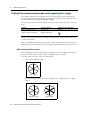
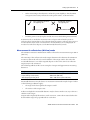
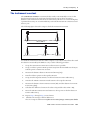
Make sure there are no obstacles between the instrument and the target when taking
measurements. When you need to take measurements across a road or a place where
vehicles or other objects are frequently moving, take several measurements to a target
for the best result.
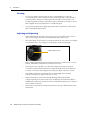
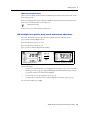
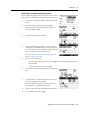
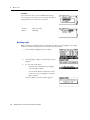
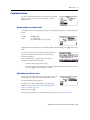
Viewing and changing the measurement settings
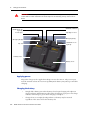
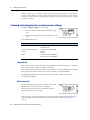
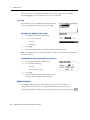
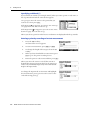
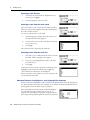
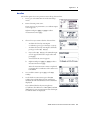
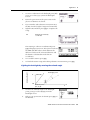
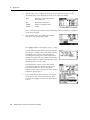
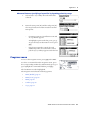
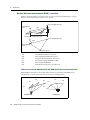
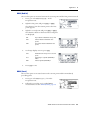
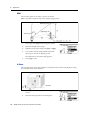
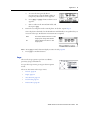
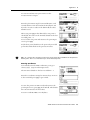
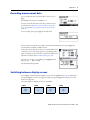
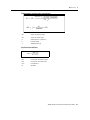
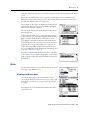
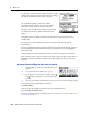
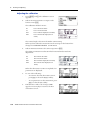
Hold down [MSR1] or [MSR2] for one second.
•
To move the cursor between the fields, press [^]
or [v].
•
To change the value in the selected field, press [<]
or [>].
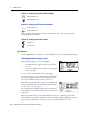
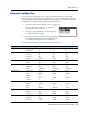
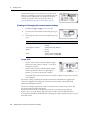
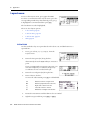
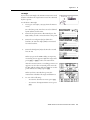
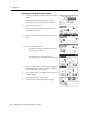
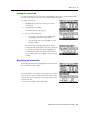
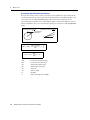
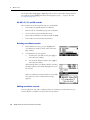
The available values are:
Field
Values
Target
Prism mode
N-Prism mode
Constant (prism constant)
-999 mm through 999 mm
Mode
Precise
Normal
Track
Track (continuous MSR) ON
Track (continuous MSR) OFF
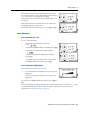
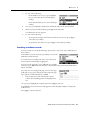
Target field
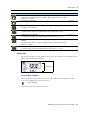
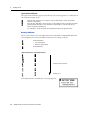
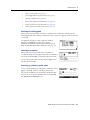
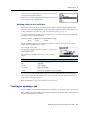
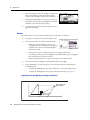
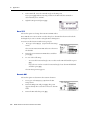
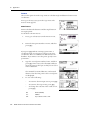
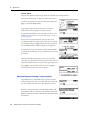
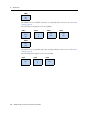
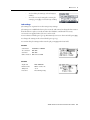
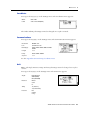
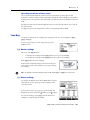
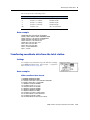
If the measurement is started with the Target field set to Prism mode, there is a dash in
front of the prism constant, for example –18 mm .
If the measurement is started with the Target field set to N-Prism (Reflectorless) mode,
there is square bracket in front of the prism constant, for example ]18 mm.
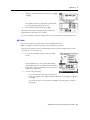
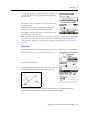
The displayed symbol will continuously move from left to right over the prism
constant in the display.
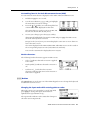
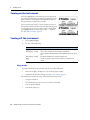
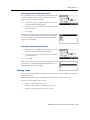
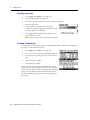
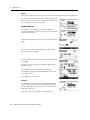
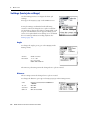
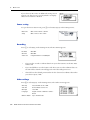
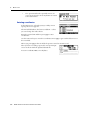
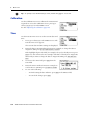
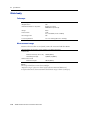
Prism constant
The factory default of the prism constant value of the
TS635 construction total station is -30 mm.
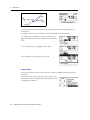
Change the prism constant to match the constant
value of the prism you are using.
Once you have set up the instrument, you can turn on the TS635 construction total
station, change the instrument settings, and start a job. See also Getting Started,
page 33.
32
Trimble TS635 Construction Total Station User Guide