1
Hardware Manual
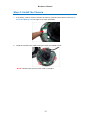
Step 4: Install the Camera
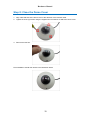
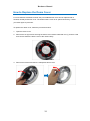
1. If necessary, insert a memory card into the memory card slot of the camera. See How to
Insert the Memory Card on page 21 for more information.
2. Install the camera to the surface using the three (3) bundled screws.
NOTE: Please make sure the screw is flat on the plate.
15