1
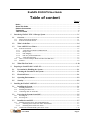
PREFACE Notice The product features and specifications described in this guide are subject to change without notice. The manufacturer shall not be liable for any damage, or the loss of data resulting from the performance or use of the information contained herein. About This Guide Congratulations on your purchase of the ExaSAN (pronounced X-sa-SAN) A16S3-PS, The 16 bay PCIe 3.0 rackmount model of the ExaSAN family, specifically designed for all post production storage. It delivers stability, exceptional performance, and scalable capacity. This guide also contains instructions for installing and using the ExaSAN A16S3-PS system and RAID (Redundant Array of Independent Disks) technologies and RAIDGuardX (ExaSAN’s RAID management software). If you are new to RAID and RAIDGuardX, this guide will help you become familiar with the technology, and assist you in setting up and using RAID on the A16S3-PS. If you are already familiar with ExaSAN, use this guide as a reference for implementing your ExaSAN A16S3-PS solution to achieve maximum performance and reliability. For details of hardware installation, setup, configuration and considerations, see Chapter 1, “Introducing ExaSAN PCIe3.0 Storage System” Chapter 2, “Preparing to Install ExaSAN A16S3-PS” Chapter 3, “Installing ExaSAN A16S3-PS” Chapter 4, “Using RAIDGuardX” Chapter 5, RAID Overview Guide to Conventions Inside the double boxes are important information that users should be aware of: Caution This indicates the existence of a potential hazard that could result in personal injury, damage to your equipment or loss of data if the safety instruction is not observed. Note This indicates useful tips on getting the most from your Accusys RAID system. User Guide Page ii