1
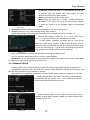
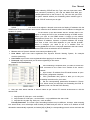
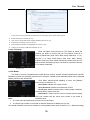
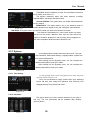
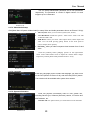
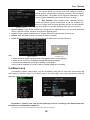
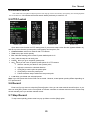
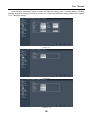
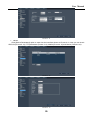
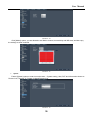
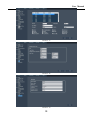
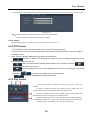
User Manual EMAIL Setup Click [Email Set] to enter into the interface shown as Picture 5-27. Picture 5-27 On the [EMAIL] screen, when Enabling [Email] option, you can set its parameters shown as Picture 5-28. Picture 5-28 SSL: is a security link transport protocol. You can encrypt your communication info (including your email) using SSL to prevent hackers from monitoring your email or communication info and even your password. Generally Gmail.com server set SSL to [On] shown as Picture 5-28, and other mail server to [Off]. If your setting is still not correct, please contact the web site where you have applied for your email box to get SMTP port and SSL of mail box. SMTP Port: indicates sender port of SMTP server. Generally the SMTP port value is 25, but there are exceptions, for example, SMTP port of G-mail server should be 465. SMTP server: indicates server address you use. Sender email: indicates sender’s email address. The email address should be consistent with the server you use. That is to say, when you use email address – [email protected], the according server should be smtp.gmail.com. Receiver address: indicates receiver’s email address. The email address is used to receive image transmitted from motion detection alarm of DVR. Please clear the images you have received as soon as possible to avoid overloading your email account. Note: Sender email is required to enable IMAP/POP3/SMTP function (details please refer to Picture 5-29 & Picture 5-30, which show IMAP/POP3/SMTP Enable setting function for Gmail and SINA mail). Login your GMAIL ID and turn to Settings page. Find out Forwarding and POP/IMAP option and then tick-select [enable IMAP] option. Picture 5-29 18