1
Notice
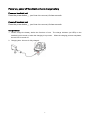
Make sure you carefully read the following information to ensure that your barcode scanner is able to
perform at the level for which it is designed.
1.
All software, including firmware, furnished to the user is on a licensed basis.
2.
The right is reserved to make changes to any software or product to improve reliability, function, or
design.
3.
The material in this manual is subject to change without notice.
4.
The manufacturer assumes no responsibility for any loss or claims by third parties which may arise
from the use of this manual.
5.
A standard kit contains: a handheld unit, a cradle (with USB, or RS-232, or PS2 cable), an antenna,
a 5V AC/DC adaptor (for battery charge) and a CD-ROM (containing software and electrical
manuals).
6.
Do not throw or drop the scanner or otherwise subject it to strong impact, which can damage the
scanner, interrupt program execution, corrupt memory contents, or otherwise interfere with proper
operation.
7.
Use a blunt object to operate the stroke keys. Use of a sharp pointed object can damage stroke
keys and cause shorting of internal circuitry.
8.
Never try to remove the battery from the scanner.
9.
Sudden temperature changes can cause condensation to form on the scanner’s case. Operating
the scanner while condensation is present can interfere with proper operation. Take care to avoid
conditions that cause the formation of condensation. If condensation does form, wait until it dries
completely before using the scanner.
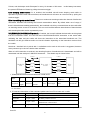
10. The scanner offers two kinds of wireless network topology: point coordination and distributed
coordination. The default setting of wireless network topology is point coordination.
To change
the wireless network topology, you must change the setting of both handheld unit and cradle.
11. The scanners within same working area must apply the same wireless network topology.
12. When the point coordination wireless network topology is used, if multi-clusters are working in the
same area, then each cluster must use a different radio frequency channel. Both of the handheld
unit and cradle must be configured individually.
13. When the distributed coordination wireless network topology is used, if multi-clusters are working in
the same area, it is strongly recommended that different radio frequency channel numbers are
applied to different clusters. While setting up, only the radio frequency channel number of the first
handheld unit of a single cluster is required to be set. When the first handheld unit binds to the
cradle, the cradle will automatically obtain the radio frequency channel number of the handheld unit.
The consecutive joined handheld units will automatically obtain the radio frequency channel number
of the cradle.
14. In order to obtain constantly good communication quality, when in multi-clusters working mode, the
physical space between two cradles is required to be at least 2 meters.
15. In order to obtain constantly good communication quality, it is recommended to place the cradle on
i