1
USB 2.0 to SATA Adapter User’s Manual
Verifying Hard Drive Installation
Upon the USB connection, the system should automatically detect your hard drive.
To verify if your new hard disk is detected:
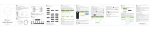
Under Windows: To verify your installation, select Control Panel > System >
(Hardware) > Device Manager. The device USB Mass Storage Device should be
displayed under the Universal Serial Bus Controllers group, and your hard disk
should be displayed under the Disk drives group.
* The screenshot is an example from Windows XP.
Actual disk drive string varies according to your hard disk brand and model.
An USB device monitor icon will appear on the notification area
of the taskbar.
Under Mac: To verify your installation, open the Disk Utility. Your hard disk should
be displayed.
The attached hard drive will be mounted to the desktop and
appears as a removable media device.
3