1
View/generate all reports
View/generate all reports
TIPS
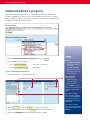
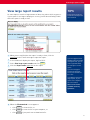
If you can’t see the report you want in the Reports menu on the home page,
select View/generate all reports to choose from a list of supplementary
reports.
Customising and printing
reports
See TIPS pages 19–20.
The report options for feedlot accounts are slightly different from those shown
below, but the report process is the same.
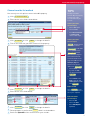
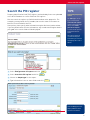
1
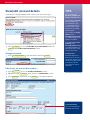
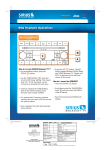
Select View/generate all reports and click 4Go
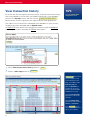
2
Select the report you want and click 4Go
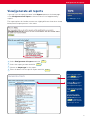
3
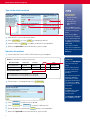
Choose an Output type for the report.
4
Enter the details for the specific report and click 4Go
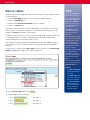
After selecting a report,
click 4Help if you want
more information on
generating reports.
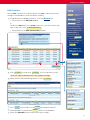
Click the i icon next to
the Report name for a
description of the report.
If this is the one you want,
click 4Go to generate
the report.
You can also choose
Reports available for
this account, then click
4Go to display a list
and description of all the
reports you can run.
29