1
A Step by Step guide to Tutorial Registration (Allocate+)
You must be enrolled into your unit/s in MyStudentRecords (MySR) before you can access Allocate
+
1. Log in to the MyUWS Student Portal using your MyUWSAccount username (your student ID number) and
+
password. Click the ‘Tutorial Registration (Allocate )’ link in the left hand side menu. You will need to log in
again (using your MyUWSAccount details):
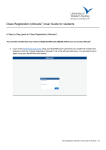
2. When you log in you will be taken to the home screen pictured below:
Tutorial Registration (Allocate+) User Guide for students - 2/7