1
User guide
2
3
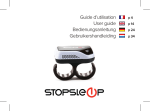
StopSleep is a two finger ring with 8 built-in cutaneous sensors which continually measure your
skin’s conductance and electrodermal activity. This electrodermal activity represents your brain
activity and as soon as your concentration and awareness starts to drop, StopSleep will alert you
immediately.
Congratulations on purchasing StopSleep,
the most effective Anti-sleep alarm on the
market. Get the most out of StopSleep by
taking a few minutes to read this guide.
ENGLISH
Understanding StopSleep
ANTI-SLEEP ALARM
An example of Electrodermal activity as user
moves from an ‘active’ state to ‘microsleep’ and
then ‘sleep.’
4
5
First time use
Switching StopSleep on
To familiarize yourself with the StopSleep alerts, we advise you to test it in an non-dangerous
environment such as at home at night watching television, or even going to bed. This will allow
you to differentiate between the two types of alerts: WARNING! and DANGER! To switch the StopSleep on, press the ON/OFF button for 3 seconds. The unit will beep and flash
green. A succession of sharp beeps will follow, depending on the battery level:
No beeps Battery fully charged
1 Beep
Over 50 % battery charge left
Battery charge level and charging
2 Beeps
Over 25 % battery charge left
From time to time, it is recommended to fully charge/discharge the battery. This will improve the
performance and the longevity of the battery, like any other Lithium battery powered device.
StopSleep can be charged by its micro USB connection.
3 Beeps
About 2 hours of battery time left
4 Beeps
About 1 hour of battery time left
5 Beeps Battery nearly flat, recharge before use
AUDIBLE ALARM
VIBRATION ALARM
ON/OFF SWITCH
MICRO USB CHARGER
STATUS LED
DOUBLE RING
8 SKIN SENSORS
6
Battery charge level when switching the device on:
ENGLISH
We guarantee you will be very quickly convinced of how amazingly effective StopSleep is!
Check that the battery is fully charged and put StopSleep on any two fingers of either your right
or left hand. Whilst the StopSleep skin sensors are establishing contact with your skin, the LED
will flash green every 3 seconds. Once contact has been completely established the LED will then
flash green once every minute. You can check that the unit is on at any time by briefly pressing
the on/off button. The LED will flash green to confirm that it is powered on and has sufficient
charge or will flash red if the battery is nearly flat and needs recharging.
If you remove StopSleep at any time, the device will beep every 2 minutes. This indicates that
it has lost contact with your skin and is no longer monitoring your electrodermal activity and
providing any protection.
7
Turning Off and charging
Turn StopSleep off by pressing the on/off button for 3 seconds. The LED will flash green followed
by a deep tone.
Connect either the home or vehicle charger supplied with StopSleep to the micro USB socket on
the side of the unit. The LED will flash red every 5 seconds to confirm that it is charging correctly.
The LED will turn from red to green once the battery is fully charged.
WARNING!
DANGER!
Vibration
Loud Beep + Vibration
Your concentration has dropped slightly
even though you may not necessarily have
noticed.
Your concentration and awareness
have dropped significantly.
Take a break!
Please Note:
•StopSleep can alert even when you are not feeling obviously tired or drowsy. This could be due to a
number of reasons.
•Your level of attention or concentration can drop imperceptibly without you necessarily noticing.
If your brain activity remains constant for a long time StopSleep might alert you to check your reaction
time (on a long drive for example);
•A big change in temperature can also trigger an alert (due to the sweat from your skin suddenly
changing).
8
Please note:
StopSleep must be switched off when charging. If you attempt to charge StopSleep whilst powered on,
it will beep every 2 minutes. If the battery has been completely discharged it is advisable to re-charge it
using the AC adaptor. If the battery has been completely discharged, it could take up to 15 minutes before
you see the red LED begin to flash indicating that it is charging correctly.
ENGLISH
Understanding StopSleep alarms
If your brain activity drops under a certain level, StopSleep will alert you.
There are 2 levels of alerts:
User Recommendations
StopSleep has been designed to alert in case of drowsiness and drops in concentration and
awareness. StopSleep should not be used as substitute for driving with due care and attention.
The user is responsible for paying full attention to road conditions and under no circumstances
should StopSleep be used to attempt to keep the user awake when feeling over-tired or too tired
to drive safely. When driving always take regular breaks and always take a break at the first signs
of fatigue or a drop in concentration. If StopSleep alerts, stop driving immediately.
9
Explanation of flashes and alerts
StopSleep’s algorithm could be subject to change. It is strongly recommended to register the unit
online at www.stopsleep.com.au or www.stopsleep.co.nz in the “PRODUCT REGISTRATION”
section in order to be kept informed of any changes and update your device if necessary.
CAPTION
StopSleep comes with a one year warranty. The warranty applies to a fair use of the StopSleep
device. Problems arising from lack of care or misuse (falls, humidity, water exposure, tampering,
etc…) would void the warranty. It is strongly recommended to keep it in its carry case when not
use.
Green LED
Beep
Red LED
Melody
SWITCHING ON
Vibration
ENGLISH
Online registration and warranty
Press the ON/OFF button for 3 seconds.
Technical support and After Sales Service
If you have any further question on how to use StopSleep, please visit
www.stopsleep.com.au or www.stopsleep.co.nz where you will find more detailed product
information, “FREQUENTLY ASKED QUESTIONS” and technical support. You will also find
information on the return policy and procedure should you encounter a problem with
StopSleep.
Start
Over 50 % battery charge left
Over 25 % battery charge left
About 2 hours of battery time left
About 1 hour of battery time left
Battery nearly flat, recharge before use
10
11
SWITCHING OFF
IN USE
Press the ON/OFF button for 3 seconds.
3 sec
1 min
Everything is ok
2 sec
2 min
Skin not detected / device removed
ALERTES
ENGLISH
Device switched off
CHARGING STOPSLEEP
StopSleep must be switched off while charging.
WARNING! = Your concentration has started to drop.
DANGER! = Your attention has dropped significantly
5 sec
Charging
5 sec
Charging completed
Low battery, the device will need charging soon
Very low battery
Battery flat, device will switch off
12
Note
If the battery has been completely discharged it is advisable to re-charge it using the AC adaptor. If the
battery has been completely discharged, it could take up to 15 minutes before you see the red LED begin
to flash indicating that it is charging correctly.
13
StopSleep.com.au or StopSleep.co.nz