1
DDS Options
17
3.2 DDS Options
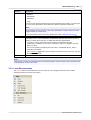
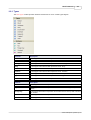
Select Add-Ins | DDS Technology | Options... menu option to display the Options dialog. There are three
groups of DDS Options:
· General Options 17
· RTIDDS Options 18
· OSPLDDS Options
20
3.2.1 General Options
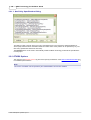
The options in the General Options tag are used to specify the general behavior and Qos properties of the
MDG Technology for DDS.
Field/Button
Description
Ignore validation warnings
Select the checkbox to ignore any DDS warning messages during the
model validation process.
Show as Entity
Compartments
Select the checkbox to enable the Qos Policies to be displayed on DDS
entities using the compartment notation.
Create Automatically for new
Entities
Select the checkbox to enable the Qos Policy properties to be automatically
created when new DDS Entities are created in the model. Enabling this
option requires the Qos Policy specifications to be defined using the Qos
Policy Specifications 18 dialog 18 .
Set Specifications...
Click on this button to open the Qos Policy Specifications
18
dialog
18
.
© 2007-2009 Sparx Systems Pty Ltd