1
Chapter 1: Introduction
Important:
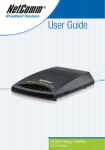
Please read the instructions and insert your Driver CD before connecting
your NB2 USB ADSL Modem. Do not connect your Modem to your
Computer until instructed to do so. You must install the Modem Software
before connecting your modem.
About ADSL
Asymmetric Digital Subscriber Line (ADSL) technology provides high-speed data access across
regular phone lines (copper wires) by making use of previously unused frequency bandwidth above
the voice band. By placing the ADSL signal above the frequency of the voice signal, ADSL service
is able to coexist on the same line with your telephone service. ADSL is asymmetric in the sense
that it provides a higher data rate in the downstream (receive) direction than in the upstream
(transmit) direction. Asymmetric operation is ideal for typical home and small office use where files
and information are downloaded more frequently than uploaded.
Microfilters
If you wish to use standard phone devices on your phone line as well as an ADSL service, you
should use microfilters on each device as specified on page 6.
YML706 Rev2
www.netcomm.com.au
NetComm NB2 USB ADSL Modem
3