1
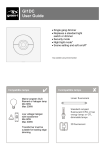
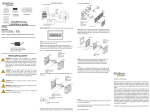
GI2DC User Guide Double gang dimmer Replaces a standard light switch or dimmer Security mode Night light mode* Scene setting and soft on/off* *only available using remote handset GI2DT installation This product should be installed in accordance with the current IEE wiring regulations. If in doubt consult a qualified electrician. Compatible with all BS4662 dimensions back boxes. Use the extender if there is less than 25mm free space. REMEMBER—put the wires through the extender before connecting Remove top and bottom lugs if fitted. Do not overtighten wiring—1 way switching If the lights are controlled from one location only, wire as in the diagram. The diagram shows a single output being used– for two gang switching simply duplicate using the other output. 2 Gang May have red or brown sleeve 2 1 2 1 wiring—2 way switching Where lighting is switched from more than one location, this unit can be used with another single gang light switch. N.B. do not use with another dimmer switch. Depending on the installation, wire using one of the diagrams below. 2 Way Switching—A May have red or brown sleeve 2 1 2 Way Switching—B May have red or brown sleeve 2 1 operation Short press left or right —lights on output 1 or 2 Long press left or right —lights dim up output 1 or 2 When lights on Short press left or right—lights off output 1 or 2 Long press left or right—lights dim down output 1 or 2 When lights off Long press—change brightness of green-i locator setup Remove front cover Security mode activated. 4 hours time selected (see remote handset for details). Security mode deactivated (can be overridden by remote handset). Master reset. Flick switch on then off within 2 seconds to restore factory default settings. remote control* *sold separately To set scene levels: adjust lights to desired level on each output store scene using this sequence special features Overload protection An internal temperature sensor on the device ensures that if the unit is overloaded or the ambient temperature rating is exceeded then the no permanent damage is caused to the unit. When an excessive temperature is measured, the output will dim down until the correct temperature is restored. The green-i locator will flash to warn that this is happening. Adaptive dimming control To enable the correct dimming level to be selected easily by the user, the off button is disabled for a short period of time during adjustments, enabling it to be used just for down control. Security mode If your house is vacant and you want the lights to give the impression that someone is in, use the security mode. Shortly after it gets dark outside (15 minutes) the lights will turn on, and then turn off after a preset period of time. The dimming level for security mode will be the last level used or 50% whichever is greater. Soft on To prevent the discomfort of bright lights turning on when you wake up, this mode senses the daylight level and if it is very dark will dim the lights up slowly for maximum user comfort. troubleshooting The unit gets warm when on It is completely normal for the front of the unit to feel slightly warm. The lights won’t dim up or down or flicker Are they compatible—see the guide on the first page? Is the total wattage higher than the minimum load? Ensure that when using low voltage lighting the transformer is dimmable The green-i locator is off or dim This is only on when the lights are off The brightness of the locator can be changed by pushing and holding the down button when the lights are off ratings Voltage Frequency Temperature Power Compliance 230VAC +/- 10% 50Hz 0ºC to 35ºC see ratings on front page BS EN60669-2-1 & BS EN55015 EU registered design no. 000638069-0003, 000638069-0004 IMPORTANT NOTICE! This device should be installed by a qualified electrician in accordance with the latest edition of the IEE wiring regulations. FM 45789 EMS 534520 Due to our policy of continual product improvement CP Electronics reserves the right to alter the specification of this product without prior notice. C.P. Electronics Ltd Brent Crescent London NW10 7XR United Kingdom Tel: + 44 (0) 333 900 0671 Fax: + 44 (0) 333 900 0674 www.green-iswitches.co.uk [email protected] Ref #WD279 Issue 2