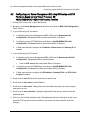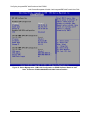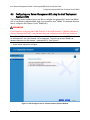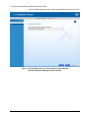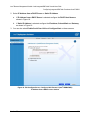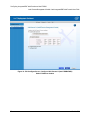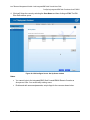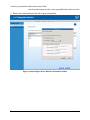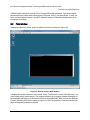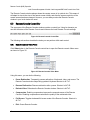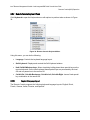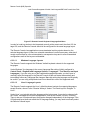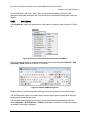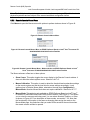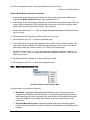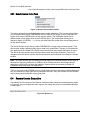
1
Intel® Remote Management Module 4 and Integrated BMC Web Console User Guide Revision 2.2 January, 2012 Enterprise Platforms and Services Division Revision History Intel® Remote Management Module 4 and Integrated BMC Web Console User Guide Revision History Date ii February 2011 Revision Number 1.0 December 2011 2.0 December 2011 2.1 January 2012 2.2 Modifications After second review. Screen captures updated. Renamed document and added EPSD Platforms Based on Intel® Xeon® Processor E5-4600/2600/2400/1600/1400 Product Families. Update for new speed POR. Added AXXRMM4R. Added description of Mouse Mode ‘Other’. Added description of KVM mouse mode selection capability. Revision 2.2 Intel® Remote Management Module 4 and Integrated BMC Web Console User Guide Disclaimers Disclaimers Information in this document is provided in connection with Intel® products. No license, express or implied, by estoppel or otherwise, to any intellectual property rights is granted by this document. Except as provided in Intel’s Terms and Conditions of Sale for such products, Intel assumes no liability whatsoever, and Intel disclaims any express or implied warranty, relating to sale and/or use of Intel products including liability or warranties relating to fitness for a particular purpose, merchantability, or infringement of any patent, copyright or other intellectual property right. Intel products are not designed, intended or authorized for use in any medical, lifesaving, or life sustaining applications or for any other application in which the failure of the Intel product could create a situation where personal injury or death may occur. Intel may make changes to specifications and product descriptions at any time, without notice. Intel server boards contain a number of high-density VLSI and power delivery components that need adequate airflow for cooling. Intel’s own chassis are designed and tested to meet the intended thermal requirements of these components when the fully integrated system is used together. It is the responsibility of the system integrator that chooses not to use Intel developed server building blocks to consult vendor datasheets and operating parameters to determine the amount of airflow required for their specific application and environmental conditions. Intel Corporation cannot be held responsible if components fail or the server board does not operate correctly when used outside any of their published operating or non-operating limits. Intel is a trademark of Intel Corporation in the U.S. and other countries. Microsoft*, Windows*, and Windows Server* are trademarks, or registered trademarks of Microsoft ® Corporation in the United States and/or other countries. * Other names and brands may be claimed as the property of others. Copyright © Intel Corporation 2012. All rights reserved. Revision 2.2 iii Table of Contents Intel® Remote Management Module 4 and Integrated BMC Web Console User Guide Table of Contents 1. Introduction .......................................................................................................................... 1 1.1 Target Audience ...................................................................................................... 1 1.2 Terminology ............................................................................................................. 1 1.3 Safety Information .................................................................................................... 2 1.4 Support Information ................................................................................................. 6 1.5 Warranty Information ............................................................................................... 6 ® 2. Intel Remote Management Module 4 Overview ................................................................ 7 2.1 Intel® RMM4 Lite and Intel®Dedicated Server Management NIC .............................. 7 2.2 Intel® RMM4 Features.............................................................................................. 8 2.3 Supported Operating Systems and Internet Browsers ............................................ 8 2.3.1 Server System ......................................................................................................... 9 2.3.2 Client System ........................................................................................................... 9 3. Hardware Installations and Initial Configuration ............................................................. 10 3.1 Before You Begin ................................................................................................... 10 3.2 Tools and Supplies Needed ................................................................................... 10 3.3 Installation .............................................................................................................. 10 3.3.1 Installation of Intel® RMM4 Lite on Intel® Server Boards ....................................... 10 3.3.2 Installation of the Intel® Dedicated Server Management NIC on an Intel® Rack Server System ...................................................................................................................... 12 3.3.3 Installation of the Intel® Dedicated Server Management NIC on an Intel® Pedestal Server System ...................................................................................................................... 16 3.3.4 Installation of the Intel® Dedicated Server Management NIC on a Third Party Pedestal Chassis .................................................................................................................. 19 4. Configuring Integrated BMC Web Console and Intel® RMM4 ......................................... 22 4.1 Configuring your Server Management NIC using BIOS setup on S1200BTL ........ 23 4.2 Configuring your Server Management NIC using BIOS setup on EPSD Platforms Based on Intel® Xeon® Processor E5-4600/2600/2400/1600/1400 Product Families ............. 25 4.3 Configuring your Server Management NIC using the Intel® Deployment Assistant (IDA) 27 4.4 Configuring your Server Management NIC using the Intel® System Configuration Utility (SysConfig) .................................................................................................................... 36 4.4.1 Configure User ....................................................................................................... 36 4.4.2 Configuring IP address .......................................................................................... 36 4.4.3 Configuring Serial Over LAN ................................................................................. 36 5. Getting Started with Intel® RMM4 Operation .................................................................... 37 5.1 Before You Begin ................................................................................................... 37 5.1.1 Client Browsers ...................................................................................................... 37 5.2 Logging In .............................................................................................................. 38 5.3 Navigation .............................................................................................................. 39 iv Revision 2.2 Intel® Remote Management Module 4 and Integrated BMC Web Console User Guide Table of Contents 5.4 Online Help ............................................................................................................ 41 5.5 Logging Out ........................................................................................................... 41 6. Remote Console (KVM) Operation .................................................................................... 43 6.1 Launching the Redirection Console ....................................................................... 43 6.2 Main Window ......................................................................................................... 45 6.3 Remote Console Control Bar ................................................................................. 46 6.3.1 Remote Console Video Menu ................................................................................ 46 6.3.2 Remote Console Keyboard Menu .......................................................................... 47 6.3.3 Remote Console Mouse Menu ............................................................................... 50 6.3.4 Remote Console Options Menu ............................................................................. 51 6.3.5 Remote Console Device Menu .............................................................................. 52 6.4 Remote Console Status Line ................................................................................ 52 ® 7. Intel Integrated BMC Web Console Options .................................................................. 53 7.1 System Information Tab ......................................................................................... 54 7.1.1 System Information page ....................................................................................... 54 7.1.2 Field Replaceable Unit (FRU) Information Page ................................................... 56 7.1.3 System Debug Log Page ....................................................................................... 57 7.1.4 DIMM Information Page ......................................................................................... 61 7.1.5 CPU Information Page on EPSD Platforms Based on Intel® Xeon® Processor E5-4600/2600/2400/1600/1400 Product Families ............................................................... 62 7.2 Server Health Tab .................................................................................................. 63 7.2.1 Sensor Readings Page .......................................................................................... 63 7.2.2 Event Log Page ..................................................................................................... 65 7.2.3 Power Statistics Page ............................................................................................ 67 7.3 Configuration Tab .................................................................................................. 68 7.3.1 Network or IPv4 Network Page .............................................................................. 68 7.3.2 IPv6 Page on EPSD Platforms Based on Intel® Xeon® Processor E5-4600/2600/2400/1600/1400 Product Families ............................................................... 71 7.3.3 Users page ............................................................................................................ 73 7.3.4 Login Security Settings Page ................................................................................. 75 7.3.5 LDAP Settings Page .............................................................................................. 76 7.3.6 VLAN Page on EPSD Platforms Based on Intel® Xeon® Processor E5-4600/2600/2400/1600/1400 Product Families ............................................................... 78 7.3.7 SSL Upload Page .................................................................................................. 79 7.3.8 Remote Session Page ........................................................................................... 79 7.3.9 Mouse Mode Page ................................................................................................. 82 7.3.10 Keyboard Macros Page ......................................................................................... 85 7.3.11 Alerts Page ............................................................................................................ 87 7.3.12 Alert Email Page .................................................................................................... 89 7.3.13 Node Manager Power Polices Page on EPSD Platforms Based on Intel® Xeon® Processor E5-4600/2600/2400/1600/1400 Product Families .............................................. 90 Revision 2.2 v Table of Contents Intel® Remote Management Module 4 and Integrated BMC Web Console User Guide 7.4 Remote Control tab ................................................................................................ 93 7.4.1 Console Redirection Page ..................................................................................... 93 7.4.2 Server Power Control Page ................................................................................... 94 7.4.3 Virtual Front Panel Page on EPSD Platforms Based on Intel® Xeon® Processor E5-4600/2600/2400/1600/1400 Product Families ............................................................... 96 vi Revision 2.2 Intel® Remote Management Module 4 and Integrated BMC Web Console User Guide List of Figures List of Figures Figure 1: Intel® RMM4 Lite ............................................................................................................ 7 Figure 2: Intel® Dedicated Server Management NIC .................................................................... 8 Figure 3: Installing Intel® RMM4 Lite on Intel® Server Boards .................................................... 11 Figure 4: Attaching the bracket to Intel® Dedicated Server Management NIC module ............... 13 Figure 5: Attaching the cable to Intel® Dedicated Server Management NIC module .................. 13 Figure 6: Adding the Intel® Dedicated Server Management NIC module in the Intel® Server System R1304BTLSFAN/R1304BTLSHBN and R2000SC Family ...................................... 14 Figure 7: Adding the Intel® Dedicated Server Management NIC module in the Intel® Server System R1000BB, R1000GZ/GL, and R2000GZ/GL Familes .............................................. 15 Figure 8: Attaching the bracket to Intel® Dedicated Server Management NIC module ............... 16 Figure 9: Adding the Intel® Dedicated Server Management NIC module in an Intel® Server System P4304BTLSHCN/P4304BTLSFCN ......................................................................... 17 Figure 10: Adding the Intel® Dedicated Server Management NIC module in an Intel® Server System P4xxxCP family and P4xxxSC family ...................................................................... 18 Figure 11: Attaching the bracket to Intel® Dedicated Server Management NIC module ............. 19 Figure 12: Mounting the Intel® Dedicated Server Management NIC module to the PCI Slot bracket.................................................................................................................................. 20 Figure 13: Adding the Intel® Dedicated Server Management NIC module on a 3rd Party Chassis21 Figure 14: Server Management – BMC LAN Configuration on S1200BTL ................................. 24 Figure 15: Server Management – BMC LAN Configuration on EPSD Platforms Based on Intel® Xeon® Processor E5-4600/2600/2400/1600/1400 Product Families .................................... 26 Figure 16: IDA Configure Server: Communication Options Window .......................................... 27 Figure 17: IDA Configure Server: Communication Options Window No Dedicated Server Management NIC installed. .................................................................................................. 28 Figure 18: IDA Configure Server: Configure LAN Channel 3 (Intel® RMM4 DMN) IP Address from a DHCP server window ................................................................................................ 29 Figure 19: IDA Configure Server: Configure LAN Channel 3 (Intel® RMM4 DMN) Static IP Address window ................................................................................................................... 30 Figure 20: IDA Configure Server: Set Up Users window ............................................................ 31 Figure 21: IDA Configure Server: Edit User Information window ................................................ 32 Figure 22: IDA Configure Server: Apply Configuration window .................................................. 33 Figure 23: IDA Configure Server: Applying Configuration progress window............................... 34 Figure 24: IDA Configure Server: Restart Server ....................................................................... 35 Figure 25: Internet Explorer 8* displaying encryption key length ................................................ 37 Revision 2.2 vii List of Figures Intel® Remote Management Module 4 and Integrated BMC Web Console User Guide Figure 26: Intel® Integrated BMC Web Console Login Page ...................................................... 38 Figure 27: Integrated BMC Web Console Home Page ............................................................... 39 Figure 28: Launching the Online Help ........................................................................................ 41 Figure 29: Logging Out of Integrated BMC Web Console – Step 1 ............................................ 42 Figure 30: Logging Out of Integrated BMC Web Console – Step 2 ............................................ 42 Figure 31: Remote Control Console Redirection Page ............................................................... 43 Figure 32: Remote Console ........................................................................................................ 44 Figure 33: Remote Console Main Window ................................................................................. 45 Figure 34: Remote Console Control Bar ..................................................................................... 46 Figure 35: Remote Console Video Menu .................................................................................... 46 Figure 36: Remote Console Keyboard Menu .............................................................................. 47 Figure 37: Remote Console Keyboard Language Sub Menu ..................................................... 48 Figure 38: Remote Console Keyboard Soft Keyboard Sub Menu .............................................. 49 Figure 39: Remote KVM Soft Keyboard ...................................................................................... 49 Figure 40: Remote Console Mouse Menu .................................................................................. 50 Figure 41: Remote Console Mouse Menu on EPSD Platforms Based on Intel® Xeon® Processor E5 4600/2600/2400/1600/1400 Product Families ................................................................ 50 Figure 42: Remote Console Mouse Menu - Mode selection on EPSD Platforms Based on Intel® Xeon® Processor E5 4600/2600/2400/1600/1400 Product Families .................................... 50 Figure 43: Remote Console Options Menu ................................................................................. 51 Figure 44: Remote Console Device Menu .................................................................................. 52 Figure 45: Status Line ................................................................................................................. 52 Figure 46: Busy Indicator Bar ..................................................................................................... 53 Figure 47: System Information Page on S1200BTL platforms .................................................... 54 Figure 48: System Information Page on EPSD Platforms Based on Intel® Xeon® Processor E54600/2600/2400/1600/1400 Product Families ...................................................................... 55 Figure 49: System Information FRU Information Page ............................................................... 56 Figure 50: System Information System Debug Log Page ........................................................... 57 Figure 51: System Debug Log Page on EPSD Platforms Based on Intel® Xeon® Processor E54600/2600/2400/1600/1400 Product Families ...................................................................... 59 Figure 52: System Information DIMM Information Page ............................................................. 61 Figure 53: System Information CPU Information Page on EPSD Platforms Based on Intel ® Xeon® Processor E5-4600/2600/2400/1600/1400 Product Families .................................... 62 Figure 54: Server Health Sensor Readings Page (Thresholds not displayed) ........................... 63 Figure 55: Server Health Sensor Readings Page (Thresholds displayed) ................................. 64 Figure 56: Server Health Event Log Page on S1200BTL platforms ........................................... 65 Figure 57: Server Health Event Log Page on EPSD Platforms Based on Intel® Xeon® Processor E5-4600/2600/2400/1600/1400 Product Families ................................................................ 66 viii Revision 2.2 Intel® Remote Management Module 4 and Integrated BMC Web Console User Guide List of Figures Figure 58: Server Health Power Statistics Page ......................................................................... 67 Figure 59: Configuration Network Settings Page on S1200BTL platforms ................................. 68 Figure 60: Configuration IPv4 Network Settings Page on EPSD Platforms Based on Intel ® Xeon® Processor E5-4600/2600/2400/1600/1400 Product Families .................................... 69 Figure 61: Configuration IPv6 Page on EPSD Platforms Based on Intel® Xeon® Processor E54600/2600/2400/1600/1400 Product Families ...................................................................... 71 Figure 62: Configuration User List Page ..................................................................................... 73 Figure 63: Configuration Users Add User Page .......................................................................... 74 Figure 64: Configuration Users Modify User Page ..................................................................... 74 Figure 65: Configuration Login Security Settings Page on S1200BTL platforms ....................... 75 Figure 66: Configuration Login Security Settings Page on EPSD Platforms Based on Intel ® Xeon® Processor E5-4600/2600/2400/1600/1400 Product Families .................................... 76 Figure 67: Configuration LDAP Settings Page ............................................................................ 76 Figure 68: Configuration VLAN Settings on EPSD Platforms Based on Intel® Xeon® Processor E5-4600/2600/2400/1600/1400 Product Families ................................................................ 78 Figure 69: Configuration SSL Upload Page ................................................................................ 79 Figure 70: Configuration Remote Session Page on S1200BTL platforms .................................. 80 Figure 71: Configuration Remote Session Page on EPSD Platforms Based on Intel® Xeon® Processor E5-4600/2600/2400/1600/1400 Product Families ............................................... 81 Figure 72: Configuration Mouse Mode Setting Page on S1200BTL platforms ........................... 82 Figure 73: Configuration Mouse Mode Setting Page on EPSD Platforms Based on Intel® Xeon® Processor E5-4600/2600/2400/1600/1400 Product Families ............................................... 83 Figure 74: KVM window with Mouse Other Mode selected on EPSD Platforms Based on Intel® Xeon® Processor E5-4600/2600/2400/1600/1400 Product Families .................................... 84 Figure 75: Configuring Keyboard Macros Page .......................................................................... 85 Figure 76: Configuration Alerts Page on S1200BTL platforms ................................................... 87 Figure 77: Configuration Alerts Page on EPSD Platforms Based on Intel® Xeon® Processor E54600/2600/2400/1600/1400 Product Families ...................................................................... 88 Figure 78: Configuration Alert Email Page .................................................................................. 89 Figure 79: Configuration Node Manager Page on EPSD Platforms Based on Intel® Xeon® Processor E5-4600/2600/2400/1600/1400 Product Families ............................................... 90 Figure 80: Configuration Node Manager Page with Use Poilicy Suspend Period selected ........ 92 Figure 81: Remote Control Console Redirection Page ............................................................... 93 Figure 82: Remote Control Server Power Control Page on S1200BTL platforms ...................... 94 Figure 83: Remote Control Server Power Control Page on EPSD Platforms Based on Intel® Xeon® Processor E5-4600/2600/2400/1600/1400 Product Families .................................... 95 Figure 84: Remote Control Virutal Front Panel Page on EPSD Platforms Based on Intel® Xeon® Processor E5-4600/2600/2400/1600/1400 Product Families ............................................... 96 Revision 2.2 ix List of Tables Intel® Remote Management Module 4 and Integrated BMC Web Console User Guide List of Tables Table 1: Terminology .................................................................................................................... 1 Table 2: Intel® Server Boards RMM4 Lite Connector Locations ................................................. 11 Table 3: Intel® Rack Server Systems Chassis mounted Intel® Dedicated Server Management NIC – RMM4 NIC Connector Locations ............................................................................... 12 Table 4: Intel® Pedestal Server Systems with Chassis mounted Intel® Dedicated Server Management NIC – RMM4 NIC Connector Locations ......................................................... 17 Table 5: Intel® Server Boards RMM4 NIC Connectors ............................................................... 21 Table 6: Integrated BMC Web Console home page tabs ........................................................... 39 Table 7: Horizontal Toolbar Buttons ........................................................................................... 40 Table 8: System Information Details ........................................................................................... 54 Table 9: Server Health Sensor Readings Options ...................................................................... 64 Table 10: Server Health Event Log Options on S1200BTL platforms ......................................... 65 Table 11: Configuration IPv4 Network Settings Options ............................................................. 69 Table 12: Configuration IPv6 Network Settings Options ............................................................. 72 Table 13: Configuration LDAP Settings Options ......................................................................... 77 Table 14: Configuration VLAN Settings Options ......................................................................... 78 Table 15: Configuration Remote Session Options ...................................................................... 80 Table 16: Configuration Remote Session Options ...................................................................... 81 Table 17: Macro Non-printable Key Names ................................................................................ 86 Table 18: Configuration Alerts Options ....................................................................................... 87 Table 19: Configuration Alert Email Options ............................................................................... 89 Table 20: Configuration Node Manager Options ........................................................................ 90 Table 21: Remote Control Power Control Options ...................................................................... 94 Table 22: Remote Control Virtual Front Panel Options ............................................................... 96 x Revision 2.2 Intel® Remote Management Module 4 and Integrated BMC Web Console User Guide List of Tables <This page is intentionally left blank.> Revision 2.2 xi Intel® Remote Management Module 4 and Integrated BMC Web Console User Guide 1. Introduction Introduction This User Guide describes how to use the Intel® Remote Management Module 4 (hereinafter referred to as Intel® RMM4) and the Integrated BMC Web Console. It provides an overview of the features of the Web console and the RMM4 module along with instructions on how to set up and operate the Intel® RMM4. The Intel® Integrated BMC Web Console provides both exceptional stability and permanent availability independent of the present state of the server’s operating system. As a system administrator, you can use the Intel® Integrated BMC Web Console to gain location-independent remote access to respond to critical incidents and to undertake necessary maintenance. Designed to work with the Baseboard Management Controller (BMC), the Intel® RMM4 is a small form-factor mezzanine card that enables remote KVM and media redirection on your server system, via the built-in Web Console, from anywhere, at any time. 1.1 Target Audience This User Guide is intended for system technicians who are responsible for monitoring their server systems with the Intel® Integrated BMC Web Console. As a system administrator, you can use the Intel® Integrated BMC Web Console to gain location-independent remote access to respond to critical incidents. You can use the Intel® RMM4 to install, update, and monitor your operating system. 1.2 Terminology The following table lists the terminology used in this document and the description: Table 1: Terminology Word/Acronym Definition ARP Address Resolution Protocol BMC Baseboard Management Controller DHCP Dynamic Host Configuration Protocol DNS Domain Name System ICMP ® Internet Control Message Protocol Intel ASMI Intel® Advanced Server Management Interface Intel® RMM4 Intel® Remote Management Module 4 IPMI Intelligent Platform Management Interface KVM Keyboard, Video and Mouse LAN Local Area Network LDAP Lightweight Directory Access Protocol MAC Media Access Controller MII Media Independent Interface NIC Network Interface Controller OOB Out Of Band- No operating system interaction on Server Revision 2.2 1 Introduction Intel® Remote Management Module 4 and Integrated BMC Web Console User Guide Word/Acronym 1.3 Definition SDR Sensor Data Record TCP/IP Transmission Control Protocol/Internet Protocol UDP User Datagram Protocol Safety Information WARNING Before working with your Intel® RMM4 server product - whether you are using this guide or any other resource as a reference - pay close attention to the safety instructions. You must adhere to the assembly instructions in this guide to ensure and maintain compliance with existing product certifications and approvals. Use only the described regulated components specified in this guide. Use of other products/components will void the UL listing and other regulatory approvals of the product and will most likely result in noncompliance with product regulations in the region(s) in which the product is sold. WARNINGS System power on/off: The server power button DOES NOT turn off the system power or Intel® RMM4 power. To remove power from the Intel® RMM4 you must unplug the server AC power cord from the wall outlet. Make sure the AC power cord is unplugged before you open the chassis to add or remove the Intel® RMM4. Hazardous conditions, devices and cables: Hazardous electrical conditions may be present on power, telephone, and communication cables. Turn off the server and disconnect the power cord, telecommunications systems, networks, and modems attached to the server before opening it. Otherwise, personal injury or equipment damage can result. Electrostatic discharge (ESD) and ESD protection: ESD can damage disk drives, boards, and other parts. We recommend that you perform all procedures in this chapter only at an ESD workstation. If one is not available, provide some ESD protection by wearing an antistatic wrist strap attached to chassis groundany unpainted metal surfaceon your server when handling parts. ESD and handling boards: Always handle boards carefully. They can be extremely sensitive to ESD. Hold boards only by their edges. After removing a board from its protective wrapper or from the server, place the board component side up on a grounded, static free surface. Use a conductive foam pad if available but not the board wrapper. Do not slide board over any surface. Installing or removing jumpers: A jumper is a small plastic encased conductor that slips over two jumper pins. Some jumpers have a small tab on top that you can grip with your fingertips or with a pair of fine needle nosed pliers. If your jumpers do not have such a tab, take care when using needle nosed pliers to remove or install a jumper; grip the narrow sides of the jumper with the pliers, never the wide sides. Gripping the wide sides can damage the contacts inside the jumper, causing intermittent problems with the function controlled by that jumper. Take care to grip with, but not squeeze, the pliers or other tools you use to remove a jumper, or you may bend or break the pins on the board. 2 Revision 2.2 Intel® Remote Management Module 4 and Integrated BMC Web Console User Guide Introduction Safety Cautions Read all caution and safety statements in this document before performing any of the instructions. See also Intel® Server Boards and Server Chassis Safety Information at http://www.intel.com/support/motherboards/server/sb/cs-010770.htm. SAFETY STEPS: Whenever you remove the chassis covers to access the inside of the system, follow these steps: 1. Turn off all peripheral devices connected to the system. 2. Turn off the system by pressing the power button. 3. Unplug all AC power cords from the system or from wall outlets. 4. Label and disconnect all cables connected to I/O connectors or ports on the back of the system. 5. Provide some electrostatic discharge (ESD) protection by wearing an antistatic wrist strap attached to chassis ground of the system—any unpainted metal surface— when handling components. 6. Do not operate the system with the chassis covers removed. A microprocessor and heat sink may be hot if the system has been running. Also, there may be sharp pins and edges on some board and chassis parts. Contact should be made with care. Consider wearing protective gloves. Wichtige Sicherheitshinweise Lesen Sie zunächst sämtliche Warn- und Sicherheitshinweise in diesem Dokument, bevor Sie eine der Anweisungen ausführen. Beachten Sie hierzu auch die Sicherheitshinweise zu Intel®Serverplatinen und -Servergehäusen auf der Ressourcen-CD oder unter http://www.intel.com/support/motherboards/server/sb/cs-010770.htm. SICHERHEISMASSNAHMEN: Immer wenn Sie die Gehäuseabdeckung abnehmen um an das Systeminnere zu gelangen, sollten Sie folgende Schritte beachten: Revision 2.2 1. Schalten Sie alle an Ihr System angeschlossenen Peripheriegeräte aus. 2. Schalten Sie das System mit dem Hauptschalter aus. 3. Ziehen Sie den Stromanschlußstecker Ihres Systems aus der Steckdose. 4. Auf der Rückseite des Systems beschriften und ziehen Sie alle Anschlußkabel von den I/O Anschlüssen oder Ports ab. 5. Tragen Sie ein geerdetes Antistatik Gelenkband, um elektrostatische Ladungen (ESD) über blanke Metallstellen bei der Handhabung der Komponenten zu vermeiden. 6. Schalten Sie das System niemals ohne ordnungsgemäß montiertes Gehäuse ein. 3 Introduction Intel® Remote Management Module 4 and Integrated BMC Web Console User Guide Der Mikroprozessor und der Kühler sind möglicherweise erhitzt, wenn das System in Betrieb ist. Außerdem können einige Platinen und Gehäuseteile scharfe Spitzen und Kanten aufweisen. Arbeiten an Platinen und Gehäuse sollten vorsichtig ausgeführt werden. Sie sollten Schutzhandschuhe tragen. 重要安全指导 在执行任何指令之前,请阅读本文档中的所有注意事项及安全声明。参见 Resource CD(资源光 盘) 和/或 http://www.intel.com/support/motherboards/server/sb/cs-010770.htm 上的 Intel® Server Boards and Server Chassis Safety Information(《Intel® 服务器主板与服务器机箱安全信 息》)。 Consignes de sécurité Lisez attention toutes les consignes de sécurité et les mises en garde indiquées dans ce document avant de suivre toute instruction. Consultez Intel® Server Boards and Server Chassis Safety Information sur le CD Resource CD ou bien rendez-vous sur le site http://www.intel.com/support/motherboards/server/sb/cs-010770.htm . CONSIGNES DE SÉCURITÉ -Lorsque vous ouvrez le boîtier pour accéder à l’intérieur du système, suivez les consignes suivantes: 1. Mettez hors tension tous les périphériques connectés au système. 2. Mettez le système hors tension en mettant l’interrupteur général en position OFF (bouton-poussoir). 3. Débranchez tous les cordons d’alimentation c.a. du système et des prises murales. 4. Identifiez et débranchez tous les câbles reliés aux connecteurs d’E-S ou aux accès derrière le système. 5. Pour prévenir les décharges électrostatiques lorsque vous touchez aux composants, portez une bande antistatique pour poignet et reliez-la à la masse du système (toute surface métallique non peinte du boîtier). 6. Ne faites pas fonctionner le système tandis que le boîtier est ouvert. Le microprocesseur et le dissipateur de chaleur peuvent être chauds si le système a été sous tension. Faites également attention aux broches aiguës des cartes et aux bords tranchants du capot. Nous vous recommandons l'usage de gants de protection. Instrucciones de seguridad importantes Lea todas las declaraciones de seguridad y precaución de este documento antes de realizar cualquiera de las instrucciones. Vea Intel® Server Boards and Server Chassis Safety Information en el CD Resource y/o en http://www.intel.com/support/motherboards/server/sb/cs010770.htm . 4 Revision 2.2 Intel® Remote Management Module 4 and Integrated BMC Web Console User Guide Introduction INSTRUCCIONES DE SEGURIDAD: Cuando extraiga la tapa del chasis para acceder al interior del sistema, siga las siguientes instrucciones: 1. Apague todos los dispositivos periféricos conectados al sistema. 2. Apague el sistema presionando el interruptor encendido/apagado. 3. Desconecte todos los cables de alimentación CA del sistema o de las tomas de corriente alterna. 4. Identifique y desconecte todos los cables enchufados a los conectores E/S o a los puertos situados en la parte posterior del sistema. 5. Cuando manipule los componentes, es importante protegerse contra la descarga electrostática (ESD). Puede hacerlo si utiliza una muñequera antiestática sujetada a la toma de tierra del chasis — o a cualquier tipo de superficie de metal sin pintar. 6. No ponga en marcha el sistema si se han extraído las tapas del chasis. Si el sistema ha estado en funcionamiento, el microprocesador y el disipador de calor pueden estar aún calientes. También conviene tener en cuenta que en el chasis o en el tablero puede haber piezas cortantes o punzantes. Por ello, se recomienda precaución y el uso de guantes protectores. AVVERTENZA: Italiano PASSI DI SICUREZZA: Qualora si rimuovano le coperture del telaio per accedere all’interno del sistema, seguire i seguenti passi: 1. Spegnere tutti i dispositivi periferici collegati al sistema. 2. Spegnere il sistema, usando il pulsante spento/acceso dell’interruttore del sistema. 3. Togliere tutte le spine dei cavi del sistema dalle prese elettriche. 4. Identificare e sconnettere tutti i cavi attaccati ai collegamenti I/O od alle prese installate sul retro del sistema. 5. Qualora si tocchino i componenti, proteggersi dallo scarico elettrostatico (SES), portando un cinghia anti-statica da polso che è attaccata alla presa a terra del telaio del sistema – qualsiasi superficie non dipinta – . 6. Non far operare il sistema quando il telaio è senza le coperture. Se il sistema è stato a lungo in funzione, il microprocessore e il dissipatore di calore potrebbero essere surriscaldati. Fare attenzione alla presenza di piedini appuntiti e parti taglienti sulle schede e sul telaio. È consigliabile l'uso di guanti di protezione. Revision 2.2 5 Introduction 1.4 Intel® Remote Management Module 4 and Integrated BMC Web Console User Guide Support Information If you encounter an issue with your Intel® RMM4, follow these steps to obtain support: 1. Visit the following Intel Support web page at http://www.intel.com/p/en_US/support. This web page provides 24x7 support when you need to get the latest and most complete technical support information on all Intel Enterprise Server and Storage Platforms. Information available at the support site includes: Latest BIOS, firmware, drivers and utilities. Product documentation, installation and Quick Start Guides. Full product specifications, technical advisories and errata. Compatibility documentation for memory, hardware add-in cards, chassis support matrix, and operating systems. Server and chassis accessory parts list for ordering upgrades or spare parts. A searchable knowledgebase to search for product information throughout the support site. 2. If you are still unable to obtain a solution for your issue, you can contact Intel customer support at the following website: http://www.intel.com/support/feedback.htm. 1.5 Warranty Information To obtain warranty information, visit the following Intel web site: http://www.intel.com/support/motherboards/server/sb/CS-010807.htm. 6 Revision 2.2 Intel® Remote Management Module 4 and Integrated BMC Web Console User Guide Intel® Remote Management Module 4 Overview 2. Intel® Remote Management Module 4 Overview This section gives you an overview of the Intel® RMM4 and highlights significant benefits of its features. 2.1 Intel® RMM4 Lite and Intel®Dedicated Server Management NIC RMM4 is comprised of up to two boards – Intel® RMM4 Lite and the optional Intel® Dedicated Server Management NIC (DMN). The Intel® RMM4 Lite is a small board that unlocks advanced management features on the RGMII interface when installed on Intel® server boards. It provides an increased level of manageability over the basic server management available to the server board. It works as an integrated solution on your server system Once the Intel® RMM4 Lite has been installed, the advanced management features are available through both the optional Intel® Dedicated Server Management NIC, if installed, and all of the onboard Integrated BMC-shared NIC ports. If the optional Intel® Dedicated Server Management NIC is installed, the NIC is dedicated to the Intel® RMM4 advanced management features traffic along with all other standard server management traffic. The host system is unaware of this NIC. If the optional Intel® Dedicated Server Management NIC is not used then the traffic can go through any of the onboard Integrated BMC-shared NIC ports and will share network bandwidth with the host system. Figure 1: Intel® RMM4 Lite Revision 2.2 7 Intel® Remote Management Module 4 Overview Intel® Remote Management Module 4 and Integrated BMC Web Console User Guide Figure 2: Intel® Dedicated Server Management NIC 2.2 Intel® RMM4 Features The Intel® RMM4 add-on offers convenient, remote KVM access and control via LAN or Internet. It captures, digitizes, and compresses video and transmits it with keyboard and mouse signals to and from a remote computer. Remote access and control software runs in the Integrated Baseboard Management Controller, utilizing expanded capabilities enabled by the Intel® RMM4 hardware. Key features of the Intel® RMM4 add-on card are: 2.3 KVM redirection via either the RMM4 NIC or the baseboard NIC used for management traffic; up to two simultaneous KVM sessions. Media redirection – The media redirection feature is intended to allow system administrators or users to mount a remote IDE or USB CD-ROM, floppy drive, or a USB flash disk as a remote device to the server. Once mounted, the remote device appears just like a local device to the server, allowing system administrators or users to install software (including operating systems), copy files, update BIOS, and so on, or boot the server from this device. KVM - Automatically senses video resolution for best possible screen capture, highperformance mouse tracking and synchronization. It allows remote viewing and configuration in pre-boot POST and BIOS setup. Supported Operating Systems and Internet Browsers The Intel® RMM4 enabled features run independent of the host operating system on the server where it is installed except during Remote Console (KVM) connections. During Remote Console connections the Keyboard, Mouse and Video of the console system operate just as if you were at the server where the Intel® RMM4 is connected. During Remote Console connections, the interaction with the host operating system limits the support to operating systems that have been validated. Those operating systems are listed in the following sub sections. 8 Revision 2.2 Intel® Remote Management Module 4 and Integrated BMC Web Console User Guide Intel® Remote Management Module 4 Overview 2.3.1 Server System The following operating systems are supported on the managed server: Microsoft Windows Server 2008* SP2 IA32- and EM64T Microsoft Windows Server 2008* R2 Red Hat* Enterprise Linux 6 for IA32 and EM64T SUSE* Enterprise Linux 11 SP1 for IA32 and EM64T 2.3.2 Client System The following client Internet browsers have been tested: Revision 2.2 Microsoft Internet Explorer 7.0* Microsoft Internet Explorer 8.0* Microsoft Internet Explorer 9.0* Mozilla Firefox 3.0* Mozilla Firefox 3.5* Mozilla Firefox 3.6* 9 Hardware Installations and Initial Configuration Intel® Remote Management Module 4 and Integrated BMC Web Console User Guide 3. Hardware Installations and Initial Configuration This section guides you on the hardware installations and initial configuration. 3.1 Before You Begin Please read the Safety Information provided at the beginning of this manual before working with your server product. 3.2 Tools and Supplies Needed Following are the tools and supplies needed: 3.3 Phillips* (cross head) screwdriver (#1 bit and #2 bit) Needle nosed pliers Antistatic wrist strap and conductive foam pad (recommended) Installation The Intel® RMM4 has three different packages: RMM4 Lite edition (AXXRMM4Lite), which contains the following components: o Intel® Remote Management Module 4 Lite module. RMM4 full edition (AXXRMM4), which contains the following components: o Intel® Remote Management Module 4 Lite module o Intel® Dedicated Server Management Network Interface Card (NIC) module o Bag containing screws, metal fastening bracket, PCI slot brackets, and cablings RMM4 full edition 2 (AXXRMM4R) for Intel® server boards S2600GZ, S2600GL, S2400BB, and S2400EP, which contains the following components: o Intel® Remote Management Module 4 Lite module o Intel® Dedicated Server Management Network Interface Card (NIC) module 2 o Bag containing screws The installation will vary between the chassis configurations. The following sections provide installation instructions. Caution: Intel® RMM4 Lite and RMM4 DMN are NOT hot-swappable. Before removing or replacing it, you must first take the server out of service, turn off the system by pressing the power button and unplug the AC power cord from the system or wall outlet and wait for at least 10 seconds before installing the module. 3.3.1 Installation of Intel® RMM4 Lite on Intel® Server Boards The following are steps are for installing Intel® RMM4 Lite on Intel® Server Boards. These installation steps apply to all system types. 10 Revision 2.2 Intel® Remote Management Module 4 and Integrated BMC Web Console User Guide Hardware Installations and Initial Configuration 1. Ensure that AC power has been removed from the system and that you have waited at least 10 seconds after removing power. 2. Find the RMM4 Lite connector as specified as listed in Table 2 for your specific server board. See your Intel® Server Boards Technical Product Specification (TPS) for details. 3. Carefully pickup RMM4 Lite module, keep the direction of key pin of the RMM4 Lite connector and insert the RMM4 Lite into that connector. Note: For more details see your specific Intel® Server Systems Technical Product Specification and Intel® Server Systems Service Guide Table 2: Intel® Server Boards RMM4 Lite Connector Locations Intel® Server Board RMM4 Lite Connector Reference Designator S1200BTL J4B1 S2400BB J3A2 S2400SC J3D1 S2600CO J1B1 S2600CP J1B2 S2600GZ/S2600GL J3B2 S2600IP J2B1 S2600JF J1A2 W2600CR J2B1 Figure 3: Installing Intel® RMM4 Lite on Intel® Server Boards Revision 2.2 11 Hardware Installations and Initial Configuration Intel® Remote Management Module 4 and Integrated BMC Web Console User Guide 3.3.2 Installation of the Intel® Dedicated Server Management NIC on an Intel® Rack Server System Most Intel® Rack Server Systems allow the Intel® Dedicated Server Management NIC module to be mounted to the chassis. Table 3 lists all of the Intel® Rack Server Systems that support a chassis mounted Intel® Dedicated Server Management NIC module. The following are steps that should be used when installing the Dedicated Server Management NIC module on those server systems. 1. Ensure that AC power has been removed from the system and that you have waited at least 30 seconds after removing power. Note: For the next steps see your specific Intel® Server Systems Technical Product Specification and Intel® Server Systems Service Guide for more details. If appropriate; Table 4 will list the figure showing the installation for that specific system. Table 3: Intel® Rack Server Systems Chassis mounted Intel® Dedicated Server Management NIC – RMM4 NIC Connector Locations Intel® Server System RMM4 NIC Connector Reference Designator Cable & Bracket Required? Figure J5C1 Yes Figure 6 J3B2 No Figure 7 R2000SC Family J1C7 Yes Figure 6 R1000GZ/GL Family R2000GZ/GL Family J2A1 No Figure 7 R1304BTLSFAN R1304BTLSHBN R1000BB Family R2000BB Family 2. Push out and remove the metal cover on the chassis where the NIC RJ-45 receptacle will align. Caution: Carefully remove the metal cover with pliers, directly removing it with finger has potential risk. 3. If a cable and bracket are required (see Table 3), use the following steps a. Attach the metal fastening bracket to Intel® Dedicated Server Management NIC module as shown in Figure 4. 12 Revision 2.2 Intel® Remote Management Module 4 and Integrated BMC Web Console User Guide Hardware Installations and Initial Configuration Figure 4: Attaching the bracket to Intel® Dedicated Server Management NIC module b. Attach the cable to the cable connector on the Intel® Dedicated Server Management NIC module as shown in Figure 5. Caution: Care should be used when attaching or removing this cable. Mishandling the cable could cause damage. Figure 5: Attaching the cable to Intel® Dedicated Server Management NIC module c. Attach the cable to the cable connector on the Intel® Dedicated Server Management NIC module. Mount the NIC module to the back of the chassis and secure the metal fastening bracket with two screws. This will align the RJ-45 with the opening in the Revision 2.2 13 Hardware Installations and Initial Configuration Intel® Remote Management Module 4 and Integrated BMC Web Console User Guide chassis. Attach the cable to the RMM4 NIC connector, as specified in Table 3, on the server board. Caution: Care should be used when attaching or removing this cable. Mishandling the cable could cause damage. Figure 6: Adding the Intel® Dedicated Server Management NIC module in the Intel® Server System R1304BTLSFAN/R1304BTLSHBN and R2000SC Family 14 Revision 2.2 Intel® Remote Management Module 4 and Integrated BMC Web Console User Guide Hardware Installations and Initial Configuration 4. If no cable and bracket were required (see Table 3), mount the NIC module to the Intel® Serve system board and secure to the standoffs with two screws. Figure 7: Adding the Intel® Dedicated Server Management NIC module in the Intel® Server System R1000BB, R1000GZ/GL, and R2000GZ/GL Familes 5. Replace the chassis cover, attach AC power and connect a network cable to the Intel® Dedicated Server Management NIC module. Revision 2.2 15 Hardware Installations and Initial Configuration Intel® Remote Management Module 4 and Integrated BMC Web Console User Guide 3.3.3 Installation of the Intel® Dedicated Server Management NIC on an Intel® Pedestal Server System Most Intel® Pedestal Server Systems allow the Intel® Dedicated Server Management NIC module to be mounted to the chassis. Table 4 lists all of the Intel® Pedestal Server Systems that support a chassis mounted Intel® Dedicated Server Management NIC module. The following are steps should be used when installing the Dedicated Server Management NIC module on those server systems. 1. Ensure that AC power has been removed from the system and that you have waited at least 10 seconds after removing power. 2. Attach the metal fastening bracket to Intel® Dedicated Server Management NIC module. Figure 8: Attaching the bracket to Intel® Dedicated Server Management NIC module Note: For the next two steps see your specific Intel® Server Systems Technical Product Specification and Intel® Server Systems Service Guide for more details. If appropriate, Table 4 will list the figure showing the installation for that specific system. 3. Push out and remove the metal cover on the chassis where the NIC RJ-45 receptacle will align. Caution: Carefully remove the metal cover with pliers, directly removing it with finger has potential risk. 4. Attach the cable to the cable connector on the Intel® Dedicated Server Management NIC module. Mount the NIC module to the back of the chassis and secure the metal fastening bracket with two screws. This will align the RJ-45 with the opening in the chassis. Attach the cable to the RMM4 NIC connector, as specified in Table 4, on the server board. 16 Revision 2.2 Intel® Remote Management Module 4 and Integrated BMC Web Console User Guide Hardware Installations and Initial Configuration Caution: Care should be used when attaching or removing this cable. Mishandling the cable could cause damage. Table 4: Intel® Pedestal Server Systems with Chassis mounted Intel® Dedicated Server Management NIC – RMM4 NIC Connector Locations Intel® Server System RMM4 NIC Connector Reference Designator Figure P4304BTLSHCN P4304BTLSFCN J5C1 Figure 9 P4308CP4MHEN P4308CP4MHGC P4208CP4MHGC J1C7 Figure 10 P4304SC2SFEN P4304SC2SHDR P4308SC2MHGC J1C1 Figure 10 Figure 9: Adding the Intel® Dedicated Server Management NIC module in an Intel® Server System P4304BTLSHCN/P4304BTLSFCN Revision 2.2 17 Hardware Installations and Initial Configuration Intel® Remote Management Module 4 and Integrated BMC Web Console User Guide Figure 10: Adding the Intel® Dedicated Server Management NIC module in an Intel® Server System P4xxxCP family and P4xxxSC family 5. Replace the chassis cover, attach AC power and connect a network cable to the Intel® Dedicated Server Management NIC module. 18 Revision 2.2 Intel® Remote Management Module 4 and Integrated BMC Web Console User Guide Hardware Installations and Initial Configuration 3.3.4 Installation of the Intel® Dedicated Server Management NIC on a Third Party Pedestal Chassis The following are steps should be used when installing the Dedicated Server Management NIC module on a third party pedestal chassis. 1. Ensure that AC power has been removed from the system and that you have waited at least 10 seconds after removing power. 2. Attach the metal fastening bracket to Intel® Dedicated Server Management NIC module. Figure 11: Attaching the bracket to Intel® Dedicated Server Management NIC module 3. Secure the metal fastening bracket with NIC module to PCI slot bracket with two screws as shown in Figure 12. This will align the RJ-45 with the opening in the PCI slot bracket. Revision 2.2 19 Hardware Installations and Initial Configuration Intel® Remote Management Module 4 and Integrated BMC Web Console User Guide Figure 12: Mounting the Intel® Dedicated Server Management NIC module to the PCI Slot bracket 4. Attach the cable to the cable connector on the Intel® Dedicated Server Management NIC module as shown in Figure 13 (A). Mount the PCI slot bracket with NIC module to the 3rd chassis and secure with screw as shown in Figure 11 (B). Attach the cable to the RMM4 NIC connector (J5C1) on the server board as shown in Figure 13 (C). Caution: Care should be used when attaching or removing this cable. Mishandling the cable could cause damage. 20 Revision 2.2 Intel® Remote Management Module 4 and Integrated BMC Web Console User Guide Hardware Installations and Initial Configuration Figure 13: Adding the Intel® Dedicated Server Management NIC module on a 3rd Party Chassis Table 5: Intel® Server Boards RMM4 NIC Connectors Intel® Server Board RMM4 NIC connector Reference Designator S1200BTL J5C1 S2400BB J3B2 S2400SC J1C7 S2600CO J1B3 S2600CP J1C1 S2600GZ/S2600GL J2A1 S2600IP J3A1 W2600CR J3A1 5. Replace the chassis cover, attach AC power and connect a network cable to the Intel® Dedicated Server Management NIC module Revision 2.2 21 Configuring Integrated BMC Web Console and Intel® RMM4 Intel® Remote Management Module 4 and Integrated BMC Web Console User Guide 4. Configuring Integrated BMC Web Console and Intel® RMM4 This section discusses using the Server Utilities to enable your system to use the Integrated BMC Web Console or the Intel® RMM4 from a new unconfigured state to an operational one. When first powered on, by default, the Server Management BMC LAN and the Intel® RMM4 have a static IP address of 0.0.0.0. The Server Management BMC LAN and the Intel® RMM4 can be configured in multiple ways: Using BIOS setup Using the Intel® Deployment Assistant (IDA), Using Sysconfig (SYSCFG) Using IPMI commands. Note: You can download the IDA and SYSCFG software from the following links: IDA - http://www.intel.com/p/en_US/support/highlights/server/ida - This is also available on the resource disc that is shipped with the server board. SYSCFG - http://downloadcenter.intel.com/default.aspx > relevant server platforms page Two steps are necessary before Server Management BMC LAN or the Intel® RMM4 can be used. 1. One or both LAN channels must be configured as either DHCP or static addresses. 2. At least one user must be enabled to use the LAN channel(s). 22 Revision 2.2 Intel® Remote Management Module 4 and Integrated BMC Web Console User Guide Configuring Integrated BMC Web Console and Intel® RMM4 4.1 Configuring your Server Management NIC using BIOS setup on S1200BTL 1. During POST, press <F2> to go to BIOS setup. 2. Navigate to the Server Management tab and then scroll down to BMC LAN Configuration. Press <Enter>. 3. If configuring your Server Management BMC LAN scroll to IP source – IP source and then select either Static or Dynamic. 4. If configuring your Intel® RMM4 then scroll down to Intel(R) RMM4 LAN configuration – IP source and then select either Static or Dynamic. 5. If Static is selected, configure the IP address, Subnet mask and Gateway IP as required. 6. Scroll down to User ID. Select the User that you want to use. 7. Scroll down to User status. Select Enabled. 8. Scroll down to User name. Change the name as needed. Note that you cannot change anonymous or root. 9. Scroll down to User password. Change the password. Note that you will need to enter the password twice. 10. When you are finished configuring the LAN addresses and User information for the server press the F10 key and select save and exit, your server will reboot with the new LAN settings. Revision 2.2 23 Configuring Integrated BMC Web Console and Intel® RMM4 Intel® Remote Management Module 4 and Integrated BMC Web Console User Guide Figure 14: Server Management – BMC LAN Configuration on S1200BTL 24 Revision 2.2 Intel® Remote Management Module 4 and Integrated BMC Web Console User Guide Configuring Integrated BMC Web Console and Intel® RMM4 4.2 Configuring your Server Management NIC using BIOS setup on EPSD Platforms Based on Intel® Xeon® Processor E54600/2600/2400/1600/1400 Product Families 1. During POST, press <F2> to go to BIOS setup. 2. Navigate to the Server Management tab and then scroll down to BMC LAN Configuration. Press <Enter>. 3. If you will be using a IPv4 network: a. If configuring your Server Management BMC LAN Scroll to Baseboard LAN configuration – IP source and then select either Static or Dynamic. b. If configuring your Intel® RMM4 then scroll down to Intel(R) RMM4 IPV4 LAN configuration – IP source and then select either Static or Dynamic. c. If Static was selected, configure the IP address, Subnet mask and Gateway IP as needed. 4. If you will be using a IPv6 network: a. If configuring your Server Management BMC LAN Scroll to Baseboard LAN IPv6 configuration – IP source and then select Enabled. 1. Scroll to IPV6 source and select either Static or Dynamic. b. If configuring your Intel® RMM4 then scroll down to Intel(R) RMM4 IPV6 LAN configuration – IP source. And then select either Static or Dynamic. c. If Static was selected, configure the IPV6 address, Gateway IPV6, and IPV6 Prefix Length as needed. 5. Scroll down to User ID. Select the User that you want to use. 6. Scroll down to User status. Select Enabled. 7. Scroll down to User name. Change the name as needed. Note that you cannot change anonymous or root. 8. Scroll down to User password. Change the password. Note that you need to enter the password twice. 9. When you are finished configuring the LAN addresses and User information for the server press the F10 key and select save and exit, your server will reboot with the new LAN settings. Revision 2.2 25 Configuring Integrated BMC Web Console and Intel® RMM4 Intel® Remote Management Module 4 and Integrated BMC Web Console User Guide Figure 15: Server Management – BMC LAN Configuration on EPSD Platforms Based on Intel® Xeon® Processor E5-4600/2600/2400/1600/1400 Product Families 26 Revision 2.2 Intel® Remote Management Module 4 and Integrated BMC Web Console User Guide Configuring Integrated BMC Web Console and Intel® RMM4 4.3 Configuring your Server Management NIC using the Intel® Deployment Assistant (IDA) The following section explains how to use IDA to configure the onboard NIC1 and/or the RMM4 NIC for use with the Integrated BMC Web Console and the Intel® RMM4. The example will show how to configure LAN Channel 3 (Intel® RMM4 NIC). WARNING If you need to configure both LAN Channel 1 and LAN channel 3 (RMM4 Dedicated Server Management NIC), ensure that they are configured with different subnets. Note: When the Dedicated Server Management NIC is not installed, since the RMM4 Lite has no dedicated NIC, the LAN Channel 3 is not displayed. The user can access RMM4 Lite advance features via LAN channel 1 (onboard NIC1). See Figure 17. 1. Select which channel to configure. Figure 16: IDA Configure Server: Communication Options Window Revision 2.2 27 Configuring Integrated BMC Web Console and Intel® RMM4 Intel® Remote Management Module 4 and Integrated BMC Web Console User Guide Figure 17: IDA Configure Server: Communication Options Window No Dedicated Server Management NIC installed. 28 Revision 2.2 Intel® Remote Management Module 4 and Integrated BMC Web Console User Guide Configuring Integrated BMC Web Console and Intel® RMM4 2. Select IP Address from a DHCP Server or Static IP Address a. If IP Address from a DHCP Server is selected configure the DHCP Host Name as shown in Figure 18. b. If Static IP Address is selected configure the IP address, Subnet Mask and Gateway as shown in Figure 19. 3. You can also select Enable Serial Over LAN and Configure Alert on these screens. Figure 18: IDA Configure Server: Configure LAN Channel 3 (Intel® RMM4 DMN) IP Address from a DHCP server window Revision 2.2 29 Configuring Integrated BMC Web Console and Intel® RMM4 Intel® Remote Management Module 4 and Integrated BMC Web Console User Guide Figure 19: IDA Configure Server: Configure LAN Channel 3 (Intel® RMM4 DMN) Static IP Address window 30 Revision 2.2 Intel® Remote Management Module 4 and Integrated BMC Web Console User Guide Configuring Integrated BMC Web Console and Intel® RMM4 4. [Optional] Setup the users by selecting the User Name and then clicking on Edit. The Edit User Data window opens. Figure 20: IDA Configure Server: Set Up Users window Notes: You cannot login to the Integrated BMC Web Console/RMM4 Remote Console as Anonymous User. You must modify existing users. Enable and edit username/passwords, set privilege for the users as shown below. Revision 2.2 31 Configuring Integrated BMC Web Console and Intel® RMM4 Intel® Remote Management Module 4 and Integrated BMC Web Console User Guide 5. Edit the User information and click OK to apply configuration. Figure 21: IDA Configure Server: Edit User Information window 32 Revision 2.2 Intel® Remote Management Module 4 and Integrated BMC Web Console User Guide Configuring Integrated BMC Web Console and Intel® RMM4 6. Select Apply to save your settings. Figure 22: IDA Configure Server: Apply Configuration window Revision 2.2 33 Configuring Integrated BMC Web Console and Intel® RMM4 Intel® Remote Management Module 4 and Integrated BMC Web Console User Guide Figure 23: IDA Configure Server: Applying Configuration progress window 34 Revision 2.2 Intel® Remote Management Module 4 and Integrated BMC Web Console User Guide Configuring Integrated BMC Web Console and Intel® RMM4 7. Keep a record of the DHCP Host Name and assigned IP address. These will be needed later when you are trying to connect to the Integrated BMC Web Console. 8. In order for the configuration settings to take effect the server must be restarted. Select the Restart button. Figure 24: IDA Configure Server: Restart Server Revision 2.2 35 Configuring Integrated BMC Web Console and Intel® RMM4 Intel® Remote Management Module 4 and Integrated BMC Web Console User Guide 4.4 Configuring your Server Management NIC using the Intel® System Configuration Utility (SysConfig) This section gives the basic commands needed to configure the RMM4 using SysConfig commands. This utility is supported in EFI, Linux*, and Windows*. The commands are the same for all the versions. At a minimum, you will need to configure the following settings: Enable one user Enable user’s privilege level Set users and passwords IP source (static or DHCP) IP Address Subnet mask Default gateway (only required if you will be connecting from client outside of subnet) Enable text-based console redirection (serial Over LAN - SOL) if needed Note: The examples in the following sections are using RMM4 Dedicated Server Management NIC LAN channel 3. If you are not using the RMM4 Dedicated Server Management NIC then substitute the appropriate channel number. For NIC1 it will be channel 1. For NIC2 it will be channel 2. 4.4.1 Configure User Step by step instructions to enable a user for the RMM4: 1. Set password for BMC user 2 (root) by typing: syscfg /u 2 “root” “p@ssw0rd” (password is “p@ssw0rd” in this example) 2. Enable the BMC user 2 on LAN channel 3 by typing: syscfg /ue 2 enable 3 3. Enable “admin” privilege and payload type to “SOL+KVM” for the BMC user 2 on LAN channel 3 by typing: syscfg /up 2 3 admin sol+kvm 4.4.2 Configuring IP address Set static IP address and subnet mask on LAN channel 3 by typing: syscfg /le 3 static <STATIC_IP> <SUBNET_MASK> If needed, set the default gateway on LAN channel 3 by typing: syscfg /lc 3 12 <DEFAULT_GATEWAY_IP> Set DHCP IP address source on LAN channel 3 by typing: syscfg /le 3 dhcp 4.4.3 Configuring Serial Over LAN 36 If needed, Serial Over LAN (SOL) can be enabled on LAN Channel 3 by typing: syscfg /sole 3 Enable Admin BAUD_RATE RETRY_COUNT RETRY_INTERVAL_IN_MILLISECONDS Revision 2.2 Intel® Remote Management Module 4 and Integrated BMC Web Console User Guide Getting Started with Intel® RMM4 Operation 5. Getting Started with Intel® RMM4 Operation The Intel® RMM4 module features remote KVM access and control via LAN or Internet. The Intel® Integrated BMC Web Console is part of the standard BMC firmware/Server Management Software. The Integrated BMC Web Console feature is used to access the remote KVM. This section describes both the interfaces and how to use them. The interfaces are accessed using TCP/IP protocol. 5.1 Before You Begin For initial setup information, refer Chapter 4. Before you log in, you must enable the intended user. The examples in this chapter will use user “root’, but other usernames and passwords could be used. The Intel® RMM4 enabled advanced features may be accessed using a standard Java enabled web browser. You may use the HTTP protocol or a secure encrypted connection via HTTPS configurable in the embedded web server. 5.1.1 Client Browsers In order to access the web console using a securely encrypted connection, you will need a browser that supports the HTTPS protocol. Strong security is only assured by using a Cipher Strength (encryption) of 128 - Bit. Some older browsers may not have a strong 128 Bit encryption algorithm. If you are using Microsoft Windows Internet Explorer 7.0* or higher, you can verify strong encryption by opening the “Help/About” menu to read about the key length that is currently activated. Figure 25 shows the dialog box presented by the Internet Explorer 8.0*. Figure 25: Internet Explorer 8* displaying encryption key length In order to use the Remote Console (KVM) window of your managed server, Java Runtime Environment* (JRE*) Version 6 Update 22 or higher must be installed. Revision 2.2 37 Getting Started with Intel® RMM4 Operation Intel® Remote Management Module 4 and Integrated BMC Web Console User Guide Note: The Web Console is designed for a screen size of 1280 pixels by 1024 pixels or larger. In smaller screens, the browser will display slider controls to enable the user to see the full content of each web page. 5.2 Logging In Enter the configured IP address of the Intel® RMM4 or your configured BMC on-board NIC into your web browser. In order to use a secure connection, type https://<IPaddress>/. This will take you to the Intel® Integrated BMC Web Console module login page as shown in Figure 26. Figure 26: Intel® Integrated BMC Web Console Login Page Log in by entering the username and password. For example: Username = root Password = superuser Click the Login button (shown in Figure 26) to view the home page. After the initial log in, System Administrators may change passwords, create new users, and have full control over access to the RMM4 enabled advanced features. Note: The Username and Password are case sensitive. Any username and password could be used (except anonymous). 38 Revision 2.2 Intel® Remote Management Module 4 and Integrated BMC Web Console User Guide Getting Started with Intel® RMM4 Operation 5.3 Navigation After successful login to the Integrated BMC Web Console module, the Integrated BMC Web Console home page appears as shown in Figure 27. Figure 27: Integrated BMC Web Console Home Page The top horizontal toolbar within the Integrated BMC Web Console home page has four tabs. Click these tabs to get specific system information and perform tasks as shown in the following table: Table 6: Integrated BMC Web Console home page tabs Tab Function Click this tab to access general information about the server. The tab automatically opens the 'System Information' page: System Information FRU Information CPU Information (only on EPSD Platforms Based on Intel® Xeon® Processor E5-4600/2600/2400/1600/1400 Product Families) DIMM Information Click this tab for access to the sensors and event log. The tab automatically opens the 'Sensor Readings' page. Sensor Readings Event Log Power Statistics Revision 2.2 39 Getting Started with Intel® RMM4 Operation Intel® Remote Management Module 4 and Integrated BMC Web Console User Guide Tab Function Click this tab to configure various settings for the server. The tab automatically opens the 'Network' configuration page. Network/IPv4 Network IPv6 Network (only on EPSD Platforms Based on Intel® Xeon® Processor E54600/2600/2400/1600/1400 Product Families) Users Login LDAP VLAN (only on EPSD Platforms Based on Intel® Xeon® Processor E54600/2600/2400/1600/1400 Product Families) SSL Remote Session Mouse Mode Keyboard Macros Alerts Alert Email Node Manager (only on EPSD Platforms Based on Intel® Xeon® Processor E54600/2600/2400/1600/1400 Product Families) Click this tab for access to the remote console and to control the power state of the server. Console Redirection. Server Power Control Virtual Front Panel (only on EPSD Platforms Based on Intel® Xeon® Processor E5-4600/2600/2400/1600/1400 Product Families) The four tabs on the horizontal menu allow you to navigate within the Integrated BMC Web Console. Each of these tabs contains a secondary menu on the left edge of the browser window. For detailed information on the specific functions of secondary menu item see Chapter 7, Intel® Integrated BMC Web Console Options. The top horizontal toolbar also has the Logout, Refresh, and Help buttons. Click these buttons to perform tasks as shown in the following table: Table 7: Horizontal Toolbar Buttons Button Function Click this button to end the current Web Console session. Note that a remote console (KVM) window, if active, will be closed when you log out. After logging out, the Web Console will return to the Login screen. Click this button to refresh the current web page, including any data shown on the page. Click this button to view a brief description of the current page in a frame at the righthand side of the browser window. Close the Help frame by clicking the 'X' in the upper right corner of the frame or by clicking the HELP button again. 40 Revision 2.2 Intel® Remote Management Module 4 and Integrated BMC Web Console User Guide Getting Started with Intel® RMM4 Operation 5.4 Online Help The Web Console user interface gives specific online help for each page. For additional information on a certain topic or group of options, click the button on the top horizontal toolbar to view the online help as shown in Figure 28. The right Help frame is visible only when the online Help is being accessed. Figure 28: Launching the Online Help 5.5 Logging Out Click the button to log out the current user and revert to a new login screen as shown in Figure 29 and Figure 30. Revision 2.2 41 Getting Started with Intel® RMM4 Operation Intel® Remote Management Module 4 and Integrated BMC Web Console User Guide Figure 29: Logging Out of Integrated BMC Web Console – Step 1 Figure 30: Logging Out of Integrated BMC Web Console – Step 2 Note: Automatic Timeout - If there is no user activity detected by the Web Console for 30 minutes, the current session will be automatically terminated. If the user has an open KVM remote console window, the web session will not automatically timeout. The next action attempted by the user after the automatic timeout will inform the user of the need to login again for continued access to the Web Console. 42 Revision 2.2 Intel® Remote Management Module 4 and Integrated BMC Web Console User Guide Remote Console (KVM) Operation 6. Remote Console (KVM) Operation The Remote Console is the redirected screen, keyboard and mouse of the remote host system where the Intel® RMM4 module is installed. To use the Remote Console window of your managed host system, the browser must include a Java* Runtime Environment plug-in. If the browser has no Java support, such as with a small handheld device, the user can maintain the remote host system using the administration forms displayed by the browser. Starting the Remote Console opens a new window to display the screen content of the host system. The Remote Console acts as if the administrator were sitting directly in front of the screen of his/her remote system. This means the keyboard and mouse can be used in the usual way. 6.1 Launching the Redirection Console The Remote Console is the redirected keyboard, video and mouse of the remote host system where the Intel® RMM4 module is installed. Launch the remote console KVM redirection window from this page. Note: If using Windows Internet Explorer*, Smart Screen is enabled, and the system is on a network with no direct connectivity to the internet it may take an extremely long time to open a KVM window. Figure 31: Remote Control Console Redirection Page Revision 2.2 43 Remote Console (KVM) Operation Intel® Remote Management Module 4 and Integrated BMC Web Console User Guide Click the Launch Console button to launch the redirection console and manage the server remotely. When the Launch Console button is clicked, a pop-up window is opened to download the Java Network Launch Protocol jviewer.jnlp file. That in turn downloads the standalone Java application implementing the Remote Console. Both Microsoft Internet Explorer* and Mozilla Firefox* browsers are supported. Notes: Java Run-Time Environment (JRE, Version 6 Update 22 or higher) must be installed on the client prior to the launch of a JNLP file. The client browser must allow pop-up windows from the Integrated BMC Web Console IP address. Figure 32: Remote Console The Remote Console window is a Java Applet that establishes TCP connections to the Integrated BMC Web Console. The protocol that is used to run these connections is a unique KVM protocol and not HTTP or HTTPS. This protocol uses ports #7578 for KVM, #5120 for 44 Revision 2.2 Intel® Remote Management Module 4 and Integrated BMC Web Console User Guide Remote Console (KVM) Operation CDROM media redirection, and #5123 for Floppy/USB media redirection. Your local network environment must permit these connections to be made, that is, your firewall and, in case you have a private internal network, your NAT (Network Address Translation) settings have to be configured accordingly. 6.2 Main Window Starting the Remote Console opens an additional window as shown in Figure 33. Figure 33: Remote Console Main Window It displays the screen content of your remote server. The Remote Console will behave as if you were located at the remote server. The responsiveness may be slightly delayed depending on the bandwidth and latency of the network between Integrated BMC Web Console and Remote Console. Enabling KVM and/or media encryption on the Configuration > Remote Session web page will degrade performance as well. Revision 2.2 45 Remote Console (KVM) Operation Intel® Remote Management Module 4 and Integrated BMC Web Console User Guide The Remote Console window always shows the remote screen in its optimal size. This means it will adapt its size to the size of the remote screen initially and after the screen resolution of the remote screen has been changed. However, you can always resize the Remote Console window in your local window as usual. 6.3 Remote Console Control Bar The upper part of the Remote Console window contains a control bar. Using its elements you can see the status of the Remote Console and influence the local Remote Console settings. Figure 34: Remote Console Control Bar The following sub sections describe the tasks you can perform within each control. 6.3.1 Remote Console Video Menu Click Video button in the Remote Console control bar to open the Remote console Video menu as shown in Figure 35: Figure 35: Remote Console Video Menu Using this menu, you can do the following: 46 Pause Redirection. Temporarily pauses redirection of keyboard, video, and mouse. The Remote Console window stops being updated. Keyboard shortcut is ALT+P. Resume Redirection. Resume redirection after a pause. Shortcut is ALT+R. Refresh Video. Refreshes the Remote Console window. Shortcut is ALT+E. Compression. Enabling compression improves the responsiveness of the Remote Console. Disabling compression maximizes the quality of the redirected video. Full Screen. Toggles windowed/full screen mode of the Remote Console. Shortcut is ALT+F. Exit. Closes Remote Console. Revision 2.2 Intel® Remote Management Module 4 and Integrated BMC Web Console User Guide Remote Console (KVM) Operation 6.3.2 Remote Console Keyboard Menu Click Keyboard to open the Keyboard menu with options to perform tasks as shown in Figure 36: Figure 36: Remote Console Keyboard Menu Using this menu, you can do the following: Language. Controls the keyboard language layout. Soft Keyboard. Displays and controls the Soft Keyboard window. Hold Ctrl/Alt/Windows keys. Allows simulating holding down these special keys on the remote keyboard. On the local keyboard these special keys are processed by the local OS and not passed on to the remote OS. Ctrl-Alt-Del, Ctrl+Alt+Backspace, Ctrl+Alt+Left, Ctrl+Alt+Right. Issue a fixed special key combination to the remote OS. 6.3.2.1 Keyboard Language Layout The Remote Console supports the following keyboard language layouts: English, Dutch, French, German, Italian, Russian, and Spanish. Revision 2.2 47 Remote Console (KVM) Operation Intel® Remote Management Module 4 and Integrated BMC Web Console User Guide Figure 37: Remote Console Keyboard Language Sub Menu In order for local key strokes to be interpreted correctly at the remote end, the client OS, the target OS, and the Remote Console should all be configured for the same language layout. The Remote Console Java application reverse translates local key strokes based on the selected language layout. If there is a mismatch sometimes it works fine anyway, otherwise it mostly works except for a few mistranslated or unresponsive keys and in some mismatched configurations most of the keys are mishandled. 6.3.2.1.1 Windows Language Layouts The Remote Console supports the Windows* default keyboard variants for the supported languages. Under Windows*, the language is the current Language Bar setting (initially configured in Control Panel > Regional and Language Options > Languages > Text Services and Input Languages). If you are using one of the supported language keyboards, you don’t have to manually select the language in the Remote Console as the auto detect automatically and immediately follows any Language Bar changes. Manually setting the language would typically be useful if you are using a keyboard close but not identical to one of the supported ones. 6.3.2.1.2 Linux* Language Layouts The Remote Console supports the Linux* default keyboard variants for supported languages, except Russian, where it is the “Russian Winkeys” variant. The Dutch layout is “Belgium” in Linux*. Under Linux* you typically select the language at the login screen; it can also be changed with the “locale” command but not while an application, such as the Remote Console, is running. There is also an OS keyboard layout that can be changed independently of the language. If the OS keyboard layout does not match the OS language setting, you may need to manually select the Remote Console layout. 48 Revision 2.2 Intel® Remote Management Module 4 and Integrated BMC Web Console User Guide Remote Console (KVM) Operation On the other hand, with Linux* Java*, there is less reverse translation required by the application than under Windows* and is more likely that a mismatched configuration will work anyway. 6.3.2.2 Soft Keyboard Click Keyboard to open the Keyboard menu with options to perform tasks as shown in Figure 38. Figure 38: Remote Console Keyboard Soft Keyboard Sub Menu The Soft Keyboard window is displayed and closed either by selecting the Keyboard > Soft Keyboard > Show checkbox or the ALT+S shortcut. Figure 39: Remote KVM Soft Keyboard Buttons clicked on the Soft Keyboard window get sent as key strokes to the remote target. The Soft Keyboard is also a convenient way to see the exact layouts supported for the local keyboards since they are the same. The Soft Keyboard language layout follows the local keyboard language setting when the default Keyboard > Soft Keyboard > Follow Local option is selected. This can be manually overridden by selecting a language. Revision 2.2 49 Remote Console (KVM) Operation Intel® Remote Management Module 4 and Integrated BMC Web Console User Guide Note: The Soft Keyboard keystrokes get retranslated by the remote target OS just like the local physical keystrokes and are subject to the same mismatched configuration issues. 6.3.3 Remote Console Mouse Menu Click Mouse to open the Mouse menu with options to perform tasks as shown in Figure 40. Figure 40: Remote Console Mouse Menu Figure 41: Remote Console Mouse Menu on EPSD Platforms Based on Intel® Xeon® Processor E5 4600/2600/2400/1600/1400 Product Families Figure 42: Remote Console Mouse Menu - Mode selection on EPSD Platforms Based on Intel® Xeon® Processor E5 4600/2600/2400/1600/1400 Product Families The Mouse submenu offers two or three options: 50 Show Cursor. This option toggles the cursor display in the Remote Console window. It does not affect the remote system cursor. Shortcut is ALT+C. Mouse Calibration. This option is used to detect the threshold and acceleration settings on the remote system and set the local client’s mouse settings accordingly. It only applies when in Relative Mouse Mode, selected on the web page Configuration > Mouse Mode. Absolute Mouse Mode does not require calibration. Shortcut is ALT+T. Mouse Mode. This option is only available on EPSD Platforms Based on Intel® Xeon® Processor E5-4600/2600/2400/1600/1400 Product Families. See Figure 41. This allows you to select the mouse mode being used. You can select Absolute, Relative, or Other as shown in Figure 42. For a description of these modes, see section 7.3.9. Note that the functionality of this option is the same as changing then saving the mode on the Mouse Mode page. Any selections that you make will be saved for the next time when the remote console window is opened. Revision 2.2 Intel® Remote Management Module 4 and Integrated BMC Web Console User Guide Remote Console (KVM) Operation Relative Mode Mouse Calibration Procedure 1. If the remote mouse and local mouse cursor are not in synch, start mouse calibration by selection the Mouse Calibration menu item or pressing ALT+T. 2. In this step, the mouse threshold settings on the remote server will be discovered. The local mouse cursor is displayed in RED color and the remote cursor is part of the remote video screen. Both the cursors will be IN SYNCH in the beginning. 3. Please use number pad '+' or '-' keys to change the threshold settings until both the cursors go out of synch. 4. Please detect the first reading on which cursors go out of synch. 5. Once detected, use 'ALT-T' to save the threshold value. 6. In this step, the mouse acceleration settings on the remote server will be discovered. The local mouse cursor is displayed in RED color and the remote cursor is part of the remote video screen. Both the cursors will be OUT OF SYNCH in the beginning. 7. Please use number pad '+' or '-' keys to change the acceleration settings in steps of 1, or use 'Alt - +' or 'Alt - -' keys to change the acceleration settings in steps of 0.1 until both the cursors are in synch. 8. Please detect the first reading on which cursors are in synch. 9. Once detected, use 'ALT-T' to save the acceleration value. 6.3.4 Remote Console Options Menu Figure 43: Remote Console Options Menu Using this menu, you can do the following: Bandwidth. Changing the bandwidth setting affects low-level connection protocol parameters like fragment size and timeouts. If you experience performance problems when operating over a slow connection such as a modem, the Bandwidth setting may need to be adjusted. Use the Auto Detect option to find the correct setting for your connection. Keyboard/Mouse Encryption. Keyboard and Mouse data are normally encrypted before being sent over the connection, but this can be disabled for a small performance increase. Revision 2.2 51 Remote Console (KVM) Operation Intel® Remote Management Module 4 and Integrated BMC Web Console User Guide 6.3.5 Remote Console Device Menu Figure 44: Remote Console Device Menu This menu option allows starting/stopping remote media redirection. The first two options allow you to redirect either a local CDROM/DVD drive or else an ISO image on your local client file system as a virtual CDROM device on the remote system. The third option allows you to redirect either a local floppy drive or local USB key drive. The fourth option allows you to redirect a floppy or USB Key .img file on your local client file system as a virtual floppy device on the remote system. The virtual devices act just like any other CDROM/DVD or floppy on the remote system. They can be read, written (assuming they are not read-only), and booted. The pair of virtual devices only appears on the remote OS or BIOS setup menus when some media redirection is active. The virtual devices persist across remote system resets and power up/downs. They do not disappear from the remote system until the checkboxes are unchecked in the Remote Console window. Note: The virtual devices are not limited to normal floppy/CDROM sizes and will be as large as the device or file being redirected. A USB Key drive is redirected as a virtual floppy device rather than a USB device to allow the loading of custom device drivers during remote OS installation which may require a floppy drive. There is only one virtual CDROM and one virtual floppy device on the remote system allowed so only one local item of each type can be redirected at a time. Only one Remote Console window can be doing media redirection at any given time. 6.4 Remote Console Status Line The status line at the bottom of the Remote Console screen shows the console state as shown in Figure 45. As you navigate the menu options, the status line gives a more detailed definition of each option. Figure 45: Status Line 52 Revision 2.2 Intel® Remote Management Module 4 and Integrated BMC Web Console User Guide Intel® Integrated BMC Web Console Options 7. Intel® Integrated BMC Web Console Options This chapter gives you a detailed description of each Integrated BMC Web Console page. It is organized in sections corresponding to the four tabs in the horizontal menu. Within each section, each menu on the left-hand side is illustrated and described in detail. Notes: The first menu item for each tab is the default page which appears when the tab is selected. Similar information about each page is available in the Web Console by clicking the HELP button at the right side of the horizontal menu. When the Web Console is working on current user request, a busy indicator bar appears as shown in Figure 46. Figure 46: Busy Indicator Bar Not all of the following sections are used by or directly related to the RMM4 enabled features but have been added here for completeness. Revision 2.2 53 Intel® Integrated BMC Web Console Options Intel® Remote Management Module 4 and Integrated BMC Web Console User Guide 7.1 System Information Tab The System Information tab contains general information about the system as explained in the following sub sections. Click on the System Information tab to select the various pages. By default, the Integrated BMC Web Console home page opens the System Information page. 7.1.1 System Information page The System information page displays a summary of the general system information. This includes the power status and the version of firmware, Figure 47 shows the details for a S1200BTL system. Figure 47: System Information Page on S1200BTL platforms The System Information page has the following information about the server: Table 8: System Information Details Information Details Host Power Status Shows the power status of the host (on/off). RMM Status Indicates if the Intel® RMM4 card is present. Device (BMC) Available Indicates if the BMC is available for normal management tasks. BMC FW Build Time The date and time of the installed BMC firmware. 54 Revision 2.2 Intel® Remote Management Module 4 and Integrated BMC Web Console User Guide Intel® Integrated BMC Web Console Options Information Details BMC FW Rev Major and minor revision of the BMC firmware. Boot FW Rev Major and minor revision of the BOOT firmware. SDR Package Version Version of the Sensor Data Record. Mgmt Engine (ME) FW Rev Major and minor revision of the Management Engine firmware. On an EPSD Platforms Based on Intel® Xeon® Processor E5-4600/2600/2400/1600/1400 Product Families you also get an Overall System Health Indication. See Figure 48 for details. These are a general indication of the system heath: Left (Green) = System Ready LED Center (Amber) = System Fault LED Right (Blue) = Chassis ID LED Figure 48: System Information Page on EPSD Platforms Based on Intel® Xeon® Processor E54600/2600/2400/1600/1400 Product Families Revision 2.2 55 Intel® Integrated BMC Web Console Options Intel® Remote Management Module 4 and Integrated BMC Web Console User Guide 7.1.2 Field Replaceable Unit (FRU) Information Page The Field Replaceable Unit (FRU) Information page displays information from the FRU repository of the host system. See Figure 49 for details: Figure 49: System Information FRU Information Page 56 Revision 2.2 Intel® Remote Management Module 4 and Integrated BMC Web Console User Guide Intel® Integrated BMC Web Console Options 7.1.3 System Debug Log Page The System Debug Log page allows administrators to collect system debug information. This feature allows a user to export data into a file that is retrievable for the purpose of sending to an Intel® engineer or Intel® partners for enhanced debugging capability. The files are compressed, encrypted, and password protected. The file is not meant to be viewable by the end user but rather to provide additional debugging capability to your system manufacturer or an Intel® support engineer. 7.1.3.1 System Diagnostic Page on S1200BTL platforms. The System Diagnostic page can be used to collect system debug information on S1200BTL systems. See Figure 50 for details. From the System Diagnostic screen you will be able to run the System Debug Log dump. Press the Run button. It may take some time for the diagnostics to run. Once the debug log dump is finished you can click the diagnostic filename to save the results as a .zip file on your client system. The file can then be sent to your system manufacturer or an Intel® support engineer for analysis. Figure 50: System Information System Debug Log Page A list of data that may be captured using this feature includes but is not limited to: Platform sensor readings – This includes all “readable” sensors that can be accessed by the BMC FW and have associated SDRs populated in the SDR repository. This does not include any “event-only” sensors. (All BIOS sensors and some BMC and ME sensors are “event-only”; meaning that they are not readable using an IPMI Get Sensor Reading command but rather are used just for event logging purposes). SEL – The current SEL contents are saved in both hexadecimal and text format. Revision 2.2 57 Intel® Integrated BMC Web Console Options Intel® Remote Management Module 4 and Integrated BMC Web Console User Guide CPU/memory register data useful for diagnosing the cause of the following system errors: CATERR, ERR[2], SMI timeout, PERR, and SERR. The debug data is saved and timestamped for the last 3 occurrences of the error conditions. a. PCI error registers b. MSR registers c. Integrated Memory Controller (iMC) and Integrated I/O (IIO) module registers. BMC configuration data BMC FW debug log (that is, SysLog) – Captures FW debug messages. 7.1.3.2 System Debug Log Page on EPSD Platforms Based on Intel® Xeon® Processor E5-4600/2600/2400/1600/1400 Product Families The System Debug Log page can be used to collect system debug information on EPSD Platforms Based on Intel® Xeon® Processor E5-4600/2600/2400/1600/1400 Product Families. See Figure 51 for details. From the System Debug Log screen you will be able to select either the “System Debug Log” or the “System & BMC Debug Log”. Select one of the two and press the “Run” button. It may take some time for the diagnostics to run. Once the debug log dump is finished you can click the diagnostic filename to save the results as a .zip file on your client system. The file can then be sent to your system manufacturer or an Intel® support engineer for analysis. 58 Revision 2.2 Intel® Remote Management Module 4 and Integrated BMC Web Console User Guide Intel® Integrated BMC Web Console Options Figure 51: System Debug Log Page on EPSD Platforms Based on Intel® Xeon® Processor E54600/2600/2400/1600/1400 Product Families A list of data that may be captured using this feature includes but is not limited to: Platform sensor readings – This includes all “readable” sensors that can be accessed by the BMC FW and have associated SDRs populated in the SDR repository. This does not include any “event-only” sensors. (All BIOS sensors and some BMC and ME sensors are “event-only”; meaning that they are not readable using an IPMI Get Sensor Reading command but rather are used just for event logging purposes). SEL – The current SEL contents are saved in both hexadecimal and text format. CPU/memory register data useful for diagnosing the cause of the following system errors: CATERR, ERR[2], SMI timeout, PERR, and SERR. The debug data is saved and timestamped for the last 3 occurrences of the error conditions. a. PCI error registers b. MSR registers c. Integrated Memory Controller (iMC) and Integrated I/O (IIO) module registers. Revision 2.2 59 Intel® Integrated BMC Web Console Options Intel® Remote Management Module 4 and Integrated BMC Web Console User Guide BMC configuration data BMC FW debug log (that is, SysLog) – Captures FW debug messages. a. Non-volatile storage of captured data. Some of the captured data will be stored persistently in the BMC’s non-volatile flash memory and preserved across AC power cycles. Due to size limitations of the BMC’s flash memory, it is not feasible to store all of the data persistently. b. SMBIOS table data. The entire SMBIOS table is captured from the last boot. c. PCI configuration data for on-board devices and add-in cards. The first 256 bytes of PCI configuration data is captured for each device for each boot. d. System memory map. The system memory map is provided by BIOS on the current boot. This includes the EFI memory map and the Legacy (E820) memory map depending on the current boot. e. Power supplies debug capability. f. Capture of power supply “black box” data and power supply asset information. Power supply vendors are adding the capability to store debug data within the power supply itself. The platform debug feature provides a means to capture this data for each installed power supply. The data can be analyzed by Intel® for failure analysis and possibly provided to the power supply vendor as well. The BMC gets this data from the power supplies via PMBus manufacturer-specific commands. Storage of system identification in power supply. The BMC copies board and system serial numbers and part numbers into the power supply whenever a new power supply is installed in the system or when the system is first powered on. This information is included as part of the power supply black box data for each installed power supply. Accessibility via IPMI interfaces. The platform debug file can be accessed via an external IPMI interface (KCS or LAN). g. POST code sequence for the two most recent boots. This is a best-effort data collection by the BMC as the BMC real-time response cannot guarantee that all POST codes are captured. h. Support for multiple debug files. The platform debug feature provides the ability to save data to 2 separate files that are encrypted with different passwords. 60 System Debug Log file can be viewed by Intel® partners who have signed an NDA with Intel® and its contents are restricted to specific data items specified in this with the exception of the BMC syslog messages and power supply “black box” data. System & BMC Debug Log file is strictly for viewing by Intel® engineering and may contain BMC log messages (that is, syslog) and other debug data that Intel® FW developers deem useful in addition to the data specified elsewhere in this document. Revision 2.2 Intel® Remote Management Module 4 and Integrated BMC Web Console User Guide Intel® Integrated BMC Web Console Options 7.1.4 DIMM Information Page The DIMM Information page displays information on DIMM modules installed on the host system. See Figure 52 for details: Figure 52: System Information DIMM Information Page Revision 2.2 61 Intel® Integrated BMC Web Console Options Intel® Remote Management Module 4 and Integrated BMC Web Console User Guide 7.1.5 CPU Information Page on EPSD Platforms Based on Intel® Xeon® Processor E5-4600/2600/2400/1600/1400 Product Families The CPU Information page displays information on the processors that are installed on EPSD Platforms Based on Intel® Xeon® Processor E5-4600/2600/2400/1600/1400 Product Families. See Figure 53 for details: Figure 53: System Information CPU Information Page on EPSD Platforms Based on Intel® Xeon® Processor E5-4600/2600/2400/1600/1400 Product Families 62 Revision 2.2 Intel® Remote Management Module 4 and Integrated BMC Web Console User Guide Intel® Integrated BMC Web Console Options 7.2 Server Health Tab The Server Health tab shows you data related to the server's health, such as sensor readings, the event log, and power statistics as explained in the following sub sections. Click on the Server Health tab to select the various pages. By default, this tab opens the Sensor Readings page. 7.2.1 Sensor Readings Page The Sensor Readings page displays system sensor information including status, health, and reading as shown in Figure 54 and Figure 55. By default the sensor readings are updated every 60 seconds but this can be changed by entering a value in the Set auto-refresh in seconds selection box and then pressing the Set button. Figure 54: Server Health Sensor Readings Page (Thresholds not displayed) Revision 2.2 63 Intel® Integrated BMC Web Console Options Intel® Remote Management Module 4 and Integrated BMC Web Console User Guide Figure 55: Server Health Sensor Readings Page (Thresholds displayed) The following table lists the options available in this page: Table 9: Server Health Sensor Readings Options Option Task Sensor Selection pull-down box Select the type of sensor readings to display in the list. The default is to see all sensors. Sensor Readings list Selected sensors shown with their name, status, health, and readings. Refresh button Click to refresh the selected sensor readings Show Thresholds button Click to expand the list, showing low and high threshold assignments. Shows the critical (CT) and non-critical (NC) thresholds for the selected sensors Use scroll bar at the bottom to move display left and right. Hide Thresholds button Click to return to original display, hiding the threshold values Set auto-refresh in seconds (0 to disable) selection Enter the time (in seconds) to wait between updates of the Sensor Readings and then press the Set button. 64 Revision 2.2 Intel® Remote Management Module 4 and Integrated BMC Web Console User Guide Intel® Integrated BMC Web Console Options 7.2.2 Event Log Page The Event Log page displays the systems server management Event Log. Figure 56 shows the details for a S1200BTL system. Figure 56: Server Health Event Log Page on S1200BTL platforms The following table lists the options available in this page: Table 10: Server Health Event Log Options on S1200BTL platforms Option Event Log Category pull-down box Task Select the type of events to display in the list Event Log List Selected sensors are shown with their name, status, and readings. This includes a list of the events with their ID, time stamp, sensor name, sensor type, and description. Clear Event Log button Click to clear the event logs. On an EPSD Platforms Based on Intel® Xeon® Processor E5-4600/2600/2400/1600/1400 Product Families you also get a Save Event Log button. See Figure 57 for details. Revision 2.2 65 Intel® Integrated BMC Web Console Options Intel® Remote Management Module 4 and Integrated BMC Web Console User Guide Figure 57: Server Health Event Log Page on EPSD Platforms Based on Intel® Xeon® Processor E54600/2600/2400/1600/1400 Product Families 66 Revision 2.2 Intel® Remote Management Module 4 and Integrated BMC Web Console User Guide Intel® Integrated BMC Web Console Options 7.2.3 Power Statistics Page The Power Statistics page displays the systems power statistics in watts as shown in Figure 58. Figure 58: Server Health Power Statistics Page Revision 2.2 67 Intel® Integrated BMC Web Console Options Intel® Remote Management Module 4 and Integrated BMC Web Console User Guide 7.3 Configuration Tab The Configuration tab is used to configure various settings such as IPv4 Network, Users Login, LDAP SSL, Remote Session, Mouse Mode, Keyboard Macros, Alerts, and Alert Email as discussed in the following subsections. In addition on EPSD Platforms Based on Intel® Xeon® Processor E5-4600/2600/2400/1600/1400 Product Families IPv6, VLAN, and Node Manager can also be configured. Click on the Configuration tab to select the various pages. By default, this tab opens the Network Settings page or the IPv4 Network page. 7.3.1 Network or IPv4 Network Page The Network or IPv4 settings page is used to configure the IPv4 network settings for the server management LAN interface to the BMC controller. See Figure 59 or Figure 60 for details. Figure 59: Configuration Network Settings Page on S1200BTL platforms 68 Revision 2.2 Intel® Remote Management Module 4 and Integrated BMC Web Console User Guide Intel® Integrated BMC Web Console Options Figure 60: Configuration IPv4 Network Settings Page on EPSD Platforms Based on Intel® Xeon® Processor E5-4600/2600/2400/1600/1400 Product Families WARNING Each network controller should be on a different subnet than all other controllers used for management traffic. WARNING When LAN failover is enabled the system administrator should ensure that each network controller connection, which can be seen by the BMC, has connectivity to the same networks. If there is a loss of functionality on the primary network controller channel it will randomly failover to any of the other network controller channels that are connected and seen by the BMC. The following table lists the options available in this page: Table 11: Configuration IPv4 Network Settings Options Option Enable LAN Failover Revision 2.2 Task Used to enable LAN Failover (only available on EPSD Platforms Based on Intel® Xeon® Processor E5-4600/2600/2400/1600/1400 Product Families) 69 Intel® Integrated BMC Web Console Options Intel® Remote Management Module 4 and Integrated BMC Web Console User Guide Option LAN Channel drop-down box Task Used to select the Channel that you would like to configure the network settings. Lists the LAN Channel(s) available for server management. The LAN channels describe the physical NIC connection on the server. Intel(R) RMM (BMC LAN Channel 3) is the add-in RMM4 NIC. Baseboard Mgmt (BMC LAN Channel 1) is the onboard, shared NIC configured for management and shared with the operating system. Baseboard Mgmt 2 (BMC LAN Channel 2) is the second onboard, shared NIC configured for management and shared with the operating system. MAC Address The MAC address of the device (read only) IP address radio buttons Select one of the three options for configuring the IP address: Obtain an IP address automatically (use DHCP) – uses DHCP to obtain the IP address Use the following IP address – Manually configure the IP address. Disable LAN Channel – Will set the IP address, Subnet Mask, and Default Gateway to 0.0.0.0. IP Address Subnet Mask If configuring a static IP, enter the requested address, subnet mask, and gateway in the given fields. Gateway IP Address made of 4 numbers separated by dots as in "xxx.xxx.xxx.xxx". 'xxx' ranges from 0 to 255 First 'xxx' must not be 0 Primary DNS Server If configuring a Dynamic IP, enter the Primary and Secondary DNS servers. Secondary DNS Server Save button 70 Click to save any changes made Revision 2.2 Intel® Remote Management Module 4 and Integrated BMC Web Console User Guide Intel® Integrated BMC Web Console Options 7.3.2 IPv6 Page on EPSD Platforms Based on Intel® Xeon® Processor E5-4600/2600/2400/1600/1400 Product Families The IPv6 settings page is used to enable and configure the IPv6 network settings. You can also enable and configure LAN Failover on this page See Figure 61 for details. Figure 61: Configuration IPv6 Page on EPSD Platforms Based on Intel® Xeon® Processor E54600/2600/2400/1600/1400 Product Families WARNING Each network controller should be on a different subnet than all other controllers used for management traffic. WARNING When LAN failover is enabled the system administrator should ensure that each network controller connection, which can be seen by the BMC, has connectivity to the same networks. If there is a loss of functionality on the primary network controller channel it will randomly failover to any of the other network controller channels that are connected and seen by the BMC. The following table lists the options available in this page: Revision 2.2 71 Intel® Integrated BMC Web Console Options Intel® Remote Management Module 4 and Integrated BMC Web Console User Guide Table 12: Configuration IPv6 Network Settings Options Option Task Enable LAN Failover Used to enable LAN Failover. LAN Channel drop-down box Used to select the Channel that you would like to configure the network settings. Lists the LAN Channel(s) available for server management. The LAN channels describe the physical NIC connection on the server. Intel® RMM (BMC LAN Channel 3) is the add-in RMM4 NIC. Baseboard Mgmt (BMC LAN Channel 1) is the onboard, shared NIC configured for management and shared with the operating system. Baseboard Mgmt 2 (BMC LAN Channel 2) is the second onboard, shared NIC configured for management and shared with the operating system. MAC Address The MAC address of the device (read only). Enable IPv6 on this channel selection box Used to enable IPv6 on the channel selected in the LAN channel drop down box. IP address radio buttons Select one of the three options for configuring the IP address: Use IPv6 auto-configuration (stateless ICMPv6 discovery) – uses ICMPv6 to obtain the IP address. Obtain an IP address automatically (use DHCPv6) – Uses DHCPv6 to obtain the IP address. Use the following IP address – Manually configure the IP address. IP Address Gateway If configuring a static IP, enter the requested address, and gateway in the given fields. IP Address and Gateway are 128 bit fields made of 8 hexadecimal numbers separated by colons as in "xxxx:xxxx:xxxx:xxxx:xxxx:xxxx:xxxx:xxxx ". 'xxxx' ranges from 0 to FFFF First 'xxxx' must not be 0 One or more consecutive groups of zero value may be replaced with a single empty group using two consecutive colons (::). IPv6 prefix length (0 to 128) Selects the routing prefix length. Save button Click to save any changes made. 72 Revision 2.2 Intel® Remote Management Module 4 and Integrated BMC Web Console User Guide Intel® Integrated BMC Web Console Options 7.3.3 Users page The User List page lists the configured users, along with their status and network privilege. It also provides the capability to add, modify, and delete users. See Figure 62 for details. Figure 62: Configuration User List Page This page allows the operator to configure the IPMI users and privileges for this server: UserID 1 (anonymous) may not be renamed or deleted. UserID 2 (root) may not be renamed or deleted; nor can the network privileges of UserID 2 be changed. User Names cannot be changed. To rename a User you must first delete the existing User, and then add the User with the new name. To delete a user, select the user in the list and click Delete User. To add a user, select an empty slot in the list and click Add User. This allows you to set the User Name, Password, and Network Privileges as shown in Figure 63. Revision 2.2 73 Intel® Integrated BMC Web Console Options Intel® Remote Management Module 4 and Integrated BMC Web Console User Guide Figure 63: Configuration Users Add User Page To modify a user, select a user in the list and click Modify User. This allows you to change the Password, Enable Access, and change Network Privileges as shown in Figure 64. Figure 64: Configuration Users Modify User Page 74 Revision 2.2 Intel® Remote Management Module 4 and Integrated BMC Web Console User Guide Intel® Integrated BMC Web Console Options 7.3.4 Login Security Settings Page Users can be locked out if they supply incorrect passwords too many times in a row. This is a security feature to prevent brute force hacking attacks. Only that user is locked out – other users can still login. The number of failed attempts before being locked out is configurable; as is the length of time the lockout lasts. To turn the feature off, set the lockout time to zero. Three default failures will lockout a user for one minute. Press the Save button to save any changes. Figure 65: Configuration Login Security Settings Page on S1200BTL platforms For EPSD Platforms Based on Intel® Xeon® Processor E5-4600/2600/2400/1600/1400 Product Families you can also force the interface to HTTP Secure mode by selecting the Force HTTPS Enable check box. See Figure 66 for details. In addition the Web Session Timeout that locks the web session after a specified time of inactivity can be changed from the default of 30 minutes (1800 seconds) by entering a new value for the number of seconds to wait before locking out the web session. Click the Save button to save any changes. Revision 2.2 75 Intel® Integrated BMC Web Console Options Intel® Remote Management Module 4 and Integrated BMC Web Console User Guide Figure 66: Configuration Login Security Settings Page on EPSD Platforms Based on Intel® Xeon® Processor E5-4600/2600/2400/1600/1400 Product Families 7.3.5 LDAP Settings Page To enable/disable LDAP, check or uncheck the Enable LDAP Authentication checkbox respectively. Figure 67: Configuration LDAP Settings Page 76 Revision 2.2 Intel® Remote Management Module 4 and Integrated BMC Web Console User Guide Intel® Integrated BMC Web Console Options The following table lists the options available in this page: Table 13: Configuration LDAP Settings Options Option Enable LDAP Authentication Task Check this box to enable LDAP authentication, then enter the required information to access the LDAP server. Port Specify the LDAP Port IP Address The IP address of LDAP server IP Address made of 4 numbers separated by dots as in "xxx.xxx.xxx.xxx" 'xxx' ranges from 0 to 255 First 'xxx' must not be 0 Searchbase The searchbase of the LDAP server, for example, "dc=my-domain, dc=com" Bind Password Authentication password for LDAP server; the password must be at least 4 characters long Bind DN The Distinguished Name of the LDAP server, e.g. "cn=Manager, dc=mydomain, dc=com" Save button Click to save the current settings Revision 2.2 77 Intel® Integrated BMC Web Console Options Intel® Remote Management Module 4 and Integrated BMC Web Console User Guide 7.3.6 VLAN Page on EPSD Platforms Based on Intel® Xeon® Processor E5-4600/2600/2400/1600/1400 Product Families On EPSD Platforms Based on Intel® Xeon® Processor E5-4600/2600/2400/1600/1400 Product Families this page is used to enable and configure the VLAN private network settings on the selected server management LAN channels. Figure 68: Configuration VLAN Settings on EPSD Platforms Based on Intel® Xeon® Processor E54600/2600/2400/1600/1400 Product Families The following table lists the options available in this page: Table 14: Configuration VLAN Settings Options Option LAN Channel drop-down box Task Lists the LAN Channel(s) available for VLAN. The LAN channel describe the physical NIC connection on the server. Intel(R) RMM (BMC LAN Channel 3) is the add-in RMM4 NIC. Baseboard Mgmt (BMC LAN Channel 1) is the onboard, shared NIC configured for management and shared with the operating system. Baseboard Mgmt 2 (BMC LAN Channel 2) is the second onboard, shared NIC configured for management and shared with the operating system. Enable VLAN Used to enable VLAN for the LAN channel selected in the drop down box. VLAN ID (1 – 4094) Used to set the VLAN ID. 78 Revision 2.2 Intel® Remote Management Module 4 and Integrated BMC Web Console User Guide Intel® Integrated BMC Web Console Options Option Task VLAN Priority (0 – 7) Used to set the VLAN Priority. Save button Click to save the current settings 7.3.7 SSL Upload Page Use this page to upload an SSL certificate and privacy key, which allows the device to be accessed in secured mode. Figure 69: Configuration SSL Upload Page First upload the SSL certificate and then the device will prompt to upload privacy key. If either of the files is invalid the device will notify. The device will give notification on Successful upload. On successful upload, device will prompt to reboot the device. If you want to reboot click Ok or click Cancel to cancel the reboot operation. First upload the SSL certificate and then the device will prompt to upload the privacy key. Click the Upload button. On successful upload, a notification appears. 7.3.8 Remote Session Page Use this page to enable/disable encryption on KVM or Media during a redirection session. Figure 70 shows the details for a S1200BTL system. Revision 2.2 79 Intel® Integrated BMC Web Console Options Intel® Remote Management Module 4 and Integrated BMC Web Console User Guide Figure 70: Configuration Remote Session Page on S1200BTL platforms The following table lists the options allowing you to enable or disable encryption on KVM or media data, and the USB Key Emulation type selection used during a redirection session: Table 15: Configuration Remote Session Options Option Task Enable/Disable encryption on KVM or Media data during a redirection session. Enable KVM Encryption Enable Media Encryption Note: KVM and Media encryption are enabled by default. Note: Disabling encryption can improve performance of KVM or Media redirection. USB Key Emulation Type Select Floppy or Hard Disk emulation. Save button Click to save any changes. On an EPSD Platforms Based on Intel® Xeon® Processor E5 4600/2600/2400/1600/1400 Product Families you can select the Encryption mode and separately enable/disable keyboard/mouse and Media encryption. See Figure 71 for details. 80 Revision 2.2 Intel® Remote Management Module 4 and Integrated BMC Web Console User Guide Intel® Integrated BMC Web Console Options Figure 71: Configuration Remote Session Page on EPSD Platforms Based on Intel® Xeon® Processor E5-4600/2600/2400/1600/1400 Product Families The following table lists the options allowing you to enable or disable encryption on KVM or media data, and the USB Key Emulation type selection used during a redirection session: Table 16: Configuration Remote Session Options Option Task Disable or select encryption mode on KVM or Media data during a redirection session. KVM Encryption mode Choose any one from the supported encryption techniques (None, Stunnel, RC4, or AES) Note: KVM and Media encryption are enabled by default. Note: Disabling encryption can improve performance of KVM or Media redirection. Keyboard/Mouse Only Media Encryption Revision 2.2 If KVM Encryption is set to None, the Keyboard & Mouse data can still be encrypted using Blowfish encryption. Note: This option has the least performance impact while still encrypting the most important data. Enable/Disable encryption of Media data during a redirection session. Note: Disabling encryption can improve performance of KVM or Media redirection. 81 Intel® Integrated BMC Web Console Options Intel® Remote Management Module 4 and Integrated BMC Web Console User Guide Option Task USB Key Emulation Type Select Floppy or Hard Disk emulation. Save button Click to save any changes. 7.3.9 Mouse Mode Page Use this page to select the Mouse Mode used during a Remote KVM session. On a S1200BTL system the Redirection Console handles mouse emulation from local window to remote screen in either of two methods. Figure 72 shows the details. Absolute Mode. Select to have the absolute position of the local mouse sent to the server. Use this mode for Windows* OS. Relative Mode. Select Relative Mode to have the calculated relative mouse position displacement sent to the server. Use this mode for Linux* OS. Click Save to use selected mode. Figure 72: Configuration Mouse Mode Setting Page on S1200BTL platforms On an EPSD Platforms Based on Intel® Xeon® Processor E5 4600/2600/2400/1600/1400 Product Families the Redirection Console handles mouse emulation from local window to remote screen in either of three methods. Figure 73 shows the details. 82 Absolute Mode. Select to have the absolute position of the local mouse sent to the server. Use this mode for Windows* and newer Red Hat* Linux versions (RHEL 6.x). Revision 2.2 Intel® Remote Management Module 4 and Integrated BMC Web Console User Guide Intel® Integrated BMC Web Console Options Relative Mode. Select Relative Mode to have the calculated relative mouse position displacement sent to the server. Use this mode for other Linux* versions such as SUSE (SLES) and older versions of Red Hat* (RHEL 5.x). For best results, server OS mouse acceleration/threshold settings can be reduced, or use mouse calibration in the remote console window. Other Mode. Select Other Mode to have the calculated displacement from the local mouse in the center position, sent to the server. Under this mode ALT+C should be used to switch between Host and client mouse cursor. Use this mode for SLES 11 Linux* OS installation. See section 7.3.9.1 for more details on this mode. Click Save to use selected mode. Figure 73: Configuration Mouse Mode Setting Page on EPSD Platforms Based on Intel® Xeon® Processor E5-4600/2600/2400/1600/1400 Product Families 7.3.9.1 Mouse Mode Setting – Other Mode Description This mode should only be used for a SLES* 11 OS installation, and once this has been completed, the Mouse Mode Setting should be changed to the suggested Relative Mode for use within the SLES 11 OS. In this mode, the KVM window will be maximized to the full screen. Note that the windows resizing button in the top right corner is grayed out. To use the mouse within the KVM window you must press ALT-C. The first time that Alt-C is pressed the mouse should appear close to the center of the window. Pressing Alt-C after that Revision 2.2 83 Intel® Integrated BMC Web Console Options Intel® Remote Management Module 4 and Integrated BMC Web Console User Guide will switch between using the mouse within the KVM window and using the mouse on your host system. The mouse in the KVM window will remain in the last position that it was at when the operation is switched between the KVM Window, to the host system, and then back to the KVM window. There is a reminder of using Alt-C key in the Remote Console control bar to the left of the keyboard macros. See Figure 74 for details. During installation, the mouse response in the KVM will be slow. This is normal and expected. Note: If the top bar of the KVM window is double clicked, the window will be resized. If this occurs, since there is no resize window button, the operator can use the Remote Console Control Bar to select Video and then perform a Full Screen (or press Alt –F) operation to go to the full screen mode. Figure 74: KVM window with Mouse Other Mode selected on EPSD Platforms Based on Intel® Xeon® Processor E5-4600/2600/2400/1600/1400 Product Families 84 Revision 2.2 Intel® Remote Management Module 4 and Integrated BMC Web Console User Guide Intel® Integrated BMC Web Console Options 7.3.10 Keyboard Macros Page Macro buttons can be defined on this page that will appear in the upper right corner of the KVM Remote Console application window. Each button is assigned a sequence of keys to execute when the button is clicked. Figure 75: Configuring Keyboard Macros Page This makes it convenient to quickly do oft repeated typing as well as execute key combos that aren’t possible directly from the local client keyboard. Alt and Win key combos such as Ctrl+Alt+Del get interpreted by the local client OS and aren’t passed through to the remote target OS. However, a macro can be set up to take care of this. Each button can optionally be given a short mnemonic name. If this field is blank, the key sequence itself will also be used as the button label. You must save changes before they take effect. If a Remote Console session is open at that time you will not see the changes until that session is closed and a new session is opened. 7.3.10.1 Key Sequences A key sequence is a set of one or more key names separated by a ‘+’ or ‘-‘. Revision 2.2 85 Intel® Integrated BMC Web Console Options Intel® Remote Management Module 4 and Integrated BMC Web Console User Guide A ‘+’ indicates keep the previous keys pressed while holding down the next key, whereas a ‘-‘ indicates release all previous keys first before pressing the next key. A ‘*’ inserts a one second pause in the key sequence. Key names are either a printable character such as a, 5, @, and so on or else one of the nonprintable keys in the table below. Names in parentheses are aliases for the same key. Numeric keypad keys are prefixed with “NP_”. A plain '*' indicates a pause. Use '\*' for the actual '*' key. The '\' key must also be escaped as '\\'. Note: The key sequences are sent to the target as scan codes that get interpreted by the target OS, so they will be affected by modifiers such as Numlock as well as the target OS keyboard language setting. Table 17: Macro Non-printable Key Names 86 Shift (LShift) RShift Ctrl (LCtrl) RCtrl Alt (LAlt) RAlt (AltGr) Win (LWin) RWin Enter Esc F1 - F12 Bksp Tab CapsLk Space Ins Del Home End PgUp PgDn Context (Menu) Up Left Down Right NumLk NP_Div NP_Mult NP_Minus NP_Plus NP_0 - NP_9 NP_Dec NP_Enter PrtSc (SysRq) ScrLk Pause (Break) Revision 2.2 Intel® Remote Management Module 4 and Integrated BMC Web Console User Guide Intel® Integrated BMC Web Console Options 7.3.11 Alerts Page Use this page to configure which system events an alert should be sent for and the destination for the alerts. Up to two destinations can be selected for each LAN channel. Figure 76 shows the details for a S1200BTL system. Figure 76: Configuration Alerts Page on S1200BTL platforms The following table lists the options allowing you to select the events that alerts should be sent on and selection of where the alerts are to be sent: Table 18: Configuration Alerts Options Option Task Select the events that will trigger alerts. Select one or more system events that will trigger an alert. Check/Clear All buttons Click to select or clear all events. LAN Channel to Configure Select either the BMC or RMM4 to configure destination for. Revision 2.2 87 Intel® Integrated BMC Web Console Options Intel® Remote Management Module 4 and Integrated BMC Web Console User Guide Option Task Alert Destination #1/#2 Select either SNMP along with the IP address or email address that the alert should be sent to. Up to 2 destinations can be selected for each LAN channel. Save button Click to use selected setup. Send Test Alerts button After configuring select this to send a test alert. On an EPSD Platforms Based on Intel® Xeon® Processor E5 4600/2600/2400/1600/1400 Product Families there is an additional option to Globally Enable Platform Event Filtering. This can be used to prevent sending alerts until you have fully specified your desired alerting policies. See Figure 77 for details. Figure 77: Configuration Alerts Page on EPSD Platforms Based on Intel® Xeon® Processor E54600/2600/2400/1600/1400 Product Families 88 Revision 2.2 Intel® Remote Management Module 4 and Integrated BMC Web Console User Guide Intel® Integrated BMC Web Console Options 7.3.12 Alert Email Page Use this page to configure the parameter for Alert Emails. Figure 78: Configuration Alert Email Page Table 19: Configuration Alert Email Options Option LAN Channel Task Select either the BMC or RMM4 to configure destination for. The IP address of the remote SMTP Mail server that Alert email should be sent to. SMTP Server IP. IP Address is made of 4 numbers separated by dots as in "xxx.xxx.xxx.xxx". 'xxx' ranges from 0 to 255. First 'xxx' must not be 0. Sender Address The Sender address string to be put in the "From:" field of outgoing Alert emails. Local Hostname The hostname of the local machine that is generating the alert. It is put into the outgoing Alert email. The Local Hostname is a string of maximum 31 alpha-numeric characters. Space, Special Characters are not allowed. Save button Revision 2.2 Click to use selected setup. 89 Intel® Integrated BMC Web Console Options Intel® Remote Management Module 4 and Integrated BMC Web Console User Guide 7.3.13 Node Manager Power Polices Page on EPSD Platforms Based on Intel® Xeon® Processor E5-4600/2600/2400/1600/1400 Product Families On EPSD Platforms Based on Intel® Xeon® Processor E5-4600/2600/2400/1600/1400 Product Families this page is used to view, add, and configure the Node Manager Power Policies. Figure 79: Configuration Node Manager Page on EPSD Platforms Based on Intel® Xeon® Processor E5-4600/2600/2400/1600/1400 Product Families The following table lists the options allowing you to view, add, and edit the Node Manager Power Policies. Table 20: Configuration Node Manager Options Option Node Manager Power Policies Task This table lists the currently-configured policies. Selecting an item from the table will populate the editable fields in the settings section below. The policy number to add/edit/delete. Valid range is 0-255. Policy Number 90 In the policy table, policy numbers with an asterisk (*) are policies set externally using a non-platform domain. Changing parameters on these policies will not affect their triggers, trigger limits, reporting periods, correction timeouts, or aggressive CPU throttling settings. Revision 2.2 Intel® Remote Management Module 4 and Integrated BMC Web Console User Guide Intel® Integrated BMC Web Console Options Option Enabled check box Task Check this box if the policy is to be enabled immediately. Hard Shutdown check box Check this box to enable a hard shutdown if the policy is exceeded and cannot be corrected within the correction timeout period. Log Event check box Check this box to enable the node manager to send a platform event message to the BMC when a policy is exceeded. Power Limit The desired platform power limit, in watts. If enabled, you may configure policy suspend periods. Each policy may have up to five suspend periods (see Figure 80). Use Policy Suspend Periods Suspend periods are repeatable by day-of-week. Start and stop times are designated in 24 hour format, in increments of 6 minutes. To specify a suspended period crossing midnight, two suspend periods must be used. For all policies set through this page, the following default values will be applied: Domain: Platform - Power for the entire platform. Trigger: None - Always monitor after end of POST. Aggressive CPU Power Correction: AUTO - Use of T-states and memory throttling controlled by policy exception actions. Trigger Limit: None. Reporting Period: 10 seconds - This is a rolling average for reporting only. It will not affect the average power monitored by the node manager. Correction Timeout: 22.555 seconds - Maximum time for the NM to correct power before taking an exception action (i.e. shutdown or alert). Revision 2.2 91 Intel® Integrated BMC Web Console Options Intel® Remote Management Module 4 and Integrated BMC Web Console User Guide Figure 80: Configuration Node Manager Page with Use Poilicy Suspend Period selected 92 Revision 2.2 Intel® Remote Management Module 4 and Integrated BMC Web Console User Guide Intel® Integrated BMC Web Console Options 7.4 Remote Control tab The Remote Control tab helps you perform the following remote operations on the server: Console redirection Server power control 7.4.1 Console Redirection Page By default, the Remote control tab opens in the Console Redirection page. Launch the remote console KVM redirection window from this page. Figure 81: Remote Control Console Redirection Page Click the Launch Console button to launch the redirection console and manage the server remotely. Note: Java* Run-Time Environment (JRE* Version 6 Update 22 or higher) must be installed on the client prior to launch of JNLP file. Revision 2.2 93 Intel® Integrated BMC Web Console Options Intel® Remote Management Module 4 and Integrated BMC Web Console User Guide 7.4.2 Server Power Control Page The Server Power Control page shows the power status and allows power/reset control of the server. Figure 82 shows the details for a S1200BTL system. Figure 82: Remote Control Server Power Control Page on S1200BTL platforms The following power control operations can be performed: Table 21: Remote Control Power Control Options Option Task Reset Server Select option to hard reset the host without powering off. Power OFF Server Select option to. immediately power off the host Power ON Server Select option to power on the host Power Cycle Server Select option to immediately power off the host, then power it back on after one second Perform Action button Click to execute the selected remote power command Note: All power control actions are done through the BMC and are immediate actions. It is suggested to gracefully shut down the operating system via the KVM interface or other interface before initiating power actions. 94 Revision 2.2 Intel® Remote Management Module 4 and Integrated BMC Web Console User Guide Intel® Integrated BMC Web Console Options On an EPSD Platforms Based on Intel® Xeon® Processor E5 4600/2600/2400/1600/1400 Product Families you have an additional option to Force-enter BIOS Setup on a reset. See Figure 83 for details. Figure 83: Remote Control Server Power Control Page on EPSD Platforms Based on Intel® Xeon® Processor E5-4600/2600/2400/1600/1400 Product Families Revision 2.2 95 Intel® Integrated BMC Web Console Options Intel® Remote Management Module 4 and Integrated BMC Web Console User Guide 7.4.3 Virtual Front Panel Page on EPSD Platforms Based on Intel® Xeon® Processor E5-4600/2600/2400/1600/1400 Product Families On EPSD Platforms Based on Intel® Xeon® Processor E5-4600/2600/2400/1600/1400 Product Families this page can be used just like the systems front panel. Figure 84: Remote Control Virutal Front Panel Page on EPSD Platforms Based on Intel® Xeon® Processor E5-4600/2600/2400/1600/1400 Product Families The following power control operations can be performed: Table 22: Remote Control Virtual Front Panel Options Option Task Power Button Power button is used to Power ON or Power Off. Reset Button Reset Button is used to reset the server while system is ON. Chassis ID Button When Chassis ID button is pressed then the chassis ID LED changes to solid on If the button is pressed again the chassis ID LED turns off. NMI Button At present, NMI button is disabled. Power LED Power LED shows system power status. If LED is green then System is ON. If LED is grey then System is OFF. Status LED Status LED will reflect the system status LED status and It automatically sync with BMC every 60 seconds. This reflects the System Status LED. Chassis ID LED Chassis ID LED shows the current system chassis ID status If Chassis ID is blue then Chassis ID is Indefinite ON If Chassis ID is grey then Chassis ID is OFF. 96 Revision 2.2