Transcript
5Maintenance And Troubleshooting
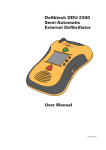
This chapter describes the maintenance and troubleshooting procedures for the DDU-2300 AED. The self-tests that
are performed by the device are described along with the frequency and nature of routine maintenance for which the
owner/operator is responsible. A troubleshooting guide is provided to help diagnose user serviceable problems.
The DDU-2300 AED contains no user serviceable parts.
Routine Unit Maintenance
Although the DDU-2300 AED is designed to be very low maintenance, simple maintenance tasks must be performed
by the owner/operator on a regular basis to ensure the unit’s dependability.
Monthly
After Each Use
•
•
•
Check that the Active Status Indicator (ASI) is flashing green
•
•
Check the condition of the unit and accessories
•
Run manually initiated self-test
•
Replace pads
•
Action
5. Maintenance And
Troubleshooting
Daily
Check pad and battery pack expiration dates
•
Check the DDC card, if one was installed
Note: If the unit has been dropped, mishandled, or abused, a manually initiated self-test should be performed.
Checking The Active Status Indicator
The Active Status Indicator (“ASI”) is located to the right of the On/Off button of the DDU-2300 AED and indicates
the operational readiness state of the unit. The ASI will periodically flash green to indicate that the unit is ready for
use. Ready for use means that the DDU-2300 has passed the most recent self test (scheduled or user initiated). If
it is flashing red, solid red, or not flashing at all, the AED needs service. Anytime the ASI is flashing red, the unit will
periodically emit two “beeps” to call attention to it.
If the ASI is not flashing at all, the most likely cause is that the battery pack needs to be replaced. (Refer to the
“Installing And Removing The Battery Pack” section in Chapter 3 of this manual.) Once the battery pack has
been replaced with a fresh battery pack, the ASI should once again flash green. If it still does not flash green after
inserting a new battery pack, the DDU-2300 AED is non-operational and may need servicing. Call Defibtech for
service. (Refer to the “Contacts” section in Chapter 12 of this manual.)
If the ASI is flashing red, turn the DDU-2300 AED on. If the unit does not turn on or does not speak, the AED is nonoperational and requires servicing. If the unit does turn on, then turn the unit off and the voice prompts will indicate
the nature of the problem.
• Flashing Green: DDU-2300 AED is OFF and ready for use.
• Solid Green: DDU-2300 AED is ON and ready for use.
• Flashing or Solid Red: DDU-2300 AED needs immediate service. Refer to the
“Troubleshooting” section in Chapter 5 of this manual or call Defibtech for service
Active
Status
Indicator
• No Flashing Light: DDU-2300 AED needs immediate service. Refer to the
“Troubleshooting” section in Chapter 5 of this manual or call Defibtech for service.
5-1
DAC-2513EN-AB