1
This operating instructions contains safety information
that if ignored can endanger life or result in serious injury.
They are indicated by this icon.
Use of this pump with radioactive chemicals is forbidden!
Keep the pump protected from sun and water.
Avoid water splashes.
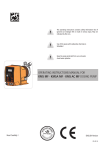
OPERATING INSTRUCTIONS MANUAL
FOR “HMS MF” DOSING PUMP
Read Carefully !
ENGLISH Version
1
R1-05-04
“HMS MF” series solenoid dosing pumps comply with the following European
regulations:
EN60335-1 : 1995, EN55014, EN50081-1/2, EN50082-1/2, EN6055-2, EN60555,3
Based on directive CEE 73/23 c 93/68 (DBT Low voltage directive) and directive 89/
336/CEE (EMC Electromagnetic Compatibility)
GENERAL SAFETY GUIDELINES
Danger!
In emergencies the pump should be switched off immediately! Disconnect the
power cable from the power supply!
When using pump with aggressive chemicals observe the regulations concerning
the transport and storage of aggressive fluids!
When installing always observe national regulations!
Manufacturer is not liable for any unauthorized use or misuse of this product that
may cause injury, damage to persons or materials.
Caution!
Pump must be accessible at all times for both operating and servicing. Access must
not be obstructed in any way!
Feeder should be interlocked with a no-flow protection device.
Pump and accessories must be serviced and repaired by qualified and authorized
personnel only!
Always discharge the liquid end before servicing the pump!
Empty and rinse the liquid end before work on a pump which has been used with
hazardous or unknown chemicals!
Always read chemical safety datasheet!
Always wear protective clothing when handling hazardous or unknown chemicals!
2
1. Introduction
Introduction:
Metering Pumps “HMS MF” Series are the ideal solution for low / middle dosing of chemicals. All
control and setup parameters are available through a digital keyboard and they are displayed
on a LCD backlit display. Pump has: “Standby” input, “SEFL” input and “Alarm” (N.O. contact)
output. Note: “SEFL” not included.
Pump’s capacity
Flow rate is determined by the stroke length and by the stroke speed. The stroke length is
adjustable from 0 to 100% using the stroke length adjustment knob. However dosing accuracy
is guarantee within an adjustment range from 30% to 100%.
Working modes:
Pump can work in 7 differents ways.
See related chapters for extended description of each single mode.
STROKE mode.
Pump doses at a constant rate set in “SPH” (strokes for hour) or “SPM” (strokes for
minute) parameters set during program session.
DIVIDE mode.
External pulses from a water meter are divided by a value set during program session. The pump
doses with a rate determined by this parameter.
MULTIPLY mode.
External pulses from a water meter are multiplied by a value set during program session. The pump
doses with a rate determined by this parameter.
PPM mode.
Dosing rate is determined by pulses from a water meter on the base of set PPM, chemical product
concentration (%) and quantity for each single stroke set during program session.
BATCH mode.
Signal from an external contact starts the pump to dose the set quantity.
VOLT mode.
Voltage from an external device drives the pump that doses proportionally using a minimum and
maximum of strokes for minute set during program session.
mA mode.
Current from an external device drives the pump that doses proportionally using a minimum and
maximum of strokes for minute set during program session.
3
2. Unpacking
Included into package:
n.4
n.4
n.1
n.1
n.1
n.1
m2
m2
m2
m 2,5
n.1
Dibbles ø6
Self tapping screws 4,5 x 40
Delayed fuse 5 X 20
Foot filter with valve
Injection valve
Level probe
Delivery pipe* (opaque PE)
Suction pipe * (transparent PVC)
Discharge pipe (transparent PVC)
Signal cable for “Stand-by” and “Alarm”
This installation manual
*
If hose is 6x8 there is only a 4meters long hose.
Cut to obtain suction and delivery hoses.
Remove the contents from the box.
PLEASE DO NOT TRASH PACKAGING.
IT CAN BE USED TO RETURN THE PUMP.
4
**See page 13 for “Stand-by” and “Alarm”
connections.
* Note:if knob isn’t on 100% position
then the pump will dose at pressure greater
than the one declared on label.
“SEFL” Input
* Stroke length Knob
LCD Display
Activity / Power Led
to power supply
External Signal input
Level probe input
** “Stand-by” and “Allarm”
connections
Suction valve
to discharge hose
Discharge knob
Pump head
Delivery valve
3. Pump’s description
12345
12345
12345
12345
5
4. Before to Install warnings
Pump’s installation and operativity is made in 4 main steps:
Pump’s installation
Hydraulic Installation (hoses, level probe, injection valve)
Electrical Installation (main power connection, SEFL installation, priming)
Programming the pump.
Before to start, please read carefully the following safety information.
Protective clothes
Wear always protective clothes as masks, gloves, safety glasses and
further security devices during ALL installation procedure and while
handling chemicals.
Installation location
Pump must be installed in a safety place and fixed to the table / wall to
avoid vibration problems!
Pump must be installed in a easy accessible place!
Pump must be installed in horizontal position!
Avoid water splashes and direct sun!
Hoses and Valves
Suction and delivery hoses must be installed in horizontal position!
All hoses connections must be performed using only hands’ force!
No tongs required!
Delivery hose must be firmly fixed to avoid suddenly movements
that could damage near objects!
Suction hose must be shorter as possible and installed in vertical
position to avoid air bubbles suction!
Use only hoses compatibles with product to dose! See chemical
compatibility table at page 49. If dosing product is not listed please
consult full compatibility table or contact chemical’s manufacturer!
6
5. Installation Draw
Pump must be installed in a stable support (for example a table) at a maximum height (from
tank’s bottom) of 1,5 meters.
4
3
8
1
2
9
5
6
7
1 - Dosing Pump
2 - Suction Hose
3 - Delivery Hose
4 - Injection Valve
5 - Air discharge
6 - Level Probe
7 - Foot Filter
8 - Power Cable
9 - Standby / Alarm
7
6. Hydraulic Installation
Hydraulic connections are:
Suction Hose with level probe and foot filter
Delivery Hose with injection valve
Discharge Hose
Suction Hose.
Completely unscrew tightening nut from pump’s head and remove assembling
components: tightening nut, holding ring and pipe holder.
Assembly as shown in fig. (A). Insert hose into pipe holder until it reaches the
bottom.
Lock hose on pump’s head by screwing down the tightening nut.
Use only hands to do it!
Connect other side of the hose to the foot filter using the same procedure.
Suction Hose
Tightening Nut
Holding Ring
Pipe Holder
O-ring
Valve
fig. (A)
8
6. Hydraulic Installation
Assembling foot filter with level probe.
Level probe must be assembled with foot filter using the provided kit.
Foot valve is made to be installed into tank’s bottom without sediments priming
problem.
Completely unscrew level probe’s nut and assembly as described in fig. (B)
paying attention to the black ring: it must be inserted from floater side.
Lock nut on the opposite side of the floater using hands only.
to BNC connector
(pump’s level input)
to suction hose
level probe
black ring
fixing nut
foot filter
fig. (B)
Connect BNC from level probe into pump’s level input (front side of the pump).
Put level probe assembled with foot filter into tank’s bottom.
Warning: If there is a mixer installed into tank, install a suction lance
instead of level probe / foot filter.
Delivery Hose.
Completely unscrew tightening nut from pump’s head and remove assembling
components: tightening nut, holding ring and pipe holder.
Assembly as shown in fig. (A). Insert hose into pipe holder until it reaches the
bottom.
Lock hose on pump’s head by screwing down the tightening nut.
Use only hands to do it!
Connect other side of the hose to the injection valve using the same
procedure.
9
6. Hydraulic Installation
Injection Valve.
Injection valve must be installed on plant from water’s input.
Injection valve will open at pressure greater than 0,3bar.
Tubo di spurgo.
Insert one side of discharge hose into discharge connector as shown in fig (C).
Insert other side of discharge hose into product’s tank.
During priming procedure product exceeding will flow into tank.
Discharge Knob
Discharge hose
fig (C)
For priming procedure see page 16.
10
6. Hydraulic Installation
Self-venting pump head.
to discharge hose
to delivery hose
to suction hose
Self-venting pump head must be used when using chemicals that produce
gas (i.e. hydrogen peroxide, ammonium, sodium hypoclorite at particular
conditions).
Hoses assembling procedure (including purge hose) is described in fig. (A).
Notes:
- suction, delivery and purge valves are DIFFERENT! Do not exchange them!
- delivery and purge hoses are made of same material!
- it’s allowed to lightly bend discharge hose!
- during calibration procedure (“TEST”) insert discharge hose into BECKER
test-tube!
11
7. Electrical Installation
All electrical connections must be performed by AUTHORIZED AND QUALIFIED personnel only.
Before to proceed, please, verify the following steps:
- verify that pump’s label values are compatible with main power supply.
- pump must be connected to a plant with a differential switch (0,03A
sensitivity) if there isn’t a good ground.
- to avoid damages to the pump do not install it in parallel with heavy
inductance load (for example: engines). A relay switch must be used. See
below picture.
P - Dosing Pump
R - Relay
I - Switch or safety device
E - Electrovalve or inductance load
A - Main Power
- On pump’s mother board there is a further protection against over voltages
(275V - 150V) and distribution line noises (4KV for max 50µsec) as shown:
12
7. Electrical Installation
Once verified previous steps proceed as follows:
- check that “BNC” of level probe has been connected as described in “Hydraulic
Installation” chapter.
- connect “BNC” and external signal to pump’s “INPUT” connectors.
Level Probe Input
External Signal Input
- connect alarm and/or stand-by signal as described below fig (D):
1
2
1: (Green) “Stand-by” Input
4: (Yellow) “Stand-by” Ground
2: (Brown) Alarm (Relay) Common
3: (White) N.O. Alarm(Relay) Contact
4
3
Max load relay output: 0,5A VAC/DC
fig (D)
Notes:
- “Alarm” signal isn’t fuse protected
- “Standby” signal has main priority on
pump’s enabling / disabling.
- proceed to “SEFL” connection (Flow sensor is optional) as described in page 50.
13
8. Basic Settings
HMS MF
LCD backlit display
Storke Lenght Knob
Scroll and increase digit
Turn the pump on or off and exit from setup menu (without saving parameters)
Enter / exit from setup menu (saving parameters)
The “HMS MF” pump is equipped with a keyboard.To avoid any misunderstanding during next chapters
all keys will be described as shown on this legend:
ON/OFF
“UP” key
ESC
E
“RIGHT” key
“ESC” key
“E” key
Menu navigation:
To enter into programming mode press and keep pressed “E” key from main screen (fig.3):
STROKES
100 SPM
fig.3
After about 4 seconds the pump will show the password screen (fig.5):
password
0000
fig.5
Default password is “0000”. Just press “E” key. Otherwise insert password using “UP” and “RIGHT”
keys.
14
8. Basic Settings
Saving / Discarding changes / Activating working mode
Once edited data into setup menu it’s possible to save them by pressing “E” key or to discard them
by pressing “ESC” key.
To activate a workgin mode (Stroke, Divide, Multiply, PPM, Batch, Volt, mA) select the required
mode and confirm it using “E” key.
Turning on and off the pump
“ESC” key has a double function. It can be used to discard all changes made into setup mode or to
turn on/off the pump. To turn on/off the pump press and keep pressed this key while in main screen
(fig.3). The pumps will show:
OFF
----------------------
fig.6
To return into operating mode press “ESC” key.
Alarm output logical working.
The pump has an “Alarm” output that uses a N.O. contact that changes its status (from N.O. to N.C.)
when a signal is received from “LEVEL” and/or “SEFL”. To set this alarm refer to related chapter.
15
9. Priming
PRIMING
To proceed follow these steps: connect all hoses to the pump; open dischage valve by completely
turning the discharging knob (counter clock-wise). Power up the pump and turn stroke lenght knob
to 100%. After pump’s intro (fig.1):
HMS MF
R: 1.xx
fig.1
the pump will show the “Delay” (pump’s activation delay) as shown fig.2:
WAITING
00:59
fig.2
Press “ESC” key to skip the “Delay”. Pump will show “Srokes” (actual strokes) as shown in fig.3:
STROKES
100 SPM
fig.3
Press and keep pressed the “RIGHT” key to enter into priming mode. Pump will go for 30 seconds
into priming mode as shown in fig.4.
PRIMING
30 Sec.
fig.4
When the chemical begins to flow out from the outgassing hose then completely close the outgassing
knob. This ends the priming procedure. If countdown for priming is not yet ended press “ESC” key.
Now the pump is operative. Proceed to setup and programming.
16
10. Pump’s functions summary
Pump’s functions summary
During pump’s working mode is it possible to see furthers working information.
Press more times the “UP” key to cycle through following information:
STROKES
100 SPM
Key
Working
Mode
MODE
STROKE
Key
Power Supply
Voltage
Key
SUPPLY
220 VAC
Key
Liters/Hour
Gallons/ Hour
Dosage
DOSING
1.3 LPH
Key
Water meter
Liters/minute
Gallons/ minute
Dosage
input
40 lpm
17
11. Quick Guide - Main Menu (Prog [1] Mode)
PROG [1]
MODE
Mode [1]
STROKE
Key
E
E
See
page 31
Key
Mode [2]
DIVIDE
Key
E
Mode [3]
MULTIPLY
Key
See
page 19
E
Mode [4]
PPM
E
Key
See
page 33
Key
Key
Key
See
page 32
Key
PROG [2]
SETUP
Key
E
Key
See
page 34
Key
Key
Mode [5]
BATCH
E
See
page 35
Key
PROG [3]
STAT
Key
E
See
page 20
Mode [&]
VOLT
E
Key
See
page 36
Mode [7]
mA
E
Key
See
page 37
Key
Key
18
Key
12. Quick Guide - Main Menu (Prog [2] Setup)
PROG [1]
MODE
See
pag. 18
Key
SET [01]
CC/ST
Key
See
pag. 22
E
Key
See
pag. 22
E
Key
See
pag. 23
E
Key
Key
Set [02]
test
E
E
Key
set [03]
level
Key
Key
set [04]
Sefl
See
pag. 24
Key
set [05]
Stand-by
PROG [2]
SETUP
E
Key
See
pag. 24
E
Key
See
pag. 25
E
Key
See
pag. 25
E
Key
See
pag. 26
E
Key
Key
Key
set [06]
alarms
E
Key
Key
Key
set [07]
wmeter
Key
set [08]
timeout
Key
set [09]
unit
See
pag. 27
Key
PROG [3]
STAT
set [10]
delay
See pag. 20
Key
E
E
Key
See
pag. 27
E
Key
See
pag. 28
Key
set [11]
password
Key
19
13. Quick Guide - Main Menu (Prog [3] Stat)
PROG [1]
MODE
See pag. 18
Key
Key
PROG [2]
SETUP
E
See pag. 19
Key
E
Key
Key
PROG [3]
STAT
->TOt dos
counter
See pag. 38
Key
E
20
14. Quick Guide - Notes
123456789012345678901234567890121234567890123456
123456789012345678901234567890121234567890123456
123456789012345678901234567890121234567890123456
123456789012345678901234567890121234567890123456
123456789012345678901234567890121234567890123456
Use this page to record pump programming
123456789012345678901234567890121234567890123456
123456789012345678901234567890121234567890123456
123456789012345678901234567890121234567890123456
123456789012345678901234567890121234567890123456
123456789012345678901234567890121234567890123456
123456789012345678901234567890121234567890123456
123456789012345678901234567890121234567890123456
123456789012345678901234567890121234567890123456
123456789012345678901234567890121234567890123456
123456789012345678901234567890121234567890123456
123456789012345678901234567890121234567890123456
123456789012345678901234567890121234567890123456
123456789012345678901234567890121234567890123456
123456789012345678901234567890121234567890123456
123456789012345678901234567890121234567890123456
123456789012345678901234567890121234567890123456
123456789012345678901234567890121234567890123456
123456789012345678901234567890121234567890123456
123456789012345678901234567890121234567890123456
123456789012345678901234567890121234567890123456
123456789012345678901234567890121234567890123456
123456789012345678901234567890121234567890123456
123456789012345678901234567890121234567890123456
123456789012345678901234567890121234567890123456
123456789012345678901234567890121234567890123456
123456789012345678901234567890121234567890123456
123456789012345678901234567890121234567890123456
123456789012345678901234567890121234567890123456
123456789012345678901234567890121234567890123456
123456789012345678901234567890121234567890123456
123456789012345678901234567890121234567890123456
123456789012345678901234567890121234567890123456
123456789012345678901234567890121234567890123456
123456789012345678901234567890121234567890123456
123456789012345678901234567890121234567890123456
123456789012345678901234567890121234567890123456
123456789012345678901234567890121234567890123456
123456789012345678901234567890121234567890123456
123456789012345678901234567890121234567890123456
123456789012345678901234567890121234567890123456
123456789012345678901234567890121234567890123456
123456789012345678901234567890121234567890123456
123456789012345678901234567890121234567890123456
123456789012345678901234567890121234567890123456
123456789012345678901234567890121234567890123456
123456789012345678901234567890121234567890123456
123456789012345678901234567890121234567890123456
123456789012345678901234567890121234567890123456
123456789012345678901234567890121234567890123456
123456789012345678901234567890121234567890123456
123456789012345678901234567890121234567890123456
123456789012345678901234567890121234567890123456
123456789012345678901234567890121234567890123456
123456789012345678901234567890121234567890123456
123456789012345678901234567890121234567890123456
123456789012345678901234567890121234567890123456
123456789012345678901234567890121234567890123456
123456789012345678901234567890121234567890123456
21
15. Setup
Pump’s initial setup
Apart of choosen working mode, the pump must be prepared to operate by setting the main
parameters into “SETUP” menu. To enter into this menu please follow the “Quick Guide through
menu” at page 31.
CC per Stroke.
SET [01]
CC/ST
Enter here the cc/stroke value obtained during “Test” mode
(calibration).
Use “UP” key to increase of one unit the blinking digit “_”.
E
Key
CC/ST
10.00
Press “RIGHT” key to skip on next digit.
Press “E” key to save typed datas or press “ESC” key to exit without
saving (discarding changes).
Calibration.
This procedure defines the cc quantity (cubical centimeters) that
the pump feed every single injection. To determine this value the
pump must be calibrated.
SET [02]
TEST
E
TEST OFF
ST 020
Key
1) Install the pump on plant and insert the suction hose (with its
level probe / foot filter) into a BEKER “test-tube”.
If pump’s model is self-priming put the discharge hose into the
“test-tube“ too.
2) Power up the pump and turn the flow’s knob to required position.
3) Fill up the “test-tube” with the chemical until to reach a known
value.
4) From setup menu choose “TEST”, and insert 20”. This value is the
strokes that the pump will produce during the procedure.
6) Press “E”. The pump will begin to produce the 20 strokes and to
suck the chemical from the “test-tube”.
TEST ON
ST 020
7) At the end of 20 strokes the pump will stop. Read the value of
chemical left into “test-tube”.
8) Substract the initial value to the left value.
9) Divide the result with the ST value (20).
10) Type this value into “CC/ST” (Set [01]) as previously described.
11) If obtained result is too small or too big, please, try to change
strokes value (20).
22
15. Setup
Pre Level Alarm (Reserve).
SET [03]
LEVEL
E
This function defines a pre-alarm status to inform user that the
dosing product is near to end. Reserve value to be set, must be
calculated on product quantity left between foot filter and pump’s
suction level.
Key
-
stop usg
10.00
Use “UP” key to increase the blinking “_” digit.
Press “RIGHT” key to skip on next digit.
Press “E” key to save data and exit to main menu.
Otherwise press “ESC” to discard data and exit to main
menu.
During the alarm the pump continues to dose but it’ll show the
following picture:
123456789012345
123456789012345
123456789012345
123456789012345
123456789012345
123456789012345
123456789012345
123456789012345
123456789012345
123456789012345
Foot filter with
123456789012345
level probe
123456789012345
123456789012345678901234
123456789012345
123456789012345678901234
123456789012345678901234
123456789012345678901234
123456789012345678901234
123456789012345678901234
123456789012345678901234
123456789012345678901234
ALARM
#1
Key
ALARM
LEVEL i/
Key
Customizable Reserver
(liters / gallons)
ALARM
SEFL
Key
ALARM
STD-By
Key
ALARM
METER
Key
i/
This icon means that
the alarm is active
ALARM
PPM
Key
ALARM
POWER
Key
23
15. Setup
Flow Sensor (SEFL).
SET [04]
SEFL
E
This function enables an external alarm and ,eventually, stops the
dosage if the pump doesn’t receive a “confirmation signal” from
the “SEFL”. (“SEFL” is optional).
Key
SEFL 20
stop yes
-
Use “UP” key to increase the blinking “_” digit and set
the number of failing strokes before to stop or not the
pump.
-
Press “RIGHT” key to skip on next digit.
-
Press again “RIGHT” key to choose the working
procedure.
-
Press “UP” key to choose if pump must be stopped
after a numbers of pulses (YES) or continue to
dose (NO).
-
Press “E” key to save data and exit to main menu.
Otherwise press “ESC” to discard data and exit to main
menu.
“Stand-By” signal.
SET [05]
Stand-by
E
This function allows the pump to dose only when an external signal
is received from “Stand-by” input. This signal can be enabled as a
N.O. contact (Normally Opened) , N.C. contact (Normally Closed)
or disabled.
Key
STand-by
disabled
Key
STand-by
NC
Key
STand-by
NO
Key
24
-
Use “UP” key to change working mode for “Stand-by”
signal.
-
Press “E” key to save data and exit to main menu.
Otherwise press “ESC” to discard data and exit to main
menu.
15. Setup
Alarms Management.
SET [06]
aLARMS
E
Use this function to enable/disable the relay output for level alarm
(lev) and / or standby (stby) and / or flow sensor (sefl).
If alarm is activated for one or more events then the output relay will
be enabled, the pump will show the alarm status and it’ll stop or not
the dosing activity.
Key
ALARM[1]
LEV EN
If alarm is not activated for one or more events then the output relay
will be disabled, the pump will show the alarm status and it’ll stop or
not the dosing activity.
Key
ALARM[2]
stby EN
-
Use “UP” key to choose the alarm to set.
-
Use “RIGHT” key to enable (EN) or disable (DI) the alarm.
-
Press “E” key to save data and exit to main menu.
Otherwise press “ESC” to discard data and exit to main
menu.
Key
sefl[3]
sefl en
Key
Water Meter Setup.
Use this function to setup the water meter information.
SET [07]
wmeter
E
Key
By entering the amount of pulses produced by the water meter the
pump will optimize the working mode when programmed to work
in ppm and update the stats menu.
-
pulse/l
004.0
Choose “Pulse/L” for a water meter that produces
many pulses.
Key
l/pulse
004.0
Key
Use “UP” key to choose from “Pulse/L” (pulse/liter) or
“L/Pulse” (liter/pulse).
Choose “L/Pulse” for a water meter that produces
few pulses.
-
Use “UP” key to increase the blinking “_” digit. Enter
number of pulses that pump must receive to stop or not
the pump.
-
Press “RIGHT” key for next digit / field.
-
Press “E” key to save data and exit to main menu.
Otherwise press “ESC” to discard data and exit to main
menu.
25
15. Setup
Pulses Timeout ( only for “Multiply” working mode).
SET [08]
timeout
E
timeout
020 sec
Key
When the pump receives a pulse from the water meter it starts the
dosing activity through an amount of time (from the first pulse to
the following one).
At the beginning the pump doesn’t know the time lapse between
the first and the second pulse. So it’ll dose the product in the fastest
way. From the second pulse, the pump will dose the product
correctly.
This function set the maximum time between a pulse and the
following one. Once that this time is exceeded the pump will
reinitialize the dosing activity as the first time that a pulse has been
received.
-
Use “UP” key to increase the blinking “_” digit. Enter
number of pulses that pump must receive to stop or not
the pump.
-
Press “RIGHT” key for next digit / field.
-
Press “E” key to save data and exit to main menu.
Otherwise press “ESC” to discard data and exit to main
menu.
External Pulses
The first time that the pump receives a pulse it
doesn’t know the the time between this pulse and
the following one. So the pump will run faster as
possible. “Timeout” function forces the pump to
work in this way, once a specified amount of time
has been exceeded.
After second pulse the pump will know the time
between a pulse and the following one.
So it’ll dose optimizing the dosage through the
time.
26
15. Setup
Unit Change.
SET [09]
unit
E
This function allows to choose between liters or gallons
measurement unit.
Key
UNIT
litre
-
Use “UP” key to switch between liter or gallons
measurement unit.
-
Press “E” key to save data and exit to main menu.
Otherwise press “ESC” to discard data and exit to main
menu.
Key
unit
usgal
Key
Startup Delay Setup.
SET [10]
delay
E
power on
01 min
When the pump is powered is it possible to have a delay time before
dosing activities.
Key
-
Use “UP” key to choose the alarm to set.
-
Use “RIGHT” key for next digit.
-
Press “E” key to save data and exit to main menu.
Otherwise press “ESC” to discard data and exit to main
menu.
Note:
Press “ESC” key during delay time to skip it.
27
15. Setup
Password Setup.
SET [11]
password
E
password
0000
28
“Setup” menu is password protected. Default value to enter into
“setup” menu is “0000” (only numeric units). To change this
password proceed as follows:
Key
-
Use “UP” key to change first digit.
-
Press “RIGHT” key to move cursor over next digit.
-
Press “E” key to save data and exit to main menu.
Otherwise press “ESC” to discard data and exit to main
menu.
Note:
For lost password, please, contact “Technical
Assistance”.
16. Working procedure setup
Introduction.
“MF” pump can work in 7 differents modes.
STROKE mode.
Pump doses at a constant rate set in “SPH” (strokes for hour) or “SPM” (strokes for
minute) parameters set during program session.
When to use this mode ?
This mode is useful when there isn’t an input signal to control the dosing activity. Pump doses
requested product quantity in constantly.
Which parameters must be set ?
SPH (strokes per hour) or SPM (strokes per minute)
DIVIDE mode.
External pulses from a water meter are divided by a value set during program session. The pump
doses with a rate determined by this parameter.
When to use this mode ?
This mode is useful using an external signal from a pulse sender water meter that produces elevated
quantities of pulses. Pump divides these pulses to allow a correct dosing activity.
Which parameters must be set ?
DIVIDE (division factor)
MULTIPLY mode.
External pulses are multiplied by a value set during program session. The pump doses
with a rate determined by this parameter.
When to use this mode ?
This mode is useful using an external signal from a pulse sender water meter that produces low
quantities of pulses. Pump multiplies these pulses to allow a correct dosing activity.
Which parameters must be set ?
MULTIPLY (multiply factor)
PPM mode.
Dosing rate is determined by pulses from a water meter, desired concentration in PPM, chemical
product concentration (%) and quantity for each single stroke set during program session.
When to use this mode ?
This mode is useful using an external signal from a pulse sender water meter and it’s necessary to
specify only PPM (parts per million) and product concentration, leaving the pump to manage coming
pulses.
Which parameters must be set ?
PPM (parts per million product quantity)
CONC (% of product’s concentration)
Water Meter Pulses
CC/Stroke
29
16. Working procedure setup
BATCH mode.
Signal from an external contact starts the pump to dose product or to produce
an amount of strokes set during program session.
When to use this mode ?
This function allows to begin dosing activities when pump receives an external signal.
Which parameters must be set ?
ST ( strokes)
CC (product’s quantity to dose)
VOLT mode.
Voltage from an external device drives the pump that doses proportionally using a minimum and
maximum of strokes for minute set during program session.
When to use this mode ?
This mode is used with controllers provided of a proportional output in voltage.
Which parameters must be set ?
HIV (maximum tension)
LOV (minimum tension)
SPM (strokes per minute)
mA mode.
Current from an external device drives the pump that doses proportionally using a minimum and
maximum of strokes for minute set during program session.
When to use this mode ?
This mode is used with controllers provided of a proportional output in current.
Which parameters must be set ?
HImA (maximum current)
LOmA (minimum current)
SPM (strokes per minute)
30
17. “STROKE” working mode
STROKE mode.
Pump doses at a constant rate set in“SPH” (strokes for hour) or “SPM” (strokes for
minute) parameters set during program session.
Which parameters must be set ?
SPH (strokes per hour) or SPM (strokes per minute).
mode [01]
stroke
E
Key
stroke
21 sph
Key
stroke
40 spm
Key
Choose “stroke” working mode: “SPH” (strokes per hour) or “SPM” (strokes per minute) .
Use “UP” key to choose between these two modes. Use “RIGHT” key to change value. For next digit press again “RIGHT”
key.
Press “E” key to save data and exit to main menu. Otherwise press “ESC” to discard data and exit to main menu.
Note: last mode displayed before press the “E” key will be the active one.
31
18. “DIVIDE” working mode
DIVIDE mode.
External pulses are divided by a value set during program session. The pump doses with a frequency
determined by this parameter.
Which parameters must be set ?
DIVIDE (divisor factor)
mode [02]
divide
E
Key
DIVIDE
150.0
Use this mode if connected pulse sender water meter produces many pulses and pump must divide
them for correct dosing activities. See formula below to verify this value.
Use “UP” key to modify the value. Press “RIGHT” key to move on next digit.
Press “E” key to save data and exit to main menu. Otherwise press “ESC” to discard data and exit
to main menu.
Use the following formula to find the divider to keep desired concentration.
[imp/l] x [cc]
( ——————————— ) x 1000 = N
[ppm] x [K]
N - divisor value to enter into the pump
[imp/l]- pulses/liter from pulse sender water meter
[cc] - single injection quantity of dosing pump
[ppm] - part per millions product quantity to dose (gr/m3)
[K] - product dilution coefficient. 0<K<=1.
100% of product when K=1
If obtained “N” is < 1 then install a pulse sender water meter that produces more pulses. Otherwise use the “MULTIPLY”
mode and multiply for 1/N. It’s also possible to fix the problem trying to decrease product dilution.
32
19. “MULTIPLY” working mode
MULTIPLY mode.
External pulses are multiplied by a value set during program session. The pump doses with a
frequency determined by this parameter.
Which parameters must be set ?
MULTIPLY (multiply factor)
mode [03]
multiply
E
Key
multiply
010.0
Use this mode if: connected pulse sender water meter produces few pulses and pump must multiply
them for correct dosing activities. See formula below to verify this value.
Use “UP” key to modify the value. Press “RIGHT” key to move on next digit.
Press “E” key to save data and exit to main menu. Otherwise press “ESC” to discard data and exit
to main menu.
Use the following formula to find the divider to keep desired concentration.
[ppm] x [K]
( ————————————— ) = N
([imp/l] x [cc]) x 1000
N - multiplier value to enter into the pump
[imp/l]- pulses/liter from pulse sender water meter
[cc] - single injection product quantity of dosing pump
[ppm] - part per millions product quantity to dose (gr/m3)
[K] - product dilution coefficient. 0<K<=1.
100% of product when K=1
If obtained “N” is < 1 then install a pulse sender water meter that produces less pulses. Otherwise use the “DIVIDE” mode
and divice for 1/N. It’s also possible to fix the problem trying to decrease product dilution.
Nota: before to use this mode please set the “TIMEOUT” parameter as described in page 26.
33
20. “PPM” working mode
PPM mode.
Dosing rate is determined by pulses from a water meter, PPM, chemical product (%)
concentration and quantity for each single stroke set during program session.
Which parameters must be set ?
PPM (parts per million product quantity)
CONC (% of product’s concentration)
mode [04]
PPM
E
Key
E
Key
ppm
00003.0
conc %
010.0
Use “UP” key to change selected unit (“_” blinking cursor) of PPM.
To move on next digit press “RIGHT” key.
To modify quantity of product concentration press “E” key.
Use “UP” key to change selected unit (“_” blinking cursor) of CONC%.
To move on next digit press “RIGHT” key.
Press “E” key to save data and exit to main menu. Otherwise press “ESC” to discard data and exit to main menu.
34
21. “BATCH” working mode
BATCH mode.
Signal from an external contact starts the pump to dose the needed quantity set
during program session or for the set number of strokes.
When to use this mode ?
This function allows to begin dosing activities when pump receives an external signal.
Which parameters must be set ?
ST ( strokes)
CC (product’s quantity to dose only if programmed to feed a set amount of chemical)
CC/STROKE (see page 18)
mode [05]
batch
E
Key
cc: 00010
man: no
Key
ST: 00010
man: no
First of all choose if dosage must be made per strokes or per cc of product. Pump must be calibrated (“TEST” function) in
order to work properly into this mode. Do not change flow’s knob position: leave it as during calibration procedure.It’s not
possible to program the pump for both modes. Last entry overwrite previous ones.
At the beginning the cursor is on “CC” working unit. Press “UP” key to change it and to work into “ST” mode.
Otherwise press “RIGHT” key to move on required value (“UP” key to change it). Press “RIGHT” key to move on next digit.
Now cursor moves on “MAN:NO”. Press “E” key to quit and save.
If pump must dose immediately the specified amount of product, press “UP” key to change “MAN:NO” into “MAN:YES”.
Press “E” key to save data and exit to main menu. Otherwise press “ESC” to discard data and exit to main menu.
35
22. “VOLT” working mode
VOLT mode.
Voltage from an external device drives the pump that doses proportionally using a minimum and
maximum of strokes for minute set during program session.
Which parameters must be set ?
HIV (maximum tension)
LOV (minimum tension)
SPM (strokes per minute)
mode [06]
volt
E
Key
E
Key
hiv 10.0
spm: 100
lov 00.0
spm: 000
ESC
Key
To work in this mode is necessary to specify the “HIV” (maximum working tension), “LOV” (minimum working tension) and
“SPM” (strokes per minute) values that pump will produce between the parameters.
To setup this values enter into “VOLT” mode. The cursor will blink on first digit (“HIV” field). Insert maximum tension value
that will be supplied to the pump (“UP” key). To move on next digit press “RIGHT” key.
The cursor will blink on “SPM” field. Insert strokes per minute that pump will produce near “HIV” value (“UP” key). To move
on next digit press “RIGHT” key.
Press “E” key to move on “LOV”.
The cursor will blink on first digit (“LOV” field). Insert minimum tension value that will be supplied to the pump (“UP” key).
To move on next digit press “RIGHT” key.
The cursor will blink on “SPM” field. Insert strokes per minute that pump will produce near “LOV” value (“UP” key). To move
on next digit press “RIGHT” key.
Press “E” key to save data and exit to main menu. Otherwise press “ESC” to discard data and exit to main menu.
36
23. “mA” working mode
mA mode.
Current from an external device drives the pump that doses proportionally using a minimum and
maximum of strokes for minute set during program session.
Which parameters must be set ?
HImA (maximum current)
LOmA (minimum current)
SPM (strokes per minute)
mode [07]
ma
E
Tasto
E
Tasto
hima 10.0
spm: 100
loma 00.0
spm: 000
ESC
Tasto
To work in this mode is necessary to specify the “HImA” (maximum working current), “LOmA” (minimum working current)
and “SPM” (strokes per minute) values that pump will produce between the parameters.
To setup this values enter into “mA” mode. The cursor will blink on first digit (“HImA” field). Insert maximum current value
that will be supplied to the pump (“UP” key). To move on next digit press “RIGHT” key.
The cursor will blink on “SPM” field. Insert strokes per minute that pump will produce near “HImA” value (“UP” key). To move
on next digit press “RIGHT” key.
Press “E” key to move on “LOmA”.
The cursor will blink on first digit (“LOmA” field). Insert minimum current value that will be supplied to the pump (“UP” key).
To move on next digit press “RIGHT” key.
The cursor will blink on “SPM” field. Insert strokes per minute that pump will produce near “LOmA” value (“UP” key). To
move on next digit press “RIGHT” key.
Press “E” key to save data and exit to main menu. Otherwise press “ESC” to discard data and exit to main menu
37
24. STATISTICS management
Stat.
To see dosing statistics choose “STAT” from main menu. See quick guide at pag. 20
prog [3]
stat
E
Key
-> tot dos
counter
E
Key
litres
10
E
E
Key
E
Key
Key
Key
reset
no
reset
yes
tot dos
-> counter
E
Key
E
Key
pulse
5
reset
no
Key
reset
yes
“TOT DOS” means total dosed product since pump last reset.
“COUNTER” means strokes numbers since pump last reset.
38
Quick Guide - Notes
123456789012345678901234567890121234567890123456
123456789012345678901234567890121234567890123456
123456789012345678901234567890121234567890123456
123456789012345678901234567890121234567890123456
123456789012345678901234567890121234567890123456
Use this page to record pump programming
123456789012345678901234567890121234567890123456
123456789012345678901234567890121234567890123456
123456789012345678901234567890121234567890123456
123456789012345678901234567890121234567890123456
123456789012345678901234567890121234567890123456
123456789012345678901234567890121234567890123456
123456789012345678901234567890121234567890123456
123456789012345678901234567890121234567890123456
123456789012345678901234567890121234567890123456
123456789012345678901234567890121234567890123456
123456789012345678901234567890121234567890123456
123456789012345678901234567890121234567890123456
123456789012345678901234567890121234567890123456
123456789012345678901234567890121234567890123456
123456789012345678901234567890121234567890123456
123456789012345678901234567890121234567890123456
123456789012345678901234567890121234567890123456
123456789012345678901234567890121234567890123456
123456789012345678901234567890121234567890123456
123456789012345678901234567890121234567890123456
123456789012345678901234567890121234567890123456
123456789012345678901234567890121234567890123456
123456789012345678901234567890121234567890123456
123456789012345678901234567890121234567890123456
123456789012345678901234567890121234567890123456
123456789012345678901234567890121234567890123456
123456789012345678901234567890121234567890123456
123456789012345678901234567890121234567890123456
123456789012345678901234567890121234567890123456
123456789012345678901234567890121234567890123456
123456789012345678901234567890121234567890123456
123456789012345678901234567890121234567890123456
123456789012345678901234567890121234567890123456
123456789012345678901234567890121234567890123456
123456789012345678901234567890121234567890123456
123456789012345678901234567890121234567890123456
123456789012345678901234567890121234567890123456
123456789012345678901234567890121234567890123456
123456789012345678901234567890121234567890123456
123456789012345678901234567890121234567890123456
123456789012345678901234567890121234567890123456
123456789012345678901234567890121234567890123456
123456789012345678901234567890121234567890123456
123456789012345678901234567890121234567890123456
123456789012345678901234567890121234567890123456
123456789012345678901234567890121234567890123456
123456789012345678901234567890121234567890123456
123456789012345678901234567890121234567890123456
123456789012345678901234567890121234567890123456
123456789012345678901234567890121234567890123456
123456789012345678901234567890121234567890123456
123456789012345678901234567890121234567890123456
123456789012345678901234567890121234567890123456
123456789012345678901234567890121234567890123456
123456789012345678901234567890121234567890123456
123456789012345678901234567890121234567890123456
123456789012345678901234567890121234567890123456
123456789012345678901234567890121234567890123456
39
25. Troubleshooting
Problem
Possible Cause
Pump isn’t powered. Connect it to main supply.
Pump doesn’t
turn on.
Pump’s protection fuse is broken. Replace it. See
page 41 for replacement procedure.
Pump’s main board is broken. Replace it. See
page 41 for replacement procedure.
The foot filter is obstructed. Clean it.
Pump is not dosing and
solenoid is operating.
Suction hose is empty. Pump must be primed. Repeat
priming procedure.
Air bubbles inside hydraulic circuit. Check valves hoses - fittings.
Product to dose is generating gas. Turn discharge
knob and let air flow away.
Use a self-venting pump head.
Pump is not dosing and
solenoid isn’t operating
or slightly operating.
Crystals presence inside valves. Check them and try
to dose 2-3 liters of normal water.
Change valves.
Injection valve obstructed. Change it.
Pump’s display show
“ERROR” message
followed by a number.
40
ERROR 1 or ERROR2: contact assistance.
ERROR 3: verify programming procedure.
26. Fuse and main board replacement
Fuse or main board replacement is allowed to qualified personnel only. Before to operate disconnect
the pump from main power and all hydraulic connections.
For fuse replacement is necessary to use a 3x16 and 3x15 screwdriver and a new fuse (same model
of old one).
For main board replacement is necessary to use a 3x16 and 3x15 screwdriver and a new main board
(same model of old one).
Fuse replacement procedure:
- Turn pump’s injection knob on 0%.
- Remove 6 screws from pump’s back.
- Pull pump’s back cover until it’s completed separated from pump’s front. Be
careful of the knob’s spring.
- Locate the blown fuse and replace it.
- Reassemble the pump. Be careful to put back the knob’s spring.
- Reinsert screws.
Main board replacement procedure:
- Turn pump’s injection knob on 0%.
- Remove 6 screws from pump’s back.
- Pull pump’s back cover until it’s completed separated from pump’s front. Be
careful of the knob’s spring.
- Remove board’s screws.
- Completely disconnect wires from main board and replace it. Reinsert screws.
- Reconnect wires to the main board (see enclosed picture).
- Reassemble the pump. Be careful to put back the knob’s spring.
- Reinsert screws.
41
27. Main Board
TRANSFORMER
FUSE
L
N
Power
Supply
Solenoid
GROUND
+ Level
(other wire to
ground)
N.C.
C.
N.O.
Signal Input
+
Stand-by
SEFL
42
A Appendix. Maintenance.
During normal operating mode, pump must be checked once for month. Wear needed safety devices
and check hoses and all hydraulic components for:
- product leak
- broken hoses
- corroded connections
All maintenance operations must be performed by authorized and trained personnel only. If
pump needs factory assistance please use original package to return it.
Before to do it, please, remove all dosing product inside the pump and hoses.
Use only original spare parts!
43
B Appendix. Construction Materials and Technical info
Technical Features and Manufacturing materials
TECHNICAL FEATURES
Pump strokes:
Suction Height:
Environment Temperature:
Chemical Temperature:
Installation Class:
Pollution Level:
Audible Noise:
Packaging and Transporting Temperature:
0 ÷ 150 ; 0 ÷ 120 injections/minute
1,5 metres
0 ÷ 45°C (32 ÷ 113°F)
0 ÷ 50°C (32 ÷ 122°F)
II
2
74dbA
-10÷+50°C
MANUFACTURING MATERIALS
Case:
Pump head:
Diaphragm:
Balls:
Suction Pipe
Delivery Pipe:
Valve Body:
O-ring:
Injection connector
Level Probe:
Level probe cable:
Foot Filter:
PP
PP, PVDF, PMMA, SS *
PTFE
CERAMIC, GLASS, PTFE, SS *
PVC/PE **
PE
PP, PVDF, SS *
FP, EP, WAX, SI, PTFE *
PP, PVDF (glass, HASTELLOY C276 spring)
PP, PVDF *
PE
PP, PVDF *
*as ordered.
** according with pump’s model.
Flow
Max
Capacity
l/h
Max
Pressur e
bar
Capacity
l/h
Pressur e
bar
ml stroke
Strokes/
min
Hoses
mm
Watt
W
Shipping
weight
Kg
20 01
1
20
1,5
10
0,14
120
4X8
19 W
4,1
18 02
2
18
3
9
0,23
150
4X8
19 W
4,1
10 04
4
10
7
5
0,45
150
4X6
19 W
4,1
07 06
6
7
7
3,5
0,66
150
4X6
19 W
4,1
04 08
8
4
10
2
0,89
150
4X6
19 W
4,1
02 16
16
2
17
1
1,8
150
6X8
19 W
4,1
44
C Appendix. Delivery Curves
Pump Head ø13
Pump Head ø13
L/h
20
L/h
01
18
02
l/h 02
l/h 01
bar
bar 20
bar 18
bar
Pump Head ø22
Pump Head ø22
L/h
10
07
04
l/h 04
bar
06
l/h 06
Pump Head ø22
08
Pump Head ø22
L/h
02
16
l/h 16
l/h 08
bar 04
bar
bar 07
bar 10
04
L/h
bar
bar 02
bar
Flow rate indicated is for H2O at 20°C at the rated pressure. Dosing accuracy ± 2% at constant pressure ± 0,5 bar.
45
C Appendix. Delivery Curves for self-purge pump head
46
(2.40)
(9.29)
(5.66)
(3.03)
Dimensions
(3.58)
bold : mm
( ) : inches
D Appendix. Dimensions
47
(6.29)
E Appendix. Chemical Compatibility Table
Solenoid driven metering pumps are widely used to dose chemical fluids and it is important that the
most suitable material in contact with fluid is selected for each application. This compatibility table
serves as a useful help in this respect. All the informations in this list are verified periodically and
believed to be correct on the date of issuance. All the informations in this list are based on
manufacturer's data and its own experience but since the resistance of any material depends by
several factors this list is supplied only as an initial guide, in no way EMEC makes warranties of any
matter respect to the informations provided in this list.
Chemical
Formula
Glass
PVDF
PP
PVC
Hastelloy
PTFE
FPM
EPDM
NBR
Acetic Acid, Max 75%
CH 3COOH
2
1
1
1
SS 316 PMMA
1
3
1
1
3
1
3
PE
1
Aluminium Sulphate
Al2(SO4)3
1
1
1
1
1
1
1
1
1
1
1
1
Amines
R-NH2
1
2
1
3
1
-
1
1
3
2
4
1
Calcium Hydroxide (Lime Milk)(Slaked Lime)
Ca(OH)2
1
1
1
1
1
1
1
1
1
1
1
1
Calcium Hypochlorite (Chlorinated Lime)
Ca(OCl)2
1
1
1
1
3
1
1
1
1
1
3
1
Copper-II-Sulphate (Roman Vitriol)
CuSO4
1
1
1
1
1
1
1
1
1
1
1
1
1
Ferric Chloride
FeCl 3
1
1
1
1
3
1
1
1
1
1
1
Hydrofluoric Acid 40%
HF
3
1
1
2
3
3
2
1
1
3
3
1
Hydrochloric Acid, Concentrate
HCl
1
1
1
1
3
1
1
1
1
3
3
1
Hydrogen Peroxide, 30% (Perydrol)
H 2O2
1
1
1
1
1
3
1
1
1
2
3
1
Nitric Acid, 65%
HNO3
1
1
2
3
2
3
1
1
1
3
3
2
Phosphoric Acid, 50% (Orthophosphoric Acid)
H 3PO4
1
1
1
1
2
1
1
1
1
1
3
1
Potassium Permanganate, 10%
KMnO4
1
1
1
1
1
1
1
1
1
1
3
1
1
Sodium Bisulphite
NaHSO3
1
1
1
1
2
1
1
1
1
1
1
Sodium Carbonate (Soda)
Na2CO3
2
1
1
1
1
1
1
1
2
1
1
1
Sodium Hydroxide (Caustic Soda)
NaOH
2
1
1
1
1
1
1
1
2
1
2
1
Sodium Hypochlorite, 12.5%
NaOCl + NaCl
1
1
2
1
3
1
1
1
1
1
2
1
Sulphuric Acid, 85%
H2SO4
1
1
1
1
2
3
1
1
1
3
3
1
Sulphuric Acid, 98.5%
H2SO4
1
1
3
3
3
3
1
1
1
3
3
3
Resistance rating
Resistant
Fairly resistant
1
2
Not resistant
3
Materials
Polyvinyldene fluoride
Polypropylene
PVC
Stainless steel
Polymethyl Metacrilate (Acrylic)
Hastelloy C-276
Polytetrafluoroethylene
Fluorocarbon (Viton® B)
Ethylene propylene
Nitrile
Polyethylene
48
PVDF
PP
PVC
SS 316
PMMA
Hastelloy
PTFE
FPM
EPDM
NBR
PE
Pump Heads, valves, fitting, tubing
Pump Heads, valves, fitting, level floater
Pump Heads
Pump Heads, valves
Pump Heads
Injection valve spring
Diaphragm
Sealings
Sealings
Sealings
Tubing
F Appendix. Hoses resistance table
Hose features are very important for a reliable dosage. Every pump’s model is made to work in the
best way using selected hoses according to pump’s capacity / model. Information reported here
are intended for standard use only. For extended information ask to hose’s manufacturer.
49
G Appendix. “SEFL” Installation
Flow Sensor “SEFL”
4
3
8
1
2
9
5
6
7
1 - Dosing Pump
2 - Suction Hose
3 - Delivery Hose
4 - Injection Valve
5 - Air discharge
6 - Level Probe
7 - Foot Filter
8 - Power Cable
9 - Standby / Alarm
50
H Appendix. Summary
Summary
1. Introduction ............................................................................................................................................. 3
2. Unpacking .............................................................................................................................................. 4
3. Pump’s description ................................................................................................................................ 5
4. Before to Install warnings ....................................................................................................................... 6
5. Installation Draw ..................................................................................................................................... 7
6. Hydraulic Installation .............................................................................................................................. 8
7. Electrical Installation ............................................................................................................................. 12
8. Basic Settings ....................................................................................................................................... 14
9. Priming .................................................................................................................................................. 16
10. Pump’s functions summary ............................................................................................................... 17
12. Quick Guide - Main Menu (Prog [2] Setup) ................................................................................... 19
13. Quick Guide - Main Menu (Prog [3] Stat) ....................................................................................... 20
14. Quick Guide - Notes ........................................................................................................................... 21
15. Setup ................................................................................................................................................... 22
16. Working procedure setup ................................................................................................................. 29
17. “STROKE” working mode ................................................................................................................. 31
18. “DIVIDE” working mode ................................................................................................................... 32
19. “MULTIPLY” working mode .............................................................................................................. 33
20. “PPM” working mode ........................................................................................................................ 34
21. “BATCH” working mode ................................................................................................................... 35
22. “VOLT” working mode ...................................................................................................................... 36
23. “mA” working mode ........................................................................................................................... 37
24. STATISTICS management ............................................................................................................... 38
25. Troubleshooting .................................................................................................................................. 40
26. Fuse and main board replacement .................................................................................................. 41
27. Main Board ......................................................................................................................................... 42
A Appendix. Maintenance. ...................................................................................................................... 43
B Appendix. Construction Materials and Technical info ........................................................................ 44
Technical Features and Manufacturing materials .................................................................................. 44
C Appendix. Delivery Curves .................................................................................................................. 45
C Appendix. Delivery Curves for self-purge pump head ...................................................................... 46
D Appendix. Dimensions .......................................................................................................................... 47
E Appendix. Chemical Compatibility Table ............................................................................................ 48
F Appendix. Hoses resistance table ...................................................................................................... 49
G Appendix. “SEFL” Installation .............................................................................................................. 50
H Appendix. Summary ............................................................................................................................ 51
51
52
When dismantling a pump please separate material types and send them according to local recycling disposal requirements.
We appreciate your efforts in supporting your local Recycle Environmental Program.
Working together we’ll form an active union to assure the world’s invaluable resources are conserved.