1
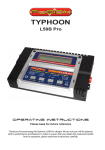
Thank you for purchasing this ‘SWALLOW AC/DC EQ CHARGER’ charger. We are sure you will be pleased with its performance and features. In order to ensure that you obtain the maximum from its operation, please read the following instructions carefully. Operating Instructions SJ INCORPORATED Operating Instructions Special Features * Input voltage is 11~15V DC, or AC 100V ~ 240V / 50 ~ 60Hz * Capable of charging and discharging 1 - 14 NiCd or NiMH cells, 1 - 6 Lithium-Ion, Lithium-Polymer or LiFePO4 cells or 2 ~ 12V lead-acid batteries * Adjustable charge current (0.1A - 6.0A) * Adjustable discharge current (0.1A - 1.0A). Auto limited to maintain 5W maximum. * "Zero Delta V" peak detection for NiCd and NiMH batteries * "Constant Current / Constant Voltage" charge method for Lithium-Ion/Po, LiFe batteries and Pb batteries. * Pack Cycling( Charge to Discharge / Discharge to Charge ) * 2 -line, 16 character, blue backlit, LCD makes the screen extremely clear and legible. * Built-in an intelligent balancing circuit is designed to individually balance each cell on the connected lithium battery pack within the tolerance of 5mV during charge or discharge. * Voltage monitoring feature is to show each actual cell voltage on the screen during balancing. * Various warning messages for improper input voltage, wrong connections, unsuitable battery condition and reverse polarity on output. * Packaged in a rugged, extruded aluminum case ! Safety precautions * Do NOT attempt to charge incompatible types of rechargeable batteries. This charger is designed to only charge and discharge Nickel-Cadmium, Nickel-Metal Hydride, Lithium-Ion ,Lithium-Polymer, LiFePO4, and Lead-Acid batteries. * Make sure to place the charger on a firm level surface for charging. * Do not attempt to charge batteries at excessive fast charge currents. Check with your battery manufacturer for the maximum charge rate applicable to your battery. * Do not use automotive type battery chargers to power the charger. * Do not leave the charger unattended while charging. Disconnect the battery and remove input power from charger immediately if the charger becomes hot. Allow the charger or battery to cool down before reconnecting. * Do not allow water, moisture or foreign objects into the charger. * Do not place the battery or charger on or near a flammable object while in use. Keep away from carpets, cluttered workbenches, etc. * Do not cover the air intake holes on the charger as this could cause the charger to overheat. * Connect the input leads to a 12V power supply first, then connect the battery. * Do not disassemble the charger. * This appliance is not intended for use by young children or infirm persons unless they have been adequately supervised by a responsible person to ensure that they can use the appliance safely. * Young children should be supervised to ensure that they do not play with the appliance. * Do not attempt to charge non-rechargeable batteries. * The battery must be placed in a well ventilated area when charging Lead Acid batteries. * When charging a battery in a vehicle, the battery terminal not connected to the chassis has to be connected first. The other connection is to be made to the chassis, remote from the battery and fuel line. The battery charger is then to be connected to the supply mains; * After charging disconnect the battery charger from the supply mains. Then remove the chassis connection and then the battery connection. 2 Operating Instructions 1. Set contents 2.SPECIFICATION Input Voltage Battery Type & Cells Battery capacity Charge Current Discharge Current Trickle Charge Current Balancing current Charge Termination Delta Peak Sensitivity Cycling Display Type Dimensions Weight 11.0-15.0V DC, AC 100V ~ 240V / 50 ~ 60Hz 1-14 Nickel-Cadmium cells / 1-14 Nickel-Metal Hydride cells 1-6 Lithium-Ion or Lithium-Polymer or LiFePO4 cells ( type : 3.6V or 3.7V or 3.3V ) 1 - 6 Lead-Acid cells ( 2V per cell ) 100mAh ~ 6000mAh adjustable ONLY for Lithium-Ion, Lithium-Polymer and LiFePO4 0.1A ~ 6A in 100mA steps(auto limited to 50W maximum) 0.1A ~ 1A in 10mA steps (auto limited to 5W maximum) 0 ~ 200mA Max. 280mA " zero delta V" peak detection for NiCd/NiMH " constant current / constant voltage " for Li-Ion/Po/Fe and Pb 5mV ~ 25mV for NiCd & 3mV ~ 25mV for NiMH batteries per cell Charge to Discharge / Discharge to Charge 2-line, 16 blue backlit character LCD 159 x 152 x 68 mm 650g 3 Operating Instructions 3.CONTROLS AC INPUT Blue backlit display Balancing port DC 12V Input alligator clips. button + Output - Output Balancing adapter board Balancing cable - Input power A. Connect the charger to the 12V DC power supply. Connect the charger’s red alligator clip to the positive (+) terminal on the power source and the black alligator clip to the negative (-) terminal. The charger will display “Input voltage” error message if the input is below 11V or above 15V. If this happens, please recheck the input power supply to make sure adequate power is present. - OR B. Connect the AC plug to a regular AC100~240V wall outlet. Note : If AC power is being used for input power, do NOT try to connect the 12V DC power as well ! 4 Operating Instructions - Output battery connections Two 4mm banana sockets are located on the right side of the charger. Connect the battery charge lead to these sockets with the positive (+) lead connected to the red socket and the negative (-) lead to the black socket. The “No battery“ error message will be displayed if trying to start to charge without connecting a battery. The “Open circuit” error message will be displayed if a battery becomes disconnected from the charger while a function is in progress. A “Reverse polarity” error message will be displayed if a battery is connected to the charger in reverse. Note. In order to balance lithium batteries during charge or discharge, pls ensure that both battery charge leads and balancing connector on the battery pack should be connected to both two 4mm output banana sockets and balancing port together on the charger. If the battery charge leads are ONLY connected to the output banana sockets without connecting the balancing connector on the lithium battery pack at the balancing port on the charger, the charger should charge or discharge the connected lithium pack without balancing the pack. - Operation When the charger is connected to the power supply the charger will show the battery mode that has been last used. If the battery TYPE button is briefly pressed, the present battery type (NiCd, NiMH, Lithium, or Pb ) will blink. While the existing battery type is blinking, every time the battery TYPE button is pressed, the following modes are shown in order. NiCd NiMH Lithum Pb NiCd If the other buttons are pressed, or nothing is pressed, the present battery type stops blinking. If the Battery type button is pressed and briefly held, the recent & previous data will be shown for 3 seconds. If the Enter button is briefly pressed, a parameter which can be adjusted starts to blink and if the Enter button is pressed again, the next parameter starts to blink. If nothing is pressed for 3 seconds, the parameter stops blinking. Once the Enter button is pressed and briefly held, the charger starts to charge or discharge according to the selected parameters. 5 Operating Instructions BATT TYPE 4. NiCd MODE NiCd CHARGE C=3.0A ENTER INC DEC INC DEC NiCd DISCHARGE D=0.50A 4.8 V INC DEC ENTER INC ENTER NiCd CHARGE C=3.0A NiCd DISCHARGE D=0.50A 4.8 V INC DEC NiCd CYCLE D->C 5 DEC C=3.0A D=0.50A START ENTER ENTER BATTERY CHECK WAIT PLEASE. . . . NiCd DISCHARGE D=0.50A 4.8 V NiCd CYCLE D->C 5 C=3.0A D=0.50A START ENTER BATTERY CHECK WAIT PLEASE. . . . NiCd CYCLE D->C 5 C=3.0A D=0.50A INC CHG 0:00 00000 NC + 3.00A 1.200V DEC NiCd CYCLE D->C 5 INC C=3.0A D=0.50A DEC INC INC DEC NiCd delta-peak'volt = 0mV/cell ENTER INC DEC INC NiCd CYCLE C->D 5 C=3.0A D=0.50A DEC ENTER INC DCH 0:00 00000 NC - 0.50A 5.200V DEC NiCd CYCLE D->C 5 C=3.0A D=0.50A START BATTERY CHECK WAIT PLEASE. . . . D->C 0:00 00000 NC - 0.50A 5.200V NiCd CHARGE C=3.0A Setting charge current Adjust and find the desired charge current which ranges from 0.1A to 6.0A with the INC & DEC buttons. Press the ENTER button to confirm the setting. NiCd DISCHARGE D=0.50A 4.8 V Setting discharge current Adjust and find the desired discharge current which ranges from 0.1A to 1A with the INC & DEC buttons. Press the ENTER button to confirm the setting. NiCd DISCHARGE D=0.50A 4.8 V NiCd CYCLE C->D 5 C=3.0A D=0.50A NiCd delta-peak'volt = 0mV/cell Setting discharge cutoff voltage This is the voltage that the charger should stop discharging the battery. Adjust and find total discharge cutoff voltages to be discharged from 0.1V to 16.8V with the INC & DEC buttons. Press the ENTER button to confirm the setting. Setting cycle This is to set cycling with two options (Charge to Discharge / Discharge to Charge). Set cycling with the INC & DEC buttons and press the ENTER button to confirm the setting. Setting Delta Peak Sensitivity. This is to set the Delta Peak Sensitivity from 5mV to 25mV per cell with INC & DEC buttons and press the ENTER button to confirm the setting. 6 DEC NiCd delta-peak'volt = 0mV/cell Operating Instructions BATT TYPE 5. NiMH MODE NiMH CHARGE C=3.0A ENTER INC DEC INC DEC NiMH DISCHARGE D=0.50A 4.8 V INC DEC ENTER INC DEC NiMH CYCLE D->C 5 C=3.0A D=0.50A INC DEC NiMH DISCHARGE D=0.50A 4.8 V NiMH CYCLE D->C 5 C=3.0A D=0.50A START ENTER SETUP BATTERY CHECK WAIT PLEASE. . . . NiMH DISCHARGE D=0.50A 4.8 V NiMH CYCLE D->C 5 C=3.0A D=0.50A START SETUP BATTERY CHECK WAIT PLEASE. . . . NiMH CYCLE D->C 5 C=3.0A D=0.50A CHG 0:00 00000 NH + 3.00A 1.200V DEC DEC SETUP NiMH CHARGE C=3.0A INC INC INC INC NiMH delta-peak'volt = 0mV/cell ENTER INC DEC DEC INC NiMH CYCLE C->D 5 C=3.0A D=0.50A DEC SETUP INC DCH 0:00 00000 NH - 0.50A 5.200V DEC NiMH CYCLE D->C 5 C=3.0A D=0.50A START BATTERY CHECK WAIT PLEASE. . . . D->C 0:00 00000 NH - 0.50A 5.200V NiMH CHARGE C=3.0A Setting charge current Adjust and find the desired charge current which ranges from 0.1A to 6.0A with the INC & DEC buttons. Press the ENTER button to confirm the setting. NiMH DISCHARGE D=0.50A 4.8 V Setting discharge current Adjust and find the desired discharge current which ranges from 0.1A to 1A with the INC & DEC buttons. Press the ENTER button to confirm the setting. NiMH DISCHARGE D=0.50A 4.8 V Setting discharge cutoff voltage This is the voltage that the charger should stop discharging the battery. Adjust and find total discharge cutoff voltages to be discharged from 0.1V to 16.8V with the INC & DEC buttons. Press the ENTER button to confirm the setting. NiMH CYCLE C->D 5 C=3.0A D=0.50A Setting cycle This is to set cycling with two options ( Charge to Discharge / Discharge to Charge). Set cycling with the INC & DEC buttons, and press the ENTER button to confirm the setting. NiMH delta-peak'volt = 0mV/cell Setting Delta Peak Sensitivity. This is to set the Delta Peak Sensitivity from 3mV to 25mV per cell with INC & DEC buttons and press the ENTER button to confirm the setting. 7 DEC NiMH delta-peak'volt = 0mV/cell Operating Instructions BATT TYPE 6. Lithium MODE ( Li-Ion / LiPo / LiFe ) LiIo CHARGE C=3000mAh 10.8Vp INC ENTER INC DEC DEC LiIo DISCHARGE D=0.50 A 10.8Vp ENTER INC LiIo CHARGE C=3000mAh 10.8Vp INC ENTER INC DEC Lithium type LiIo ENTER DEC LiIo DISCHARGE D=0.50A 10.8Vp ENTER DEC Lithium type LiIo DEC INC DEC LiIo CHARGE C=3000mAh 10.8Vp LiIo DISCHARGE D=0.50A 10.8Vp START START INC Lithium type LiPo DEC INC BALANCER CON. NOT CONNECTED BALANCER CON. CONNECTED BALANCER CON. NOT CONNECTED BALANCER CON. CONNECTED BATTERY CHECK WAIT PLEASE. . . . BATTERY CHECK WAIT PLEASE. . . . CHG 0:00 00000 LI + 3.00A 11.800V DCH 0:00 00000 LI - 0.50A 9.800V Lithium type LiFe This charger is capable of charging Lithium-Ion, Lithium-Polymer and LiFePO4 batteries up to 6 cells. This charger uses “constant current / constant voltage“ in order to fully charge those lithium batteries. Constant current is delivered during the fast charge. When the voltage of the Li-Ion, Li-Po battery and LiFePO4 reaches approx 4.1V, 4.2V, and 3.7V per cell, the charger starts to change its charge method from “constant current” to “constant voltage “. The “constant voltage“ allows the battery to dictate how much current the charger should deliver for safe, full charges. When the current drops below approx 1/10 currents of user selected battery capacity, the charger will stop charging as the battery is fully charged. 8 Operating Instructions LiIo CHARGE C=3000mAh 10.8Vp Setting battery capacity Adjust and set the desired battery capacity from 100mAh to 6000mAh (50mAh per step) with the INC & DEC buttons. Press the ENTER button to confirm the setting. LiIo CHARGE C=3000mAh 10.8Vp Setting battery voltages for Li-Ion battery pack Select the proper total battery voltages to be charged or discharged with the INC & DEC buttons – 3.6V, 7.2V, 10.8V, 14.4V, 18.0V and 21.6V [Vpack] LiPo CHARGE C=3000mAh 11.1Vp Setting battery voltages for Li-Po battery pack Select the correct total battery voltages to be charged or discharged with buttons – 3.7V, 7.4V, 11.1V, 14.8V, 18.5V and 22.2V [Vpack] the INC & DEC LiFe CHARGE C=3000mAh 11.1Vp Setting battery voltages for Li-Fe battery pack Select the correct total battery voltages to be charged or discharged with buttons – 3.3V, 6.6V, 9.9V, 13.2V, 16.5V and 19.8V [Vpack] the INC & DEC LiIo DISCHARGE D=0.50 A 10.8Vp Setting discharge current Adjust and find the desired discharge current from 0.10A to 1.00A (0.01A per step) with the INC & DEC buttons. Press the ENTER button to confirm the setting. Lithium type LiPo Setting battery type Choose the desired battery type (Li-Ion, Li-Po or Li-Fe ) with the INC & DEC buttons. Press the ENTER button to confirm the setting. For safety purposes, this charger is designed to automatically deliver a 1C charge rate to batteries of Li-Ion, Li-Po or Li-Fe, based on the user selected battery capacity. Example: Li-Po cell of 1500mAh capacity : 1C = 1500mAh ( = 1.5A ) charge current. Note : The maximum voltage for Li-Ion is 4.1V per cell, 4.2V per cell for Li-Po batteries, and 3.7V per cell for Li-Fe batteries. Therefore, it is extremely important to choose the proper battery type to be charged, as each Lithium battery has the different voltage level. Otherwise, it may cause very serious damage to the batteries and increase the risk of a fire ! BALANCER CON. NOT CONNECTED BALANCER CON. CONNECTED The left screen should be shown if lithium charge or discharge starts without connecting the balancing cable to the balancing port of the charger. The left screen should be shown if lithium charge or discharge starts with connecting the balancing cable to the balancing port of the charger. 9 Operating Instructions BATT TYPE 7. Pb MODE Pb CHARGE C=3.0A 12Vpack ENTER INC DEC Pb CHARGE C=3.0A 12Vpack ENTER INC DEC Pb DISCHARGE D=0.50A 12Vpack ENTER INC DEC Pb DISCHARGE D=0.50A 12Vpack ENTER INC DEC Pb CHARGE C=3.0A 12Vpack START INC DEC Pb DISCHARGE D=0.50A 12Vpack START BATTERY CHECK WAIT PLEASE. . . . BATTERY CHECK WAIT PLEASE. . . . CHG 0:00 00000 Pb + 3.00A 12.800V CHG 0:00 00000 Pb - 0.50A 11.200V to NiCd charge Pb CHARGE C=3.0A 12Vpack Setting charge current Adjust and find the desired charge current which ranges from 0.1A to 6.0A with the INC & DEC buttons. Press the ENTER button to confirm the setting Pb CHARGE C=3.0A 12Vpack Setting battery voltages for Li-Ion battery pack Select the proper total battery voltages to be charged or discharged with the INC & DEC buttons – 2V, 4V, 6V, 8V, 10V, and 12V [Vpack] Pb DISCHARGE D=0.50A 12Vpack Setting discharge current Adjust and find the desired discharge current from 0.10A to 1.00A (0.01A per step) with the INC & DEC buttons. Press the ENTER button to confirm the setting. 8. Displays during charge, discharge, and cycle “BLC” should be shown if the balancer cable is connected to the balancing port of the charger. CHG: charge DCH: discharge C→D: cycle D→C: cycle CHG 030:25 00000 NC + 3.00A 10 .75V DCH 030:25 00000 NC - 3.00A 10 .75V D->C 0:00 00000 NH + 3.0 1.200 NC: NiCd NM: NiMH LI: LiIo , LP: LiPo , LF: LiFe Pb: Pb If the Enter button is pressed, the charge or discharge can be terminated. 10 Operating Instructions 9. Completion display END 030:00 00000 NC 100mA 10.75V In order to move to the main display, press the Enter button. 10. Data display INC INPUT = 12.00V OUTPUT = 13.18V INC ChgCAPA=00000mAh DchCAPA=00000mAh DEC ENTER INC CHG PEAK = 12.00V DCHG AVR = 13.18V DEC LCB-[01] = 0.000V LCB-AVG = 0.000V INC LCB-[02] = 0.000V LCB-AVG = 0.000V DEC DEC INC INC DEC 0.00 0.00 0.00V 0.00 0.00 0.00V LCB-MAX = 0.000V LCB-MIN = 0.000V INC DEC DEC If the Battery type button is pressed for over 3 seconds, the Data view will be displayed as above. Data displays can be scrolled left and right by INC & DEC buttons. If the Battery type button is again pressed, those data view screen should be disappeared. LCB-[01]= 0.000V LCB-AVG = 0.000V This screen is only shown if a balancing connector is connected. Press the ENTER button then the “01” should flash, each cell voltage is shown by INC & DEC buttons. LCB-MAX= 0.000V LCB-MIN = 0.000V This screen is also only shown if a balancing connector is connected. Its shows each maximum and minimum voltages on the screen. 11. Error messages INPUT BATTERY VOLTAGE ERROR When input voltage is below 11.0V or exceeds 15V. NO BATTERY When a battery is not connected to the charger’s output OUTPUT BATTERY REVERSE POLARITY When a battery is connected to the output in reverse OUTPUT CIRCUIT PROBLEM When the circuit of the charger has a problem CHECK THE BATT. OPEN CIRCUIT When a battery becomes disconnected during an operation CHECK THE BATT. OVER VOLTAGE If wrong voltages are set while charging lithium or Pb batteries. CHECK THE BATT. LOW VOLTAGE If wrong voltages are set, or batteries are over discharged, while charging Lithium or Pb batteries BALANCER VOLTAGE IS TOO HIGH If voltage per cell is too high during balancing, this message should appear. BALANCER VOLTAGE IS TOO LOW If battery cells are short-circuited during balancing, this message should appear. DONT CHARGE LIXX WITH THIS MODE If the charger starts charging, discharging, or cycle for NiCd/MH, or Pb batteries with connecting the balancing cable to the balancing port of the charger. 11 Guarantee/Warranty. Model Engines (Aust.) Pty. Ltd guarantees this product to be free from manufacturing defects for a period of 60 days from time of purchase. This warranty does cover misuse, modification or for damage or consequential damage arising as a result of failure to observe the procedures outlined in this manual. Operation of this product is carried out entirely at the risk of the operator. Please note that, whilst every effort is made to ensure the accuracy of instructions and material included with this product, mistakes can occur and Model Engines (Aust.) Pty. Ltd nor its distributors will be held liable for any loss or damage arising from the use of this product or any loss or damage arising from omissions or inaccuracies in the associated instructions or materials included with this product.