1
6
Operation
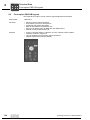
DBG60B keypad
Parameter mode
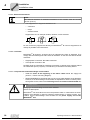
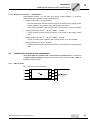
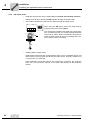
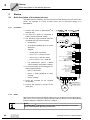
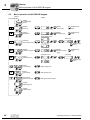
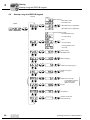
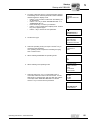
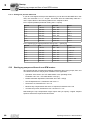
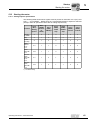
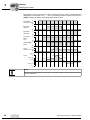
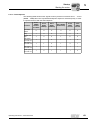
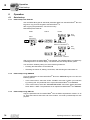
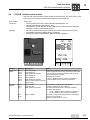
Proceed as follows to set the parameters in parameter mode:
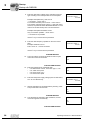
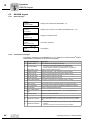
1. Press the context key to activate the context menu. The first
menu item is "PARAMETER MODE".
2. Press the OK key to start PARAMETER MODE. The first
display parameter P000 "SPEED" appears. Use the ↑ or ↓
key to select main parameter groups 0 to 9.
PARAMETER MODE
VARIABLE MODE
BASIC VIEW
P 000
SPEED
rpm
+0.0
CONTR. INHIBIT
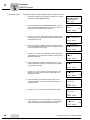
3. Use the ↑ or ↓ key to select desired main parameter group.
The flashing cursor is positioned under the number of the
main parameter group.
P 1.. SETPOINTS/
RAMP GENERATORS
CONTR. INHIBIT
4. Press the OK key to activate parameter subgroup selection
in the required main parameter group. The flashing cursor
moves one position to the right.
P 1.. SETPOINTS/
RAMP GENERATORS
CONTR. INHIBIT
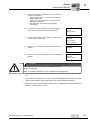
5. Use the ↑ or ↓ key to select desired parameter subgroup.
The flashing cursor is positioned under the number of the
parameter subgroup.
\ 13. SPEED
RAMPS 1
CONTR. INHIBIT
6. Press the OK key to activate parameter selection in the
required parameter subgroup. The flashing cursor moves
one position to the right.
\ 13. SPEED
RAMPS 1
CONTR. INHIBIT
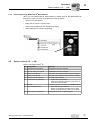
7. Use the ↑ or ↓ key to select the desired parameter. The
flashing cursor is positioned under the third digit of the
parameter number.
\ 132
T11 UP CCW
s
+0.13
CONTR. INHIBIT
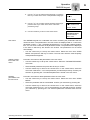
8. Press the OK key to activate the setting mode for the
selected parameter. The cursor is positioned under the
parameter value.
\ 132
T11 UP CCW
s
+0.13_
CONTR. INHIBIT
9. Use the ↑ or ↓ key to set the required parameter value.
\ 132
T11 UP CCW
s
+0.20_
CONTR. INHIBIT
10. Press the OK key to confirm the setting. To exit setting
mode, press the ↔ key. The flashing cursor is positioned
under the third digit of the parameter number again.
\ 132
T11 UP CCW
s
+0.20
CONTR. INHIBIT
82
Operating Instructions – MOVITRAC® B