1
Warnings and cautions
Low pressure gauges can very easily be over pressured if not careful.
Please take caution when applying pressures.
Do not exceed the safety pressure limit ( 2600 psi / 180 Bar ).
This pump is not designed to be used in explosive or corrosive environments.
Do not switch between pressure and vacuum mode under pressure. Make sure you have
vented the pressure and opened the isolation valve before switching to vacuum.
Over tightening connectors may cause damage.
Pump should be stored in a dry/clean environment.
Do not hold pressure above 1000 psi for more than 4 hours.
All moisture and contaminants should be cleaned out of the liquid isolator before creating a
vacuum. This is accomplished by venting the pump when at high pressure.
For the least risk in contamination of the reference gauge, the DUT should be installed to
the pressure port which is closest to the vent valve.
Additel is not liable for any safety problems or damages caused by misuse or incorrect
operation.
Specification
Pressure range: 95% vacuum to 2000 psi ( 140 bar )
( Based on an atmospheric pressure of 1 bar )
Temperature: 0 to 50 ℃ / 32 to 122 F
Humidity: < 85%RH
Adjustment resolution: 0.001psi ( 0.1mbar,10 Pa )
Overpressure Safety Limit: 2600 psi ( 180 bar )
Pressure media: Air
Weight: 14.4 lbs ( 6.5 kg )
Remark:If local atmosphere pressure is 1 bar, the vacuum can reach to -0.95 bar;
If local atmosphere pressure is P, the vacuum can reach to - 0.95P bar.
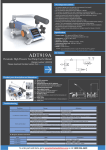
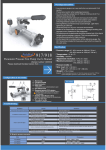
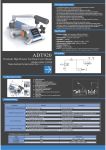
ADT919A
Air routine
Pneumatic High Pressure Test Pump User's Manual
[Version number:1409V03]
Please download the latest version from www.additel.com
7
3
8
2
5
Product parts description and dimensions
1
2
3 4
1 - Quick connector
2 - Hand pump
3 - Pressure/vacuum (P/V) selector
(Positive pressure: pull it out; Vacuum: push it in)
Do not switch while unit is under any pressure
4 - Pressure/Vacuum lock
5 - Fine adjust handle
(Turn Clockwise to increase pressure)
5
9 8
6
5.50''
(isolates the calibration volume from the hand pump and
check valve)
8 - Vent valve
7
19.92''
54
6 - Maintenance cleaning port
7 - Isolation valve
(clockwise to close/counterclockwise to release pressure)
17.12''
21.26''
10.63''
9 - Vent port
Troubleshooting
Problem
Hand pump will not generate pressure
It is difficult to increase pressure
Hard to use fine adjust
Not easy to turn fittings
Solution
Cause
The isolation valve is not open.
Open the isolation valve.
A. Vent valve is not closed.
Close the vent valve.
B. The O-ring seal is loose or damaged.
Replace O-ring seal.
C. P/V selector is in the wrong position.
Pressure: Pull PV selector out; Vacuum: Push in PV selector in.
D. Internal tubing is dirty.
Disassemble and clean (Request diagram).
A. The isolation valve is not closed.
Close the isolation valve.
B. The gauges are not tightened.
Tighten the reference gauge and / or the gauge under test.
C. The O-ring seal is aged or frayed.
Replace O-ring seal.
D. The connector type is mismatched to the gauge pressure port.
Use the correct adaptor.
E. Air route is blocked/dirty.
Pressurize to high pressure and release pressure quickly via the vent valve.
A. Too much force was previously applied.
Do not over tighten. Hand tight is sufficient.
B. The threads have no lubrication.
Lubricate the thread.
C. The connector type is mismatched to the gauge pressure port.
Use the correct adaptor.
O-Rings for pressure connector
P/N
Size
1611300004
4X1.5
M10X1, 1/8BSP, 1/8NPT
1611300220
6.5X3
M20X1.5, 1/2BSP, 1/2NPT
1611300024
6X2
M14X1.5, 1/4BSP, 1/4NPT, 3/8BSP
Connector
Basic Operation
A
Connection
DIGITAL PRESSURE CALIBRATOR
Units
A
0
25
50
75
100
SW
SW
V
mA
COM
V
mA
COM
24V
24V
Pressure Gauge
k
pressure switch
dial gauge
B
Vent
pressure transmitter
C
Increase pressure process
flexible hose
D
Decrease pressure process
DIGITAL PRESSURE CALIBRATOR
DIGITAL PRESSURE CALIBRATOR
DIGITAL PRESSURE CALIBRATOR
Units
Units
A
0
25
50
75
Units
100
A
0
25
50
75
A
100
0
25
50
75
100
Pressure Gauge
Pressure Gauge
Pressure Gauge
Increase pressure
2 to the desired value
3 open
1 select the pressure mode
(for precision
3 close
measure)
2 open
4 turn it in the mid-position
0
4 Fine adjust
2 Fine adjust
1 close
1
Open it slowly to get the
desired value, and close!
Zeroing should be operated under this condition only.
E
Prepare for vacuum
F
Vacuum process
Decrease vacuum process
G
DIGITAL PRESSURE CALIBRATOR
DIGITAL PRESSURE CALIBRATOR
Units
DIGITAL PRESSURE CALIBRATOR
Units
A
0
25
50
75
100
Units
A
0
0.06
25
50
75
A
100
0
0.04
Vacuum Gauge
0.08
- 0.1
4 open
MPa
0.06
0.02
25
50
75
100
0.04
0.06
Vacuum Gauge
vacuum-pumping
0
1 to the desired value
3 operate it to get the desired value
5 close
(for precision
2 close
measure)
0.08
MPa
- 0.1
0.02
MPa
- 0.1
3 Fine adjust
2 Fine adjust
1
Open it slowly to get the
desired value, and close!
1 open
2 Push in, select the
vacuum mode
!
0.04
Vacuum Gauge
0.08
0
Open to atmosphere before operation
Remark: A: Additel has made a concerted effort to provide complete and current information for the proper use of the equipment. The product
specifications and other information contained this manual are subject to change without notice.
B: Above pictures are just for reference.
Additel Corporation
22865 Savi Ranch Parkway, Ste F, Yorba Linda, CA 92887
www.additel.com
0.02
0