1
EPR120 User’s Manual
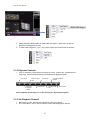
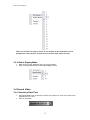
2. Please wait while DVR Reader is reading disk information. “Status Bar” shows the
progress of reading disk process.
3. To load a disk image file ( *.edr / *.avr), select “Open File”) and browse file location.
3.3.2 Playback Controls
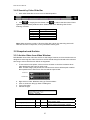
1. Click on Playback Control Buttons to Playback, Pause, reverse play, forward/reverse
single step, fast forward/rewind and increase/decrease playback speed.
Fast rewind
Reverse single
step
Decrease
Playback
Speed
Play/Pause
Reverse play
Increase Playback
Speed
Forward single
step
Fast forward
Note: Playback speed range is 0.1~16x and they are approximate speeds.
3.3.3 Set Playback Channel
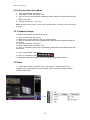
1. Right click on Video Window where playback channel is to be set.
2. In Function Menu, click on Set Channel to choose desired playback channel.
8