1
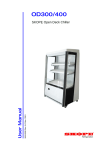
MAN1590 Rev. 9.1 Jul. 2015 User Manual OD400 SKOPE Open Deck Chiller SKOPE Warranty Protection Register now for peace of mind It’s quick and simple. Take a few minutes to register your SKOPE product and enjoy more efficient support plus other warranty benefits. When registering, make sure you have your cabinet serial number at hand. To register online: Visit our website at www.skope.com/warrantyprotection then complete and submit the online registration form. Or freephone: 1800 121 535 (Australia) 0800 947 5673 (New Zealand) SKOPE 1-year Extended Warranty Extend your Warranty Protection by 1 year during registration. Please check you have not already organised an extended warranty through your dealer at time of purchase. For pricing information on an extended warranty visit www.skope.com/warrantyprotection Service & Support We know you will get years of satisfaction from your new SKOPE product when you follow a few simple preventative maintenance guidelines. Helpful information is available on our website www.skope.com/serviceandsupport Thank you for purchasing a SKOPE refrigeration product. CONTENTS 1 Installation Safety First . . . . . . . . . . . . . . . . . . . . . . . . . . . . . . . . . . . . . . . . . . . . . 4 Cabinet Location . . . . . . . . . . . . . . . . . . . . . . . . . . . . . . . . . . . . . . . . . 4 Power Supply . . . . . . . . . . . . . . . . . . . . . . . . . . . . . . . . . . . . . . . . . 5 Air Movement . . . . . . . . . . . . . . . . . . . . . . . . . . . . . . . . . . . . . . . . . 5 Ventilation . . . . . . . . . . . . . . . . . . . . . . . . . . . . . . . . . . . . . . . . . . . 5 Shelving. . . . . . . . . . . . . . . . . . . . . . . . . . . . . . . . . . . . . . . . . . . . . . . . 6 Adjustable Shelves . . . . . . . . . . . . . . . . . . . . . . . . . . . . . . . . . . . . . 6 Cantilevered Shelf Brackets . . . . . . . . . . . . . . . . . . . . . . . . . . . . . . 6 Loading . . . . . . . . . . . . . . . . . . . . . . . . . . . . . . . . . . . . . . . . . . . . . 6 2 Operation Automatic Start-Up . . . . . . . . . . . . . . . . . . . . . . . . . . . . . . . . . . . . . 7 Night Blind (optional) (OD400 only) . . . . . . . . . . . . . . . . . . . . . . . . 7 Electronic Controller . . . . . . . . . . . . . . . . . . . . . . . . . . . . . . . . . . . . . . 8 Controller Display . . . . . . . . . . . . . . . . . . . . . . . . . . . . . . . . . . . . . . 8 Controller Operations . . . . . . . . . . . . . . . . . . . . . . . . . . . . . . . . . . . 8 Temperature Setpoint . . . . . . . . . . . . . . . . . . . . . . . . . . . . . . . . . . 9 Controller Reset . . . . . . . . . . . . . . . . . . . . . . . . . . . . . . . . . . . . . . . 9 Controller Alarms . . . . . . . . . . . . . . . . . . . . . . . . . . . . . . . . . . . . . 10 3 Servicing Lighting . . . . . . . . . . . . . . . . . . . . . . . . . . . . . . . . . . . . . . . . . . . . . . . 12 Cabinet Interior Lights . . . . . . . . . . . . . . . . . . . . . . . . . . . . . . . . . 12 Cleaning . . . . . . . . . . . . . . . . . . . . . . . . . . . . . . . . . . . . . . . . . . . . . . 13 Cabinet . . . . . . . . . . . . . . . . . . . . . . . . . . . . . . . . . . . . . . . . . . . . . 13 Condenser Coil . . . . . . . . . . . . . . . . . . . . . . . . . . . . . . . . . . . . . . 13 Advanced Servicing. . . . . . . . . . . . . . . . . . . . . . . . . . . . . . . . . . . . . . 13 SKOPE OD400 User Manual iii SKOPE OD400 1 Installation Safety First Always observe safety precautions when using any electrical appliance. Read these instructions carefully and retain them for future reference. When the appliance is used by or near young children or infirm persons, close supervision is necessary, especially to ensure children do not play with it. Do not use this appliance for other than its intended use. Do not cover the grilles or block the entry or exhaust of airflow by placing objects up against the refrigeration unit. Do not probe any opening. Only use this appliance with the voltage specified on the cabinet rating label. Ensure the chiller has adequate ventilation as this is essential to economical, high performance. Be careful not to touch moving parts and hot surfaces. For your own safety and that of others, ensure that all electrical work is done by authorised personnel. If the power supply flexible cord becomes damaged, it must be replaced by an authorised service agent or similarly qualified person in order to avoid a hazard. Ensure all necessary safety precautions are observed during installation or removal of the refrigeration unit. The chiller is not designed to be stable while in motion. Use extreme caution when moving or transporting it. WARNING Disconnect the cabinet from the mains power supply before attempting any cleaning or maintenance. CAUTION Never overload the power supply, which could damage the chiller and product. See the rating label inside the cabinet for the safe power supply and current draw. CAUTION Do NOT allow liquids or any other materials to drain into the bottom of the cabinet, as this could lead to refrigeration system failure. Cabinet The location of the chiller may be the single most important decision that will Location extend its life and ensure economical, high performance. We recommend that you put the chiller in the coolest place possible because it will use less power and last longer. Although it operates in environs up to 25°C at 60% RH (climatic class 3), it would be unwise to make the chiller constantly run at the upper end. Ensure the cabinet sits on a level surface to prevent the condensate tray from overflowing. 4 Installation User Manual SKOPE OD400 Power Supply The power supply cord, which exits out the bottom rear of the cabinet, should be retrieved before the cabinet is positioned. The power supply must be plugged directly into a dedicated wall socket. Extension cords or multiboxes should NOT be used. Air Movement The cabinet must NOT be situated where it is affected by air-conditioning air outlets, ventilation fans or air re-circulation fans, as this will compromise the airflow and thus product temperature in the open cabinet zone. There must be NO air movement directly into the cabinet opening. Air movement will cause failure of the air curtain over the product, resulting in excessive temperature rise. Detectable air draft will adversely effect the cabinet operation. Maximum air movement across the cabinet opening must not exceed 0.2 m/s. IMPORTANT There must be NO air movement directly into the cabinet opening. Ventilation Never store cardboard cartons or other items in front or rear of the refrigeration unit. The ventilation slots in the front and rear of the cabinet must be kept clear at all times. For efficient operation of the chiller, it is essential that adequate ventilation clearance be provided around the refrigeration unit. Normal operating conditions should not exceed 25°C at 60% RH (Climatic Class 3). It is critical that the hot refrigeration exhaust air is not restricted and that it can easily flow up, away from the cabinet. IMPORTANT For efficient operation of the chiller, it is essential that adequate ventilation clearance be provided around the refrigeration unit. The minimum clearance between the cabinet back and the rear wall must be at least 75mm. The minimum clearance above the cabinet must be at least 200mm. The cabinet should also have at least 60mm clearance on both sides. Ceiling 200mm 75mm Unimpeded refrigeration exhaust airflow - clear of any obstruction. Front Rear Wall Air intake Installation User Manual 5 SKOPE OD400 Shelving The SKOPE Open Deck Chiller is supplied with the following standard shelving items, packed inside the cabinet: 1 Adjustable Height Top Shelf (shallow depth) 1 Adjustable Height Middle Shelf (medium depth) 1 Fixed Bottom Shelf (deep - supplied fitted) 4 Cantilevered Shelf Brackets (2 shallow and 2 medium depth) Adjustable The adjustable height top and middle shelves are each held in place by two Shelves cantilevered shelf brackets. Top Shelf (shallow) Middle Shelf (medium) Bottom Shelf (deep) To fit the adjustable height shelves 1. Unpack all the shelving items from inside the cabinet. 2. Establish the desired position for each of the shelves, based on the height of the product intended to go on each shelf. 3. Fit the cantilevered shelf brackets into the vertical slots in the back of the cabinet. Place each shelf onto the brackets, with the rear of the shelf clipped over the back of both brackets. Cantilevered The cantilevered shelf brackets can be fitted either horizontal - so the Shelf Brackets shelves sit flat, or angled down - to accommodate the gravity feed of product. Loading When loading the cabinet shelves with product: 6 Ensure all shelves are securely fitted. Allow air space around all packages etc. for even cooling and efficient operation of the chiller. Leave an air space of at least 50mm (2”) above packages etc. on the top shelf. Do not allow products to overhang the front of the shelves, as this will effect the air flow. Do not exceed a maximum loading of 20kg per shelf. Remove some product if the shelves are flexing or bending. Installation User Manual SKOPE OD400 2 Operation Automatic After the cabinet has been positioned in a suitable place, plug it in and check Start-Up the following activity. Item Activity Refrigeration Unit The refrigeration unit evaporator and condenser fans should all operate continuously from the time the cabinet is plugged in. This may be verified by listening for compressor switch-on and checking for air movement inside the cabinet. The internal cabinet air will continue to circulate at all times. The compressor will start after approximately one minute, will switch off when the cabinet internal temperature reaches approximately +1.5°C and on again at approximately +4°C. Electronic Controller When the cabinet is connected to the power supply, the electronic controller will display the current cabinet temperature. The compressor LED will indicate the compressor is operating and the evaporator fan LED will normally come on within 2 minutes (see page 8 for controller display). Cabinet Lighting The cabinet interior lights will both go on when the cabinet is plugged in and will stay on permanently while the cabinet is connected to the power supply. The cabinet lighting can be manually turned off and on by pressing the controller key for 2 seconds (not available on all cabinets). The lighting will go off during the ‘CHt’ high temperature shutdown (see page 11 for controller alarms). The fluorescent lights will require a period of time to stabilise following initial start up. Night Blind Only applicable to cabinets fitted with a night blind. The OD400 cabinet has a night blind you can pull down to save power when the chiller is not being used. This blind is located inside the cabinet, behind the front of the cabinet lid. To close the blind, grab the handle at the bottom of the blind and pull down. Hook both ends of the handle under the two hooks behind the front air shield, taking care not to damage the air shield. Operation User Manual 7 SKOPE OD400 Electronic Controller Introduction The electronic controller controls the chiller and signals temperature alarms. The preset temperature setting controls the product temperature between 0°C and 5°C. The electronic controller is pre-programmed and usually requires no initial setup or additional programming. SKOPE does not recommend that the settings be changed unless necessary. Faceplate Because the electronic controller plays such an important role, it’s helpful to know the parts of the faceplate you may use. 11 9 6 8 10 1 2 3 4 5 7 12 13 14 15 No. Item Description 1 MUTE: Mutes the audible controller alarm. 2 LIGHT SWITCH: Press and hold to switch the lights on and off (not available on all cabinets). 3 SET: Service use only. 4 MANUAL DEFROST: Press and hold to initiate a manual defrost cycle. 5 COMPRESSOR: ON when the compressor and condenser fan starts. Flashes when activation of the compressor is temporarily delayed. 6 FAN: Shows when fan is operational. 7 DEFROST: ON when the defrost is activated. Flashes when the activation of the defrost is temporarily delayed due to procedures in progress. 8 AUX: n.a. 9 ALARM: Flashes in the event of alarms. 10 CLOCK: On when real time clock is enabled. 11 LIGHT: On when the cabinet lighting is activated. 12 SERVICE: Flashes in the event of malfunctions. 13 DISPLAY: Shows three dashes during normal operating mode. Flashes when the door is open. 14 HACCP: n.a. 15 CONTINUOUS CYCLE: n.a. 8 Operation User Manual SKOPE OD400 Defrost To ensure efficient operation, the electronic controller forces a defrost cycle when required. During a defrost cycle, the compressor stops, DEF and the will display on the electronic controller faceplate. The cabinet will resume normal operation once the defrost cycle has finished. A manual defrost can also be initiated by pressing and holding the button. Continuous The continuous cycle can be used to pull down the temperature of product Cycle inside the cabinet quickly. During a continuous cool down the compressor runs continuously for a set time. To start a continuous cycle 1. While the cabinet is switched on and running, press and hold the and buttons for five seconds. The symbol will display during a continuous cycle. To stop a continuous cycle 1. The electronic controller will automatically stop the continuous cycle after a period of time. The continuous cycle can be stopped by pressing and holding the and buttons for five seconds. Temperature The chiller is manufactured with a pre-set control temperature set point of Setpoint 2.5°C (standard) or 1°C (dairy). If this set point does not match your required storage temperature it is recommended that you change the set point accordingly. The set point can be adjusted between 0°C and 4°C. To view and adjust the temperature setpoint 1. To view the setpoint: press and hold the key for 2 seconds, until the setpoint value flashes 2. To adjust the setpoint: press either the and keys to display the required setpoint value. 3. Press the key again to memorise the new setpoint value. If this is not done within 60 seconds, changes will be lost and you will need to repeat the above procedure. Operation User Manual 9 SKOPE OD400 Controller To delete program modifications and reset the controller to SKOPE default Reset program or when a replacement controller is being fitted, a ‘Controller Reset’ must be performed. To reset the controller 1. Disconnect the cabinet from the power supply. 2. Press and hold the key while plugging the cabinet into the power supply (this may require two people). After a few seconds the controller is reset and program mode ‘bn0’ is displayed. The controller must never be left in program mode ‘bn0’ as failure will occur. 3. Press the or keys to select bn1 (standard) or bn2 (dairy) for SKOPE default programs. 4. Immediately press the key to confirm the preferred program. If not confirmed within 60 seconds the cabinet will remain in program mode ‘bn0’ (and cause failure). If this occurs, repeat the above procedure. 10 Operation User Manual SKOPE OD400 Controller Alarms Code Display Buzzer Alarm Description on Product HIGH temperature alarm (auto reset) on Product LOW temperature alarm (auto reset) Flashing Flashing Action 1. Check the cabinet product loading to ensure ventilation slots are not blocked and that product does not overhang the shelves. 2. Ensure the cabinet is installed with good refrigeration unit ventilation. 3. If immediate alarm recovery is required unplug the cabinet from the power supply for 1 minute, then reconnect to power supply. If alarm persists, contact SKOPE. off Flashing on Flashing pre-warning (auto reset) Refrigeration system high temperature shutdown (manual reset) off Ambient probe fault (also flashes ‘rE’) off Evaporator probe fault off Condenser probe fault Flashing Flashing Flashing None Refrigeration system high temperature off Defrost over-time limit 1. Check refrigeration ventilation. Ensure clear airpath at the top and front of the cabinet (to extract hot air). A minimum of 200mm clear space is required above and in front of the refrigeration unit. 2. Ensure the cabinet is installed in a suitable environment. 3. To reset the ‘CHt’ alarm - unplug the cabinet from the power supply for 1 minute, then reconnect to power supply. If alarm persists, contact SKOPE. To reset alarm - unplug the cabinet from the power supply for 1 minute, then reconnect to power supply. If alarm persists, contact SKOPE. off Real-time clock fault off Controller E prom error off Controller E prom error Flashing Flashing Flashing None - Start defrost request None - End defrost request None Operation User Manual 11 SKOPE OD400 3 Servicing Lighting Cabinet The cabinet has two interior side lights, each fitted with one fluorescent tube: Interior Lights Model Fluorescent Tube Part No. OD400 14W/860 T5 fluorescent tube (Ø16mm x 550mm) ELL0601 To replace a fluorescent tube 1. Disconnect the cabinet from the power supply. 2. Remove the side light diffuser by compressing the rear of the diffuser until it disengages from the side housing (see below). Light Diffuser Printing Fluorescent Tube Red Lamp Holder 3. Rotate the red lamp holder outwards until the fluorescent tube is released (see above). Rotate inwards to lock the tube in position. 4. When fitting the new fluorescent tube ensure the printing on the tube is at the bottom, as the orientation of the tube is important. Cleaning Cabinet When necessary, wipe both the interior and exterior of the cabinet with a damp cloth. Ensure the cabinet is disconnected from the mains power supply before cleaning the cabinet. CAUTION Do NOT wash any solvents down into the refrigeration system, as this could lead to refrigeration failure. 12 Servicing User Manual SKOPE OD400 Condenser To ensure trouble-free performance, the condenser coil must be kept clean. Coil We strongly urge monthly cleaning with a soft brush to remove dust and fluff. A thorough cleaning is required by qualified service personnel every six months. The condenser coil must be kept clean for efficient and reliable operation. WARNING Disconnect the chiller from the power supply before cleaning the condenser coil. To clean the condenser coil 1. Disconnect the cabinet from the power supply. 2. Remove the front panel from the cabinet by removing the fixing screws near the bottom of the panel and lifting it up and off the cabinet. Fixing Screw Front Panel 3. Brush the condenser coil with a soft brush 4. Refit the front panel and reconnect to the power supply. Advanced Servicing Advanced servicing should be carried out by an authorised service agent. Servicing must comply with all relevant standards and regulations, including Australian and New Zealand ‘Refrigerant Handling Code of Practice 2007’ (Part 1 and Part 2) and AS/NZS 3000:2000 Wiring Rules. Detailed service and spare parts information is available in the SKOPE OD300/400 Service Manual (SKOPE part no. MAN1591). Please contact SKOPE Customer Services for advice regarding disposal of the product. Servicing User Manual 13 SKOPE Contacts SKOPE Industries Limited NEW ZEALAND CONTACT Head Office PO Box 1091, Christchurch New Zealand Freephone: 0800 947 5673 Fax: (03) 983 3896 E-mail: [email protected] Website: www.skope.co.nz AUSTRALIAN CONTACT A.B.N. 73 374 418 306 PO Box 7543, Baulkham Hills B.C. NSW 2153, Australia Freephone: 1800 121 535 Fax: 1800 121 533 E-mail: [email protected] Website: www.skope.com.au Trademark Infringement The SKOPE trademark on this product is infringed if the owner, for the time being, does any of the following: • Applies the trade mark to the product after their state, condition, get-up or packaging has been altered in any manner • Alters, removes (including part removal) or obliterates (including part obliteration) the trade mark on the product • Applies any other trade mark to the product • Adds to the product any written material that is likely to damage the reputation of the trade mark Notice of the above contractual obligations passes to: • Successors or assignees of the buyer • Future owners of the product OD400 SKOPE Open Deck Chiller User Manual MAN1590 Rev. 9.1 Jul. 2015 © 2006 SKOPE Industries Limited. All rights reserved. SKOPE Industries Limited reserve the right to alter specifications without notice. is a registered trademark of SKOPE Industries Limited.