1
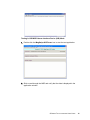
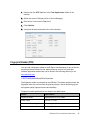
3. If the card ID appears in the Reader Output window, the reader is functioning.
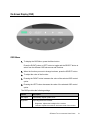
Customer Display
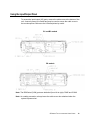
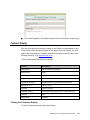
You can optionally add a customer display to the B-Series touchcomputer to any
of the four mounting locations located on the display head top, bottom, left, and
right of the touchcomputer. Software application and drivers can be found in the
following directory or on www.elotouch.com
C:\EloTouchSystems\SetupFiles\Peripherals
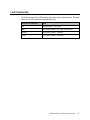
Feature
Description
Display type
Vacuum fluorescent display
Display color
Green
Display pattern
5 x 7 dot matrix
Brightness
350-600 cd/m
Characters available
95 alphanumeric & 32 international characters
Dot size (X x Y)
0.86 x 1.2 mm
Font size
5.5(W) x 10.5(H)
Character number
20 characters by 2 lines, for a 5 x 7 dot matrix font
Interface
USB
Part number
E326629
2
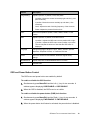
Testing the Customer Display
To test the customer display, follow these steps:
B-SERIES TOUCHCOMPUTER USER GUIDE
16