1
TOUGHSwitch™ PoE User Guide
Chapter 1: Overview
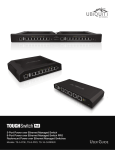
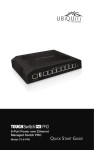
TOUGHSwitch PoE
Front Panel LEDs
Back Panel
Grounding
Slot
Power/Link
Power
Ventilation Holes
Grounding
Slot
Front Panel Ports
Management
LED
1-5
Management
Description
Power/
Link
10/100 Mbps port for management. Traffic between
the Management port and numbered ports will
be limited to 10/100 Mbps and, under heavy
load, may cause performance degradation of the
TOUGHSwitch.
USB
Reserved for future use.
1-5
10/100/1000 Mbps ports for switching and PoE (also
available for management by default).
Reset
To reset to factory defaults, press and hold the Reset
button for more than 10 seconds while the unit is
already powered on.
Ubiquiti Networks, Inc.
PoE
1-5
Interface
State
Status
Off
No Link
Amber
After bootup, the LED indicates
power. After an initial link is
established, the LED indicates a
10/100 Mbps connection. If the
link terminates, the LED turns
off until a link is re-established.
If the unit reboots, the LED will
again indicate power until a link is
established.
Amber Flashing
After the Reset button is held for
more than 10 seconds, the unit is
reset to factory defaults.
Off
No Power over Ethernet
Green
24V Power over Ethernet
Off
No Link
Amber
Link Established at 10/100 Mbps
Amber Flashing
Link Activity at 10/100 Mbps
Green
Link Established at 1000 Mbps
Green Flashing
Link Activity at 1000 Mbps
Reset
Management
USB
Speed/Link/Act
PoE
Speed/
Link/Act
2