1
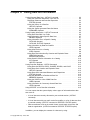
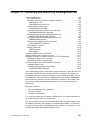
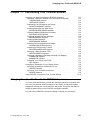
Renaming Data Sets with RENAME Chapter 8. Renaming Data Sets Renaming Data Sets with the RENAME Command . . . . . . Changing a Data Set's Name . . . . . . . . . . . . . . . . . Renaming a Group of Data Sets . . . . . . . . . . . . . . . Renaming a Member . . . . . . . . . . . . . . . . . . . . . . Creating an Alias Name for a Member . . . . . . . . . . . . ALIAS Operand . . . . . . . . . . . . . . . . . . . . . . . . Renaming Data Sets with the UTILITIES Option of ISPF/PDF Renaming an Entire Data Set . . . . . . . . . . . . . . . . . Renaming a Data Set Member . . . . . . . . . . . . . . . . Renaming More than One Member . . . . . . . . . . . . . . . . . . . . . . . . . . . . . . . . . . . . . . . . . . . . . . . . . . . . . . . . . . . . . . . . . . . . . . . . . . . . . . . . . . . . . . . . . . . . . . . . . . . . . . . . . . . . . . . . . . 8-1 8-1 8-2 8-2 8-2 8-2 8-3 8-3 8-5 8-6 Sometimes it is necessary to rename a data set or a member of a data set when, for clarification, you need to revise the data set name. To rename data sets and members of data sets: Use the RENAME command Use the UTILITIES option of ISPF/PDF. Renaming Data Sets with the RENAME Command Use the RENAME command to: Change the name of a single volume, non-VSAM cataloged, non-SMS-managed data set. Change the name of a single or multivolume, non-VSAM cataloged, SMS-managed data set. Change the name of a member of a cataloged partitioned data set Create an alias for a member of a cataloged partitioned data set. To change the name of a VSAM data set, you can use the Access Method Services ALTER command. For more information about the ALTER command, see DFSMS/MVS Access Method Services for VSAM. When you rename a password protected data set, the data set does not retain the password. If you want to password protect the renamed data set, you must use the PROTECT command to assign a password to the data set before you access it. Do not use the RENAME command to create an alias for a load module created by the linkage editor. Changing a Data Set's Name To change the name of a data set, specify on the RENAME command: The data set name you want to change The data set's new name. Copyright IBM Corp. 1988, 1999 8-1