1
Others
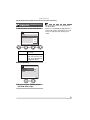
Message Display
Confirmation messages or error messages
will be displayed on the screen in some
cases.
Major messages are described below as
examples.
[THIS MEMORY CARD IS PROTECTED]
Unlock [LOCK] of the Write-Protect switch
on the SD Memory Card. (P17)
[NO VALID IMAGE TO PLAY]
Play back after recording or after inserting
a card with a recorded picture.
[THIS PICTURE IS PROTECTED]
After canceling the protect setting, delete or
overwrite the picture.
[THIS PICTURE CANNOT BE
DELETED ] / [SOME PICTURES CANNOT
BE DELETED]
The pictures not based on the DCF
standard cannot be deleted.
If you want to delete, format the card after
saving necessary data on a PC or
elsewhere.
[NO ADDITIONAL DELETE SELECTIONS
CAN BE MADE]
You have exceeded the number of pictures
that can be set at once with [MULTI
DELETE]. Once delete the selected
pictures and then repeat deleting multiple
pictures.
[MEMORY CARD ERROR
FORMAT THIS CARD?]
The format of the card cannot be
recognized by the camera. Format the card
again with the camera after saving
necessary data on a PC or elsewhere.
[PLEASE TURN CAMERA OFF AND
THEN ON AGAIN]
This message appears when the camera
does not operate properly. Turn the camera
off and on. If the message persists, contact
the dealer or your nearest servicenter.
[MEMORY CARD ERROR]
Failed access to the card.
Insert the card again.
[CANNOT BE SET ON THIS PICTURE ] /
[CANNOT BE SET ON SOME PICTURES]
If the pictures are not based on the DCF
standard, the DPOF print cannot be set.
97
VQT0R26