Transcript
Operating Instructions
K50289 Ball-Lok / Self-Lok Tool
Warning:
Always wear safety glasses when operating hand tool.
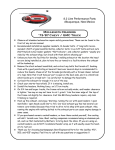
Tension
Adjustment
Knob
Instructions:
1. Tool is designed to accept 3/16” and
5/16” wide coated and uncoated ties.
2. Turn tension adjustment knob until
desired tension setting is displayed in
tension indicator window. Space
between numbers counts as one-half
setting. See step 7.
Tension Indicator
Window
3. Extend handle open to release gripping
mechanism and insert clamp tail into
tool through side load entry.
4. Squeeze handle repeatedly to tighten
band around object. Be sure to release
handle completely to use full pull-up
stroke of tool. Buckle must be secure
against the tool head. Once the preset
tension has been reached, the handle
will no longer release completely.
5. To cut-off excess clamp tail, squeeze
handle one last time.
6. The tool must be reset by, extending the
handle out until it snaps into place, the
tool will be ready to apply the next
clamp.
7. Tension Setting Range:
3/16” Self-Lok
3/16” Ball-Lok
5/16” Ball-Lok
0 – 4 1/2
0 – 4 1/2
0 – 6 1/2
Handle