1
3.2. PDA or cell phone for this function must/support pictures viewing/and internet capability.
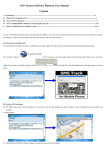
IV. Get location in real street/address name by cell phone.
4.1 You must set up the APN of your local GSM network for the SIM card in tracker first before using this function, if there is user name and password for
GPRS login, Please refer to 5.3 and 5.4 to configure the APN, user name and password for GPRS login.
4.2 After configure the APN, send address+password to device, it will reply SMS including real street/address name. For example: No.113, Nantou
Guankou 2nd Rd. Nanshan district, Shenzhen, Guangdong, china.
V. Track on Web-based Monitor Center by GPRS
5.1. The default APN, IP & Port (Default APN is CMNET; IP is 202.104.150.75; port is 9000)
5.2. Obtain IMEI Number
5.2.1 Switch the GPS tracker on, text the tracker a SMS “imei123456” via a cell phone, (123456 is the default password, If you changed the password, pls
send SMS with new 6 digits password),a imei number in 15 digits will be return to your cell phone.
5.2.2. All trackers active for tracking on web based monitor center when depart from factory with 7 days, If you want continue after 7 days, please
send your IMEI to us, we will active it for one years after your payment, and pay for it again every year.
5.3. APN Configuration
5.3.1. APN standards for Access Point Name and differs from country to country. For more information about the local APN, inquire with your local
GPRS network operator.
5.3.2. Text the tracker a SMS “APN123456 + Space +APN of your local GSM net operator” via a cell phone after obtaining your correct APN, and if
succeeded in setup, the tracker will return the message “APN OK”
e.g. send SMS command “apn123456 cmnet” to tracker device, If succeeded, “APN OK” is returned by the tracker in SMS.
Notes: 123456 refers to password of tracker and CMNET is the APN of China Mobile (One of GSM network operator in china).
5.4. GPRS Login User Name and Password Configuration
5.4.1 In most countries, the user name and password involving GPRS login are not compulsorily necessary. Therefore, the entry can be skipped. For those
countries requiring user name and password, please configure as follows:
5.4.2 Send SMS command “up+123456+Space+User+Space+Password”. If succeeded, “user, password OK” is returned by the tracker in SMS.
E.g. Send SMS “up123456 Jonnes 666666” to the tracker, and if succeeded, the tracker returns "user, password OK".
”
Notes: 123456 refers to password of the tracker, Jonnes user name and 666666 GPRS password.
5.5.IP Address and Port Setup
5.5.1 Send SMS as below via a cell phone: adminip+123456+Space+IP Address+Space+Port Number. The configuration for all subscribers in our
web-server monitor center should with our unique IP and port. IP is: 202.104.150.75 port is: 9000. So the SMS command sent by cell phone as
following: “adminip123456 202.104.150.75 9000” If configuration goes smoothly, the tracker returns "adminip OK"
5.6 Modes switch between “SMS” and “GPRS”
5.6.1 Send SMS “GPRS+password” to the unit, and it will reply “GPRS ok!” and switch to “GPRS” mode.