1
2.2 Firmware Upload
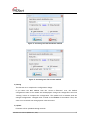
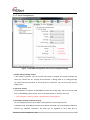
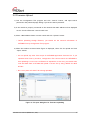
1) Run the Configuration Tool program and click “Search” button, and input search
password in the password popup dialog if you set the search password.
2) If the module is properly connected to the network then MAC address will be displayed
on the “Serial to Ethernet” search result area.
3) Select a MAC address shown in search result and click “Upload” button.
☞ Before uploading through Ethernet, you should set the network information of
WIZ108SR first by Configuration Tool program.
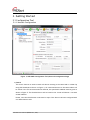
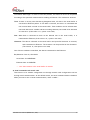
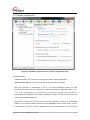
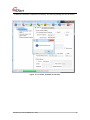
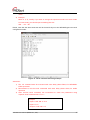
4) When the window as shown below Figure is displayed, select file for upload and click
“Open” button.
☞ Do not upload any other files except for WIZ108SR application firmware file. If you
uploaded other files by accident, Configuration Tool cannot search out WIZ108SR so
that uploading a correct one via Ethernet is impossible. In this case, you should erase
code and data flash in W7100A and upload a correct file by using “WIZISP for iMCU
W7100”.
☞ Don’t turn power off while F/W is being uploaded.
Figure 9. File open dialog box for Firmware uploading
WIZ108SR User Manual (WIZnet Co., Ltd.)
15