1
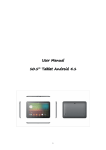
User Manual
M9 pro
1
Contents
Welcome ..........................................................................................................3
Important Notices............................................................................................3
Keys and Functions..........................................................................................4
I. Getting Started .............................................................................................5
1.1 Turn on/off ..................................................................................................5
1.1.1 Turn on......................................................................................................5
1.1.2 Turn off......................................................................................................5
1.2 Lock/unlock the screen (sleep mode)...................................................7
1.3 Connect to computer ..............................................................................7
II. Your Home Screen.......................................................................................7
2.1 Change wallpaper: ..................................................................................8
2.2 Add/delete applications on home screen: ..........................................8
2.3 Add widgets to home screen: ................................................................9
III. Network Connection..................................................................................9
3.1 Wi-Fi..............................................................................................................9
3.1.1 Turn on Wi-Fi.............................................................................................9
3.1.2 Turn off Wi-Fi ............................................................................................9
3.1.3 Add a Wi-Fi network........................................................................... 10
3.2 Bluetooth ................................................................................................ 10
3.2.1 Make device discoverable .............................................................. 10
3.2.2 Scan for devices................................................................................. 10
3.2.3 Pair with the Bluetooth device ......................................................... 10
3.3 3G Network ............................................................................................11
3.3.1 External 3G Network .......................................................................... 11
3.3.2 Internal 3G support (optional).......................................................... 11
IV. Internet Browsing....................................................................................11
4.1 Internet Browsing ...................................................................................11
V. Install and Manage Apps ...................................................................... 12
5.1 Install Apps.............................................................................................. 12
5.2 Manage Apps........................................................................................ 12
VI. Multi-media Functions ........................................................................... 13
6.1 Music ....................................................................................................... 13
6.2 Video ....................................................................................................... 14
6.2.1 HDMI output ........................................................................................ 15
6.3 Gallery..................................................................................................... 15
6.4 Camera................................................................................................... 16
6.5 E-book reader ........................................................................................16
6.6 Sign function...........................................................................................17
6.7 Incstage Apps........................................................................................ 18
VII. Settings.................................................................................................... 22
VIII. Battery .................................................................................................... 26
IX .Firmware Upgrading Procedures ......................................................... 27
Troubleshooting ........................................................................................... 31
2
Welcome
Thank you for purchasing this tablet.
It brings you much convenience for your business (supports Word, Excel,
send & receive e-mails...) and entertainment (supports 3D game,
chatting, movie playback, eBooks.....).
Running on Android 4.2, with a 1.6GHz processor and highly responsive
capacitive touch screen, it brings you wonderful user experience.
Before beginning, please refer to this user manual carefully.
Important Notices
⊙ While using the earphone, if the volume is excessively high it may
cause hearing damage. So please adjust the volume of the player
to a moderate level and balance the time of using.
⊙ Do not disconnect the tablet suddenly when formatting or uploading
and downloading, which can lead to program errors.
⊙ Do not dismantle the tablet by yourself, and do not use alcohol,
thinner or benzene to clean its surface.
⊙ The tablet dose not support USB charge. If you want to charge the
tablet, please use the AC adaptor supplied. Please use the original
accessories.
⊙ Read this User Manual carefully, Make sure you know how to
upgrade the tablet, other wise do not upgrade it by yourself.
3
Keys and Functions
1. ESC Key
Tap to return to the previous screen/ page.
2. Power and
lock key
3. Power jack
(DC input)
Hold and press to turn on or turn off this unit.
Briefly press to turn on or turn off the screen.
Connect to a 5V 2.5Aoutput adaptor as included
in the accessories
4. HDMI
Connect to TV output via a HDMI cable
5. MIC
Microphone for recording voice
6. USB port
7. HOST port
Connect to a computer to transfer data
(e.g., music, videos, photos, files).
USB OTG, supports mouse, keyboard, USB flash
disk, etc, with a converting cable
8. Earphone jack
To connect your earphone
9. TF card slot
To insert your TF card
10. SIM card slot
To insert your SIM card (Data only, only 3G version
is with this card slot)
11. Front Camera
2M pixels camera
12. Light Sensor
Improve your photo quality
13. Rear Camera
5M pixels auto focus
14. Speaker
AAC speaker
15. Speaker
AAC speaker
4
I. Getting Started
1.1 Turn on/off
1.1.1 Turn on
To start your tablet, press and hold the power key at the right side of
your tablet for a while. Tap and drag the lock out of the circle to unlock.
→
Tap and drag the lock
out of the circle to unlock.
Drag the lock to right: you will go to the home screen.
Drag the lock to left: you will go to camera directly.
1.1.2 Turn off
To power off your tablet, press and hold the power button until the
“Would you like to shut down?” dialog appears and tap “OK” to power
it off.
1.1.3 Launcher & PIPO launcher
5
There are two kinds of launcher available, click “Launcher”
, you will go to the regular PIPO interface.
Click”PIPO Launcher”
, you will go to the special interface.
Like this:
6
1.2 Lock/unlock the screen (sleep mode)
To save battery, you should put your tablet in sleep mode by turning off
the LCD display. To do this, shortly press the power key. Press it again to
wake up the screen.
1.3 Connect to computer
You can connect your tablet to your computer with the supplied USB
cable so you can transfer media files.
If your computer is XP system, please install a Windows Media Player 11
for your computer before transfer media files as android 4.1 system
needs Windows Media Player 11 support.
II. Your Home Screen
a
c
b
d
e
f
a. Google
search
b. Voice search
c. ESC key
d. Home
e. Recent
operations
f. Volume -
g
hi
Tap to enter Google search page
Tap to open voice search
Tap to return to the previous screen/ page.
Tap to return to your home page
Tap to show your recent operations
Tap to lower the volume
7
g. Volume +
h. WIFI Signal
i. Battery status
Tap
Tap to upper the volume
There will be WIFI signal when WIFI connected
Show battery status
(All Apps launcher) on the upper right corner to enter into all
apps panel:
2.1 Change wallpaper:
Tap the “Settings” icon on the all apps panel, you will see a pop-up
options; Enter into “Display” interface, you can choose wallpaper from
Gallery, live Wallpapers or Wallpapers.
2.2 Add/delete applications on home screen:
There are several apps in the home screen, you can also add more
frequently-used app icons in this home page and delete some less
frequently-used ones.
Tap the app launcher in the top right corner to go to all apps panel, tap
and move the app you want to the home screen.
To delete an app from home screen, tap and hold it, and them movie it
to the remove icon
8
2.3 Add widgets to home screen:
Tap all Apps launcher→Tap WIDGETS. There are Analog clock,
bookmarks, calendar, Email, and lots of other widgets. Drag the widget
you want to the home screen.
Tips: Besides your home screen, you can access to other four panels by
sliding left or right in your home screen. You can also customize these
panels.
III. Network Connection
3.1 Wi-Fi
Wi-Fi can only be used when it connects with home Wi-Fi Access Point
(AP) or a free unsecured Wi-Fi hotpot. Under “Wireless & networks”, tap
“Wi-Fi” to turn it on. After a moment, your Wi-Fi networks list should
populate. If you need to rescan for available networks, tap "scan"
3.1.1 Turn on Wi-Fi
Within the App Panel, tap “Settings”” → “Wi-Fi” to turn on wifi.
Your tablet lists the networks it finds within range. Tap a network to
connect. If necessary, enter Network SSID, Security, and Wireless
password, and tap “Connect”. When your tablet is connected to the
network, the wireless indicator
appears in the status bar. Waves
indicate connection strength.
3.1.2 Turn off Wi-Fi
Please turn off Wi-Fi if you’re not using it to save the battery. To turn off
Wi-Fi, Tap it again.
9
3.1.3 Add a Wi-Fi network
Users may also add a Wi-Fi network under “ settings”. In “settings”, tap
“
” on the upper right corner. Enter the SSID (name) of the network. If
necessary, enter security or other network configuration details. Touch
Save.
Note: Network status icons turn yellow
if you have a Google
Account added to your tablet and the tablet is connected to Google
services, for syncing your Gmail, Calendar events, contacts, for backing
up your settings, and so on.
3.2 Bluetooth
3.2.1 Make device discoverable
You must pair your tablet with a device before you can connect to it.
Once you pair your tablet with a device, they stay paired unless you
unpair them.
Under “Settings”, choose “Bluetooth”. Tap Bluetooth to turn on it and
tap “Search for devices”. The Bluetooth indicator
then appears in
the status bar.
3.2.2 Scan for devices
After scanning, there will be a list of the IDs of all available Bluetooth
devices in range. If the device you want to pair with isn’t in the list,
Ensure that the other device is turned on and set to be discoverable.
3.2.3 Pair with the Bluetooth device
Tap the name of an available Bluetooth device to pair with. In the
popup “Bluetooth pairing request” dialog, type a PIN.
If the pairing is successful, your tablet connects to the device.
Example: to transmit a photo
Go to “Gallery”, choose a photo to share. Tap any spot on the photo to
view a submenu. Tap
icon
→
, and then choose the device
name in the Paired devices list. The photo will then be sent.
You can touch the right icon to unpair the device.
Note: After pairing, it shows under the Bluetooth device “Paired but not
connected”, but file transmission is still possible.
10
You can see the received files by touching the right corner icon. At
present, the Bluetooth function only supports files transmission.To extend
battery life, turn Bluetooth power off when not in use.
3.3 3G Network
3.3.1 External 3G Network
A 3G network is a mobile network that allows high-speed data access
and advanced network capacity.
This tablet supports external 3G network by a 3G dongle. You can
connect the 3G dongle to HOST port via the OTG convertor cable (the
shorter one). You can find the convertor cable in the accessories.
However, this tablet supports some 3G dongles, but not all dongles. If
you need a special dongles to support, please check with the shop
before you buy it.
3.3.2 Internal 3G support (optional)
Internal 3G is an optional function. If you purchase this tablet with a SIM
card slot, you can access to the Internet via your 3G SIM card while
Wi-Fi network is not available. Please insert your 3G card into the SIM
card slot of the tablet, and the tablet will obtain 3G signal
automatically.
Frequency: This tablet support WCDMA SIM card
HSPA/WCDMA: 2100/900MHz
GSM/GPRS/EDGE Quad band:850/900/1800/1900
3G download speed maximum 7.2M bit/s, upload maximum: 5.76M bit/s
IV. Internet Browsing
4.1 Internet Browsing
Before using your browser, make sure Wi-Fi or internet is connected.
In your app panel, Tap the browser
icon to open your browser.
Tap the address bar, the Android keyboard will appear for your entry of
keywords or URL.
New tap
bookmark this page Open bookmarks
11
Submenu
Tap the
submenu.
icon in the top corner of the brower page to open the
V. Install and Manage Apps
5.1 Install Apps
Go to the “Apk Installer”
to install and manage your apps. To
install an application, follow below steps:
1. Tap to open the ‘APKInstaller’ → ‘Install’ → then tap “Internal
Memory” or “TF Card”. Available APK files will appear at the right side.
Touch the required one to install it.
Note: Make sure the APK file is workable on android 4.1 and the suffix
is .apk. e.g. “angrybirds.apk”.
In some cases, there may be no icon on the Apps Panel after an .apk
file is installed. Possible reasons may be that this app is not compatible
with your OS or the downloaded .apk file is a broken one so you may
need to download a full version.
5.2 Manage Apps
Tap to open the ‘APKInstaller’ → ‘Manage’. Tap the app and then you
can launch, export, and uninstall it.
12
You can also go to “AppS” under “Settings” to manage apps.
VI. Multi-media Functions
6.1 Music
After loading your music into your tablet, tap the music icon
to
open the music player. You can select songs by Artist, Albums, songs or
Play lists. Tap to select. The media player allows you to shuffle, skip, or
pause your current selection and even displays the album artwork when
available.
13
Tap
in the bottom line to open a submenu in music playing page.
6.2 Video
You can play videos saved in your tablet or TF card. To play, tap Video
icon to launch the video player:
14
Tap the video you would like to play. Tap the screen to show the video
tool bar. You can play back, fast forward, pause your video here. You
can also add bookmark for your video, adjust brightness, or set screen
ratio here. Here is the toolbar:
With the Wi-Fi on, you are also able to view an on-line video.
6.2.1 HDMI output
a. Tap 'Video player' or other video players and play a required movie.
b. Adjust your TV set and select “HDMI” output
c. Connect the tablet to your TV via HDMI cable, and wait for a few seconds
for your TV set to receive signal.
You can also operate on your tablet while HDMI connected..
6.3 Gallery
You can view, show off, and even edit your digital pictures on the
tablet’s full color, high-resolution display. After loading your media, tap
Gallery
to display your pictures:
15
Tap the picture you want to display it, and slide right or left to show
other pictures.
Tap the menu icon, you can edit, rotate, crop, or set it as wallpaper.
6.4 Camera
Tap the
icon to open camera. Your tablet is built in 2M front
camera and 5M rear camera. You can take a photo, or a video both
by front camera and rear camera.
Note: After you power on your tablet, you can go to camera directly by
drag the lock to left.
Note: Auto Focus function, tap anywhere on the camera screen, the
camera will focus on the spot you are tapping to. As the picture shows.
To view photos
To select Front/
back camera
Tap to take a photo
Set white balance,
Scene mode, etc.
Pan-shot
Change to video-taking
Tap the screen while
taking pictures, you
will have focus on
any subject if you
want to.
6.5 E-book reader
The tablet supports many eBook formats like PDF, Text, E-Pub, FB2....
16
Tap the “e-book”
icon to open e-book shelves. Tap an e-book to
open the book and read.
You can page up or page down by sliding your finger right or left.
Tap
or the menu button to check the sub-menus. You can set the
font size, Go to Page jump; check your bookmarks, set the auto flip time,
etc.
6.6 Sign function
Tap the “sign”
icon to open this.
You can make notes and sign your signature on PDF, Picture file.
17
Just tap
to choose the PDF file from your tablets, make
sure you have those files in your tablets.
If you want to make note or want to sign on pictures, Please tap
. You may edit the documents and pictures as you want.
6.7 Incstage Apps
Incstage Photo, Incstage Presenter, Incstage Reader, Incstage share for
sharing and displaying synchronization.
6.7 .1
Incstage photo
Tap Incstage Photo
, enter into the App,
18
Turn on “send on/off”, “receive on/off”,
, you
pictures on your PIPO could be displayed on another Device. Make sure
that all Incstage photo apps in different PIPO Device are opened at the
same time, and you connect all Device to the same WIFI.
6.7 .2
Incstage presenter
Incstage Presenter
.
to import PPT into this App. If
Enter into the App, tap” import”
you want to share your PPT with another Device, tap “share”
on
the top right corner, to invite another PIPO tablet, to achieve displaying
synchronization. Make sure that all Incstage presenter apps in different
PIPO Device are opened at the same time, and you connect all Device
to the same WIFI.
6.7 .3
Incstage Reader
19
Tap the icon of Incstage Reader
menu
, enter into the App, tap the
to import e-books.
Select the book you want to share with another PIPO Device, and tap
share icon
to invite other PIPO tablets. Make sure that all
Incstage Reader apps in different PIPO Device are opened at the same
time, and you connect all Device to the same WIFI.
Then the images on your PIPO Device you control will be displayed to
other PIPO tablets invited. Check the bellowing synchronization
displaying.
20
6.7 .4
Incstage Share Center.
This is the share center
, you will achieve remote control
function via a PIPO TV dongle.
Connect PIPO TV dongle to HDMI port of your TV set, (PIPO TV dongle
Then enter into “Instage Share Ceter”, videos, images on your Device
will be sent to TV display synchronously.
21
VII. Settings
to go to settings. You can check and set
Tap the “Settings” icon
wireless&networks, sound, display, storage, Battery, Accounts &sync,
security, language, date&time, about tablet, etc.
Wi-Fi: tap “Settings” → “Wireless & networks” to turn on wifi and scan. It
will show a list of Wi-Fi networks scanned in range. Choose a strong
Wi-Fi network to connect. (You may need to input the password).
Bluetooth: Turn on Bluetooth, enable the file transmission
Data usage:
VPN: First, set a locked screen before adding VPN profile,
22
You may choose what ever screen lock you like, pattern, PIN, password.
Bellowing I select Pattern as an example.
Secondly, after setting the screen lock, you could add A new VPN.
Create your VPN name, input the server address, and then click “save”
[Input What ever name you want to show on the VPN]
23
And then input your VPN account and password
And , finally, VPN settled.
Portable hotspot: turn on Wi-Fi and turn on hotspot by ticking the
square.
24
And then create hotspot. Set up network ID, select the security type.
When hotspot is set up , there will be an icon appearing, like this, the
Wi-Fi signal is surrounded by a white square:
Ethernet: Turn on Ethernet, connect to HOST port via the OTG cable
which is included in accessories, and then connect this OTG cable to
the Ethernet cable.
Mobile networks: Turn on “Mobile Networks”→ “Data enabled”
whether you use a 3G dongle or SIM card, it’s required to turn on
“Data enabled” for mobile data transmission .
25
Sound: turn off touch sound by tapping “sound”—“touch sounds”
Display: To set Brightness, Wallpaper, Sleep time-out, Font size here.
Screenshot: Tap “Screenshot”, ticket the option “show screenshot
button on the status bar”. There will be a screenshot button on the bar.
Storage: Check internal storage here. If you insert a Micro SD card, or
USB disk, you can check the total and available space for your Micro SD
card or USB disk. Please unmount it to safely remove it.
Battery: Check the Battery status here.
Language & input: to set language and keyboard input.
Backup & reset: to go to submenu "back up my data" and "Factory
data reset". If you choose factory data reset, all data from your
tablet's internal storage will be erased. Choose this option carefully.
About Tablet: To check information about your tablet, such as Model
number, android version, etc.
VIII. Battery
Very Low Battery
Full Battery
Charging Battery
‘
’ indicates that the power of Battery is full. When the battery level
becomes too low, a prompt comes up to note you to charge your
tablet.
While charging, you can check the charging status in the lock screen:
26
It takes around 5 hours to charge your tablet to full battery. Please only
use a 5V /2.5A adaptor included in the gift box to charge it.
IX .Firmware Upgrading Procedures
9.1 warnings before upgrading
1. Please read the below carefully when you try to upgrade your tablet.
2. Please make sure that the firmware matches your tablet.
3. Please backup your data before upgrading, the storage will be
formatted when upgrading, data will be lost and unrecoverable.
4. Please do not touch any buttons on the tablets while it is upgrading.
5. Make sure that your tablet is with enough power, you’d better charge
the tablet before upgrading, in case of upgrading failure due to low
battery.
6. Please proceed in accordant with the instructions strictly.
9.2 Preparations work before upgrading
Please download the “upgrade tool” from this PIPO website,
http://www.pipo.cn/En/index.php?m=About&a=gujian_show&id=70
Please download the corresponding firmware from PIPO website,
http://www.pipo.cn/En/index.php?m=About&a=gujian
9.3 How to upgrade
1. Decompress the upgrade tool, double click the “RK batch Tool” icon,
27
as the bellowing
, choose the firmware downloaded. Then charge your
2. Click
tablet with power adapter, and USB cable connects tablet and PC.
press the ESC key for a few seconds, at the same time press “reset”,
release ESC until the tool finds your tablet, if “reset” and “esc ” fail,
hold “ESC” and “powe” r button, make you tablet set into upgrading
mode.
28
3. After the PC finding out the tablet, and the device icon
turns green, click “upgrade” for upgrading.
Note: If the device detected under the status of Pink
, please
click “Switch”, the upgrading status will switch to Green (standby status)
The tablet is upgrading the firmware
29
The tablet will turn on automatically, now you could disconnect the
tablet to the PC.
9.4 Instructions of Installing Rock chip USB driver
30
If you do the upgrading for the first time, please install the Rock chip USB
driver in accordant with the bellowing instructions.
If you are upgrading via your PC for the first time, it requires your PC to
install Rock chip USB driver, after your tablet entering into upgrading
mode, it will pop out a guide advising you that the PC finds new
hardware. Select manually install and then click “next”
Select the USB driver in accordant with your PC system, the driver is
included in the “RK batch tool”. Then the PC will install the USB driver
automatically. After finishing USB installing, go back to upgrading mode.
Note
If your PC is with Win7 or Vista system, it will not pop out the guide
leading you to install the driver, you get to install the driver in “My
Computer”.
1. Right click “My Computer”, select “Device Manager”
2. There will be an “Unknown Device” with an exclamation mark
appears
3. Right click the “Unknown Device”, select “renew driver software”
4. Load the USB driver included in the “RK batch tool” to install the USB
driver.
Note: Do not turn on “USB Debugging” in the setting when upgrading
firmware.
5. When you finish the driver installation, you can come back to
upgrading procedures.
Troubleshooting
1. Can not turn on the tablet
Check the tablet’s power level; please charge it before starting it. In
case your tablet still cannot be turned on, you may try to reset it
2. No sound from earphone
Check if volume is set to ‘0’. Or earphone may be broken, please
change for another one.
3. Big noise
Check if there is dust in the earphone or speaker. Check if the file is
broken.
4. Screen drift or unresponsive screen
31
To pin the reset button to reset your tablet and power it on again.
5. Application not workable
Possible reasons may be that this app is not compatible with your OS or
the downloaded .apk file is broken so you may need to download a full
version.
6. How to delete a Google account?
If an account is added, the account is shown in “Accounts & sync” of
“Settings”, where you may also add another account. To delete an
undesired account, go to “Settings” → “Privacy settings” → “Factory
data reset”. Your tablet’s internal storage, downloaded apps, etc. will
also be deleted, except the info in your flash memory. Be careful before
you carry out this operation.
7.USB unmounted, SD card unmounted
Some times after inserting SD card or USB, it will show on the tablet that
“unmounted”, do the factory reset by “setting” – “backup & factory
reset”, and then turn off and turn on tablet once again. If fail, you have
to upgrade the firmware.
32