1
User guide for the DTFE code
3.10
Additional grid interpolation methods
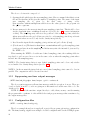
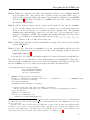
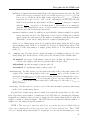
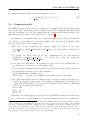
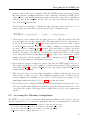
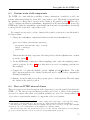
./DTFE demo/z0_64.gadget demo/output --grid 128 32 32 --TSC
./DTFE demo/z0_64.gadget demo/output --grid 128 32 32 --SPH 40
On top of the DTFE grid interpolation method, the code also comes with the Triangular
Shape Cloud (TSC) and Smooth Particle Hydrodynamics (SPH) interpolation methods. These
methods are given only for comparison purposes and are not tested rigorously or optimized for
speed and memory requirements (the DTFE part of the code was optimized in that respect).
The TSC method interpolates to grid only the density and velocity, while the SPH method
interpolates to grid all the fields, but NOT their gradients. For details about the kernels of the
two methods see Sec. 5.8.
3.11
User defined grid sampling points
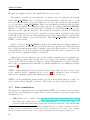
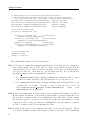
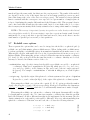
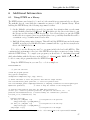
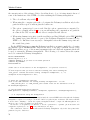
./DTFE demo/z0_64.gadget demo/output -g 64 --options userGridFile
The above code syntax shows an example of how the user can load user defined sampling
points (sampling points that are not on a uniform regular grid or on a light cone grid) from
a file and how to run such a program. At the moment the DTFE code does not come with
an example of how to load the user defined sampling points, but this can be done very easily.
Before describing that part, it has to be mentioned that there is no special option that tells the
program to use a given input file as user defined sampling points. In the above example, for
this, we used the --options option which saves all the values assigned to it to a vector of strings
(called additionalOptions) in the program class User options. The user can use this option to pass to the program additional values without having to modify the class User options.
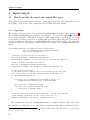
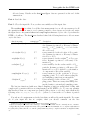
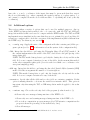
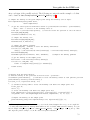
Loading the user defined sampling points in the DTFE program is as simple as the following
steps (before you continue, make sure that you are familiar with the methods used to load the
input data into the program - see Sec 4.1):
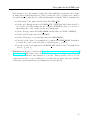
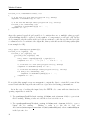
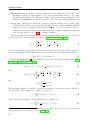
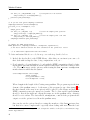
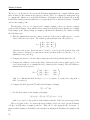
\* open the input file with the sampling coordinates
here it is a text file with 1ts line = number of sampling points*/
std::string filename = userOptions.additionalOptions[0];
std::fstream file;
openInputTextFile( file, filename );
size_t noSamples;
file >> noSamples; // reads the number of user sampling points
\\ reserve memory for the sampling coordinates
Real *sampling = readData.sampling(noSamples); //sampling points positions
Real *delta = readData.delta(noSamples);
//sampling points sizes
\* read the sampling point positions and sizes into the
’sampling’ and ’delta’ arrays */
...
21