1
Touch Screen Driver Installation
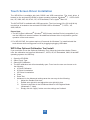
The WP19-Res is available with both RS232 and USB connections. The touch driver is
located on the enclosed CD-ROM for these operating systems: Windows® 7, VISTA 64/32
bits, XP, 2000, ME, 98, NT4.0, CE, XP Embedded, Linux, Apple® Mac OS.
The WP19-PCAP is available with USB connection. The Linux kernel 2.6.x (32 bit & 64 bit)
touch driver is located on the enclosed CD-ROM. HID for Windows® 7, VISTA , XP,
2000, ME,98.
Please Note:
1. The WP19-Res is Microsoft ® Windows® HID (Human Interface Device) compatible if you
use the USB touch screen interface. No additional software driver is required for general
operation of the touch screen.
2. For WP19-PCAP, the system requires 15 seconds for Windows 7 to install/uninstall the
touch drivers while turning power on/off or plugging/unplugging USB cable.
WP19-Res Optional Calibration Tool Install:
If you would like to use the Optional Calibration Tool, follow the instructions below. Please
note: the calibration tool supports Windows® 7, VISTA, XP, XP Embedded, 2000, 98 and ME
operating systems via USB only.
1.
2.
3.
4.
Open the CD-ROM.
Select Touch Type.
Select HID Calibration.
The HID calibration tool will automatically open. From here the user can choose to do
the following:
a. 4 Points Calibration
b. 9 Points Linearization
c. 25 Points Linearization
d. Clear
e. Draw Test
f. Advanced. In the Advanced settings area the user may do the following:
i.
Adjust the Double Click Area.
ii.
Enable auto right click and adjust the auto right click time.
iii. Choose to be either in the HID Mouse Mode or HID Digitizer Mode
(Windows® 7, Vista).
i v. Simply click the “Apply” button once the settings are finalized.
20