1
4. THE RT4 TOOLBOX
4.1. CHANGING THE BOOT SCREEN
You want to change the boot screen of your RT4, see a family picture (or whatever else) instead of the car maker’s one?
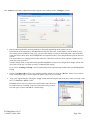
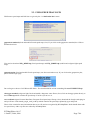
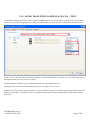
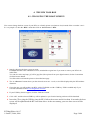
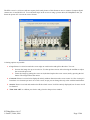
It’s very simple. Go into the “RT4” menu then click on “boot screen -> RT4”
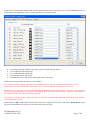
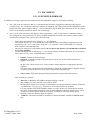
1. Start by choosing the boot screen you want.
RTxMapEditor has some embedded screens, included the original one if you want to restore your RT4 in its
initial state.
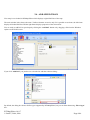
You can also select any bmp, gif, tiff or jpeg like (like a picture from your digital camera). Select Custom then
click the browse button.
You’ll be able to reframe the picture as described next page
2. The “1:1 Preview” button shows you the selected screen at 1:1 scale, as it will be displayed by the RT4 without
distortion.
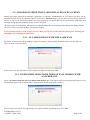
3. Chose the way you will update your RT4, with a CD-ROM or with a USB key. USB is enabled only if you
selected USB mode in the RT4 configuration window.
4. If your USB key doesn’t appear, click the “Refresh” button.
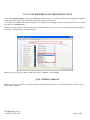
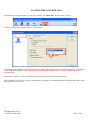
5. Click “OK” and the selected USB key will be updated or you favorite burning software will be launched.
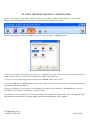
6. Insert the CD or plug the USB key into the RT4, follow the screens and in less than 10 seconds, the boot
screen will be updated and the RT4 will shut down. At the next startup, your new boot screen will be
displayed.
RT3MapEditor 0.4.0.7
© Janfi67, 2006, 2008
Page 34/46