1
Storage
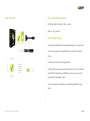
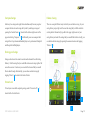
Tracking Mode
The Zepp Baseball sensor can hold up to 2,000 swings when not
running across the LED channel every 4 seconds.
The sensor is in Tracking Mode when it is on and the LED lights are
connected to the app. When connected to the app all swings will
automatically transfer from the sensor to the app.
Connect Mode
If you’re having trouble connecting to Bluetooth press in on the multiWARNING: If you have stored swings that have not been synced to an
function button two times to put the sensor in Connect mode. The sensor
app prior to switching to a new sport they will be erased. You must
will show 3 LEDs traveling back and forth across the LED channel
upload the stored swings to the correct app prior to switching modes.
Battery Status
Factory Reset
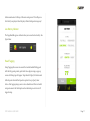
Press in and hold the multi-function button for 10 seconds to reset your
sensor into Factory Default setting.
WARNING: All swings will be erased from memory when your sensor is
reset.
LED Indicator Lights
Your Zepp sensor features a display that consists of 10 LED indicator
lights. These lights communicate a variety of feedback including battery
status, searching to connect, starring swings, and sensor reset.
ZEPP BASEBALL USER GUIDE
Press in on the multi-function button one time to check the battery status.
If less than three LEDs light up, this indicates a low battery. Charge your
sensor for 2-3 hours.
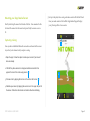
Starring a Swing
The star feature allows you to keep track of all of the great swings you
make. To star a swing with your sensor press in on the multifunction within 10 seconds of your swing.
!
!
!
Page !7