1
RedNet 6 connections and features
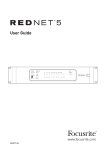
Front Panel
NETWORK
6
POWER
2
INPUT
CLOCK SOURCE
STATUS
×2
INTERNAL
COAXIAL
REDNET
SRC
LOCKED
×4
MADI INPUT
OPTICAL
MADI INPUT
O/P VARISPEED
REDNET
3
CLOCK SOURCE
SAMPLE RATE
CONNECTED
PULL UP/DOWN
4
1.
AC Power Switch
2.
Power Indicator
3.
RedNet Network Status Indicators:
WORD CLOCK
5
MADI
6
WORD CLOCK
7
8
1
•CONNECTED – illuminates when the unit is connected to an active Ethernet network.
•LOCKED – illuminates when a valid sync signal is received from the network or the RedNet
6 unit is network master. When an incoming clock signal is invalid, the Locked indicator
will flash to indicate that the unit has reverted to using its internal clock.
4.
RedNet Sample Rate Indicators:
•Five yellow indicators. The Indicators illuminate individually or in combination to indicate
44.1 kHz, 48 kHz, x2 multiple (of 44.1 or 48), x4 multiple (of 48) and sample rate Pull Up/
Down. For example, for a 96kHz pull up/down setting, the 48kHz, x2 and Pull Up/Down
indicators will illuminate.
5.
RedNet Clock Source Indicators:
When RedNet 6 is the clock master of the Dante network, one of the following indicators will
illuminate.
•INTERNAL – illuminates to indicate the internal RedNet 6 sync clock is in use.
•MADI INPUT – illuminates to indicate an external MADI sync clock is in use.
• WORD CLOCK – illuminates to indicate an external Word Clock sync clock is in use.
6.
MADI Input Indicators:
If a selected input signal is either invalid or not present the input source indicator will flash.
•COAXIAL – illuminates to indicate that coaxial connection is operational.
•OPTICAL – illuminates to indicate that optical connection is operational.
7