1
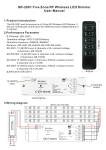
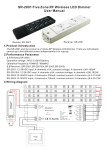
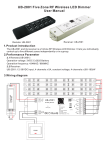
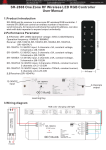
SR-2801E RF Wireless LED Dimmer
User Manual
Receiver: SR-2501E
Remote: SR-2801E
The SR-2801E and its receiver is a RF Wireless LED Dimmer. It lets you individually control
4 channels independently.
2.Performance Parameter
2.1 Remote: (SR -2801E)
Operation voltage: 3VDC Cr2025 Battery
Operation frequency: 434MHZ / 868MHZ
2.2 Receiver: (SR-2501E,SR-2501EEA,SR-2502E,SR-2503E)
SR-2501E: 12-36VDC input, 4 channels x 5A, constant voltage, 4 channels x (60-180)W
SR-2501EEA: 12-24VDC input, 4 channels x 8A, constant voltage, 4 channels x (96-192)W
SR-2502E:12-36VDC input, 4 channels x 350mA, constant current, 4 channels x (4.2-12.6)W
SR-2503E:12-36VDC input, 4 channels x 700mA, constant current, 4 channels x (8.4-25.2)W
W
W
W
W
W
W
W
1
W
SR-2501E
lin=20.5A
4
Learning Key
2
RF Easy Dimmer
3
Power Input
12-36VDC
3.Wiring diagram
N
L
220V
4.Operation Manual
After you have wired all the receivers according to Figure illustration you need to do the
following:
4.1 Pull off the plastic film cover of the battery at the back of remote.
4.2 Pair remote and receiver: short press the Learning Key on the receiver, then immediately
short press the
or
. Once you do that, the LED lights will blink once. Now your remote
and receiver are paired! Do the same for the other receivers if you use them, you can add as
many optional receivers as you wish.
4.3 Press
Long press
long press
and
and
can dim 4 channels brightness independently.
: dim brightness from 0%-100%.
: dim brightness from 100%-0%.
switch on/off 4 channel together.
Memory Reset:
In case you want to reset the memory of the receiver, press the learning function button for
10 seconds while the unit is being powered. The unit will then reset to factory defaults.