1
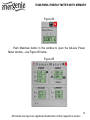
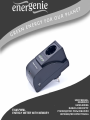
EGM-PWML ENERGY METER WITH MEMORY To delete all previous recorded data, just push the Clear database button. Note: Device IP, Port and Enabled fields will be grey – these functions are only available on the LAN version of the EGM-PWM. To open the Power Meter window, select your EGM-PWML device from the list (see Figure #2 above) and then click the Power meter button (see the chapter 7 below). 7. Power Meter The Power Meter window can be opened in either a minimized or maximized mode. The minimized Power Meter window is shown in Figure #4 below. This window is useful for monitoring selected measured values. It displays: A single measured value (e.g. money spent) Note: Click with the right mouse button over this field to choose a different measured value to display Two warning indicators. These indicators by default would show you when the voltage is beyond its limits (too high or too low) Note: Read Chapter #9 below if you wish to customize these indicators All brands and logos are registered trademarks of their respective owners 9