1
For example: entering 192.168.1.0/24 will add all the addresses in the range 192.168.1.1 to
192.168.1.254. Please contact with your network administrator for more detail.
- If you are accessing the network camera via a proxy server, the IP address for the proxy server
must be added as an allowed address.
- Click the Save button to save the settings, or click the Reset button to clear all of the information
you entered without saving it.
Date & Time
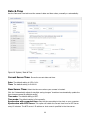
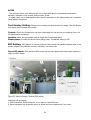
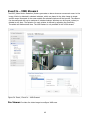
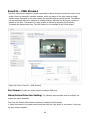
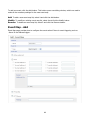
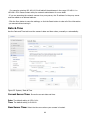
Use the Date and Time tab to set the camera’s date and time values, manually or automatically.
Figure 55. System / Date & Time
Current Server Time: Shows the current date and time.
Date: The default setting is 1970-01-01.
Time: The default setting is 00:00:00.
New Server Time: Select the time zone where your camera is located.
92