1
Installation
Software
Software Installation
Installing the elite
Panaboard software
You need to install the elite Panaboard software on the
computer that will be used with the elite Panaboard.
To install the elite Panaboard software, follow the
procedure below.
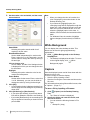
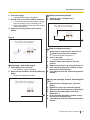
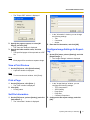
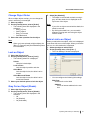
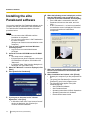
6. When the following screen is displayed, confirm
that the USB cable is not connected to your
computer or the elite Panaboard, and click [OK].
• If the USB cable is connected to the elite
Panaboard, disconnect the cable, and click
[OK].
• If .NET Framework 1.1 or later is not installed,
an installation screen is displayed. Follow the
on-screen directions to install these
components.
Notice
•
•
Do not connect the USB cable until the
installation is completed.
Do not connect more than 1 elite Panaboard to
the same computer.
(Doing so can cause erroneous behavior on the
computer.)
1. Turn on your computer and start Windows
operating system.
• Log into an account with Administrator
privileges.
2. Insert the included CD-ROM into the CD-ROM
drive.
• The setup screen is displayed.
• If the setup screen does not appear, select your
CD-ROM drive in Explorer, and double-click
"Menu.exe".
• In Windows Vista, if the Autoplay dialog box is
displayed, click [Run Menu.exe].
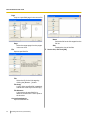
3. When the "Welcome" screen is displayed, click
[Next].
4. Click [Install elite Panaboard].
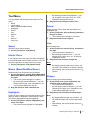
5. If you agree to the terms in the "License
Agreement", click [Yes].
• In Windows Vista, if the "User Account Control"
window is displayed, click [Continue] to
continue with the installation.
44
Operating Instructions (For Software)
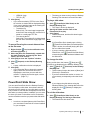
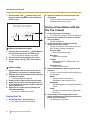
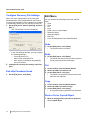
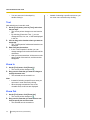
7. When the installation wizard is displayed, follow
the on-screen instructions and continue with
the installation.
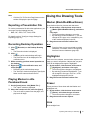
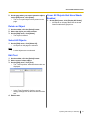
8. When installation has finished, click [Finish].
• Restart your computer if you are prompted to do
so.
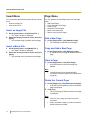
• The group [elite Panaboard] is created in the
[Panasonic] group in the program menu.
• The following items appear in the [elite
Panaboard] group:
– elite Panaboard software
– elite Panaboard book
– Operating Instructions for Basic Operations
– Operating Instructions for Software
– Download the latest version